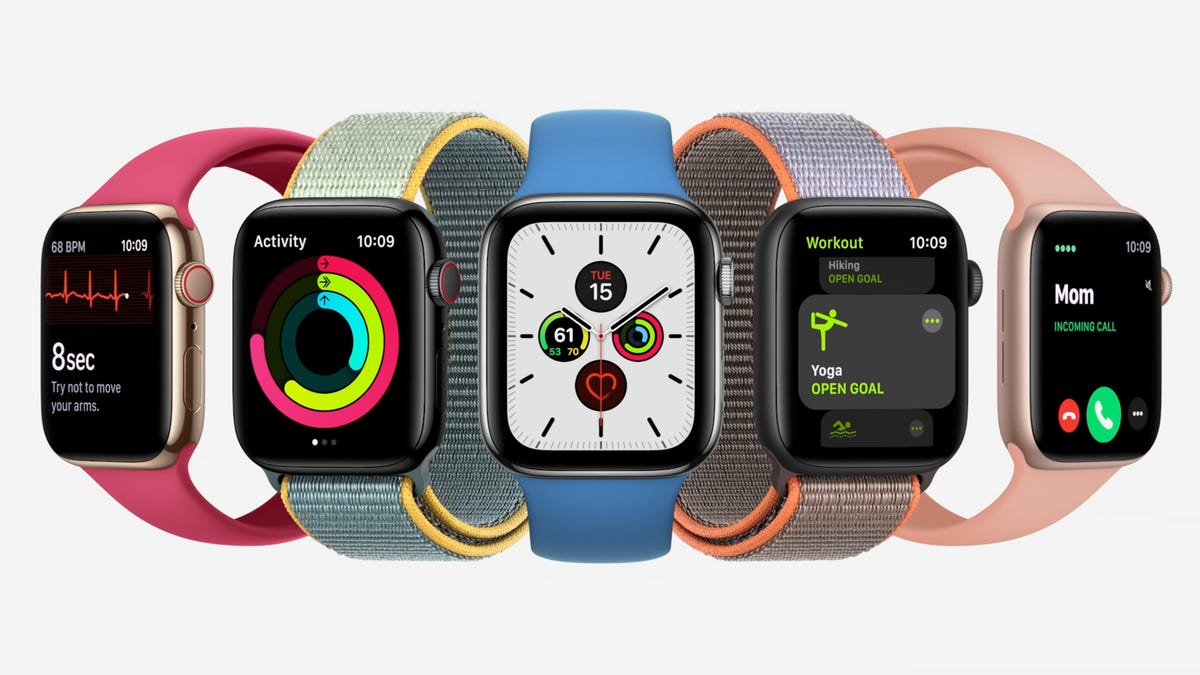
Author: Admin

  • Best Gaming TV: Low Input Lag and High Picture Quality

    If you are in the market looking for a gaming TV, our best TVs for 2023 list is more than enough because most modern TVs are already perfectly suited for video games and offer excellent color, contrast, brightness and resolution. However, HDMI 2.1 is important for advanced gaming features that can improve your experience, such as 120Hz and variable refresh rates. These gaming TVs are especially nice if you’ve managed to get your hands on a next-gen console like the Xbox Series X or PlayStation 5. There are also some TVs that come with a preset gaming mode, which reduces input lag and keeps your image crisp.

    How quickly you react while gaming depends on a feedback loop between your brain, your fingers, the game controller and the action you see on the TV screen. Delay at any point will diminish your performance and the thrilling immediacy of the playing experience. It takes mere milliseconds for a video signal to travel from your console through the HDMI input on your TV to display on the screen, but too many milliseconds can be noticeable to your brain — and they can be downright deadly to your in-game character. Those milliseconds of delay are known as input lag.
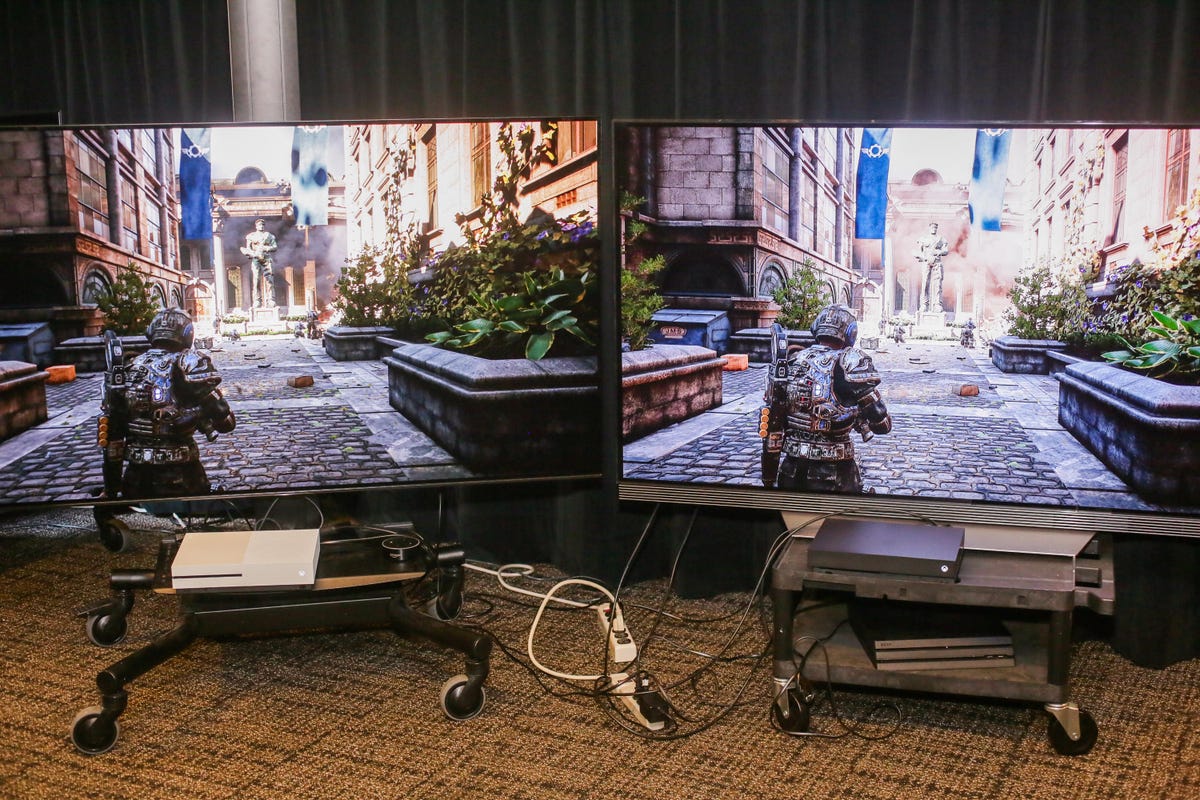
    Two TVs displaying the same video game side by side.

    Select TVs’ input lag with game mode on and off (milliseconds)

    TV Model On (4K HDR) Off (4K HDR) On (1080p) Off (1080p)
    LG OLED65C2 9.87 81.10 9.93 72.80
    Amazon Fire TV 4-Series 10.03 119.23 34.80 102.20
    Samsung QN55Q60B 10.10 68.63 10.00 87.80
    TCL 50S455 10.13 49.90 10.23 33.27
    Samsung QN65QN90B 10.50 74.30 10.73 95.00
    Vizio V550M 10.43 67.70 10.63 51.57
    Hisense 50A6H 10.53 119.27 10.80 43.23
    TCL 65R655 10.90 11.40 11.27 11.37
    Sony KD55X80K 11.67 132.63 11.93 132.77
    Vizio M65QXM-K03 15.10 127.37 15.33 60.10
    Hisense 65U8H 15.43 108.73 15.33 108.73
    Sony KD-65X95K 18.13 144.53 18.03 161.20

    The top 5 gaming TVs

    The following TVs, featured at the top of the page, deliver either the lowest lag I’ve measured among the TVs I’ve reviewed, the best picture quality for the money or a combination of both. Unless otherwise noted, prices shown below are for the 65-inch sizes.

    What else you need to know about input lag

    How to turn on game mode. In most cases, viewing in game mode isn’t automatic so you’ll have to turn it on manually, and sometimes the gaming monitor setting can be difficult to find. Many use a picture mode called “Game” while some, like Samsung and Vizio, let you apply game mode to any setting.
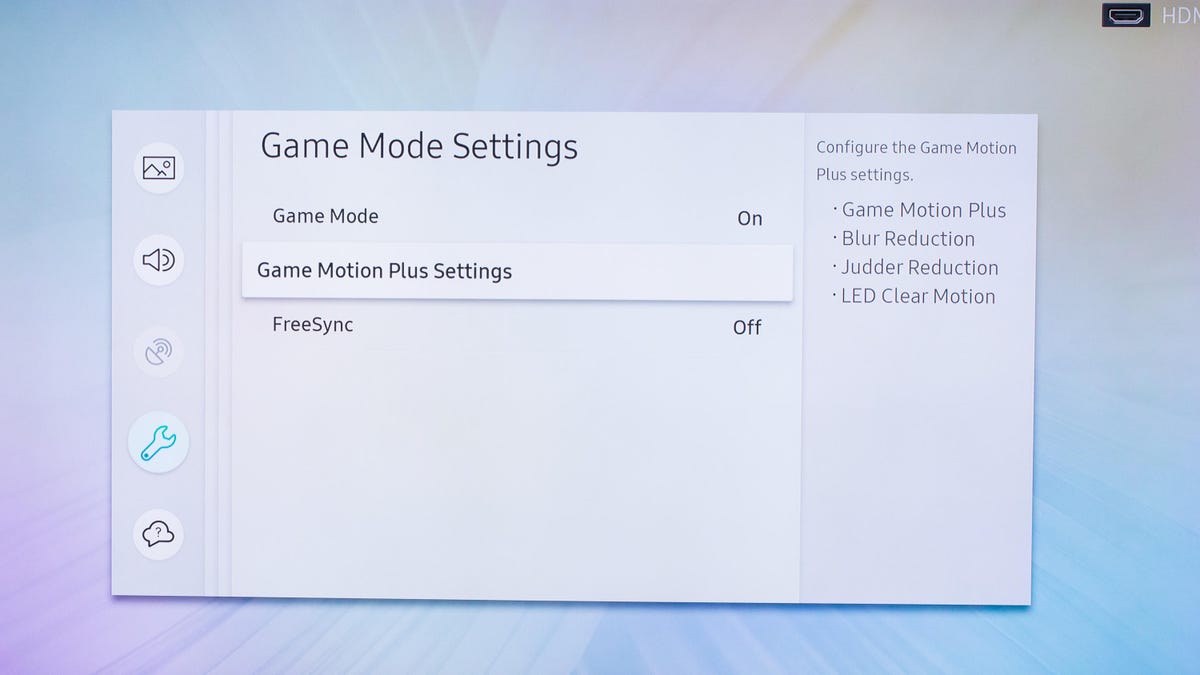
    Samsung Q9 TV

    Game mode makes a difference, except when it doesn’t. As you can see in the table above, many TVs cut lag substantially when you turn on game mode, but plenty don’t. In general, expensive TVs with elaborate video processing get more of a benefit when you engage game mode.

    Most TVs’ game modes are good enough for most gamers. No matter how twitchy you are, it’s going to be tough to tell the difference between 13 and 30 milliseconds of input lag. Many gamers won’t even be able to discern between having game mode on and off — it all depends on the game and your sensitivity to lag.

    Turning game mode on can hurt image quality (a little). TV makers’ menus often refer to reduced picture quality. Reduced picture quality is generally the result of turning off that video processing. In my experience, however, the differences in image quality are really subtle with console gaming, and worth the trade-off if you want to minimize lag for a great gaming experience.

    4K HDR gaming lag is different from 1080p. The display resolution you play at has an impact, and since new consoles prominently feature 4K HDR output for games, I started testing for 4K HDR lag in 2018. In general, the numbers are similar to the lag with standard 1080p resolution, but as you can see from the chart above, there are exceptions.

    Testing is an inexact science. I use a Leo Bodnar lag tester. Here’s how it works, and how I use it. You might see different lag test results from different review outlets, which may use Bodnar or another method.

    What’s the best TV for gaming, period?

    As I mentioned at the top, the best TV for gaming is one that has the best picture quality for viewing everything else, too. Games benefit from deep black levels, bright highlights and uniform screens just as much as movies and TV shows do.

    Yes, there are other factors, but they don’t apply to most gamers. If you play the same game constantly on your smart LED TV and never put anything else on the screen, and that game as a bright static element that stays in the same place on the screen (like a HUD or other status display), you might be at risk for OLED burn-in. But most gamers don’t have to worry about OLED burn-in.

    If the TV input where your console is connected is shared with other devices and you don’t want to remember to re-engage game mode all the time, an auto game-mode feature might be useful. And some cutting-edge PS5, Xbox Series X and PC gamers might appreciate 4K/120Hz input and variable refresh rate.

    Most gamers, however, will find that the best TV for gaming is the best TV, period.
  • YouTube’s Student Pricing for NFL Sunday Ticket Will Run $109 for the Season, $119 With RedZone

    YouTube TV is taking a page out of DirecTV’s playbook when it comes to its student discount for NFL Sunday Ticket. After teasing that a student plan was coming, the search giant has revealed that it will charge college students $109 to get its NFL Sunday Ticket on YouTube package, or $119 for those who want Sunday Ticket and the popular NFL RedZone channel.

    DirecTV, which previously was the exclusive home of Sunday Ticket before Google’s YouTube and YouTube TV took over the rights, charged a similar $120 per season for Sunday Ticket to college students for a version that included RedZone. That said, the college discount is still a significant savings compared with getting Sunday Ticket from YouTube at its regular price of $399 for the base package and $439 for the option with RedZone (both prices factoring in $50 discounts that Google is currently offering).

    Under its regular pricing, those who pay for YouTube TV can tack on the base Sunday Ticket for $299 and the RedZone version for $339 (again including $50 discounts).

    NFL Sunday Ticket allows football fans to watch all out-of-market games on Sunday afternoons that aren’t airing on their local CBS or Fox stations. To watch those “in-market” games, you’d need to use an antenna or pay for cable, satellite or a streaming service like YouTube TV.

    As detailed in a support page, the new student offer began rolling out on Aug. 23, though it seems to be a gradual rollout as the page cautions that “if you don’t see the option to buy the Student Plan today, check back soon.” YouTube promises on the support page that it will make the offer available nationwide “before the start of the regular season in September.”

    The first Sunday of the NFL season is Sept. 10.

    While CNET did not see it on YouTube’s main Sunday Ticket plans page at press time, following the support page’s instructions did bring up a way to purchase it. Simply log into a Google account, go to the NFL’s YouTube page and then click “Get NFL Sunday Ticket” next to the “subscribe” button to bring up the deal. From there you’ll see a link for “eligible students can save with a student plan.”

    As with student deals offered by other companies, Google is relying on a third party (in this case SheerID) to verify that you are actively enrolled in an “accredited college or university.” In some cases, YouTube notes, you may need to submit proof of enrollment through a student ID card, tuition receipt or class schedule to verify that you’re eligible.

    It is worth noting that the discounted student version of Sunday Ticket is a bit more limited than the regular-priced counterparts. YouTube says that this plan won’t allow for family sharing and will allow for only “one signed-in device and one concurrent stream at a time.”

    The regular Sunday Ticket plans allow for unlimited streams at home as well as the ability to have two extra streams “out of the home for household members on the go.” You can also create a Google family group with up to five other people, and they’ll be able to access your Sunday Ticket subscription through their own Google accounts.

  • CNN Max Will Bring 24/7 News to the Streaming Service

    Max is adding a 24/7 CNN news stream, called CNN Max, to its service, the recently rebranded streamer said Thursday. CNN Max will launch Sept. 27 in the US and will be included with all three of Max’s plans at no extra charge.

    Max’s CNN Originals hub will be renamed CNN Max. It’ll house “expanded access to CNN Max 24/7 Live stream, CNN Originals, and additional news content,” according to a press release. CNN Max will feature new programming built specifically for Max such as CNN Newsroom with Jim Acosta, Rahel Solomon, Amara Walker and Fredricka Whitfield and CNN Newsroom with Jim Sciutto. It’ll also feature programs like Amanpour, Anderson Cooper 360, The Lead with Jake Tapper and The Situation Room with Wolf Blitzer.

    “We’re excited to engage our Max community in this initial beta stage to help us learn and develop what appeals most to our customers in this new genre,” Jean-Briac Perrette, CEO and president of global streaming and games for Warner Bros. Discovery, said in a statement.

    The upcoming debut of CNN Max comes after the arrival and swift closure of the standalone CNN Plus streaming service in 2022. The service, which lasted less than a month, was a casualty of the merger between CNN parent company WarnerMedia and Discovery.

    HBO Max became Max in the spring, uniting the HBO Max and Discovery Plus libraries. Plans start at $10 a month and go up to $20 per month. In our review of Max, we found that the streamer’s extensive catalog, among other features, make it worth checking out.

    If you want to learn more about streaming, here are guides to the best live TV services, on-demand services and deals.

  • Save Up to 38% on a New Microsoft Surface Pro 8 Today Only

    Picking up a new Microsoft Surface Pro 8 just got a whole lot cheaper, but only if you act fast — these discounted prices are only going to be live for a few hours. Act now and you’ll pay just $630 for Microsoft’s 128GB tablet. Need more storage? Upgrade to 256GB and pay just $680.

    These deals save you at least 37% on the original asking prices. But place your order tomorrow and you’ll pay more than you had to.

    Woot’s limited-time sale offers the 128GB Surface Pro 8 in platinum and the 256GB model in graphite, both of which are gorgeous colors. The tablets are identical — apart from storage — on the inside, however. That means you’ll get an 11th Gen Intel Core i5-1135G7 CPU and 8GB of RAM, while the 13-inch PixelSense Flow display has a resolution of 2,880×1,920 pixels and a super fast 120Hz refresh rate for a responsive experience.

    Thunderbolt 4 ports, a built-in 1080p camera and up to 16 hours of battery life round out the main specifications, while Windows 11 is the software that holds it all together. That means you’ll also be able to use Windows Hello for quick and easy authentication, while the built-in kickstand makes this a great option for watching media on the go.

    Remember that Woot’s deals will only hang around for a few hours, although you don’t need to do anything special to get these prices — just choose the storage option that’s right for you and place your order.

  • Deal of the Day: This Powerful 112-Watt Charger Is Down to $28 Today Only (Save $65)

    Most of us love our technology, but the devices we rely on most have a limited battery life — and the more we use them, the faster those bars drain. Having a versatile USB-C PD charger to juice up all of your electronics quickly can be a lifesaver, whether you’re traveling or just need to charge multiple items at once. Usually the more powerful a charger is, the higher the price tag.

    Right now, you can score a massive markdown on Insignia’s NS-PW3X1A1C2W22 wall charger at Best Buy. Normally $93, this one-day sale slashes the price by $65 — that means you can snag one for just $28 if you buy today. This offer expires tonight, Aug. 24, at 9:59 p.m. PT (12:59 a.m. ET).

    Not only does this wall charger deliver up to 112 watts of power so you can power even your most demanding devices throughout your day, but when you you have more than one device that needs a boost, the two USB-C ports and single USB-A port can be used simultaneously. It’s also compact and has a foldable plug, which makes it even easier to store or transport. Note that this charger does not come with any charging cables, but it’s universally compatible with all brands, so it’s easy to buy extras if you need them.

  • Buy Apple’s M1 iPad Air for Amazon’s All-Time Lowest Price Today

    The current M1 iPad Air is the best model to ever grace that famous name thanks to a fast chip and gorgeous design. And now you can add one to your tech bag or coffee table for just $500.

    The M1 iPad Air is one of the best tablets around and it gets even better when deals like this pop up. This price is Amazon’s best yet thanks to a $99 saving on the normal asking price of $599. What’s more, this deal is available in multiple colors — although not all — which means you can make sure you get the one that best fits your look.

    In terms of specifications, the iPad Air has a lot going for it. That all starts with the almost 11-inch Liquid Retina display and continues with support for Touch ID via the power button. The lack of a Home button gives the iPad Air a thoroughly modern look and feel, as does the all-day battery life that ensures you won’t be reaching for this tablet’s USB-C charging cable all that often.

    We have to talk about that M1 chip, too. It’s super fast and will chew through games, apps and anything else you can throw at it, while support for the Apple Pencil makes this a go-to tablet for note-takers and artists alike.

    The catch? Amazon hasn’t said when this deal is going to end and that always means that it might happen at any moment. If a new iPad Air is on your wish list, now might be the time to act.

  • Learn New Skills With a $160 Lifetime Membership to Both Rosetta Stone and StackSkills

    If you want to learn new skills on your own schedule, there are a ton of online learning opportunities out there that can offer you the flexibility you need to remain a lifelong learner without strict enrollment requirements. StackSocial is currently offering an amazing deal on not one, but two lifetime memberships to popular learning platforms to help you gain expertise in a wide field of study. You can get unlimited subscriptions to both Rosetta Stone and StackSkills for just $160 right now — that’s a 79% discount. Just use promo code ROSETTA at checkout to cash in on this deal. We don’t know how long this offer will last, so we recommend making your purchase sooner rather than later.

    You may have already earned your degree, but for a lot of jobs out there, building up skills as a jack-of-all-trades isn’t a bad idea, especially in today’s market. Learning a new language or studying code will not only look good on your resume, but it can also give you a leg up on the competition when hunting for a new job or shifting into freelance as a side gig. Of course, for plenty of people, it may just be a chance to practice a foreign language as you prepare for travel or focus on learning a new hobby. And at under $200, this may be the perfect chance for you to do so on a budget.

    With Rosetta Stone’s membership you get to choose from 24 different languages and get unlimited access to lessons. Rosetta Stone is one of CNET’s top picks for language learning apps. The app’s immersive teaching style allows you to speak, read and write in a new language with ease. The lifetime subscription is regularly priced at $299, but with StackSocial’s offer you can score this deal for $109 less.

    StackSocial is also adding its StackSkills online program to the bundle. When you sign up, you’ll get instant access to the lesson library, which includes over 1,000 courses to choose from. Choose from beginner to advanced courses in IT, development, graphic design, finance, business, marketing and more. When you’ve completed your lessons within a class, you can receive course certification. You can also join in on seminars with instructors and StackSkills offers premium customer support if you have any questions. This lifetime unlimited membership is valued at $450, but it’s effectively a freebie being thrown in with the Rosetta Stone offer here.

    Editors’ note: A version of this deal was originally posted in September 2022. It’s been updated with current pricing.

    More e-learning recommendations

  • Save Big on Phone Cases From Bellroy, Casetify and Others

    The iPhone 15 could be on sale in less than a month. But for those looking to protect their current smartphones, a case is a must. An accidental drop can lead to a cracked screen and repairing it can sometimes cost almost as much as the device itself. Why not save yourself the hassle? There are countless cases on the market to fit every style and budget, and right now some of the our favorite brands are offering decent discounts on bestsellers.

    Looking for more discounts? CNET has the best and promo code offers from Case-Mate, Bellroy, Otterbox and more. And all deals updated and verified daily.

    Welcome to CNET Coupons, the first stop before you shop, featuring a multitude of deals and discounts from top online retailers. Simply head over to our coupon page and type in your favorite store or brands to find all the deals available for the week.

  • Best TV for PS5 and Xbox Series X, Series S for 2023: LG OLED, Samsung QLED, Vizio

    Best TV for PS5 and Xbox Series X, Series S for 2023: LG OLED, Samsung QLED, Vizio

    Gone are the days when televisions were just used for watching movies or TV shows. These days, most people purchasing new TVs will have several other factors to consider, including whether the new TV will be compatible with their gaming setup. In recent years, we’ve seen an increase in the popularity of console gaming and many well-known TV brands have been producing high-quality televisions to meet the demand. These TVs usually boast a number of great gaming features, such as HDMI 2.1’s 120Hz and low-latency support. Any TV with an HDMI port will be compatible with a PS5, Xbox Series X, and Xbox Series S console, but it won’t be able to take advantage of the full potential of any of these modern consoles.

    The best 4K TVs these days are equipped with HDMI 2.1 ports, which have the power to let you play at 4K with HDR and reach frame rates as high as 120 frames per second. On top of all that, the gameplay stays butter-smooth, with the consoles and TV playing nice via variable refresh rate, which reduces choppy movement and screen tearing for solid picture quality.

    The good news is that you don’t have to spend a fortune on an 88-inch 8K behemoth to get these gaming console-friendly features. In fact, you can find most of the features necessary for an excellent gaming experience, including 4K 120Hz and VRR, in 50-inch TVs at $600 or less and 65-inch models for less than $1,000.

    What is the best TV for PS5 and Xbox right now?

    LG’s C2 may be on the expensive side, but it pairs high-end image quality with impressive gaming features on every input. All of the TV’s HDMI ports include the latest version of the HDMI standard: 2.1. That means its HDMI ports can handle 4K at 120 frames per second and variable refresh rate (including Nvidia G-Sync and AMD FreeSync), as well as enhanced audio return channel and automatic low latency mode (auto game mode). In other words, it can take advantage of the latest graphics features available from PlayStation 5 and Xbox Series X and S consoles as well as high-end graphics cards. The C2 is rare among high-end TVs in that all four of its HDMI ports support 4K/120 — great for hard-core gamers with multiple next-gen devices. The TV also comes with a specialized Game Optimizer settings suite. It’s a great choice for gamers who want an excellent picture and aren’t afraid to splurge to get it.

    Best TVs for PS5 and Xbox of 2023

    Whether you’re looking for the best TV for PS5 gaming, Xbox Series X or S or another next-gen console, here are our current favorite gaming TV options. Unless otherwise noted all of the prices listed are for 65-inch sizes, but every series is available in other sizes, too.

    How CNET tests TVs

    Our TV reviews follow a rigorous, unbiased evaluation process honed over nearly two decades of TV reviews. Our primary TV test lab has specialized equipment for measuring light and color, including a Konica Minolta CS-2000 spectroradiometer, a Murideo Sig-G 4K HDR signal generator and an AVPro Connect 8×8 4K HDR distribution matrix. We use Portrait Displays CalMan Ultimate software to evaluate every TV we review. In every CNET TV review, three or more similar TVs are compared side by side in various lighting conditions playing different media, including movies, TV shows and games, across a variety of test categories, from color to video processing to gaming to HDR. Our reviews also account for design, features, smart TV performance, HDMI input and gaming compatibility, as well as other factors.

    One important aspect of image quality we test is overall brightness. Here’s how it compares in nits across select TVs listed above.

    Light output in nits

    TV Brightest mode (HDR) Accurate mode (HDR) Brightest mode (SDR) Accurate mode (SDR)
    Samsung QN65Q90B 3,316 1,981 2,625 974
    Hisense U8H 1,867 1,867 1,605 1,605
    TCL 65R655 1,387 1,194 1,292 624
    Vizio M65QXM-K03 939 742 958 608
    LG OLED65C2 812 759 413 389
    Roku TV Plus (65-inch) 514 455 579 404

    Check out How We Test TVs for more details.

    How to choose a TV

    With all of the TVs available today, and all of the technical terms and jargon associated with television technology, it can be tough to figure out what’s important. Here’s a quick guide to help cut through the confusion.

    Price: TVs range in price from $100 to more than $2,000. Smaller screens are cheaper, well-known brands are more expensive and spending more money can also get you better image quality. Most entry-level TVs have a good enough picture for most people, but TVs last a long time, so it might be worth spending more to get a better picture. It’s also best to shop for a TV in the fall, when prices are lower.

    Screen size: Bigger is better in our book. We recommend a size of at least 43 inches for a bedroom TV and at least 55 inches for a living room or main TV — and 65 inches or larger is best. More than any other “feature,” stepping up in TV screen size is the best use of your money. One of the most common post-TV-purchase complaints we’ve heard is from people who didn’t go big enough. And we almost never hear people complain that their TV is too large.

    Capability: Among entry-level TVs the most important feature is what kind of smart TV system the TV uses. Among midrange models, look for a feature including full-array local dimming, mini-LED and 120Hz refresh rate, which (unlike some other extras) do help improve the picture in our experience. And among high-end TVs, OLED technology is your best bet.

    For more TV buying advice check out How to Buy a TV.

    Gaming TV FAQs


  • Apple Watch Could Change Color to Match What You’re Wearing in Future

    Apple Watch Could Change Color to Match What You’re Wearing in Future

    The Apple Watch currently boasts customization features such as colorful watch straps and changeable watch faces. But the Apple Watch of the future could someday give personalisation a futuristic twist.

    A patent from the tech giant, published Wednesday, proposes giving you more control over the design of your watch face by enabling it to match almost anything you want. In theory, this could mean holding an object of choice over the Apple Watch display (say your T-shirt), pushing a button to activate the sensor and then witnessing the watch face color change to match your hue of choice.

    More specifically, a future Apple Watch could have a color sampling sensor behind the display, according to the Electronic Devices With Color Sampling Sensors patent. It could determine the color of an object by shining different lights on it and seeing how much light is reflected back, according to the document. The device then uses the “corresponding light reflectance data” to adjust the color of its display to match the object.

    Figure1inApplepatent

    Currently, the Apple Watch lets you change the color of elements such as the hour and minutes hands, for example. But you can’t change every single element on the Watch face, nor do all faces have the ability to change color.

    “The color may be … matched to the color of an external object such as a watch band, a piece of clothing, or any other suitable external object,” the patent filing says. “This color sampling process may allow the user to customize the appearance of [the Watch] display so that the color scheme on display … matches with the user’s watch band, clothing, or other item.”

    The patent also suggests that the color sampling sensor could be used on other jewelry worn by the user, such as rings, necklaces, earrings or bracelets. As with any Apple patent, it doesn’t guarantee the tech giant will release such a feature, but it shows that the company is interested in exploring it.

    This patent was filed with the US Patent and Trademark Office in August 2020, but just published on Wednesday. In a similar vein, Apple has previously been granted a patent for a color-changing Apple Watch band that could be controlled with an iPhone app.

    Read more: Best Smartwatch for 2023