Latest News

  • Apple’s next MacBook Neo is already in the works, and it’s getting a meaningful upgrade

    Apple’s next MacBook Neo is already in the works, and it’s getting a meaningful upgrade

    A hot minute after the first-ever MacBook Neo just hit the store shelves, Apple is already plotting its successor. According to Tim Culpan, a Taiwan-based tech columnist and former Bloomberg reporter, writing in his Culpium newsletter, a next-generation MacBook Neo is on track for a 2027 arrival, with two substantial upgrades. 

    What’s actually changing, and what isn’t?

    The current-generation MacBook Neo runs on the A18 Pro chip, the same chip that powers the iPhone 16 Pro, and it is roughly as powerful as the M1 chip on the 2020 MacBook Air. Its successor, however, could be equipped with a binned version of the A19 Pro chip (with five cores instead of a GPU).

    For those catching up, A19 Pro is the same chip that powers the iPhone 17 Pro models. Although the difference in performance isn’t exactly stellar, it is in the lower double digits, which could make a difference while you’re multitasking, using apps in split view, or working on other demanding workflows. 

    In addition to the new chipset, the purported MacBook Neo 2 could also feature 12GB of unified memory, up from 8GB on the current model. Again, an upgrade that will improve the device’s overall performance and longevity, starting at $599. 

    Why is Apple already planning the next one?

    The current MacBook Neo lineup is selling quite well. Culpan notes that Apple is already in talks with suppliers to speed up production, as the sales have surpassed the initial expectations. 

    The company is yet to determine manufacturing capacity and supply chain constraints related to increased production, but overall, it seems to be moving toward a second-generation MacBook Neo that could arrive in 2027. 

    One thing is clear: Apple sees the MacBook Neo as a lineup, not just a product. At $599, it caters to a market segment that the company had largely abandoned for years. A 2027 follow-up with a better chip and increased memory could bring in more sales than the current one. 

  • Roku just added six free channels covering classic sitcoms, reality TV, and films

    Roku just added six free channels covering classic sitcoms, reality TV, and films

    If you have been looking for more reasons to love your Roku device, here is a good one. Roku has quietly expanded The Roku Channel with six brand new free channels, available right now on all Roku TVs and streaming players.

    This latest addition brings the platform’s already expansive library, which covers hundreds of live channels and thousands of on-demand titles, even further.

    What are the six new free channels on Roku?

    Here is the full list of what just landed on The Roku Channel:

    • Channel 313 : Rawhide
    • Channel 314 : The Beverly Hillbillies
    • Channel 624 : Ink Master
    • Channel 815 : Toso.o
    • Channel 978 : MTV en Español
    • Channel 6036 : Westerns
  • Channel 313 : Rawhide
  • Channel 314 : The Beverly Hillbillies
  • Channel 624 : Ink Master
  • Channel 815 : Toso.o
  • Channel 978 : MTV en Español
  • Channel 6036 : Westerns
  • According to Cord Cutters, the new additions cover a genuinely varied mix of genres. Rawhide brings the iconic black-and-white Western featuring a young Clint Eastwood in an early breakout role, while The Beverly Hillbillies delivers the beloved 1960s sitcom about the oil-rich Clampett family adjusting to life in Beverly Hills.

    Ink Master serves up back-to-back episodes of the high-pressure tattoo competition series. Channel 6036 is a dedicated hub for classic Western films and series, MTV en Español caters to Spanish-speaking audiences with music videos and Latin entertainment, and Toso.o rounds out the lineup as the most mysterious addition of the bunch.

    What else has Roku been up to lately?

    This latest drop follows an already busy stretch for Roku. Last month, the platform added 16 new free channels and announced a partnership with Amazon Prime Video to offer Howdy, its new subscription service, to Prime Video subscribers.

    Gil Fuchsberg, President of Subscriptions, Partnerships, and Corporate Development at Roku, described the company’s direction as making great entertainment more accessible. With six more free channels now live, that mission seems well on track.

  • Galaxy Watch Ultra 2’s Key Feature May Be Restricted to Select Markets

    Galaxy Watch Ultra 2’s Key Feature May Be Restricted to Select Markets

    Samsung is anticipated to release its upcoming Ultra-line smartwatch within this year, and an initial leak indicated it might introduce a significant connectivity enhancement. Nevertheless, this enhancement might not be accessible across all regions should a recent report hold true.

    Is Samsung considering region-exclusive versions for the Galaxy Watch Ultra 2?

    In February, a Samsung gadget identified by model number SM-L716 was discovered in the GSMA IMEI database. Following the manufacturer’s naming patterns, it is thought to be the Galaxy Watch Ultra 2, with the “6” in the model number suggesting potential 5G capabilities.

    Currently, Galaxy Club has identified an internal firmware build for a device with model number SM-L715F. Given that Samsung usually employs “0” in the model number for Wi-Fi-only units and “5” for 4G/LTE models, this recently revealed device might represent a 4G/LTE version of the Galaxy Watch Ultra 2.

    The report clarifies that this does not eliminate the possibility of 5G support for the Galaxy Watch Ultra 2. Rather, it suggests Samsung is developing two distinct versions of the smartwatch. It further notes that the company might restrict the 5G version to South Korea and the US, while making the 4G/LTE model available elsewhere.

    What are the probable motivations for this strategy?

    Should Samsung proceed this way, the majority of buyers worldwide might miss out on the primary connectivity enhancement, at least at first. There may be a few reasons for this approach.

    Firstly, 5G connectivity on a smartwatch could bring extra challenges, such as heightened battery consumption, which is already a constraint for wearables. Launching it in specific markets could allow Samsung to refine performance and efficiency before a global rollout.

    A second reason could be to assess market demand. Although 5G represents a clear upgrade on paper, its advantages on a smartwatch might be less significant compared to smartphones. By limiting availability, Samsung could be evaluating whether consumers genuinely desire 5G connectivity on their smartwatch before a broader release.

    Samsung has not yet confirmed any specifics, and little is known about any other upgrades it might have planned for the Galaxy Watch Ultra 2 aside from 5G support. Qualcomm has indicated its new Snapdragon Wear Elite chip will power Samsung’s upcoming premium Wear OS smartwatch, but the company has not yet verified this.

    The Galaxy Watch Ultra 2 is anticipated to launch alongside the Galaxy Z Fold 8 and Galaxy Z Flip 8 later this year, with further details expected to emerge in the months preceding the launch.

  • Moto G Stylus (2026) Elevates the Pen to Rival the Phone

    Moto G Stylus (2026) Elevates the Pen to Rival the Phone

    Motorola’s stylus-equipped device has always stood out as a unique choice — and a positive one. While competitors in the mid-range market focus on megapixels and performance metrics, the Moto G Stylus (2026) remains committed to a more personal angle: providing a stylus and asking, What will you create today? However, this year goes beyond simply including a pen; it now feels significantly smarter.

    The stylus matures and gains a distinct character

    The integrated active stylus now includes tilt and pressure sensitivity, making sketching, scribbling, or even creating grocery lists feel much more like writing on paper. Motorola is also heavily integrating AI to position the stylus as a true companion. Features such as Sketch to Image (converting doodles into real visuals) and Handwriting Calculator (solving equations from your handwriting) show this isn’t just about nostalgic note-taking — it’s about restoring utility. Additional refinements include Quick Clip for rapid note sharing, drag-and-drop for images, and hover-to-magnify for better visibility. The stylus charges rapidly and offers sufficient battery life for daily tasks.

    What else is included?

    Motorola ensured the stylus wouldn’t eclipse the rest of the device. The camera system is also impressive. It features a 50MP main sensor with a Sony LYTIA 700C, supported by OIS and pixel technology to maintain sharp images even in poor lighting. Additionally, there is a 13MP ultrawide + macro setup, a 32MP selfie camera optimized for group shots, and 4K video recording on all lenses. The display boasts a 6.7-inch, 120Hz AMOLED panel with 1.5K resolution and peak brightness reaching 5000 nits.

    Durability is another key focus this year. The device features IP68 and IP69 ratings alongside military-grade toughness, ensuring it withstands drops, dust, water, and accidental bumps. The design also appears more stylish, featuring a leather-like finish and Pantone-selected colors such as Coal Smoke and Lavender Mist. Motorola’s design approach in the mid-range segment is exceptional, and it is hard to surpass.

    A 5200 mAh battery drives the device, offering up to 44 hours of operation. When depletion occurs, 68W fast charging restores power rapidly. Powered by Android 16, the Moto G Stylus (2026) also incorporates Google Gemini for AI assistance in tasks like writing and planning.

    The Moto G Stylus (2026) is available for $499.99 in the US and will be on sale beginning April 16 on platforms including Amazon, Best Buy, and Motorola’s official website.

  • Google’s AI Mental Health Tools Offer Support, Yet Stand Alone as Insufficient

    Google’s AI Mental Health Tools Offer Support, Yet Stand Alone as Insufficient

    Google is intensifying its commitment to mental health safety with a significant update to its Gemini platform, rolling out a “one-touch” crisis assistance feature aimed at connecting users with real-world support more rapidly. This initiative is part of a wider effort to guarantee that AI tools operate responsibly in delicate scenarios, particularly when individuals are in distress.

    Central to this update is a revamped safety protocol that engages when Gemini identifies indicators of potential mental health emergencies, such as thoughts of suicide or self-injury. Rather than maintaining a typical AI dialogue, the system pivots to immediate intervention. Users encounter a streamlined interface enabling them to contact professional assistance via calls, texts, live chat, or official crisis hotline sites instantly.

    The distinctiveness of this strategy lies in its continuous presence

    Once the one-touch interface is activated, access to crisis support stays visible throughout the interaction, consistently urging users to pursue human help instead of depending exclusively on AI-generated answers. The design emphasizes urgency and accessibility, minimizing friction during moments where swift action can be vital.

    This update underscores a growing understanding that AI must do more than disseminate information – it must actively steer users toward secure outcomes. Google states the system was created in partnership with clinical specialists, ensuring responses are formulated to promote help-seeking behavior without amplifying harmful thoughts or actions.

    Crucially, Gemini is also being conditioned to refrain from endorsing risky beliefs or actions

    Instead, it strives to gently guide users away, differentiate between subjective emotions and objective truth, and prioritize links to tangible resources. This equilibrium between responsiveness and caution forms the cornerstone of the platform’s advancing safety structure.

    The value of this feature is found in its potential real-world influence. With over one billion individuals worldwide grappling with mental health issues, digital instruments like Gemini are increasingly serving as the initial contact point during vulnerable times. By integrating a one-touch route to professional aid, Google seeks to close the divide between digital interaction and physical care.

    For users, this translates to quicker, more direct access to assistance when it counts most. The update lessens the effort required to find resources and guarantees that support options are displayed clearly and without delay.

    Looking forward, Google intends to keep refining these safeguards via ongoing research, testing, and cooperation with mental health experts. As AI becomes more embedded in daily existence, features like one-touch crisis support may play a vital role in defining how technology responds to human fragility – favoring safety, accountability, and real-world connection over mere convenience.

    Our perspective

    Google’s AI mental health tools appear to be a positive move, particularly given instruments that swiftly direct users to actual-world assistance. The one-touch crisis support and enhanced responses demonstrate a distinct focus on safety rather than engagement.

    However, a fundamental constraint exists – AI can facilitate, but it cannot substitute for human empathy, clinical judgment, or sustained care. For a person in distress, a timely prompt is beneficial, yet it is not a cure. These tools function best as connectors, not destinations. The true difficulty lies in making sure users do not halt at AI interaction and actually attain professional support when it genuinely counts.

  • Gemini is getting a Projects feature to help you organize your AI chats

    Gemini is getting a Projects feature to help you organize your AI chats

    If you use Gemini regularly, you already have dozens of chats scattered across the sidebar, covering everything from work research to weekend trip planning. Finding an old chat can feel like searching for a needle in a haystack.

    This is why Google is currently testing a new feature in Gemini called Projects, which would let you organize your chats into dedicated folders, much like how ChatGPT already handles this with its own folder system. The feature has started appearing for a small group of users, though it is not fully functional just yet.

    How does Gemini’s Projects feature work?

    A Reddit user (@medazizln) was among the first to spot the feature. He shared a screenshot confirming the “Add to project” option appearing in the Gemini chat menu.

    When you hover over any chat in Gemini’s web interface, a three-dot menu button appears. Clicking it brings up a set of options you might already be familiar with, including Share Conversation, Pin, Rename, and Delete.

    The new addition sitting alongside these is “Add to project.” Clicking that option opens a pop-up where you can select from your existing projects and assign the chat to one. However, there is no option to create a new project from within this pop-up, which means the feature is still in development.

    TestingCatalog News also shared screenshots confirming the feature is appearing in menus, noting it may be “an unintended appearance” rather than a deliberate rollout.

    Looks like Google started preparing Projects on Gemini for the upcoming rollout. At this moment, it is likely an unintended appearance.

    The time has come 👀 https://t.co/X2qnTUEo6O pic.twitter.com/dHbICuDhvA

    — TestingCatalog News 🗞 (@testingcatalog) April 6, 2026

    When will Gemini’s Projects feature roll out to everyone?

    Google has not shared any official timeline for when Projects will roll out more broadly. For now, the fact that it is showing up for real users at all is a promising sign that a wider release is not too far off. Once it lands officially, chat Projects will make Gemini much more useful for anyone juggling multiple ongoing tasks and conversations.

  • Smartwatches May Soon Enable PC Control via Hand Movements

    Smartwatches May Soon Enable PC Control via Hand Movements

    Your smartwatch might be more capable than you think. Researchers at Cornell University and KAIST in South Korea have developed a system called WatchHand that turns any regular smartwatch into a hand-tracking device.

    The best part is that it doesn’t require any extra hardware to do so. According to the published paper, the technology uses AI-powered micro sonar to read your hand movements and finger positions in real time, and it works using hardware your watch already has.

    So, how does WatchHand actually work?

    Your smartwatch has a built-in speaker and microphone. WatchHand puts both to work in a way you’d never expect. The speaker emits inaudible sound waves that bounce off your hand and back into the microphone, creating a unique echo pattern.

    An AI algorithm running directly on the watch reads that pattern and maps your hand position in 3D. Think of it like the echolocation bats use to navigate, except it fits on your wrist. Because everything is processed on the watch itself, none of your movement data gets sent anywhere else.

    What can WatchHand do for you?

    The practical applications are genuinely exciting. Double-tapping your fingers could skip a track. Subtle hand gestures could move your cursor without touching your mouse or trackpad.

    Down the line, WatchHand could potentially track your typing, serve as a controller in augmented or virtual reality, and support people with limited mobility who struggle with traditional input devices.

    Researchers also believe a software update alone could bring this capability to millions of existing smartwatches already in people’s hands.

    Although there are some limitations worth knowing. WatchHand currently only works on Android, not Apple watches, and it has trouble keeping up when you’re walking. But for a first-of-its-kind system built entirely on hardware you already own, that’s a pretty strong start.

    Smartwatches are clearly becoming a lot more ambitious than anyone expected, as researchers are also working on a wrist-worn device that can detect microplastics inside your body.

  • The Moto Pad 2026 Could Be the Top Budget Tablet Available

    The Moto Pad 2026 Could Be the Top Budget Tablet Available

    For years, Motorola has been quietly producing some of the finest budget smartphones. Now, they are extending that same approach to tablets with the new Moto Pad 2026, and at $249, it may offer the best value for money tablet available today.

    Is this the budget tablet students have been waiting for?

    Despite its low cost, the Moto Pad features an all-metal build with rounded corners, appearing far more premium than its price tag would imply.

    It comes equipped with an 11-inch 2.5K display boasting a 90Hz refresh rate, ensuring scrolling feels fluid and content appears crisp. Whether you are studying textbooks, viewing lectures, or checking notes during class, the screen will handle all your requirements.

    The quad speakers with Dolby Atmos support truly impressed me on paper. At this price point, you typically find a dual-speaker setup, so this is a pleasant surprise. The pairing of a high-resolution screen and quad speakers makes it an excellent tablet for entertainment.

    The device also includes a substantial 7,040mAh battery, capable of providing up to 12 hours of streaming on a single charge. On paper, the tablet has mastered the essentials, and at its price, it appears to be a dream device for students and children.

    What about power and connectivity?

    The Moto Pad is powered by a MediaTek D6300 5G chip, meaning you are not always reliant on Wi-Fi. If you are a student or someone frequently on the move, having built-in 5G connectivity is a significant advantage.

    You can access 5G connectivity directly on the tablet without needing to tether it to your phone for internet access. Using your phone as a hotspot is one of the most battery-draining activities you can perform. Thus, the Moto Pad’s 5G feature not only simplifies online usage but also saves battery on your phone.

    The Moto Pad 2026 will be available starting April 30 through T-Mobile and Metro by T-Mobile, priced at $249.99 on Motorola.com. For a 5G tablet at this price, it is difficult to find a reason to look elsewhere.

  • Sony Intensifies Purge of Low-Quality Games to Maintain PlayStation Store Quality

    Sony Intensifies Purge of Low-Quality Games to Maintain PlayStation Store Quality

    If you’ve ever browsed the PlayStation Store and encountered games that seem suspiciously similar to popular titles but feature low-effort reskins and little originality, Sony has finally listened.

    The company has quietly removed the entire catalogs of three publishers from the PlayStation Store: GoGame Console Publisher, VRCForge Studios, and Welding Byte. These deletions were initially spotted on PSNProfiles, featuring well-known titles like Urban Driver Simulator, Water Blast Shooter – Wet Gun, and Supermarket CEO Simulator (via EuroGamer).

    What Exactly Is Shovelware?

    Shovelware refers to games created with minimal effort, often cloning popular titles to capitalize on their success, or designed to grant players quick achievement or Trophy unlocks. These are essentially low-cost imitations of popular games that managed to enter the PlayStation Store by taking advantage of its lenient submission process.

    Regardless, to streamline its digital marketplace and offer PlayStation users a polished experience, the most recent update aims to assist. What is particularly notable is that Sony is conducting this cleanup for the third time in 2026.

    The fourth-largest publisher on the PlayStation Store (by volume), boasting over a thousand titles, was completely removed in January 2026, with CHI Laba and Nostra Games following in March. This latest April removal occurs less than two weeks after the March sweep.

    Is Sony’s Crackdown Effective?

    Partially. These removals are linked to the Shared Commitment to Safer Gaming, a joint effort among three major console and publishing companies: Sony, Xbox, and Nintendo. This institutional support strengthens Sony’s current crackdown compared to earlier, isolated purges.

    However, within the PlayStation Store, the issue continues. Sony’s strategy remains reactive, suggesting the company deletes flagged content instead of reviewing submissions beforehand to stop low-effort titles from appearing. Additionally, the banned content continues to resurface on the platform under various names.

    Until submission criteria become stricter, maintaining control will be difficult for Sony. In my view, Sony needs to shift from reactive delisting to proactive gatekeeping of submissions, or the cycle will persist. Nevertheless, the latest crackdown deserves praise.

  • Your next iPhone might look exactly like your current one

    Your next iPhone might look exactly like your current one

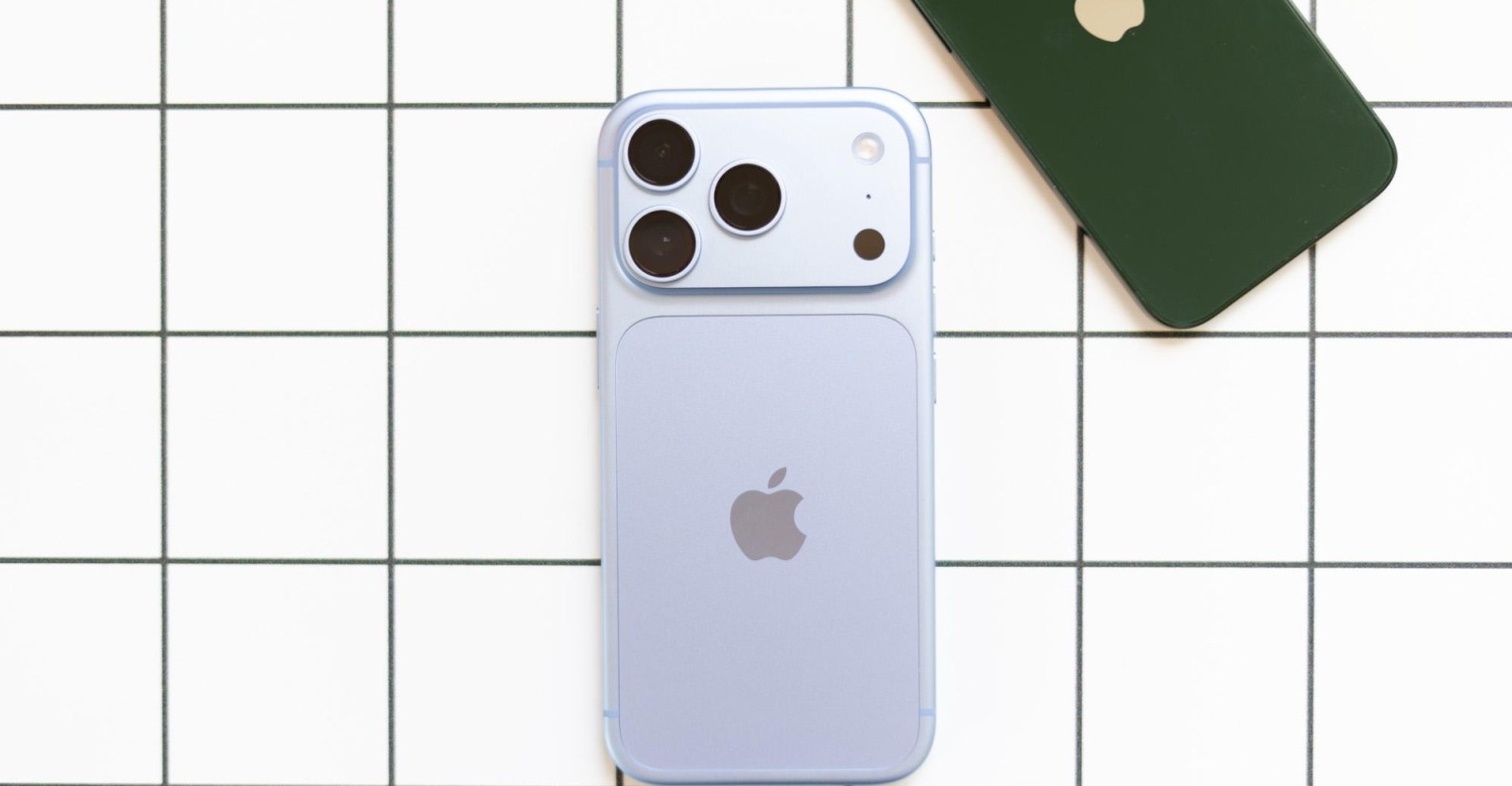
    Most of the iPhone 18 buzz has been around the Pro models, and for good reason. Upgraded cameras, a punch hole selfie camera, and the long-awaited iPhone Fold are all competing for attention. But what about the standard iPhone 18 and the iPhone Air 2? A leaker answered both questions, and the answers are surprisingly uneventful.

    Over the weekend, Weibo leaker Fixed Focus Digital shared two posts covering Apple’s less-talked-about upcoming iPhones. The first one is pretty straightforward: the standard iPhone 18 will look almost identical to the iPhone 17. The leaker says the design will remain largely unchanged, with only a possible minor adjustment to its dimensions.

    Will the base iPhone 18 get the smaller Dynamic Island?

    Earlier leaks suggested that all iPhone 18 models would get a smaller Dynamic Island. Fixed Focus Digital’s leak contradicts that saying that the smaller Dynamic Island is being reserved for the Pro lineup. So if you’re waiting for that particular upgrade, you might need to stretch your budget.

    The minor size tweak, if it even happens, is not something most people will notice. All it would do is ensure that your current iPhone 17 cases won’t fit on the iPhone 18, so you will need to buy new accessories.

    Is the iPhone Air 2 happening this year?

    According to Fixed Focus Digital, Apple will proceed with a normal product cycle and release the iPhone Air 2 this fall alongside the iPhone 18 Pro and iPhone Fold. This contradicts reports from The Information and Bloomberg’s Mark Gurman, who both suggested a spring 2027 release.

    While earlier reports suggest the original iPhone Air did not sell particularly well, new sales data show that the iPhone Air outsold the Plus models it replaced. That said, only Apple knows whether these sales are enough to justify continued updates to the iPhone Air.

    Fixed Focus Digital is adamant that, like the Mini and Plus models, iPhone Air 2 will get its second generation with no major changes. Whether there will be a third generation or not is still unanswered.

    With conflicting reports, it’s essentially a coin flip at this point. If Apple moves ahead, expect internal upgrades, like the A20 Pro chip, but few visible changes.