There are already plenty of mental‑health chatbots online, but they all run into the same problem. The user still has to reach out first. That is not always easy when someone is stressed, anxious, overwhelmed, or simply unsure how to put their feelings into words.
Researchers at the University of Ottawa are working on a different kind of AI assistant. It is designed to read emotional cues in real time through signals from devices people already use, including smartwatches, smartphones, and earbuds.
It does more than wait for a message
The system is called UbiMyTherapist, short for “You Be My Therapist.” It works as a digital therapy assistant that can provide both reactive and proactive support. In simple terms, it can respond when a user reaches out, but it is also designed to monitor emotional distress through live signals and offer support before the user asks for help.
The system pulls emotional data from several sources. It uses physiological signals such as heart rate variability, changes in speech tone, and written text to assess a user’s emotional state. Those inputs help the assistant understand how the person may be feeling in the moment before it generates a response.
UbiMyTherapist also builds a “digital twin” of the user. This profile brings together the person’s medical and psychological history, and live emotional‑state data. The added context helps the assistant respond in a more personal and relevant way instead of relying on generic chatbot‑style replies.
According to the University of Ottawa, the system’s reactive mode was evaluated with 24 participants. Licensed therapists also assessed its therapeutic soundness. The university says UbiMyTherapist scored well on empathy and personalization compared with standard large language model setups.
It is not meant to replace therapists
The researchers are not pitching UbiMyTherapist as a replacement for human therapy. It is being developed as a way to extend mental‑health support beyond clinics, especially for people who face barriers such as cost, stigma, or limited access to care.
The team plans to improve the prototype so it can respond in real time using signals from a user’s smartwatch. It also plans to work with more licensed therapists to make sure the system stays clinically accurate. For now, UbiMyTherapist is still a research project, not a consumer app. Still, it offers a glimpse of AI being used for something practical and genuinely helpful.
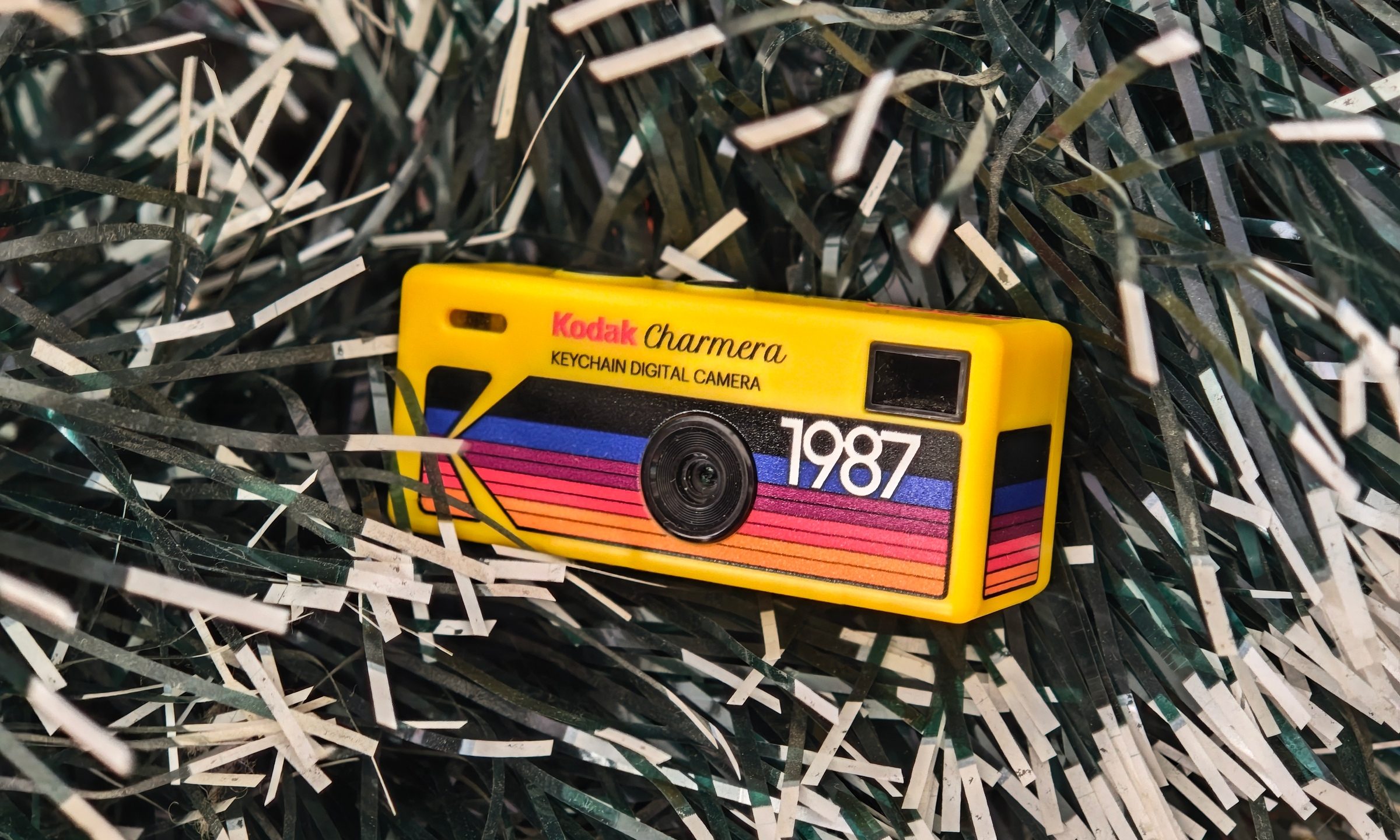
I bought the Kodak Charmera partly because I wanted a portable digital camera, and partly because I wanted a pretty little collectible. The Charmera is sold as a blind box, so you do not know which version you are getting until the box is opened. There are multiple retro Kodak-style designs, plus a transparent secret edition that looks like the one everyone would want.
I had the shopkeeper pick my box for better luck, and it worked out. I got the yellow variant, which is inspired by Kodak’s original 80s disposable camera. The transparent one is definitely the fun collector’s piece, but the yellow model feels like the proper Kodak version. It looks like a tiny toy camera that escaped from a souvenir shop, found a keyring, and now hangs around wherever you go.
And after carrying it around for a few weeks, I get the hype.
This is a camera you buy for the feeling
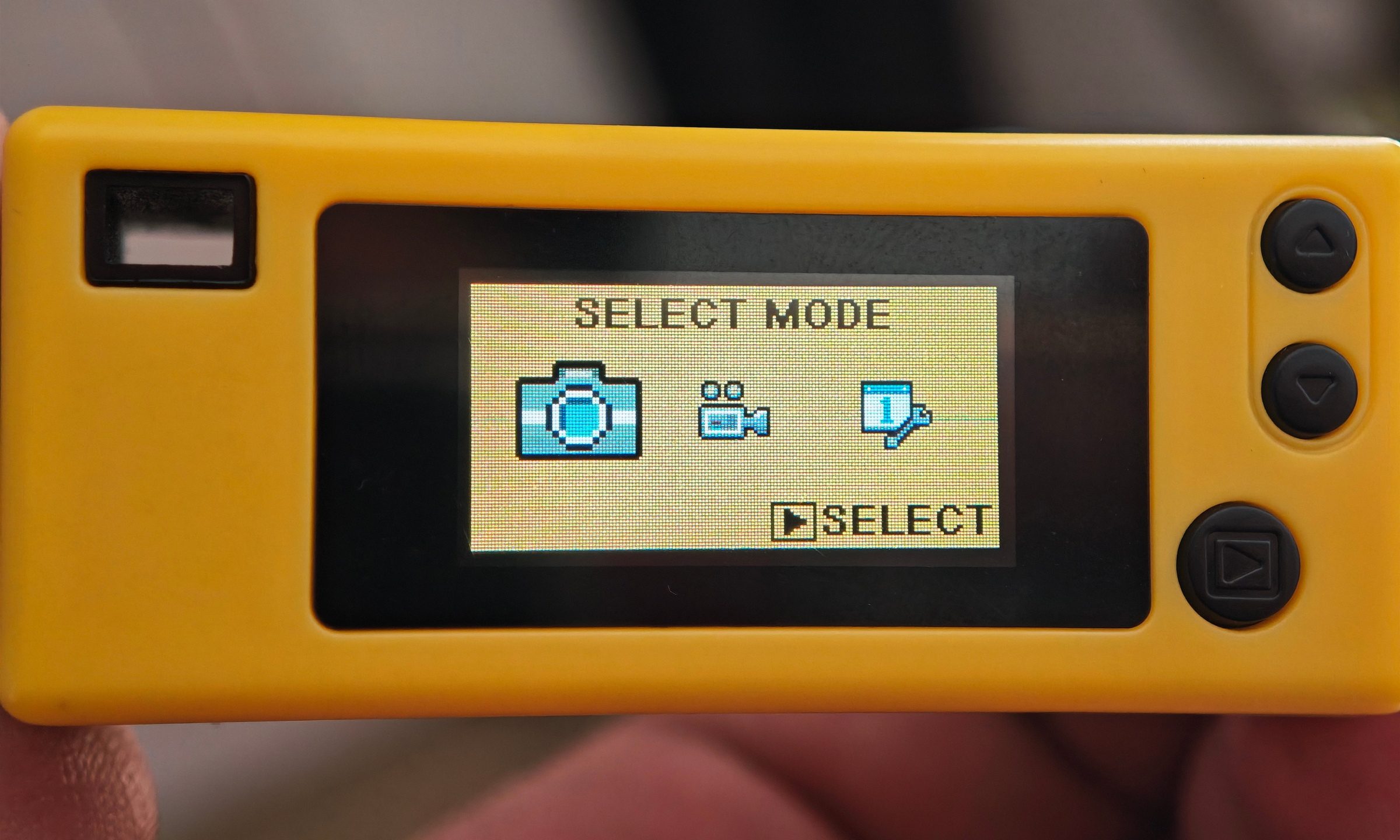
The Kodak Charmera is very easy to judge harshly if you look at it like a normal camera. The sensor is tiny with an image output of just 1.6 megapixels. Even the screen is tiny, and the mic is weak. However, it catches the vibe perfectly.
This little thing is here for the mood. The photos have that soft, lo-fi digital texture that modern phone makers have spent a lot of money to avoid. There is not a lot of detail, dynamic range, or low-light confidence. What you get is a snapshot that looks like it jumped out of a forgotten folder on an old family computer. In good lighting, I had very few complaints because I knew exactly what I bought. The Charmera is fun for street shots, quick portraits, food, and other small moments.
There is a certain freedom in using a camera that clearly has no interest in perfection. You press the button, accept the result, and move on.
The low-light weakness is very real
The Charmera struggles once the lights go down. I took it to a gig on a Saturday night, which was probably one of the most unfair tests I could have given it. A dim venue, moving performers, colored lights, and a tiny sensor are not exactly a dream combination.
Its flash helped, but only a little. Photos in the dark have crushed details, noise, and blurring. But the funny thing is, I still liked a lot of the shots. They did not capture the performance with accuracy, but they captured the feeling of being there.
Videos are mostly for laughs
The Charmera can shoot video too, although I would not buy it for that. The footage has the same lo-fi character as the photos, and the built-in mic is rough. I recorded a bit of the band performing, and I will happily spare you the full experience of that terrible mic quality mixed with my voice.
Which is a shame, because the band was genuinely lovely. The set had that easy Saturday-night charm where everyone on stage seemed to be having as much fun as the room, and the Charmera ended up feeling like the right camera for that kind of memory.
Still, the video mode fits the camera’s personality. It feels like a tiny digital diary rather than a proper recording tool. You use it because it is there. After all, it is funny, and the result looks like something from a much older internet.
One of the best moments came after the set, when I asked the performers for a picture. The Charmera charmed them immediately. This was also one of its appeals. People react to it, smile at it, and ask about it. It turns a simple photo into a tiny interaction.
I get the hype now
The Charmera also arrives at the perfect moment. Older gadgets are having a real comeback. iPods are cool again. Digital cameras are popping up everywhere. People are chasing devices that are more deliberate, less algorithmic, and a little more personal.
It gives you the fun of a mystery box, the look of an old digital camera, and the convenience of something that can hang from a bag. The Kodak Charmera is easy to criticize as a camera. The photos are soft, the low light is rough, the video is weak, and your phone will beat it in every technical way without even trying. Yet none of that stopped me from wanting to carry it around. I bought it for fun and kept using it for the vibe.
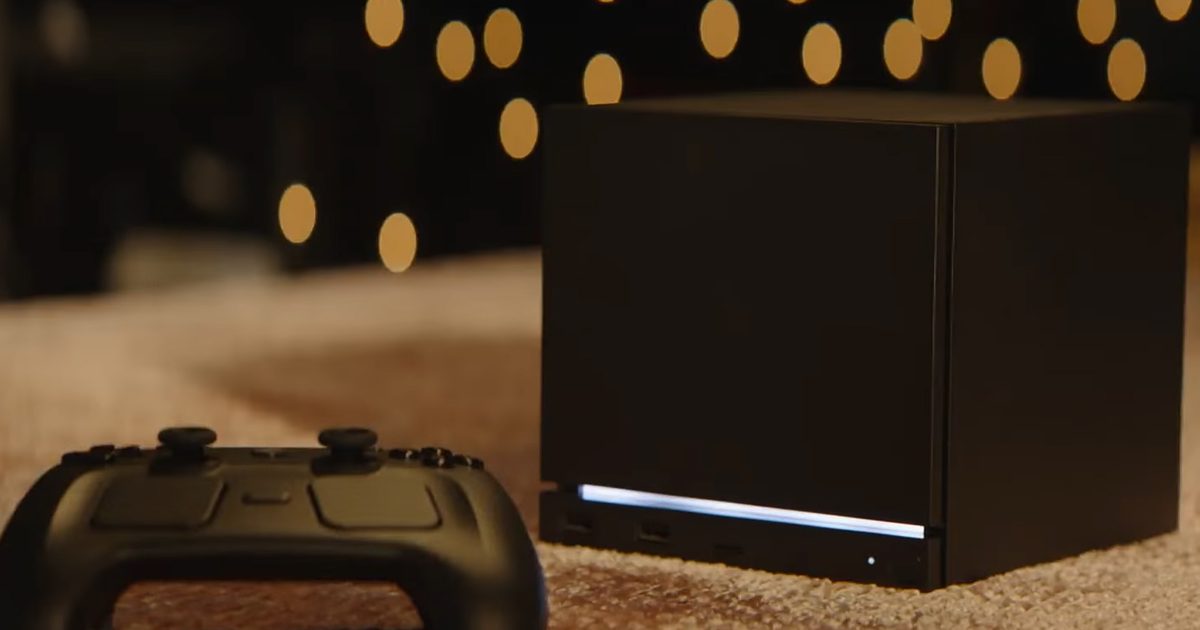
Valve’s Steam Machine has become an easy target for criticism. Its price starts well above that of current consoles, and the hardware lands somewhere between entry‑level and mid‑range gaming PCs rather than a high‑end rig. Early reviews also note that demanding titles often need upscaling, reduced settings, and realistic expectations.
With the ongoing memory crunch, bringing a PC to the couch feels like a tough sell. The Steam Machine doesn’t need to outclass premium gaming PCs or the big consoles; its goal was different from the outset. What makes it compelling is the way it could reshape the entire PC‑gaming segment.
Me with my PS5 PRO after seeing the Steam Machine prices pic.twitter.com/JSrn0gssbj
— Pyo 5️⃣ (@mrpyo1) June 22, 2026
The Steam Machine is a PC‑console hybrid that could give developers a clear, visible target inside the Steam ecosystem. If enough users adopt it, Valve’s modest box might drive better optimisation across SteamOS, Linux, handhelds, budget PCs, and even standard Windows machines.
PC gaming needs a common target
One of PC gaming’s greatest strengths is also its biggest headache: developers must account for a staggering variety of hardware configurations—CPUs, GPUs, drivers, storage types and speeds, operating systems, and more. While that freedom is a boon for players, it makes development far more complex than building for a closed console with consistent specs.
This complexity explains why many PC ports disappoint fans. Even with top‑end hardware, performance can be inconsistent; a player with a modest rig may see shader stutter, while another spends hours tweaking settings just to reach playable frame rates.
That frustration pushes many gamers toward consoles. The Steam Machine won’t simplify the entire PC market, but it can offer a focal point. Valve’s mini‑box would still involve familiar PC concerns—graphics settings, Proton compatibility, etc.—yet improvements in those areas could ripple beyond a single device.
Valve already owns the platform
Valve, powered by its massive Steam ecosystem, doesn’t need to build a gaming environment from scratch. Steam already hosts libraries, wishlists, cloud saves, friends lists, and countless other features that connect millions of PC players worldwide.
Developers now have more incentive than ever to optimise for the Steam Machine. Valve’s influence and visibility mean a clean “Steam Machine” badge signals that a game runs well from the couch. A rough launch becomes harder to hide when the store page can flag controller issues, compatibility problems, or weak default performance before a purchase.
The company is already doing something similar with its Steam Deck Verified list.
Modest hardware can benefit all systems
The Steam Machine’s specs are adequate rather than extravagant. Its price is steep, and you could technically build a traditional gaming PC with higher raw performance for a similar cost. However, having a realistic performance floor is valuable for optimisation.
Developers know how to make games look stunning on expensive GPUs; the tougher challenge is to make modern titles scale gracefully on older or lower‑end hardware that most people own. Day‑one stability, dedicated optimisation, and reliable performance could help far more than just Steam Machine owners.
A solid default settings profile benefits Windows users. Improved upscaling presets aid budget desktops and laptops. Fewer launcher issues help Steam Deck, third‑party SteamOS handhelds, Linux PCs, and couch setups that rely on controller support. We’ve already seen this trickle‑down effect with the Steam Deck, which pushed developers to take portable gaming more seriously. The Steam Machine could push the same momentum toward living‑room PC gaming, where convenience matters as much as raw power.
SteamOS spreads its wings
The Steam Machine also gives Valve another avenue to grow SteamOS. Linux gaming has improved dramatically thanks to Proton, yet Steam’s hardware survey still shows Windows dominating the PC market. The Steam Deck proved that a well‑designed device can make Linux gaming approachable. Now the Steam Machine has a chance to do the same with desktop‑class components.
It places SteamOS on the TV and offers a seamless way to use an existing Steam library without building a Windows PC for the couch. The DIY angle makes this especially intriguing. Valve is already pushing SteamOS beyond its own hardware, so the Steam Machine could become a reference point rather than a single product. A developer optimising for Valve’s box may end up improving the experience for custom SteamOS builds and future third‑party devices as well.
None of this is guaranteed. The Steam Machine needs meaningful adoption to create pressure, and its current price makes that a challenge. Still, the concept is exciting. If Valve can turn its small living‑room PC into a target that developers care about, the Steam Machine could ultimately benefit the broader PC gaming market in ways that extend far beyond the handful of units actually sold.
Apple’s Mac RAM upgrades were already expensive enough to raise eyebrows. After the company’s latest round of price hikes, some of them now look ridiculous.
Apple recently raised prices across its Mac and iPad lineup, along with other products, citing rising memory and storage costs. The supply crunch is real, but Mac buyers were paying steep premiums for RAM and SSD upgrades long before this jump. Recent MacBook Pro configuration screenshots shared by 9to5Mac show how much worse the upgrade path has become.
The screenshots show a MacBook Pro configuration where 48GB of unified memory is included as standard. Before the price hike, upgrading that MacBook Pro to 64GB, or 16GB of additional memory, cost $200. Moving to 128GB, or 80GB of additional memory, costs $1,000. After the change, those same upgrades are listed at $400 and $2,000, respectively. Apple has effectively doubled the price of those MacBook Pro memory upgrades, and some other Mac configurations appear to have seen similar increases.
The increase lands badly because Apple’s upgrade pricing was already difficult to justify. Notebookcheck recently reported that Apple charges $200 for an 8GB RAM upgrade, while the estimated market price is around $120. Apple’s 16GB upgrade costs $400, compared to roughly $185 on the open market.
Storage upgrades are even harder to defend. Apple charges $1,200 for a 4TB SSD upgrade, while comparable SSDs are listed at around $459. The comparison is not perfect because Apple uses soldered unified memory and integrated storage rather than standard removable parts. Unfortunately for buyers, the locked-down design also means Mac memory and storage cannot be upgraded later.
Buyers are the ones left paying more
Ultimately, Mac buyers are the ones absorbing these higher costs. Apple can point to rising memory and storage prices, and those pressures are very real. Even so, the company’s RAM and SSD upgrades were already priced far above comparable market hardware before the current shortage became this severe.
For customers, there is no easy workaround. You either pay Apple’s higher prices upfront or live with the base configuration for the life of the machine. As RAM and SSD prices keep climbing, Apple’s already expensive upgrade ladder is starting to look absurd for anyone who needs more headroom.
Google is making Gemini even more useful on Android. Google first previewed the Google Play connected app for Gemini at Google I/O 2026, and it’s now finally rolling out to users. The new integration brings the Play Store directly into Gemini, letting the AI assistant help discover apps, make purchases, and complete more tasks without leaving the chat.
Gemini can now do more than recommend apps
Google says users can ask Gemini to find apps based on a specific goal, such as a map app for international travel or a productivity app for meal planning. Once Gemini surfaces relevant suggestions, it can open their Play Store listings, making it quicker to download and get started.
The new integration also expands into digital commerce. Users can now purchase Google Play gift cards directly through Gemini or search for and buy select in-app items for apps that are already installed on their device. Instead of bouncing between multiple menus, Gemini acts as a conversational front end for parts of the Play Store experience.
The Google Play connected app is rolling out gradually on Android devices. To use it, users must be 18 years or older, signed in with a personal Google Account, and have Gemini Apps Activity (Keep Activity) enabled. It’s worth noting that at launch, the feature isn’t available for Workspace accounts.
This feels like one of Gemini’s most practical upgrades yet
The funny thing is that most people don’t struggle with installing apps. They struggle with finding the right one. The Play Store is home to millions of apps, and simply searching by keyword doesn’t always surface the best option. Letting Gemini understand what users are trying to accomplish, then recommending apps based on that goal, feels like a much more natural use of AI.
More importantly, this isn’t just another extension. It’s another step toward Google’s bigger vision for Gemini. Over the past few months, the assistant has steadily gained deeper integrations with Chrome, Google Wallet, Messages, Phone, and now Google Play. The end goal is becoming increasingly obvious: instead of opening individual apps to complete a task, Google wants users to simply ask Gemini and let it figure out the rest.
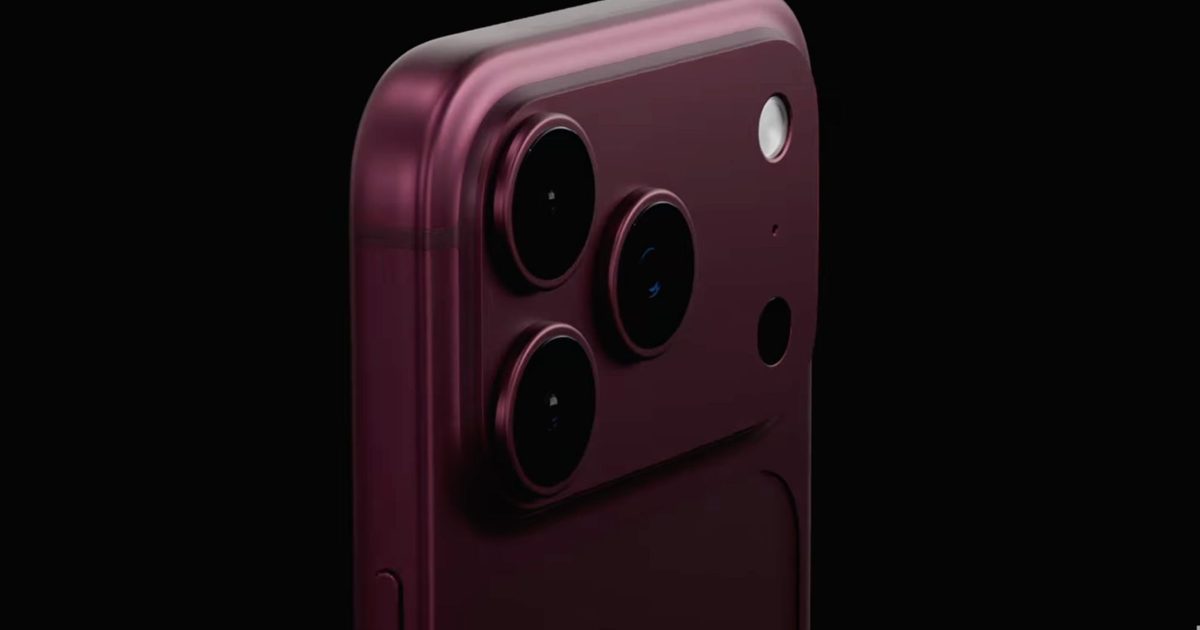
A fresh iPhone 18 Pro leak is making the rounds online, and it comes with some pretty bold claims. According to leaker Reptalicant, the alleged motherboard for Apple’s upcoming flagship reveals a redesigned A20 Pro chip package with improved cooling, a beefier Neural Engine, and faster memory. That’s a lot to unpack, especially considering motherboard-level Apple leaks like this are exceptionally rare.
The leak claims better thermals, faster memory, and a stronger NPU
According to the post, Apple is said to be moving the DRAM to the side of the A20 Pro package using WMCM (Wafer-Level Multi-Chip Module) packaging instead of the current layout. The idea is that separating the memory from the main die could improve heat dissipation, potentially allowing the chip to sustain higher performance for longer under heavy workloads.
iPhone 18 Pro or (Prm) motherboard leaked
A20 Pro chip now adopt WMCM packaging, which move the DRAM to the side of the package, allowing for better thermal dissipation. It also get LP6 96-bit memory
The leak also claims the A20 Pro will retain a die size similar to the A19 Pro while adopting LPDDR5X 96-bit memory and a larger Neural Engine for on-device AI tasks. If accurate, it would suggest Apple is focusing less on making the chip physically bigger and more on improving efficiency, thermals, and AI performance through packaging changes.
Interesting? Yes. Convincing? Not quite yet.
The funny thing is that leaks like this almost never happen with Apple. While supply chain reports about specifications are fairly common, detailed motherboard layouts and chip packaging information rarely surface this far ahead of launch, making this rumor particularly difficult to verify.
That’s not to say it’s impossible. Apple has been steadily investing in better thermal management as its chips become more powerful, and improved packaging would be a logical next step. Better thermals would be a welcome upgrade, especially as on-device AI workloads continue to grow. But with no corroboration from Apple’s supply chain or other reliable leakers yet, this remains firmly in rumor territory.
Grand Theft Auto 6 pre-orders recently went live, but the excitement came with one frustrating catch. The so-called physical edition of the game will not include a disc. Instead, buyers will get a box with cover art and a download code inside.
That decision immediately caused backlash online, especially among collectors who still care about owning games on disc. For a while, there was some hope that this would only be temporary. Reports suggested that Rockstar could release a proper disc version of GTA 6 in December 2026, giving physical media fans something to wait for.
Rockstar Support confirmed that GTA 6 physical disc copies will be available in the months following launch.
“You will be able to acquire a physical copy during the following months.”
That hope now looks much weaker. According to a new report from The Hollywood Reporter, Rockstar currently has no plans to print GTA 6 discs, either at launch or months later. The confusion appears to have come from wording around a “physical copy,” which reportedly refers to the already announced code-in-a-case version, not a real disc.
For collectors, that is a disappointing outcome. GTA 6 is not a small annual release that people will forget in a few months. It is one of the most anticipated games ever, arriving after more than a decade of waiting since GTA 5. For many fans, owning a proper boxed copy of a game like this would have had real collector value.
Instead, buyers paying $80 to $100 may get a plastic case with artwork and a code sitting where the Blu-ray disc should have been. That feels especially rough for a game with this much cultural weight behind it.
Rockstar can afford the disc
Some fans have argued that skipping discs helps Rockstar reduce leaks and limit resale. That logic is easy enough to understand, especially for a game as closely watched as GTA 6. But it still does not make the decision feel any better for players who value physical media.
— kirbpoyo3 (EToH Veteran) (@kirbpoyo3poyo) June 24, 2026
Rockstar is not exactly struggling to fund this launch. Unconfirmed reports claim GTA 6 has already reached 39 million pre-orders and around $3 billion in revenue. Even if those numbers are treated cautiously, GTA 6 is clearly heading toward a massive commercial debut.
A code in a case may be enough for retailers and publishers, but it is unlikely to satisfy collectors. For a game as big as GTA 6, many fans wanted something more permanent than a download slip.
Plastic bottles usually end up being recycled into lower-value products, buried in landfills, or worse, polluting the environment. But researchers at Penn State University believe they could one day power electric vehicles, smartphones, and even renewable energy storage systems after discovering a way to convert discarded plastic into high-quality battery graphite.
Turning plastic waste into battery-grade graphite
According to Penn State, the team converted discarded PET (polyethylene terephthalate) plastic, the material commonly used in water and soft drink bottles, into highly ordered synthetic graphite. Graphite serves as the anode inside lithium-ion batteries, storing and releasing electrical charge, making it one of the most critical materials in modern battery technology. Even more impressively, the PET-derived graphite exhibited a more ordered crystal structure than some commercial natural graphite, a key indicator of high-quality battery materials.
The process itself, published in Diamond and Related Materials, is surprisingly straightforward. Researchers shredded PET plastic, mixed it with a small amount of graphene oxide, and heated the material under carefully controlled conditions. The graphene oxide acts like a template, guiding carbon atoms into highly ordered graphite crystals during graphitization. The team found that adding just 2.5% graphene oxide produced the highest-quality graphite in their experiments.
Another clever aspect of the research is what the team chose not to use. Most synthetic graphite is produced using metal catalysts such as iron, nickel, or cobalt, which can leave behind impurities and require additional purification. Instead, the Penn State researchers relied on graphene-based additives, creating cleaner graphite while reducing chemical waste and simplifying the manufacturing process.
This is recycling that actually adds value
Interestingly, this isn’t just a story about finding another use for plastic bottles. It’s about securing one of the world’s most important battery materials. Graphite is classified as a critical mineral by the U.S. Department of Energy, and demand is expected to grow rapidly as electric vehicles, consumer electronics, and grid-scale energy storage become more common. At the same time, PET remains one of the world’s most widely used plastics, much of which still ends up in landfills despite recycling efforts.
The researchers still need to prove the process works at an industrial scale and validate long-term battery performance, so don’t expect plastic-powered EVs overnight. But if the technology can be commercialized, it could tackle two major problems at once by reducing plastic waste while producing cleaner, battery-grade graphite.
The company in question is CXMT, a Chinese chipmaker that the Pentagon added to its Chinese Military Company blacklist for alleged ties to the Chinese army.
So what exactly is Apple asking for here?
Apple is not legally barred from sourcing chips from a Chinese supplier. What it wants, however, is the White House’s nod to do so without the reputational and political risk of being seen as a partner to a Pentagon-listed company.
The Cupertino giant reportedly approached the Commerce Department more than a month ago. Since then, it has been working with contacts across the administration to secure the government’s blessing.
CXMT, already approved for listing on the Shanghai Stock Exchange, is China’s national champion in DRAM chip manufacturing, the same category of memory Apple currently sources from Micron, Samsung, and SK Hynix (via Notebookcheck).
Will Apple actually get the green light?
That’s far from guaranteed. John Moolenaar, the Republican chair of the House China Committee, told the FT the move would be a grave mistake.
The Commerce Department added CXMT to an intended Entity List package last year, only for the White House to hold it back during trade negotiations with China.
It’s worth noting that Apple already faced similar backlash in 2022, when it considered sourcing memory from another Pentagon-listed Chinese chipmaker, YMTC, for iPhones sold only in China.
From where I’m seeing this, Apple’s price increase on Thursday erased $263 billion from its market capitalization in a single day (its second-largest single-day drop), and the company might not want to risk its reputation any further, especially in the eyes of the government.
OpenAI’s hardware ambitions just got a major boost, and it could be another clue that the company is preparing to take AI beyond smartphones and laptops. Paul Meade, Apple’s longtime engineering leader behind the Vision Pro headset and its upcoming smart glasses efforts, is leaving Cupertino to join OpenAI’s hardware division.
Another Apple hardware veteran joins OpenAI
At OpenAI, Meade will join an increasingly familiar cast of former Apple executives. He’ll work alongside legendary designer Jony Ive, former Apple design chief Evans Hankey, and former iPhone operations executive Tang Tan, all of whom are now helping build OpenAI’s next generation of AI hardware. That team came together after OpenAI acquired Ive’s startup, io, in a deal worth $6.5 billion, signaling that the company is investing heavily in dedicated AI devices rather than treating ChatGPT as just another app.
Neither Apple nor OpenAI has revealed exactly what these devices will look like. However, Bloomberg notes that OpenAI is already working on “several new devices” expected to launch over the next few years, while Apple is simultaneously developing smart glasses, AI-enabled AirPods with cameras, tabletop robots, and other AI-centric hardware of its own.
Could ChatGPT hardware be closer than we think?
Let’s be real, Meade’s move doesn’t confirm that OpenAI is building AI glasses, so it’s worth treating the speculation with caution. But hiring the executive who helped lead Apple’s Vision Pro and smart glasses hardware certainly strengthens the theory that OpenAI is assembling the talent needed for wearable AI, especially after bringing Jony Ive and several other former Apple veterans into its hardware team.
The funny thing is that this is starting to feel less like an AI chatbot race and more like a wearables race. Meta already has smart glasses on the market, Apple is reportedly preparing its own, and OpenAI is quietly building an all-star hardware team. Whether that leads to AI glasses, a wearable pendant, or something like an OpenAI ear wearable remains to be seen, but the company’s ambitions clearly extend far beyond ChatGPT on a screen.