Microsoft is trialing a fresh accessibility tool for Windows 11 named Screen Tint, a modest tweak that may have a surprisingly large impact. Rather than altering the display’s color temperature like Night Light, Screen Tint overlays a customizable color wash across the whole screen, softening bright visuals for extended work or gaming periods.
A gentler display for fatigued eyes
Found in the newest Windows Insider preview build v29617.1000, Screen Tint lets users pick from six preset hues or craft a personal tint, with intensity controlled via a dedicated slider. The setting resides under Settings → Accessibility → Vision, making activation simple whenever screen fatigue sets in.
Microsoft says the feature targets users who suffer eye strain or light sensitivity from vivid, bright screens. Unlike Night Light, which mainly cuts blue light for evening use, Screen Tint merely mellows the overall brightness and can be combined with Night Light. Note that turning on Screen Tint disables Windows’ built‑in Color Filters, so those who depend on those filters must choose between the two.
Small addition, unexpectedly handy
This feels like one of those utilities people often overlook until they give it a try. Whether you’re editing a stark white document all day, retouching photos late at night, or trying to curb visual fatigue during marathon gaming, a tunable screen overlay can make Windows feel more comfortable.
The latest Insider build also brings several other refinements, such as improved Bluetooth device recovery, tweaks to the Recall experience, and various under‑the‑hood fixes. But for anyone who spends hours staring at a monitor, Screen Tint could become the standout feature of the update.
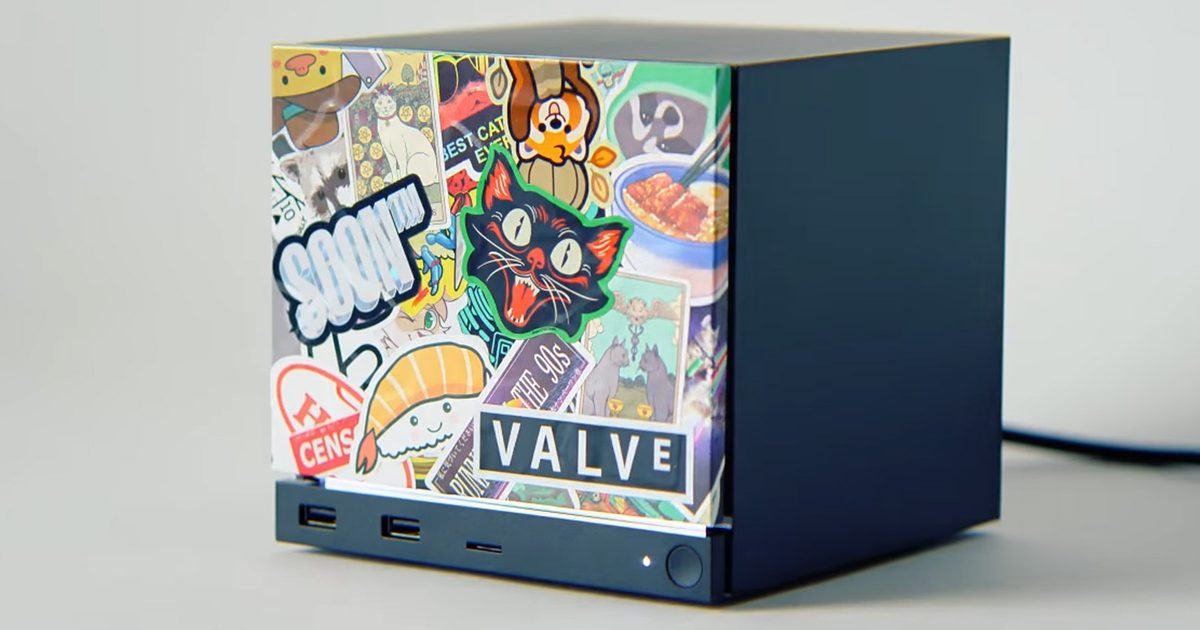
Valve has started sending out reservation emails for the Steam Machine ahead of its June 30 launch, and scalpers have wasted no time turning the whole thing into a comedy act.
The Steam Machine is already an expensive device, as RAM and SSD prices have made hardware pricing miserable across the industry. Valve has previously said it would like to lower the price if component costs improve. That makes the resale listings even harder to take seriously, because the official price was already higher than many people expected before scalpers added their own fantasy tax.
The resale prices are ridiculous
Listings have already started appearing on third-party marketplaces like eBay, with some sellers asking around $1,700. That is already a major markup over Valve’s official pricing of $1,049, but a few listings go much further.
One listing for the base 512GB Steam Machine bundle with the Steam Controller was asking as much as $3,200. That bundle officially costs $1,128 from Valve, which means the seller was asking nearly three times the actual price for a console that has not even launched yet.
— Steam Hardware Updates (@HardwareSteam) June 26, 2026
As pointed out by @HardwareSteam on X (via Notebookcheck), at least one listing priced at $2,800 has also been marked as sold, suggesting someone may have actually paid the inflated amount. Whether that sale sticks or not, the whole thing is exactly the kind of scalper behavior that makes new hardware launches annoying to watch.
Could this become the PS5 launch again?
The obvious comparison is the PlayStation 5 launch, when limited stock and huge demand turned Sony’s console into scalper bait for months. The Steam Machine situation does not look anywhere near that bad right now.
There appear to be only a few live listings on eBay, which suggests Valve’s reservation queue is doing its job for the moment. The system is not stopping every reseller, but it does seem to be keeping the floodgates closed. That being said, it is too soon to judge how fruitful Valve’s anti-scalping efforts turn out to be. We will have a clearer picture once the Steam Machine launches on June 30 and mass shipping begins.
If you don’t know about Apple’s recent price hike, which affected all the products in its lineup except the iPhone and Apple Watch (for now), you’ve got to be living under some sort of a rock. The revision made all the iPads much more expensive.
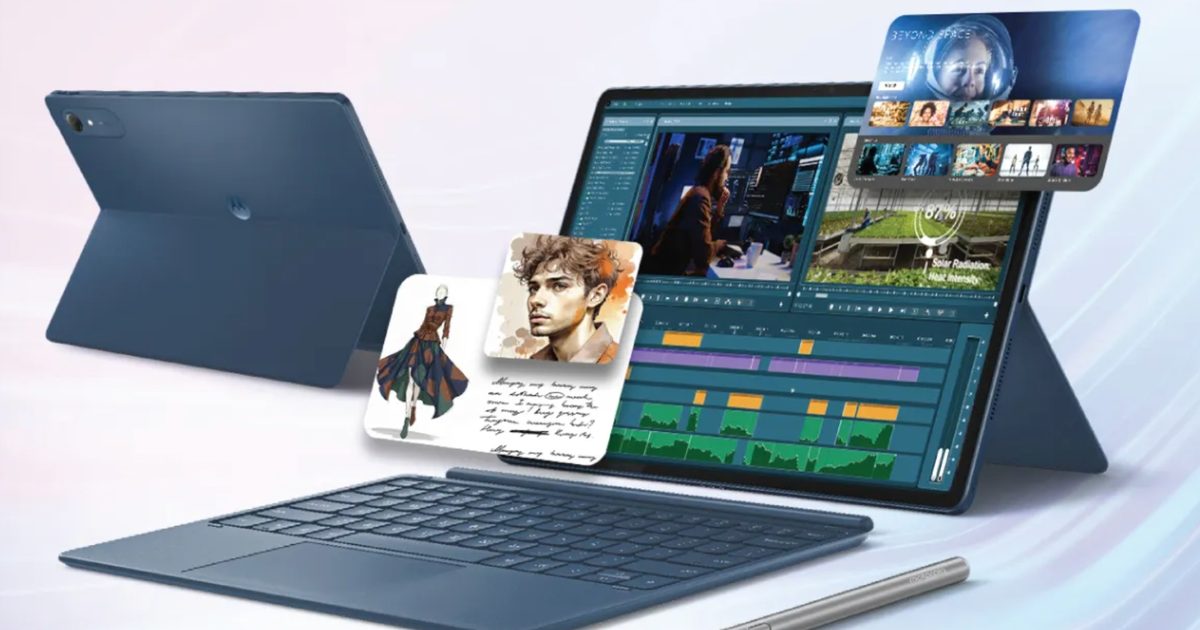
Motorola, however, has just launched a 13-inch tablet that actually sounds good on paper. It’s called the Moto Pad 70 Pro, and it costs around $440 for the baseline model. The catch, however, is that the device isn’t available in the US yet.
So what does the Moto Pad 70 Pro actually pack?
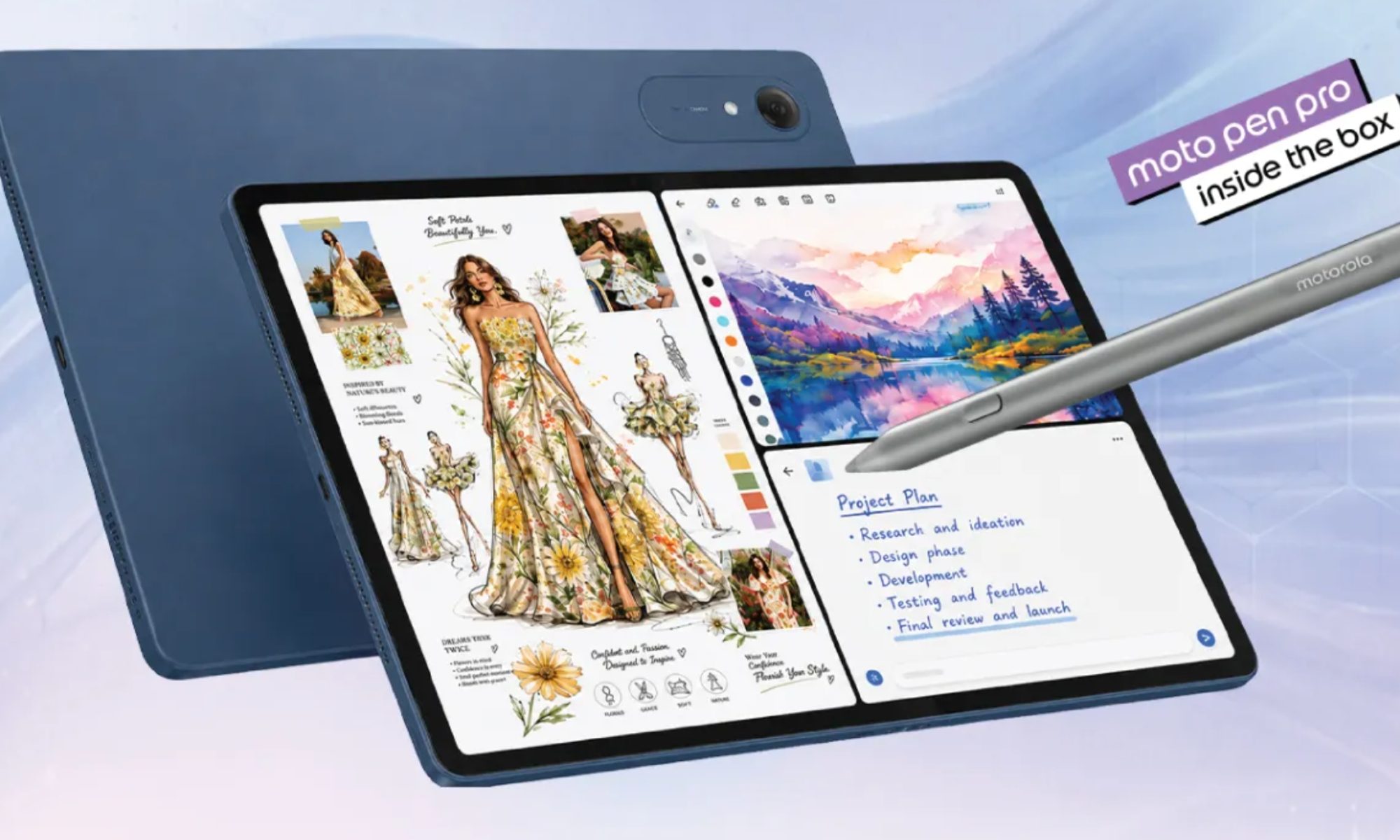
The Pad 70 Pro is built around a 13-inch 3.5K display that supports a super-smooth 144Hz refresh rate (likely for select apps), 800-nit peak brightness, and Dolby Vision. However, the company hasn’t confirmed whether the panel is LCD or AMOLED.
Under the hood, the Android tablet is powered by the Snapdragon 8s Gen 4 with up to 8GB of RAM and up to 256GB of storage. It’s the chipset that adds some serious CPU and GPU horsepower to the device. Buyers can also expand the storage via an SD card (up to 2TB).
At launch, the tablet ships with Android 16 with Motorola’s barely visible Hello UI on top. Furthermore, the company is committed to providing two generations of major operating system updates and security patches through 2030, which is great as well.
What else does it bring to the table?
I really like how the device packs four JBL speakers (with Dolby Atmos). Rounding out the specifications are a 10,200 mAh battery with 45W wired charging, a 68W adapter in the box, and a Moto Pen Pro stylus included at no extra cost. The Snap-On keyboard, however, is sold separately.
Wireless connectivity is sorted with Wi-Fi 7 and Bluetooth 6.0 as well. Now, coming to the disappointing part. The Moto Pad 70 Pro costs around $440 for the baseline variant with 8GB of RAM and 128GB of storage, and around $476 for the one with 256GB of storage.
With the baseline iPad now starting at $449 in the United States, the Moto Pad 70 Pro sounds like a great option to me. Given that it’s a rebadged version of the Lenovo Idea Tab Pro Gen 2, it might also arrive in the US. I’m just wondering when, since we haven’t seen any FCC listings come up recently.
Summer is the peak season for vacations, long-distance trips, and new experiences. Millions of people travel abroad, explore new countries, plan adventures, and try to stay connected with family, work, and social media. And in the middle of all this comes a familiar question: how do you stay online without expensive roaming or the hassle of buying local SIM cards?
The answer is already here — eSIM.
Why eSIM Is So Convenient
eSIM (embedded SIM) is a built-in digital SIM card that lets you activate mobile internet without a physical card. All you need is an app — choose a plan and connect in just a couple of minutes.
No more:
* searching for local SIM cards at airports * paying expensive roaming fees * swapping physical SIMs every time you travel
Now your internet travels with you.
Internet in 150+ Countries
Modern eSIM solutions provide coverage in 150+ countries worldwide, helping tourists, freelancers, and business travelers stay connected almost anywhere on the planet.
Earlier today, Microsoft raised the price of its Xbox consoles by up to $150 in the U.S. Just a few hours before that, Apple announced a similar move for its Mac and iPad portfolio, while also raising the sticker price of its Vision Pro headset and several other products except the iPhone. But it seems these two giants are not done with price hikes yet.
Neither company has explicitly said that more price hikes are coming, but their statements suggest otherwise. Take, for example, this statement that Apple shared with The Washington Post earlier today.
“We have now reached a point where we need to begin raising prices on a number of products, including today’s increases for iPad and Mac.”
Apple’s wording points to more price hikes
The important phrase here is “begin raising prices.” Apple’s wording clearly suggests that the company is also looking at similar price adjustments for the rest of its portfolio. A price hike for the iPhone would not be surprising.
Across the industry, smartphone makers have raised the purchase ceiling, and even non-foldable phones from Chinese brands are now regularly reaching the $1,500 to $1,600 range. A recent estimate by JPMorgan mentions that the price of memory and storage chips has essentially quadrupled, leaving Apple with little choice but to make a $100 to $200 price adjustment for the upcoming iPhone 18 Pro, which is slated for a fall debut.
Separately, Microsoft also mentioned in its announcement earlier today that the cost of memory and storage chips has gone up by a factor of 2.5, forcing it to raise the price of Xbox consoles multiple times in the past year. More importantly, the announcement notes that the company expects another doubling in the price of these components by the end of 2027. That directly means the price of Xbox Series X and Series S consoles could climb further in the coming months.
The memory crunch is hitting everyone
The cost pressure is not surprising. Valve, for example, has priced its Steam Machine console at over $1,000, and the bundle does not even include a controller. PC brands like ASUS have also publicly stated that they do not see any immediate relief when it comes to the cost of memory and storage chips. As a result, the price of laptops and PCs continues to climb.
The situation in the smartphone industry is no different. According to analyst estimates, it is only going to get worse, and the memory crisis does not seem to be going away in the face of voracious AI data center demand.
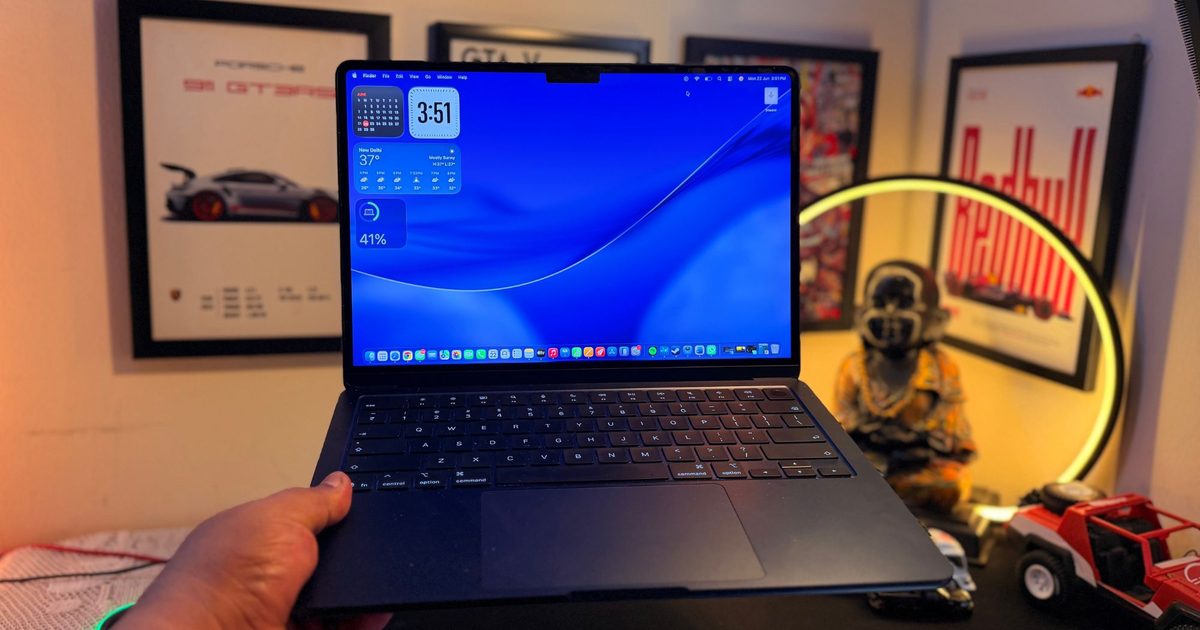
When Apple finally caved to the memory crisis and increased prices across Mac and iPad on June 25, 2026, most people reacted with disbelief, frustration, or resigned acceptance. Mine was a quiet, slightly wicked smile, and in about two to three minutes, you’ll understand exactly why.
My M1 MacBook Air (8GB, 256GB) has been showing its age since last year. It was starting to crack under pressure. Whenever I opened more than 10 or 15 Chrome tabs, it would protest quietly before crashing, forcing me to ration them. Video exports, even casual ones, started taking noticeably longer. I did everything I was supposed to do, but none of it made a meaningful difference.
My M1 MacBook Air gave up after four years
Even though the constant lagging and slowdowns were pushing me to get a new one, I held off the purchase for as long as I could. But then one day, my MacBook simply won’t turn on. That was the tipping point for me. I started comparing all the available options in my budget, and one device made perfect sense to me: the M4 MacBook Air.
The smart play, on paper, was to grab the M4 MacBook Air (13-inch) at a discounted price. But when I actually ran the numbers, the M4 model with 16GB of RAM and 256GB of storage was only $70 to $80 cheaper than the already-discounted M5 equivalent, here in India. That’s not savings; that’s a rounding error.
The M5 MacBook Air, for a slightly higher price, offered twice the storage at 512GB, meaningfully better immediate performance, and enough headroom to use it for at least three to four years, or maybe even five. That made the decision for me.
The M5 vs. M4 math didn’t add up
You see, Apple launched the 13-inch M5 MacBook Air in the US at $1,099. In India, the launch price translated to INR 119,900, or around $1,270 at current rates. And thanks to prevalent discounts and offers, I saved around $200 on the purchase, which mattered since it was an unplanned purchase.
On June 15, 2026, I got the M5 MacBook Air in India for INR 101,824, or roughly $1,078, from a third-party online retailer. Even then, I wasn’t entirely convinced I’d made the right decision. Part of me kept wondering whether I should have repaired my old MacBook instead.
Then, all of a sudden, Apple itself made me feel a whole lot better about that purchase.
The plot twist came 10 days after my MacBook Air arrived at my door, when Apple raised the retail prices for a bunch of its products, including the M5 MacBook Air.
Then Apple changed everything
The company briefly took its entire online store down, and when it came back up, the US price for the baseline M5 MacBook Air had jumped by $200, taking it to $1,299. In India, the price moved from around $1,270 to $1,587 (over $300). The effective price, even via third-party retailers, now stands around Apple’s previous MSRP in the region.
I genuinely couldn’t believe it when I saw the numbers change. If I had hummed and hawed for a few more days, bought the device from the same seller, and had it shipped from the same warehouse, it would have cost me another $200.
The discount I got is gone now, and there’s no way Apple is reducing the prices anytime soon.
I dodged the Macflation bullet by just 10 days
Given how long I plan to use this device, that’s quite a small margin. The memory crisis finally caught up to Apple, and I’m just glad that I got my MacBook before it did.
Earlier today, Microsoft raised the price of its Xbox consoles by up to $150 in the US. Following the price hike, the asking price for the Xbox Series X 2TB edition has climbed all the way up to $800. The 1TB model now costs $650, while the Xbox Series S with 512 GB storage will now cost $400 in the US market.
What’s the game plan?
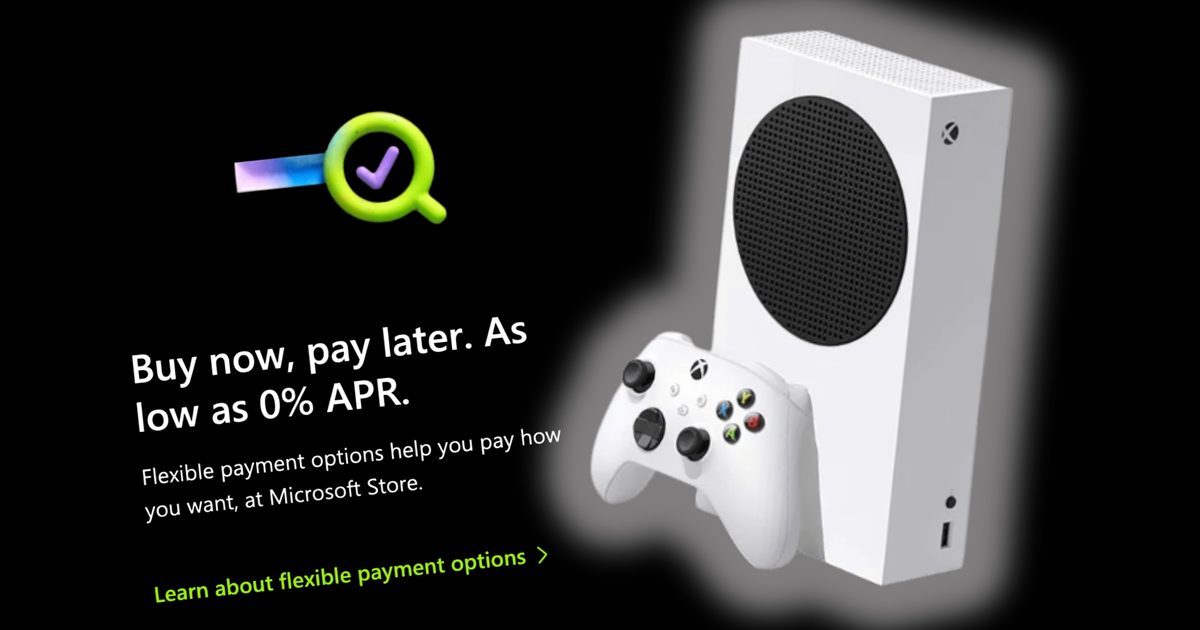
To retain gaming enthusiasts, Microsoft has introduced a new installment-based payment scheme for its consoles that is now live through its official storefronts. The Buy Now Pay Later system is currently available for the Xbox Series S and the Xbox Series X consoles — for both new and refurbished units.
Now that the price of Xbox has gone up by up to $150, Microsoft is introducing Buy Now, Pay Later option.
“We’ve made it easier for players to use Buy Now, Pay Later options on eligible XBOX hardware purchases through Microsoft Stores, making it possible to break up your payment… pic.twitter.com/6PgLHsEumw
According to Microsoft’s website, the Buy Now, Pay Later system works in collaboration with PayPal and allows you to pay the full cost of a device in four installments (paid bi-weekly) with zero interest, or you can opt for monthly installments and pay them across installments.
If you opt to pay monthly for an Xbox console, you can break the installments across 24 months. There are no late fees or sign-up charges involved. “Flexible payment options help you pay how you want, at Microsoft Store,” says the company on its online storefront.
The caveat, and alternative
But in order to avail the buy now, pay later benefit on Microsoft Store, which is essentially an extension of the PayPal Pay Later system, your purchase must first be approved before you can decide the duration over which you want to pay the full cost of the Xbox console.
The situation with memory pricing is pretty grim. Earlier today, Apple raised Mac and iPad prices, after claiming the situation is unsustainable now. #Xbox is running into a similar wall. This is what the company has to say:
In case your purchase is not approved by PayPal or you don’t have a PayPal account, you can head over to Amazon and purchase an eligible Xbox console via a financing scheme with zero interest, spread across 12 months.
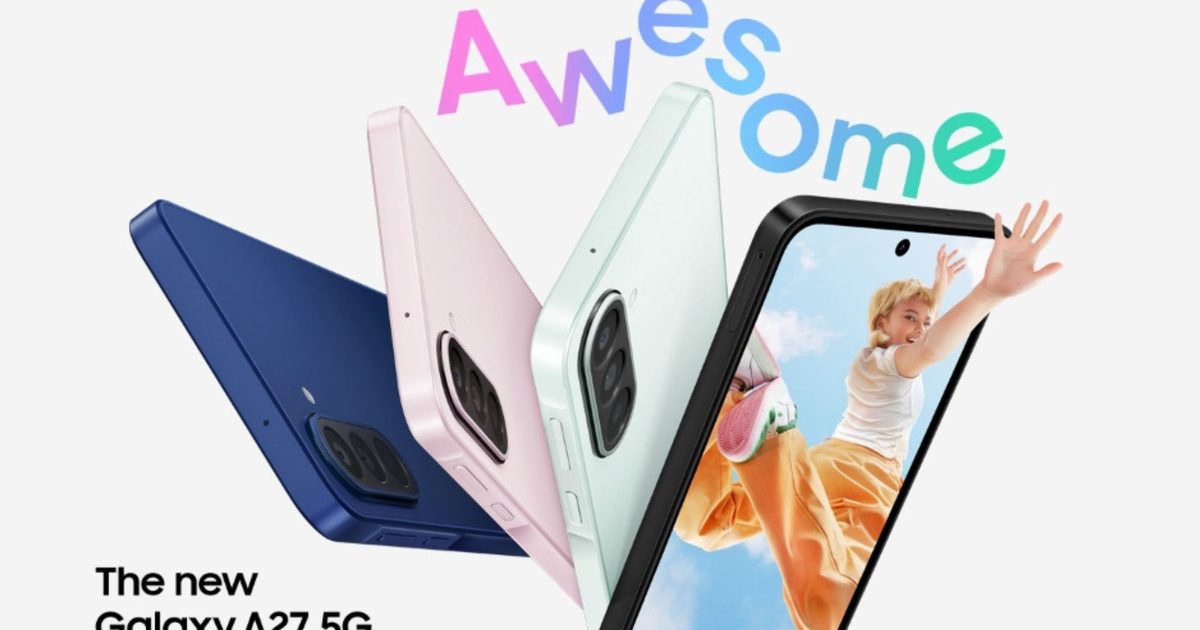
Samsung just unveiled its newest budget phone, Galaxy A27 5G, starting at $349, which is $50 pricier than last year’s Galaxy A26, yet it actually takes a step back in a few areas that matter for everyday use.
What you actually get for the higher price
Samsung swapped the A26’s Exynos chip for a Snapdragon 6 Gen 3, which delivers a 10 to 20% speed boost, plus a GPU upgrade for smoother gaming and graphics work. The display still rocks a 6.7-inch Super AMOLED panel with a 120Hz refresh rate. It now has a punch hole camera cutout instead of last year’s teardrop notch, with slimmer bezels around the screen.
You get three memory configurations to choose from too, 6GB plus 128GB, 8GB plus 128GB, and 8GB plus 256GB. AI features get a small boost too, including multi-object recognition in Circle to Search, sharper Object Eraser results, and real-time translation in the Voice Recorder app across 22 languages. Samsung is sticking with six years of OS upgrades and security updates, just like before. However, most of this feels like a minor refresh rather than a real leap forward.
Galaxy A27 5G vs A26: what’s downgraded?
The biggest letdown is IP ratings. Samsung Galaxy A26 was the first in its tier to score an IP67 rating, meaning it could survive a brief dunk, and Samsung loved bragging about that flagship-grade feature trickling down to a budget phone. Sadly, the A27 drops to IP64, which only shrugs off splashes and dust, not a dip in water.
Meanwhile, the cameras took a hit too. The ultrawide lens falls from 8MP to 5MP, and the selfie camera drops from 13MP to 12MP, though the 50MP main camera with OIS stays the same. Additionally, the phone is even slightly thicker now, going from 7.7mm to 7.8mm, which is a negligible difference, but a regression nonetheless.
If you are still looking forward to picking one up, the Galaxy A27 5G lands July 3 internationally and July 14 in the US. And if the price hike has you eyeing other options, here are four terrific Galaxy A37 alternatives worth checking out too.
Prime Day is typically the prime moment to refresh a gaming rig, with price cuts covering everything from GPUs and accessories to screens. For many players, swapping out a monitor can deliver the most noticeable boost, influencing immersion and responsiveness alike.
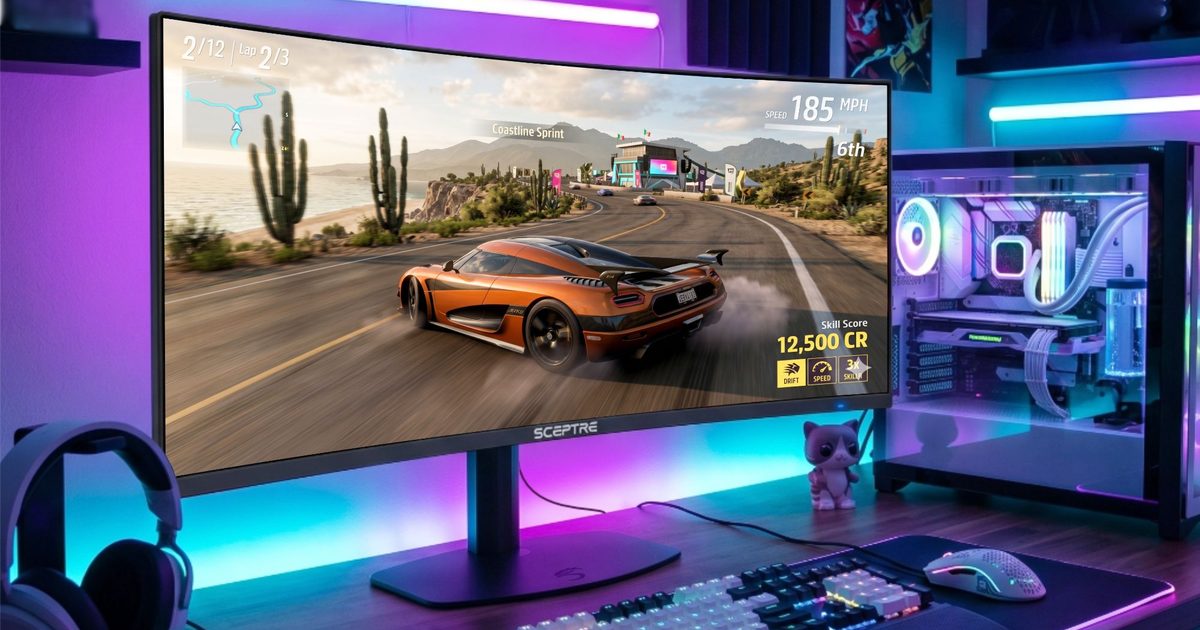
This year Sceptre is rolling out reductions on a selection of gaming monitors from June 23‑26, featuring as much as $100 off its flagship C415B‑UUS360. Built to provide both sweeping ultrawide gaming and esports‑grade performance in a single panel, it easily becomes the centerpiece of Sceptre’s Prime Day offerings. The brand also includes more budget‑friendly options, giving shoppers a range of price points to choose from.
The Deal to Watch: Sceptre C415B‑UUS360
The headline bargain in Sceptre’s Prime Day slate is the C415B‑UUS360, a 39.7‑inch curved ultrawide gaming monitor aimed at users who refuse to compromise between visual fidelity and competitive speed.
A standout feature is its dual‑mode capability, allowing users to switch between 5K resolution at up to 180 Hz and Full HD at up to 360 Hz. Paired with the immersive ultrawide aspect ratio and curved screen, the monitor caters to a broad spectrum of gaming styles—whether you’re roaming massive open worlds, tackling racing simulators, or diving into fast‑paced multiplayer battles.
The mix of a massive 39.7‑inch display, ultrawide ratio, and flexible dual‑mode settings sets the C415B‑UUS360 apart from conventional gaming screens, making it an attractive pick for gamers who want a single monitor that can handle both cinematic experiences and high‑performance play.
During the Prime Day event the unit is offered with a $100 discount, representing the deepest cut in Sceptre’s gaming monitor lineup.
Prime Day Savings: Save $100
For Bigger‑Screen Gaming: Sceptre C325B‑FW250D
Players seeking a larger panel without venturing into ultrawide territory may find the Sceptre C325B‑FW250D compelling. This 32‑inch curved gaming monitor delivers a more expansive view, making it well suited for story‑driven adventures, racing titles, and multiplayer sessions alike.
The curvature pulls users deeper into the action, while the increased screen real‑estate provides extra room to appreciate in‑game environments and details. Throughout Sceptre’s Prime Day promotion the monitor is discounted by up to $50, presenting an appealing option for gamers who want a bigger display without entering premium‑price territory.
Prime Day Savings: Up to $50 Off
For Budget‑Conscious Upgraders: Sceptre E225W‑FW144G
The E225W‑FW144G is the most affordable screen in this Prime Day collection, making it a solid choice for first‑time PC gamers, students, or anyone needing a secondary monitor. Its 22‑inch curved design fits comfortably on smaller desks while still offering the gaming‑focused features expected from a modern display.
The added Prime Day markdown makes the deal even sweeter for shoppers aiming to refresh their setup without stretching their budget, proving that a gaming monitor upgrade doesn’t have to carry a premium price tag.
Prime Day Savings: Save up to $13
Which Sceptre Deal Fits Your Needs?
Prime Day often presents one of the best chances to upgrade gaming hardware without paying full price, and Sceptre’s current offers span a variety of gaming requirements. The flagship C415B‑UUS360 leads the pack with its dual‑mode ultrawide design, the C325B‑FW250D supplies a larger curved‑screen experience for those looking to step up their rig, and the E225W‑FW144G rounds out the lineup as a wallet‑friendly option. With discounts running through June 26, Sceptre’s Prime Day specials provide something for gamers at multiple price levels.
If you own a Switch 2 and have been waiting for a great hack-and-slash game to justify the purchase, today is a good day.
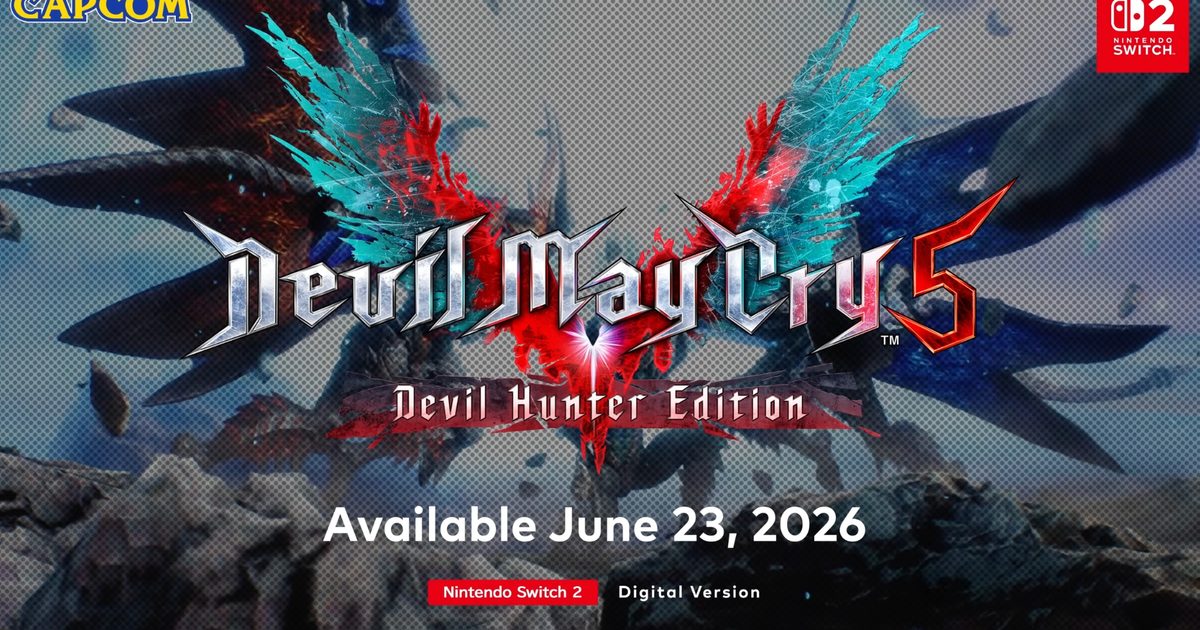
Devil May Cry 5: Devil Hunter Edition lands on the eShop on June 23, 2026, at limited-time discounted pricing. Given that it’s a game from a franchise that has sold over 38 million copies, that is a deal worth paying attention to.
So what exactly is in the Devil Hunter Edition?
This is the first time any Devil May Cry game has come to a portable Nintendo device, courtesy of Capcom.
All four playable characters are available from the start: Nero, Dante, V, and Vergil, Dante’s twin brother, whose concentration-based combat style is available across all the main missions in the game.
DMC5 alone has surpassed 11 million units sold. This Switch 2 port includes the EX Color Pack for alternate costumes, along with additional mechanical arms for Nero (including the classic Mega Buster and the Gerbera GP01).
The file size clocks in at a manageable 28GB (via Notebookcheck).
Does the port actually hold up on Switch 2?
Capcom’s stated priority was a locked 60 frames per second. The game delivers it in both docked and handheld modes, ensuring smooth gameplay on the handheld console.
A few things didn’t make the cut, though: hardware ray tracing, Turbo Mode, and the enemy-dense Legendary Dark Knight difficulty. They’re all absent, and might disappoint some Switch owners.
For most players, however, those are acceptable trade-offs for a game that runs this smoothly in your hands. The eShop version is available from June 23 at $30. The $30 price applies until July 7, after which it moves to $40. A physical edition follows on August 28.