Category: Technologies

  • Shopping Black Friday 2023? Our Tips for Scam Protection and How to Shop Smart

    Shopping Black Friday 2023? Our Tips for Scam Protection and How to Shop Smart

    Black Friday is just under a week away, falling on Nov. 24. It’s sure to be a day filled with deals on items like headphones and air fryers, but with all of the potential money flowing from our wallets to stores, it’s no surprise that cybercriminals will be looking to get their hands on some of it.

    Money Tips logo

    While scammers do work year round, they tend to turn up their efforts during the high-spending holiday season to exploit the spirit of giving.

    These holiday shopping scams are wide-ranging. As retailers like Amazon, Best Buy and Walmart roll out deals over the holidays, fraudsters create elaborate websites to trick you into spending money on products that you’ll never receive. You may receive text messages or emails claiming you’re eligible for a refund for an item you never purchased, just so thieves can snag your credit card information. You might even be enticed into donating to a charity that provides homes for abandoned puppies — only to find out it doesn’t actually exist.

    Scams come in all shapes and sizes, but they always come with red flags that can help you spot them. Here’s what you need to know about Black Friday scams and how to avoid becoming a victim this holiday season.

    For more about security and privacy this holiday season, check out the best identity theft protection and monitoring services of 2023. And here are 6 tips to help keep your personal data private.

    Fake websites and fraudulent apps go ‘phishing’

    In a phishing scheme, the goal is for hackers to get their hands on your personal information, like your credit card number, social security or account password. Pretending to be a large retail corporation, the fraudsters send out an official-looking email or text message, usually with a link to a fraudulent website designed to look just like a legitimate site.

    Researchers at security firm Avanan discovered that hackers were sending out spoofed Amazon order notification emails. The email resembled your run-of-the-mill order confirmation, except that the order is false and the charge is significant.

    Naturally, if you believe you’re being charged for a substantial amount, you would want to reach out to Amazon. But in this instance, if you use the link in the phishing email to get in contact, you’ll be redirected to a fake Amazon webpage with a false phone number to dial. If you call, the fraudsters won’t initially pick up, but they’ll soon call back, asking you to provide your card number, expiration date and CVV to “cancel the order.” And just like that, they’ve got your information.

    These types of attacks are commonplace throughout the year, but expect a surge in messages claiming to be from Amazon, Best Buy, Walmart, Target or other large retailers during the holidays.

    If you receive an email asking you to update your payment method or requesting other personal information, contact the company’s help desk to make sure the email is legit before you do anything else.

    Other ways to identify a phishing email, according to the Federal Trade Commission and StaySafeOnline.org, include:

    • The sender’s email address looks almost right but contains extra characters or misspellings.
    • There are misspellings or bad grammar either in the subject line or anywhere in the body.
    • They address you with generic terms (“Mr.” or “Ms.” or “Dear Customer”) instead of by name.
    • The message warns that you need to take immediate action and asks you to click a link and enter personal details, especially payment information.
    • The messages promise a refund, coupons or other freebies.
    • The company logo in the email looks low-quality or just plain wrong.
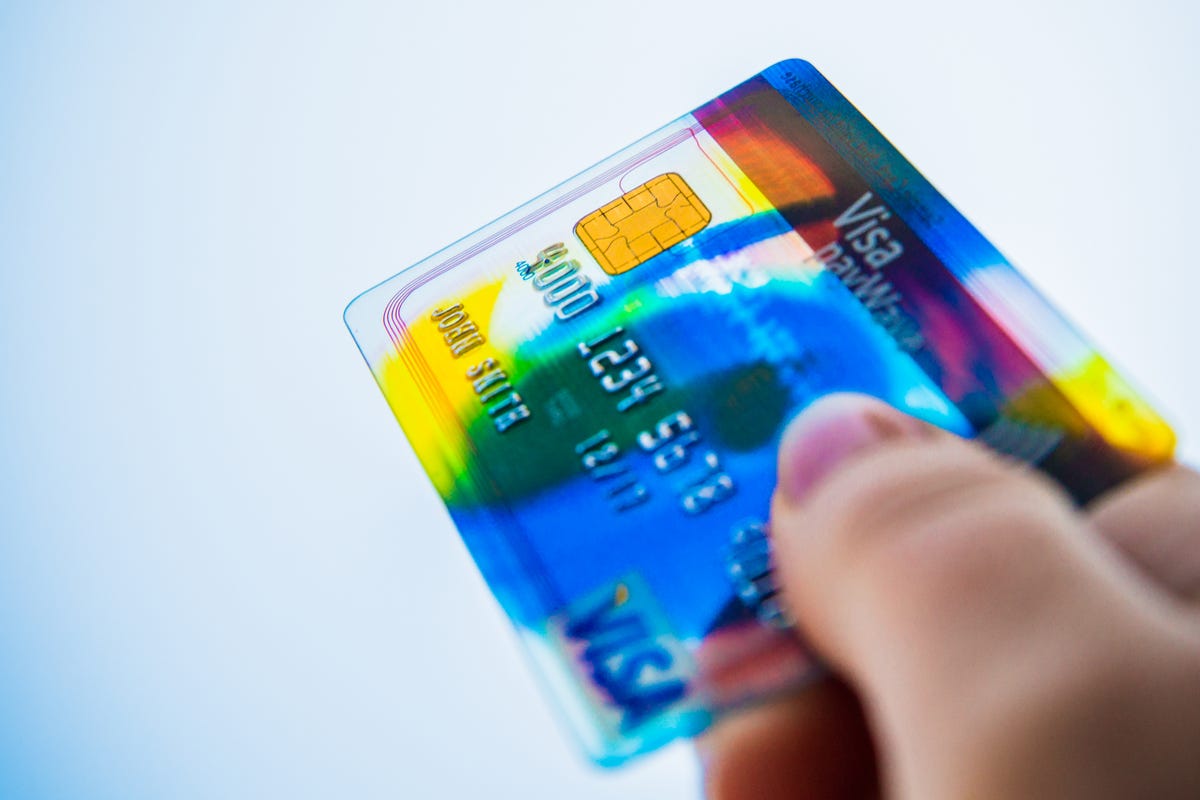
    mobile-payments-visa-paywave-chip-security-credit-cards-4885.jpg

    Credit card skimming goes all-digital

    You’ve seen it in movies. A hacker places an object over a card reader, disguised to look like part of the ATM, and then waits for people to swipe their cards. A day or week later, the thief takes the object — known as a skimmer — back and collects the mountain of stolen card information stored inside, which they can then use to make purchases, withdraw money and more.

    Instead of using physical hardware to steal payment card numbers, hackers can insert malicious code directly on a website to do the same thing as traditional skimming, but with online payment information instead.

    Regarding e-skimming incidents — sometimes called Magecart attacks after the name of the software used — Tim Mackey, principal security strategist for Synopsis, a digital security company, warns, “There isn’t an obvious way for the average person to be able to identify if or when a website has been compromised. The only potential tell-tale sign might be that the website itself doesn’t quite look ‘right.’”

    Mackey suggests a few strategies you can can use to protect yourself:

    • Don’t save your credit card information on retail sites.
    • If possible use a third-party payment method like Apple Pay, Google Wallet or PayPal.
    • Enable purchase alerts on all your credit cards.
    • Disable international purchases on all credit cards.
    • Only make purchases over your home network or cellular network, never on a public Wi-Fi where your payment could be intercepted.

    Avoid the ‘Secret Sister’ gift exchange — it’s a pyramid scheme

    Originating on Facebook, this sketchy gift exchange among internet strangers plays off the popular workplace practice of “Secret Santa,” a game where each person in a group buys a present for one other randomly selected group member, without the gift-giver revealing their identity.

    Instead, in Secret Sister, it’s a pyramid scheme dressed up in holiday clothes, according to the Better Business Bureau. The “Secret Sister” exchange invitation promises you’ll receive about $360 worth of gifts after purchasing and mailing a $10 gift for someone else. A variation includes swapping bottles of wine. And there’s even “Secret Santa Dog,” in which you gift money to a “secret dog.”

    Unfortunately, bad math hasn’t stopped this scam from resurfacing year after year. If you fall for it, you’ll probably be out 10 bucks when you don’t receive any gifts in return. You might lose personal details too, because the scam involves sending your name, email address and phone number to people you’ve never met in person.

    The Better Business Bureau recommends you deal with any request to become a Secret Sister by ignoring it — do not give your personal details to online strangers. You can also report the invitation to Facebook or whichever social network you were approached on.

    salvation-army-amazon-wishlist-slide

    Your donations might be going to a ‘faux charity’

    During the holiday season, it’s not uncommon to give back to the community. In fact, nonprofit organizations typically see an increase during the fall. The last three months of the year make up 36% of all charitable giving during the year, according to Blackbaud Institute, which creates fundraising applications.

    Unfortunately, scammers take advantage of this generosity to make a bundle for themselves.

    The way these charity fraud scams typically work are by impersonating other successful charities. And it’s no wonder they work: The scammers come up with real-sounding charity names, create credible websites, run successful social media campaigns — and they’re persistent.

    Scammers typically call you using local phone numbers, which give you a false sense of security. However, it’s incredibly easy to spoof an area code. Next they’ll make their pitch, and it’ll be a good one. It will tug at your heart-strings, but they’ll never actually specify how they’ll help. And they may even claim that you’ve made a donation before, and suggest that you make another, and that if you do, it’ll be tax-deductible. And it’ll all be a lie.

    If you get a call from a charity and sense some red flags, the AARP and FTC suggest that you do the following:

    • Do your research. Use a watchdog like CharityWatch to get more information about a charity and learn how credible it is. Or use Google.
    • Pay close attention to the charity name and website. False charities like to mimic other popular charities. If it seems too close in name to another, it might not be real.
    • Keep track of your donations. Even if you accidentally donate to a scammer, you need to ensure that the donation isn’t recurring.
    • Don’t give away all your personal information. Of course it’s normal to provide your card information, but don’t do the same with your Social Security number or bank account number.
    • Don’t make a cash donation. Unless you’re certain about a charity’s credibility, don’t give away cash, gift cards, or cryptocurrency.

    For any charitable donations that you make, you can also use the IRS tax-exempt organization search tool to make sure that the charity you’re contributing to is legitimate and that your gift can be deducted on your income tax return.

  • Amazon Prime Invite-Only Deals for Black Friday: What to Know

    Amazon Prime Invite-Only Deals for Black Friday: What to Know

    Black Friday is still a week away, but Amazon hasn’t been shy with deals this month — already, we’ve seen discounts on TVs, iPads and more. And once again, Amazon is bringing back its invite-only discounts for sales that it expects to be extremely popular.

    Amazon’s invite-only system was introduced earlier this year and gives bargain hunters a chance to ensure access to specific deals without having to watch the site like a hawk. In order to be eligible for certain high-profile deals, you’ll need to register for those products ahead of time.

    Below, learn how Amazon Black Friday invite-only deals work and how you can sign up for special deals now.

    What are Amazon Black Friday invite-only deals?

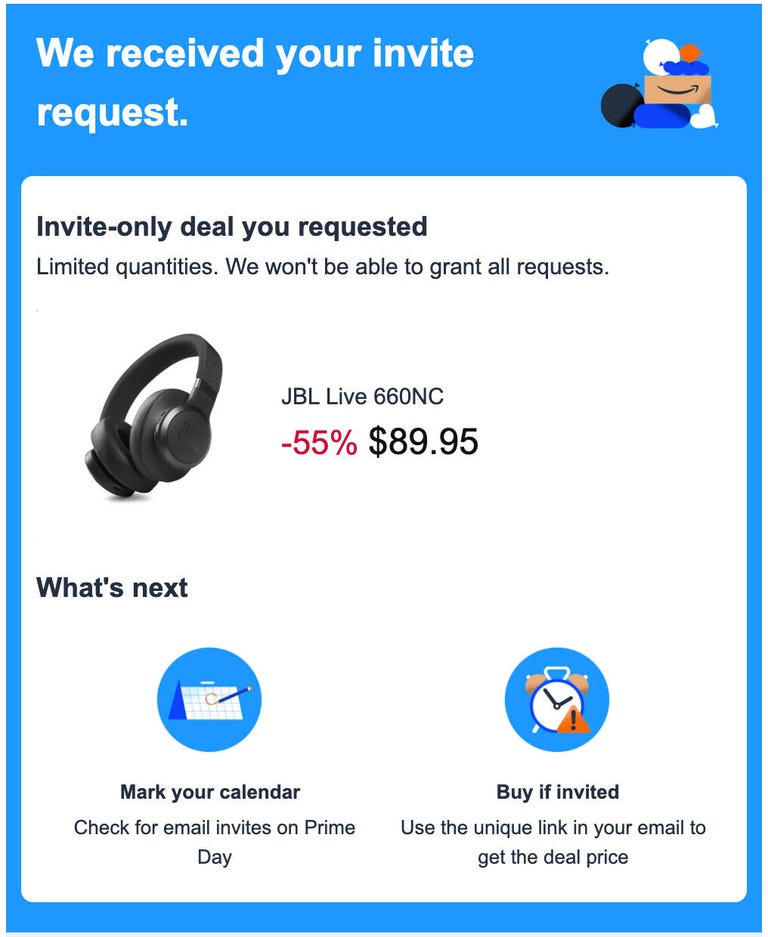
    Some of the biggest Amazon Black Friday deals are already displayed on the site, and have a special red box indicating they are an “Invite-only Prime Deal.” Once you click on the product, you’ll see a yellow “Request invite” button sitting below the promoted price. Clicking that button will register you for a guarantee to buy the product at the Black Friday price when it goes on sale.

    Invitations will be granted based on the number of products Amazon has in stock. If your request for an invitation is successful, you’ll get an email from Amazon with a special link to buy the product when it goes on sale.

    How do Amazon Black Friday invite-only deals work?

    It’s simple for Amazon Prime members to request invites for deals that are available by invitation. Look for the yellow button marked “Request invite” below the advertised Amazon Black Friday price. These buttons will only be present on products that are marked “Available by invitation.”

    a screenshot of an email confirmation from Amazon about an invite-only Prime Day deal

    After you click the yellow button, a small pop-up window will confirm that you’ve requested an invitation, and the product page will refresh to show “Invite requested.” You’ll also get a confirmation email from Amazon with the subject “Invite-only deal requested,” that shows the product you requested and the Black Friday deal price.

    If you’re selected by Amazon to receive an invitation, you’ll get an email during the Black Friday sale (Nov. 19 through Nov. 22) with a special link to buy the product. The product page will display a timer showing how long you have left to make the purchase. If you’re not selected for the invitation, you’ll receive an email explaining that as well.

    You can only apply for one invitation for each product, but you can request invites for as many Black Friday deals as you like.

    Which Amazon products are offered as invite-only deals in November?

    We’ve found eight products so far that are being offered now as invite-only deals for Amazon Black Friday. The list includes kids’ Bluetooth headphones, a limited-edition Star Wars stand that makes your Echo Dot look like Darth Vader, a SodaStream bundle, a Blink outdoor camera system, a Citizen men’s watch, a Bulova men’s watch and a Ring floodlight camera.

    For more Amazon tips, here are all the perks you get with an Amazon Prime membership.

  • Our Favorite HD Streaming Device Is Only $20 for Black Friday

    Our Favorite HD Streaming Device Is Only $20 for Black Friday

    A streaming device can transform just about any display with an HDMI port into a smart TV, so you can instantly access all your favorite apps, shows and movies. And with Black Friday just around the corner, now’s a great time to grab one for less. There are tons of Black Friday Roku deals available, but if you don’t need 4K resolution, our favorite HD streamer of 2023 is also on sale right now. You can grab the Chromecast with Google TV (HD) for 33% off at Amazon and other retailers right now, which drops the price down to just $20. Though we don’t know how long this offer will last, so we recommend getting your order in soon if you want to nab one for your place at this price.

    If you don’t yet have a 4K TV or stream your content in HD anyway, this entry-level streamer is a good bargain. You don’t have to worry about line of sight and the remote has a built-in button for instant access to Google Assistant, meaning you can quickly search with your voice. Simply plug it into the HDMI port on your TV, and once you’re connected to your Wi-Fi, this baby can stream all your favorite shows, movies and more.

    This Chromecast device shows everything from your streaming services in one place, so you won’t have to jump between apps to decide what to watch. Plus, you can manage your connected devices from your couch. And you can set parental controls if you have little ones at home. As long as you don’t need all the bells and whistles, this is a solid streaming option at a bargain price.

  • Best Black Friday Soundbar Deals: Upgrade Your Sound Setup for Less

    Best Black Friday Soundbar Deals: Upgrade Your Sound Setup for Less

    TVs are getting better and better but while they look better than ever, sound is always going to be better when you ditch those tinny speakers and upgrade to something a little more beefy to boost your sound quality. One way to do that is to add a soundbar to your entertainment setup.

    With Black Friday now here, there are deals to be had if you know where to look. More than a dozen of CNET’s shopping experts are spending more than 515 hours each week this month analyzing thousands of offers from all the biggest retailers and we’re reporting them right here. We’ll also be paying special attention to products that we’ve tested and evaluated hands-on in our labs and we’ll be updating this list as the days roll on so check back later if you don’t see the deal you’ve been waiting for.

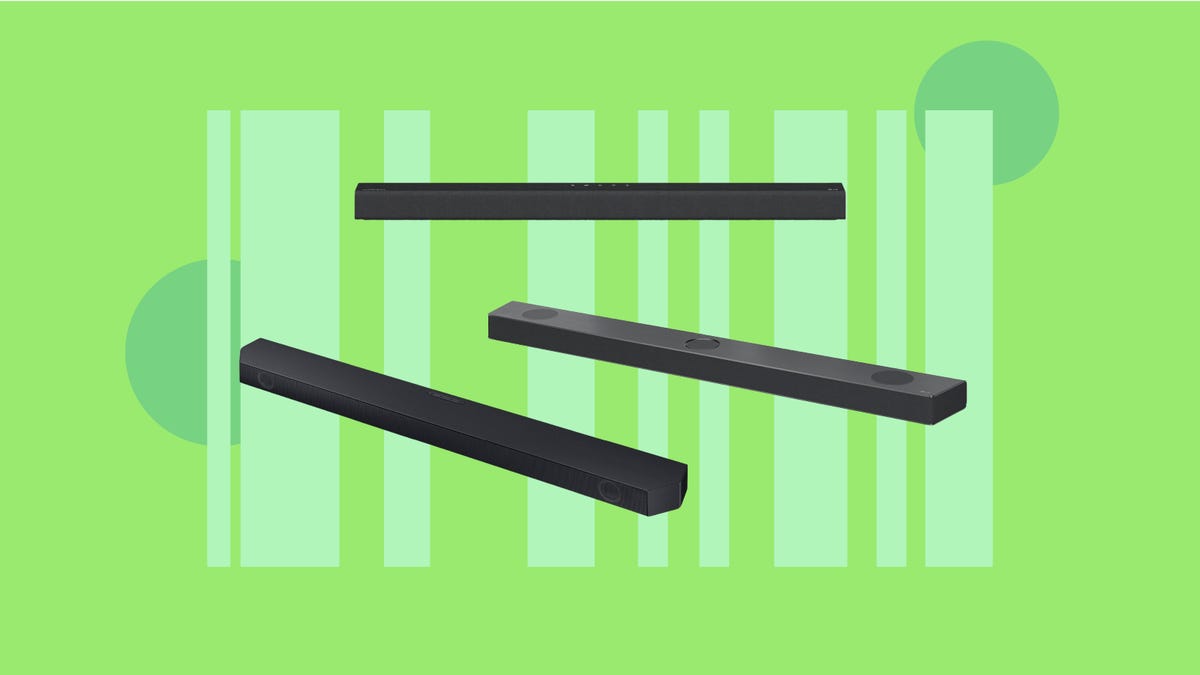
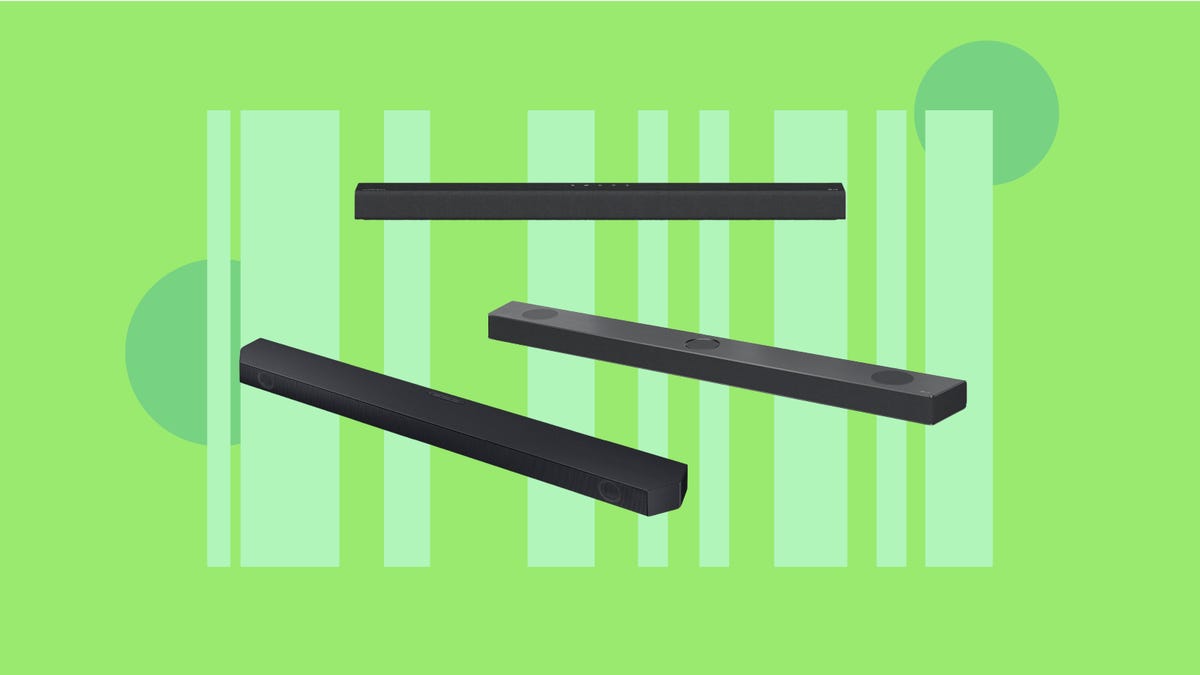
    A variety of soundbars are displayed against a green background.

    Why should I invest in a soundbar?

    TV speakers simply don’t deliver big sound these days because our screens have gotten a lot thinner and high quality components simply won’t fit. Additionally, built-in TV speakers often face downward, which can further dilute the sound you hear. A soundbar can really improve your audio, and if you need a little help figuring out which features to look for, be sure to check out our soundbar buying guide.

    Is Black Friday a good time to buy a soundbar?

    Black Friday tends to be a great time to buy top tech at a discount. We’ve already seen significant soundbar savings at Walmart’s Black Friday and Best Buy’s Black Friday sales. We anticipate seeing even more soundbar deals dropping as we get closer to the big day.

  • Best Black Friday PS5 Deals: Console Bundles, Discounted Games and More

    Best Black Friday PS5 Deals: Console Bundles, Discounted Games and More

    With Black Friday fast approaching and holiday gift-giving on everyone’s minds, it’s one of the best times of the year to expand your gaming setup. With tons of tech deals already in full swing you’ll see some big discounts on Sony gaming gear. Right now, there aren’t any direct discounts on consoles alone, but we are seeing savings on bundles which include console and a game. There are also big sales on games and accessories.

    With so many options, we’re tapping our team of more than a dozen shopping experts who are working round the clock to sift through the deals out there so you don’t have to. Below you’ll find the top picks for Black Friday PS5 offers. We’re keeping this page updated regularly, so be sure to check back for new deals. And if you’re looking for even more gaming bargains, you can check out our roundup of the best Black Friday Switch deals for savings on Nintendo’s nifty handheld console.

    Our absolute favorite Black Friday PS5 Deals

    These deals are the best of the best according to our deal experts, with plenty of discounts on products that have been highly rated in hands-on reviews by CNET staff.

    Best Black Friday PS5 console deals

    ps5-spider-man-2-bundle

    Best Black Friday PS5 game deals

    ps5-ghost-of-tsushima-bf

    Best Black Friday PS5 accessory deals

    ps5-dust-cover-cosmic-red-bf
    A PS5 console, controller, headset, storage drives and game against a blue background.

    Where is the best place to buy a PS5 during Black Friday?

    It’s a lot easier to get your hands on a next-gen PS5 console than it was when it first hit shelves back in 2020. These days, you’ll find all models — including the new Slim edition — readily available at Sony, as well as major retailers like Amazon and Best Buy. We haven’t seen any direct discounts on consoles so far this holiday shopping season, but there are some bundle deals that can help you score a free game with a console purchase. We are seeing games discounted at all major retailers.

    WWill Sony offer Black Friday PS5 deals?

    Yes, Sony has already kicked off its own early Black Friday sale, where you can save up to 30% on select accessories. There aren’t any straightforward savings on PS5 consoles, but there are bundle deals and discounts on controllers, headsets and stylish console covers that can add a pop of color to your gaming setup. Plus you can score savings on hundreds of digital games, add-ons and more at the PlayStation store.

  • Permanently Deleting X Takes 5 Steps: Elon Musk Promoting Antisemitic Tweet Leads to Growing Boycott

    Permanently Deleting X Takes 5 Steps: Elon Musk Promoting Antisemitic Tweet Leads to Growing Boycott

    Following a post this week by Elon Musk in which the owner of the site formerly known as Twitter expressed support for an antisemitic conspiracy theory, IBM, Apple and other companies said they were pulling their ads from the site.

    The White House on Friday also rebuked the post. “We condemn this abhorrent promotion of Antisemitic and racist hate in the strongest terms, which runs against our core values as Americans,” White House spokesman Andrew Bates said in a statement. Ads from IBM, Apple and other companies have reportedly appeared next to pro-Nazi content on the site, according to AP.

    The boycotts comes as studies find that hate speech has grown on Musk’s social network since his takeover in 2022.

    If you’ve decided you want to leave the site, in this guide we’ll explain what your options are, including whether you can change your mind about deleting your account. For more, here’s how to untag yourself from any X conversation.

    How to delete your X account on your phone

    Here’s how to delete your X account from your phone. Note that before you close your account, you may want to create an archive of your tweets. And if you’re interested, we also know how to download all your posts.

    1. Sign in to your X account and tap your profile icon.

    2. In the side menu, scroll down and tap Settings and Support, then select Settings and privacy.

    3. Select Your account > Deactivate your account.

    4. Tap Deactivate.

    5. You’ll be prompted to enter your password and tap Deactivate to confirm.

    If you change your mind, you can restore your account for up to 30 days after you deactivate it. However, deactivating your account is not deleting your account. If you want to delete your account, you simply need to not access your account within the 30-day deactivation period. After the 30 days, your account will be deleted and your username will no longer be associated with your account.

    How to delete your X account on your computer

    If you’re using X on your computer’s web browser, here’s how to delete your account. Again, before you close it down, think about creating an archive of your posts.

    1. Sign in to your X account.

    2. On the left menu, select More > Settings and privacy.

    3. Under the Your Account section, click Deactivate your account.

    4. Click Deactivate.

    5. You’ll then be prompted to enter your password, and then you’ll confirm you want to proceed by clicking Deactivate account.

    If you change your mind, see below for how to undo your account deactivation. If not, your account will be deleted after 30 days.

    Social media company X logo

    Unlink any third-party apps from your X account

    While you may have clicked the button to deactivate your account, X notes that third-party apps can reactivate your account when you sign in to them. To prevent this from happening, you’ll need to revoke third-party app access to your X account, such as those that automatically delete old posts.

    To get started, sign in to your X account and go to Settings and privacy > Security and account access > Apps and sessions > Connected apps. You’ll then select each app one at a time and click Revoke app permissions.

    How to reactivate your X account

    If you change your mind, you can always reactivate your account for up to 30 days. Here’s what to do.

    1. Log in to your X account.

    2. You’ll see a notice asking if you’d like to reactivate your account. If you select yes, you’ll be redirected to your X home timeline. Note that it could take a while for your posts and followers to be restored.

    For more, here’s how to change the privacy settings on X, how to delete old posts and how to cancel your Netflix subscription.

  • England vs. Malta Livestream: How to Watch Euro 2024 Qualifier Soccer From Anywhere

    England vs. Malta Livestream: How to Watch Euro 2024 Qualifier Soccer From Anywhere

    With qualification confirmed for next summer’s tournament in Germany, England will be looking to bag top spot in Group C and a high seeding at UEFA Euro 2024 with a win over Malta today at Wembley in their final qualifier at home.

    Five players have been forced out of Gareth Southgate’s plans for this game through injury, including James Maddison, Jude Bellingham and Callum Wilson, which should allow fringe players such as Jarrod Bowen and Cole Palmer to stake their claim for a place in England’s squad for next summer.

    While Malta have improved during the campaign, the Reds nevertheless remain rooted to the foot of Group C and are without a point. Having failed to muster a single shot against England in the reverse fixture, it could be another tough night for the team currently ranked 171st in the world.

    Below, we’ll outline the best live TV streaming services you can use to watch the game live wherever you are in the world.

    England soccer manager Gareth Southgate wearing a suit jacket and white shirt, applauding.

    England vs. Malta: When and where?

    England host Malta at the iconic Wembley Stadium in London, on Friday, Nov. 17. Kickoff is set for 7.45 p.m. GMT local time in the UK (2:45 p.m. ET, 11:45 a.m. PT in the US and 6:45 a.m. AEDT on Saturday, Nov. 18 in Australia).

    How to watch the England vs. Malta game online from anywhere using a VPN

    If you find yourself unable to view the game locally, you may need a different way to watch — that’s where using a VPN can come in handy. A VPN is also the best way to stop your ISP from throttling your speeds on game day by encrypting your traffic, and it’s also a great idea if you’re traveling and find yourself connected to a Wi-Fi network, and you want to add an extra layer of privacy for your devices and logins.

    With a VPN, you’re able to virtually change your location on your phone, tablet or laptop to get access to the game. Most VPNs, like our Editors’ Choice, ExpressVPN, make it really easy to do this.

    Using a VPN to watch or stream sports is legal in any country where VPNs are legal, including the US, UK and Canada, as long as you have a legitimate subscription to the service you’re streaming. You should be sure your VPN is set up correctly to prevent leaks: Even where VPNs are legal, the streaming service may terminate the account of anyone it deems to be circumventing correctly applied blackout restrictions.

    Looking for other options? Be sure to check out some of the other great VPN deals taking place right now.

    Livestream the England vs. Malta game in the US

    Friday’s game is on Fox Sports 1. If you don’t have the channel as part of your cable lineup, it can be streamed via Sling TV.

    Livestream the England vs. Malta match in the UK for free

    Terrestrial free-to-air station Channel 4 has the rights to show all of England’s Euro 2024 qualifiers live in the UK. Coverage of this match starts at 7 p.m. GMT.

    Livestream the England vs. Italy game in Canada

    If you want to stream this game live in Canada, you’ll need to subscribe to DAZN Canada. The service has exclusive broadcast rights to every Euro 2024 qualifier this season.

    Livestream the England vs. Malta game in Australia

    Football fans Down Under can watch this match on streaming service Optus Sport, which has the rights to show select Euro 2024 qualifiers live in Australia this season.

    Quick tips for streaming Euro 2024 qualifiers using a VPN

    • With four variables at play — your ISP, browser, video streaming provider and VPN — your experience and success when streaming Euro 2024 qualifiers may vary.
    • If you don’t see your desired location as a default option for ExpressVPN, try using the “search for city or country” option.
    • If you’re having trouble getting the game after you’ve turned on your VPN and set it to the correct viewing area, there are two things you can try for a quick fix. First, log into your streaming service subscription account and make sure the address registered for the account is an address in the correct viewing area. If not, you may need to change the physical address on file with your account. Second, some smart TVs — like Roku — don’t have VPN apps you can install directly on the device itself. Instead, you’ll have to install the VPN on your router or the mobile hotspot you’re using (like your phone) so that any device on its Wi-Fi network now appears in the correct viewing location.
    • All of the VPN providers we recommend have helpful instructions on their main site for quickly installing the VPN on your router. In some cases with smart TV services, after you install a cable network’s sports app, you’ll be asked to verify a numeric code or click a link sent to your email address on file for your smart TV. This is where having a VPN on your router will also help, since both devices will appear to be in the correct location.
    • And remember, browsers can often give away a location despite using a VPN, so be sure you’re using a privacy-first browser to log into your services. We normally recommend Brave.
  • Best Places to Stream Christmas Movies Like Elf, Home Alone and More

    Best Places to Stream Christmas Movies Like Elf, Home Alone and More

    Christmas isn’t quite here yet, but that doesn’t have to stop you from getting into the merry mood. In addition to splurging for festive coffee drinks and shopping for worthy gifts, you can wave hello to the holidays by streaming movies and TV shows.

    If you can’t wait to get the holly jolly times started, streaming services have content that may speak to you. I sifted through the Christmas fare on services like Netflix, Disney Plus and Peacock and saw lots of titles that could please crowds this season. Movies are a major source of holiday cheer, but you may find a TV show or special you want to unwrap.

    Where to Stream Holiday Content

  • Take Control of Your Screen Time: How to Block Websites on Your iPhone

    Take Control of Your Screen Time: How to Block Websites on Your iPhone

    Are you concerned about your iPhone screen time? Do you find yourself spending way too many minutes or hours on certain websites? If so, you’re not alone. Many of us are concerned about the amount of time we spend on our phones, and Apple knows this all too well.

    CNET Tech Tips logo

    Apple allows you to take control of your screen time and block specific websites on your iPhone. In this article, we’ll show you how to do just that. Whether you’re looking to reduce distractions, increase productivity, or simply limit your time on social media, these steps will help you achieve those goals.

    Read more: Best iPhone in 2023: Which Apple Phone Should You Buy?

    To block websites on your iPhone, follow these steps for iOS 17:

    1. Open the Settings app.
    2. Tap Screen Time.
    3. Tap Content & Privacy Restrictions.
    4. Tap the toggle switch to enable Content & Privacy Restrictions.
    5. Tap Content Restrictions followed by Web Content.
    6. Choose how you want to restrict content. You can restrict access to adult websites by tapping Limit Adult Websites. This would block access to websites that are adult in nature such as pornographic websites.
    7. Or you can block all websites except those you specify, by tapping Allowed Websites then adding websites you want to allow by tapping Add Website under the “Only Allow These Websites” section. There should already be a small handful of websites that have been prepopulated.

    Blocking websites on your iPhone is an effective way to take control of your screen time and reduce distractions. Whether you’re looking to increase productivity, minimize your time on social media, or simply stay focused, these steps will help you achieve your goals. This guide could help if you have young children and want to limit their access to certain websites or green-light specific websites your kids are allowed to browse. These restrictions apply to all browsers on your iPhone (or iPad), including Safari, Chrome or Firefox.

  • Take Stunning Landscape Photos With Your Phone With These Pro Tips

    Take Stunning Landscape Photos With Your Phone With These Pro Tips

    Today’s top phones, such as the iPhone 15 Pro and Samsung Galaxy S23 Ultra, have incredible cameras that can snag the sort of stunning photographs you’d normally expect to see coming from pro-level DSLRs. Even older or more affordable phones like 2021’s iPhone 13 Pro or the new Google Pixel 8 can take beautiful images that you might want to print and display on your wall.

    In this guide, I’ll show you how to take landscape photos with your phone, whether you’re heading into the countryside or deep into the heart of the mountains. While some of the tips apply to recent phones with multiple lens options, many are relevant whether your device is 3 months or 3 years old, Apple or Android.

    Read more: Best Camera Phone to Buy Right Now

    Sort your phone camera settings

    Your phone is probably capable of taking a cracking landscape photo in its default auto mode, but let’s take things a bit further.

    If your phone has a “pro” mode that gives you manual control of settings, switch into that. If it doesn’t, an app like Moment, Lightroom or MuseCam lets you take control of settings like ISO, shutter speed and white balance.

    20190621-151601-2

    Crucially, these apps also let you shoot in raw format. Raw images don’t save many of the automatic camera settings that your phone would normally apply to a JPEG image, such as white balance or sharpening. The result is an image that lets you change the white balance, alter color tones and rescue detail from the highlights and shadows much more easily — and with less image degradation — than you can with a simple JPEG. I’ll come back to this more in the editing section below.

    Apple’s last few generations of Pro iPhone can use the company’s ProRaw format, which uses some computational photography techniques like HDR blending but still generates an easily editable DNG file. Tapping the Raw button on the camera screen will turn on raw shooting. Google has a similar raw function built into its Pixel line.

    In landscapes, altering white balance is often crucial as auto white balance might see a scene with a lot of warm tones (such as fall leaves on trees) and try to use a cool white balance to even it out, but in so doing, it loses all of that natural warmth. Being able to tone down some of the highlights from a bright sky or bring up the shadows in the foreground is important, and being able to alter your white balance after you’ve taken the shot gives you much more flexibility in your editing, rather than having the colors baked into the image when you take it.

    The downside to shooting in raw is that your images will likely need some work in an editing app like Lightroom or Snapseed before you can share them. Photographing landscapes is often a slower, more methodical process, and spending time in editing is all part of the experience of crafting a beautiful image.

    20190426-193116-2

    Shoot early, stay out late

    Time of day is everything in landscape photography, because the lighting changes completely as the sun passes overhead. The best time of day to catch dramatic light is either at sunrise or at sunset. The sun is low in the sky both times of day, resulting in directional light and long shadows cast over the scene.

    Midday is typically the worst time to shoot, as the overhead light doesn’t create much in the way of shadow detail, resulting in scenes that can look flat and lifeless.

    If you have a particular location in mind, it’s worth setting your alarm and getting out early to see what you can capture during the sunrise. If time allows, try and return to shoot the same scene at different times of day to see when it looks best.

    Watch the weather

    Weather plays a huge part in any outdoor photography, but none more so than with landscapes. Different weather conditions will transform your scene, completely altering its mood, lighting and colors. But don’t assume that bad weather means bad photos.

    img-0690

    Personally, I love the foreboding, moody atmosphere of a landscape with dark storm clouds billowing above. Often the light that comes after a storm can look particularly dramatic. So while the hike to your chosen location might be a miserable slog in pouring rain, keep your spirits up by imagining the beautiful photo you might get at the end.

    The worst weather for landscapes is that plain, miserable gray sky where there’s no texture to the clouds, no interesting light on the land and no contrast to the scene in front of you.

    Keep an eye on your favorite weather app and make the decision based on what’s predicted. As long as you’ve packed the right clothing, you can brave the worst of the weather, and if it gets too bad then navigate Google Maps to the nearest pub to sit it out with a good drink.

    Experiment with your wide and zoom lenses

    If your phone has a wide-angle mode, then now’s the time to give it a try. If you don’t have a wide mode on your phone as standard, you can use additional lenses to get the same effect.

    20190620-165645

    Superwide landscapes can be particularly dramatic, as they capture so much of a scene in a single image. Mountaintops that would otherwise be out of frame are suddenly captured in all their majesty, while beautiful rivers can now be seen in their entirety, snaking their way into a scene.

    But once you’ve had the excitement of seeing the scene in full, try using the telephoto zoom lenses on your phone to focus on some of the details within it. Look for interesting rock formations, patterns in the landscapes or unusual shapes in the scene — all of which can stand out when you zoom in or crop out other distracting elements.

    Concentrate on composition

    It’s easy to think that just using as wide an angle as possible is a guarantee of a cool landscape photo, but that’s not the case. In fact, to get the best out of your wide shots you need to think about composition even more.

    Foreground interest

    Look for foreground interest in your scenes. Tree stumps, moss-covered rocks, even some pretty wildflowers can all be used to draw the viewer’s eye into a scene. When you’re at the top of the hill taking your shot, spend a couple of minutes having a look around for something you can place in your shot to help bring the scene together.

    moment-photo-cecdb4a0-2

    Leading lines

    Leading lines are also great elements of a brilliant landscape composition. Keep your eye out for pathways, nice walls or other long elements that wind their way farther into the scene — it’s exactly that winding perspective that allows your viewer’s eye to follow along a line and into your image.

    Straight horizons

    If your phone shows grid lines or a leveling tool on the screen, use that to make sure your horizon line is straight. Then double-check you’re not accidentally chopping the top off your subject, be it a mountain, a building or some trees. Remember, you can do a lot to improve a mediocre image with editing, but you can’t do anything to rescue bad composition.

    Edit your photos

    Your image isn’t finished once you’ve hit that shutter button; a few tweaks in an editing app is all it can take to transform a simple snap into a beautiful piece of art.

    My favorite editing app is Adobe Lightroom Mobile, but I also get great results from Google’s Snapseed, which you can get for free on Android and iOS. You can check out my roundup of the best editing apps, which include various options for those of you who like to get a bit wild with your editing.

    20190619-201736-3
    20190619-201736-2

    I tend to start by tweaking the white balance so the colors look accurate, or to give a warmth boost to a beautiful sunset. It’s here that shooting in raw becomes particularly beneficial. I’ll tweak the exposure levels, particularly the highlights and shadows, in order to bring a bright sky a bit more under control or to boost shadows in the foreground. A bit of additional contrast can help add some punch to the scene as well.

    My advice is to make a coffee, sit back and play with the sliders in your chosen app to your heart’s content. Try out the different filters and experiment with layering different effects on top of each other by saving and reimporting your image. Remember that there’s no right or wrong way to edit an image, so enjoy playing around — you can always go back to the original image if you don’t like what you’ve come up with.