Category: Technologies

  • Streaming TV in August 2023 Is Light, So You Can Skip These Services to Save Money

    Streaming TV in August 2023 Is Light, So You Can Skip These Services to Save Money

    To be honest, streaming is a little dry this month unless you love anime or want to catch a one-off movie release. Hulu and Netflix are your best bets in August though if you want to be entertained, as shows such as Reservation Dogs, Only Murders in the Building and The Lincoln Lawyer are back. I’ll admit that I’ll be streaming Max for Adventure Time: Fionna & Cake because Jake, PB and other OGs are supposed to make an appearance. Otherwise, August is a wise time to keep your money and get ready for what’s coming in September and October (like Loki’s return).

    You probably spend time each month deciding whether to cancel a streaming service because of the cost and content selection. I’d like to offer one budget-friendly strategy: Churn like ice cream.

    How do you churn? Subscribe, cancel, stream on a different platform, then resubscribe. Rotating streaming services as needed helps save money when Netflix, Disney Plus, Max and others don’t have the content you want to watch at a given time. Just remember to shut off autorenewal for your monthly subscriptions. Churning may not work well if you’re sharing your accounts with people outside your household. But if you can work out an arrangement with your crew, go for it.

    Here are my suggestions for which streamers to keep or cancel in August, based on new shows and movies (I didn’t consider sports and live TV streaming services) coming to each platform. Your tastes may be different, but if nothing else, I urge you to at least consider the concept of rotating for savings. It’s easier than you might think.

    Read more: Best Streaming Service of 2023

    August Streaming Service Rotation

    Keep Cancel
    Hulu X
    Netflix X
    Apple TV Plus X
    Disney Plus X
    Max X
    Peacock X
    Starz X
    Prime Video X
    Paramount Plus X

    Keep these streaming services in August

    Hulu: Anime fans can continue with Zom 100 or Bleach: Thousand-Year Blood War. Lollapalooza will livestream Aug. 3-6. There are several big premieres happening this month too: Breeders season 4 (Aug. 1), Reservation Dogs season 3 (Aug. 2), and Only Murders season 3 (Aug. 8). A new K-drama called Moving will be released on Aug. 9, and FX’s A Murder at the End of the World premieres on Aug. 29.

    Netflix: It’s a smaller selection, but here are some titles you may want to stream on Netflix this month.

    • The Lincoln Lawyer season 2, part 2 (Aug. 3)
    • Zom 100: Bucket List of the Dead live-action movie (Aug. 3)
    • Heartstopper Season 2 (Aug. 3)
    • Zombieverse K-drama series (Aug. 8)
    • The Seven Deadly Sins: Grudge of Edinburgh part 2 (Aug. 8)
    • Ladies First: A Story of Women in Hip-Hop (Aug. 9)
    • Painkiller (Aug. 10)
    • Heart of Stone — action movie starring Gal Gadot (Aug. 11)
    • The Upshaws part 4 (Aug. 17)
    • Ragnarok season 3 (Aug. 24)
    • One Piece live-action series (Aug. 31)

    Disney Plus: Two new debuts that you’ll probably want to stream include Guardians of the Galaxy Vol. 3 (Aug. 2) and Star Wars: Ahsoka (Aug. 23). Otherwise, you can cancel after watching GotG or skip Disney Plus altogether if you’re not into Star Wars. Secret Invasion’s full first season is also now available to binge.

    Prime Video: If you haven’t streamed Good Omens season 2 yet, binge it this month. And three book adaptations are coming to your TV screen in August:The Lost Flowers of Alice Hart (Aug. 4), Red, White & Royal Blue (Aug. 11) and Harlan Coben’s Shelter (Aug. 18).

    Paramount Plus: Keep this only if you love watching Big Brother, Special Ops: Lioness or Billions. Streaming customers can watch the Billions season 7 debut on Aug. 11.

    You can cancel these services this month

    Starz: Outlander’s mid-season finale airs Aug. 11. Other than that, Minx and Heels are still airing. I still recommend subscribing in September for Starz to binge these titles and to watch Power Book IV: Force.

    Max: You can actually cancel Max unless you want to watch one of these shows: Winning Time season 2 (Aug. 6), Rap Sh!t season 2 (Aug. 10) or Adventure Time: Fionna & Cake season 1 (Aug. 31). For Sex and the City fans, note that Kim Cattrall will appear in the season 2 finale of And Just Like That on Aug. 24.

    Apple TV Plus: Hijack’s season finale and Physical’s final season premiere on Aug. 2. If you like aliens, Invasion returns on Aug. 23 and runs through October. I suggest waiting until September or October to subscribe to Apple TV Plus for The Morning Show season 3, The Changeling or Killers of the Flower Moon.

    Peacock: The Super Mario Bros. Movie lands here on Aug. 3. Remember the service now starts at $6 per month for a premium subscription, so decide if Peacock is worth it in August for this film, Love Island or any of Bravo’s reality shows.

    group of 5 people look outward from futuristic, galactic backdrop

    Save money if you wait a bit

    If you’re not someone who routinely gets FOMO, then a smart method is to wait until the bulk or all episodes of your favorite series arrive on a platform. That way, rather than pay for a service for two or three months to cover the six- to 10-week run of a show, you can catch up on everything by subscribing for one month. And then repeat the cycle.

    For example, there will be eight episodes of Star Wars: Ahsoka. The finale drops Oct. 4, so all episodes of the show will be available to stream at that time. Though it premieres on Aug. 23 and runs into October, save yourself three months of fees by waiting to stream it in full anytime in October. Likewise, Adventure Time: Fionna & Cake has 10 episodes that stream into September, while Only Murders in the Building airs weekly into October with 10 episodes. Hold off and binge it all and save some money too.

    animated man, woman and cat fall downward

    Note how much you’re paying per month for each streaming service and do the math. Paramount Plus starts at $6. Apple TV Plus is $7. Netflix is $7 to $20 (plus fees for extra members), Disney Plus is anywhere from $2 to $11 depending on bundles, Max costs $10 to $20, Hulu starts at $8 and Starz runs $9. Peacock has a base rate of $6 a month. Should you decide to churn, set yourself a calendar reminder to alert you when it’s time to resubscribe or cancel. We’ll see you in September for another streaming breakdown.
  • Samsung Galaxy Watch 6 vs. 6 Classic vs. 5 Pro: What’s Different About Each Watch?

    Samsung Galaxy Watch 6 vs. 6 Classic vs. 5 Pro: What’s Different About Each Watch?

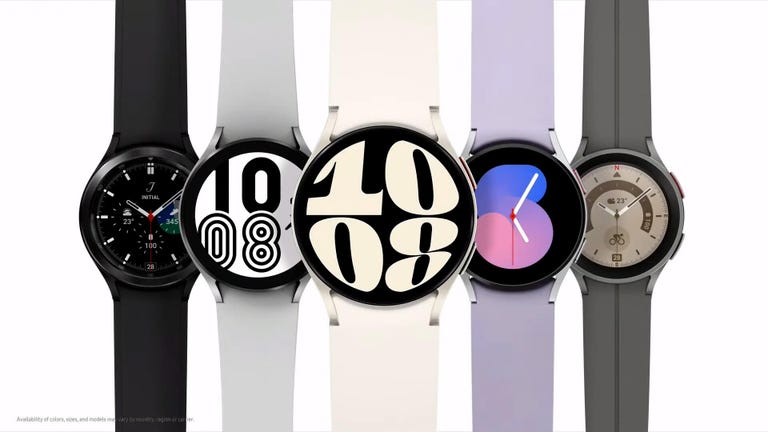
    Samsung’s new Galaxy Watch 6 and Watch 6 Classic debuted last week during the company’s Unpacked event, and they will be joining the Galaxy Watch 5 Pro, which remains available. The three watches occupy different parts of the pricing scale, with the higher-end Watch 5 Pro including additional sports modes that could be particularly helpful for more active wearers.

    Samsung’s Galaxy Watch 6 starts at $300 ( 289, AU$549) for the smaller 40mm size and $330 ( 319, AU$599) for the larger 44mm size. The step-up Galaxy Watch 6 Classic — which includes a physical, rotating bezel — starts at $400 ( 369, AU$699) for its 44mm model and $430 ( 399, AU$749) for the 47mm model. The Galaxy Watch 5 Pro occupies the high end of this list, at $450 ( 429, AU$799) for its 45mm size.

    Both Galaxy Watch 6 editions will ship with Google’s Wear OS 4, and the Watch 5 Pro will be getting an update to that software version. In addition to the various size differences between each of the watches, the batteries range from 300 mAh for the smaller Galaxy Watch 6 and 6 Classic, 425 mAh for the larger watches and 590 mAh for the Watch 5 Pro. We’ll have to test the Galaxy Watch 6 to see how their batteries hold up, but my colleague Lexy Savvides found in her Galaxy Watch 5 Pro review that the battery would usually last about two-and-a-half days.

    We’ve outlined the specs for each of these watches side by side in this comparison table, so you can further check out the differences between the Galaxy Watch 6, Galaxy Watch 6 Classic and Galaxy Watch 5 Pro.

    Samsung Galaxy Watch 6 vs. Galaxy Watch 6 Classic vs. Galaxy Watch 5 Pro

    Samsung Galaxy Watch 6 Samsung Galaxy Watch 6 Classic Samsung Galaxy Watch 5 Pro
    Shape Round Round Round
    Watch size 40mm, 44mm 43mm, 47mm 45mm
    Materials, finishes Aluminum Stainless steel Titanium
    Display size, resolution 40mm: 1.3-inch, 432 x 432-pixel Super AMOLED; 44mm: 1.5-inch, 480 x 480-pixel Super AMOLED 43mm: 1.3-inch, 432 x 432-pixel Super AMOLED; 47mm: 1.5-inch, 480 x 480-pixel Super AMOLED 1.36-inch, 450 x 450 pixels
    Dimensions 40mm: 38.8 x 40.4 x 9.0 mm; 44mm: 42.8 x 44.4 x 9.0 mm 43mm: 42.5 x 42.5 x 10.9 mm; 47mm: 46.5 x 46.5 x 10.9 mm 43.3 x 44.4mm
    Weight 40mm: 28.7g; 44mm: 33.3g 43mm: 52g; 47mm: 59g 33.5g
    Colors 40mm: graphite, gold; 44mm: graphite, silver Black, silver Graphite, sapphire, silver
    Always On Yes Yes Yes
    Interchangable bands Yes Yes Yes
    GPS Yes Yes Yes
    Automatic workout detection Yes (running, walking, rowing) Yes Yes
    Compass Yes Yes Yes
    Altimeter Yes Yes Yes
    Water resistance 5ATM, IP68 5ATM, IP68 Yes, IP68 rating
    Calls Yes Yes Yes
    Microphone Yes Yes Yes
    Speaker Yes Yes Yes
    Voice assistant Yes (Google Assistant, Bixby) Yes (Google Assistant, Bixby) Bixby, Google Assistant
    Mobile Payments Yes (Samsung Wallet) Yes (Samsung Wallet) Yes
    Sleep tracking Yes Yes Yes
    Period tracking Yes Yes Yes
    Sensors Optical heart rate + electrical heart signal + bioelectrical impedance analysis, temperature sensor, accelerometer, barometer, gyro sensor, geomagnetic sensor, light sensor Optical heart rate + electrical heart signal + bioelectrical impedance analysis, temperature sensor, accelerometer, barometer, gyro sensor, geomagnetic sensor, light sensor Optical heart rate + electrical heart signal + bioelectrical impedance analysis, temperature sensor, accelerometer, barometer, gyro sensor, geomagnetic sensor, light sensor
    Emergency features Emergency SOS, fall detection Emergency SOS, fall detection SOS, hard fall detection
    Compatibility Android 10 and above Android 10 and above Android 8.0 or higher
    Software WearOS 4 WearOS 4 Wear OS 3.5
    Processor Exynos W930 dual-core 1.4GHz Exynos W930 dual-core 1.4GHz Exynos W920 dual-core
    Connectivity LTE6, Bluetooth 5.3, Wi-Fi 2.4+5GHz, NFC, GPS/Glonass/Beidou/Galileo LTE6, Bluetooth 5.3, Wi-Fi 2.4+5GHz, NFC, GPS/Glonass/Beidou/Galileo LTE, Bluetooth 5.2, Wi-Fi, NFC
    Memory and storage 2GB memory + 16GB storage 2GB memory + 16GB storage 1.5GB memory + 16GB storage
    Power Fast charging (WPC-based wireless charging) Fast charging (WPC-based wireless charging) Faster wireless charging over USB-C
    Battery life Up to 40 hours (Always On Display off); up to 30 hours (Always On Display on) Up to 40 hours (Always On Display off); up to 30 hours (Always On Display on) 2.5 days
    Battery capacity 440mm: 300 mAh; 44mm: 425 mAh 43mm: 300 mAh; 47mm: 425 mAh 590 mAh
    Price (USD) 40mm: $300 (Wi-Fi, Bluetooth); 44mm: $330 (Wi-Fi, Bluetooth) 43mm: $400 (Wi-Fi, Bluetooth); 47mm: $430 (Wi-Fi, Bluetooth) $450 (Wi-Fi, Bluetooth); $499 (LTE)
    Price (GBP) From 289 From 369 429
    Price (AUD) From AU$549 From AU$699 AU$799

  • Best Apple TV Remote Cases for AirTags

    Best Apple TV Remote Cases for AirTags

    I hate remotes for one simple reason — they get lost, in the sheets, on the sofa, anywhere and everywhere. But there is a way to make them more likable. Thankfully, there are Apple TV remote cases with a spot built in for an AirTag, so that you don’t have to worry about losing the remote ever again. We’ll go over some of the best Apple TV remote cases for AirTags in this article.

    The newest Apple TV remote is as perfect as it can be, with dedicated buttons and touch controls integrated nicely together. It’s also slightly bigger than previous generations, making it easier to hold and use without accidentally pressing things you didn’t mean to. However, there still isn’t a way to easily locate it if it goes missing in another room or in the couch.

    Remotes get lost all the time — no matter the size. Products like the Roku Remote Pro make it easy for you to find them again. Apple’s AirTag technology opened up tons of new possibilities when it comes to tracking down lost items. And though the new remote doesn’t include a built-in U1 chip to help you locate it, there’s an easy way to get the same benefit: Combine it with an AirTag.

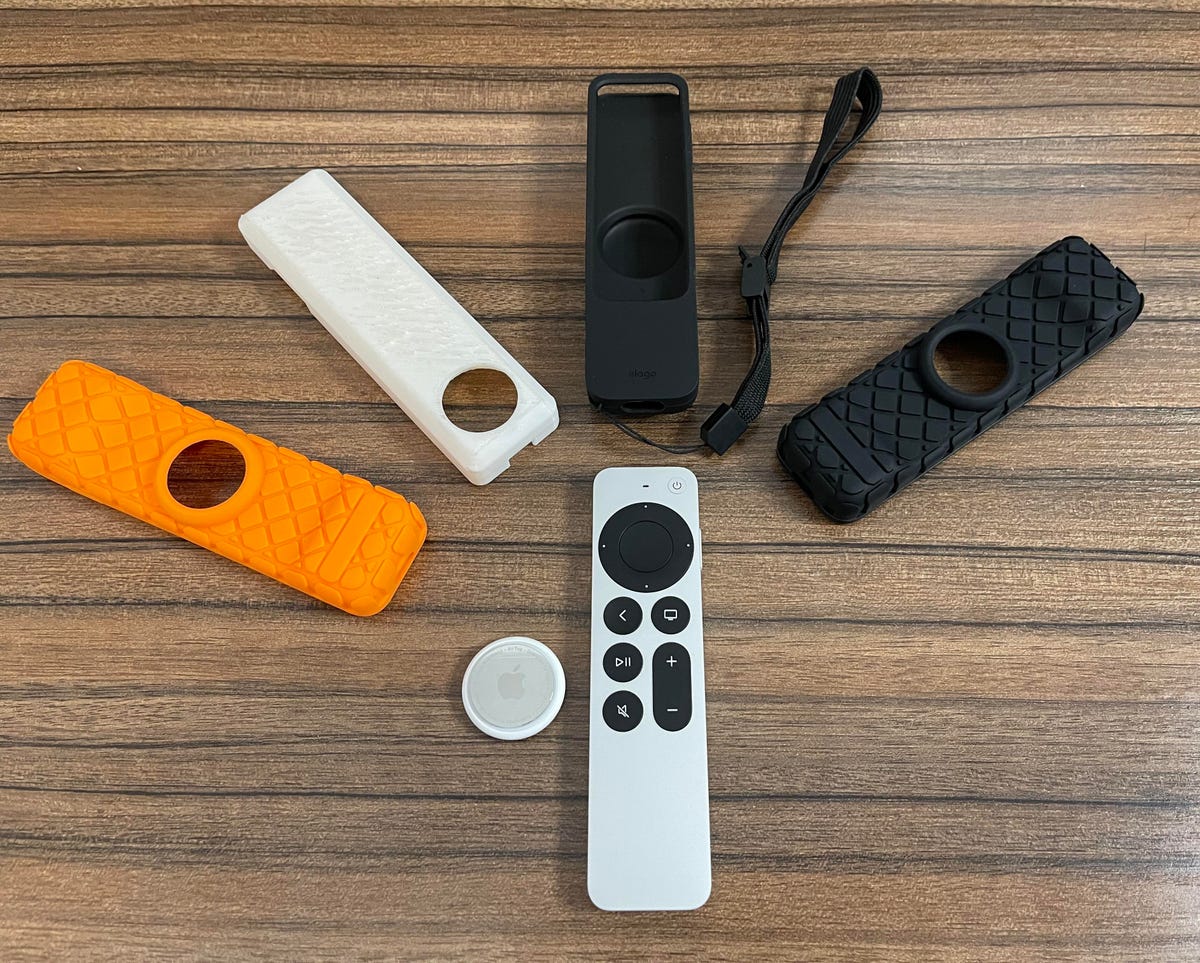
    apple-tv-remote-airtags

    Rather than just relying on a piece of tape, you can turn to a number of companies that’ve filled the hole Apple left open. They’ve created new Siri Remote cases that let you place an AirTag inside.

    We’ve tested four different options, for people who never want to lose their remote again.

    What you’ll need

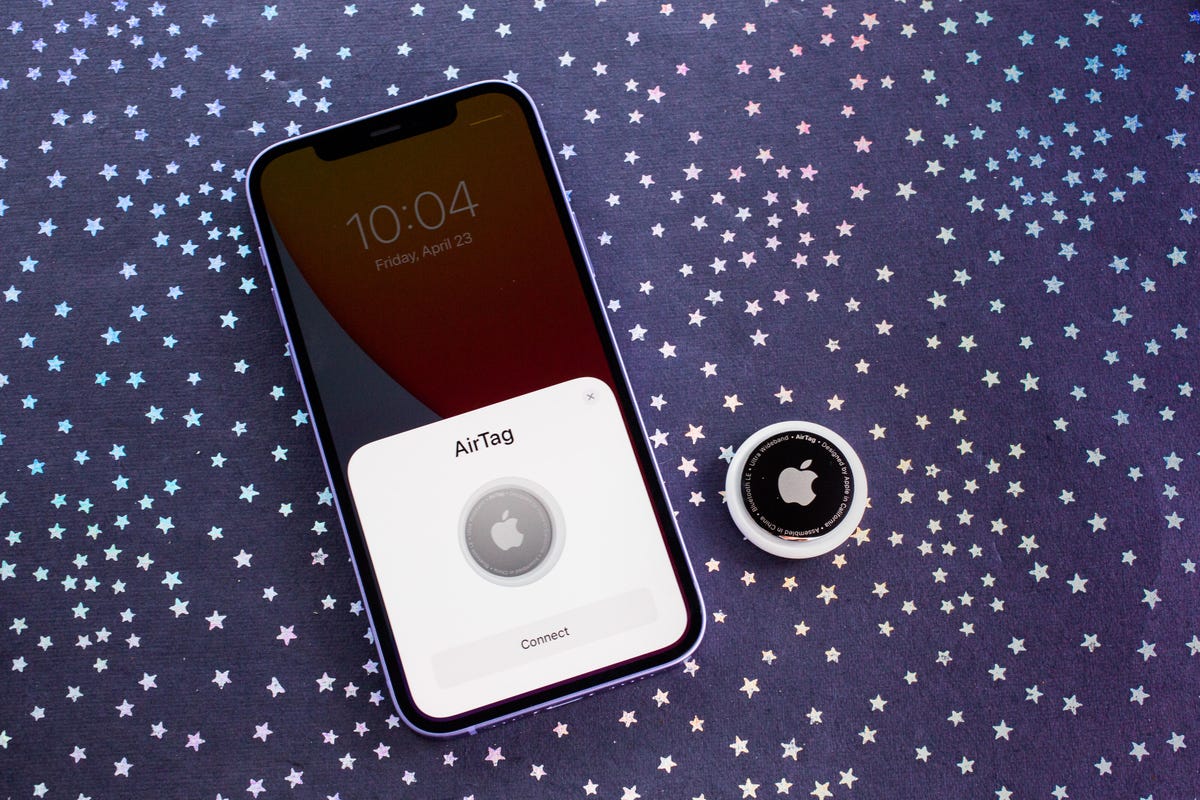
    106-apple-airtags-2021
    • An Apple TV Siri remote.
    • An AirTag.
    • The Find My app on an iPhone, ideally an iPhone 11 or later so you can use Apple’s “precision finding feature” that points you exactly where to go.

    Note: None of these cases came with an AirTag, so you’ll want to add $29 for that, on top of whichever case you buy for your $59 remote.

    Though the Elago is the best option, there are others. The next two cases are generic options purchased on Amazon. While the brands and prices are different, the products themselves seem to be virtually identical — to the point where both came in the same style boxes from China with the same markings and branding despite being listed by different sellers.

    For DIY fans: 3D printed case (price varies)

    3d-printed-apple-tv-case

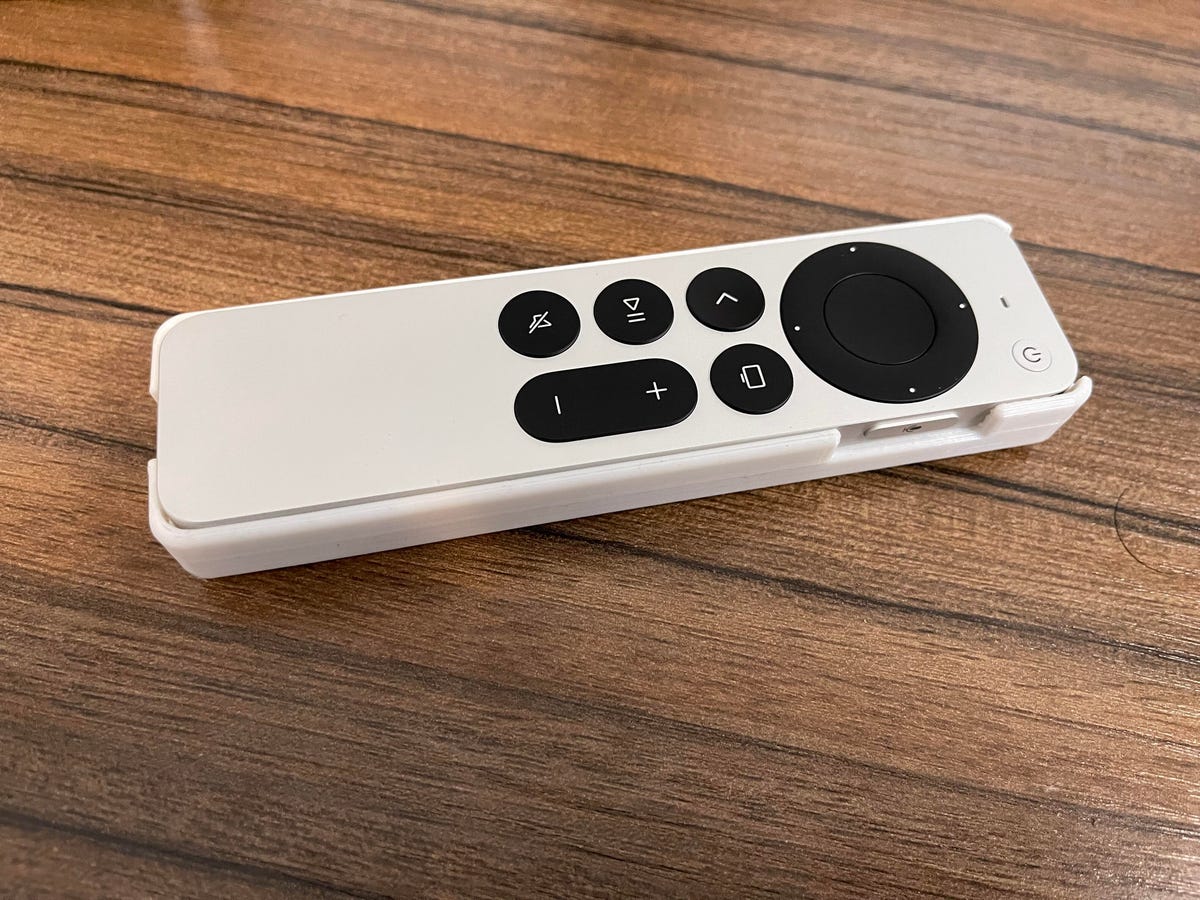
    Our fourth case comes from CNET’s senior managing editor — and 3D printing enthusiast — Dan Ackerman. If you already have a 3D printer and spool, this could be the easiest and cheapest option with CAD files available online for you to assemble one yourself.

    Ackerman says that the process didn’t take him “too long, because I didn’t change the design I found online, I just sliced and optimized it in a 3D program.” He adds that all told it was “maybe an hour for all the research and setup, two and a half hours to print.”

    As with all 3D printing jobs, your mileage will vary on how many tries it will take to get this right. For our test, Ackerman says that the first print worked OK, though he didn’t have a remote on hand when he did the print. In using it, I found the case definitely feels more rigid than the rubber options and was a bit harder to insert and remove both the AirTag and remote. You may need some trial and error to get a more suitable fit.

    It may not be the most polished solution out the gate, but for those looking to DIY a fix, it can work.

  • PS5 Beta Update Brings 3D Audio for Dolby Atmos and 8TB Storage Support

    PS5 Beta Update Brings 3D Audio for Dolby Atmos and 8TB Storage Support

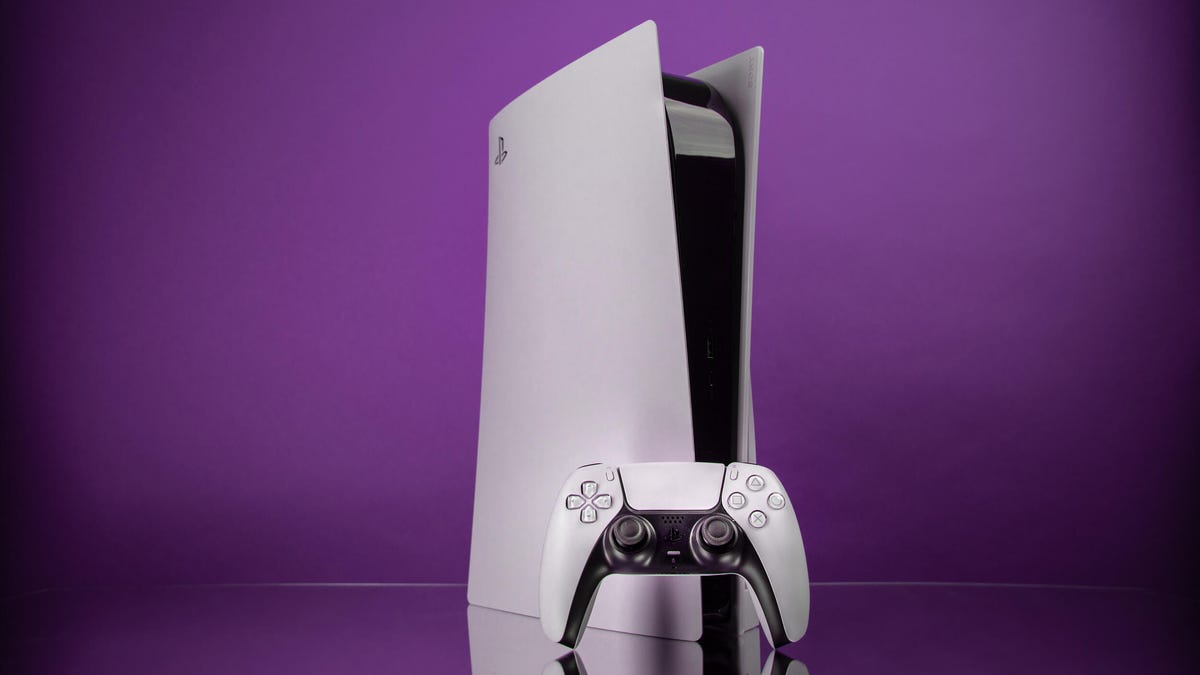
    Sony is pushing out a beta software update for the PlayStation 5, bringing 3D Audio to Dolby Atmos sound systems as well as increased M.2 SSD storage support up to 8TB, the company said in a blog post on Monday. The update will release worldwide later this year.

    3D Audio, which aims to give you the feeling of sound coming from natural directions, is supported by Sony’s Tempest 3D AudioTech, which previously only worked on headsets. With the new beta update, those with Dolby Atmos sound systems can enjoy more immersive audio experiences.

    It should be noted that while Tempest 3D AudioTech does work on any headset, it’s best on these compatible headsets. There’s also only a handful of games that support 3D Audio.

    Along with the 3D Audio features, there’s now support of M.2 SSDs, up to 8TB. Of course, not every M.2 SSD will fit in a PS5, and it’s important to buy the right one.

    The new PS5 beta update comes as Sony continues to dominate the gaming space. The PS5, which launched in the height of the pandemic in November 2020, struggled to meet the intense demand as many people were stuck at home. Almost three years later, supply chain issues have eased and Sony is closing in on 40 million PS5 units sold. Microsoft hasn’t been as forthcoming with sales data for its Xbox Series X and S consoles, but during a developer’s conference in Brazil, the software giant showed a slide saying that 21 million units had been either shipped or sold.

    With the PS5, Sony put much onus on its fast SSD speeds and new audio tech. While it’s taken a few years to fully realize, it could partially explain why gamers are excited to drop $500 for a PS5 over an Xbox Series X. In a bid to expand Xbox’s market presence, Microsoft purchased Activision Blizzard, makers of Call of Duty, last year for nearly $69 billion. While the US Federal Trade Commission attempted to block the merger over antitrust concerns, the agency may drop the case.

    Sony also recently said its accessibility controller is coming this December for $90. This gives people with disabilities a new way to play games. With this new beta update, Sony is adding a different kind of accessibility option, allowing gamers to assign a second controller to one account. This means that two controllers can be used to control the actions of one character onscreen, as if using one controller. This also means that a second person can assist the person playing in difficult sections of games.

    How to sign up for PS5 beta program and update your console

    1. Sign in to your PlayStation account and sign up for the beta program here. (You can also back up your PS5 data just in case.)
    2. Once you get your confirmation email, go to the PlayStation Store.
    3. Navigate up to the three dots in the upper-right-hand corner and tap on Redeem Code.
    4. Enter the code that came in your email.
    5. Exit the PlayStation Store and scroll all the way to the top right until you get to the gear icon for Settings.
    6. Go to System > System Software > System Software Update and Settings.
    7. Select Update System Software (beta) > Update.
    8. Accept the beta software agreement.

    How to enable 3D Audio for Dolby Atmos systems

    1. Scroll up and to the right towards the gear icon for Settings.
    2. Scroll to Sound > Audio Output > Audio Format (Priority).
    3. Select Dolby Atmos.

    How to activate a second controller for assistance

    1. Scroll up and to the right towards the gear icon for Settings.
    2. Go to Accessibility > Controllers > Use Second Controller for Assistance.
    3. Turn on Use Assist Controller.
  • Amazon Will Now Share Recalls and Product Safety Alerts in Your Account

    Amazon Will Now Share Recalls and Product Safety Alerts in Your Account

    Amazon has devised a new alert system that aims to make it easier to know when something you’ve bought on the site has been recalled.

    Customers will now see a banner alert at the top of the Your Orders page if a product they ordered is the subject of a recall. Clicking it will lead you to a new page titled Your Recalls and Product Safety Alerts, where users will find more details about the issues the product has, as well as options for a refund, a return or a repair. You’ll also get a personalized email from Amazon.

    In the past, users would have to rely on third-party sites to get information about recalled products. In many cases, they would also have to submit personal information to these sites to receive instructions on returns, repairs or product disposal.

    “With these and other innovations — such as our robust seller vetting, product safety and compliance verification, and expanded A-to-Z Guarantee — customers can shop confidently knowing we stand behind all products in our store and will make it right in the rare event a product does not meet expectations,” Amazon wrote in a blog post last week about the new alerts page.

    While the new service applies to all products sold by Amazon, products sold through third-party sellers don’t automatically get the same treatment. Amazon’s selling partners have the option of using the new service, but they’ll have to opt into the company’s Recalls Logistics Service for their customers to get the same experience.

  • Save $100 on This LowePro Camera Backpack and Protect Your Gear on the Go

    Save $100 on This LowePro Camera Backpack and Protect Your Gear on the Go

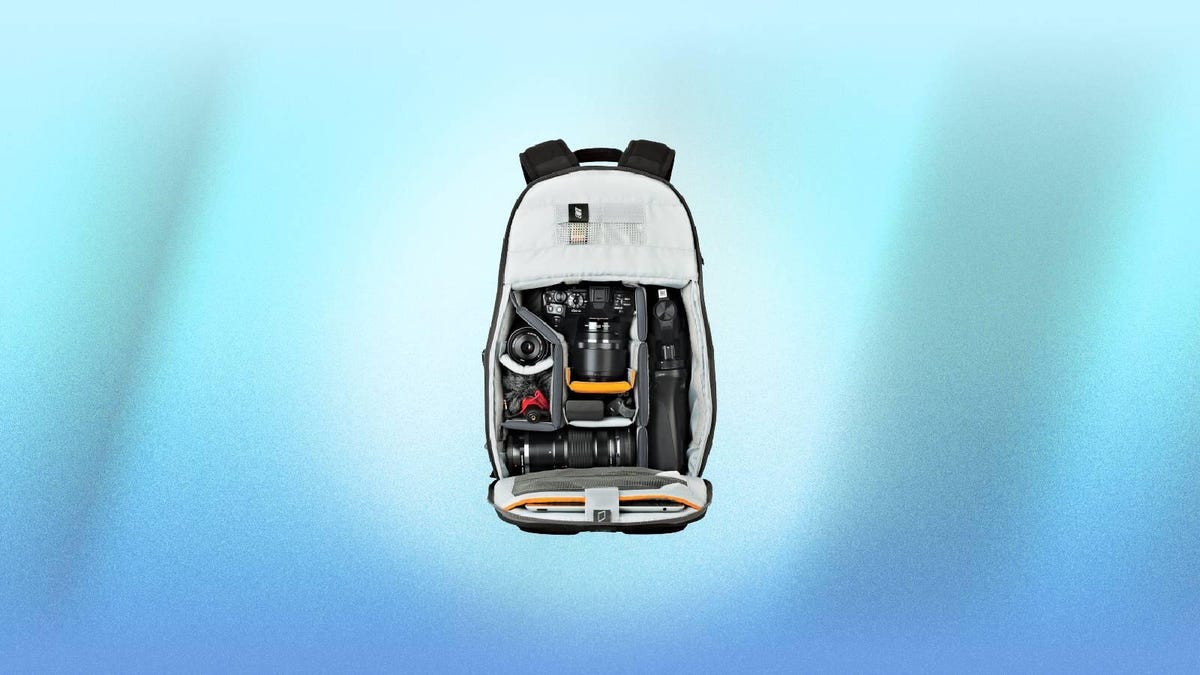
    If you’ve got some summer adventures coming up, you’ll want to make sure you pack a camera to capture those once-in-a-lifetime moments. But when you’re hauling hundreds, or even thousands of dollars-worth of gear around, you’ll need a bag that you can trust. This Lowepro Trekker 150 is a slightly larger version of our overall favorite lightweight camera backpack, and today only you can snag it for just $55 — $100 off the usual price — at B&H Photo. This deal is only available until 8:59 p.m. PT (11:59 p.m. ET) tonight, so be sure to get your order in before then if you don’t want to miss out on these savings.

    This midsize camera bag is great for hikes, day trips and other short-term excursions. It has enough space to store a small DSLR or mirrorless camera along with two to four lenses, and it has removable dividers so you can build it around your gear. And the front panel opens all the way so you can see all your gear and don’t have to rummage around when you want to swap lenses. It also has two mesh pockets at the top for smaller items like SD cards and lens wipes, and a dedicated 13-inch laptop pocket in case you want to edit and upload photos on the go. Plus, it has external straps that can be used to secure a tripod. It’s also designed to be weather-resistant, and comes with a rain cover so you can protect your camera and gear in rough conditions.

  • Last Chance Deal: Windows 11 Pro and Office Pro 2021 Bundle for Just $50

    Last Chance Deal: Windows 11 Pro and Office Pro 2021 Bundle for Just $50

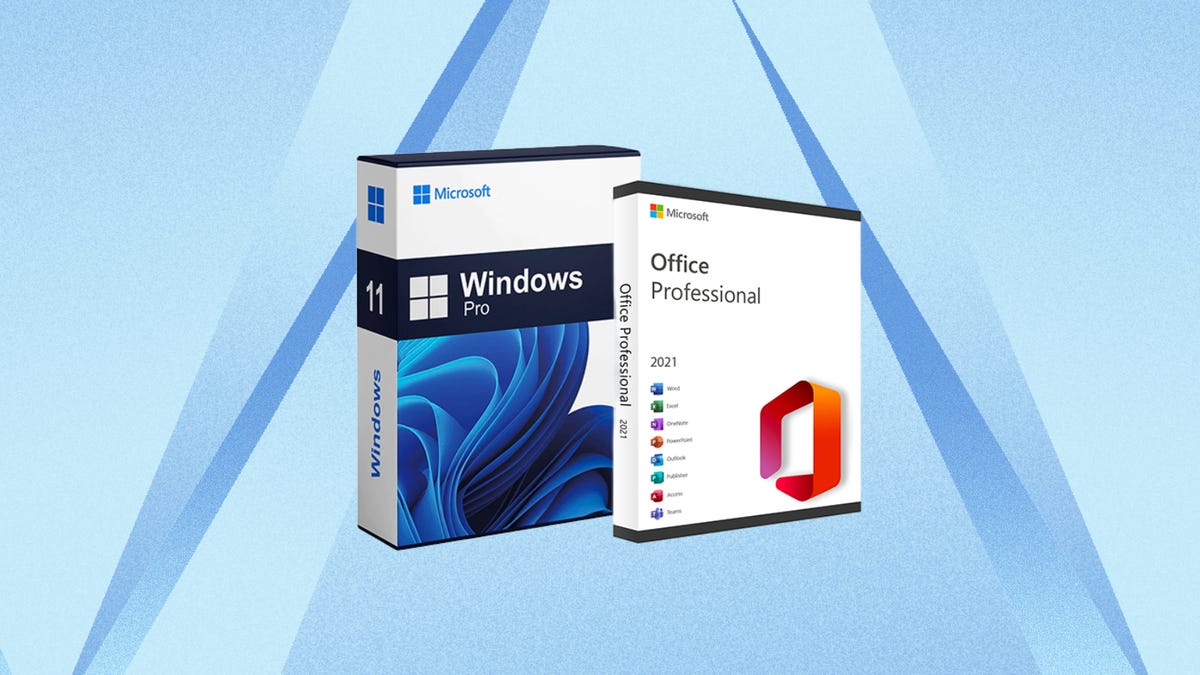
    If you want to equip your laptop or PC with the latest and greatest Microsoft OS and its full suite of productivity tools, we’ve got a deal you won’t want to miss. Upgrading to Windows 11 Pro costs $200 if you purchase it through Microsoft directly, and it’s another $440 if you want an Office Pro 2021 license for access to Word, Excel and other crucial Microsoft apps.

    Right now, StackSocial has an all-in-one bundle deal that includes both for just $50, which saves you hundreds. This offer is set to expire tonight, however, so you’ll want to get your order in soon if you don’t want to miss out on these savings.

    Windows 11 Pro offers some additional features you won’t find on the base version, including Microsoft Remote Desktop, BitLocker device encryption, Windows Sandbox, Hyper-V, Azure Active Directory and much more. You’ll receive an activation key that you can use on up to three devices. Not all computers are compatible, so if you’re considering upgrading, be sure to check out the system requirements before you buy.

    Your purchase comes with a lifetime license to Office Professional 2021 as well, which includes popular programs like Word, Excel, PowerPoint, Outlook, Publisher, OneNote and more. With a single one-time payment, you’ll retain lifetime access on the installed PC, which will save you a ton over the recurring charges you’ll accrue via a Microsoft 365 subscription and offers you more than the free online version of Microsoft Office. However, it’s worth noting that you’ll be limited to installing Office on just one computer and the “lifetime” part of the license refers to the lifetime of the machine you install it on.

    If you don’t need the Office apps in this bundle, you can grab this Windows 11 Pro deal offering just the operating system upgrade for $40, but for $10 more, you may find that this bundle is a better deal.

  • Threads Just Added a ‘Following’ Tab. Here’s How to Use It

    Threads Just Added a ‘Following’ Tab. Here’s How to Use It

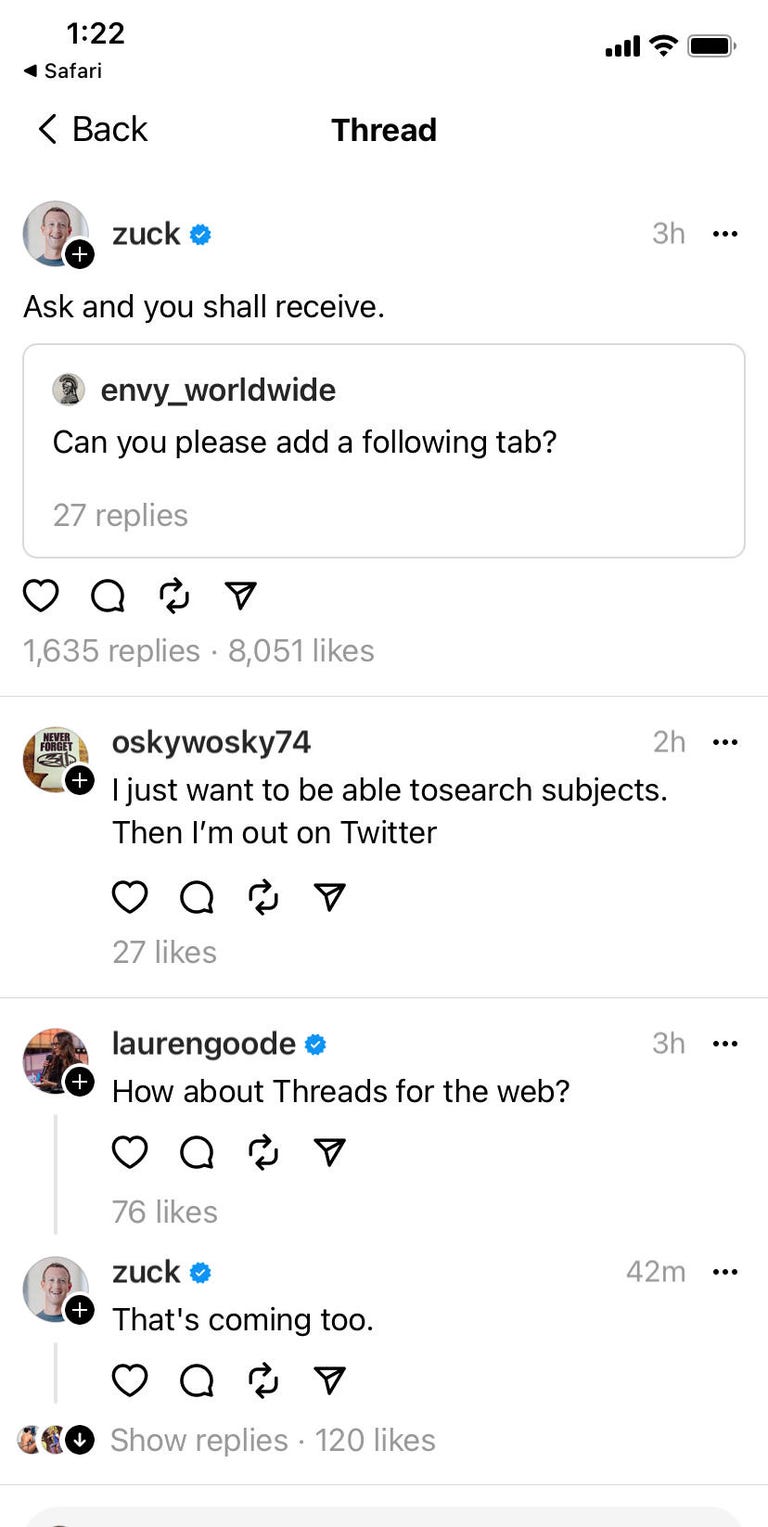
    Threads has added a Following tab, which allows you to filter your feed so you’ll only see posts from people you follow.

    After a Threads user asked for the feature, Mark Zuckerberg, CEO of Threads’ parent company, Meta, responded, “Ask and you shall receive.”

    Threads

    “Threads started rolling out an option for a chronological feed of only people you’re following,” Zuckerberg posted on his Instagram broadcast channel on July 25.

    Part of Meta’s attempt to supplant Twitter (now known as X), the Following tab has started appearing on both iOS and Android versions of Threads, though it’s not yet available to all users.

    Here’s how the Following tab works and what other new features have been added to the app.

    For more on Threads, find out why you might not want to sign up and why Elon Musk is reportedly threatening legal action against it.

    What is the Following tab on Threads?

    When Threads launched on July 5, users’ feeds were populated with posts from other users and advertisers, regardless of whether they followed them or not.

    Now, members who have the Following option can get a chronological feed with only posts from people they’ve chosen to follow, with no “suggested” posts.

    How to access the Following tab on Threads

    Threads still defaults to the “For You” feed, so to make the Following feed appear or disappear, you need to tap on the home icon on the bottom left of the app or the Threads logo on top.

    It reverts to “For You” mode if you close the app so, for now, you’ll have to repeat this every time you open it.

    If tapping the icon doesn’t change your feed, Following hasn’t been added to your version yet.

    What other features are on Threads now?

    According to Zuckerberg, Threads has also added a translation feature. You can translate a post by tapping a button on the bottom right.

    In a recent update for for iOS, Apple teased that, “new features [are] coming.”

    Instagram head Adam Mosseri has promised several other highly prized features are “on the list” for Threads, according to Forbes, including hashtags, increased search functionality, editable posts, full desktop mode and the ability to limit who can reply to your posts.

    How to sign up for Threads

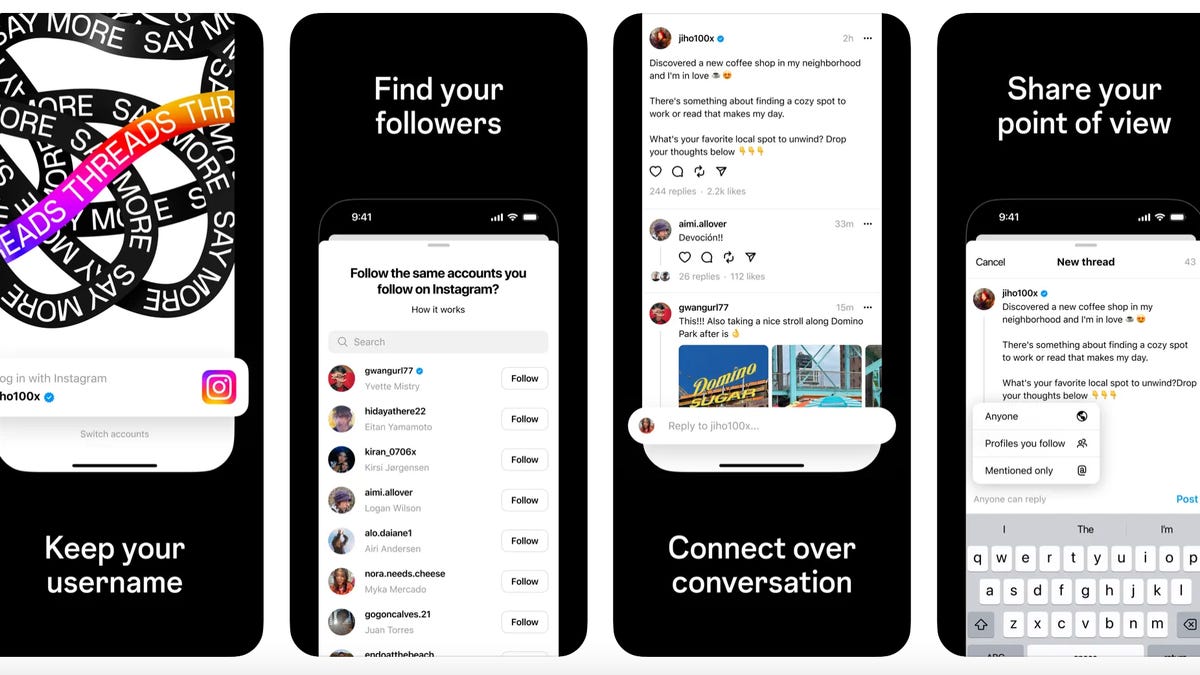
    You need an Instagram account to join Threads. If you have one, launch the Threads app and select the Instagram profile you want to make a Threads account for.

    Then add your name, biographical info and any links you want to show on your Threads profile. If you want to just duplicate your Instagram profile, you can also just hit the Import from Instagram button.

    Then you’ll want to choose the accounts you want to follow. You can select accounts you follow on Instagram one by one or hit Follow all to follow all your Instagram friends.

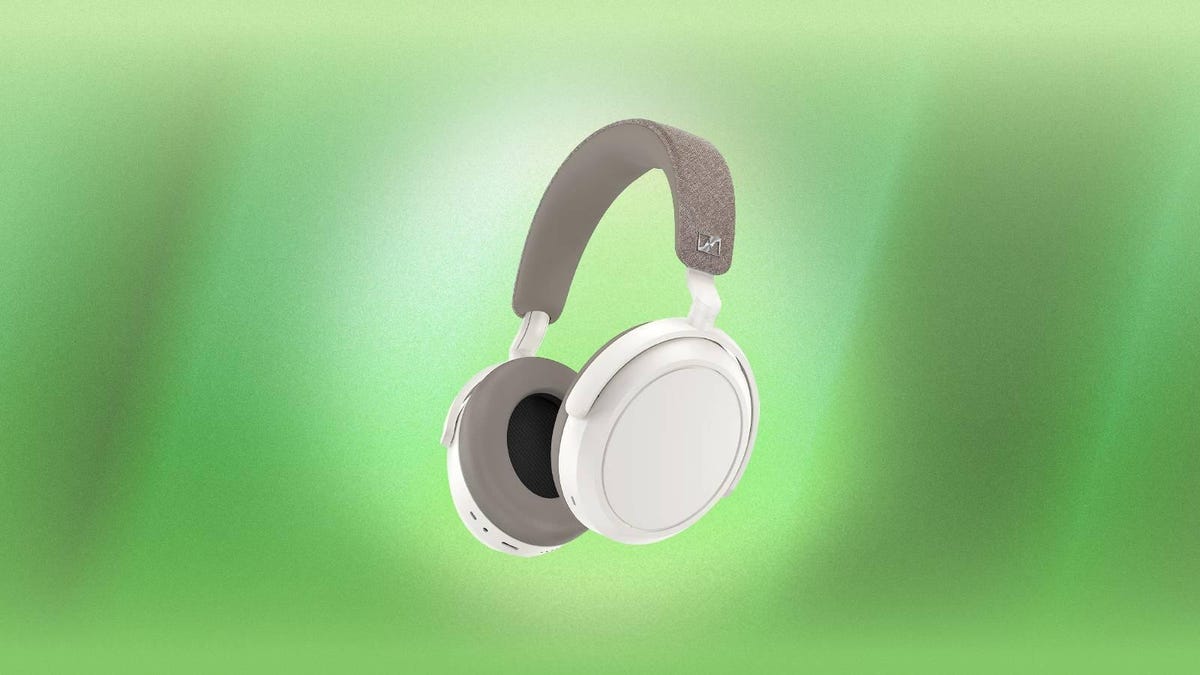
  • These Top-Rated Sennheiser Momentum 4 Headphones Are Over $100 Off at Amazon

    These Top-Rated Sennheiser Momentum 4 Headphones Are Over $100 Off at Amazon

    Sennheiser’s flagship Momentum 4 headphones are one of our overall favorite pairs on the market right now thanks to their top-notch noise-cancelling capabilities. But this premium pair of over-ear headphones doesn’t come cheap, which is why it’s important to take advantage of any deals when they come along. And right now, Amazon is offering a whopping $120 off the white color variant, which drops to price down to just $260 — just $1 more than the all-time lowest price we’ve seen. There’s no set expiration for this deal, so we’d recommend getting your order in sooner rather than later if you don’t want to miss out on these savings.

    According to reviewer David Carnoy, these Sennheiser headphones are designed to compete with Sony’s $400 WH-1000XM5 headphones, which means they feature some of the best noise-cancelling capabilities that you’ll find for around $250. They automatically adapt to environmental background noise for an immersive and distraction-free listening experience, and have a transparency mode for when you need to be more aware of your surroundings. Equipped with a 42mm transducer system, they boast crisp and stunning audio, and you can personalize your listening experience with the built-in equalizer. Plus, the four beamforming microphones make them great for voice calls. The memory foam earpads give them a premium feel, and they boast an impressive 60-hour battery life for all-day listening without interruption.

    And if you’re in the market for a different pair, you can check out our full roundup of all the best headphones and earbuds deals for even more bargains.

  • Save $524 on This 75-inch Hisense TV and Get That Home Theater Feeling at Home

    Save $524 on This 75-inch Hisense TV and Get That Home Theater Feeling at Home

    A nice big TV can make all the difference, whether you’re watching TV shows or movies, and playing games is quite literally a game-changer. So why not treat yourself to a huge new 75-inch Hisense ULED Android TV thanks to this massive $524 discount?

    This Class U9DG TV would normally retail for around $1,500, but you can add one to your setup for just $976 if you take advantage of this deal. There’s also 12-month financing if you want to go that route as well.

    This particular TV, apart from being huge, comes with all the bells and whistles you’d expect from this class of TV. There’s native 4K support, as well as an LED backlight for strong viewing angles and high contrast images. This set comes with Android TV built-in, so all your favorite streaming apps will be present and correct as well. Just plug in your details and you’ll be catching up on the latest must-binge shows in no time. Oh, and 120Hz support means buttery smooth gaming if you have the right hardware — including the PlayStation 5.

    In terms of connectivity, this Hisense monster has no fewer than four HDMI ports, while Google Assistant means you can bark orders at it if you really want to. We’d stick to the included remote, but you do you.

    Keep in mind that Best Buy isn’t saying when this deal is going to end, so you might need to get your order in soon if you want to be sure of locking this price in.