Category: Technologies

  • Nintendo Switch Online: Sega Genesis Library Adds 4 Classic Games

    Nintendo Switch Online: Sega Genesis Library Adds 4 Classic Games

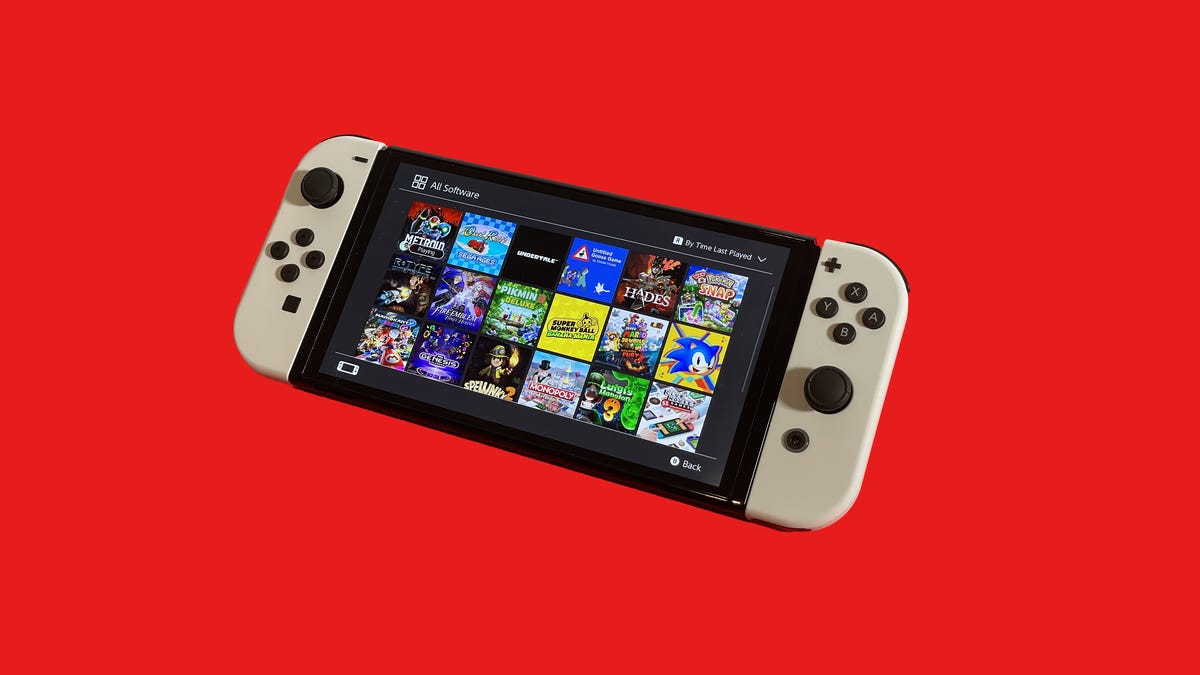
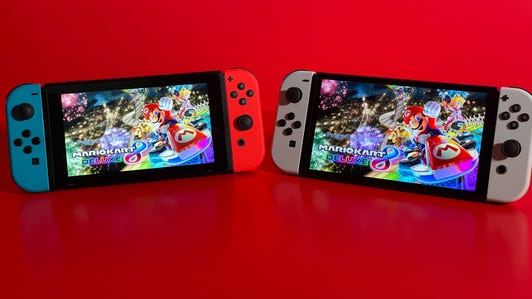
    If you pick up the original model Nintendo Switch, the little Switch Lite or the fancy Switch OLED, you’ll have heaps of stellar games to choose from. However, if you want online multiplayer gaming and access to a library of retro Nintendo 64, SNES, NES and Sega Genesis titles, you’ll want to sign up for Nintendo’s Switch Online subscription service and check out its Expansion Pack tier for some nostalgic joy.

    The Genesis retro library added Alien Storm, Columns, Golden Axe 2 and Virtua Fighter 2 on Thursday.

    The September Nintendo Direct livestream revealed that beloved 1997 shooter GoldenEye 007 will join the N64 lineup “soon,” but it’s unclear when it’ll arrive. Mario Party 3, Pokemon Stadium 1 and 2, 1080 Snowboarding and Excitebike 64 are all coming in 2023.

    The higher tier is pricey but also gives you access to Animal Crossing: New Horizons’ paid expansion and the Mario Kart 8 Deluxe Booster Course tracks at no extra cost, along with the N64 and Genesis libraries.

    The SNES and NES libraries also expanded recently, with Fighter’s History, Kirby’s Avalanche and Daiva Story 6: Imperial of Nirsartia joining the list of classics. These are available in a standard membership, so you don’t need the Expansion Pack tier to play them.

    The service lets you race against faraway friends in Mario Kart 8, battle distant rivals in Super Smash Bros. Ultimate and trade with fellow trainers in Pokemon Legends: Arceus. It also includes support for cloud backup of game data, access to the Nintendo Switch phone app and a few exclusive offers. Let’s take a look at the whole lot.

    How much does Nintendo Switch Online cost?

    The basic plan will set you back $4 ( 3.49, AU$6) for a month, $8 for three months or $20 for a year. You could also opt for the $35 family plan, which is designed for households with a bunch of people who want their own accounts. It lets up to eight people play online, use cloud saves and access the SNES and NES libraries and other basic features for a year.

    You also have another option: a Nintendo Switch Online plus Expansion Pack subscription. This gives you access to a larger library of classic games, from the N64 and Genesis, along with the Animal Crossing: New Horizons Happy Home Paradise DLC expansion.

    The Expansion Pack is considerably more expensive than a basic subscription. An individual membership costs $50 for a year, while a family plan subscription costs $80. There are no options for paying monthly or for three months, so you have to commit for a year.

    Does the Nintendo Switch Online family plan have restrictions?

    The family plan lets you create a group of up to eight Nintendo accounts across multiple Switch systems and gives each person unrestricted access to Switch Online’s features. The person who sets up the account pays the subscription fee and is designated as the administrator and parent or guardian, giving them the ability to add or remove people to and from the plan.

    The administrator account doesn’t get control over the other people’s accounts and you can leave whenever you want. You’ll just revert to a single-account subscription if it’s still active, or you’ll need to sign up for a new subscription if not.
    It’s possible for the administrator to set other accounts in the plan as “supervised,” letting them restrict eShop purchases and viewing, as well as reviewing sign-in history.

    The Expansion Pack tier doesn’t add any restrictions for subscribers on family plans, so it’ll work the same way as it does on the basic tier.

    Online play

    The most basic perk of Nintendo Switch Online is online multiplayer gaming. If you want to visit a friend’s island in Animal Crossing: New Horizons or battle your buddies in Super Smash Bros. Ultimate, you’ll need a subscription. However, one major multiplayer game will work without a subscription: Fortnite is playable online even if you don’t have an active online subscription.
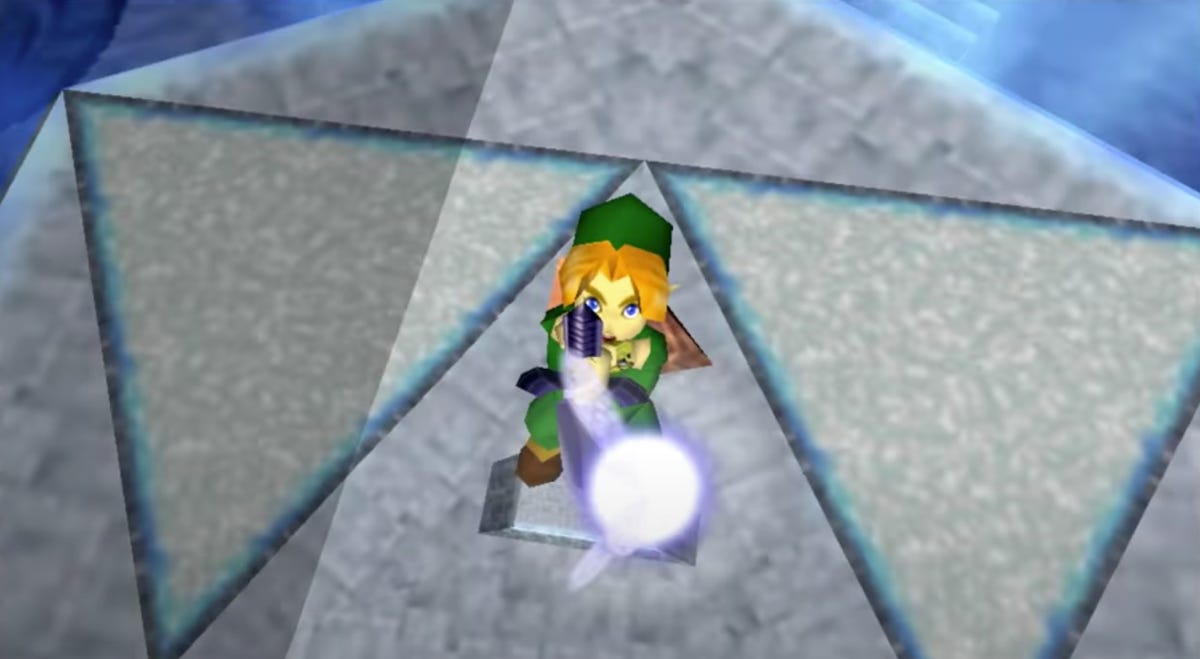
    The Legend of Zelda: Ocarina of TimeThe Legend of Zelda: Ocarina of Time

    The Legend of Zelda: Ocarina of Time is among the most beloved games of all time, and you can play it on Switch.

    Nintendo

    Classic Nintendo games

    Subscribing to Switch’s online service lets you access a library of old N64, SNES, NES and Genesis games, like a Netflix for Nintendo games. These are all found within the system-specific apps, which you can download from the eShop. This service will also be the only way to access digital versions of classic Nintendo games once the Wii U and 3DS eShops close in 2023.

    Much like the NES Classic and SNES Classic retro consoles, you can switch between visual filters in the apps’ menus — a 4:3 mode, pixel perfect and a fuzzy scan-line-filled CRT mode for the true retro experience.

    Less retro is the cheeky rewind feature. If you want to try something again, you can press and hold ZL and ZR to jump back a few frames, and it’ll be like your mistake never happened. This feature isn’t available on N64 games, but you can create suspend points so you can save your game at any time.

    Nintendo has also included online multiplayer in games that were previously local-only. It’s also added online modes into some games that don’t have typical multiplayer options. You can pass the second player controller to a friend over the internet, so you can take turns. You can also try SP versions of some games, which add special features.

    You’ll also lose access to your classic game libraries if your console is disconnected from the internet for more than a week. The console needs to check in with the service every seven days to make sure you’re still subscribed.
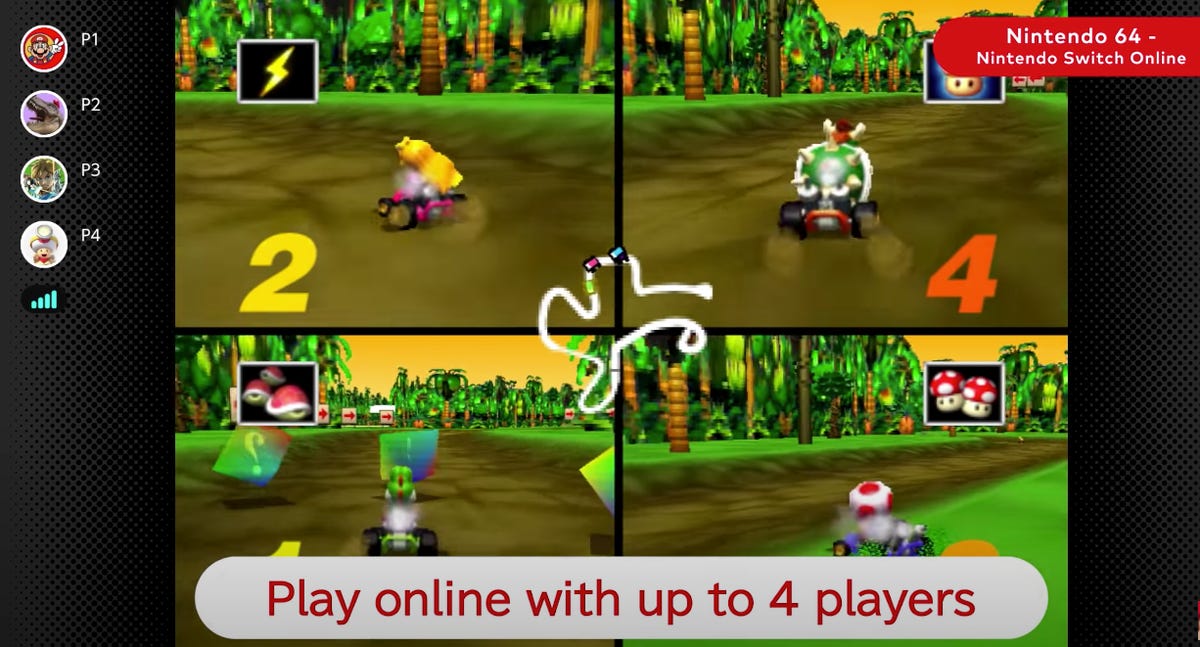
    Mario Kart 64 on SwitchMario Kart 64 on Switch

    You can fling shells at your racing rivals in Mario Kart 64 on Switch.

    Nintendo

    Which N64 games are available on Nintendo Switch Online?

    If you pay for the more expensive Expansion Pack subscription, you’ll be able to play a bunch of N64 classics (and with more on the way):

    • 1080 Snowboarding (coming in 2023).
    • Banjo-Kazooie.
    • Dr. Mario 64.
    • Excitebike 64 (coming in 2023).
    • F-Zero X.
    • GoldenEye (coming “soon”).
    • Kirby 64: The Crystal Shards.
    • Mario Golf.
    • Mario Kart 64.
    • Mario Party.
    • Mario Party 2.
    • Mario Party 3 (coming in 2023).
    • Mario Tennis.
    • Paper Mario.
    • Pilotwings 64.
    • Pokemon Puzzle League.
    • Pokemon Snap.
    • Pokemon Stadium (coming in 2023).
    • Pokemon Stadium 2 (coming in 2023).
    • Sin and Punishment.
    • Star Fox 64.
    • Super Mario 64.
    • The Legend of Zelda: Majora’s Mask.
    • The Legend of Zelda: Ocarina of Time.
    • Wave Race 64.
    • WinBack: Covert Operations.
    • Yoshi’s Story.

    It typically reveals upcoming Switch Online additions in trailers about a week before they’re added to the library. We’ll update this page when the trailers drop.

    Which Sega Genesis games are on the service?

    Also included in the Expansion Pack will be a selection of games from the Sega Genesis (or the much cooler Mega Drive if you’re outside North America):

    • Alien Soldier.
    • Alien Storm.
    • Altered Beast.
    • Castlevania: Bloodlines.
    • Columns.
    • Comix Zone.
    • Contra: Hard Corps.
    • Dr. Robotnik’s Mean Bean Machine.
    • Dynamite Headdy.
    • Ecco the Dolphin.
    • Golden Axe.
    • Golden Axe 2.
    • Gunstar Heroes.
    • Light Crusader.
    • Mega Man: The Wily Wars.
    • Musha.
    • Phantasy Star IV.
    • Ristar.
    • Shining Force.
    • Shining Force II.
    • Shinobi 3.
    • Sonic the Hedgehog 2.
    • Sonic The Hedgehog Spinball.
    • Space Harrier II.
    • Streets of Rage 2.
    • Strider.
    • Super Fantasy Zone.
    • Sword of Vermillion.
    • Target Earth.
    • Thunder Force 2.
    • ToeJam & Earl.
    • Virtua Fighter 2.
    • Zero Wing.

    More Genesis games will be added in the future, Nintendo noted, but it hasn’t hinted at what they’ll be.

    What about the SNES games?

    The SNES library is included in a standard Switch Online membership. You don’t need the Expansion Pack tier to play these:

    • Bombuzal.
    • Breath of Fire.
    • Breath of Fire 2.
    • Brawl Brothers.
    • Caveman Ninja (aka Joe & Mac).
    • Claymates.
    • Demon’s Crest.
    • Donkey Kong Country.
    • Donkey Kong Country 2: Diddy’s Kong Quest.
    • Donkey Kong Country 3: Dixie Kong’s Double Trouble.
    • Doomsday Warrior.
    • EarthBound.
    • Fighter’s History.
    • F-Zero.
    • Jelly Boy.
    • Joe & Mac 2: Lost in the Tropics.
    • Kirby’s Avalanche.
    • Kirby’s Dream Course.
    • Kirby’s Dream Land 3.
    • Kirby Super Star.
    • Magical Drop 2.
    • Mario’s Super Picross.
    • Natsume Championship Wrestling.
    • Operation Logic Bomb.
    • Panel de Pon.
    • Pilotwings.
    • Pop’n TwinBee.
    • Prehistorik Man.
    • Psycho Dream.
    • Spanky’s Quest.
    • Star Fox.
    • Star Fox 2.
    • Stunt Race FX.
    • Super Baseball Simulator 1.000.
    • Super E.D.F. Earth Defense Force.
    • Super Ghouls’n Ghosts.
    • Super Mario All-Stars.
    • Super Mario World.
    • Super Mario Kart.
    • Super Metroid.
    • Super Punch-Out.
    • Super Puyo Puyo 2.
    • Super Soccer.
    • Super Tennis.
    • Super Valis IV.
    • The Ignition Factor.
    • The Legend of Zelda: A Link to the Past.
    • The Peace Keepers.
    • Tuff E Nuff.
    • Wild Guns.
    • Yoshi’s Island.
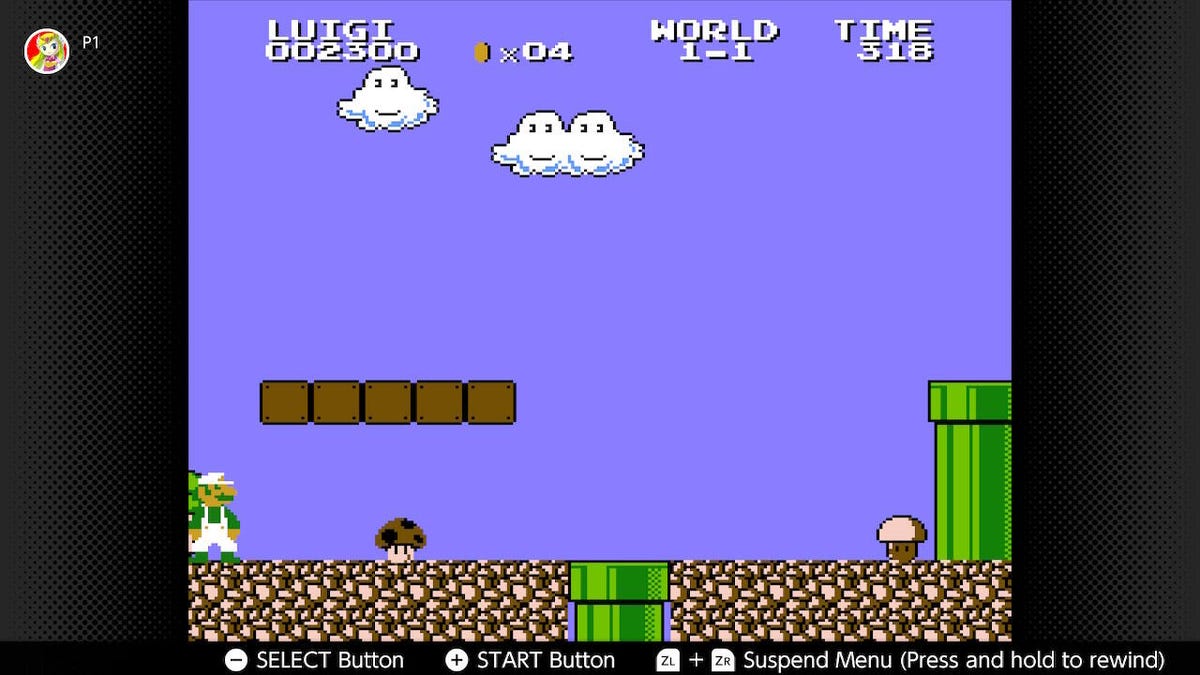
    super-mario-bros-the-lost-levelssuper-mario-bros-the-lost-levels

    Super Mario Bros.: The Lost Levels is monstrously tough, with its poison mushroom betrayals.

    Nintendo

    And the NES games?

    Like the SNES games, the NES library is included in the standard subscription. Some have modified SP versions, which let you jump to the last level, start with a bunch of power ups or otherwise tweak the experience:

    • Adventures of Lolo.
    • Balloon Fight.
    • Baseball.
    • Blaster Master (SP).
    • City Connection.
    • Clu Clu Land.
    • Crystalis.
    • Daiva Story 6: Imperial of Nirsartia.
    • Donkey Kong.
    • Donkey Kong Jr.
    • Donkey Kong 3.
    • Double Dragon.
    • Double Dragon 2: The Revenge.
    • Dr. Mario (SP).
    • EarthBound Beginnings (aka Mother).
    • Eliminator Boat Duel.
    • Excitebike.
    • Fire ‘n Ice (aka Solomon’s Key 2).
    • Ghosts’n Goblins (SP).
    • Gradius (SP).
    • Ice Climber.
    • Ice Hockey.
    • Journey to Silius.
    • Kid Icarus (SP).
    • Kirby’s Adventure (SP).
    • Kung-Fu Heroes.
    • Mario Bros.
    • Metroid (SP).
    • Mighty Bomb Jack (SP).
    • NES Open Tournament Golf.
    • Nightshade.
    • Ninja Gaiden (SP).
    • Ninja JaJaMaru-kun.
    • Pro Wrestling.
    • Punch-Out.
    • River City Ransom.
    • Rygar.
    • S.C.A.T: Special Cybernetic Attack Team.
    • Shadow of the Ninja.
    • Soccer.
    • Solomon’s Key.
    • Star Soldier (SP).
    • StarTropics.
    • Super Dodge Ball.
    • Super Mario Bros.
    • Super Mario Bros. 2.
    • Super Mario Bros. 3 (SP).
    • Super Mario Bros.: The Lost Levels.
    • The Immortal.
    • The Legend of Zelda (SP).
    • Tecmo Bowl.
    • Tennis.
    • TwinBee (SP).
    • Vice: Project Doom.
    • Volleyball.
    • Vs. Excitebike.
    • Wario’s Woods.
    • Wrecking Crew.
    • Yoshi.
    • Zelda II: The Adventure of Link (SP).
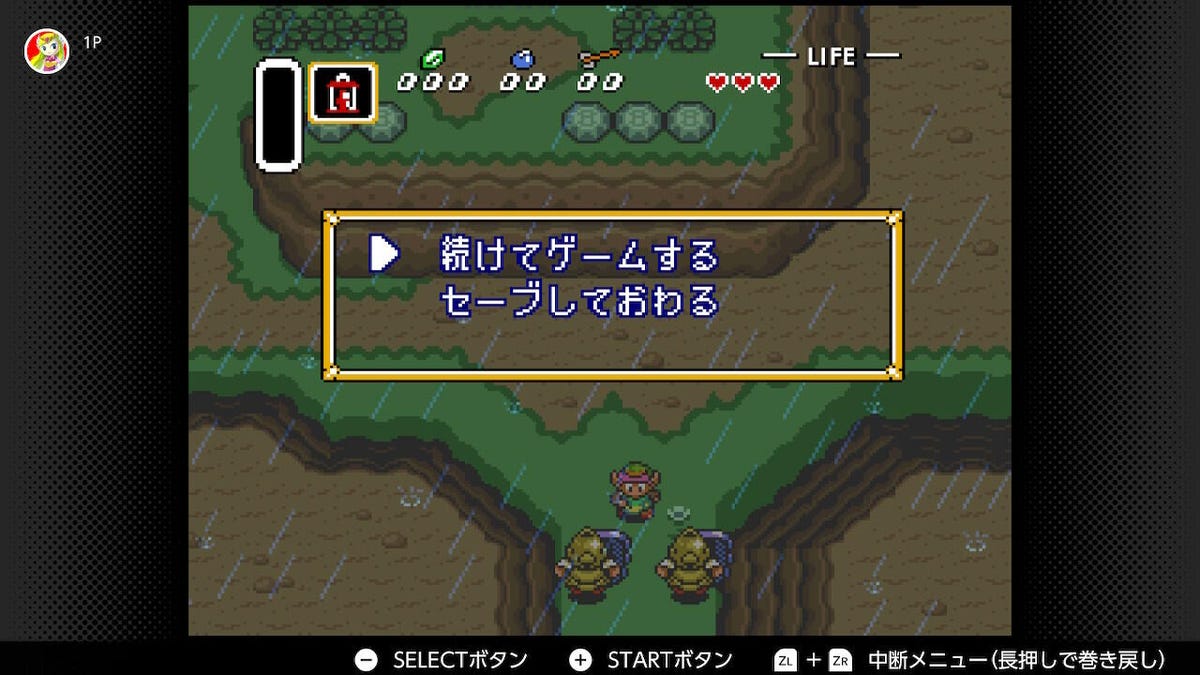
    a-link-to-the-past-japanesea-link-to-the-past-japanese

    Playing through A Link to the Past in Japanese might be a bit too challenging.

    Nintendo

    What other classic games are coming?

    A possible April 18 leak suggests that Game Boy, Game Boy Color and Game Boy Advance games are hitting Nintendo Switch Online soon. The list of games tested for the service includes The Legend of Zelda: The Minish Cap, Pokemon Ruby/Sapphire/Emerald, Metroid Fusion and many others. Take this with a grain of salt for now though.

    Can I play the Japanese versions?

    You can access more classic games via the Japanese eShop, at no extra cost. Here are the steps for this:

    1. Create a second Nintendo Account and set Japan as the region. You’ll have to use a different email address than the one linked to your regular account.

    2. Create a new profile on your Switch and link it to your Japanese account.

    3. Download “Family Computer — Nintendo Switch Online” and “Super Famicom — Nintendo Switch Online” apps from the Japanese store. Don’t worry about the language barrier; you’ll spot the English “Nintendo Switch Online” option.
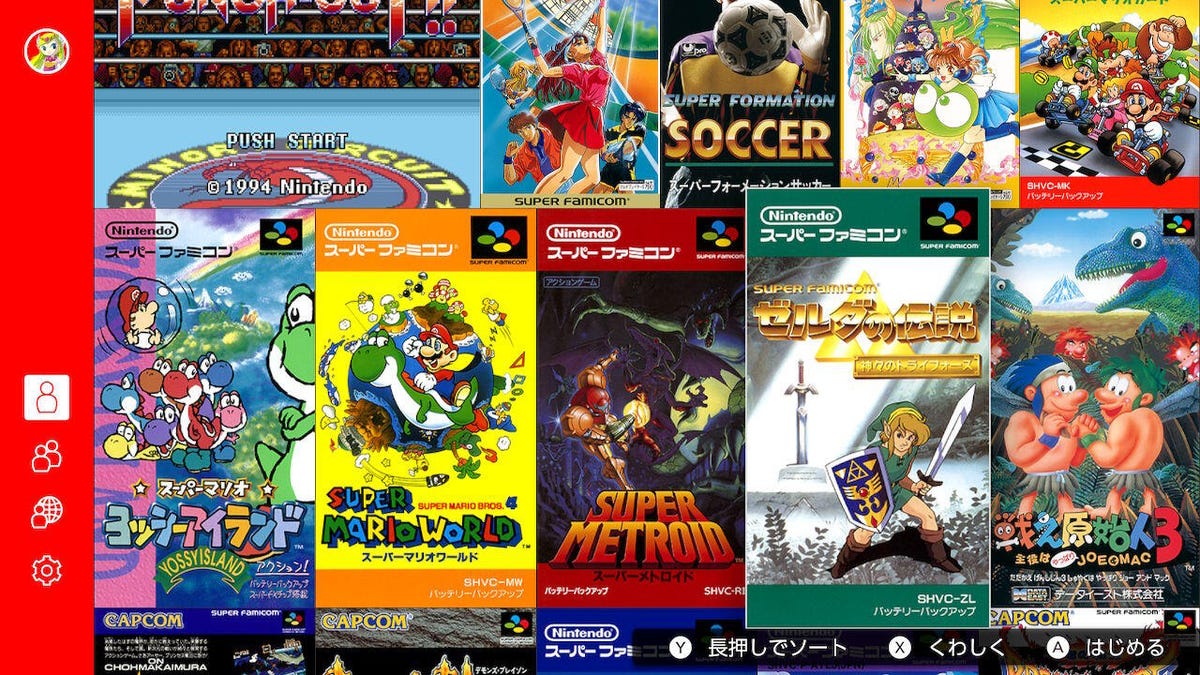
    super-famicom-librarysuper-famicom-library

    The Japanese SNES selection is presented with that region’s vertical box art.

    Nintendo

    These apps are similar to the NES and SNES ones, in Japanese. They also contain that country’s versions of games and a few that aren’t available in the West.

    Japanese SNES (Super Famicom) exclusives

    • Dead Dance (Tuff E Nuff).
    • Doomsday Warrior.
    • Fire Emblem: Genealogy of the Holy War.
    • Fire Emblem: Mystery of the Emblem.
    • Kirby’s Super Star Stacker.
    • Shin Megami Tensei.
    • Shin Megami Tensei 2.
    • Shin Megami Tensei If…
    • Sugoi Hebereke.

    Japanese NES (Famicom) exclusives

    • Adventures of Lolo 2.
    • Atlantis no Nazo.
    • Clu Clu Land: Welcome to New Cluclu Land.
    • Downtown Nekketsu Kōshinkyoku: Soreyuke Daiundōkai.
    • Famicom Wars.
    • Fire Emblem: Shadow Dragon and the Blade of Light (SP).
    • Joy Mech Fight.
    • Route 16 Turbo.
    • Smash Ping Pong.
    • Tsuppari Oozumou.
    • Yie Ar Kung-Fu.

    There are also some SP versions that are exclusive to Japan and some regional differences in games, beyond the language.

    Your main Nintendo Account’s subscription will give you access to the apps from the Japanese store, so you won’t need to pay for a separate subscription. If you can overcome the language barrier — all the text will be in Japanese — it’s worth giving these games a try.

    How does cloud save data work on Nintendo Switch Online?

    For subscribers, game data will automatically be backed up to Nintendo servers if you have an internet connection. If you sign in to your account on a new console, you’ll be able to download that data and pick up right where you left off. It’s an easy, simple way to protect the time you’ve invested in Nintendo Switch games.

    Certain titles aren’t compatible with this feature, to prevent cheating. On the surface, that seems to make sense — players can’t hack their Pokemon Sword and Shield data to get all the starters — but it means that competitive multiplayer games with a single-player component aren’t protected. If you lose your Switch and want to pick up where you left off in Splatoon 2’s single-player campaign, you’ll be out of luck.

    If you cancel, you have six months to resubscribe before your cloud data is potentially deleted, Nintendo told IGN. That’s the same amount of time Sony gives PlayStation Plus users.
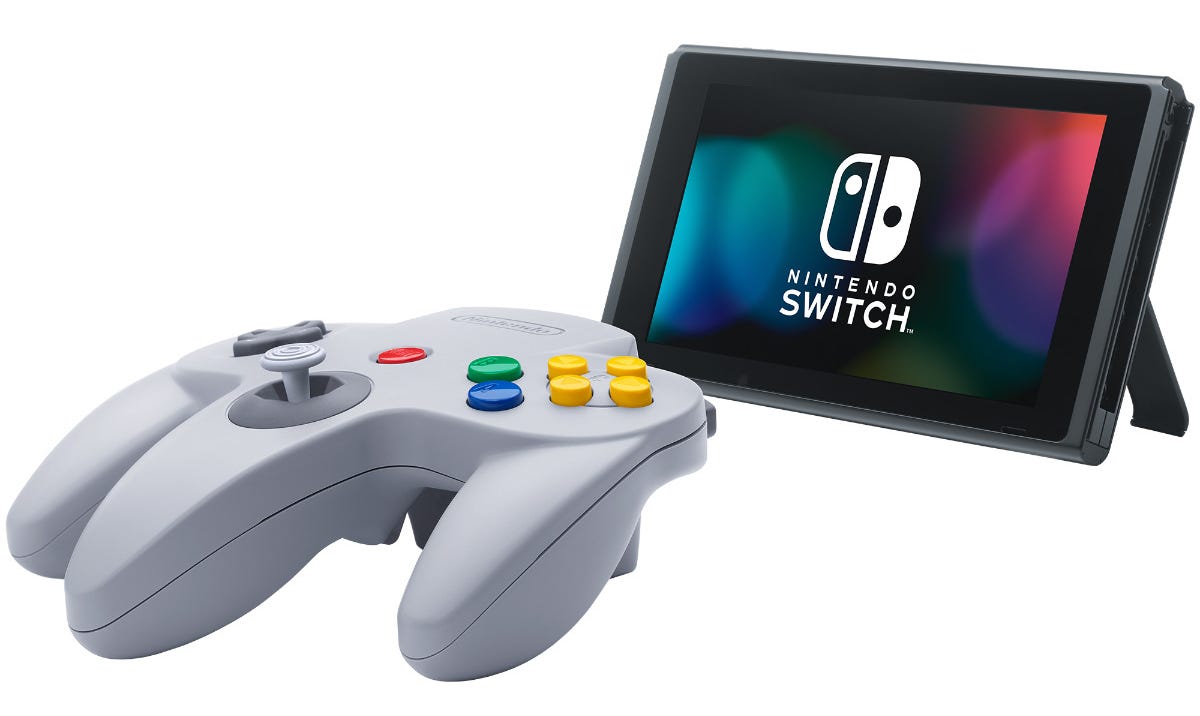
    N64 controller for SwitchN64 controller for Switch

    Subscribers can get a wireless N64 controller to play classic games on Switch.

    Nintendo

    How do I get the retro N64, Genesis, SNES and NES controllers for Switch?

    For those who want to feel legit old-school when playing the console’s retro library, you need the controller to match. Subscribers can preorder wireless, Switch-compatible Nintendo 64 and Sega Genesis controllers from Nintendo for $50 apiece. These expensive controllers are currently sold out, and restocks have been few and far between.

    The N64 controller has built-in rumble, so you won’t need an unwieldy Rumble Pak add-on like gamers in the ’90s did.

    For the other retro games, SNES and NES controllers are available for subscribers as well. It’s $30 for a single SNES pad or $60 for a pair of NES pads.

    Does Nintendo Switch Online include any other perks?

    Subscribers will get access to free content, discounts, in-game items or the ability to play a Switch game for free during a set period. The current trial game is Pokemon fighter Pokken Tournament DX, which you can download and play at no extra charge until Aug. 24.

    During its Feb. 9 Nintendo Direct livestream, the company revealed Mario Kart 8 Deluxe’s Booster Course Pass. It’ll add remastered versions of tracks from older games in the series in six separate waves through the end of 2023, meaning the racer will get 48 extra tracks. You can purchase the pass for $25, or it’ll be included if you subscribe to the Expansion Pack tier. However, you’ll lose access if you unsubscribe.

    Similarly, Expansion Pack tier subscribers can access the paid Animal Crossing: New Horizons downloadable expansion Happy Home Paradise and Splatoon 2’s Octo Expansion at no additional cost. When you want to download the expansions, you can find them on the Switch’s eShop or through the Switch Online tab on the console’s home screen.

    It’s also offered free original games, like Tetris 99, which came out in February 2019. A physical version has since become available for $30, in a bundle with a 12-month Nintendo Switch Online subscription.

    There’s also the Nintendo Switch Game Vouchers promotion, which lets you download two qualifying Switch games for a set price of $100, instead of paying $120 to buy them separately.

    If you subscribe for a year, you’ll get in-game items for Animal Crossing: New Horizons, Super Smash Bros. Ultimate and Super Kirby Clash.
    Now playing:Watch this:How to move into your new Nintendo Switch OLED

    4:47

    Voice chat and the Nintendo Switch app

    Online multiplayer is great, but without the ability to talk to other players, it’s a weirdly solitary social experience. That’s why voice chat is so important. Unfortunately, Nintendo’s solution to voice chat is a little strange.

    Most game consoles allow you to plug a headset into the console’s USB port or audio input jack and talk to players directly through the game. But most Nintendo Switch games that support voice chat require the user to piggyback off a phone, using the free Nintendo Switch Online app, available on Android and iOS.

    To chat with other players in Splatoon 2, you’ll need to download the app on your phone, invite your friends to a Skype-like VoIP chat in the game, then fire up the app and, finally, connect to your match. You’ll be talking with your team on your phone while playing the game on your console.
    An update made it a little better, in certain games. If you start a multiplayer session in the Switch’s NES library, the phone app will automatically detect your play session and connect you to your friend. Some games will even let you chat with other players who aren’t on your friends list: Mario Kart 8 will tell you that other users are in voice chat, prompting you to open the app.

    If you want to have a traditional console experience, you’ll need to buy a complicated audio splitter to literally tether your Switch to your phone. It isn’t a user-friendly experience, which is why some games sidestepped it. You can chat in Fortnite by plugging a headset into the console and playing.

    The app also lets you access special features in Animal Crossing: New Horizons, Super Smash Bros. Ultimate and Splatoon 2.

    How popular is Nintendo Switch Online?

    The service had 32 million subscribers (PDF) as of September last year, Nintendo said in a management briefing at the time. That was a jump of around 6 million from the number at the same time the previous year (PDF).

    Can I try out Nintendo Switch Online for free?

    If you want to sample the goods before shelling out any money, Nintendo is offering a one-week free trial. The seven-day trial offers almost all the benefits of the core service, but it won’t let you access special offers, like those retro NES and SNES controllers.

    If you don’t like the service, however, you’ll have to manually disable auto-renewal to avoid being charged a $4 monthly fee at the end of your trial.
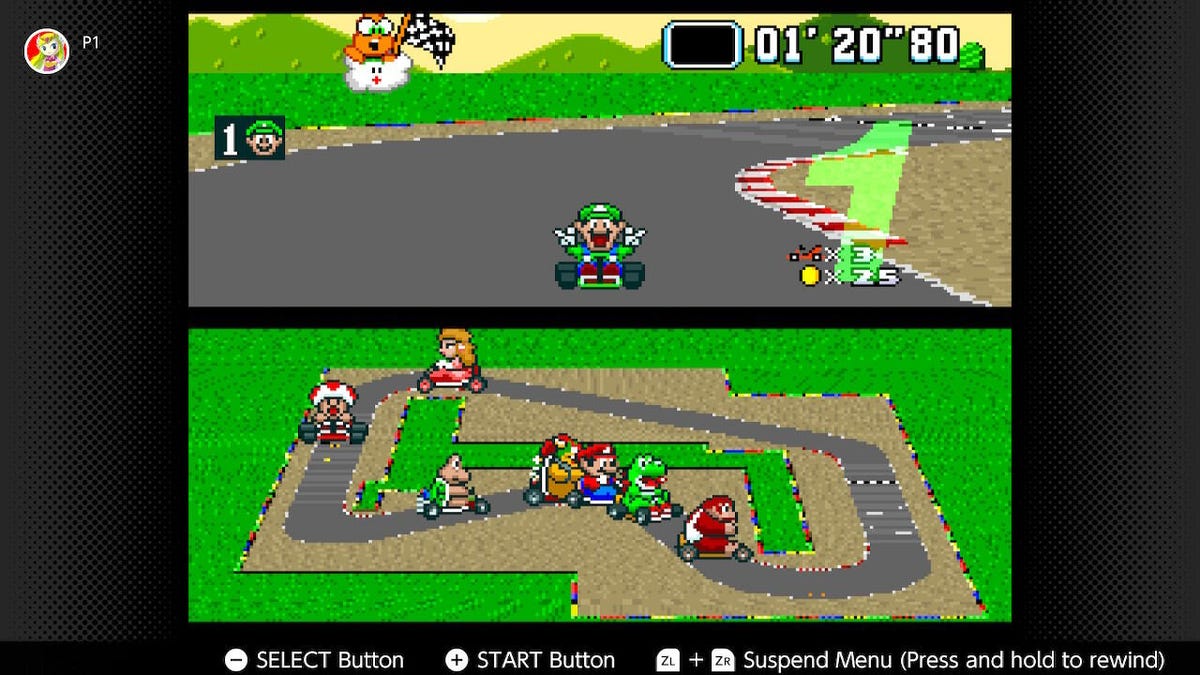
    super-mario-kartsuper-mario-kart

    Super Mario Kart is a retro treat on Switch.

    Nintendo

    You need a Nintendo account to sign up

    If you’ve been playing Nintendo Switch for a while, you probably already have this sorted. Just in case, let’s break it down. Your Switch has individual profiles for each user. The company also has a Nintendo account to manage your profile and purchase-history on its website, console devices and phone apps. To use Nintendo Switch Online, you’ll need both and they’ll have to be linked.

    Just make sure you link your profile to the right account. Any Switch profile linked to a Nintendo account will be permanently locked in.

    How do I sign up?

    Prepaid subscription cards are available at select retailers, but the easiest way to buy the service is simply to try to play a multiplayer game on your Switch. It’ll take you directly to the eShop to complete the sign-up process.
  • What Is Mastodon, the Alternative Social Network Now Blocked by Twitter?

    What Is Mastodon, the Alternative Social Network Now Blocked by Twitter?

    Since Elon Musk took control of Twitter on Oct. 27, the social network has been roiled by controversy. First, half the staff was laid off via email, and an ill-advised new implementation of its “blue check” verification system left the site plagued by trolls and fake “verified” accounts. Now, Twitter has banned accounts that Musk promised to protect and suspended several prominent journalists who report on Elon Musk.

    Twitters users concerned about changes at the company are looking for other social media options, and the open-source network Mastodon has been a big beneficiary. Mastodon Count, a bot that tracks usage on the network, showed a 400% increase in the rate of new account sign-ups on Dec. 15, when Twitter suspended the journalists who cover Musk.

    A screenshot of a Mastodon post from creator Eugen Rochko: Never have to check Twitter mentions again, hell yeah. Rochko's line is followed by an emoji wearing dark sunglasses.A screenshot of a Mastodon post from creator Eugen Rochko: Never have to check Twitter mentions again, hell yeah. Rochko's line is followed by an emoji wearing dark sunglasses.

    Mastodon’s creator responded to his Twitter suspension with humor.

    Screenshot by Peter Butler/CNET

    The growing popularity of Mastodon might partly explain why Twitter is now blocking many links to Mastodon servers and suggesting the URLs are “harmful” or include malware. Twitter has also suspended the official account for Mastodon, prompting a joke from creator Eugen Rochko about never having to check Twitter notifications again.

    Read on to see how Mastodon works, how to sign up, and how it compares to Twitter. For more, see how to delete your Twitter account, and get the latest on Twitter’s verification badge plans.

    What is Mastodon and how is it different from Twitter?

    Mastodon is a free social media service that functions much like Twitter. You can post “toots” (instead of tweets), follow other people and organizations, and favorite (like) and boost (retweet) posts from other people.

    Mastodon was created and originally released in October 2016 by Eugen Rochko, the CEO and lone employee of the nonprofit organization Mastodon gGmbH. In May, Rochko explained the service’s oddly named substitute for “tweet.” He says the original button was called “publish,” but a committed supporter promised lifetime support of the Mastodon Patreon account if he would change it to “toot.” (On the iOS and Android apps it says “publish.”)

    In an interview with Time Magazine, Rochko said he began developing Mastodon when he realized that “being able to express myself online to my friends through short messages was actually very important to me, important also to the world, and that maybe it should not be in the hands of a single corporation that can just do whatever it wants with it.”

    Read more: Mastodon Is No Twitter Replacement

    Instead of one town square for everyone, however, Mastodon is composed of thousands of social networks, all running on different servers, or “instances,” that can communicate with each other through a system called the Fediverse. The Fediverse also contains other social networks like PeerTube for videos, Funkwhale for music, PixelFed for photos and NextCloud for files.

    Mastodon servers aren’t required to be connected to the Fediverse, In fact, the most famous Mastodon instance is Truth Social, the social network of former US President Donald Trump.

    How do I join Mastodon?

    The hardest part of Mastodon is getting started. Since there’s no one common Mastodon area for everyone — as with Twitter — you’ll need to register on a specific Mastodon server.

    Servers can be based on a geographic location, subject interest, professional background or literally anything an administrator can think of. For example, the folks at dolphin.town are only allowed to post the letter “E,” while the literary buffs at oulipo.social are forbidden from ever using the letter “E” (in honor of OuLiPo writer Georges Perec’s lipogram “La Disparition“).

    Two of the biggest Mastodon servers, aka instances, are mastodon.social — the official server of the Mastodon project — and mstdn.social, though both have temporarily paused registrations. Another large general server that I recently joined is mas.to. Other popular Mastodon instances include masthead.social for journalists and fosstodon.org for open-source software.

    Don’t worry too much about which server you pick — you can join as many as you want and leave or switch servers at any time. And you can follow people across servers, so picking one doesn’t keep you from communicating with those on other instances.

    One good place to find a server to join is the official Mastodon website at joinmastodon.org. The site currently lists about 80 servers that have committed to the Mastodon Server Covenant, an agreement to enforce moderation, make backups of the site and give at least three months warning before ever shutting down an instance.

    Each server’s “about” page will tell a little bit about the Mastodon instance and list the server’s rules. If you don’t find a server that you like on joinmastodon.org, you can try other Mastodon directories, such as instances.social, which offers a wizard for picking a server as well as a sortable list of 16,412 instances.

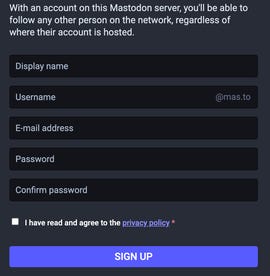
    A screenshot of the Mastodon sign-up formA screenshot of the Mastodon sign-up form

    Joining a Mastodon server only requires a few personal details.

    Screenshot by Peter Butler/CNET

    Most Mastodon servers with open registration will only ask for your email address and a password to get started. Once you respond to a verification email, you’re ready to start using Mastodon. Other, more private Mastodon servers may ask you to make a request to join and then wait for an invitation.

    How do I use Mastodon?

    Like Twitter, Mastodon lets you post short messages to the world or to select people, but instead of tweets, Mastodon posts are called toots. And many of Mastodon’s other features are a lot like Twitter’s, too, with slight differences. Each post is limited to 500 characters (instead of 280), and you can include links, images (JPG, GIF or PNG, up to 8MB), audio files (MP3, OGG, WAV, FLAC, OPUS, AAC, M4A and 3GP up to 40MB) and videos (MP4, M4V, MOV, WebM up to 40MB).

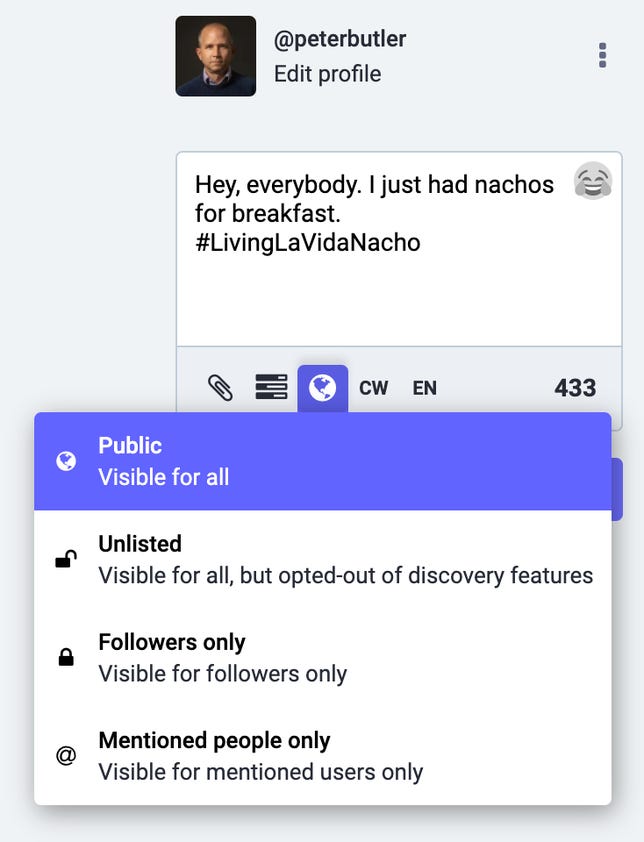
    A screenshot of the Mastodon posting interface with options for visibility displayedA screenshot of the Mastodon posting interface with options for visibility displayed

    Mastodon offers four levels of visibility for all of your toots.

    Screenshot by Peter Butler/CNET

    Your posts on Mastodon can be set to be public, only for your followers or completely unlisted from all timelines. You can create polls for your followers and use all your favorite usual emojis, plus custom emojis created for specific servers.

    Any post can be marked with an explanatory “content warning” that requires a click before viewing, and Mastodon users take advantage of the feature often.

    You can even edit posts on Mastodon. Each version of your toot remains available for review, and people who reblog your post are notified after it’s edited.

    Just like Twitter, Mastodon uses hashtags that start with the “#” symbol, such as #Gaming, #Anthropology or #Veganism. Since there’s no algorithm to suggest your posts to nonfollowers, using hashtags to categorize your posts for people who might be interested is even more important than on Twitter.

    You can follow any account on Mastodon, whether or not it’s on your own server instance, and the account’s posts will be added to your Home feed in chronological order. Know that for some accounts, you need to request permission to follow them.

    Free web apps like Debirdify, Fedifinder and Twitodon can help you find accounts you followed on Twitter that have migrated to Mastodon.

    If you don’t want a particular account following you, you can block them just like on Twitter, or you can choose to block an entire server.

    Mastodon lets you “favorite” posts, but the favorites count doesn’t appear on timelines — if you want to promote someone else’s posts, you’ll need to “boost” or reblog them. Unlike Twitter, there are no “quote toots” on Mastodon, a deliberate choice to discourage “dunking” on other people’s posts. A separate “bookmark” feature lets you save toots on Mastodon without notifying the account that posted it.

    Mastodon does have a feature called Direct Messages, but the name is a little misleading. Rather than providing person-to-person messages, Mastodon’s feature sets the visibility of a post to only the people mentioned in it. In other words, they’re toots that only certain people can see, rather than actual direct messages.

    How do the Mastodon timelines work?

    Whereas Twitter just has one timeline (sorted chronologically or by “top stories”), Mastodon has three: your Home timeline shows all the posts and reblogs from everyone you follow, your Local timeline shows everything from your own server instance, and your Federated timeline shows all posts from all Mastodon servers on which you follow someone.

    Using a web browser, you can set Mastodon to look like Twitter, showing one feed at a time, or you can view multiple feeds and notifications simultaneously (much like Tweetdeck) by selecting “Advanced view” from your Preferences.

    A screenshot of Mastodon's advanced view interfaceA screenshot of Mastodon's advanced view interface

    Mastodon’s advanced view lets you view notifications and multiple timelines simultaneously.

    Screenshot by Peter Butler/CNET

    Are there any mobile apps for Mastodon?

    You bet. Due to the open-source nature of Mastodon, you have a lot of choices for apps on both iPhone and Android.

    Your first and easiest option is the official app from Mastodon gGmbH (for iOS or Android), but there are other solid third-party apps. The two most popular alternative Mastodon apps right now are Metatext for iPhone and Tusky for Android.

    Mastodon apps for iPhone:

    Mastodon apps for Android:

    If you do get started with Mastodon, make sure to follow me @peterbutler@mas.to. (And say hello!)

    For more about social media and Twitter, follow a timeline of the Elon Musk purchase and read about the big changes that could be in store for Twitter.

    Correction, Nov. 7: A previous version of this story incorrectly described Mastodon’s features. Mastodon added the ability to edit posts in March 2022.

  • Apple Watch Series 8 Deals: Pre-Christmas Prices Fall as Low as $349

    Apple Watch Series 8 Deals: Pre-Christmas Prices Fall as Low as $349

    With the holidays just around the corner, Apple Watch Series 8 deals are available for those looking for a smartwatch upgrade. Apple’s latest wearable is now readily available to pick up at a variety of retailers and discounts are coming thick and fast with the gifting season upon us.

    The new Apple Watch variant is the first model to come with a temperature sensor, which will be used to bring new ovulation-tracking features to the Apple Watch. Apple also added car-crash detection to the Series 8 so that emergency services and contacts can be notified in the event of an accident.

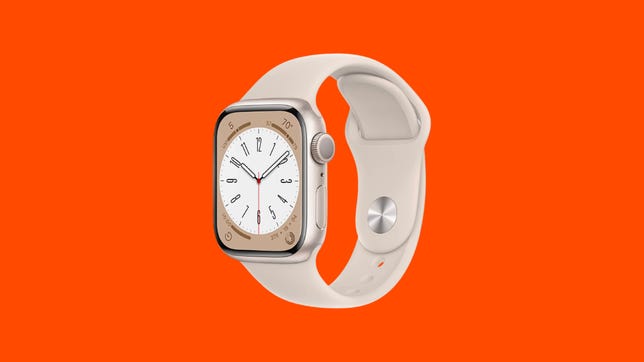
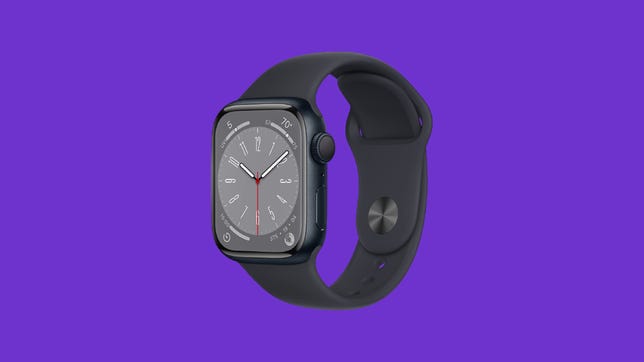
    Apple Watch Series 8Apple Watch Series 8
    James Martin/CNET

    An enhanced low-power mode can temporarily disable features like the always-on display and auto-workout detection to preserve battery life if you need to eke out a little bit more power without taking too much away from the overall experience. That feature is not Series 8-exclusive, though, and will be available on the Series 4 and later models.

    The Apple Watch Series 8 starts at $399 for the GPS-only model, with the GPS and cellular version going for $499 and up. If the Series 8 is not for you, be sure to peruse our list of the best Apple Watch deals for discounts across all models.

    Best Apple Watch Series 8 deals

    Apple

    Apple Watch Series 8 deals start at just $349 at Walmart right now — $50 of the regular price for the entry-level model and a match for the lowest we’ve seen the device go since its fall launch.

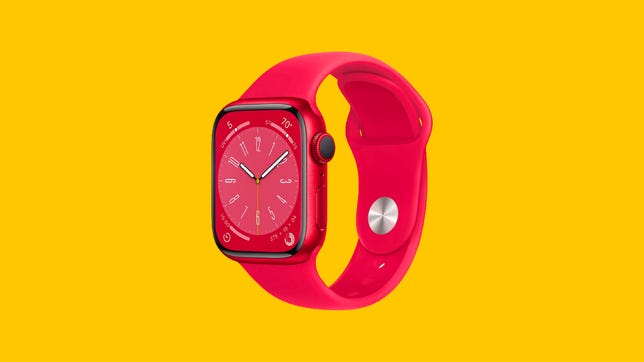
    You’re receiving price alerts for Apple Watch Series 8 [GPS 41mm] Smart Watch w/ (Product) RED Aluminum Case with (Product) RED Sport Band – S/M. Fitness Tracker, Blood Oxygen & ECG Apps, Always-On Retina Display, Water Resistant

    Apple

    Amazon is listing the Apple Watch Series 8 from $350. That’s a $49 discount on the entry-level 41mm Wi-Fi model, and other configurations, like cellular-enabled stainless steel models, are also discounted there.

    You’re receiving price alerts for Apple Watch Series 8: $350

    Apple

    Target is also selling the Apple Watch Series 8 in various configurations from $350 — a $49 saving. Better yet, if you are a Target RedCard holder then you can get a further 5% off your purchase which is good for $17.50 off the entry-level variant and more off the more expensive models.

    Apple

    Best Buy isn’t currently discounting Apple Watch Series 8 models outright but you can get up to $175 when you trade in your old smartwatch, dropping prices down as low as $250. You’ll also score four free months of Apple Fitness Plus there, which is a month more than Apple gives new Apple Watch owners, and four months of Apple News Plus for new or returning subscribers.

    Apple

    Go straight to the source for your Apple Watch Series 8 order and score three months of Apple Fitness Plus. If you’ve got an old Apple Watch to trade in, you could get as much as $155 off your Apple Watch Series 8 purchase.


    Monitor fitness goals without breaking the bank.

    We’ll help you find the best deal on your next smartwatch or fitness tracker.


  • Best MacBook Pro M2 Deals: Score $200 Off at Amazon Ahead of the Holidays

    Best MacBook Pro M2 Deals: Score $200 Off at Amazon Ahead of the Holidays

    Looking for a MacBook Pro M2 deal? Now that the 2022 machine has been on the market for six months or so, there are several ways to snag a saving on one — especially ahead of the holidays.

    Unveiled alongside a redesigned MacBook Air M2 at Apple’s WWDC 2022 in the summer, the 13-inch MacBook Pro has been upgraded for 2022 and now packs even more power into a familiar design for an affordable entry-level professional laptop.

    The Apple MacBook Pro M2 13-inch laptop 2022The Apple MacBook Pro M2 13-inch laptop 2022
    Dan Ackerman/CNET

    Retailing for $1,299, the MacBook Pro M2 is now readily available to buy and pick up in-store, and we’ve been on the hunt for the best MacBook Pro M2 deals across a variety of retailers since its launch. We’ve listed the best MacBook Pro M2 deals below and we’ll keep this list updated as new offers emerge to help save you the most cash.

    Best MacBook Pro M2 deals

    Amazon has the 256GB MacBook Pro M2 listed at just $1,099 in space gray. That’s a $200 price drop and the lowest we have seen it go since its summer launch. The 512GB version is seeing similar savings if you need the extra capacity.

    You’re receiving price alerts for Amazon

    B&H is matching Amazon’s price cut on the MacBook Pro M2 meaning you can nab one there from $1,099, too. The retailer also offers a neat way to save on sales tax with its own-brand B&H Payboo credit card — it gives you the tax back as cash back. On a purchase as large as a MacBook Pro, that could be a decent chunk of change depending on where you live.

    Best Buy has $150 off the MacBook Pro M2 (Totaltech members save an extra $50) and also bundles in three months of iCloud Plus at no extra cost for new or returning subscribers. With it, you’ll get storage for backing up photos, documents, and more plus added features like iCloud Private Relay, Hide My Email, and HomeKit Secure Video support.

    You’re receiving price alerts for Best Buy

    You can, of course, order the MacBook Pro M2 directly at Apple. The company is renowned for not offering direct discounts, but its education store knocks $100 off the price of the MacBook Pro M2 plus education pricing on AppleCare for eligible buyers. If you’re not a student or parent, you can still save by trading in your old MacBook (or any Apple device) for credit against your new one, or by using your Apple Card to spread the cost of your purchase while getting 3% cash back.

    Adorama doesn’t have a direct price drop on the MacBook Pro M2 right now, but its Adorama Rewards program is free to sign up for and allows you to earn points to redeem as credit against future purchases.

  • Amazon Will Publish the Tomb Raider Game

    Amazon Will Publish the Tomb Raider Game

    Amazon Games will be the publisher behind the next mainline Tomb Raider game, it said Thursday. Developer Crystal Dynamics is building the game on Unreal Engine 5, and the game will be released on multiple platforms.

    The e-commerce giant started dabbling in the gaming industry by creating Amazon Games back in 2012, but the studio hasn’t published any major gaming IP like Tomb Raider in its 10-year history. As such, the Crystal Dynamics deal moves Amazon substantially forward in the gaming industry.

    Square Enix sold Crystal Dynamics, the studio behind the Tomb Raider franchise, to Embracer Group earlier this year to increase financial bandwidth to invest more in blockchain, AI and cloud gaming. That selloff has opened the gates for Crystal Dynamics to make unique publishing deals like this one.

    “Crystal Dynamics has an extraordinary opportunity following our acquisition by Embracer to redefine what a publishing relationship is for Tomb Raider,” Scot Amos, head of studio at Crystal Dynamics, said in Thursday’s press release.

    “Transformative is what we’re looking for, and with Amazon Games, we found a team that shares our creative vision, ambitions, and values for a Lara Croft universe across the spectrum of possibilities.”

  • Facebook Memories You’d Rather Forget? Here’s How to Block Them

    Facebook Memories You’d Rather Forget? Here’s How to Block Them

    Facebook Memories are usually good for a laugh, a cringe (the mid-2000s, right?) or a fond recollection. However, the daily memories can go back more than a decade depending on how long you’ve used Facebook, and it’s likely there’s more than a few we’d like to forget.

    Instead of being caught off-guard by regrettable memories, you can customize your Facebook settings to hide them. Here’s how to do it:

    CNET Tech Tips logoCNET Tech Tips logo

    1. Open the Facebook app on your phone

    2. Tap the Settings bars in the top-right corner of the screen

    3. Choose Memories

    4. Tap the Gear icon in the top-right corner

    5. You can choose between All Memories, Highlights or None. All Memories means Facebook will show you all your memories from that day, Highlights will only show you special videos and collections, and None means you won’t get notifications for any memories.

    If you want something more specific, you can choose to hide memories involving specific users and date ranges. Follow the steps above, but instead tap People and type in a user’s name that you want to hide from your memories. The user(s) won’t be notified, and your selections are saved automatically.

    Follow the same steps to hide date ranges, but in this case tap Dates. From there, you can enter almost any span of time — a day, a week, month or an entire year — going back in time to well before 2000. When you’re done, tap Save.

    For more information, check out the privacy setting that keeps Facebook from tracking you and where the Meta stands on a new media bill.

  • Nothing Phone 1 is Headed to US, But Only For Android 13 ‘Testing Program’

    Nothing Phone 1 is Headed to US, But Only For Android 13 ‘Testing Program’

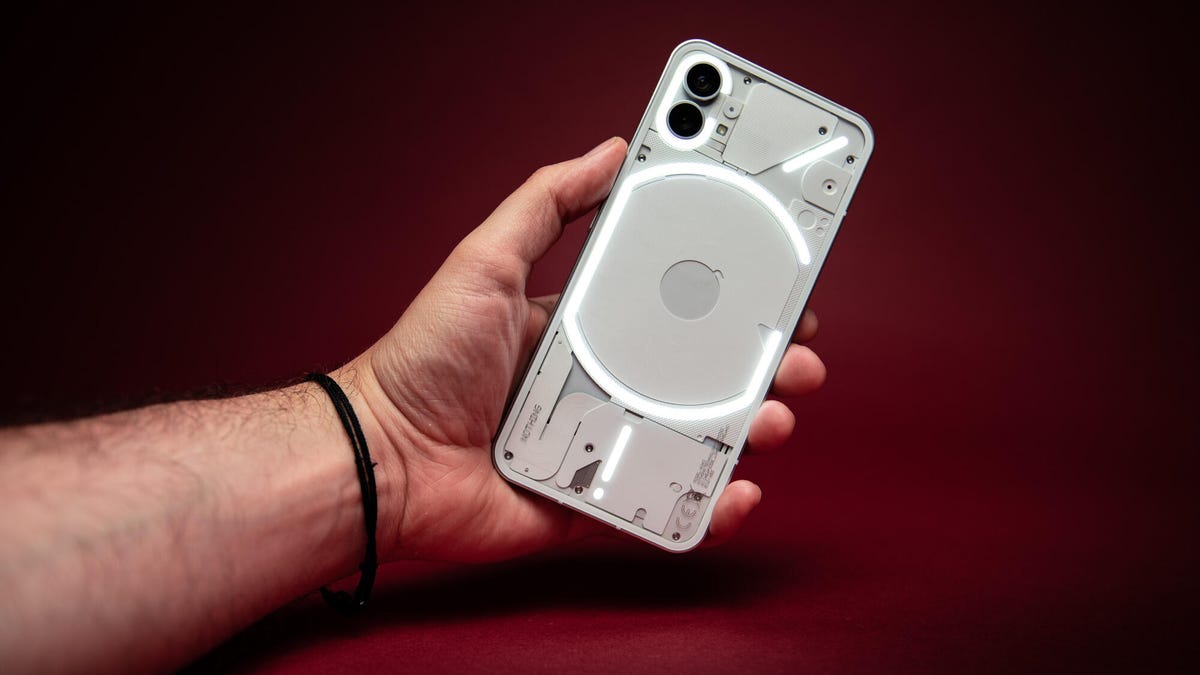
    The Nothing Phone 1 launched earlier this year as an affordable iPhone SE-rivaling 5G device with an eye-catching LED design, but it was available only in Europe and the UK. Now the phone is coming to the US, though as part of an internal testing program, so don’t expect it to grace store shelves just yet.

    The Nothing Phone 1 will arrive on American shores as a “testing program” for the Nothing OS 1.5 Beta, the company’s custom version of Android 13, CEO Carl Pei tweeted. It’s unclear how people will be able to request a Nothing Phone 1 or whether they can purchase or retain it beyond the testing phase. Nothing didn’t respond to a request for comment by time of publication.

    Despite launching the phone outside America, Pei, who co-founded OnePlus before leaving to helm Nothing, had repeated his interest in bringing the phone to the US market. Nothing had been in early conversations with US carriers to launch the Nothing Phone 1 in the states, but the company needed more time and technical support to configure the software tweaks carriers required, Pei told CNBC earlier this month. These early talks could lead to a future device launching in the US, he said.

    It’s unclear if this testing phase will be tied to those carrier negotiations.

  • Best Monitor Deals: Lowest Prices at Amazon, Newegg, LG and More

    Best Monitor Deals: Lowest Prices at Amazon, Newegg, LG and More

    According to my eyes (and my wallet), if you’re looking for the best value on a new computer monitor, you’ll want to be shopping for a 27-inch QHD display or a 32-inch UHD display. These monitors are going to offer the biggest bang for your buck in terms of screen size, resolution and price. Just about any model with these specs is going to produce a satisfactorily sharp picture for the size of the panel while still retaining a reasonable price.

    My current monitor is a 27-inch QHD (quad HD or 2,560×1,440-pixel resolution) monitor that I bought for $250, but I did nearly go with a 32-inch UHD (ultra HD or 3,840×2,160-pixel) display that would have offered more room and more pixels for only a bit more money. Between these two different sizes, you can easily find a screen to perfectly fit your desk space, your work needs and, most importantly, your budget. The world’s creatives, hobbyists and professional gamers who worry about color gamut and refresh rates might find that they need a higher-end screen than you’ll find on our list, but these displays are big enough for most needs, and with sufficient pixel density to produce a sharp, quality image.

    Be sure to check out CNET’s monitor buying guide for more info, and keep updated on the best deals I currently see among 27-inch QHD and 32-inch UHD displays. I will continue to keep this story updated as pricing fluctuates and I uncover better deals, so check back often.

    Best 27-inch monitor deals

    These 27-inch models feature QHD resolution and give you more screen real estate than a 24-inch, FHD (full HD or 1,920×1,080 pixels) display, and better resolution, too. And it gives you all of that for not too much more money. You might also come across 27-inch 4K displays in your search. Those displays offer a certain quality worth consideration, but in my experience, a QHD or 2K resolution is more than sufficient when stretched across a 27-inch panel.

    LG

    This is the model I ended up buying on Amazon after shopping around. I got it for a reasonable $250, and it’s $50 less than that right now. It’s an IPS panel with a QHD resolution, a rated 350 nits of brightness and thin screen bezels. I like the simple stand, although I wish it offered height support. Most monitors at this price, however, don’t offer height adjustment, so I can live without it. It doesn’t have internal speakers, but those are generally terrible and not something I’d ever use when I have a Bluetooth speaker in my home office. It has one DisplayPort and two HDMI ports, giving the flexibility to connect to a variety of PCs and laptops. I’ve got no complaints about its image, which I find to be sufficiently bright and crisp.

    The 32-inch version of this monitor is even less if you want to size up.

    You’re receiving price alerts for LG 27QN600-B: $200

    Amazon

    I’m unfamiliar with the Koorui name but this monitor gets favorable reviews on Amazon and is priced at $170 with a $40 discount. That’s rare for a 27-inch monitor with a QHD resolution. Most budget monitors are rated for a dull 250 nits of brightness, but this Koorui model is rated for a more adequate 300 nits. It’s labeled as a gaming monitor because it has a 144Hz refresh rate that’s speedier than the typical 60Hz refresh rate and also features AMD FreeSync. It’s out of stock at the moment so you might have to wait for a few days or weeks for it to return.

    You’re receiving price alerts for Koorui 27-inch gaming monitor: $170

    This 27-inch HP features a QHD resolution, a speedy 165Hz refresh rate and AMD FreeSync technology for fluid action while gaming. Plus, it has low blue light to protect your eyes, without sacrificing color accuracy. The stand provides height, tilt and swivel adjustment. It’s $50 off at Amazon.

    You’re receiving price alerts for HP X27q: $249

    Newegg

    You can get this 27-inch Pixio monitor for a reasonable $245 at Amazon when you apply the $15 instant coupon on the product page that reduces the price at checkout. It features a QHD resolution along with AMD FreeSync and a speedy 144Hz refresh rate if you want to use it for gaming in addition to work. It’s rated for an ample 350 nits of brightness, so it should be a bit brighter than the Acer and Koorui models above.

    You’re receiving price alerts for Pixio PX277: $245

    Viewsonic

    The highlight of this ViewSonic model is its USB 3.2 Type-C port, which means you can connect a MacBook and other laptops with a USB-C port (but not HDMI) to the monitor without an adapter or special conversion cable. It also supplies both HDMI and DisplayPort connections along with AMD FreeSync and is rated for 300 nits of brightness. It’s currently $20 off at Amazon and you can take an additional $40 off at checkout.

    You’re receiving price alerts for ViewSonic VX2785-2K-MHDU: $250

    Best 32-inch monitor deals

    The next step up in size, resolution and price from a 27-inch QHD display is a 32-inch UHD display. Ultra HD is also commonly referred to as 4K.

    Newegg

    This Samsung model has a relatively low max brightness of 270 nits, making it a better fit for a basement den or otherwise low-light room than for a sun-drenched office. It features AMD FreeSync, two HDMI ports, one DisplayPort and a headphone jack, but no USB ports. It’s currently $90 off, dropping its price to a very reasonable $250.

    You’re receiving price alerts for Samsung LU32J590UQNXZA: $250

    Newegg

    This is one of the more affordable 32-inch 4K monitors and features HDMI and DisplayPort connections, a 300-nit brightness rating, and built-in speakers. It also supports HDR10 and AMD FreeSync and comes wrapped in a compact if basic package with thin bezels.

    LG

    This LG is similar to the above two monitors — 32-inch 4K display with FreeSync and built-in speakers — but is the brightest of the trio with a rating of 350 nits. It’s $30 off at LG right now and can sometimes be found with an $80 discount.

    Dell

    At 32 inches, a curved display starts to become an option and not just for gamers. A curved display lets you sit closer without needing to crane your head as much to see the whole screen. This curved Dell display features a gentle 1,800R curvature along with AMD FreeSync and integrated speakers. It also boasts a wealth of adjustability with tilt, swivel and height adjustment. It has a bounty of connectivity with two HDMI ports, one DisplayPort connection, two USB-A ports, a USB-B port and headphone jack. And it’s currently $30 off at Amazon.

    You’re receiving price alerts for Dell S3221QS: $370

    More work-from-home essentials


    Get the best price with CNET Shopping.

    Love shopping online but don’t have time to compare prices or search for promo codes? Our CNET Shopping extension does that for you, so you always get the best price.


  • Game Handhelds Came Back This Year. Here’s What It Means for Gaming in 2023

    Game Handhelds Came Back This Year. Here’s What It Means for Gaming in 2023

    Thanks to the Nintendo Switch, iPads, phones, VR headsets, and a ton of new gaming handhelds, I’m not gaming on my TV much anymore. In fact, gaming seems to be everywhere else other than the big panel hanging on my wall. Of course, that’s been the case before 2022. But thanks to the arrival of the Steam Deck and other handheld hardware, it feels like something’s finally happening that I’ve been waiting on for years: gaming tech is starting to become Switchified. I dreamed this would happen back in 2017.

    Valve’s Steam Deck was the biggest new handheld arrival by far this year, and its popularity stands out on several fronts: as a gaming PC, it shows how software is finally starting to get more flexible and mobile, hopping between screens in a way that felt well overdue. But also, as another vehicle for streaming game services, it shows how gaming tech is starting to unbundle in a lot of strange ways.

    The Nintendo Switch remains an aging, but strong, console. Mobile gaming feels like it’s starting to accelerate, thanks to cloud streaming apps and more excellent game controller cases, plus developments from mobile chip manufacturers like Qualcomm and new gaming tablets like the Razer Edge. Similarly, Logitech’s G Cloud handheld, arriving recently, is another flavor of mobile: a type of Android-based mobile device, but made to lean on game streaming.

    And I didn’t even mention my favorite quirky indie handhelds, the Analogue Pocket and Panic Playdate, which have helped me rediscover tons of old games and plenty of indie newbies, too.

    Can we also count VR headsets as handhelds? No, not really, although future devices like the Pimax Portal show some possibility for handhelds and VR to dovetail in ways you may not have been thinking about.

    Here’s why it all matters.

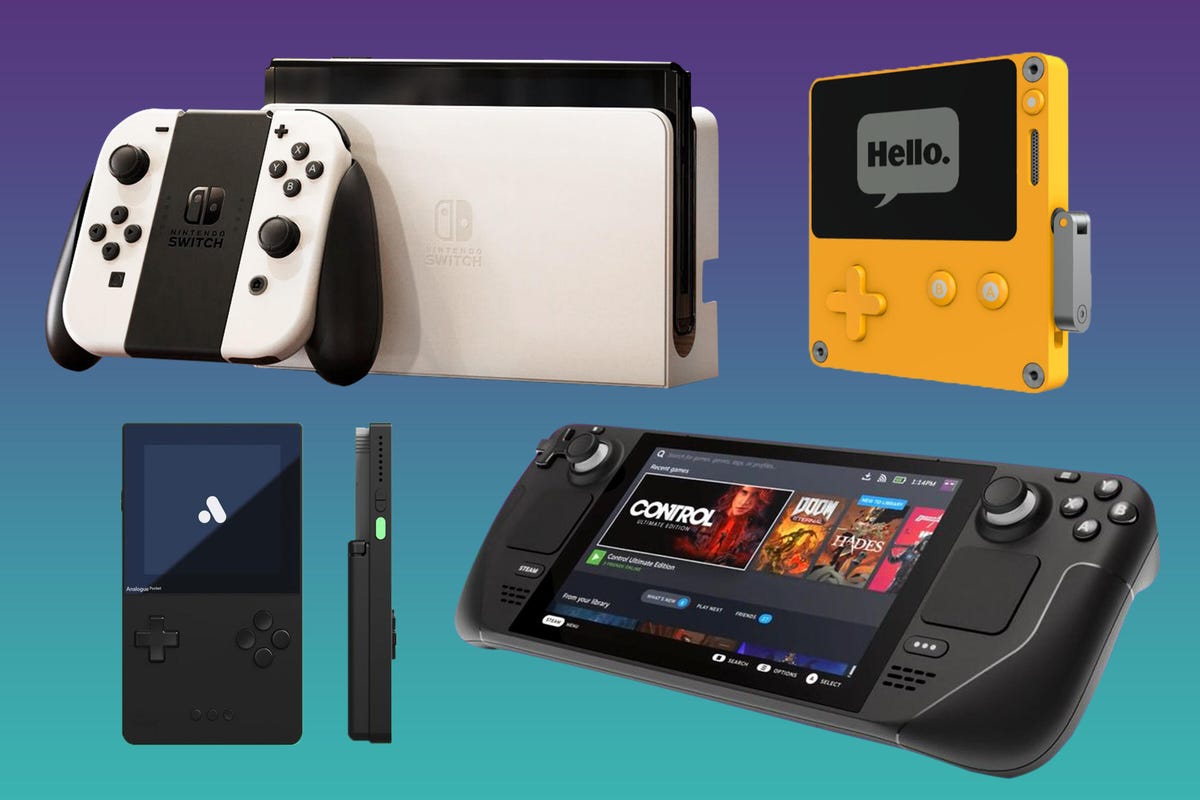
    handheld-gaming-cnet-2021-switch-oled-vs-steam-deck-vs-panic-playdate-vs-analogue-pocket-turquoise-purplehandheld-gaming-cnet-2021-switch-oled-vs-steam-deck-vs-panic-playdate-vs-analogue-pocket-turquoise-purple

    Nintendo Switch, Panic Playdate, Analogue Pocket, Steam Deck: they’re all signs of gaming’s handheld resurgence.

    composite by Sarah Tew/CNET

    Steam Deck: PCs can be handhelds now

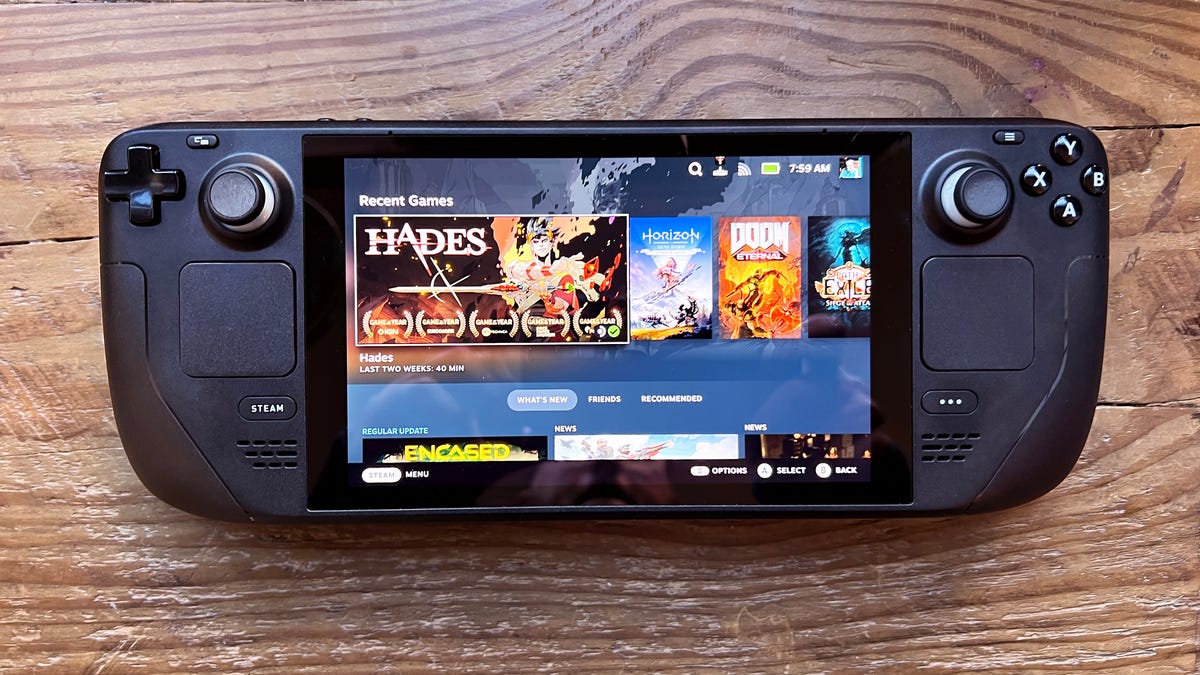
    Valve’s Steam Deck did it. The handheld Steam-compatible game system seemed like an impossible dream before it launched, but the hardware really does play tons of PC games well, and has proven to be one of the biggest gaming surprises of this year.

    Valve doing it shows how other manufacturers could give it a go, too: in fact, companies like Dell and Razer already have, in a sense, via previous prototype experiments. The Steam Deck lives, though, and now there’s no reason not to make more of them.

    The Steam Deck’s easy sleep/wake functions and its TV docking make it feel every bit as modular as a Switch, even if its controllers don’t detach. It’s the flexibility of the Steam Deck’s OS that shows a lot more promise. Running a variety of games or even apps, and being able to stream games, gives it the possibilities that we’d hoped the Nintendo Switch might gain someday. The Switch’s older processor limits what it can do, but the Steam Deck advances those ideas five years forward. Really, we knew this already with phones in our pockets that are as powerful as laptops, but gaming handhelds can do a lot more at also being full-fledged machines to connect to a much more cross-platform world.

    I’m really curious where Valve goes next: in particular, to VR. Valve’s been active in VR for years, and is expected to make its own standalone “Deckard” VR headset in the near future. Could a new Steam Deck be compatible? It seems more than likely.

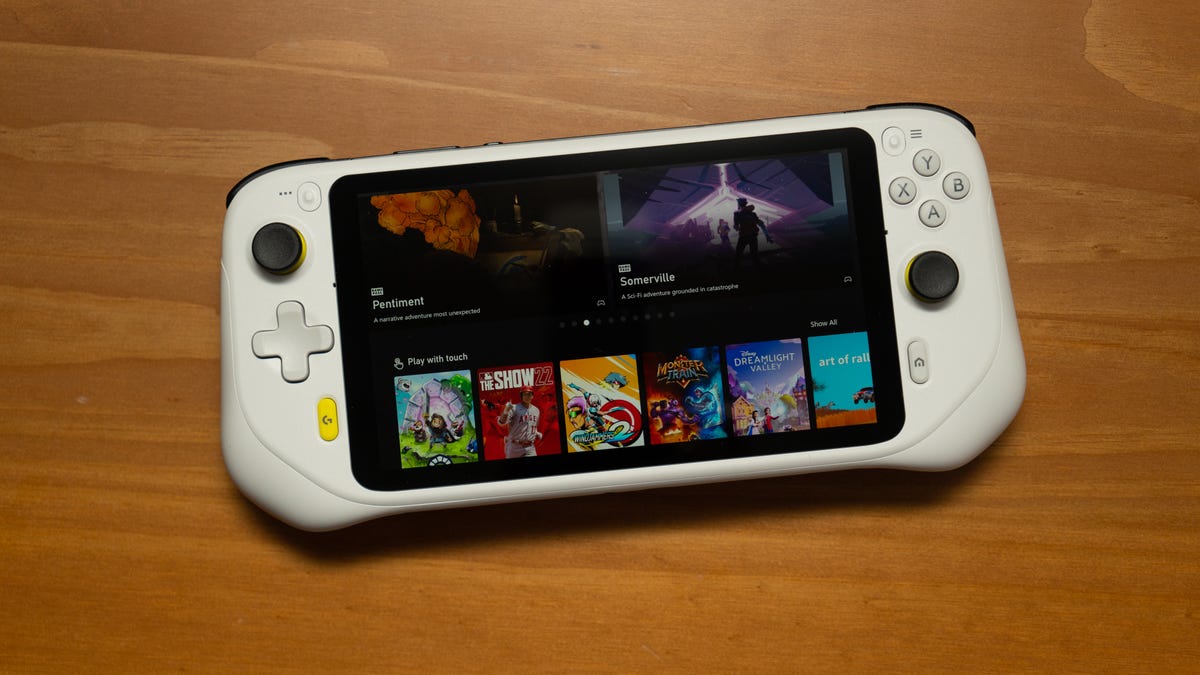
    Logitech G Cloud lying on a wood table with Xbox Cloud Gaming thumbnails on the screenLogitech G Cloud lying on a wood table with Xbox Cloud Gaming thumbnails on the screen

    The Logitech G Cloud emphasizes game streaming. More handhelds will.

    Lori Grunin/CNET

    Stream Machines: Games can live anywhere

    In a sense, Logitech’s G Cloud handheld and the Razer Edge tablet have a lot in common. CNET didn’t love the G Cloud, but the idea of it — an Android tablet with controls and the ability to stream games — is like a custom-made version of what you can already do with a phone or tablet and a game controller. The Razer Edge feels like a more advanced version of a similar idea, building a modular tablet with controllers around a higher-powered Qualcomm processor that’s capable of running games better, but also of streaming games as well.

    These both remind me of the promises made way back by the Nvidia Shield, a tablet that was way ahead of its time and began to play with game streaming back in 2014.

    Streaming games have finally come of age, both in the cloud and locally from console to handhelds. You may very well be doing this already with your phone or tablet. But, between the rise of very good game controller cases like the Backbone One and Razer Kishi and these types of specific standalone devices, it looks like mobile options could be multiplying.

    Analogue Pocket and Panic Playdate handheld game consolesAnalogue Pocket and Panic Playdate handheld game consoles

    The Analogue Pocket (left) and the Panic Playdate (right). These handhelds made me rediscover games both old and indie, outside traditional app stores.

    Scott Stein/CNET

    Analogue Pocket and Panic Playdate: Rise of the new indies

    Analogue’s ultimate retro handheld, the Pocket, and Panic’s crazy crank-enabled Playdate are very different pieces of hardware. Yet, they both point to a similar trend in gaming. The Pocket plays original Game Boy, Game Boy Advance and even Sega Game Gear game cartridges (with an adapter), and can run virtual hardware cores to recreate other game platforms. The Panic Playdate has its own season of included indie games that beam onto the handheld via Wi-Fi once a week. Both, however, can also sideload indie efforts made to run specifically on these systems.

    Gaming portals like itch.io have become my most-visited places, as I check to see what experimental games people make available for Pocket or Playdate. Indie game designers create amazing efforts for all sorts of platforms: you don’t need a Playdate or Pocket for them. But these systems feel like vehicles that are ready to bring more indie efforts to life, and both feel like they’re living entirely outside of the world of the big game studios and hardware manufacturers. Maybe there’s room for more experimentation like this.

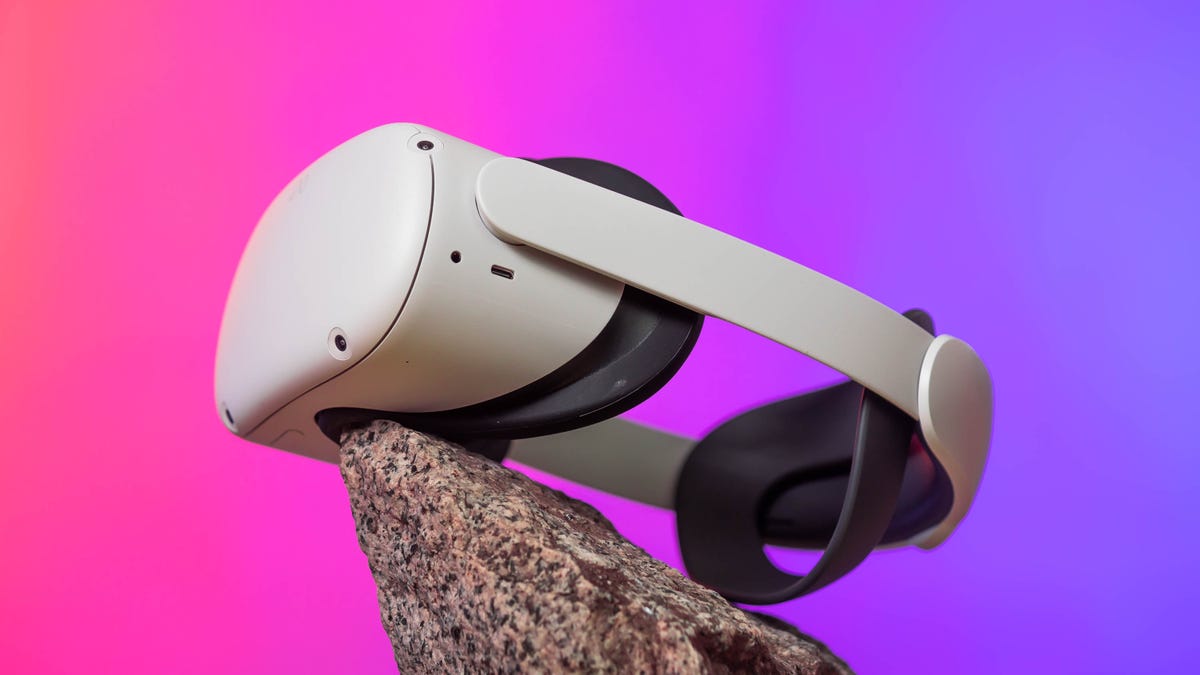
    Oculus Quest 2 VROculus Quest 2 VR

    The Quest 2 is standalone. Future VR and AR headsets will likely dovetail even more with handheld devices.

    James Martin/CNET

    Could VR and AR be a doorway to more?

    Arriving soon, the Pimax Portal is a curious sign of how tech could merge. Pimax, a manufacturer of VR headsets, is making a Switch-like Android gaming handheld that can also dock into a VR headset, becoming a handheld and standalone VR system all at once. It’s a return to the “VR goggles” concepts of early phone-based hardware like the Samsung Gear VR and Google’s Daydream, but in a potentially far more optimized and advanced format. I haven’t tried the Portal yet, but am really curious to. It’s an idea I could see more companies trying out, especially if it works better than those old limited-motion phone goggles.

    Many upcoming VR headsets and AR glasses will start connecting with phones and smaller puck-like processors: the Magic Leap 2 is made this way, and Qualcomm’s next wave of AR glasses are designed to work with phones. Valve’s rumored standalone VR headset, Deckard, could possibly do the same with future Steam Decks.

    Maybe Apple has similar plans in mind for how its VR headset will work with its phones and iPads. As headsets get smaller, more glasses-like, and lean on passthrough cameras and AR more, handheld accessories like game systems seem like a natural fit.

    Nintendo had the right idea by making those Switch controllers slide off and work as little motion-sensitive magic wands…maybe the future of mobile gaming has been right in front of us all along.

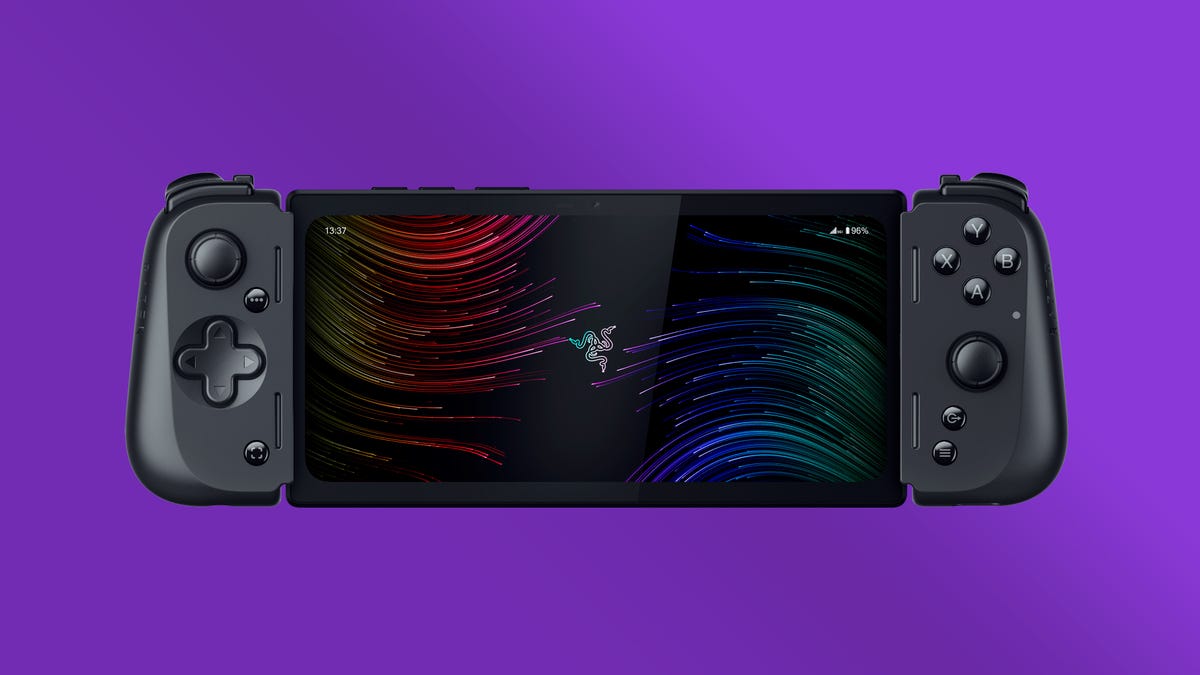
    A rendering of the Razer Edge 5G on a shaded purple backgroundA rendering of the Razer Edge 5G on a shaded purple background

    The Razer Edge, a 2023 device we’re expecting soon.

    Razer

    Where this leads to in 2023

    We’re already overdue for a truly new Nintendo Switch, and the Steam Deck seems bound for a sequel (although maybe not in 2023). We know a new wave of stand-alone VR headsets is on its way, and new phones and tablets are perpetual givens. The success of the Steam Deck, in particular, seems to open the door in ways that should impact both PC and console gaming. The Steam Deck was announced back in the middle of 2021, which means competitors have had a long time to prepare. But I’m also excited to see where truly decoupled indie gaming hardware could go: The Pocket and Playdate show all sorts of ways handhelds could live beyond traditional app store gateways. Cloud-connected gaming opens new pathways across hardware, too. It’s time for any mobile hardware to be more aware and flexible in its gaming strategies, because all the pieces are there. Of course, the handheld game system you’re most likely to be using in 2023 is your phone, but expect more dedicated gaming hardware to push the boundaries, too.

  • Thursday Night Football: How to Watch, Stream 49ers vs. Seahawks Tonight on Prime Video or Twitch

    Thursday Night Football: How to Watch, Stream 49ers vs. Seahawks Tonight on Prime Video or Twitch

    The Brock Purdy Show heads to Seattle tonight for Thursday Night Football. The last pick in last year’s draft, Purdy was thrust into the starting lineup two weeks ago when 49ers starting QB Jimmy Garoppolo was lost for the rest of the season with a broken foot. Purdy has won both of his starts, but tonight will be his first game on the road. The 49ers (9-4) have won six straight to take control of the NFC West, while Seattle (7-6) sits in second place and is battling for a Wild Card spot with four games remaining. Kickoff is set for 5:15 p.m. PT (8:15 p.m. ET) tonight with the game streaming nationally on Prime Video, and for free on Twitch.

    San Francisco 49ers quarterback Brock Purdy runs with the ballSan Francisco 49ers quarterback Brock Purdy runs with the ball

    Brock Purdy and the San Francisco 49ers face the Seattle Seahawks tonight on Thursday Night Football.

    Cooper Neill/Getty Images

    Here’s how to watch the 49ers-Seahawks game this evening, as well as the rest of the NFL season, without cable.

    Thursday Night Football Streaming: Amazon Prime Video, Twitch and NFL Plus

    In past years, Thursday Night Football games were shown on Prime Video but were also available on Fox or NFL Network. This year, the games on Thursday nights will be available nationally on Amazon’s platforms, giving NFL fans more incentive than free two-day shipping to sign up for an Amazon Prime account for $15 a month or $139 a year. You can also subscribe only to Prime Video for $9 a month.

    While Amazon is adding a host of additional features for its Prime Video subscribers (including Alexa and X-Ray integration and alternative broadcasts), you don’t need an Amazon Prime or Prime Video subscription to watch the game.

    Fans in the local market of each team playing on Thursday night will be able to watch on an over-the-air station, while those who don’t pay for either of Amazon’s services can watch for free on Prime Video’s Twitch channel (Twitch is also owned by Amazon).

    If you subscribe to NFL Plus, the league’s $5-per-month streaming service, you can also stream the game without subscribing to Prime or Prime Video. Note that NFL Plus viewing is limited to watching on just a phone or tablet, not on a computer or TV.

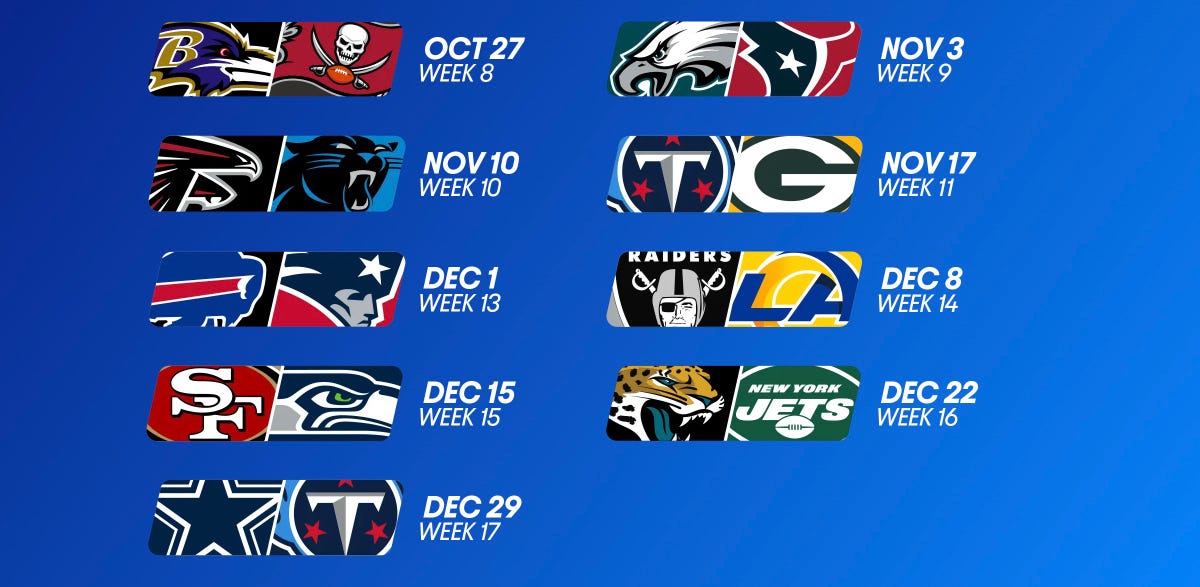
    Amazon Thursday Night Football scheduleAmazon Thursday Night Football schedule

    Can I watch Thursday Night Football on local TV?

    You can. Front Office Sports’ A.J. Perez has put together a handy list of which local channels in which market will broadcast Thursday Night Football games when their respective teams are playing. For this week, that’s KTVU Fox 2 in San Francisco and KCPQ Fox 13 in Seattle.

    What are my streaming options for NFL games in 2022?

    Paying for cable is the easiest solution, but not the cheapest. For cord-cutters looking to save some money, NFL football streaming options can get a bit complicated, with games played across three different days and nights each week on different channels and streaming services.

    Most NFL games are played on Sunday, with a game each week on Thursday night and another each week on Monday night. On Sundays, games start at 1 p.m. ET (10 a.m. PT) and 4 p.m. ET (1 p.m. ET), with most AFC teams on CBS and most NFC teams on Fox.

    Although the first Thursday night game was on NBC, as mentioned above the rest of the games for Thursday Night Football will be shown on Amazon’s Prime Video and Twitch platforms. Unlike last season, Prime Video is now the exclusive home to Thursday Night Football and the games are no longer available on Fox or NFL Network (though the games will be available on TV in teams’ local markets).

    As in previous seasons, Monday Night Football games will be on ESPN. In addition, NFL Network will show three international games played in London and Munich this season.

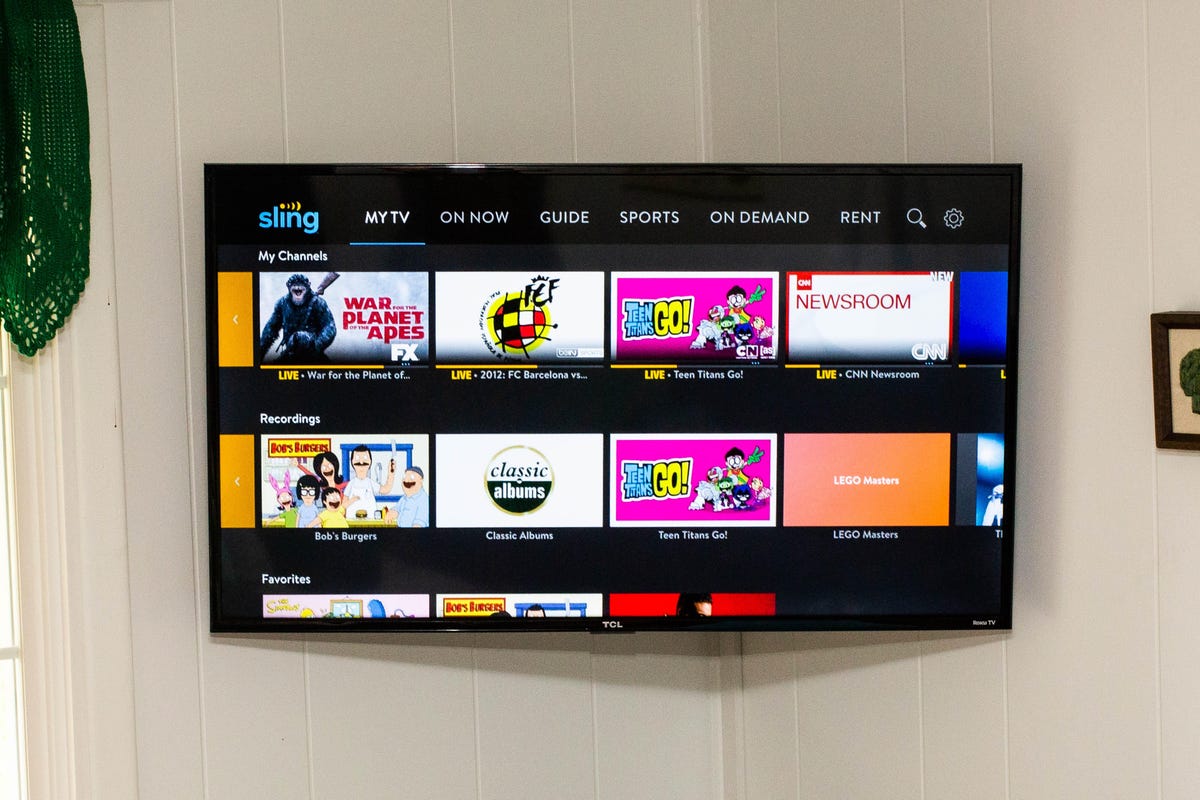
    All five of the live TV streaming services carry ESPN and Fox, and all but Sling TV carry CBS. All but DirecTV Stream carry NFL Network. For the games on CBS and Fox, keep in mind that not every service carries every local network, so check each one using the links below to make sure it carries CBS and Fox in your area.

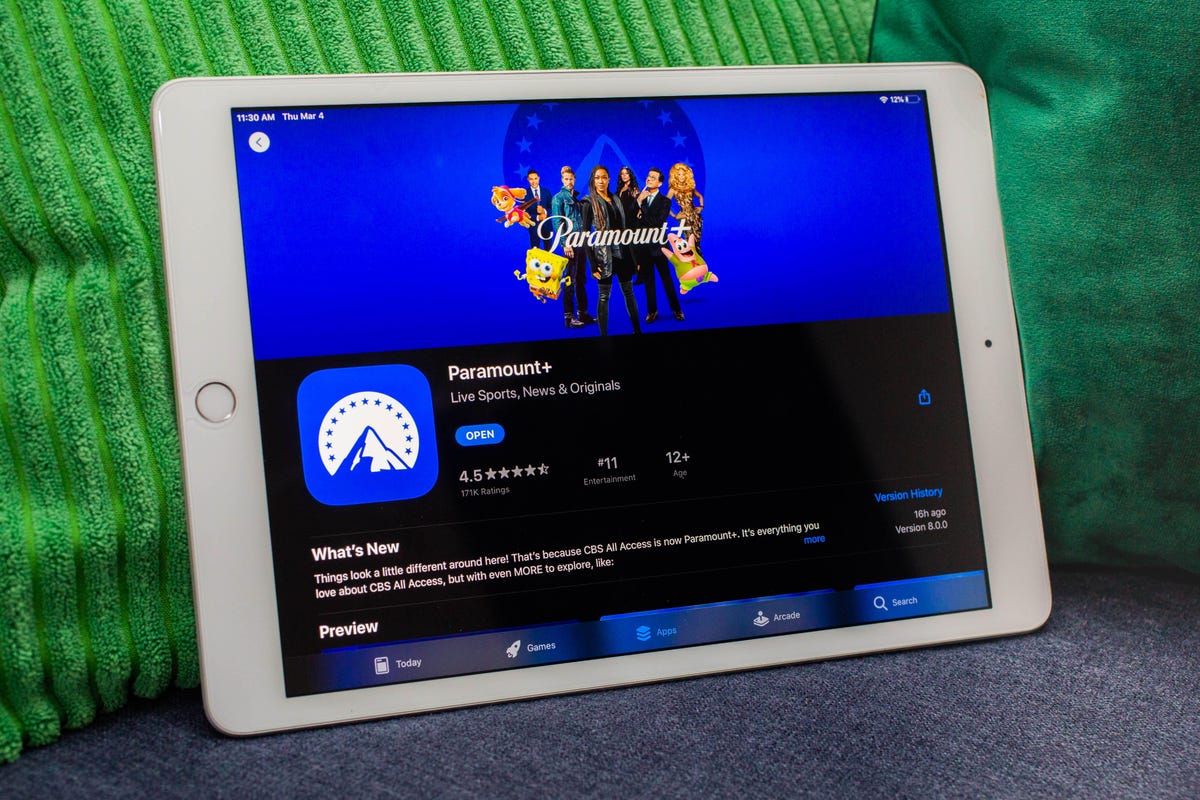
    In addition to Prime Video, there are three other streaming services that cord-cutting NFL fans should consider. The paid Premium plan of Paramount Plus will show CBS games on Sundays, and the paid Premium plan of Peacock will show NBC’s broadcasts of Sunday Night Football.

    And then there’s ESPN Plus, which had an exclusive game in Week 8 when the Broncos took on the Jaguars in London.

    Wait, there’s one more streaming service to consider this year. The NFL is launching a new streaming service for watching games on your phone or tablet — no casting to your TV. In past years, you could do this for free with the Yahoo Sports app, but now you’ll need to pay $5 a month or $40 for the season for the NFL Plus app. With it, you’ll be able to watch every local game on Sunday and the national games on Sunday, Monday and Thursday nights as well as the playoffs and Super Bowl — again, only on your phone or tablet.

    Lastly, there’s NFL RedZone, a channel that springs to life each fall and shows live NFL action during the Sunday afternoon games. It pops in and out of the live games and attempts to show each touchdown scored in each game. RedZone is available as an add-on on four of the five major live TV streaming services — all but DirecTV Stream.

    Best for everything: YouTube TV ($65)

    YouTube TV logo on a phone in front of a TV.YouTube TV logo on a phone in front of a TV.
    Sarah Tew/CNET

    Our pick from the last two years remains our go-to choice in 2022.

    At $65 per month each, YouTube TV checks all the NFL boxes. Local channels CBS, NBC and Fox are included in many markets, and ESPN and the NFL Network are also included so you can watch Sundays and Monday nights. The next best options are FuboTV and Hulu Plus Live TV; both offer the same channels as YouTube TV for NFL fans, but for $70 a month.

    Want to follow your fantasy team with RedZone? That’s available on all three services as part of an add-on. If you’re a YouTube TV subscriber, you can add the $11 per month Sports Plus add-on by clicking on your profile and going to Settings, then the Membership tab. FuboTV subscribers can go into My Profile and choose Manage Add-ons to get its $11-per-month Sports Plus with NFL RedZone offering. And Hulu users can now add RedZone for $10 per month with its Sports add-on.

    Both YouTube TV and FuboTV allow three people to watch at once (Hulu allows two live streams) and all three have apps on nearly every mobile device and major streaming platform, including Amazon Fire TV, Google TV, Roku and Apple TV.

    While all three are largely similar, we like YouTube TV for its superior DVR — unlimited storage compared with 30 hours on FuboTV and 50 hours on Hulu. We also like YouTube TV because it gives you an option to stream in 4K for an extra $20 a month. FuboTV does, too, with its $80-a-month Elite plan. Keep in mind that only Fox and NBC offer 4K NFL broadcasts; CBS and ESPN do not.

    DirecTV Stream offers the main broadcast channels for NFL games, but it starts at $70 per month and lacks NFL Network and RedZone.

    Sling TV’s Orange and Blue plan for $55 a month gets you ESPN and the NFL Network, and, in select major markets, Fox and/or NBC, but you’ll still lack CBS. You can also add RedZone for $11 per month with the Sports Extra add-on.

    The cheapest way to stream NFL RedZone

    Ja'Marr Chase runs away from the Baltimore RavensJa'Marr Chase runs away from the Baltimore Ravens

    NFL RedZone shows every touchdown scored during the Sunday afternoon games each week.

    Rob Carr/Getty Images

    A frequent fan-favorite method of following all the NFL action on Sundays, RedZone is a way to catch every big play around the league. The cheapest road to RedZone is to get Sling TV Blue for $40 per month and add the $11 per month Sports Extra add-on.

    This option can also be streamed on a host of devices including iOS, Android, Apple TV, Roku, Chromecast, Amazon Fire TV and web browsers.

    Note: If you only subscribe to Sling’s Orange package you won’t be able to get RedZone in Sports Extra. Your base package needs to be either Sling Blue or its larger Sling Blue Plus Orange bundle for you to be able to get RedZone as an add-on. If you choose the latter, the Sports Extra add-on is $15 per month as you will also get additional channels like the SEC Network, ACC Network and PAC 12 Network.

    If you mainly plan to watch on a phone, you can also check out RedZone Mobile, which is in the NFL app. This is a separate subscription from NFL Plus and runs $35 for the season (which breaks down to around $7.78 per month for the roughly four-and-a-half months of regular season football). While this is one of the cheapest ways to get RedZone, be aware that — similar to NFL Plus — you will not be able to AirPlay or Chromecast it onto a larger screen and will need to watch on your phone.

    Budget alternative for NFC fans in big cities: Sling Blue ($40) or an antenna ($20 one-time)

    Sling Blue Orange 2020Sling Blue Orange 2020
    Sarah Tew/CNET

    Those looking to save some cash might want to check out Sling Blue for $40 a month. While it lacks ESPN, meaning you’ll miss out on Monday Night Football, in select markets you’ll be able to get Fox and NBC. The catch is that those markets are mainly in big cities, so if you live outside one of those areas, Sling Blue might not be for you.

    You can also add RedZone through the company’s $11-a-month Sports Extra add-on.

    Fox broadcasts most NFC games on Sundays, while NBC has Sunday Night Football. CBS, which broadcasts the bulk of AFC games, isn’t included on Sling at all. But an antenna can fill those local channel gaps without a monthly charge.

    Budget alternatives for AFC fans: Paramount Plus (or an antenna)

    045-paramount-plus-launch-3-4-2021045-paramount-plus-launch-3-4-2021
    Sarah Tew/CNET

    There are some apps that offer CBS’ slate of Sunday AFC games live, including Paramount Plus’ Premium tier for $10 a month. Depending on where you live, however, your local CBS station (and those NFL games) might not be available. CBS offers livestreaming services in many markets; you can check for yourself if your area has live CBS streaming here.

    An antenna is another option for getting CBS. And as we mentioned above, an over-the-air antenna connected to your TV provides another option, no streaming or monthly fee required, as long as you have good reception.

    What about Sunday Ticket?

    For one more season, NFL Sunday Ticket is still largely limited to DirecTV satellite subscribers. While that is expected to change in 2023, those who live in buildings that can’t add a satellite dish can already get a streaming version to watch football starting at $294 for its To Go package for the season, or $396 for a Max package that includes the RedZone channel (a student version is also available at a discount). You can check your address on the Sunday Ticket site. Both packages have a one-week free trial.

    The problem here, however, is that even if you’re eligible, it doesn’t include local games. You can only watch Sunday games that aren’t being broadcast on CBS, Fox or NBC in your area. They also won’t be helpful come playoff time — as you’ll need your local stations and ESPN to catch all those games.

    Thursday Night games, starting with Week 2, will be available only on Amazon Prime Video (plus the local TV stations in the market of each team playing). For millions of Amazon Prime subscribers, the Prime Video channel is already included at no extra cost. But if you’re not a subscriber, it might be worth it to shell out the$9 a month for the stand-aloneTV service fee.

    Read our Amazon Prime Video review.

    For $65 a month, you’ll get all the major football channels with YouTube TV. Plus, RedZone is available for an extra $11 per month. Plug in your ZIP code on YouTube TV’s welcome page to see which local networks are available in your area.

    Read our YouTube TV review.

    Sling TV’s $40-a-month Blue plan includes NBC, Fox and the NFL Network. Enter your address to see which local channels are available where you live. NFL RedZone is also available for an extra $11 a month.

    Note: This version of Sling TV doesn’t include ESPN. For that, you’ll need to switch to the similarly priced Orange plan or go for the combined $55-a-month Orange and Blue bundle. With the combined plan, RedZone is an extra $15 a month.

    Read our Sling TV review.

    Those looking for CBS games will be able to stream them on Paramount Plus with its $10 monthly Premium tier. You can check for yourself if your area has live CBS streaming.

    Read our Paramount Plus review.