Category: Technologies

$250 at Best Buy

The pricey choice for PC and PS5

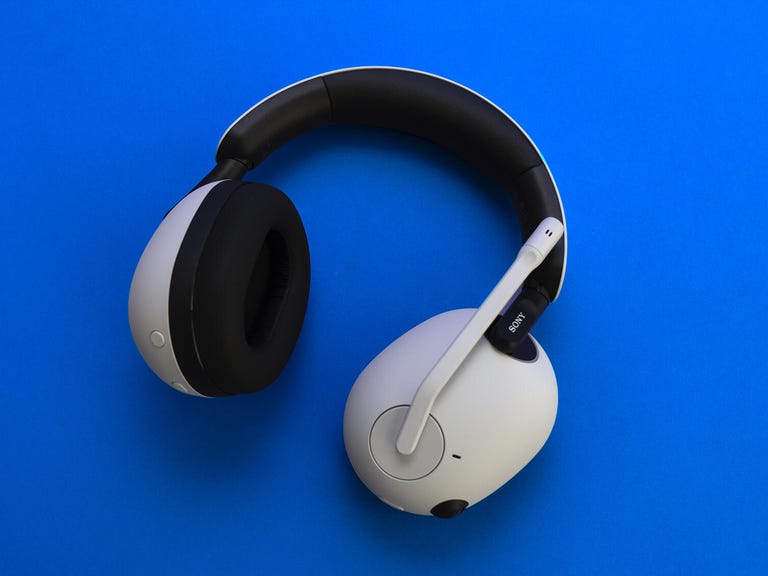
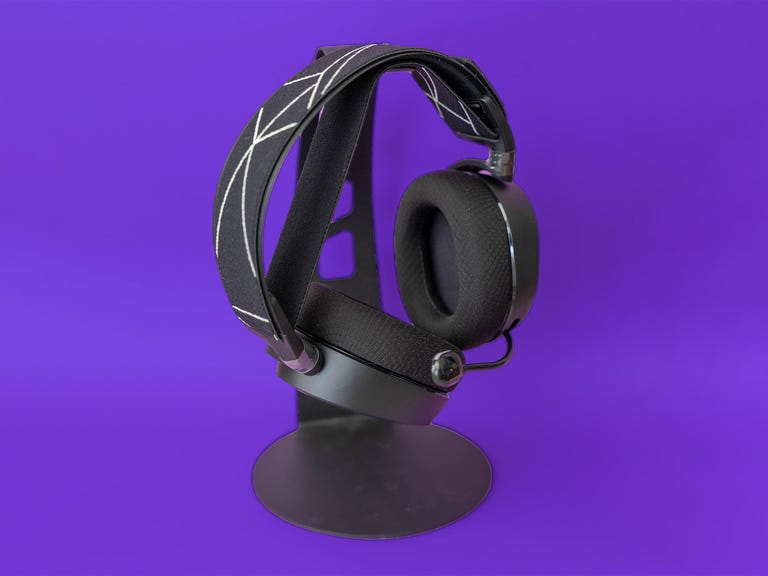
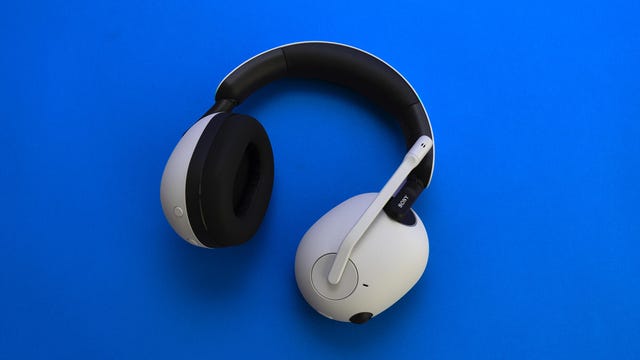
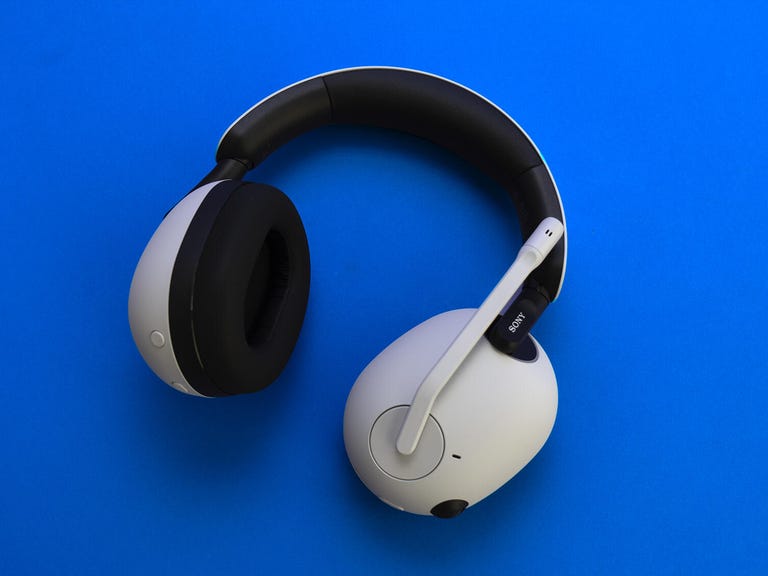
Sony InZone H9

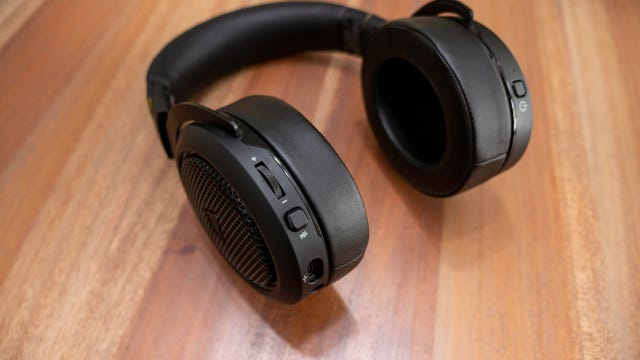
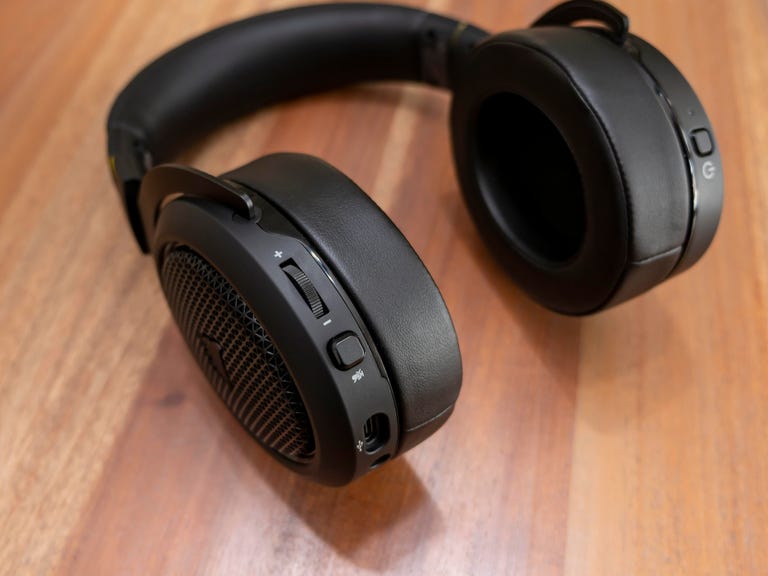
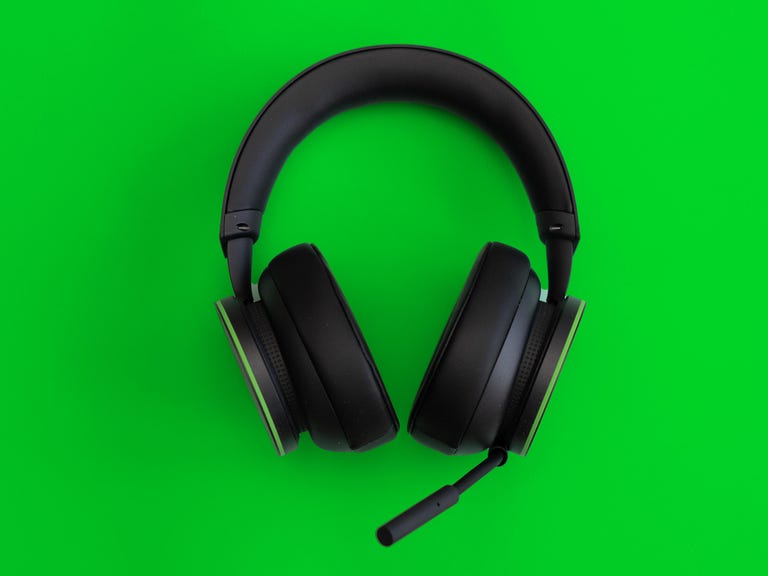
If you feel like spending almost as much on a headset as you did for your console, Sony’s own InZone H9 (the new PC-targeted line from its electronics division rather than the PlayStation folks) delivers great audio quality in an exceptionally comfortable design that matches the materials of the PS5. It has decent, non-fatiguing noise cancellation, a natural-sounding mic, solid battery life and simultaneous Bluetooth and dongle connections on both platforms. Bluetooth behaved a bit wonkily when I tested it, so if it matters to you, check user reviews before you buy to see if other people have encountered it.

Other notable gaming headsets we’ve tested

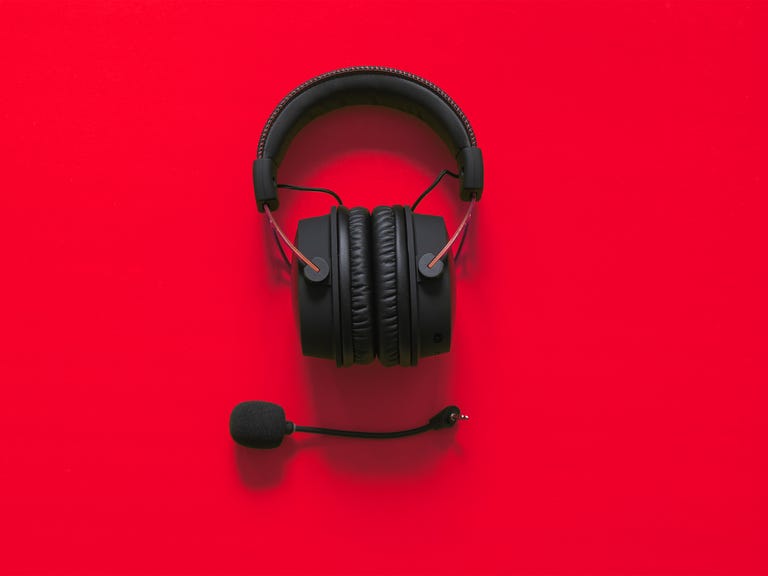
HyperX Cloud II Wireless ($154): This is an excellent 7.1 surround headset that features HyperX’s signature comfortable fit, which I ended up bumping from the list in favor of the Cloud Alpha Wireless because the Alpha’s battery life is a huge distinguishing feature. The Cloud II Wireless does have a better signal range as tested, though, and you can use it wirelessly with a PS4/PS5 and Nintendo Switch as well as a PC. Read our HyperX Cloud 2 Wireless review.

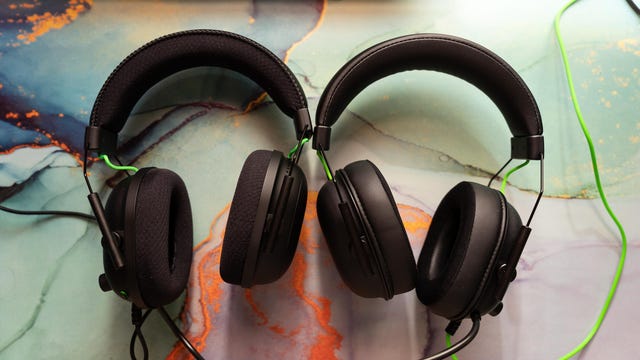
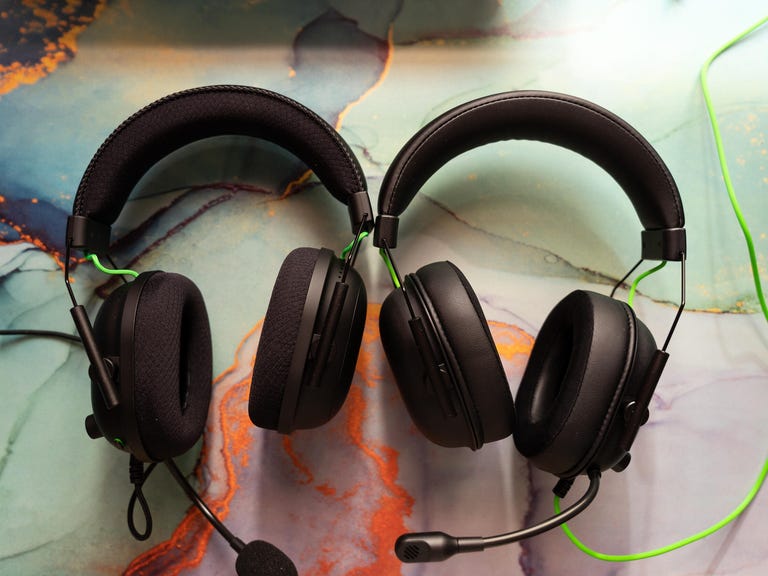
Razer Barracuda X ($80): The performance, audio quality, and design of the Barracuda X make it an excellent choice for cross-platform players. I wouldn’t recommend the headset for cloud gaming, though. Razer refreshed it in 2022, boosting battery life to a rated 50 hours and adding Bluetooth for the same price. I haven’t tested the updated model. Read our Razer Barracuda X review.

SteelSeries Arctis Prime ($43): The budget, cross-platform wireless Arctis Prime performs well, but if you’re sensitive to fit, weight and other design-related considerations, I suggest you give it a heads-on before buying. Read our SteelSeries Arctis Prime review.

Razer Kraken V3 HyperSense ($100): Razer’s updated haptic feedback debuted in this gaming headset — it basically vibrates when the signal contains certain frequencies, in order to provide positional information and a more immersive experience. The new version improves upon its predecessor found in the Razer Nari line by being able to work without specific support within a game and the ability to choose from two intensities. It has the same great sound quality as the other Razer headsets with the TriForce Titanium drivers. But I suspect the haptic feedback is an acquired taste, though. Thus far, I’ve found it more distracting than immersive. And without game support it’s too random; for instance, bass-voiced narration rumbles in a disconcerting way and it kicks in when I have mic monitoring on. Other issues I’ve had include it being a little too tight (especially with glasses), its THX Spatial Surround falling a bit short of other virtual surround technologies I’ve used, and the braided but thick cable tends to kink. I haven’t given up on it, though, and am giving it another shot with its higher-end sibling, the Kraken V3 Pro.

EPOS Audio H3Pro Hybrid ($150): This former top-lister is a somewhat controversial choice overall, but even a lot of people who don’t like the Epos gaming headsets in general tend to agree that they have great stereo audiophile-quality sound. Given Epos’ kinship with audio veteran Sennheiser — and unfortunately, the Sennheiser-level high prices — one expects no less. I really like the H3Pro Hybrid headset, though, for gamers who don’t need surround sound. The biggest problem with it is the barely adequate range the dongle gives it (about 16 feet in my testing) which may be a deal-killer for a lot of people. The software’s kind of lackluster as well. But it’s comfortable, sleeker than your usual gaming headset, has solid ANC and supports simultaneous Bluetooth and 2.4GHz connections.

More recently reviewed models:

  • Our Favorite Thunderbolt 4 Dock Is Now Just $140

    Our Favorite Thunderbolt 4 Dock Is Now Just $140

    Picking a great Thunderbolt or USB-C dock isn’t always easy because there are so many things to consider, including the ports that it offers and, if you’re charging your laptop, how much power it can provide. But price shouldn’t have to be the biggest deciding factor, so being able to save some money on one of our favorite docks is a big bonus.

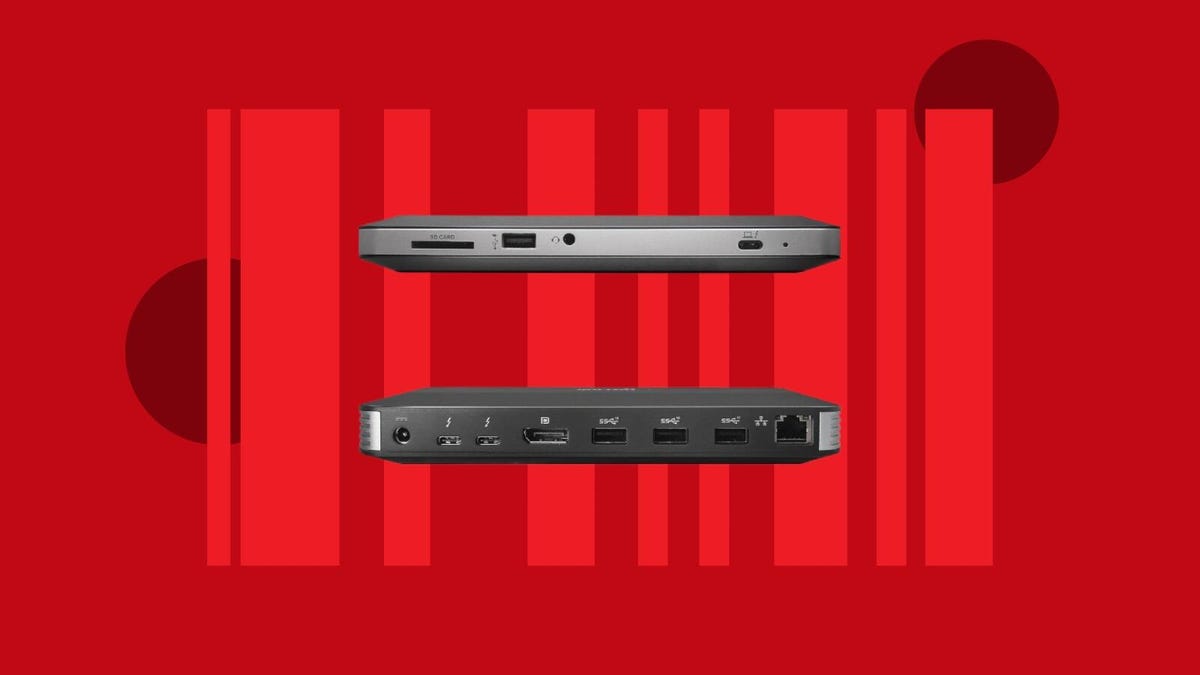
    The Accell Thunderbolt 4 docking station would normally sell for around $180 at Amazon, but right now, the retailer has slashed that price to just $140. You don’t need to enter any codes or clip any coupons, but we don’t know how long this deal is going to last, so be sure to place your order soon if you don’t want to risk paying more later.

    This dock has everything you’re likely to need, including support for dual 4K monitors or a single 8K monitor if that’s how you roll. It’ll even provide up to 96W of power to your laptop, which is enough to charge even the most power-hungry of portables.

    In terms of connections, there are plenty, starting with the upstream Thunderbolt 4 port, USB-A port, and 3.5mm audio jack found on the front. Those ports are joined by an SD card slot, too. Around the back, we have two Thunderbolt 4 ports joined by a DisplayPort 1.4 output and a gigabit Ethernet port. Three USB 3.1 Gen 2 USB-A ports are also present, as is the power connector for the whole thing.

    There’s a lot to like about this hub ,and it’s definitely worth adding it to the top of your list while it’s available at this price. Don’t have a laptop to use with it? No problem, check out our list of the best laptop deals, and you’ll be up and running in no time.

  • Nab a OnePlus Pad at Its Best Ever Price With This Amazon Deal

    Nab a OnePlus Pad at Its Best Ever Price With This Amazon Deal

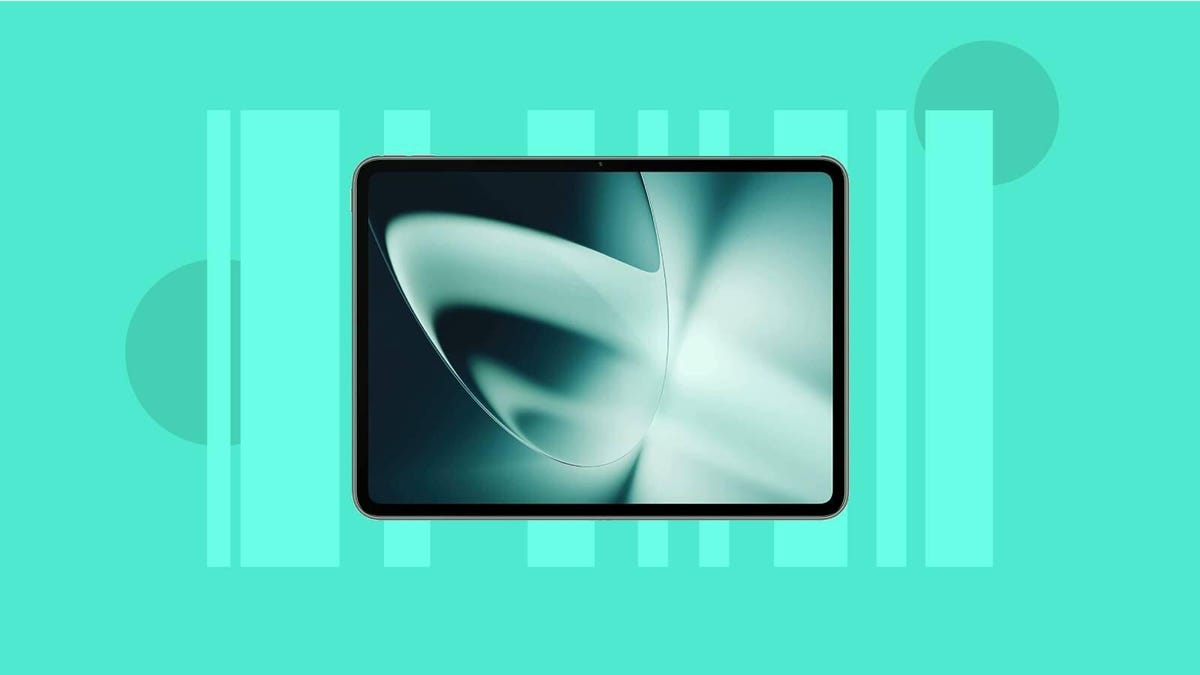
    Top-tier devices from Samsung and Apple dominate the tablet market, especially at the high end, but many of us don’t necessarily need a premium model. For those looking for a more affordable alternative, the OnePlus Pad is a solid option worth picking up. It’s one of our favorite tablets you can get right now, at least for Android fans, so don’t count it out if you’re buying on a budget.

    And right now there’s an excellent deal available at Amazon that discounts the OnePlus Pad down to $400 from $480. We aren’t sure when this deal is going to expire but this price matches the lowest we’ve seen on it to date, so it’s a good idea to pick it up sooner rather than later.

    The OnePlus Pad hit shelves just this spring, and CNET’s Scott Stein called it one of the best Android tablets in its price range, so it’s an even better value when you can pick it up on sale. It has an 11.6-inch LCD display as well as a powerful eight-core Dimensity 9000 CPU for smooth performance and comes equipped with 8GB of RAM and 128GB of storage. It also measures just 6.5mm thick and weighs in at 552 grams (1.22 pounds), making it perfect for taking care of business while you’re on the go.

    You can also pick up some accessories for the OnePlus Pad such as the OnePlus magnetic stylus for $100, the magnetic keyboard for $150 and the folio case for $40. Also, be sure to check out some of these other great tablet deals if the OnePlus Pad doesn’t quite tickle your fancy.

  • Samsung’s Galaxy A55 5G and A35 5G Focus on Security and Design Upgrades

    Samsung’s Galaxy A55 5G and A35 5G Focus on Security and Design Upgrades

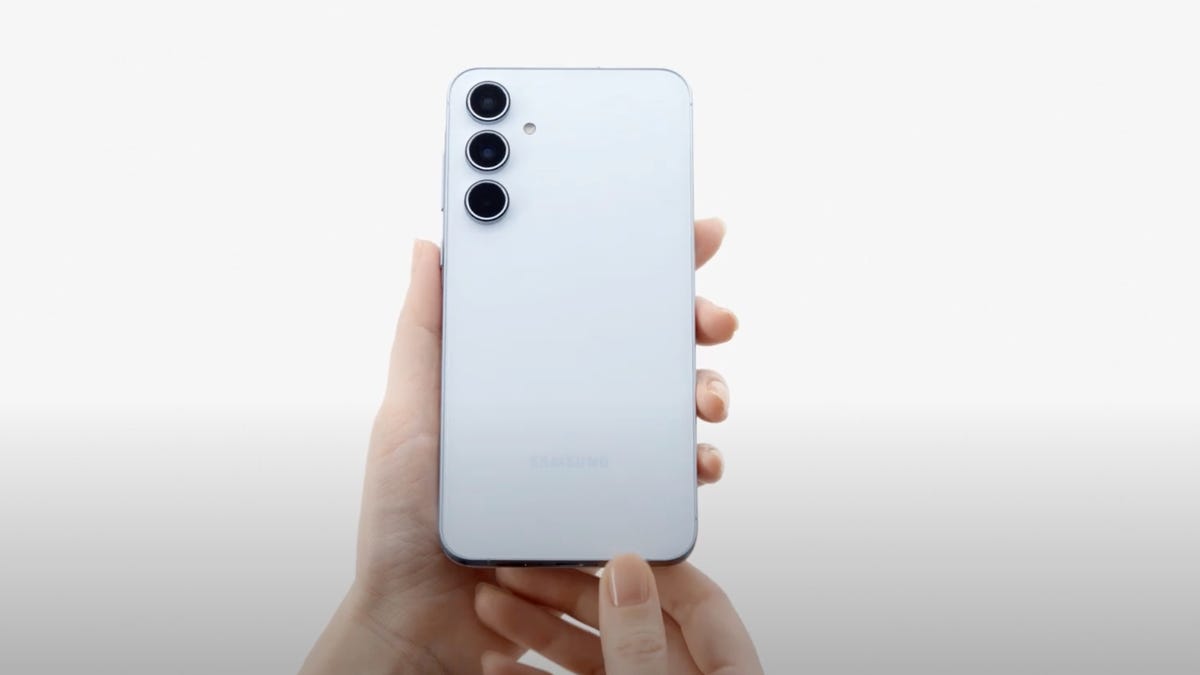
    Samsung has already launched a slew of new products this year, and it’s continuing that streak with two new midrange phones: the Galaxy A55 5G and Galaxy A35 5G. Both phones will include the company’s Knox Vault security system for the first time, and Samsung is flaunting the A55 5G’s ability to take better photos in the dark.

    Like Google’s Pixel A series and Apple’s iPhone SE family, Samsung’s Galaxy A phones are a lower-cost alternative to the company’s premium devices. Samsung’s press release didn’t mention pricing or availability, but we can expect these phones to fall in the same price range as last year’s devices. The Galaxy A54 5G, for example, launched at $450.

    Only the Galaxy A35 5G will be available in the US. Samsung is instead positioning the Galaxy S23 and Galaxy S23 FE as cheaper options for those who want something more powerful than the Galaxy A35 5G, but at a more affordable price than the Galaxy S24.

    “We can confirm that Galaxy A35 5G will be coming to the US market and look forward to sharing more details in the coming weeks,” a representative from Samsung’s US branch said in a statement to CNET, adding that it “will not be carrying the Galaxy A55 5G at this time.”

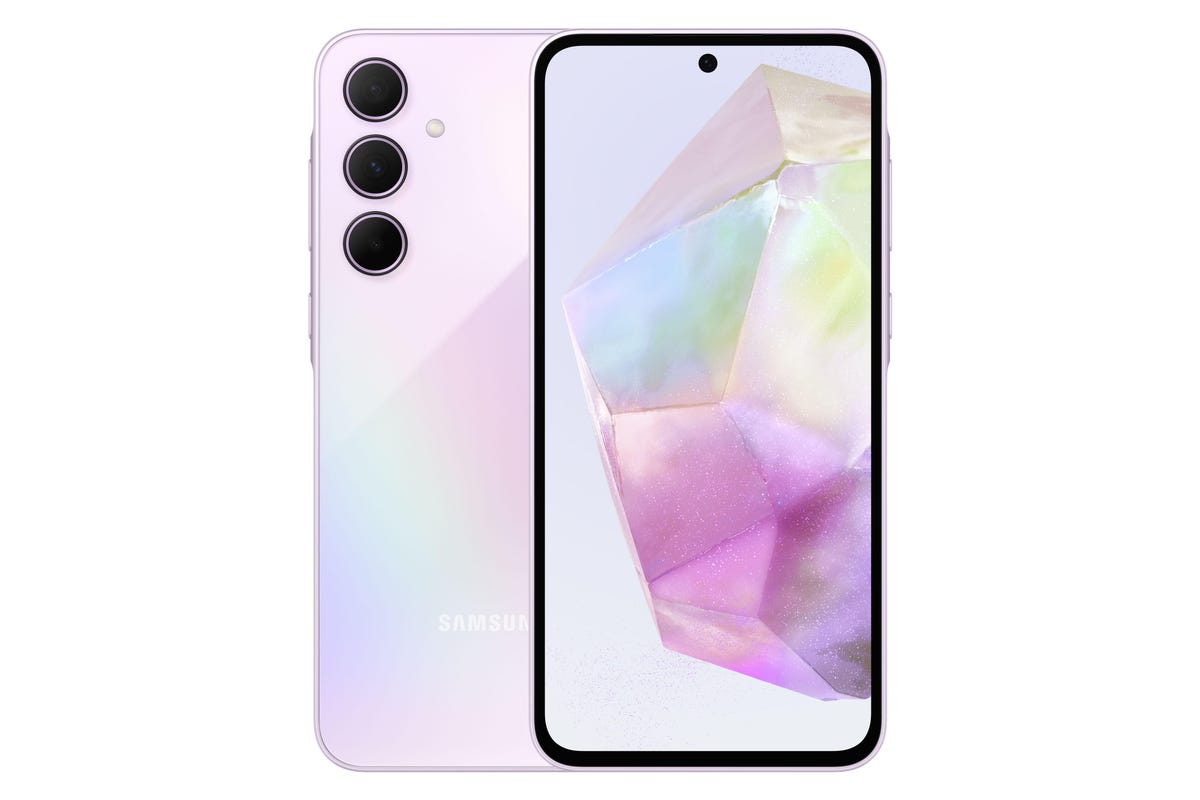
    Samsung Galaxy A35 5G

    The headline feature of both phones seems to be the addition of Samsung Knox Vault, a secure environment that’s physically separated from the phone’s main processor and memory for storing sensitive data like login credentials. While Knox Vault has been available on other devices like those in the Galaxy S product line, it’s the first time Samsung’s made this security feature available on the more affordable Galaxy A family.

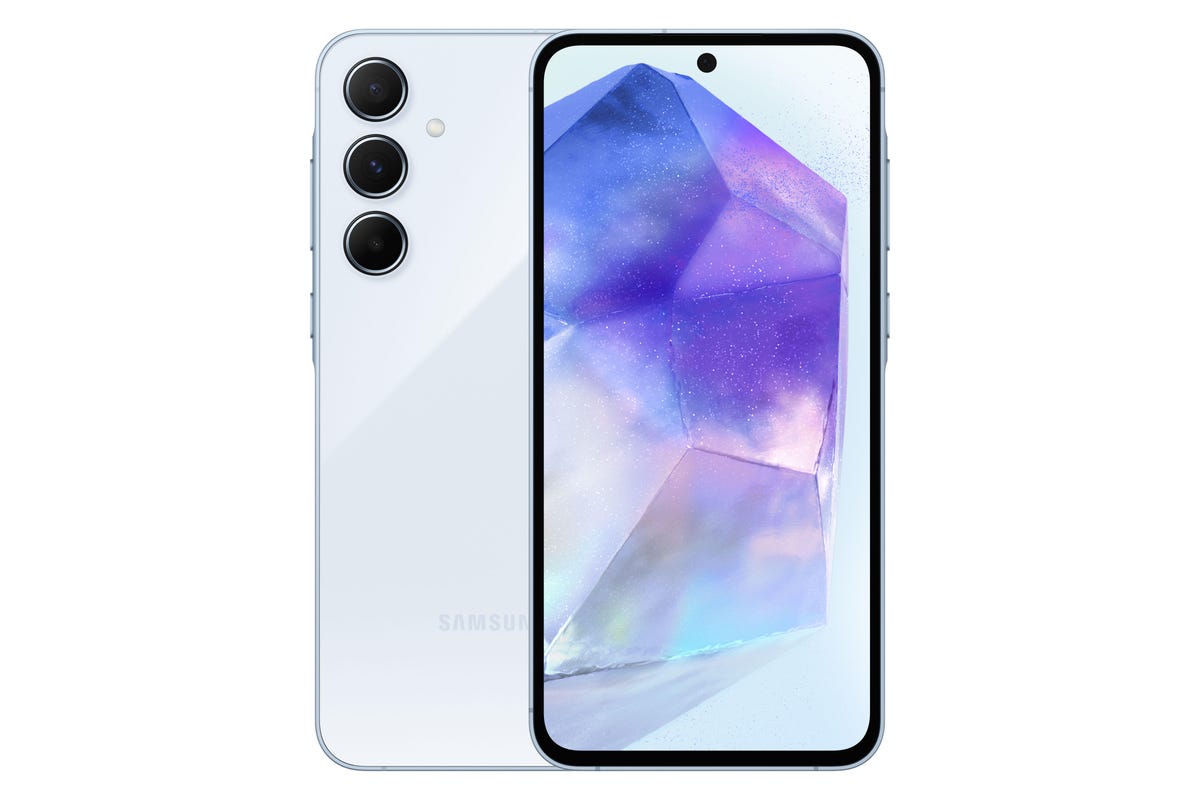
    Both phones have a 6.6-inch screen with a 120Hz refresh rate and a 5,000-mAh battery, but there are some differences when it comes to camera hardware. Samsung says the Galaxy A55 5G should take crisper nighttime photos thanks to the phone’s AI image signal processing, although it’s unclear whether the Galaxy A35 5G will also have this capability. However, Samsung’s Indian product page for the Galaxy A35 5G does suggest it will have an improved neural processing unit and enhanced sensor for low light photos.

    The Galaxy A55 5G has a 50-megapixel main camera, a 12-megapixel ultrawide camera, a 5-megapixel macro camera and a 32-megapixel front camera. The Galaxy A35 5G has similar camera hardware, but a slightly lower-resolution 8-megapixel ultrawide camera and 13-megapixel front camera along with the 50-megapixel main camera and 5-megapixel macro camera.

    Samsung's Galaxy A55 5G

    Samsung’s press release didn’t include many details on the phones’ design, but the company’s Indian and Malaysian product pages suggest they have glass backs made with Corning Gorilla Glass Victus Plus and IP67 water resistance, while the Galaxy A55 5G also has a metal frame. Both phones will run on an octa-core processor, according to those product pages, although the company hasn’t shared more details.

    The websites also suggest both phones will have expandable storage — a notable difference that separates them from the more premium Galaxy S series — and will receive four generations of Android and Samsung’s One UI software updates. That’s not as long as the seven-year pledge Samsung made for the Galaxy S24 series, but it matches the company’s previous software support policy.
    With the Galaxy A55 5G and Galaxy A35 5G, Samsung appears to be focused on upgrading core elements like design and security rather than adding flashy new features. Samsung is seemingly building on its approach with last year’s Galaxy A54 5G, which included a fresh design that felt more premium than its predecessor’s.

  • Revamp Your Space With Grid Studio’s Techie Art for as Low as $99

    Revamp Your Space With Grid Studio’s Techie Art for as Low as $99

    If you’re a tech lover looking for something unique to add a little ambiance to your office, game room or den, Grid Studio’s frames are a great choice. These deconstructed gadgets make great art pieces, and right now, you can snag one at a great price. Grid is currently offering up to $300 off select frames, and you can save another 15% when you use the promo code SP15 at checkout now through March 31.
    One of the best offers you’ll find at this sale is over $300 off the Grid 1. It’s a 13-inch frame that features the components of the first-gen iPhone — making it the perfect piece for Apple fans. And you can snag it for just $339 after the promo code is applied.

    Or if you’re looking to give the gamer in your life a dose of nostalgia, you can snag them this Grid Game Boy Color, which features the clear atomic purple color variant of this iconic handheld console. It’s automatically $50 off, and you can save an extra $30 off using the promo code, which drops the price down to $169.

    And for the lowest prices on framed pieces in this sale, you can snag the Grid 4S or preorder the Grid NES controller for just $99 right now. That’s a $70 discount on each. Just note that these two pieces are not included with the promo code offer and the Nintendo controller won’t ship until the holidays, so keep that in mind as you shop.

    You can also find a ton of other product teardowns, including many from Nokia, Google, Sony and BlackBerry, as well as other Apple products such as the Apple Watch, iPod Classic and iPad Mini. Just be sure to use the coupon code SP15 at checkout for maximum savings. Keep in mind that there are limited quantities of each device available, and certain items have already started to sell out, so if you have a specific product or collection in mind, you may want to consider checking out sooner rather than later so that you get exactly what you want.

  • AirPods Not Sounding Great? This Might Fix Your iPhone Audio Issues

    AirPods Not Sounding Great? This Might Fix Your iPhone Audio Issues

    The great thing about wireless headphones is that there isn’t much setup required to start listening to music from your phone. If you’ve got AirPods and an iPhone, you can quickly pair the two and you’re pretty much good to go.

    Not everyone will enjoy the same listening experience though.

    Don’t miss: Best Apple AirPods for 2024

    If you find it increasingly difficult to understand others when you’re on a phone call or music just doesn’t right to you, you may have to adjust your settings to make the audio better for you. Your iPhone has EQs, which can boost vocals or reduce treble. Your AirPods also have settings, like spatial audio and transparency mode, to help with tailoring audio to your liking.

    However, if those don’t fix the issues you’re having, your iPhone has a hidden feature that makes it really easy customize your headphone audio levels. All you need to do is take a test and listen to a few audio samples and you can get better audio tailored specifically to you. Here’s what you need to know.

    For more, check out these 17 hidden iOS 17 features and settings on your iPhone and how to use your iPhone’s hidden trackpad feature.

    Which headphones support Headphone Accommodations on iOS?

    The setting to easily customize your audio, known as the Headphone Accommodations setting, is available only on supported headphones, like the most recent AirPods, EarPods and Beats. As long as you have iOS 14 and later (or iPadOS 14+), you can use Headphone Accommodations with the following:

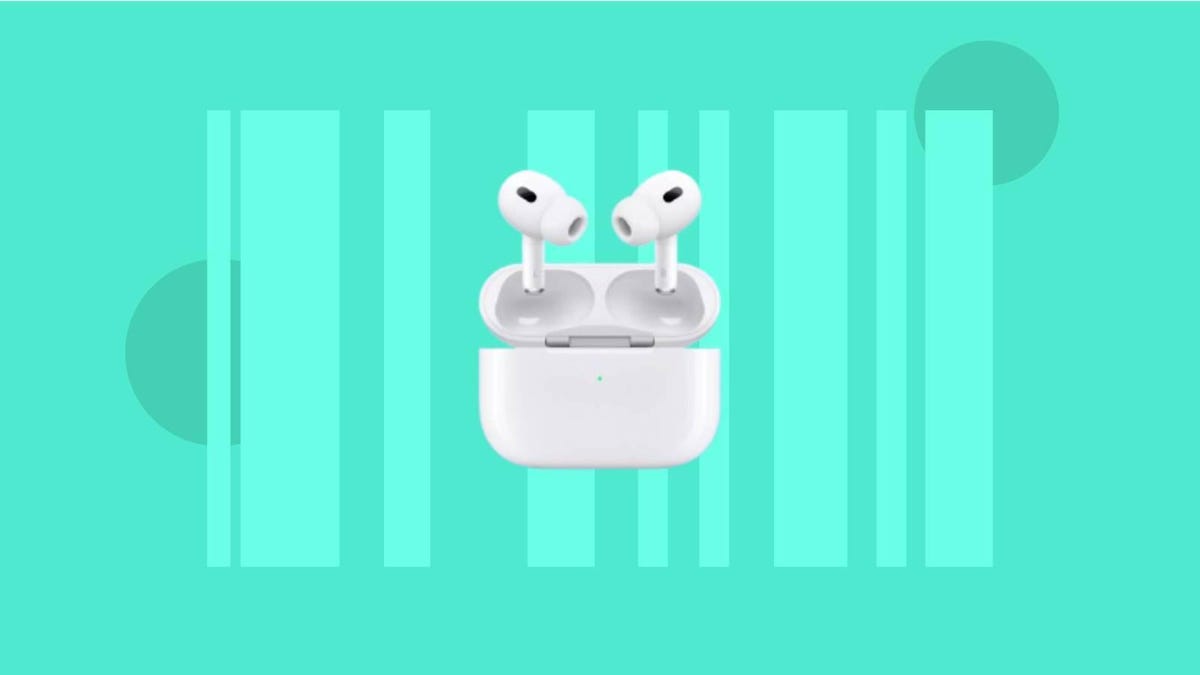
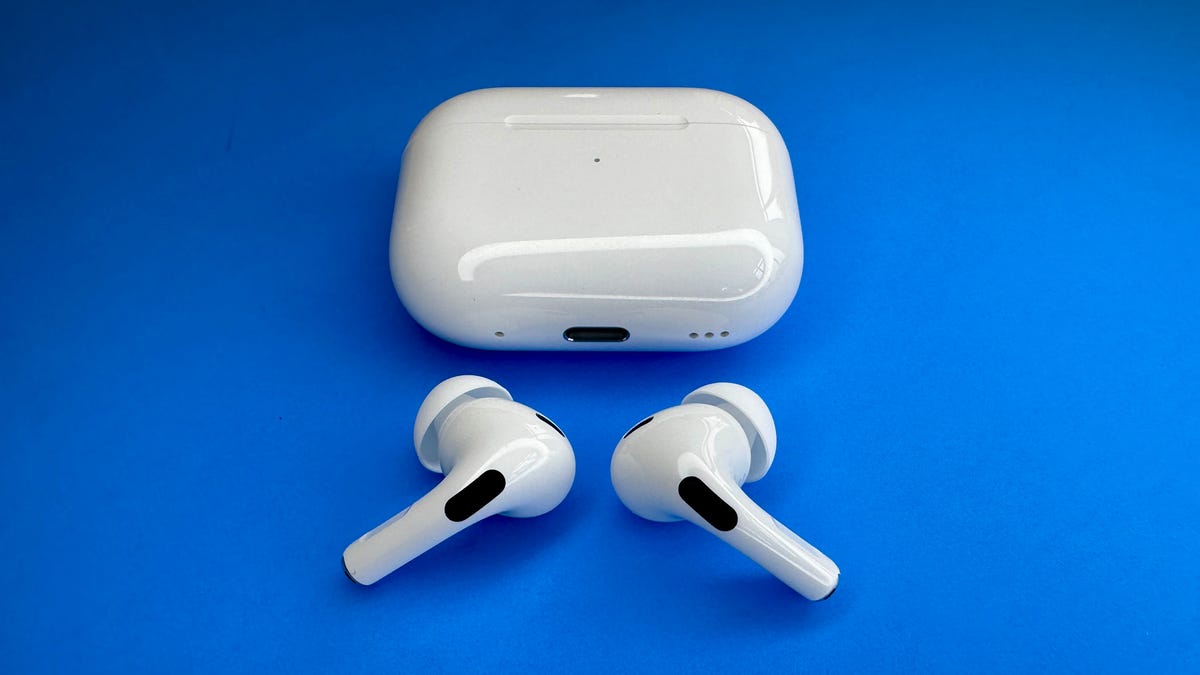
    The AirPods Pro 2 now feature a USB-C port

    Before you continue…

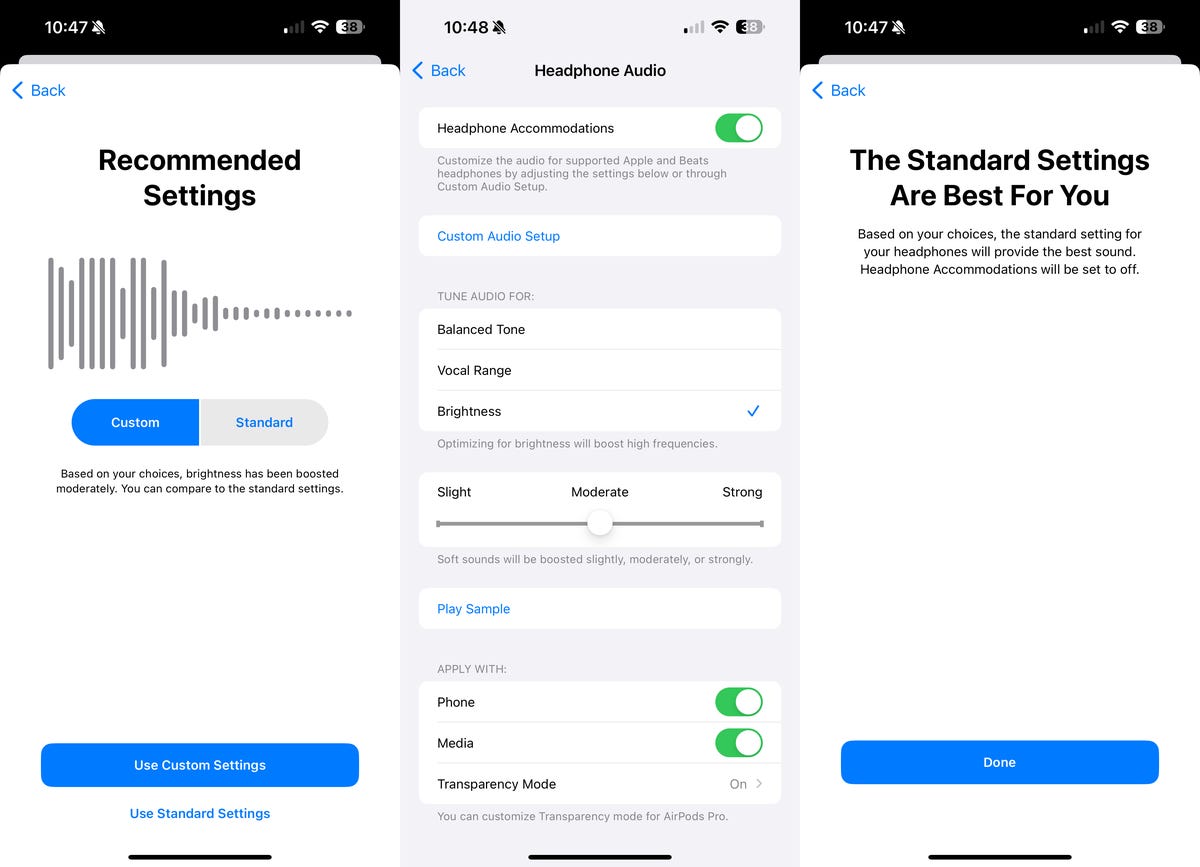
    Under Headphone Accommodations, you have the option to manually configure audio settings, but the way we’re going to do this is through Custom Audio Setup, which runs a series of listening tests and provides you with suggested settings to configure based on choices you make after listening to a few audio samples.

    But before you run the test, you must do a few things:

    • Update to the latest version of iOS, especially if you don’t see Headphone Accommodations in your settings. Go to Settings > General > Software Update to update to the latest iOS (currently iOS 17.4).
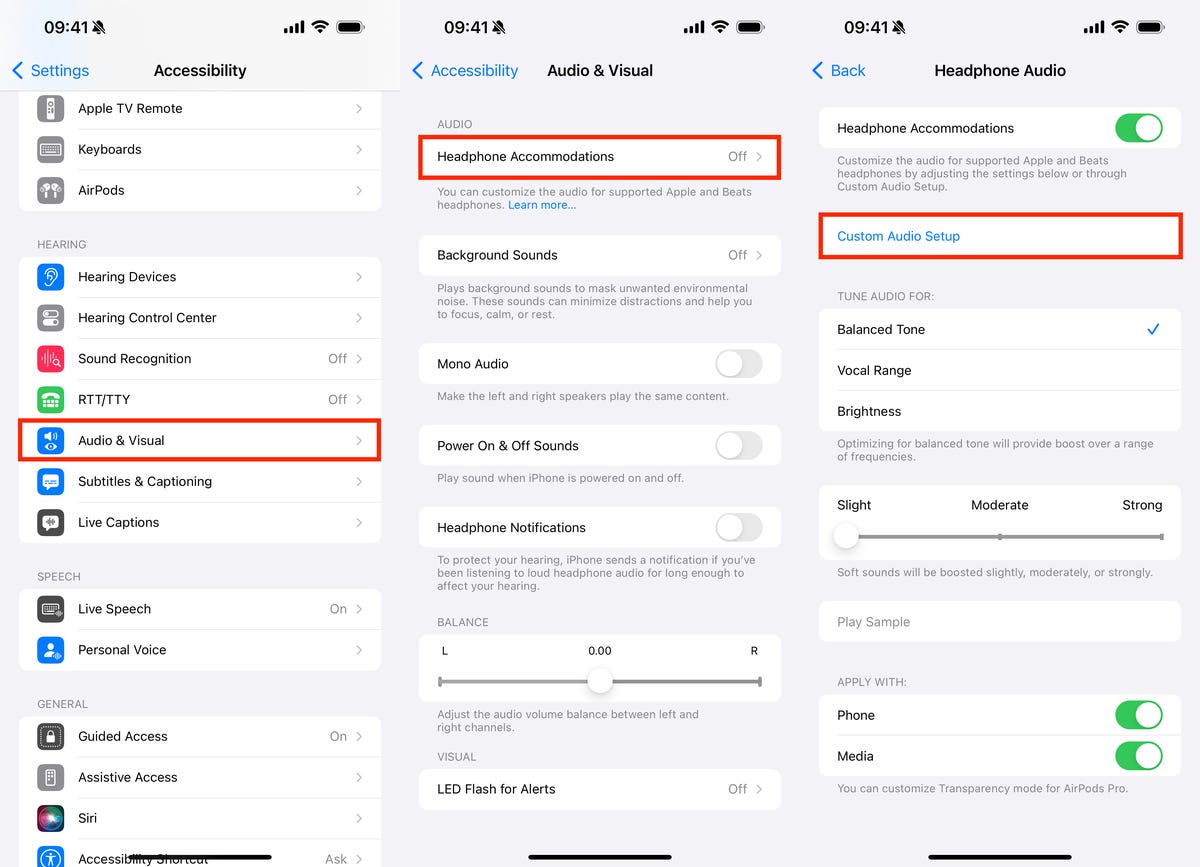
    • Turn on Headphone Accommodations. Go to Settings > Accessibility > Audio & Visual > Headphone Accommodations and toggle the feature on.
    • Choose how you want Headphone Accommodations to work. At the bottom of the setting’s page, you can toggle on your recommended audio settings for phone (phone calls, FaceTime and third-party video calls) and/or media (music, movies, podcasts, audiobooks, Siri and voicemails).
    • Next, disable any EQ you might have. Go to Settings > Music > EQ and select Off.
    • Pair and connect your compatible headphones to your iPhone. The two devices must be connected for Custom Audio Setup to work.
    • Finally, find a quiet environment before taking the test.

    Run Custom Audio Setup to your customized audio settings results

    Now that your AirPods or other supported headphones are connected to your iPhone, go to Settings > Accessibility > Audio & Visual > Headphone Accommodations and hit Custom Audio Setup.

    Custom Audio Setup settings on iOS

    First, you’ll see a see a brief summary as to what Headphone Accommodations can do for you. You can also upload an audiogram, which shows you how loud sounds need to be for you to hear them, but if you don’t have one, you can just skip that section.

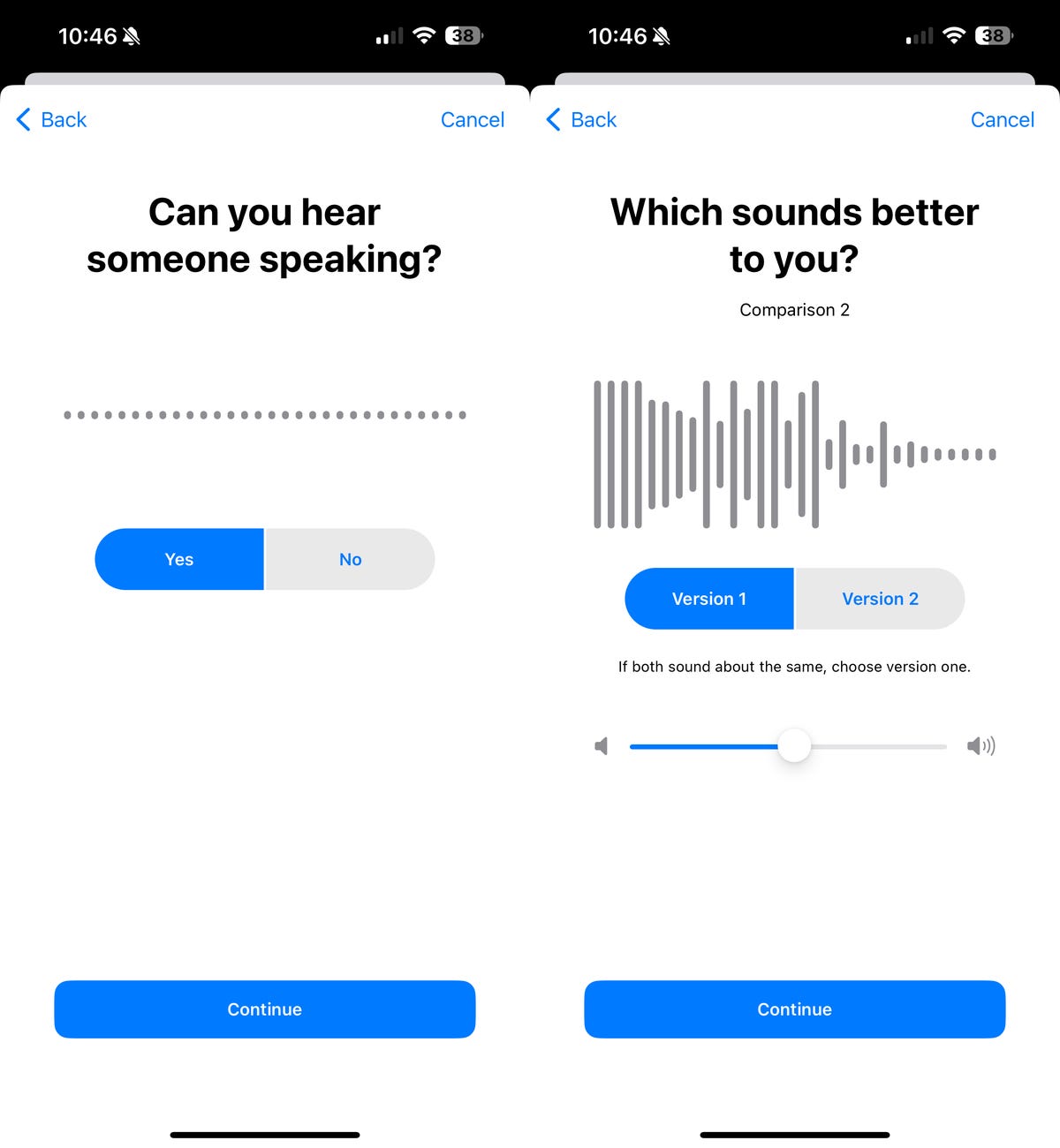
    The test will start with an audio sample of someone speaking very softly. If you can hear it, hit Yes. If you can’t, tap No. The next few audio samples will be of the same music, in different tunings, with soft sounds being boosted. You’ll have two versions to choose from each time. If they sound the same, choose the first version. You may also be asked to customize transparency mode so that you can better hear what’s around you when the feature is enabled.

    Custom Audio Setup test for iOS

    At the end of the test, the audio settings recommended for you will automatically selected. You may see optimizations for boosting middle frequencies to improve vocal range or boosting of high frequencies for optimizing brightness in the audio you heard. You may also see the boosting of soft sounds, either slightly, moderately or strong.

    Custom Audio Setup settings on iOS

    For more, check out Apple Music’s monthly version of Replay Recaps.