Latest News

  • How to Use Your iPhone 14’s Emergency SOS via Satellite to Contact 911

    How to Use Your iPhone 14’s Emergency SOS via Satellite to Contact 911

    Some of the most significant upgrades in the iPhone 14 are inconspicuous tools and services that could come in handy when in more remote regions without cellular service. Emergency SOS via Satellite, which Apple announced in September, is one such feature — and I had the chance to try it out.

    CNET Tech Tips logo

    Beyond the clouds and sky, hundreds of miles above the Earth, flying by at 16,000 mph, are communications satellites. They’re too high to be seen by the human eye, but could be vital for getting you help when you (or someone you love) is stranded, injured and out of cell service range. The iPhone 14 can connect to these satellites to contact an emergency dispatcher even when you can’t make a phone call. You can also share your location with loved ones via a satellite without sending a message.

    Like Car Crash Detection, Emergency SOS via Satellite is something you hope you won’t ever have to make use of. If you want to try the service out for yourself, Apple added in a built-in demo mode that lets you connect to a satellite without calling 911.

    How to use Emergency SOS via Satellite on the iPhone 14

    The first thing you need to know about Emergency SOS via Satellite is that you don’t need to know anything. The service is designed to work on its own, and the interface will walk you through the process step by step.

    The second thing you should know is that using Emergency SOS is equivalent to calling 911. In fact, that’s actually how you use it. Dial 911, and if your phone can’t connect, an option to text emergency services via satellite appears. To get started, tap the Emergency Text via Satellite button. (You can also go to Messages to text 911 or SOS, and then tap Emergency Services.)

    When I tried the feature out, there was a satellite icon on the top right corner of the phone, where my cell signal normally is.

    Next, tap Report Emergency. Since a back and forth conversation isn’t possible over a satellite connection like a regular phone, Apple worked with emergency dispatchers to create a form that gathers the essential information they need in order to respond. Those details are compressed into a message that’s a third the size of a regular text so that it can be sent to a satellite in low Earth orbit.

    Using taps, you answer the emergency questions based on your situation. The types of emergencies you can choose are:

    • Car or Vehicle Issue
    • Sickness or Injury
    • Crime
    • Lost or Trapped
    • Fire

    Depending on your emergency, you’ll get different follow-up prompts and questions. You can also notify your emergency contacts.

    An iPhone 14 showing a text conversation with emergency dispatchers

    Next, onscreen directions will help you connect to a satellite. The interface is simple and guides you through finding a satellite and staying connected. As the satellite moved, I was prompted to shift left or right to maintain the connection. And despite a cloudy, rainy day, the connectivity worked within 20 to 30 seconds. But it could take a minute or more to connect, especially if there is light foliage.

    Once you’re connected, your iPhone starts a text conversation with emergency responders and shares the emergency questionnaire answers, your location (including elevation), critical information like your medical ID and emergency contact information (if you have set them up) and the remaining battery life for your iPhone.

    You might be asked questions through additional messages, like where you’re located or whether you have medication.

    At the top of the screen, a window shows your connection to the satellite and the status of your messages. Emergency dispatchers receive your messages and respond via text. If your local emergency services don’t support text messages, Apple has set up relay centers with operators who work as an intermediary between you and emergency dispatch.

    Which iPhone models support Emergency SOS via Satellite?

    The service will be available now on:

    • iPhone 14
    • iPhone 14 Plus
    • iPhone 14 Pro
    • iPhone 14 Pro Max
    A man holding an iPhone 14 Pro outdoors on a remote hillside

    Can I try out Emergency SOS via Satellite?

    Yes, kind of. Apple created a demo mode that lets your iPhone connect to a satellite without calling or contacting 911. The experience is nearly identical to what I did, except you are not contacting emergency services.

    To start the demo, go outside and open Settings. Then, tap Emergency SOS and scroll to the bottom to try the demo.

    The Emergency SOS via Satellite demo turns off your cellular connection and gives you a preview of the emergency questionnaire. But again, it’s not actually contacting emergency services.

    An iPhone 14 showing the demo mode option

    Next, the demo walks you through finding a satellite. It’s a good way to familiarize yourself with the feature should you ever need it. (Plus, connecting your iPhone to a satellite is just cool.)

    How do I share my location using a satellite?

    Another way to use satellite connectivity on your iPhone is sharing your location to let friends and family know where you are without messaging them.

    In the Find My app, tap the Me tab. When you expand the tab, you’ll see a new section called My Location via Satellite. Tap Send My Location. You’ll be prompted to find and connect to a satellite. In the time I spent trying Emergency SOS via satellite at Apple Park, this particular step took minutes to send my location.

    An iPhone 14 showing the Share Location option in the Find My app

    Where can I use Emergency SOS via Satellite?

    Currently it’s available in the US (including Puerto Rico and the US Virgin Islands) and Canada. The service will expand to France, Germany, Ireland and the UK next month. But you don’t need to live in these places to use this feature. Emergency SOS service is also available for people visiting the US and Canada, unless they bought their iPhone 14 in China, Hong Kong or Macao.

    Can I use Emergency SOS via Satellite indoors?

    No. You need to be outside and have a direct line of sight between your iPhone and the satellite. The service doesn’t work indoors, and tall buildings, mountains, dense foliage and other objects can block satellite connectivity. The Emergency SOS interface guides you to help you find and connect to a satellite.

    How much does Emergency SOS via Satellite cost?

    The service is free for two years. Beyond that, Apple hasn’t shared how much it will cost or if there will actually ever be a charge to access the feature.

    Does the iPhone 14 have satellite connectivity?

    Yes. All iPhone 14 models support Emergency SOS via Satellite.

    A Globalstar employee on a ladder working on a ground base unit

    What satellites are used for Emergency SOS via Satellite?

    Apple worked in partnership with satellite telecommunications company Globalstar, which is headquartered in Covington, Louisiana, with facilities across the US. The feature uses Globalstar’s network of low-orbit satellites.

    Apple made a $450 million investment to provide critical enhancements to Globalstar’s satellite network and ground stations. At Globalstar, more than 300 employees support the new service.

    Can an iPhone be used as a satellite phone?

    Yes and no. The iPhone 14 series can connect to satellites to send a text message to emergency services when a call can’t be placed. You can also share your location via satellite in the Find My app. However, you can’t use any iPhone to make calls like a dedicated satellite phone.

    Can the iPhone 13 be used as a satellite phone?

    No, only the iPhone 14 series supports satellite connectivity for emergencies.

    Which iPhone is a satellite phone?

    None are technically satellite phones, but the iPhone 14 series does support contacting emergency services via satellites through text messages as a last resort.

    For more, here’s your complete guide to the iPhone 14 and everything to know about iOS 16.

    iPhone 14 Pro, Pro Max Get the Biggest Changes to Apple’s Phone Lineup

    See all photos

  • Best Soundbars for 2023

    Best Soundbars for 2023

    No matter the cost of your TV, it’s worth investing in a separate, dedicated speaker for your screen. This is because even the best TVs may be able to offer excellent image quality, but sound quality will always have to play second fiddle. Soundbars are a much more affordable alternative to home theater speakers and AV receivers, while still providing powerful and immersive audio, and they’ll take up a lot less room in your living room as well. To help you find the best one for your needs, here are the best soundbars based on my listening tests.

    What is the best soundbar?

    015-roku-streambar-2020

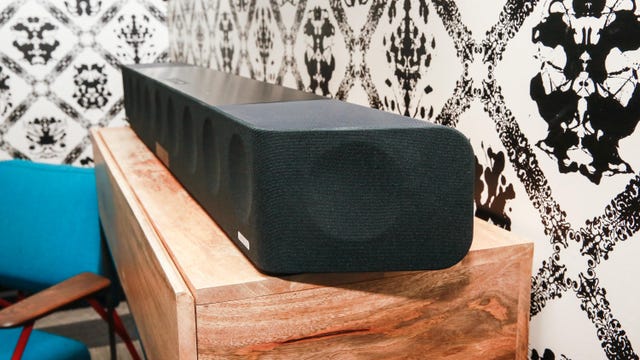
    If you’re looking to spend the least amount of money to get good sound, then the best soundbar to buy is the Roku Streambar. It offers both streaming and movie sound and is an unbeatable value. If you’re looking for a step-up from that, then a soundbar with a wireless subwoofer, such as the Klipsch Cinema 400, will help you get the most out of action films and music. Taking this one step further, the Vizio M512a-H6 with Dolby Atmos support is an excellent buy and the best option for spatial audio on a budget. Lastly, if you want the best that money can buy, then the Sennheiser Ambeo will give you the best sound I’ve ever heard in a soundbar.

    If you’re on the hunt for the best soundbar 2023 has to offer, I’ve rounded up some excellent speakers starting from $100. This list is updated periodically as I test new models.

    The 10 best soundbars of 2023

    Other soundbars I’ve tested

    • JBL Bar 500 ($600): Alongside Klipsch, JBL has long had a reputation for being a rock ‘n’ roll brand with a big sound and even bigger cabinets. During my tests, the JBL Bar 500 fulfilled both parts of the brief by pairing excellent sound with one of the largest subwoofers I’ve ever seen with a soundbar. Yet, while it includes both HDMI and networked music streaming, the JBL is missing Dolby Atmos — which is disappointing for the price. You can save yourself a lot of money by getting the even-bigger sounding Klipsch Cinema 400 instead.
    • Polk Signa S3 ($299): If you’re looking for a speaker that can do music as well as play the latest episode of The Last of Us, then the Polk Audio Signa S3 has a lot to offer. It’s great for streaming, as it has Chromecast built in in addition to Bluetooth and an HDMI input. Read my Polk Signa S3 review.

    • Sony HT-S2000 ($498): Better in some ways than the competition and worse in others, the Sony HT-S2000 boasts better bass response than the Sonos Beam. But for $500 it misses a lot of the features of its single-bar competition, namely Dolby Atmos compatibility and Wi-Fi streaming.
    • Zvox SB500 soundbar
    • Zvox SB500 ($430): If you’re looking for a single audio bar that’s even cheaper than the Sonos Arc, the Zvox SB500 is a great option for people who still prize sound quality. This speaker offers multiple sound mode options, tighter bass and better sound than most other single-speaker options. While it may lack the Sonos’ Wi-Fi streaming, the Zvox still includes Bluetooth connectivity for streaming audio from your phone or tablet. Read the Zvox SB500 review.

    How CNET chooses which soundbars to test

    When choosing which soundbars to evaluate, CNET uses the following criteria as part of its selection process:

    • Price: The most important consideration when choosing a soundbar is how much it costs, and I have found there are great soundbars at every price level, starting at $100 and up. I give a lot of thought to the features a soundbar has in comparison to others that cost the same. I do have one rule of thumb, though: Once the price of a soundbar exceeds $500, you may find it more worthwhile to save for an AV receiver and speakers.
    • Wireless streaming: Whether it’s connecting a phone over Bluetooth or more advanced streaming technologies such as Spotify Connect or Apple AirPlay, the more choices for streaming technologies a soundbar has, the better.
    • Dolby Atmos: Dolby Atmos is one of the most popular features in soundbars over $400, and so I look at features that help maximize spatial sound quality. For example, does the soundbar offer dedicated height speakers, or is it simulated Atmos?
    • HDMI connections: At the bare minimum, a soundbar sold in 2023 should have at least one HDMI input, and preferably more. The ability to offer multiple HDMI ports will help users with a large selection of sources (Xbox Series X, Apple TV, Nintendo Switch, Blu-ray player, etc.). However, there are notable exceptions to this rule. For example, the Sonos Ray only offers an optical output, but this is acceptable given that it’s most suitable for older or smaller TVs.
    • Subwoofer and surround speakers Single-bar systems are great for smaller TVs, while a soundbar-and-subwoofer combo is better suited for a living room. For that reason, I take note of the size of the system and whether it offers wireless or wired peripherals. Most soundbars with subs are wireless, for instance, while systems with surrounds can be wired, as in the case of the Vizio Elevate.

    Read more in the soundbar buying guide.

    How CNET tests soundbars

    CNET follows a rigorous, unbiased evaluation process for all of its soundbar testing, from simple stereo speakers to Dolby Atmos systems. In the CNET AV Lab I do comparative testing, pitting similar soundbars against each other side by side.

    I evaluate the performance of each soundbar with a number of different types of content, including movies, music, TV shows and games. I use a number of test scenes — including the opening of Mad Max:Fury Road for playback of the spatial audio standard Dolby Atmos for soundbars which support it. I also use the Thanator Attack scene of Avatar (26.53) to test a system’s dynamics and detail retrieval.

    When it comes to music, I use a number of CNET test tracks which you can find here in a Tidal or Spotify playlist. Tracks such as Nick Cave and the Bad Seeds’ Red Right Hand, with its deep bass and tenor vocals, help determine a system’s ability to track male voices in particular, without sounding congested. The song also helps with uncovering hidden details and the relative dynamics a speaker is capable of. Using both types of content — movies and music — I then grade the sound quality of each soundbar. I evaluate characteristics such as speech clarity, dynamics/volume, bass response and musical playback.

    CNET’s dedicated audio lab in downtown New York includes a selection of 2022 and 2023 televisions (with HDMI eARC), plus Apple TV 4K streamer and Roku Ultra streamers, a Microsoft Xbox Series X and an Oppo UDP-205 4K Blu-ray player. I also use Roon music software to stream to individual devices or the Oppo player as needed.

    Soundbar FAQs

    More home theater buying guides

  • Get as Many Cats to Sleep as You Can in This Apple Arcade Game

    Get as Many Cats to Sleep as You Can in This Apple Arcade Game

    On Thursday, Apple Arcade added Nekograms Plus to its library of games, and this puzzle game is purr-fect for cat lovers. If you subscribe to Apple Arcade ($5, 5 or AU$8 a month), you can play this game at no additional charge, and without ads or in-app purchases — hence this version being called “Nekograms Plus” on the App Store.

    This game was developed by Hungry Sky, a studio that has developed various augmented reality apps, touchscreen apps and other digital experiences. The studio developed Nekograms, its first self-published title, in 2021.

    The goal of this game is simple: Get all the felines on screen to take a nap. You have to slide the cats and pillows around obstacles and each other in as few moves as possible until everyone has a pillow to rest on.

    Finding a comfy spot for everyone can at times feel like, well, herding cats. Cats can only move horizontally, while pillows can only move vertically. Some cats are long boys and block your path or take up multiple pillows. But the most difficult part might be waking up an unsuspecting cat and hearing their little yelp of surprise that makes you want to move them back and apologize for the disturbance.

    You can play this game, and many others, in Apple Arcade for $5 a month, or $60 annually. You can also try Apple Arcade for free for one month with your first sign-up, or you can get a three-month free trial whenever you buy a new Apple device. To access Apple Arcade, open the App Store on your iOS device and tap the joystick in the menu bar.

  • NFL Ups Price of NFL Plus, Adds RedZone Channel to Premium Plan

    NFL Ups Price of NFL Plus, Adds RedZone Channel to Premium Plan

    NFL Plus, the NFL’s streaming service that was first introduced last year, is getting a price hike and a slight revamp for the upcoming season. On Thursday the league announced that it will be raising the price of a standard subscription from $5 per month to $7 monthly, while still allowing subscribers to watch live local and primetime regular season playoff games on a phone or tablet.

    This includes the games that air on your local CBS, Fox and NBC stations as well as those on ESPN (Monday Night Football), Amazon’s Prime Video (Thursday Night Football) and the NFL Network.

    Streams of live games remain limited to viewing on your phone or tablet, though you can watch NFL Films’ archives and in-season game replays on TVs and computers.

    Fans of NFL RedZone, the popular Scott Hanson-hosted channel that bounces around Sunday’s afternoon games, will be able to get the service as part of a $15 per month NFL Plus Premium plan. Both the base and premium versions of NFL Plus will also include live feeds of the NFL Network.

    The NFL RedZone feed, as well as NFL Network broadcasts (including the eight exclusive NFL Network games this season), will be viewable across TVs, game consoles and computers as well as on phones and tablets.

    In addition to the monthly pricing, a yearly subscription to the base NFL Plus plan will run $50 (up from $40 last year) with an annual subscription to Premium costing $100 (up from $80 last season). For an undisclosed “limited time” the league says it will offer a 20% discount on the annual subscription pricing for both the base and premium versions of NFL Plus.

  • Best Buy Deal Knocks Over $500 Off This 55-inch Hisense 4K TV

    Best Buy Deal Knocks Over $500 Off This 55-inch Hisense 4K TV

    You don’t have to break the bank to get a stunning screen for your living room or bedroom these days. This 55-inch Hisense U8 Series smart TV is a slight step down from the U8H that made our list of the overall best TVs for 2023, but it still has a ton to offer. And right now you can snag it on sale for just $750 at Best Buy, which saves you a whopping $550 compared to the usual price. But without a set expiration, there’s no guaranteeing how long this deal will last. We’d recommend getting your order in sooner rather than later if you don’t want to miss out on these savings.

    At over $500 off, this Hisense TV is a pretty competitive model at this price. It features a stunning 4K display and is equipped with mini-LED backlighting for a bright, vibrant screen. It also supports Dolby Vision HDR for sharp, precise contrast and Dolby Atmos audio which provides immersive and room-filling sound. It’s powered by Google’s TV OS and is compatible with Google Assistant and Amazon Alexa for hands-free control, and has built-in Bluetooth connectivity so it’s easy to pair with soundbars, speakers or headphones. It’s also a great pick for serious movie buffs or gamers thanks to its dedicated filmmaker and gaming presets. Plus, it has a sleek, bezel-less design that allows it to blend in with your home’s decor.

    And if you’re in the market for a different size or model, you can check out our full roundup of all the best TV deals for even more bargains.

  • Chrome Will Now Have Weekly Security Updates For You

    Chrome Will Now Have Weekly Security Updates For You

    If you’re one of the billions of people using Google’s Chrome browser, get ready for more frequent security fixes.

    Google will start releasing weekly security updates for its Chrome browser, the company said in a blog post Tuesday. Previously, the company released security fixes as part of updates that went out every two week. The more frequent patches will start with Chrome 116, which began rolling out this week.

    The tech giant said it’s speeding up the releases to address bad actors who can take advantage of exploits found by others using beta versions of the browsers. Google said a weekly update cadence will allow the company to “ship security fixes 3.5 days sooner on average,” and greatly reduce the window for attackers to develop and deploy some types of exploits.

    The weekly updates will come in between larger milestone updates, which will continue to be released every four weeks.

    To keep Chrome users informed about updates, Google will make use of browser notifications on desktop and mobile when a new update is available. There’s also an option for you to check if Chrome is already on the newest update.

    For more security tips, check out the pros and cons of Chrome’s Enhanced Safe Browsing Mode and learn how to lock down your Wi-Fi network.

  • This $190 Bundle Gets You Unlimited Lifetime Memberships to Rosetta Stone and StackSkills

    This $190 Bundle Gets You Unlimited Lifetime Memberships to Rosetta Stone and StackSkills

    Online learning has opened up more opportunities for people to gain new skills on their own schedule. If you’re a lifelong learner, but you don’t have time for strict enrollment requirements, StackSocial is offering an amazing deal on not one, but two lifetime memberships to popular learning platforms. You can get unlimited subscriptions to both Rosetta Stone and StackSkills for just $190 right now — that’s a 74% discount. We don’t know how long this offer will last, so we recommend making your purchase sooner rather than later.

    You may have already earned your degree, but for a lot of jobs out there, building up skills as a jack-of-all-trades isn’t a bad idea, especially in today’s market. Learning a new language or studying code will not only look good on your resume, but it can give you a leg up on the competition when hunting for a new job as well or even shifting into freelance as a side gig. Of course, for plenty of people, it may just be a chance to practice a foreign language as you prepare for travel or focus on learning a new hobby. And at under $200, this may be the perfect chance for you do so on a budget.

    With Rosetta Stone’s membership you get to choose from 24 different languages and get unlimited access to lessons. Rosetta Stone is one of CNET’s top picks for language learning apps. The app’s immersive teaching style allows you to speak, read and write in a new language with ease. The lifetime subscription is regularly priced at $299, but with StackSocial’s offer you can score this deal for $109 less.

    StackSocial is also adding its StackSkills online program to the bundle. When you sign up, you’ll get instant access to the lesson library, which includes over 1,000 courses to choose from. Choose from beginner to advanced courses in IT, development, graphic design, finance, business, marketing and more. When you’ve completed your lessons within a class, you can receive course certification. You can also join in on seminars with instructors and StackSkills offers premium customer support if you have any questions. This lifetime unlimited membership is valued at $450, but it’s effectively a freebie being thrown in with the Rosetta Stone offer here.

    Editors’ note: A version of this deal was originally posted in September of 2022. It’s been updated with current pricing.

    More e-learning recommendations

  • Make the Most of Your Prime Membership With These Hidden Prime Perks

    Make the Most of Your Prime Membership With These Hidden Prime Perks

    Back-to-school shopping season is here, and for Prime members, it might be the most advantageous to do a bulk of this shopping on Amazon Prime. As you browse the best back-to-school deals and any services that Prime offers, don’t forget about all of the super underrated perks that come with a Prime subscription.

    Launched back in 2005 (for only $79 a year), Amazon Prime quickly caught on with customers due to its free two-day shipping on all eligible items. While expedited shipping is still a big feature of the service (which now costs $139 a year, or $15 a month), in recent years Amazon has added a ton of perks and benefits for shoppers who subscribe to Prime.

    Read on to discover the biggest Amazon Prime membership perks you might not know about. For more, find the very best movies and TV shows to watch on Prime Video.

    1. Watch HBO or other premium TV channels without cable

    shopping tips logo

    You probably know about Prime Video and Amazon Music Prime, but you might not know all the special details. Amazon Prime members have access to a large number of feature-length movies and hit original TV shows like The Boys and The Lord of the Rings: Rings of Power, as well as an Amazon Music Prime library featuring 2 million songs and thousands of curated playlists.

    Prime members can also download movies and TV shows for watching later offline.

    And if a show or movie you want to watch is not included as part of your basic Prime subscription, you can subscribe to premium channels such as HBO, Showtime and Starz for $5 to $15 a month, with no need for cable or satellite service.

    Music lovers can upgrade to Amazon Music Unlimited to get a library of 90 million songs that can be streamed to multiple devices for $9 a month or $89 a year.

    2. Get money back by choosing no-rush shipping

    If you don’t need your purchase to be delivered quickly, you can opt out of two-day or shorter delivery options by selecting “no-rush shipping” and receive your package in about six days. In return for your patience, Amazon will give you rewards.

    There’s no standard for no-rush shipping rewards — they vary from item to item — but they generally provide discounts on products and services that you might buy from Amazon.

    Some common rewards are $1 credits for Amazon digital services like movies, music and ebooks, $3 coupons for Amazon’s Happy Belly-branded snacks, $10 to $20 off TV or furniture purchases, and $10 to $20 off Amazon Home Services.

    The value of no-rush shipping will depend on whether you’ll use any of the rewards. It might not seem like much, but a few no-rush shipping selections could easily earn you the $3 to $4 you need for a free movie rental from Prime Video.

    3. Qualify for discounts on groceries from Whole Foods

    If you’re a frequent shopper at Whole Foods, an Amazon Prime membership can reap serious dividends. Prime Member Deals available in physical Whole Foods stores give members discounts of 10% to 20% on selected items marked with blue Amazon stickers.

    Yellow tags indicate even further savings, usually at least another 10% off an already discounted price. Prime members who scan the Whole Foods Market or Amazon app at check out get an extra 10% off storewide sales. Prime membership also gives you access to special online deals.

    4. Get exclusive access to Thursday night NFL football games

    Thursday Night Football on Prime Video

    It’s the second year running that Amazon Prime has had exclusive rights to air Thursday Night Football, and Prime seems to be killing the game. It’s received five Sports Emmys nominations for its 2022 coverage and boasts a stacked cast of experts, commentators and former players.

    If you are a Prime subscriber, you will be able to stream 2023-2024 Thursday Night Football games on Prime Video, NFL +, Amazon.com, or Twitch. There will also be a Spanish-Language broadcast available on Prime Video. TNF pregame coverage will begin at 7 p.m. EST each Thursday for both pre-season and regular season coverage.

    5. Free same-day Amazon Fresh delivery

    Whole Foods isn’t the only grocery option available to Amazon Prime members. Subscribers also have access to the online grocery store Amazon Fresh that provides free deliveries to some locations. Amazon Fresh has some similar products as Whole Foods but generally focuses on a broader range of groceries and home products at lower price points.

    Anyone can purchase products from Amazon Fresh, but only Prime members get free same-day delivery. Amazon Fresh also has 44 physical locations that offer special weekly deals for Prime members.

    6. Try items like clothes and shoes before you buy them

    It’s almost impossible to size clothing correctly online — to know if it fits, you have to try it on. Prime members get that chance with Amazon’s Try Before You Buy service. In specific personal shopping categories like clothes, shoes and accessories, you can order items and keep them for seven days without paying for them.

    Return what you don’t want before the trial week is over, and you’ll only pay for the items that you keep. Eligible products are indicated on Amazon with a “Try Before You Buy” icon. Several online reports have indicated a limit of six products for Try Before You Buy, but the Amazon site doesn’t specify a maximum.

    7. Borrow unlimited books, magazines and comics

    Amazon Prime members gain access to Prime Reading, a service similar to Kindle Unlimited with a different collection of materials. You can borrow as many books as you like, and many include audible narration, so you can switch back and forth between reading and listening. The electronic downloads don’t require a Kindle or Fire device.

    Amazon First Reads gives Prime members access to editors’ selections of early book releases. Anyone with a Prime membership gets one free Kindle book a month, as well as regular discounts on selected titles.

    8. Exclusive deals, faster shipping and a test month for running shoes from Zappos

    Amazon acquired the online shoe giant Zappos back in 2009, and it now provides a number of benefits for Prime members who link their accounts on Zappos.com. Prime members get faster shipping, bonus reward points for shopping and exclusive deals on certain products.

    Zappos also lets Prime members participate in Runlimited, a 30-day guarantee program for running shoes.

    9. Early access to Lightning Deals on Black Friday

    Lightning deals are sort of like Amazon’s version of a fire sale, featuring very low prices for a limited number of products that are sold out very quickly. On Black Friday, these lightning deals can become extremely popular and very short-lived.

    The good news for Amazon Prime members is that they get access to lightning deals on Black Friday earlier than everyone else. The bad news? There are a lot of Amazon Prime members out there…

    10. Save money on prescription drugs online or at your local pharmacy

    Amazon Prime Rx savings card

    Amazon Prime Rx savings program gives Prime members discounts on prescription medicine, whether it’s purchased at Amazon Pharmacy or in-store at a physical pharmacy. An Amazon Rx savings card can be printed out or saved digitally and used for discounts at more than 60,000 participating pharmacies, including CVS, Walgreens and Rite Aid.

    Amazon says that members can save up to 80% on common prescription drugs using Prime Rx, but it’s important to note that Amazon’s Prime Rx savings program does not work with health insurance. You’ll need to be sure that any savings you get from the program are more than you’d get from insurance coverage.

    For more about Amazon Prime, learn about what to expect from this year’s back-to-school deals.

    11. Access to Prime Gaming

    Prime gaming is a fun feature that is included with both Amazon Prime and Prime Video. Eligible subscribers are able to download content in-game for your favorite games, free games and even a free monthly Twitch channel subscription.

    Prime Gaming is included with annual and monthly Prime subscriptions, Prime Student subscriptions, Amazon Prime free trials, and Prime Video memberships. It’s important to note that only one member per household may claim an offer, and if you have a Prime Video monthly free trial you will be unable to claim a free Twitch subscription. If you are using a free-trial of Student Prime, your free Twitch membership will expire when your free trial expires.

  • Galaxy S23 Owners Can Get This Samsung Software Perk Right Now

    Galaxy S23 Owners Can Get This Samsung Software Perk Right Now

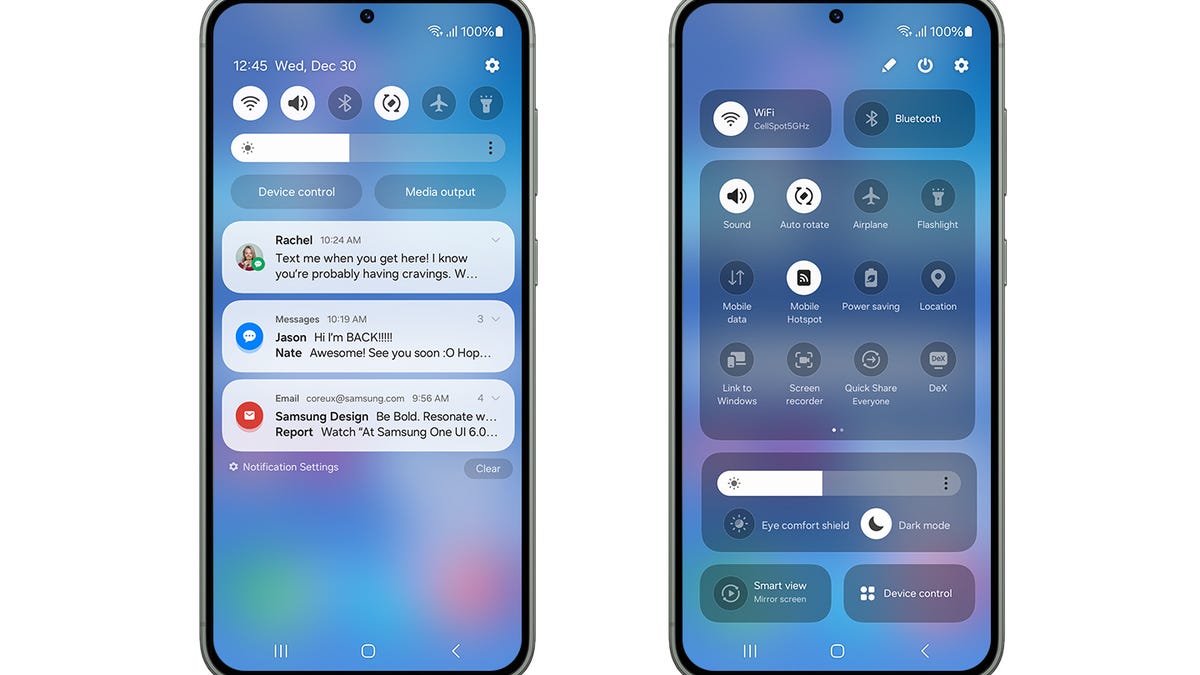
    Samsung is launching the beta version of its next software update, and if you’ve got a phone in the Galaxy S23 series, you can sign up to try it out now.

    Signing up for the beta of Samsung One UI 6 will give you early access to the latest additions to Samsung’s software, which is based around allowing you to customize your phone settings to what you use the most.

    Here are some of the things you can expect in Samsung One UI 6:

    • A simplified, “more modern” design
    • A new default font
    • New emojis on Samsung Keyboard
    • Screen visibility and settings like brightness available in the Quick Panel
    • The ability to set different lock screens with Modes and Routines (“such as a calming photo of a forest in Sleep Mode,” Samsung suggests)
    • A new custom camera widget where you can preselect a camera mode and photo saving location

    One UI 6 is based on Google’s Android 14.

    The beta program is open to Samsung Galaxy S23 users in the US, Germany and South Korea from Thursday. Any feedback you give Samsung will help make final adjustments to the system ahead of its official launch.

    Read more: Best Unlimited Data Plans for August 2023

  • iOS 17’s Biggest Features: StandBy Mode, Custom Stickers for Messages and More

    iOS 17’s Biggest Features: StandBy Mode, Custom Stickers for Messages and More

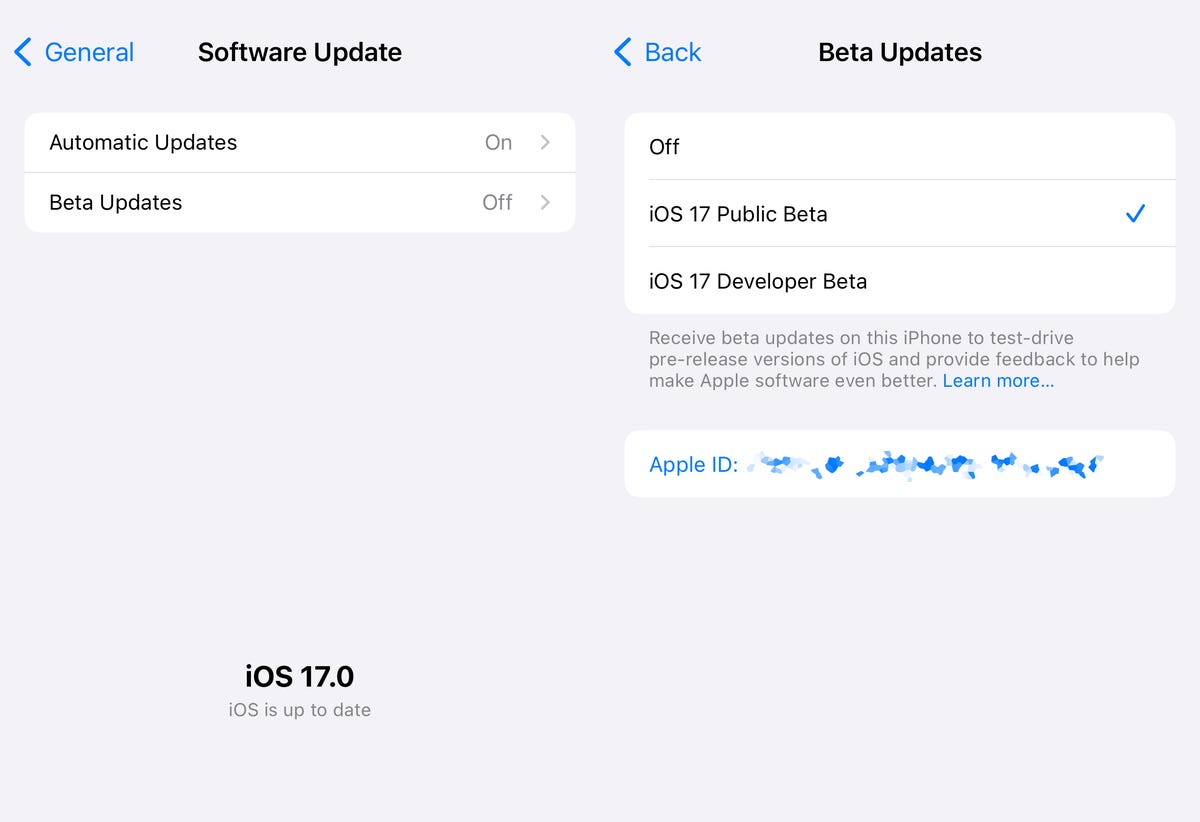
    Apple launched the second public beta verison for iOS 17, the upcoming major software update for the iPhone. With the general release for iOS 17 slated for sometime in September, you can try out an early version right now.
    The new iPhone software was revealed in June during Apple’s annual Worldwide Developers Conference. iOS 17 brings changes to how you call, text and glance at information with updates to FaceTime, Messages and the phone app. There is a new StandBy mode, which turns your iPhone’s lock screen into a mini hub similar to the Amazon Echo Show. You can download the iOS 17 public beta, but we recommend not doing so on your main iPhone.

    Last year’s software update, iOS 16, introduced the ability to edit or “unsend” messages you send via iMessage; Apple Pay Later; a major overhaul to the lock screen; revamped notifications; and Live Activities. These additions didn’t all come out at once and were actually scattered over the course of smaller iOS software updates throughout the year.

    Read more: iOS 17: Upcoming iPhone Features I’m Excited About

    We can expect the same for iOS 17, which will likely be released just before the rumored iPhone 15 goes on sale.

    Contact Posters

    Three iPhones, each showing a different Contact Poster

    Last year we got customizable lock screens in iOS 16. This year, iOS 17 has a similar change for your iPhone’s contact cards, to make them look more eye-catching. Contact Posters are beautiful treatments for contact photos and emoji paired with slick-looking fonts that show up when you get calls and for other services on your phone where you communicate and share.

    You can customize your Contact Poster similar to how you personalize your lock screen. Pick a photo, font and color and that’s it.

    AirDrop gets easier to use

    iOS 17 brings an overhaul to AirDrop. You just need to bring your iPhone close to someone else’s to share a Contact Poster, photos, videos or kick off a shared activity using Share Play. Of course, being Apple, there’s a word for sharing your Contact Poster with someone new: NameDrop. What’s nice, is that you can choose what contact info is shared. NameDrop works between iPhones or with an Apple Watch, too. It reminds me of “bumping” a contact in the early days of the iPhone.

    Standby turns your iPhone into an Amazon Echo Show

    An iPhone with its Standby screen active

    One of the biggest additions in iOS 17 is for when your iPhone isn’t in your hand. When your iPhone is on its side while MagSafe charging, you get a new full screen experience with glanceable information. The feature is called Standby and mimics what many smart home devices can do, such as the Amazon Echo Show.

    The new screen shows the time, photos, widgets and Live Activities; nearly all of which can be personalized. It’s a bit of a cross between the iPhone 14 Pro’s always-on display and nightstand mode on the Apple Watch.

    When you swipe to the side on the Standby screen, you can look at your favorite photos or moments. iOS 17 will also automatically shuffle images to find the one that takes the best advantage of the screen.

    Standby can also show glanceable widgets. For example, you can see the weather, your Apple Home smart controls or your favorite third-party widget. With support for live activities, you can also see the score of sporting events or the status of a food delivery.

    One of the more curious features is that Standby can remember your preferred view “setup” for each place you charge via MagSafe.

    The new Journal app

    The icon for the new Journal app in iOS 17

    iOS 17 brings a new Apple app called Journal that creates personalized suggestions to inspire writing. These suggestions are curated from information on your iPhone, like photos, location, music and workouts.

    Journal gives you the option to select a moment, like “morning visit, Ocean Beach,” and start writing. You can also schedule notifications to remind you to write and get new prompts. You can flag important moments so that you can reflect on them later.

    Live Voicemail

    And iPhone with a Live Voicemail transcription

    Another new talent iOS 17 has involves your voicemail. When someone calls you and leaves a message, you’ll see a live transcription in real time as they speak. The new service is called Live Voicemail and it kind of feels like the days of answering machines, when my dad would screen a call. For Live Voicemail, you’ll see the voicemail right on your screen so you can decide whether to step out and take the call. The feature is powered by your iPhone’s neural engine in order to preserve your privacy. Live Voicemail seems identical to Call Screen on Google Pixel phones which isn’t a bad thing.

    FaceTime messages

    iOS 17 will let you record a video message in FaceTime. It’s a heavily requested feature that will ensure you can document and share important moments, even if someone misses your call.

    Messages Check In

    Apple is expanding and simplifying its location sharing via Messages. The new feature, called Check In, is for letting a loved one know you made it to your destination safely. Whether you’re walking home after dark or going for an early morning run, you can start a Check In with a family member or friend and as soon as you arrive home, it will automatically let your friend know. But if something unexpected happens, it can recognize that you’re not near your destination and check in with you. If you don’t respond, Check In can automatically share your current location, the route you took, your iPhone’s battery level and cell service status; all of which is end-to-end encrypted.

    Messages get a handful of fixes and additions

    A message thread showing an audio recording and its transcription

    The tried-and-true Messages app gets a handful of updates, including a visual overhaul of your iMessage apps which will no longer live above your keyboard and instead be accessible via a plus sign on the bottom left.

    Searching through your Messages becomes a lot easier on iOS 17 with the addition of filters. When you start a search in the Messages app, you will be able to add terms to narrow the results.

    Another welcome addition is transcription for audio messages. If you’re someone who has friends or family members who send you audio messages, you’ll be able to read a transcription of the recording right in the Messages app.

    There’s also a new “catch up arrow” in Messages. It sits in the top right of your conversation and lets you jump to the first message you haven’t read. This could be a killer feature for managing group chats. Apple also made inline replies faster. In iOS 17, you’ll be able to just swipe to reply on any message bubble.

    Apple fixes ‘ducking’ autocorrect

    Autocorrect will become more intelligent and can fix more grammatical mistakes. Reverting words back to what you typed is easier. And apparently, autocorrect will learn and let you use curse words. Duck, yeah!

    An iPhone with the Stickers drawer in Messages open

    iMessage stickers get a new drawer to bring all the stickers you’ve used into one place. And now emoji are stickers. You can peel and stick an emoji sticker to a message bubble, rotate and resize it. Last year in iOS 16, Apple introduced the ability to lift a subject from the background of a photo as part of Visual Lookup. With iOS 17, you can turn a photo’s subject into a sticker in Messages.

    The Stickers drawer also has a Live Stickers tab that lets you create a Sticker animation (aka a GIF) from a Live Photo. Stickers can be accessed system wide in things like Tapback, Markup and third-party apps; basically anywhere you can access emoji.

    But wait, there are more iOS 17 features

    As is typical with WWDC, there are a lot more additions and improvements to iOS 17 than Apple showed during the keynote. Some notable highlights include:

    • Triggering Siri by just saying, “Siri” instead of “Hey, Siri”
    • Download offline maps in the Maps app
    • New profiles for Safari and your passwords
    • Auto retrieval of one-time verification codes from the Mail app
    • Interactive widgets (which was featured in-depth during the iPadOS portion)

    iOS 17 will be out in full this fall and work on the iPhone XS, XR and newer, including the 2020 iPhone SE.