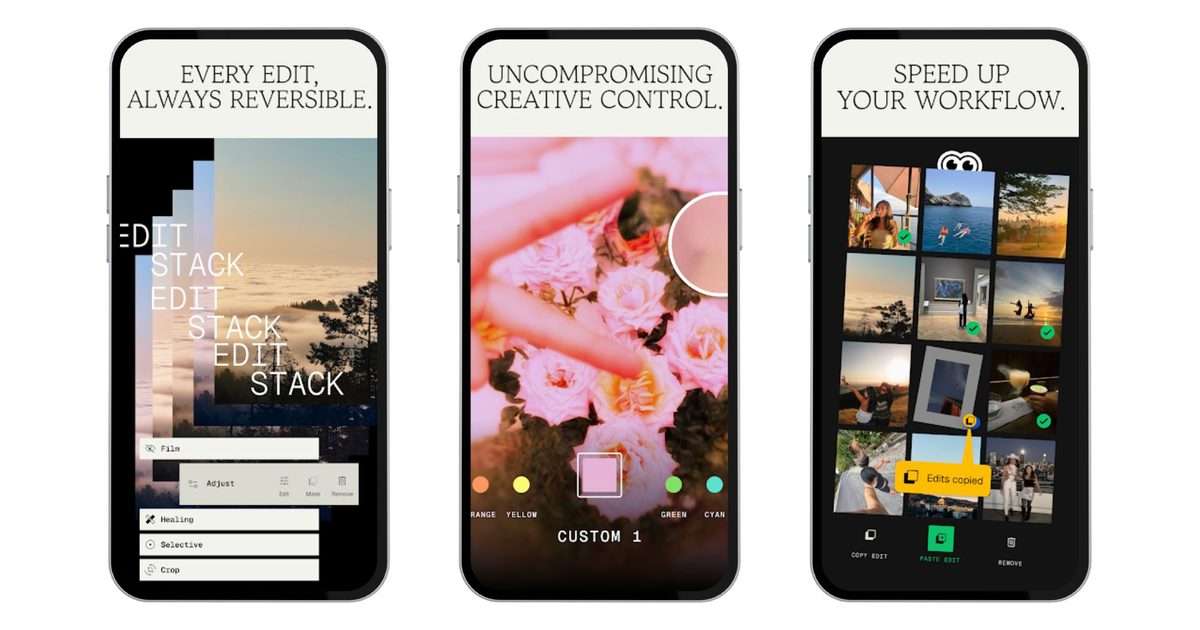
After a long period of inactivity, Google has seemingly remembered that it owns one of the best photo editing apps on mobile. Snapseed 4.0 is now available on Android, bringing the platform up to date following a period where iOS users had exclusive access, leaving Android users to wait on the sidelines.
The journey began last June when Google quietly revived Snapseed with a major 3.0 update for iPhone. This unexpected move signaled that the company was serious about the app once again. Earlier this year, Google assured that Android wouldn’t be left behind for long, and now the Play Store listing has been updated to show version 4.0 — skipping version 3.0 for Android and bringing both platforms to the same version simultaneously.
A New Interface Designed for Real-World Editing
The redesign is significant — opening the app now presents a homepage grid of your previously edited photos, giving Snapseed a more refined, gallery-like appearance. Editing is organized into three bottom tabs: Looks, Tools, and Export. The Tools section is further divided into Refine, Fix, Style, and All categories. The core interaction remains familiar: drag left or right to adjust values, swipe up or down to cycle through options within a tool. A quick toggle in the top-right corner allows you to switch between dark and light themes, and a histogram is just a tap away.
The headline addition is the Snapseed Camera — a built-in shooting mode accessible via a floating button on the homepage. It supports a proper Pro mode with manual ISO, shutter speed, and focus controls, but the real draw is its real-time film emulation. There are eleven film stocks on offer, covering well-loved emulsions from Kodak, Fuji, Agfa, Polaroid, and Technicolor. The idea is that you can shoot with a look already baked in, skipping the editing step entirely if the vibe is right. Whether that workflow appeals to you will depend on how precious you are about RAW files, but it’s a genuinely thoughtful feature for anyone who shoots JPEG.
Over 30 Tools, Still Completely Free
The broader tools list remains impressive, over 30 in total, spanning everything from Healing and Selective adjustments to Lens Blur, Curves, Double Exposure, and a Halation tool for that authentic analog highlight glow. A One-Touch Masking feature lets you isolate subjects or backgrounds with smart selection, which should save a lot of fiddly manual work. What makes all of this remarkable in 2026 is that it remains completely free — no subscription tier, watermarks, or in-app purchases. In an era where nearly every capable editing app has pivoted to monthly billing, Snapseed’s refusal to play that game feels almost radical.
The Android rollout is staged, so not every user will see the update immediately. iOS users, meanwhile, can grab Snapseed 4.0 right away from the App Store.