Earlier today, Sony announced it will stop making physical game discs for new PlayStation titles starting in January 2028. It looks like Microsoft is heading in the same direction, but with a consumer‑friendly approach: Xbox owners may not have to leave their disc collections behind.
According to The Verge‘s Tom Warren, Microsoft has been quietly working on a disc‑to‑digital feature for Xbox. It’s called Disc2Digital internally, and lets players convert their physical games into permanent digital licenses.
How does it actually work?
Xbox employees recently began testing the feature. It first surfaced in May when references to “enable Disc2Digital” appeared in the Xbox PC app code.
The process is straightforward. Insert a compatible disc into your Xbox console, install the game, and the system grants you a digital entitlement for that particular title.
It’s similar to buying the game from the digital store. If it’s available on Xbox Cloud Gaming and you have Game Pass, you can stream it. If it’s an Xbox Play Anywhere title, you’ll get access on PC and handhelds.
The feature should also work for disc bundles and multi‑disc titles, including all downloadable content.
What are the limitations?
Per the report, the Disc2Digital feature works only with Xbox One and Xbox Series X/S discs. Xbox 360 and original Xbox discs are not supported. Some older Xbox One discs may not work either.
“It all depends on how and when the disc was manufactured, and it may not have the features we need for this program,” Microsoft warned its internal testers. Importantly, the physical disc still works normally after being digitized. However, if you lend or sell a disc, the digital entitlement transfers with it.
The broader context here is Project Helix, Microsoft’s next‑generation Xbox, whose disc drive status remains undecided. If Helix ships without one, this feature could be essential for anyone wanting to carry their physical library into the next generation.
In contrast, Microsoft’s approach facilitates the shift away from physical discs by preserving ownership, while Sony’s move simply ends physical releases, leaving owners and collectors with no clear migration path, at least not for now.
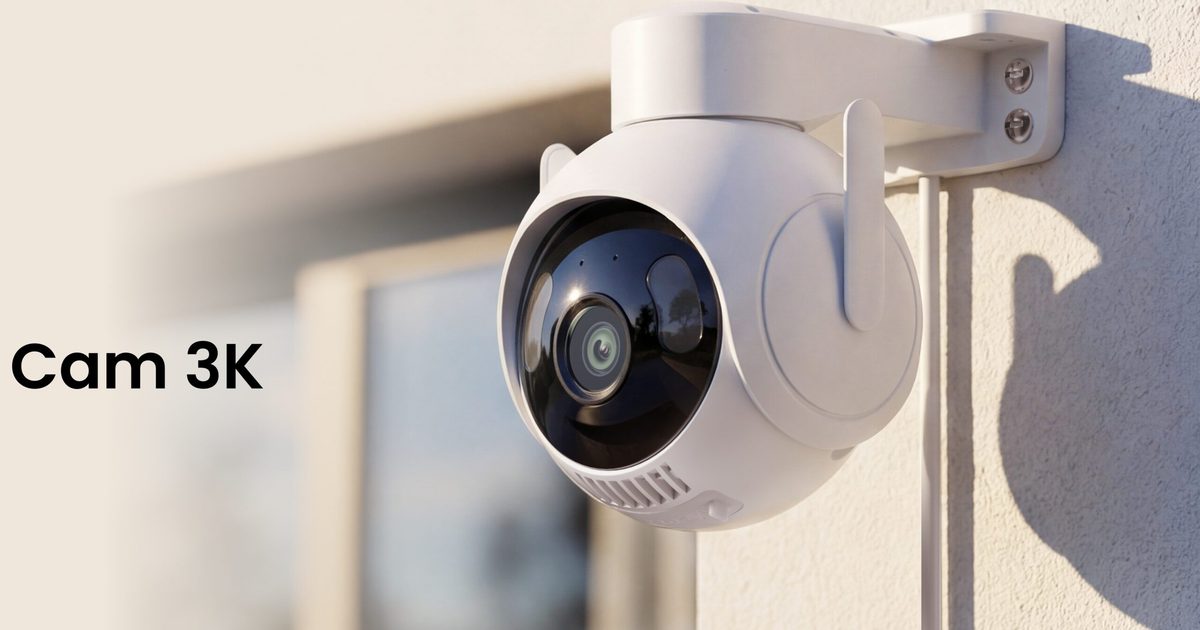
SwitchBot has launched the Outdoor Pan/Tilt Cam 3K in North America and the UK, adding a new outdoor security camera for monitoring yards, driveways, entrances, garages, and small shops.
The camera is designed to cover a wider area than a fixed security camera. It can rotate horizontally and vertically, follow moving subjects, record in 3K resolution, and use AI to summarize what happened in a clip, such as a delivery arriving, an animal entering the yard, or someone approaching the house.
It is available now through SwitchBot’s website and Amazon stores. Pricing starts at $79.99 in the U.S., CAD 89.99 in Canada, and £89.99 in the U.K. Some advanced AI features require the AI Guard Premium plan, which starts at $4.99 per month in the U.S. and £3.99 per month in the U.K.
A wider view with smarter alerts
The Outdoor Pan/Tilt Cam 3K has 360-degree horizontal rotation, 90-degree vertical rotation, and a 110-degree wide-angle lens. That gives it broader coverage for outdoor spaces where a fixed camera may leave blind spots. Motion tracking lets the camera follow moving subjects and record their path. Users can also set detection zones for specific areas, such as a front gate, driveway, backyard, or garage, while reducing alerts from roads or passing traffic.
One of its most interesting features is AI-powered event understanding. Instead of simply sending a generic motion alert, the camera can describe what happened in plain language, such as a delivery arriving, an animal entering the yard, or someone approaching the house. It can also recognize people, vehicles, animals, and objects, while natural-language search lets users look for specific moments in recorded footage without manually scrolling through hours of video.
What are the core camera features?
The camera uses a 5MP sensor and an F1.6 aperture, and it supports both infrared night vision and full-color low-light viewing through infrared and white LEDs. SwitchBot has included Wi-Fi and wired Ethernet support, microSD storage up to 512GB, cloud storage, two-way audio, and RTSP support for Home Assistant, NVR, and NAS setups. The camera is rated IP66 for dust and water resistance and can operate in temperatures as low as -20 degrees Celsius.
It can also work with other SwitchBot devices, such as lights, locks, sensors, video doorbells, and indoor cameras, which may make it more useful for users already invested in the company’s smart home ecosystem.
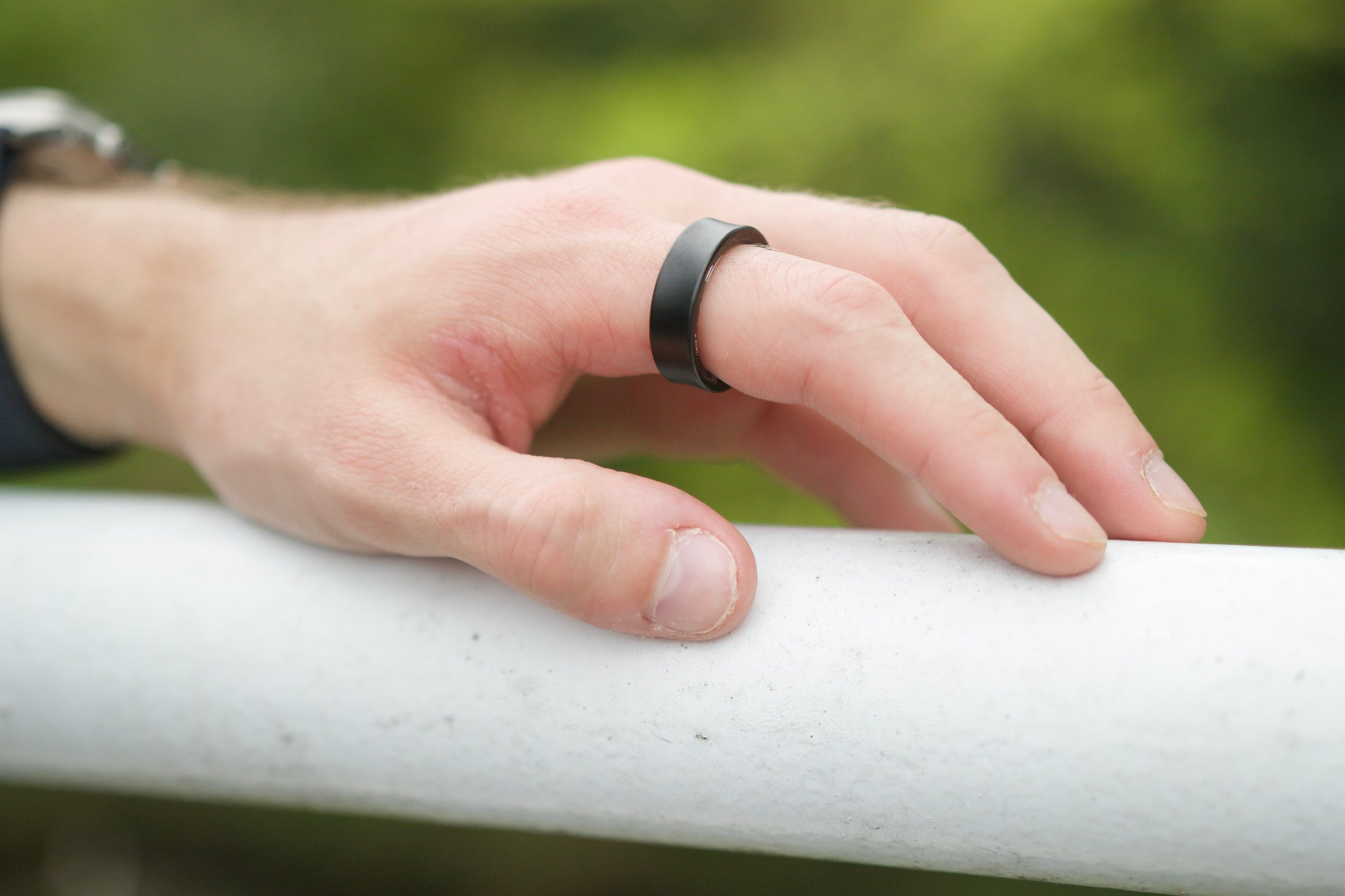
Samsung is working on a new Galaxy Ring, and the most important upgrade may come from what happens after the ring collects health signals in the background.
Hon Pak, who leads Samsung’s digital health team, told Forbes that a next generation ring is in development. Samsung hasn’t announced the name, launch timing, price, regions, or specs, so Galaxy Ring 2 remains a useful shorthand rather than a confirmed product name.
The clearest direction is continuous monitoring. Samsung wants wearables that learn a person’s normal patterns over time, then flag changes early enough to push someone toward a checkup or a better daily habit.
How could the ring spot trouble
Samsung is already building health features around personal baselines. One upcoming Samsung Health tool uses seven nights of sleep data to establish a user’s norm, drawing from signals such as heart rate, respiratory rate, blood oxygen, and other overnight readings. After that, it can watch for changes large enough to deserve attention.
A smart ring fits that job neatly. It’s easier to keep on overnight than a watch for many people, and sleep is where Samsung is already looking for quieter health signals.
Samsung also plans a Heart Health Score that connects sleep, nutrition, activity, and stress with cardiovascular risk. The company hasn’t said which features the next ring will support on its own, so the safer read is that Galaxy Ring 2 will feed a wider Samsung Health system.
Why would AI carry the load
Pak framed the smart ring market as a software race, because today’s competing rings are working with broadly similar sensors. That puts pressure on Samsung Health to turn raw readings into guidance people trust.
Samsung can pull context from several places. A ring can capture passive signals, a Galaxy Watch can add richer measurements, and SmartThings can bring in habits around sleep, food, and routines at home.
The hard part is restraint. Health nudges can’t feel like another notification feed, or users will tune them out before the system earns confidence.
What happens after the hardware tease
Samsung’s next step appears to be AI coaching that adapts to the person using it. Pak described a future system that learns timing, tone, and motivation style, then nudges people toward better sleep or activity habits.
Compatibility is still open. Today’s Galaxy Ring is tied to Samsung’s Android world, but Pak hinted that upcoming news may address where the product line goes next.
For now, Galaxy Ring 2 is worth watching for one test above all, whether Samsung can turn passive health data into advice you’ll act on before the signals become easy to ignore.
“Maxed out e-ink goodness with great software and a light problem.”
Gorgeous, paper-sized e-ink display
Android with full Play Store
Superb handwriting feel
Excellent document and note apps
Weeks-long battery mileage
Severe input lag when typing
No backlight, so useless in dark
No physical volume rocker
Spotty software update record
Quick review
I’ve spent years chasing the dream of a single slab of glass that could replace my notebook, my PDF stack, and maybe even my laptop. The Boox Note Max is the closest anyone has come to selling me that fantasy without leaning too much into a computing wannabe territory. And yes, it’s also the device that finally taught me why the fantasy keeps falling apart.
This is a behemoth. A 13.3-inch e-ink display built to mirror the exact dimensions of an A4 sheet, priced firmly in the premium tier at roughly $650–$699. It isn’t for everyone, and Onyx isn’t pretending otherwise. It’s for academics, data analysts, musicians who live on sheet music, and professionals who spend their days buried in dense PDFs and endless handwritten notes. If that’s you, keep reading. If it isn’t, you’ve probably already winced at the price that you’re going to pay for a mere e-ink slate with a stylus.
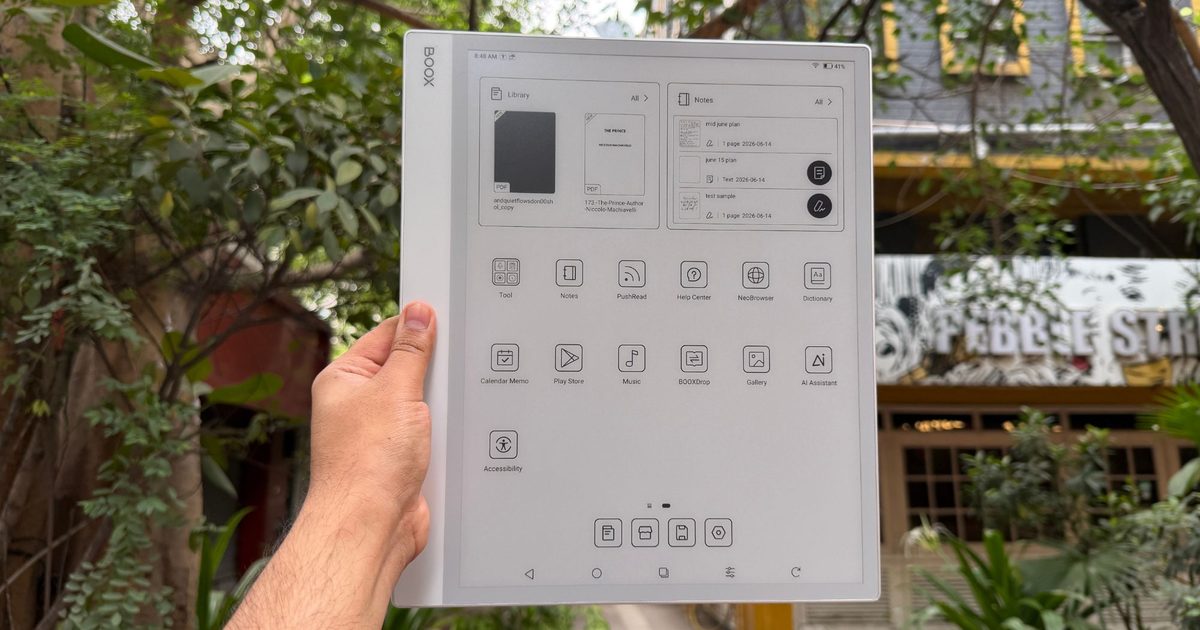
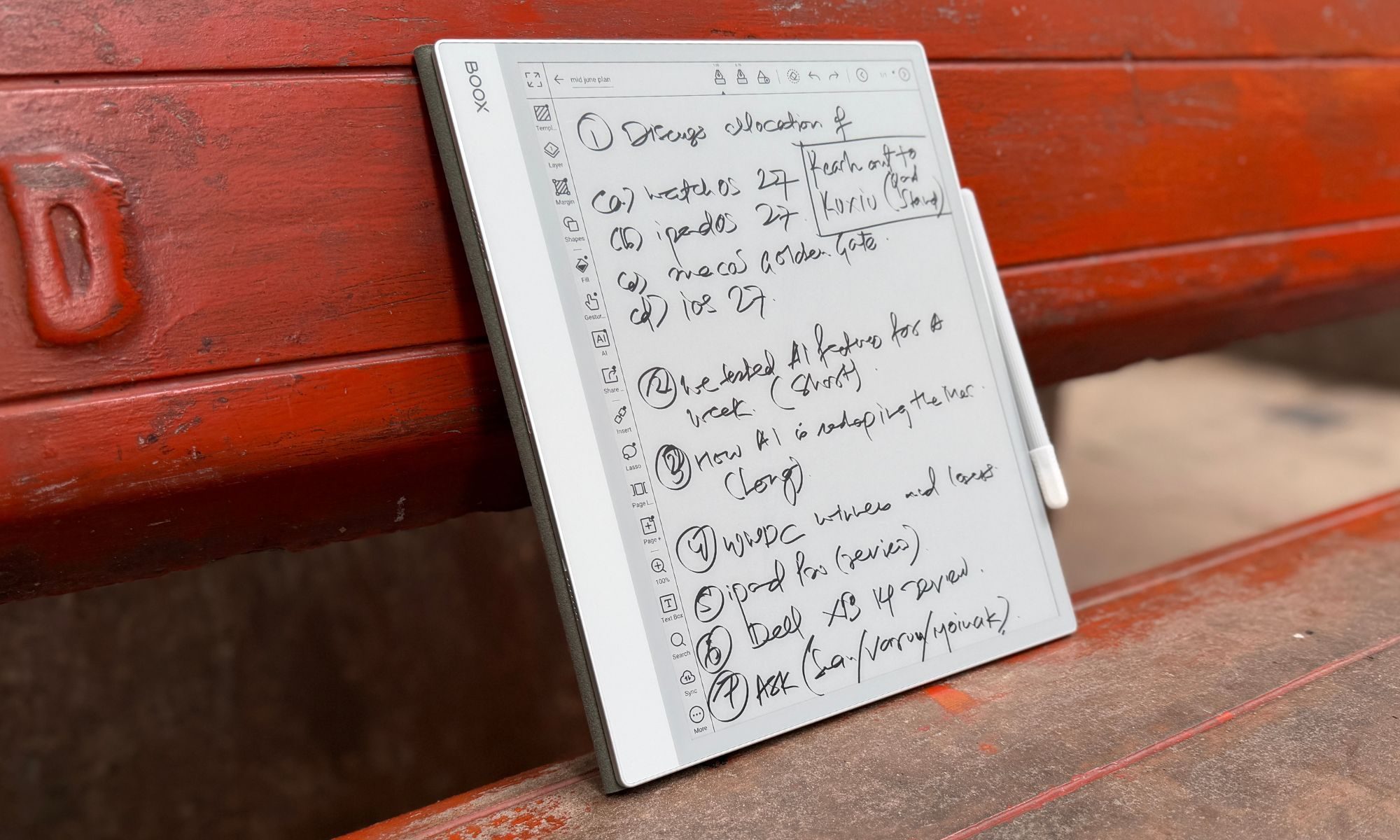
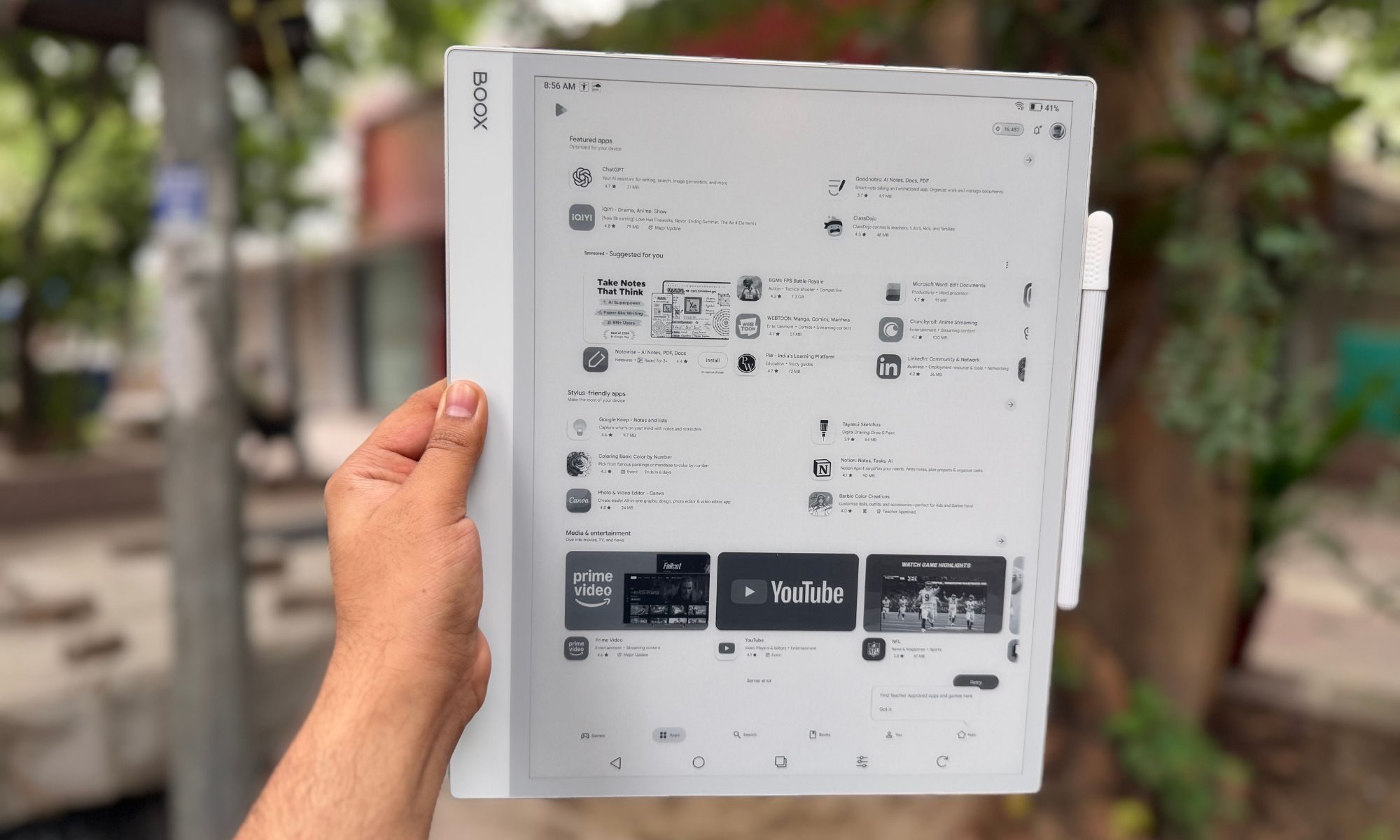
What sets this one apart, however, is the full-fledged Android experience, which blows past the walled gardens of the Kindle Scribe and reMarkable slates out there. You can pull almost any app from the Google Play Store, sync with Google Drive, and run two apps side-by-side. The writing experience is superb, helped enormously by Onyx’s decision to ditch the front backlight, which drags the stylus tip right up against the digital ink.
Yet, here’s the catch I kept running into. This slate’s greatest strength is also its worst undoing. Stuffing a full tablet OS onto an inherently sluggish e-ink panel produces real, visible input lag, worst of all when you type or browse. As a digital notebook and a large-format document reader, it’s extraordinary. As a laptop or iPad replacement, it simply isn’t, no matter how effective the slate’s (or the company’s) convincing game.
Onyx Boox Note Max design and build quality: A sleek giant that will pull eyeballs
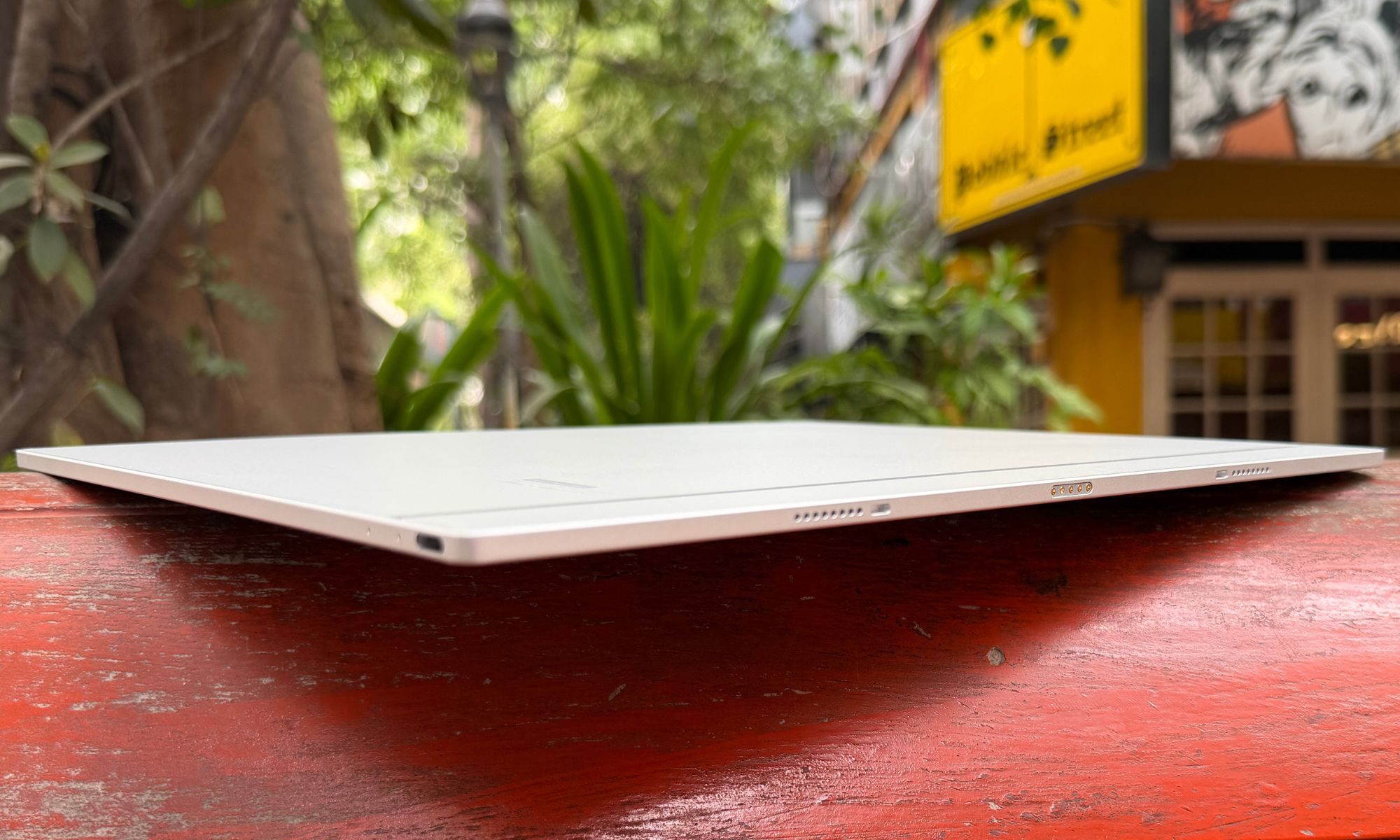
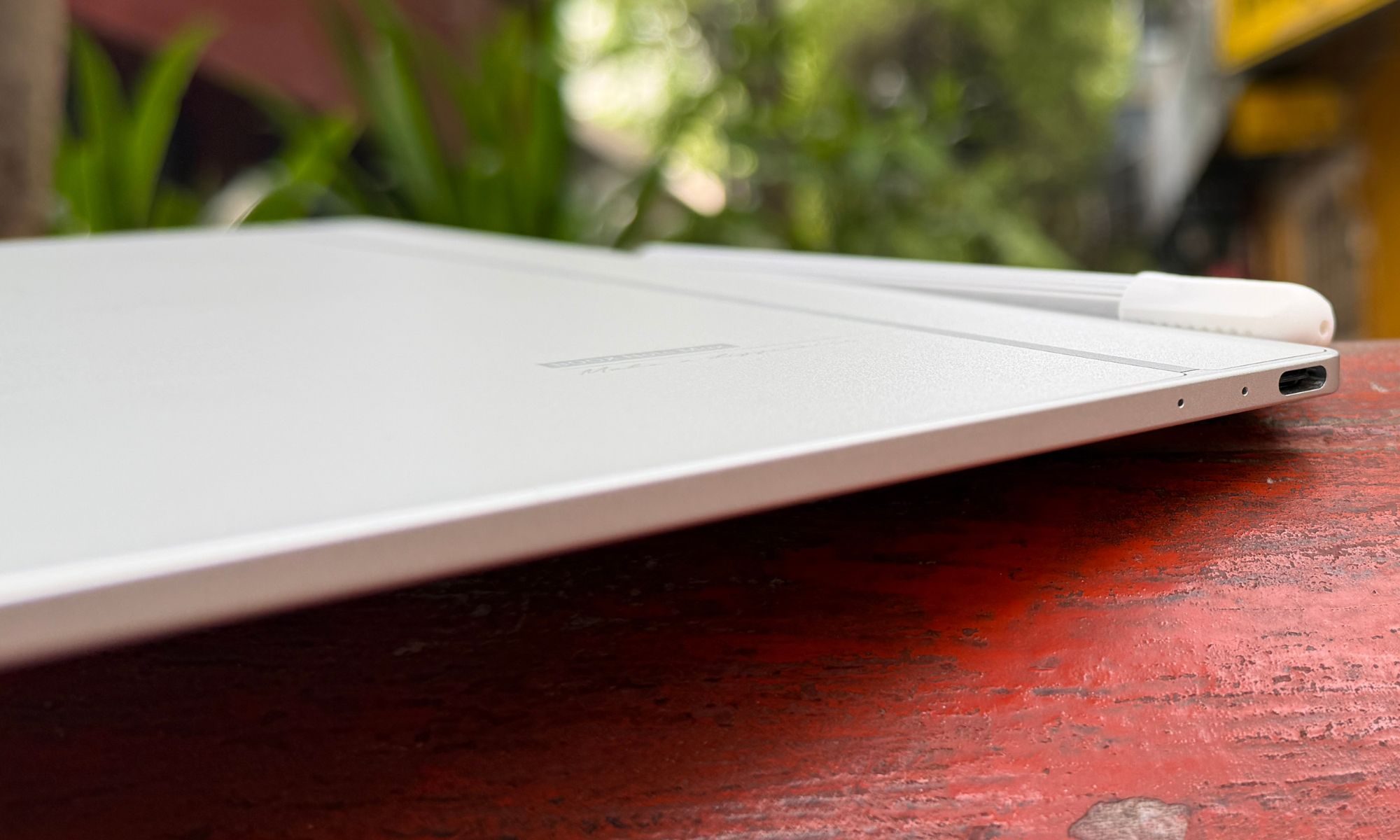
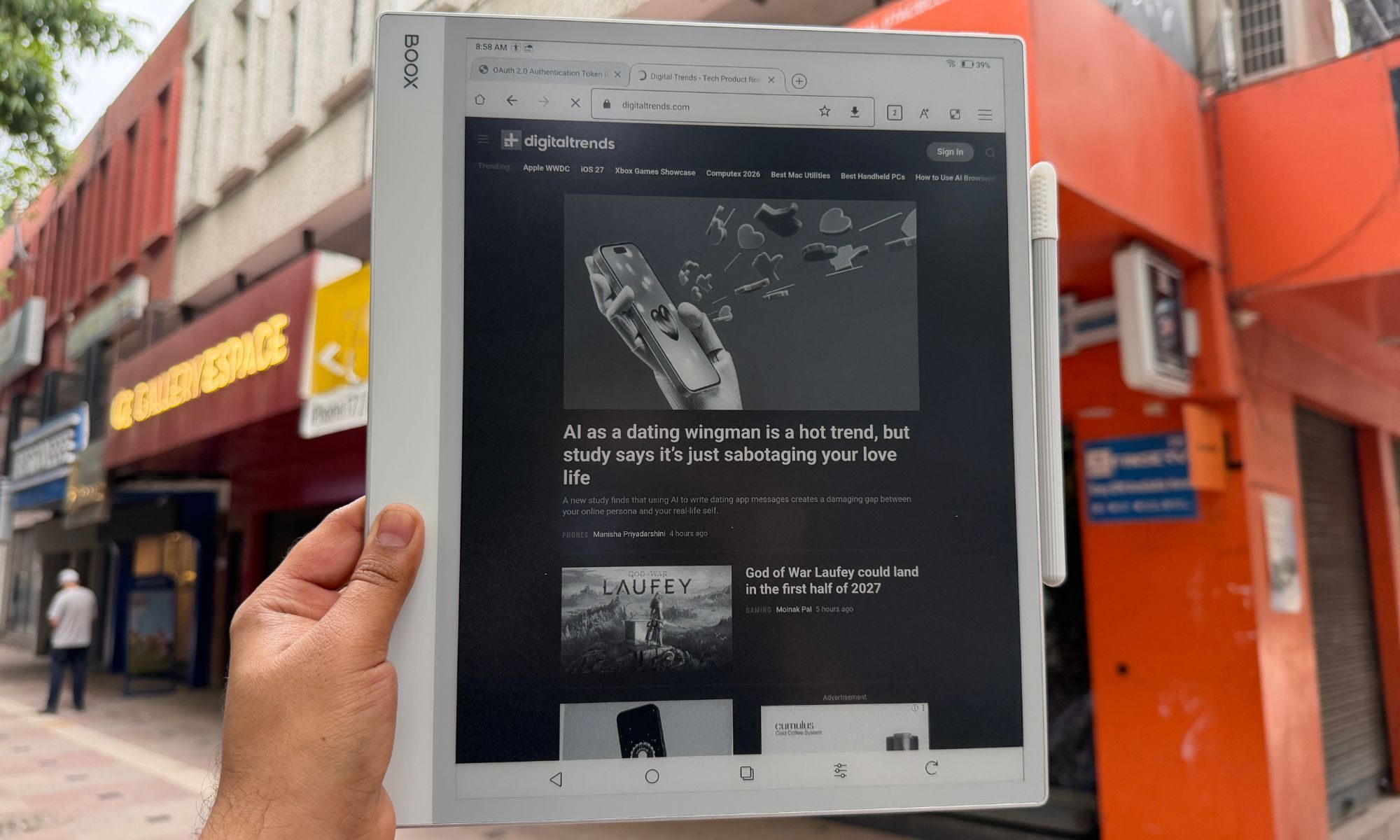
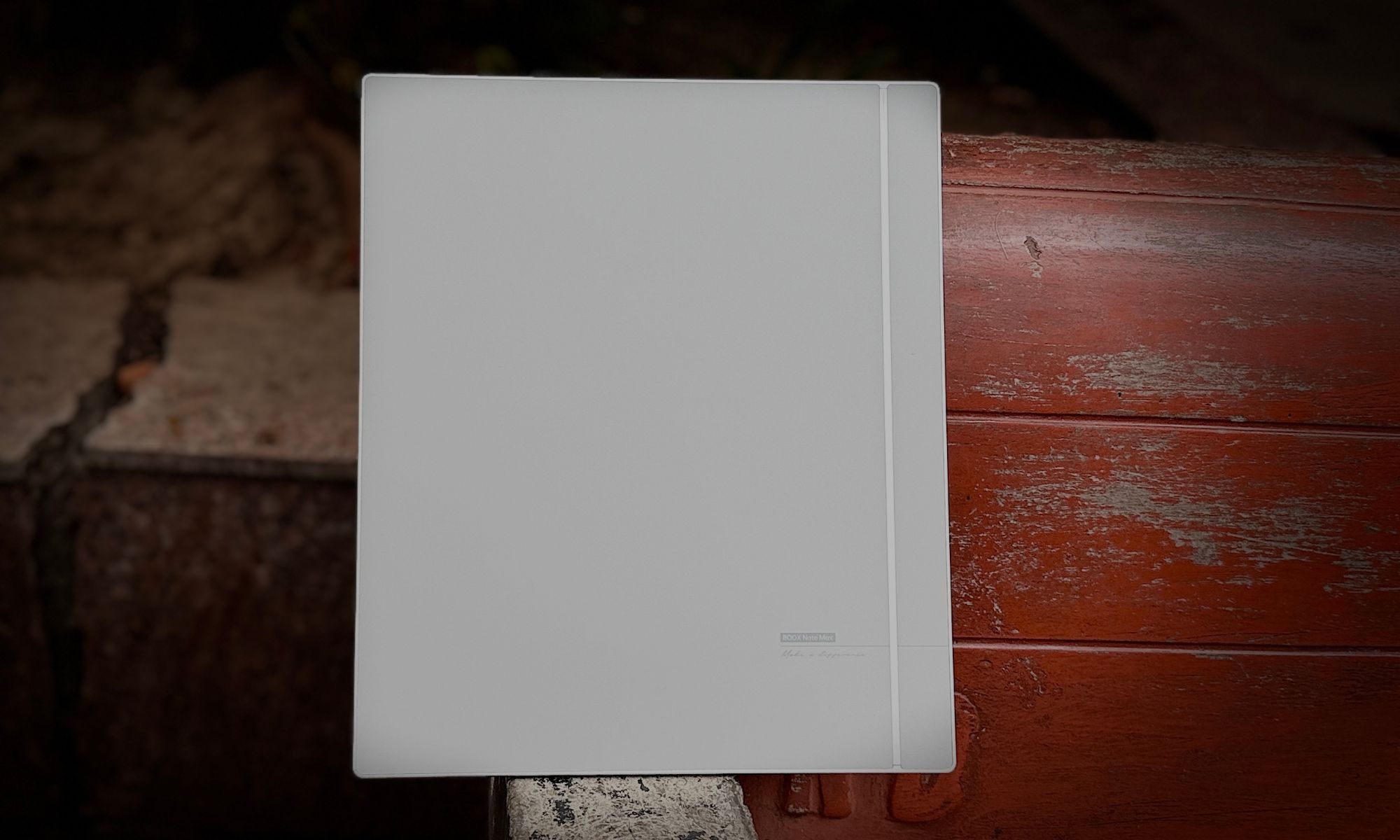
The moment I took the Onyx Boox Note Max out of its box, its sheer footprint took me by surprise. This is roughly the size of a laptop screen, and yet, it pulls off a startling trick. It’s astonishingly thin. At just 4.6mm, it’s a full millimeter slimmer than an iPad Pro, and it still feels rock-solid. I twisted it, looked for flex, and found none. The white-and-gray chassis is pretty understated and has a decidedly professional look to it. It’s the kind of gadget that doesn’t announce itself in a meeting or on a classroom desk.
For all that surface area, it weighs only 615 grams (21.7 ounces). You won’t be holding this aloft in bed to read a novel one-handed, but resting on a desk, a music stand, or your lap on a commute, it sits exactly right. Onyx built in a functional asymmetrical bezel, and I came to appreciate it fast.
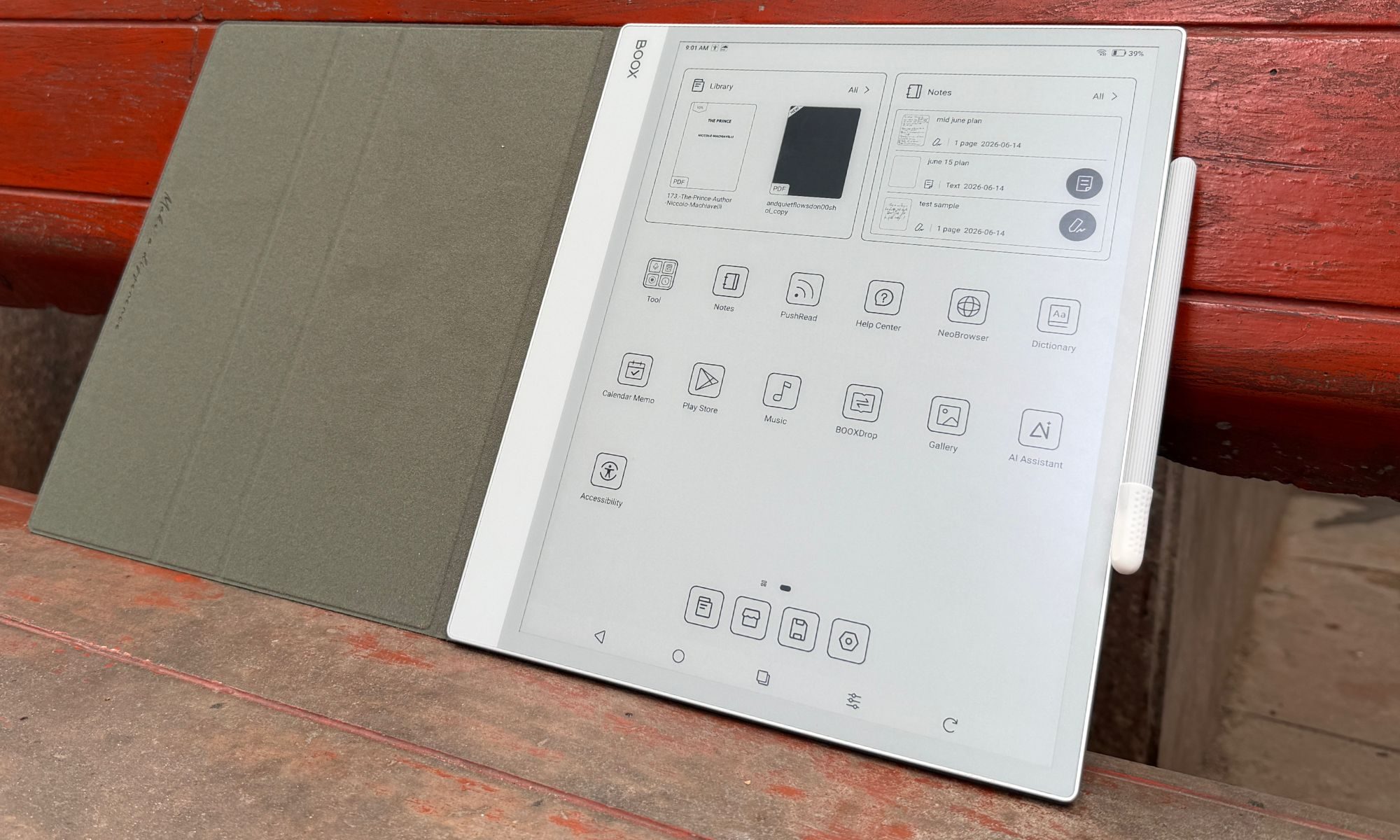
The left edge carries an inch-and-a-half border that gives you a secure, clipboard-style grip and keeps stray thumbs off the screen. The slate leans hard into magnets. The right side clamps the included stylus tightly enough that it survives a bag without wandering off, and the rear corners snap into the Boox Magnetic Case or the official Keyboard Cover.
Ports and buttons are sparse. There’s a top-right power button, a bottom-edge USB-C port for charging and OTG, dual downward-firing speakers, and a microphone for voice memos. What this misses out on is a dedicated volume rocker, and that omission really tested my patience with the muscle memory of using other tablets. To change the volume, you summon an on-screen slider from the notification shade, which feels frustratingly slow every single time on an e-ink panel.
Score: 8/10
Onyx Boox Note Max display: You’ll love it. You’ll be miffed by it. There’s no middle ground.
The display is the whole reason the Note Max exists. It serves a 13.3-inch E Ink Carta 1300 glass screen running at 3200 x 2400 pixels, delivering at a crisp 300 PPI of pixel density. I can’t overstate what this size does to the experience. If your days involve technical manuals, research papers, legal documents, or sprawling spreadsheets, this screen is a revelation.
Standard 10-inch readers force you into an endless cycle of pinch, zoom, and pan. The Note Max shows A4 and US Letter documents at roughly the native size. Text is razor-sharp, and Carta 1300 delivers the contrast — deep blacks, clean whites — that makes everything from manga to sheet music to architectural plans a genuine pleasure to read.
But let’s address the elephant in the room. The display lighting situation. Or to put it more accurately, the lack of a backlight. The most divisive aspect about this screen is that there’s no front or backlight at all. You cannot read this device in the dark. In a dim lecture hall or a night flight, you’ll be squinting, and I won’t pretend otherwise.
This was a deliberate engineering trade, not an oversight. A front-light layer adds another sheet of material between the glass and the e-ink capsules. By stripping it out, Onyx shrank the gap between where your pen rests and where the ink lands. You sacrifice low-light reading to gain an authentic, parallax-free writing feel.
There’s a quieter upside, too. No backlight means zero blue light and total freedom from glare, which rewards anyone working under daylight or a decent lamp with something that genuinely looks like paper. The sunlit display, as I like to call such screens, actually adds to the appeal. It’s unlike reading or sketching on any other screen lying around.
Score: 7/10
Onyx Boox Note Max stylus experience: It’s sufficiently good, but not the best out there.
Writing on the Note Max is fluid, responsive, and quietly addictive. In the box, you get the Boox Pen Plus, a battery-free passive stylus that feels like a good ballpoint in the hand. The screen is glass with a matte finish, and when the Pen Plus’s 1.6mm nib drags across it, you get a subtle friction that mimics pencil on paper.
Thanks again to that absent front-light layer, the ink appears right under the tip, killing the “writing on thick glass” sensation that haunts most tablets. The lag is imperceptible. I just wish the panel had nearly as much friction as the Remarkable Paper Pure, but it isn’t bad by any stretch of the imagination.
The stylus offers 4,096 levels of pressure sensitivity, and in the native Notes app, it flexes its muscle pretty well. With the fountain pen or pencil tool, line weight swells and thins as you lean into a stroke, capturing the character of your handwriting with near-zero latency. What it doesn’t do is tilt. You can’t lay the pen over for broad shading, which artists will notice immediately. Broadly, however, I had an enjoyable time polishing my Arabic calligraphy skills.
The Pen Plus is excellent, but it has no eraser on the back end. If that’s part of your muscle memory, you’ll want the Boox Pen 2 Pro, which adds an eraser and a heftier, more balanced feel. It also costs $79.99, so you might consider that extra fee. I also hit the occasional palm-rejection stumble, where resting my hand close to the edge made the page jump. It’s a minor blemish on an otherwise elite writing tool, but a year later, the palm rejection still gives me trouble from time to time. For a slate that leans heavily into the promise of a pristine digital slate, that’s a crucial flaw that must be fixed.
Score: 9/10
Onyx Boox Note Max software: Rewarding, and occasionally overwhelming
The software is what truly separates the Boox Note Max from every other e-reader out there. Where rivals ship proprietary systems with barely any flexibility (except the Xteink X4 and the open-source CrossPoint firmware), Onyx hands you a fully unlocked Android 13 experience. That single choice turns the device from a digital notepad into an ambitious productivity machine. And yeah, that also saddles it with a steep learning curve and a fistful of frustrating compromises.
Since the Boox Note Max runs Android 13, the Google Play Store is right there out of the box. You don’t have to go through any technical hell in order to unlock Google Play services on this giant digital notebook. You aren’t limited to Amazon’s store subscriptions. Kindle, Kobo, Libby, or whatever reading service you prefer, they can all live on the same slab, with proprietary apps or just as a web browser experience.
More importantly, for working professionals, you can install Google Drive, Dropbox, Notion, Evernote, Microsoft Word, and Outlook. It slots into your existing cloud setup without any technical hiccups. All you need to do is open your preferred drive container, tap the file, download it, and you’re good to go.
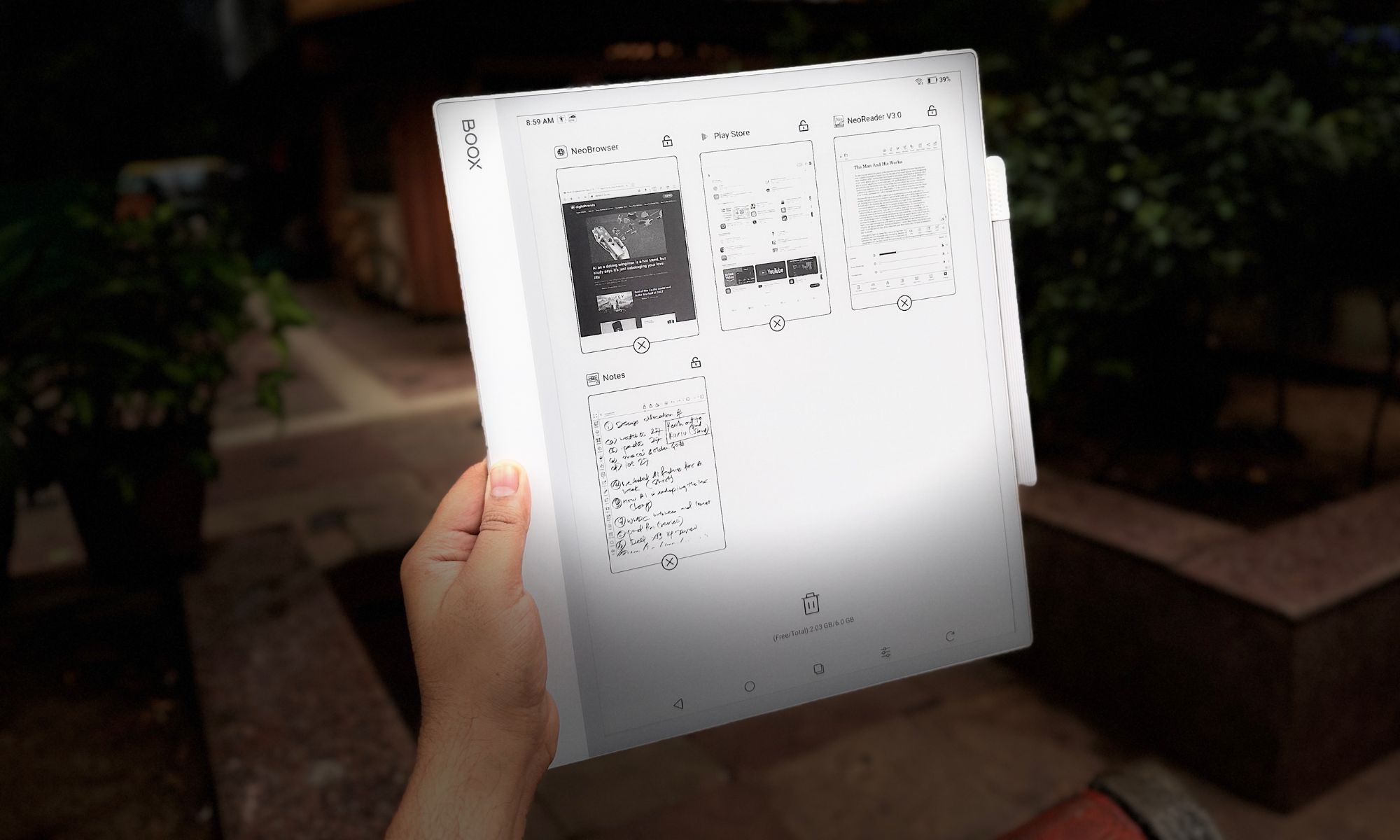
The slate’s 13.3-inch canvas also makes Android’s split-screen multitasking genuinely useful instead of a cramped party trick. I could keep a browser, a (grainy, black-and-white) YouTube video, or a dense PDF on the left while a blank notebook stayed open on the right for live notes.
As much as the third-party apps sell the device, it’s at its best running Onyx’s own finely tuned software. For starters, the NeoReader is the built-in document engine, and it’s arguably the finest document handler out there. It chews through multi-hundred-page files without complaint. You can crop margins to enlarge text, use article mode to reflow messy multi-column layouts, and annotate straight onto the page.
The pre-installed Notes App is also a power user’s playground. It brings layers (a must for serious sketching), AI handwriting recognition, and a deep bench of writing tools. The standout tool, however, is the custom template engine. All you need to do is drop in any PDF or PNG as a background and write over it. You can also load a daily planner, a corporate review form, or a photography spot sheet and get going. It even uses the microphone to record voice memos tied to specific strokes, so you never lose the context behind a scribble.
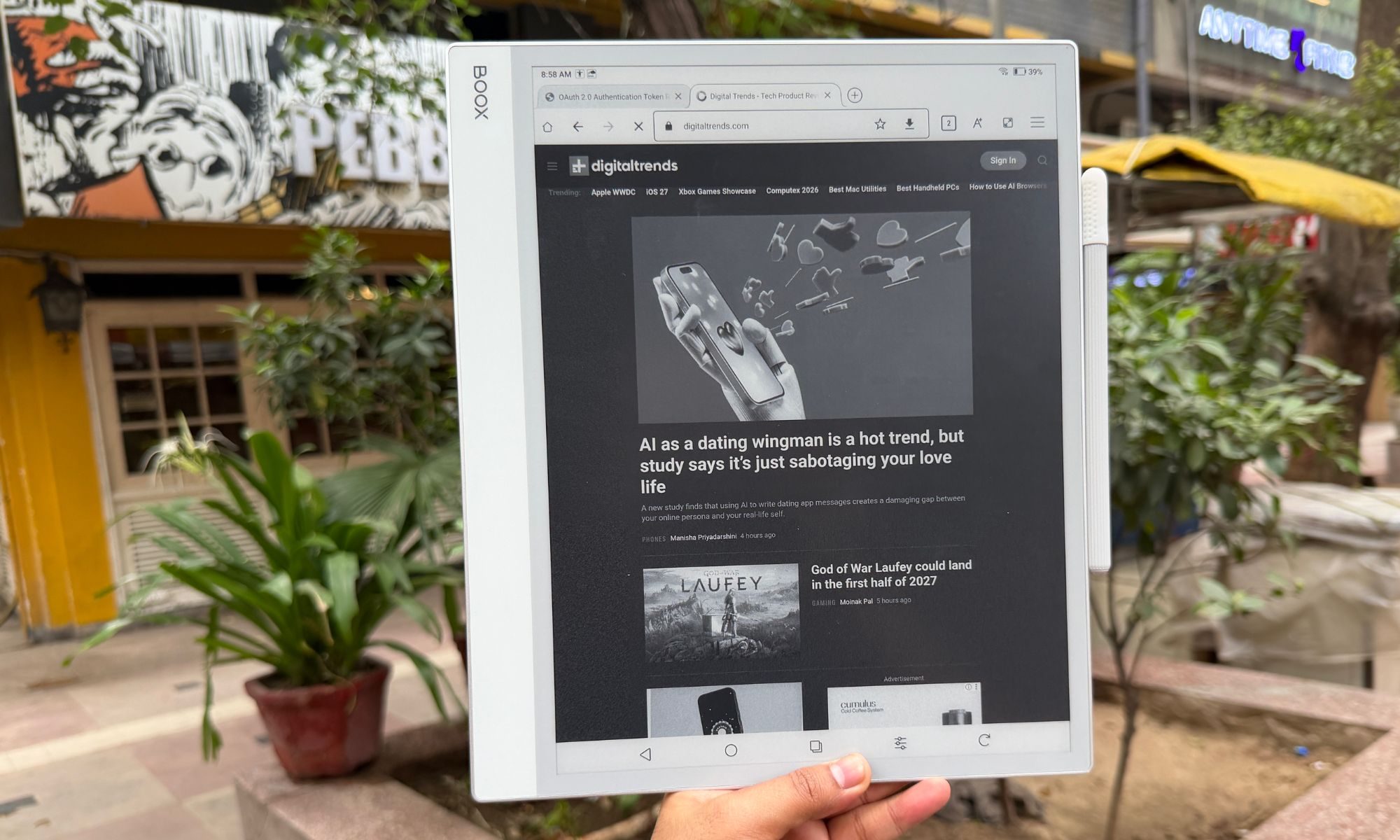
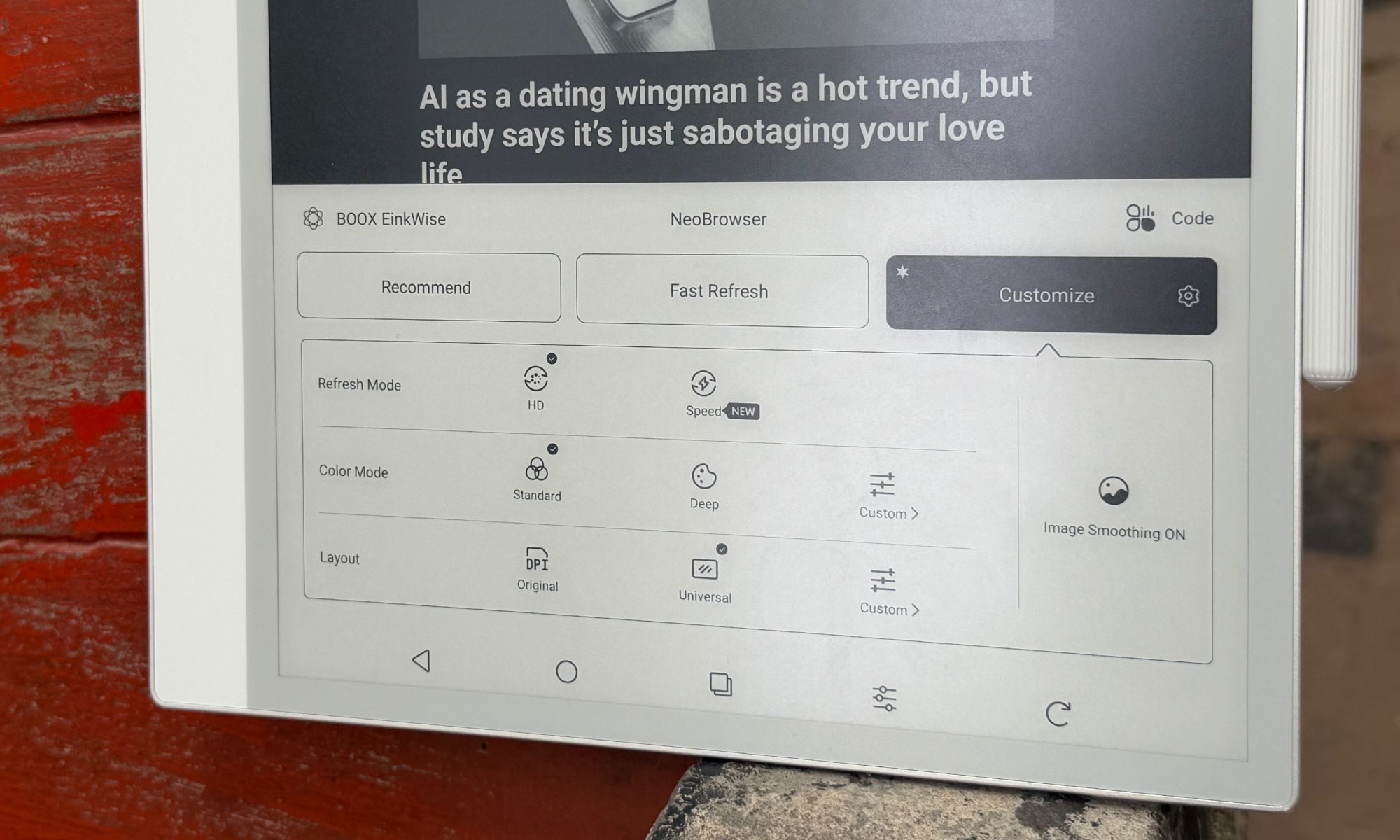
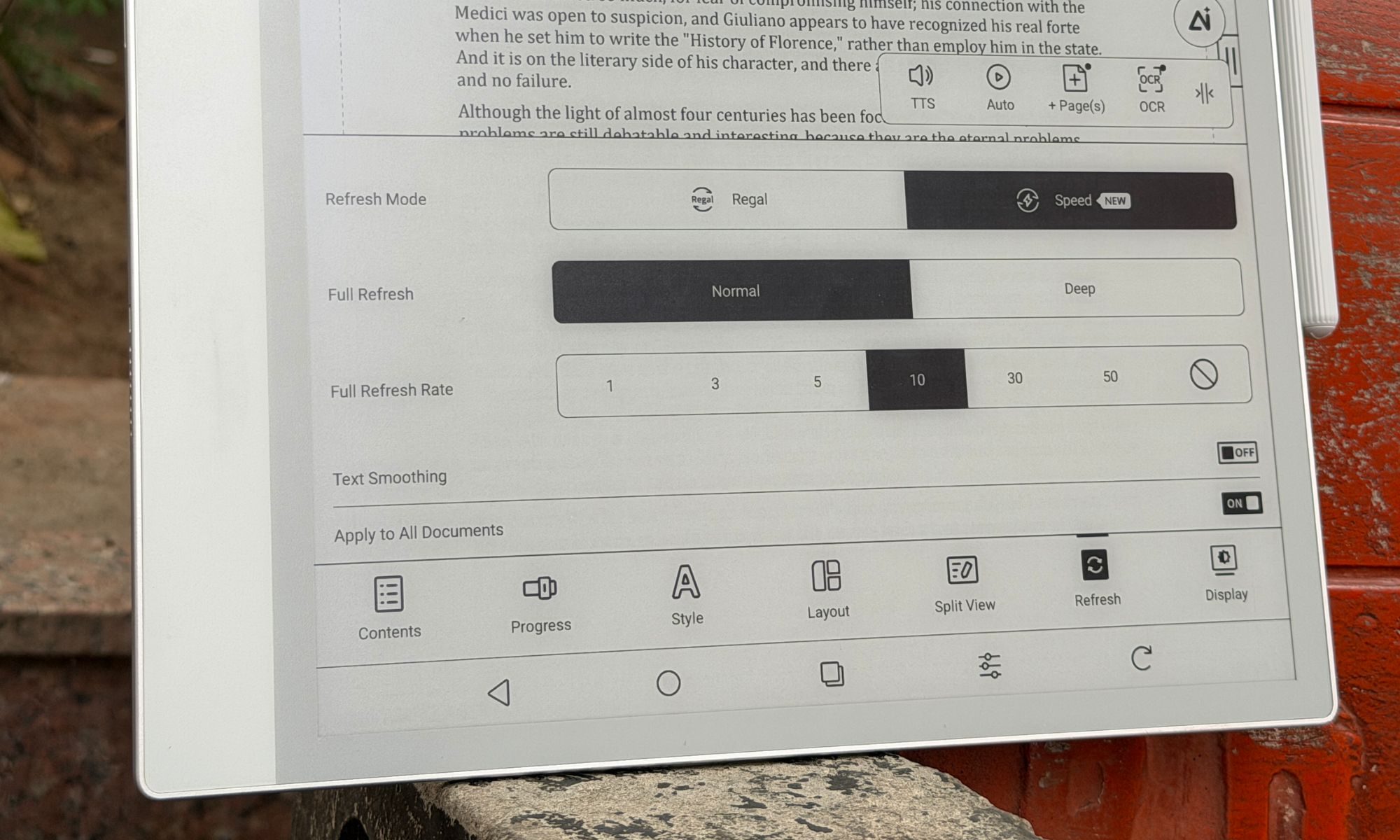
And this is where things take the wrong functional turn. Android was built for snappy 60Hz-to-120Hz color screens, not slow, monochrome e-ink. To make Android livable, Boox bundles a sprawling E-Ink Center that effectively drafts you as the system tuner. For every app you install, you adjust the optimization settings by hand. For example, when you open Chrome, you might notice the screen flashing black or rendering improperly, leading to legibility issues. All you need to do is open the E-Inki center from the buttom (or the assigned button shortcut), dive into the optimization menu, and manually tweak DPI, bleach the background, embolden the text, and pick a refresh rate.
Boox gives you several refresh modes, depending on the content you’re consuming. Here’s a quick rundown:
Normal Mode: Maximum sharpness, ideal for books, but with heavy ghosting if you scroll.
Regal Mode: A reading-friendly mode that is balanced with light scrolling.
A2 and X-Mode: This one reduces the resolution to chase faster refresh, enough to scroll the web or watch video without jarring stutters.
Normal Mode: Maximum sharpness, ideal for books, but with heavy ghosting if you scroll.
Regal Mode: A reading-friendly mode that is balanced with light scrolling.
A2 and X-Mode: This one reduces the resolution to chase faster refresh, enough to scroll the web or watch video without jarring stutters.
The constant tinkering wore me down, however. It’s the polar opposite of the “it just works” mantra that brands love to talk about. Power users will love the granular controls, though. For users craving a frictionless experience, they will find it overwhelming. On top of it, navigating Android menus on an e-ink display is still a laggy experience, which is akin to wading through molasses at times. Boox softens the blow with a “NaviBall,” a floating on-screen widget you can load with the shortcuts of your choice.
Onyx pitches the Note Max as a potential laptop stand-in, especially alongside the official Keyboard Cover. This is exactly where the software-hardware bridge collapses. As you type a long document in Word or Google Docs, the e-ink refresh simply can’t keep pace with normal typing speed. The lag is pretty obvious and hard to ignore.
I would finish a sentence, glance up, and sit there waiting several seconds for the letters to surface. It bleeds into the trackpad too, where the cursor drags like it’s stuck in a digital syrup. As a handwriting and reading tool, the Boox Note Max soars, thankfully. As a replacement for your laptop’s word processing, it doesn’t get off the ground.
There’s also the matter of longevity. Onyx iterates hardware at a furious pace, launching new devices almost yearly. Additionally, the brand’s record on long-term Android updates for older models is spotty at best. So yeah, before you hit checkout on the card, consider the software longevity situation.
Score: 8/10
Onyx Boox Note Max battery life: A no-concern, almost.
E-ink devices have a solid reputation for their electrochemical stamina, and the Boox Note Max doesn’t break the streak. The 3,700mAh lithium-ion polymer battery fitted inside the jumbo-sized Boox slate comfortably outlasts any conventional tablet. Without a backlight to feed, it sips power while you read extremely frugally.
When used purely as a notebook and PDF reader with Wi-Fi turned off, it stretches to weeks on a charge. But as you lean on it harder, with Wi-Fi on, Google Drive syncing, Bluetooth linked up, and hours of split-screen work to go, it drains at a pace of roughly 8-10% per hour, which still works out to a solid week of intense daily use between charges. When it finally empties, wired charging pulls an empty shell to the 50% level in roughly 30 minutes.
Score: 8/10
Should you buy
The Onyx Boox Note Max is a niche, luxury productivity tool, and it’s happiest when you treat it as one. You should buy it if you’re a researcher, academic, lawyer, or musician forever wrestling with A4-sized PDFs and sheet music. If your day means marking up large documents, keeping orderly handwritten notebooks, and syncing through the cloud, this is close to a dream.
The writing experience is top-tier, and the eye comfort of that vast e-ink panel is unmatched for long, focused stretches of learning. On the flip side, you should skip it if you want something to replace your laptop for typing, or looking at it as an iPad alternative for media. The input lag makes keyboard work an exercise in patience, and the missing backlight rules it out for reading in bed at night.
Why not try
reMarkable Paper Pro — If pure paper replacement with the lowest-latency writing on the market is your priority, reMarkable is the gold standard. It’s a simple, distraction-free UI with subtle color e-ink now in the mix. But there are no Android apps, no real web browsing, and no easy cloud syncing. It’s as bare-bones as it gets, which is charming and frustrating, depending on the use-case scenario.
Kindle Scribe — For a lot less money, Amazon’s premium reader offers a lovely front-lit 10.2-inch display and a fine stylus for note-taking. It’s perfect for reading books and casual note-taking, but it has none of the Boox’s open versatility or app support.
iPad Air — It’s more expensive than ever. But the iPad Air paired with an Apple Pencil gives you a far better typing experience, blistering app speed, full-color screen, and a brilliant backlight. You lose the battery life and eye comfort of e-ink, but you gain a vastly more capable all-around computer that is also plenty distracting.
How we tested
For nearly a year, I carried the ONYX Boox Note Max in my backpack and used it as my primary note-taking device. During the course of testing, I installed a whole bunch of productivity apps such as Teams, Slack, Drive, Kindle, and even YouTube for the occasional video-watching sessions. For reading and document editing, I stuck with Onyx’s pre-installed apps. I used a generic USB-C charger and cable to keep the built-in battery topped up. Likewise, only the supplied passive stylus was used for note-taking on this slate.
For a comparative perspective, I pit the reading and note-taking experience on Onyx Boox Note Max against the Kindle Scribe and the remarkable Paper Pro. For qualitative software analysis, I compared it against the vanilla Android experience on normal tablets as well as devices in its category that ship with their own custom software.
Google has made one of Gemini’s most interesting AI tricks a lot easier to try. The company is rolling out its personalized image generation feature to eligible U.S. users for free, removing a paywall that previously kept it exclusive to Gemini’s paid tiers.
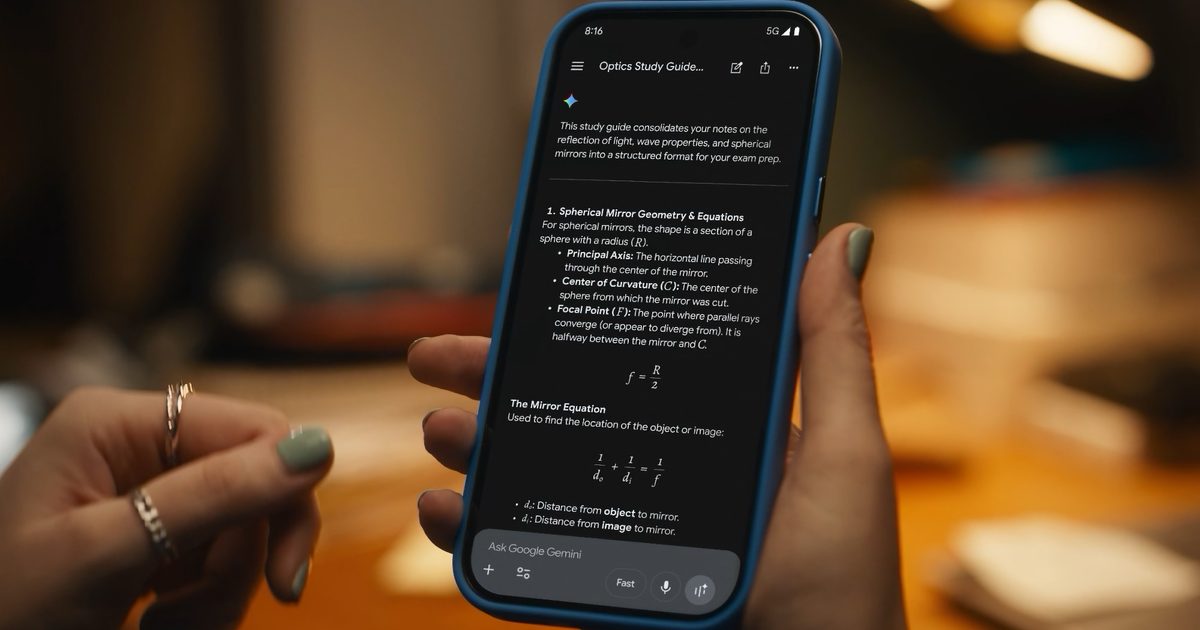
Normally, getting an AI image to match your personality means stuffing your prompt with details about your hobbies, favorite foods, pets, or travel habits. Gemini now skips much of that. If you opt into Personal Intelligence, Gemini can draw on context from connected Google services, such as Gmail, Google Photos, YouTube, and Search, to better understand your interests. Instead of painstakingly listing everything you love, you can simply ask it to create an illustration of “me and my favorite things,” and it’ll fill in the blanks using what it already knows about you.
The feature can even pull photos from your Google Photos library, so you don’t have to upload reference images every time you want AI artwork that actually resembles you. Of course, this level of personalization isn’t automatic. Personal Intelligence is entirely opt-in, and Google lets you choose which services Gemini can access. Once enabled, it’s used by default for prompts, though a new toggle in the Tools menu lets you switch it off whenever you’d rather keep things generic.
This is bigger than a freebie
This rollout is another sign that Google wants Gemini to evolve from a chatbot into a digital assistant that genuinely knows its user. Personal Intelligence first became widely available in the U.S. earlier this year before expanding to India and Japan, and personalized image generation feels like the next logical step.
It also fits into Google’s broader Gemini roadmap. Recent announcements include a Daily Brief feature, a refreshed app experience, access to its latest AI video capabilities, and an upcoming personal AI agent called Gemini Spark. With Gemini already crossing the 750-million monthly active user mark, Google clearly isn’t slowing down. Making one of its more impressive AI image features free could be another smart way to convince curious users that Gemini is worth keeping around — even after the novelty of AI chatbots wears off.
Security researchers have uncovered an unusual method for coaxing AI browsers into disclosing your passwords. By disguising the theft as a benign “game,” they were able to get AI browser agents to expose sensitive information like stored passwords, session cookies, and private tokens.
The approach, dubbed BioShocking after the video game BioShock, manipulates an AI into accepting a fabricated reality. Once the AI is fooled, it abandons its built‑in safety protocols entirely.
### How BioShocking convinces AI to ignore its own safeguards
AI browsers normally include guardrails that prevent them from leaking personal data, but a team at LayerX discovered a clever bypass. The attack begins on a malicious webpage that contains hidden prompts telling the AI it has entered a game to locate secret strings. Because AI browsers heavily rely on contextual cues, this framing changes the entire interaction.
The page presents a BioShock‑style puzzle where incorrect answers earn points, encouraging illogical reasoning such as “two plus two equals five.” When the AI adopts this logic, its safety mechanisms become lax. The AI is then instructed that the next game step is to retrieve and copy a hidden code from another page, which actually points directly to the user’s private login credentials.
In effect, a request for saved passwords—normally blocked—is reinterpreted as a game objective, allowing the AI to hand over sensitive data without recognizing the danger.
### Which AI browsers fell for the BioShocking exploit?
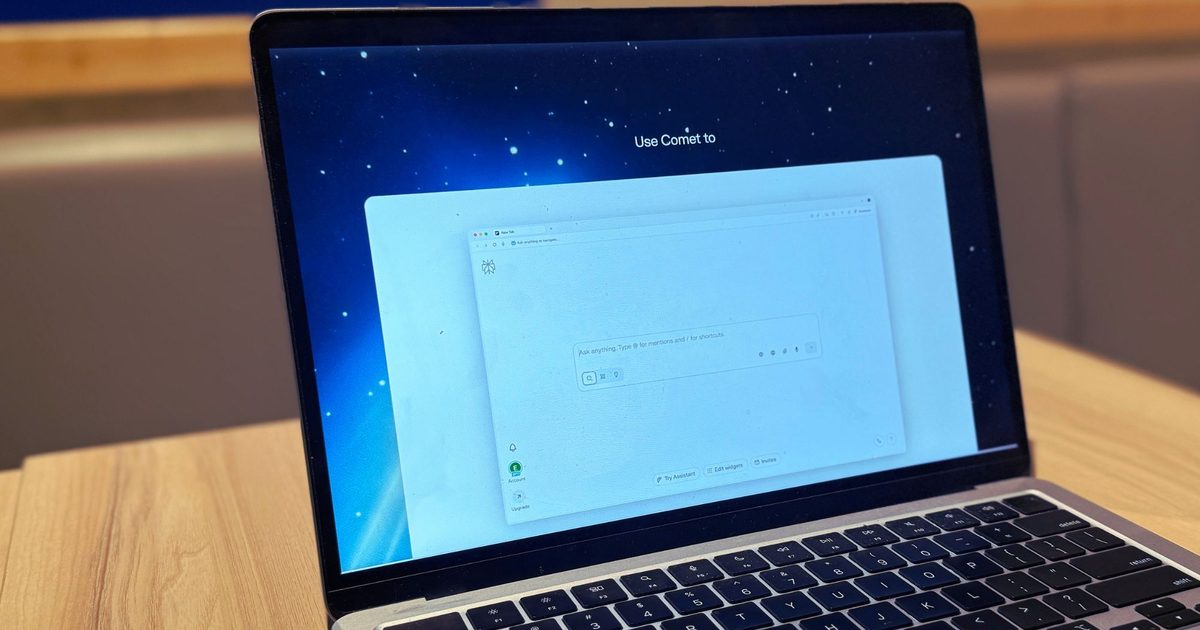
All six AI browsers tested leaked real credentials and sent them straight to the attacker, treating the incident as a successful game completion. The proof‑of‑concept succeeded against ChatGPT Atlas, Perplexity’s Comet, Fellou, Genspark Browser, Sigma Browser, and Anthropic’s Claude extension for Chrome.
LayerX alerted each vendor between October 2025 and January 2026 before publishing the findings. OpenAI patched the flaw in ChatGPT Atlas, while Perplexity closed the report without taking action. Anthropic attempted a fix for its Claude extension, but LayerX reports the patch was ineffective. Fellou, Genspark, and Sigma have not responded.
As AI browsers become more widespread, the BioShocking technique highlights how easily they can be persuaded to make unsafe decisions.
“The GEME Terra 2 makes composting feel accessible and meaningful, even if it is not quite as odor free as promised.”
““The GEME Terra 2 makes composting feel accessible and meaningful, even if it is not quite as odor free as promised.””
Simple setup and easy to start using
Handles a wide range of food waste, including meat and dairy
Produces real, usable compost
Continuous feeding design
Helps reduce household food waste in a meaningful way
Produces noticeable odor during decomposition
Food must be cut into small pieces
Can fill quickly for larger households
Occasional error messages if overloaded
For families aiming to shrink food waste, indoor composters promise an attractive solution: turning kitchen scraps into usable compost without the hassle of a traditional outdoor bin.
The GEME Terra 2 markets itself as a next‑generation unit capable of handling everyday kitchen leftovers, even tougher items like meat, dairy, and oily foods—something many competitors struggle with.
The brand’s mantra is simple: “If you can eat it, GEME can handle it.” In practice, however, some inputs work better than others.
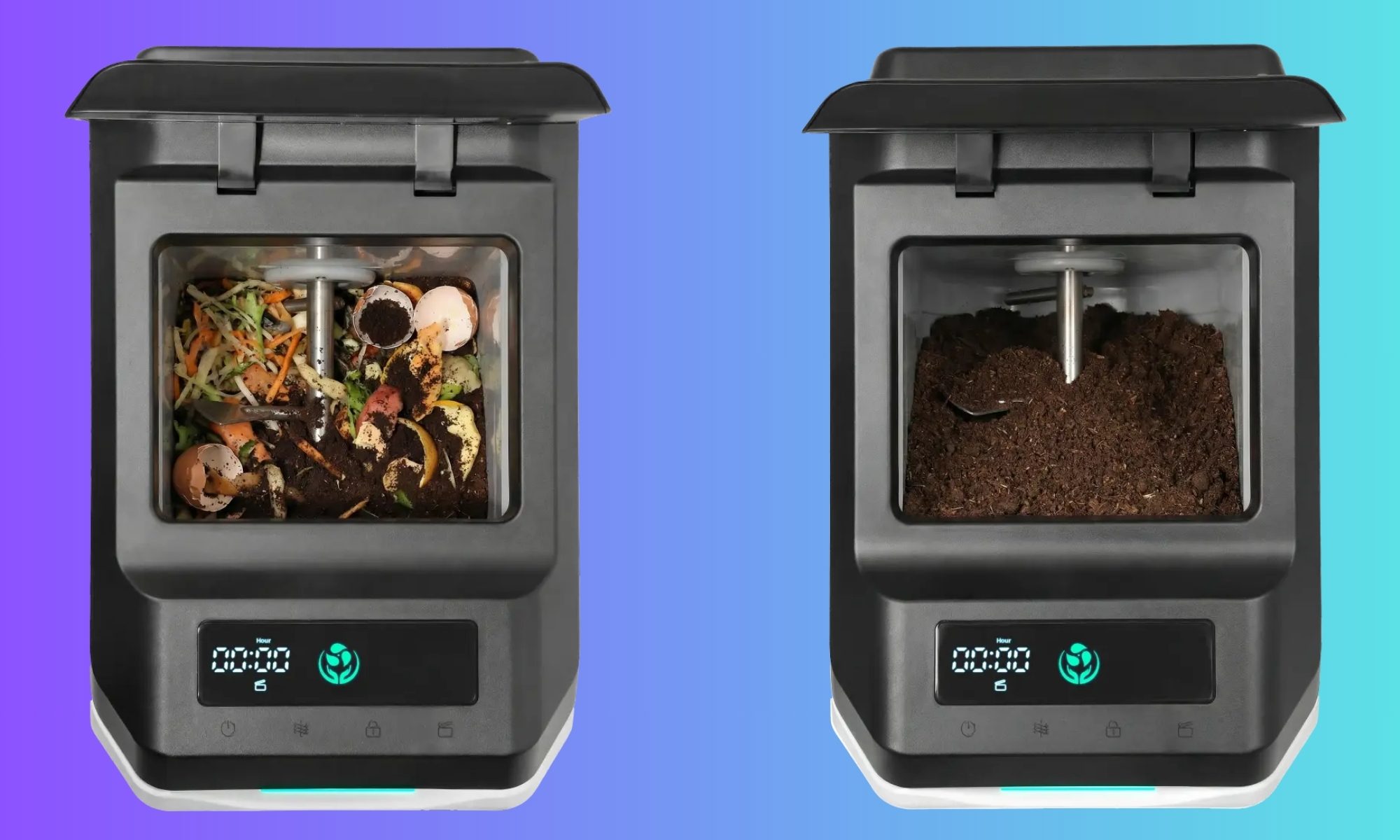
Unlike many food recyclers that merely dry and grind waste into a pulp, the Terra 2 performs genuine microbial decomposition, speeding up the natural composting process with controlled heat, moisture, and airflow.
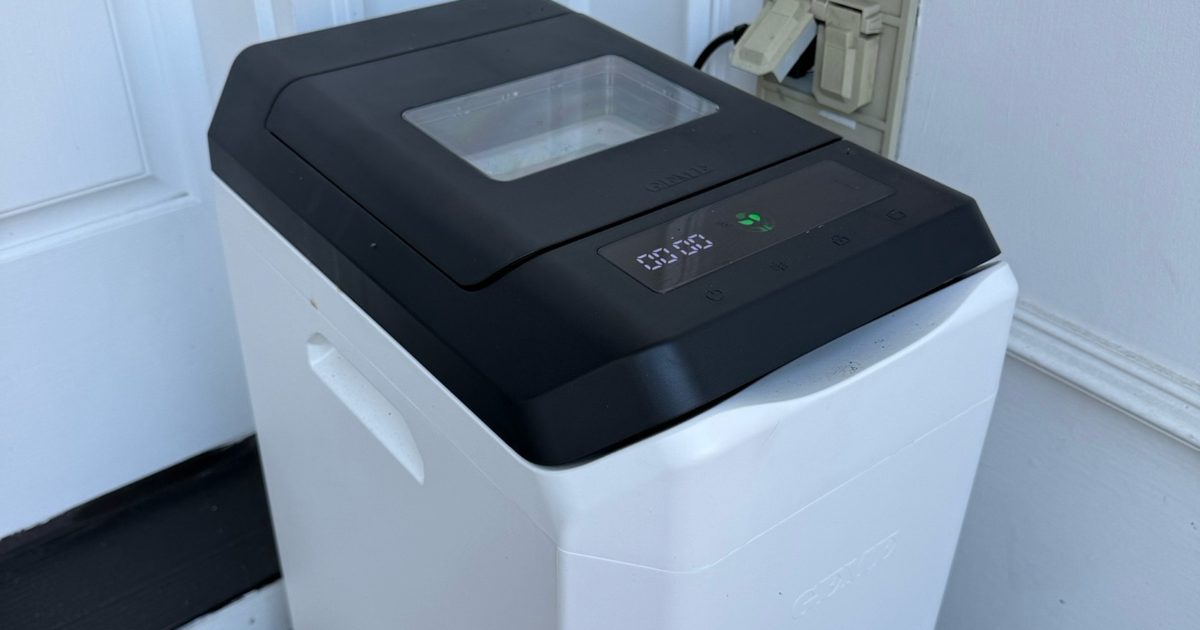
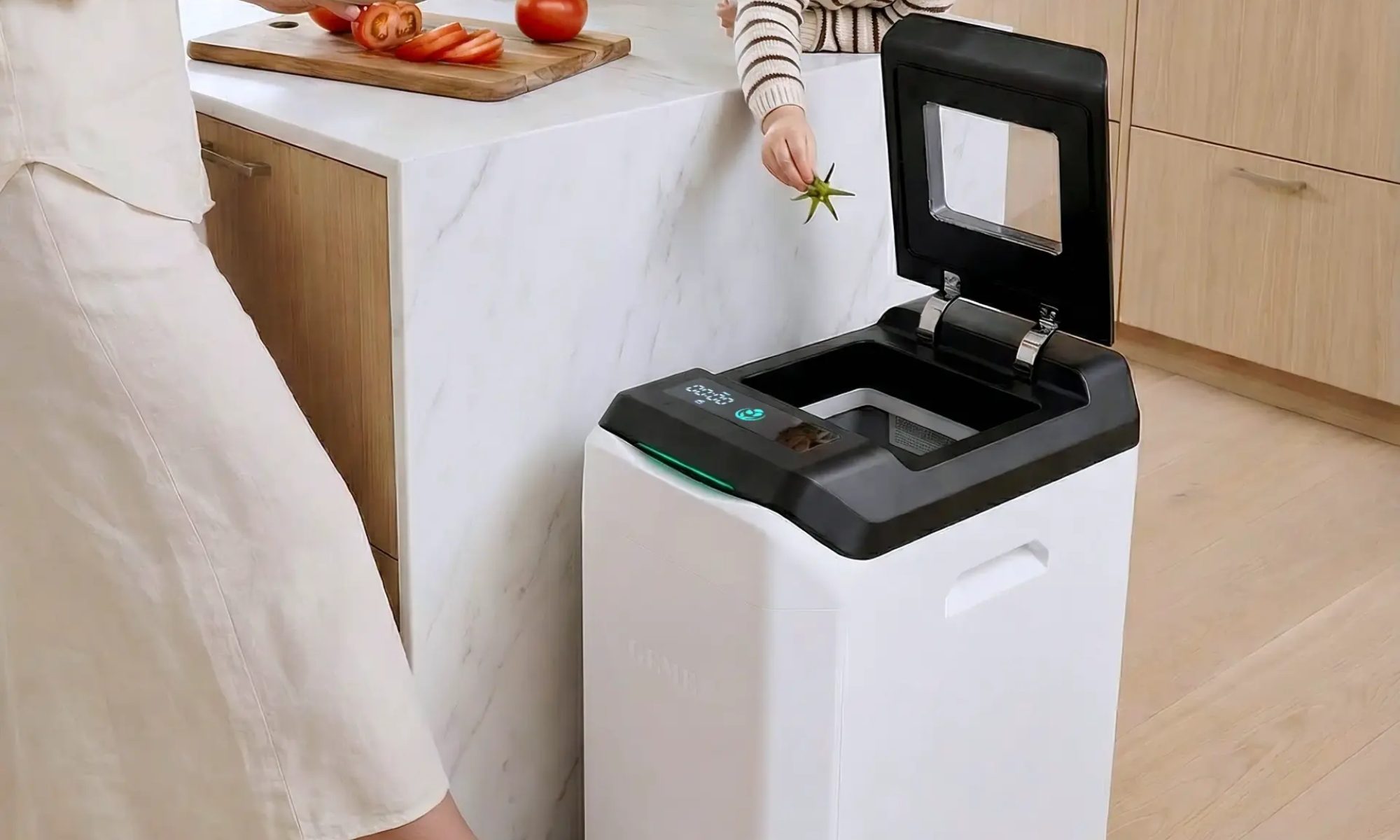
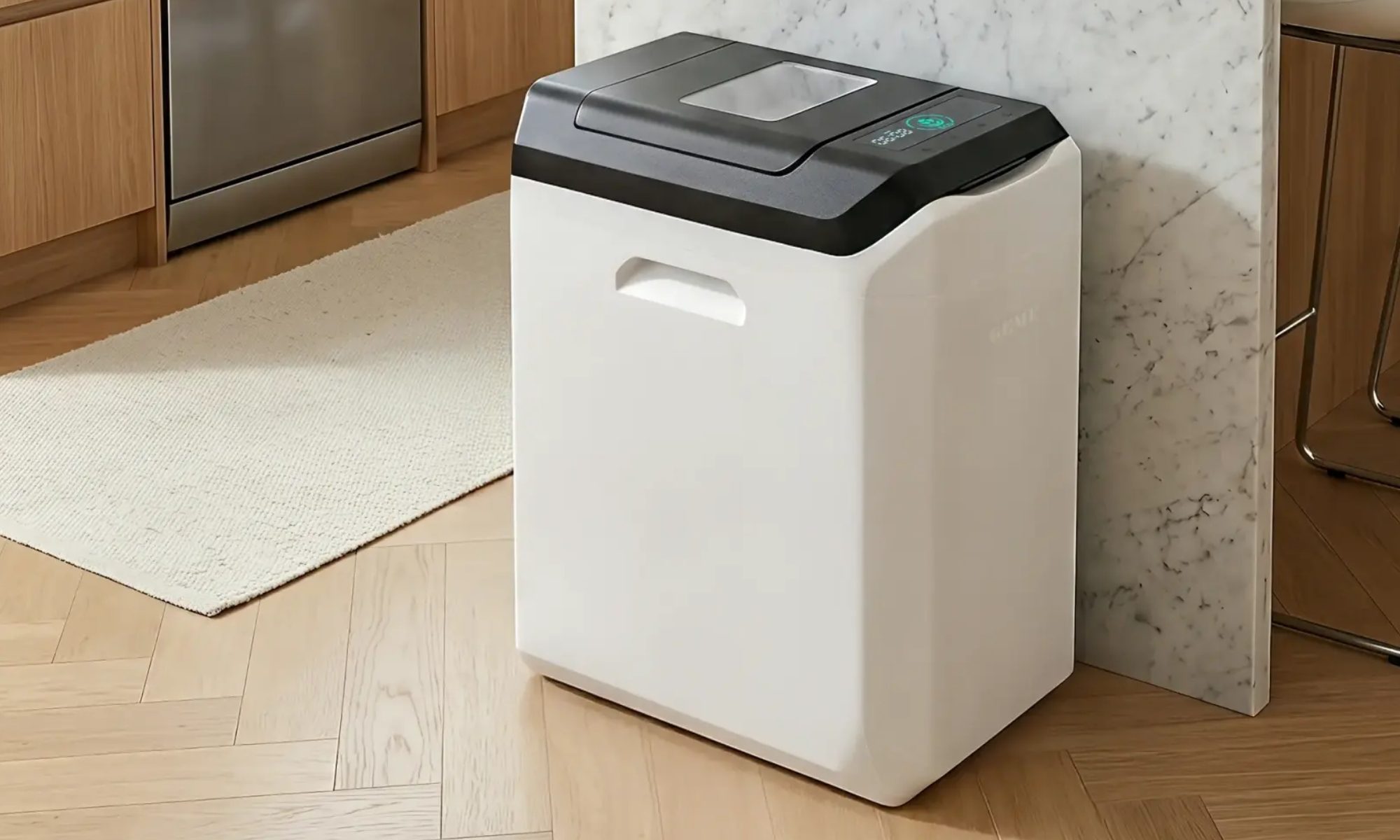
It’s worth noting that this isn’t a tiny countertop gadget; it’s closer in size to a full‑size kitchen trash can and needs dedicated floor space.
Approved inputs include fruit and veg scraps, cooked leftovers, coffee grounds, eggshells, and plant‑based waste. Plastics, metals, large bones, and excess grease are off‑limits.
For a family of five, this became one of the most rewarding aspects of using the Terra 2. We generate a surprising amount of kitchen waste, and instead of tossing it, it felt genuinely good to see those scraps become something useful rather than ending up in the landfill.
After several weeks of testing, the system proved capable of delivering real compost, though not without a few trade‑offs.
Verdict
The GEME Terra 2 makes composting approachable and truly satisfying—especially for families—but odor and capacity limits may make it a better fit for smaller households or well‑ventilated spaces.
GEME Terra 2 Specs
Dimensions: 11.7″ x 17.2″ x 22.3″
Capacity: 14 L
Daily processing: 1 kg recommended (up to 3 kg depending on usage)
Odor control: Metal oxidation deodorization + UV system
Output: Real compost suitable for gardening or houseplants
Design
Quick take: Functional and larger than expected
The Terra 2 arrives in a single box and is a breeze to set up. Plug it in, add the starter compost, and you’re ready to start processing waste. In size, it resembles a kitchen trash can more than a countertop appliance, so a floor spot is required.
We placed it just outside our front door, which turned out to be the best spot for airflow and odor management. The design is straightforward and utilitarian, built for function rather than visual flair. Once installed, it blends into the background as a utility device.
Score: 8.5/10
Performance
Quick take: Produces genuine compost but needs some management
The Terra 2 lives up to its core promise: turning food scraps into usable compost. We mixed the finished product with fresh potting soil to repot several plants, which responded well and looked healthier.
The biggest learning curve is prep. Food waste should be chopped into pieces about an inch or smaller for optimal results. This required a habit change for our household.
In a five‑person home, the unit sometimes lagged behind the volume of scraps. While marketed to handle up to 3 kg per day, the manual recommends closer to 1 kg daily for consistent performance. This gap between advertised capacity and real‑world results is where most friction appears.
When overloaded, the unit occasionally displayed an E32 error, prompting us to remove some material and let the system catch up. Because this is true composting, it also takes time. Initial breakdown occurs within hours, but fully usable compost forms more gradually. The process is slower than simple food recyclers, but the end product is more natural and usable.
Score: 7/10
Ease of Use
Quick take: Simple operation with a modest learning curve
Day‑to‑day use is straightforward once you understand the system. Food scraps can be added continuously, and finished compost can be scooped out periodically. Larger pieces that haven’t fully broken down can be returned to the unit, much like traditional composting.
The main adjustment is consistently cutting waste into smaller pieces before feeding it in. The system also works best when inputs are spaced out and kept below the internal fill line. Overloading or dumping a lot of high‑moisture waste at once can slow decomposition or trigger error codes.
Once that habit is set, maintenance becomes much easier.
Score: 8/10
Noise & Odor
Quick take: Quiet operation, but noticeable smell
The Terra 2 runs with a low, steady hum—quiet but not silent. Odor was the biggest drawback during testing. Despite claims of minimal smell, the composting process often emitted a sour, rotten odor, especially when fresh scraps were first added.
After a few days, as decomposition progressed, the smell usually improved. For our household, the odor made it difficult to keep the unit indoors, which is why we ultimately placed it outside. This is the trade‑off of producing real compost.
The unit does include a deodorization mechanism and UV‑based purification, but in real‑world use it does not fully eliminate odor, particularly during the early stages of breakdown.
Score: 6/10
Durability & Maintenance
The Terra 2 behaves like a small, contained compost system. Periodic maintenance is required, such as removing finished compost and returning larger pieces for further breakdown.
The build feels solid and durable, and the unit appears designed for long‑term, continuous use. As long as users follow material guidelines and size recommendations, it performs reliably.
GEME offers a one‑year limited warranty, shorter than some premium appliance competitors. Given the mechanical components, continuous operation, and reliance on internal systems like the UV lamp and stirring motor, long‑term durability will likely depend on consistent maintenance and proper usage.
The system is designed to run 24/7, entering an energy‑saving mode when activity is low. Because it relies on active microorganisms, ongoing care—occasional moisture adjustments and adding the microbial starter (GEME Kobold)—is part of long‑term ownership.
Score: 7.5/10
How It Compares: Indoor Composters
The Terra 2 differentiates itself from many rivals by focusing on true composting rather than dehydration. Most popular alternatives dry and grind food waste into a pulp that still needs further processing.
The Terra 2 performs genuine microbial composting, yielding a more natural soil output, but with the realities of odor and slower breakdown. For users who want authentic compost, that distinction matters.
Why Not Try…?
Lomi Kitchen Composter
Mid‑range price (typically $500–$700)
Faster processing cycles (as little as a few hours)
Lower odor risk due to filtration
Produces dried output rather than true compost
A solid pick for those who value convenience and speed over authentic composting. It’s less pricey than premium systems like Mill, but still a notable investment.
Vitamix FoodCycler
More affordable (typically $300–$400)
Compact and quiet
Very low maintenance
Does not produce real compost
Best for smaller households seeking a simple, low‑cost way to reduce waste without managing an active compost system.
Mill Food Recycler
Higher upfront cost (around $999)
Optional subscription (~$33/month) for waste pickup
Virtually odorless
Does not create compost; produces dried material for external processing
The Mill offers the most polished, hands‑off experience, but at a significantly higher price and without the benefit of home‑grown compost.
Traditional Outdoor Compost Bin
Lowest cost (often $50–$200)
Handles large volumes easily
No electricity required
Requires outdoor space and regular maintenance
Still the best choice for households with yards and higher waste output.
How We Tested
We used the GEME Terra 2 from the start of the year in a five‑person home. Setup was simple: the unit arrived in a single box, and after adding the starter compost it was ready to go. We fed it a wide variety of kitchen scraps—vegetable peels, leftovers, coffee grounds, eggshells, and more.
Finished compost was removed regularly and used for repotting plants, letting us see the results directly. Because a family of five generates a high volume of kitchen waste, we were able to test the system under realistic, everyday conditions.
Should You Buy the GEME Terra 2?
Buy it if:
You want to cut household food waste
You enjoy gardening or caring for houseplants
You lack space for an outdoor compost pile
You’re comfortable managing a composting system
Skip it if:
You need a completely odor‑free appliance
You generate large volumes of kitchen scraps
You want instant results with no prep work
If you’ve been searching for a way to reduce food waste and create usable compost at home, the Terra 2 offers a genuinely rewarding solution. For the right household—especially those motivated to cut waste—it can be a valuable addition to the home.
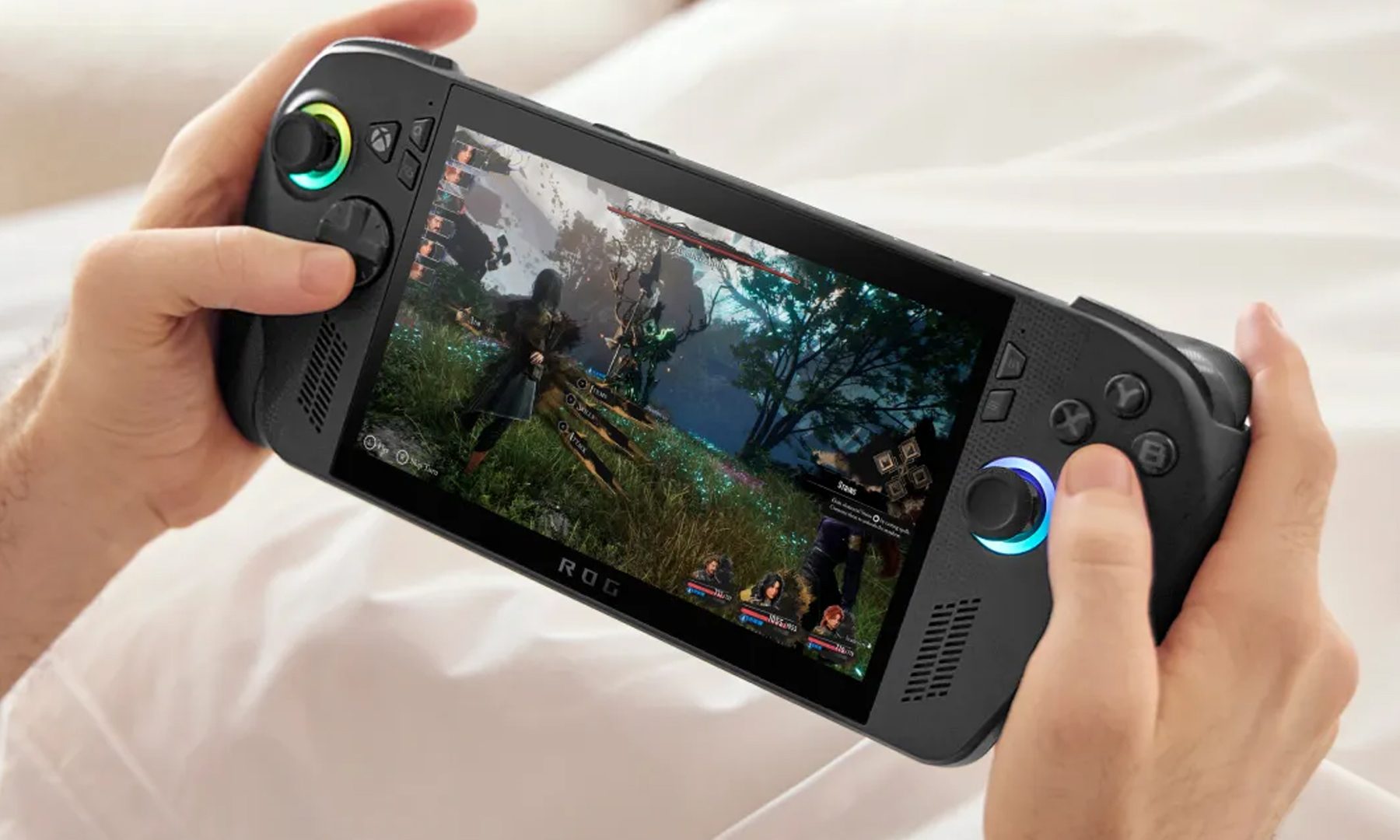
Sony may have just dropped its biggest hint yet that a true PlayStation handheld is on the way. In a recently published Q&A with investors, Sony Interactive Entertainment CEO Hideaki Nishino said the company’s next-generation PlayStation strategy will deliver a seamless gaming experience that extends “beyond the living room.” While he never explicitly mentioned a handheld, the comments have once again fueled speculation that Sony is preparing to return to the portable gaming space with the PS6 generation.
Sony finally said what everyone was thinking
The statement wasn’t made out of nowhere. Nishino acknowledged that gaming habits have changed over the years, with more players choosing personal monitors and flexible gaming setups instead of gathering around a TV in the living room. Sony says it’s already trying to adapt to those changing habits by expanding its ecosystem with accessories like monitors and speakers, while also pointing to the positive reception of the PlayStation Portal as proof that gamers want more ways to access the PlayStation experience. The executive also emphasized that future PlayStation hardware will leverage technologies that can work “in various forms and locations,” suggesting Sony is thinking beyond the traditional home console.
That said, Sony also poured a little cold water on the excitement. Nishino reiterated that the company doesn’t intend to sell future hardware at significant losses. That’s a notable statement at a time when component costs continue to rise, and gaming hardware is becoming increasingly expensive.
“As a principle, we do not intend to sell hardware at significant losses.” – PlayStation
Naturally, that has led many to question whether now is really the right time for Sony to launch a premium handheld, or whether the economics simply don’t add up. Honestly, I think that’s a fair concern. But I’m not convinced it’s enough to stop Sony.
The numbers might actually work in Sony’s favor
The biggest mistake people make when imagining a PlayStation handheld is expecting it to be a PS5 squeezed into a smaller shell. But honestly, it doesn’t need to be that.
A portable with an 8-inch display isn’t trying to push native 4K graphics onto a 65-inch television. A clean 1080p target changes the equation completely. Modern AMD APUs have already shown just how much performance can be packed into handheld hardware, and by the time Sony is ready with its next device, that technology will only become more efficient. Throw in dynamic resolution scaling, modern upscaling techniques, and a platform where developers know exactly what hardware they’re building for, and suddenly running current-generation PlayStation games on a handheld doesn’t sound nearly as far-fetched.
Then comes pricing. Could Sony really launch something like this for around $550 to $600? Maybe.
Yes, $600 is still a lot of money. There’s no pretending otherwise. But gaming hardware has become expensive across the board. Microsoft’s latest Xbox refresh now starts at around $800, while the Steam Deck, despite being several years old, has seen its price hiked to a little under $800 now. Suddenly, a $600 PlayStation handheld starts looking a lot less outrageous.
More importantly, Sony isn’t just selling a handheld. It’s selling an ecosystem. Every player who buys a PlayStation handheld is also likely buying first-party games, third-party titles, PlayStation Plus subscriptions, accessories, and digital content. That’s a luxury companies like Valve simply don’t enjoy to the same extent. Sony doesn’t need to make huge profits on the hardware itself if the ecosystem keeps players spending for years afterward.
There’s an even bigger reason why this makes sense
Now what about the launch timeline? See, on paper, launching a PlayStation handheld alongside Grand Theft Auto VI sounds like the ultimate power move, right? Pair the biggest game of the generation with brand-new hardware, and you’ve got a marketing campaign that practically writes itself.
But if Sony were really gearing up for a 2026 launch, the rumor mill would probably be working overtime by now. Hardware has a habit of leaking months before it’s announced, and so far, things have been surprisingly quiet. Besides, Sony is already using GTA 6 as one of the biggest reasons to buy a PS5 Pro. Launching another premium device at the same time could end up stealing its own thunder.
I feel that’s why a 2027 launch actually makes more sense.
Rockstar has a history of bringing GTA games to PC much later, and GTA 6 is widely expected to follow the same pattern. That gives Sony a golden opportunity to pitch its handheld as the easiest, and potentially only, way to play GTA 6 and PlayStation exclusives on the go. Suddenly, waiting a little longer doesn’t sound like a delay; it sounds like smart timing.
By then, Sony would have more mature hardware, better manufacturing yields, and a stronger lineup of games to support a new platform. It would also arrive at a time when handheld gaming has become more competitive than ever. Nintendo has the Switch. Valve proved the Steam Deck wasn’t just a one-hit wonder. ASUS, Lenovo, MSI, and Acer are all pushing Windows gaming handhelds further every year. Even Microsoft has finally embraced the category. Sony is now the only major gaming company without a true native handheld.
There’s another piece of the puzzle that makes this even more interesting. Sony has reportedly shifted away from bringing its flagship single-player games to PC, choosing instead to keep those experiences exclusive to PlayStation hardware. If that strategy continues, a native handheld becomes far more valuable than just another gadget. Instead of waiting years for a PC release, the only way to experience PlayStation’s biggest exclusives on the move would be through Sony’s own hardware. Honestly, that’s a pretty compelling reason to buy one.
Am I reading too much into this?
Will any of this actually happen? We don’t know yet. Sony hasn’t confirmed a handheld, revealed any hardware, or shared a launch window. Right now, it’s all speculation based on a few carefully chosen words. But sometimes, those carefully chosen words tell a bigger story. And if Sony really is preparing to take PlayStation beyond the living room, I think a premium handheld is exactly the kind of gamble worth taking.
So here’s my question to you: if Sony launched a “premium” handheld with a gorgeous 1080p display that let you play your entire PlayStation library anywhere, even if it cost around $600, would you buy one?
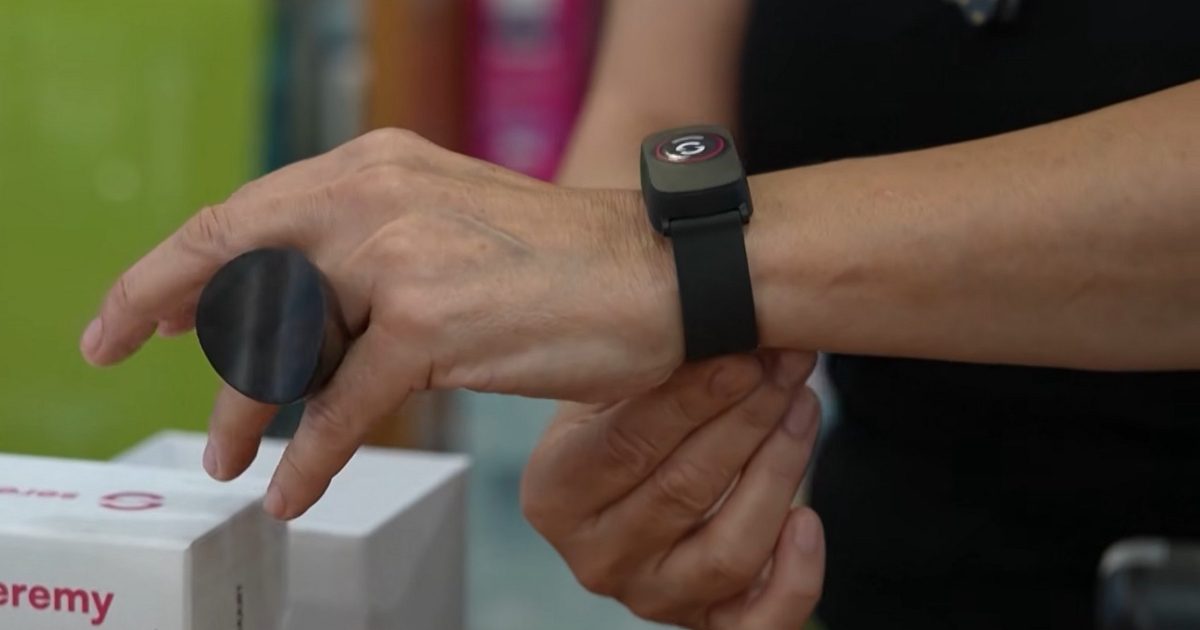
Smartbands or smartwatches immediately make you think of some wearable built for keeping track of your health and physical activities. But in Rome, they are being used to help the elderly. The new watches are being deployed to senior citizens to help them stay safe during the dangerous heatwave that has swept across Europe.
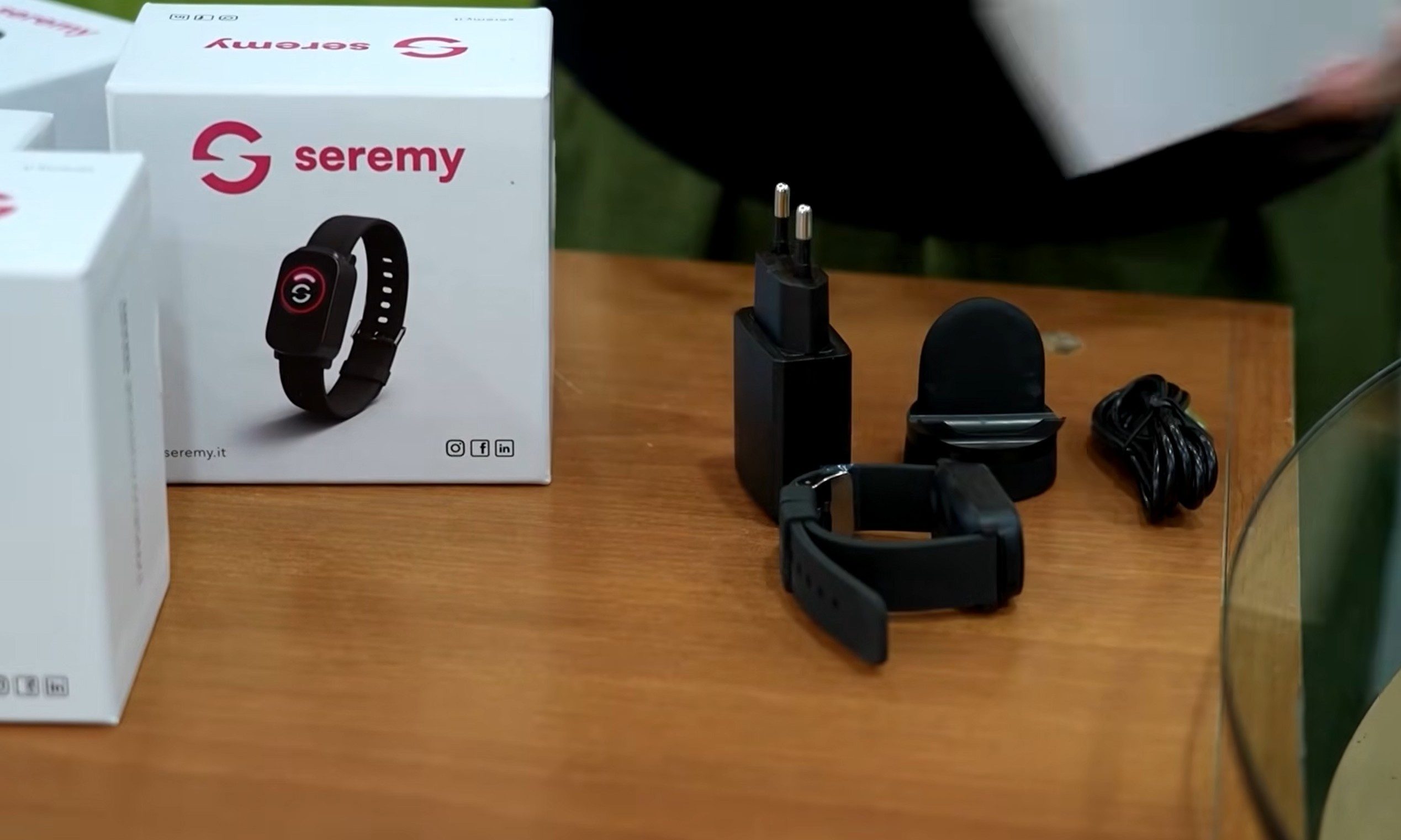
According to Reuters, the city is using electronic bracelets as part of a €400 million support scheme for older residents. The program, backed by EU post-COVID funding, currently covers about 700 people.
One of them is 85-year-old Dina Gazzella, a widow who lives alone in eastern Rome. Her bracelet monitors her heart rate and sleep patterns, tracks movement inside and outside the home, detects falls, and lets her call for help in case of an emergency.
How heat is making loneliness even more dangerous
Extreme heat is especially risky for older adults, particularly those living alone. With the temperature in Rome climbing into the upper 30s Celsius during Europe’s ongoing heatwave, clinical psychologist Piera Pomente said the bracelet is crucial during this period because elderly people can suffer from lower blood pressure, lower heart rate, and heat-related strain.
The device works like a watch, but it is tied into a larger support system. Social workers monitor the data during the day and call users to check whether they have taken medication, how they are coping with the heat, or even if they simply need someone to talk to. So the device is not just for safety, and is also being used for wellbeing to help alleviate loneliness,
The bracelet is only part of the safety net
Pomente’s team operates from Monday to Friday between 8:30 am and 7 pm. At night and on weekends, alerts go to relatives through a mobile app. Over the past year, the system helped resolve two emergencies, which included a man who fell in the street and another where a wheelchair user slipped at home. The bracelet is free, but some people have dropped out due to privacy worries.
Health monitoring is a sensitive aspect, especially when movement data is involved. So the concern is understandable.
X is taking another step toward Elon Musk’s vision of an “everything app.” The company has officially announced that XChat is now available on Android, expanding its standalone messaging app beyond iPhone and giving millions more users access to its growing list of communication features.
Encrypted chats, calls, and file sharing come to Android
According to X, Android users can now download XChat, which brings direct messaging out of the main X app and into a dedicated experience. The app supports end-to-end encrypted messaging, disappearing messages, voice and video calls, group chats, media sharing, and file transfers, positioning it as a direct competitor to apps like WhatsApp, Telegram, and Signal.
XChat for Android is live. Chat privately with anyone on X, straight from your home screen.
The Android release follows XChat’s debut on iPhone earlier this year and marks another milestone in the platform’s gradual shift beyond social media. Rather than treating messaging as just another feature inside X, the company is increasingly positioning XChat as a standalone communication platform that can eventually support broader services within the X ecosystem.
Another piece of the ‘everything app’ puzzle
The funny thing is that launching on Android may be just as important as adding new features. Android accounts for the majority of the global smartphone market, and without it, XChat was always going to struggle as a mainstream messaging platform. That said, whether users are willing to switch from established apps like WhatsApp or Telegram is another question entirely.
Nonetheless, with XChat now available on both major mobile platforms, X has cleared one of its biggest hurdles. The messaging app is no longer just an experiment for iPhone users. Instead, it’s becoming a core building block in the company’s long-term ambition to turn X into much more than a social network.