A scanned invoice arrives as an image‑based PDF. The text is extracted via an OCR website, formatting is corrected manually in another editor, signatures are added through a separate platform, and the final file is exported again for approvals or archiving. Each step is simple, yet the workflow becomes needlessly fragmented when multiple browser tools, desktop applications, and cloud services are involved.
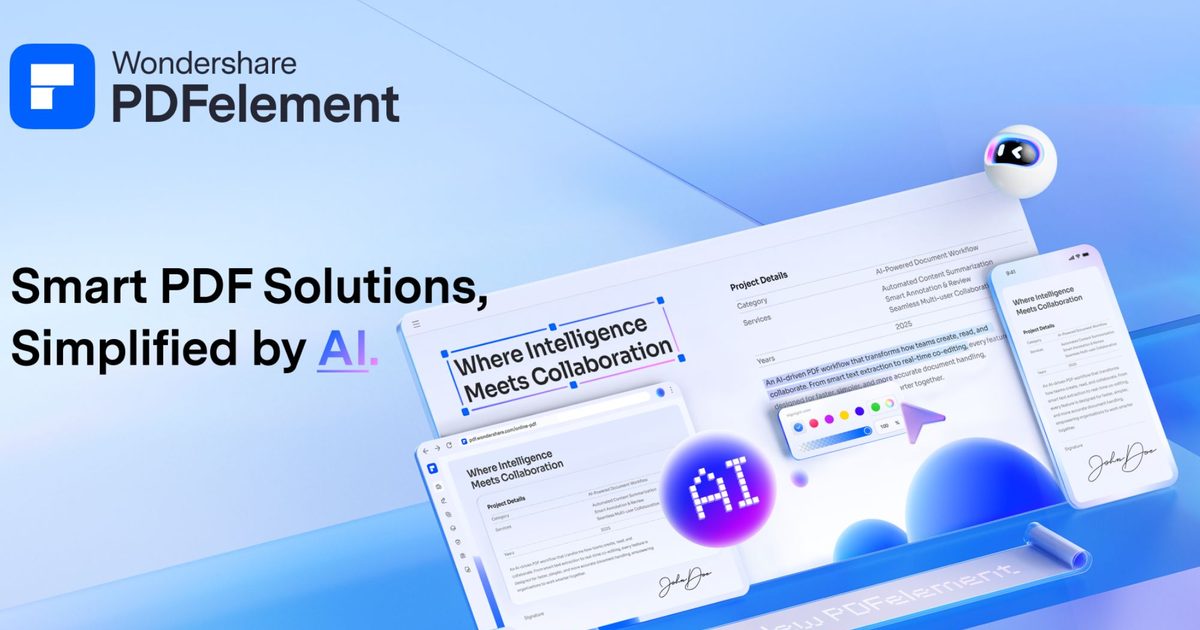
Wondershare PDFelement is more than a PDF editor—it is an all‑in‑one workflow hub for genuine office productivity. OCR, editing, batch conversion, annotations, AI‑assisted handling, e‑signatures, and document organization all coexist in a single workspace. Whether dealing with contracts, invoices, approvals, or collaborative reports that pass through several teams, keeping every stage in one environment cuts down on formatting glitches, repetitive file juggling, and the constant back‑and‑forth that slows document‑heavy processes.
Created by Wondershare, a global software firm known for productivity and creative tools, PDFelement is designed to simplify everyday document workflows for teams and businesses.
OCR workflows cut manual cleanup after scanning
A scanned vendor invoice lands in the inbox looking perfect—until someone needs to pull out the text, fix the layout, and resend it for approval. What begins as a simple PDF quickly morphs into a chain of tiny manual tasks: OCR extraction in one browser tool, formatting cleanup in another editor, followed by revisions to repair broken tables, spacing, or layout inconsistencies introduced during conversion.
Wondershare PDFelement streamlines much of that process by keeping OCR processing, editing, annotations, and export steps inside the same environment. In our tests, scanned PDFs stayed remarkably intact after conversion, especially tables, paragraph structures, and multi‑page layouts that usually demand extra cleanup before circulation or archiving.
This continuity is especially valuable for teams handling large volumes of invoices, onboarding paperwork, archived records, or signed approvals throughout the workday. Multilingual OCR recognition, region‑specific text extraction, and batch OCR processing further reduce the repetitive handling that often plagues scanned‑document workflows in bigger offices.
Editing and conversion designed for real‑world office use
Formatting problems remain one of the most irritating aspects of working with PDFs. A tiny text edit can shift layouts, break spacing, misalign visual elements, or create compatibility issues once the file is shared across teams. Anyone who regularly works with proposals, contracts, onboarding documents, or collaborative reports has likely experienced the cycle of fixing one issue only to create another elsewhere in the document.
Wondershare PDFelement treats editing like a productivity‑focused workspace rather than a lightweight PDF utility. Text editing, annotations, hyperlinks, page organization, watermarking, markup tools, and image insertion all operate within the same environment where OCR, conversion, and export tasks already happen, making revisions far less disruptive during everyday document work.
Collaborative review cycles also become more manageable when files are revised repeatedly before approval or distribution. Instead of constantly exporting documents to separate tools for edits, comments, or formatting tweaks, most of the workflow stays centralized in one workspace.

The batch conversion feature shines in day‑to‑day use. Converting PDFs one by one is the kind of repetitive admin work that silently slows teams down, especially when proposals, presentations, archived reports, or internal documents need to shift between formats regularly. Wondershare PDFelement can bulk‑convert PDFs to Word, Excel, PowerPoint, EPUB, and other formats while preserving strong formatting consistency across most document types.
The conversion tools fit naturally into collaborative office workflows where documents are revised, exported, archived, and circulated across departments on a regular basis.
AI features accelerate document review and navigation
A lengthy contract arrives minutes before a meeting, but locating the crucial clause still means manually scrolling through dozens of pages. For many teams, digging through large PDFs under time pressure is one of those small yet frustrating workflow hiccups that Wondershare PDFelement aims to eliminate.
Instead of manually scanning long contracts, reports, or research‑heavy PDFs page by page, users can summarize documents, pinpoint relevant sections, extract key information, and navigate large files more efficiently via the platform’s “Chat with PDF” function. This workflow is especially handy for teams reviewing proposals, compliance documents, technical reports, or approval‑heavy paperwork throughout the day.
The AI tools operate alongside OCR processing, editing, annotations, conversion, and organization features rather than as isolated add‑ons. Keeping these capabilities together helps PDFelement serve as a streamlined alternative to fragmented PDF solutions that scatter tasks across multiple platforms.
Wondershare’s AI PDF utilities concentrate on summarization, navigation, and information retrieval workflows instead of offering standalone AI gimmicks.
A workflow‑first approach to PDF productivity
Most PDF applications still focus on isolated tasks—editing, conversion, or signatures—leaving teams shuffling documents between numerous browser utilities and desktop apps just to finish routine work. Wondershare PDFelement feels deliberately structured around workflow continuity by housing OCR processing, editing, conversion, annotations, AI‑assisted handling, and e‑signatures within a single environment.
Centralizing these workflows makes a tangible difference in document‑heavy office scenarios where contracts, approvals, onboarding files, archived records, proposals, and collaborative reports constantly move between teams. Cutting down repetitive handling, formatting clean‑up, and workflow interruptions ultimately makes daily document management feel faster, cleaner, and far less fragmented.
The full Wondershare PDFelement platform can be explored through the official product page.