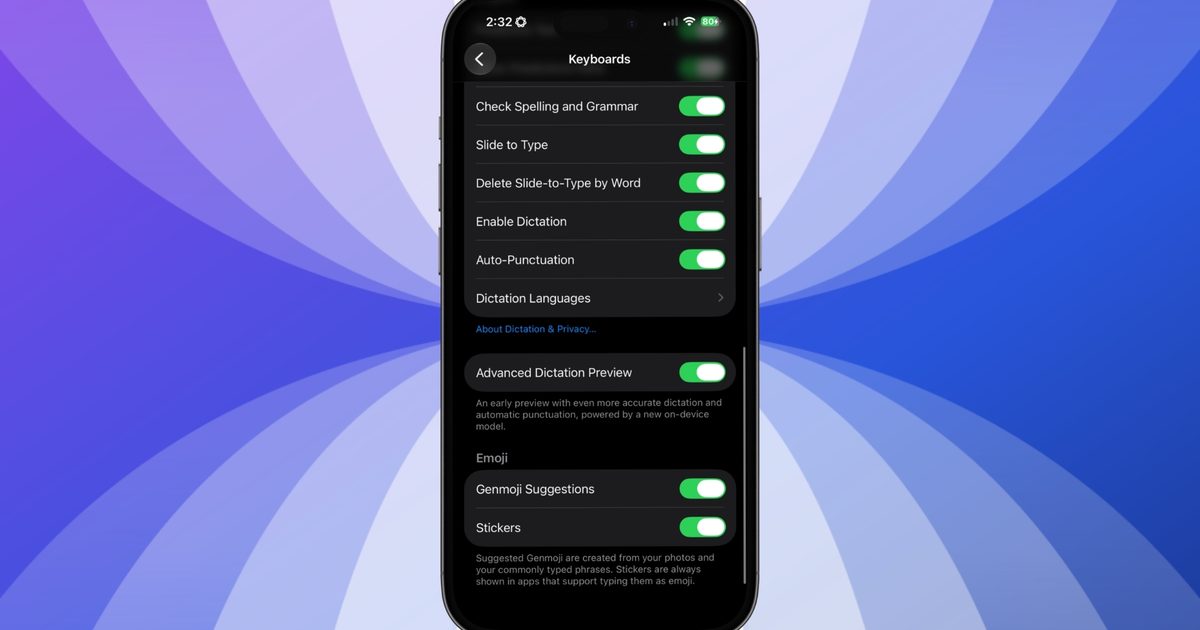
If you’re running iOS 27 beta on an iPhone 17 Pro, iPhone 17 Pro Max, or iPhone Air, you already have a noticeably better dictation experience on your device. However, Apple leaves it disabled by default, and most users aren’t even aware it exists.
### What is Advanced Dictation Preview?
iOS 27 includes two distinct dictation engines. Which one you receive depends on your hardware. While every iPhone gets a modest upgrade over the standard version, owners of the iPhone 17 Pro, 17 Pro Max, and iPhone Air can access a separate offering called **Advanced Dictation Preview**.
The advanced engine runs on Apple’s AFM Core Advanced model—the same model that powers the new expressive Siri voices—and operates entirely on‑device, requiring no internet connection. It even inserts punctuation and capitalization automatically as you speak, so you no longer need to say “comma” or “period”.
### Why isn’t it on every iPhone?

Advanced Dictation delivers a substantial jump in accuracy, but it’s still in beta, so Apple keeps it turned off by default while it gathers opt‑in feedback. If you’re on the iOS 27 beta and rely on voice dictation, you can enable it by going to **Settings > General > Keyboards** and scrolling down to **Advanced Dictation Preview** (listed under *Tech Between the Lines*).
The limitation isn’t a software rollout—it’s hardware. AFM Core Advanced requires at least 12 GB of RAM to run locally. The standard iPhone 17 ships with 8 GB of RAM, as does the iPhone 16 Pro, which is why those models are excluded.
If your device meets the RAM requirement, simply flip the toggle in Settings to enjoy the enhanced dictation experience.