This post is brought to you in paid partnership with QuickBooks.
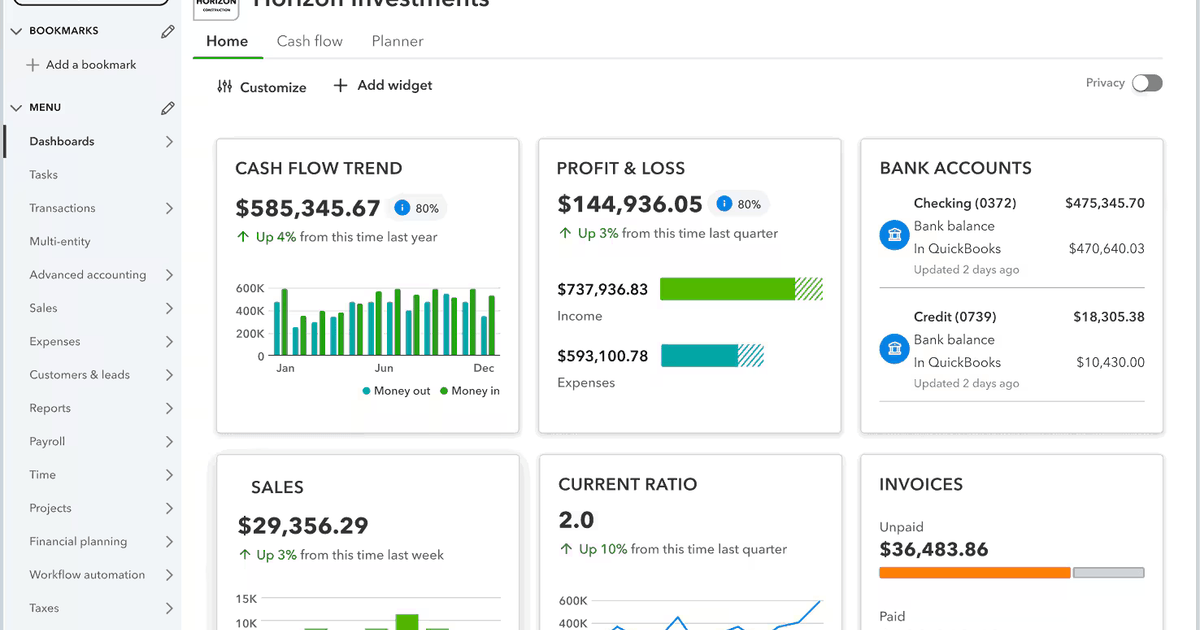
Unified financial management relies on a single system to oversee all business monetary activities. Small enterprises can handle their accounting and financial tracking through one centralized platform. This solution consolidates income, expenses, billing, and financial reports into a single view. This method eliminates the need for disparate tools that keep financial data isolated and demand manual synchronization between different systems.
Numerous small companies depend on separate applications for billing, expense monitoring, and reporting. This fragmentation leads to redundant work, mismatched records, and slower performance reviews. Teams waste valuable time aligning data rather than analyzing outcomes.
Consolidating financial oversight into a single hub boosts accuracy, cuts down on repetitive chores, and offers better visibility into daily operations. With unified accounting processes, companies enjoy quicker reporting and sharper financial control. This empowers leaders to base choices on reliable, current data.
What is the most effective method to handle all business finances centrally?
A unified financial system merges income monitoring, expense tracking, billing, and reporting into one interface. It minimizes manual reconciliation, streamlines workflow efficiency, and provides instant insight into financial health.
Disparate tools demand constant data verification across various platforms. A consolidated platform removes this hassle by keeping all financial records in one spot, guaranteeing consistency across all accounting tasks.
When assessing choices:
- Seek a single platform that handles all financial activities
- Seek integrated billing and payment features
- Seek real-time reporting and financial clarity
- Seek automation that minimizes manual tasks
Why does unifying financial management boost operations?
Jumping between multiple systems hinders daily workflows. Staff must re-enter data across different tools. This raises the chance of errors and lost information. Manual data entry creates extra reconciliation work, slowing down reporting cycles.
Unified financial management removes duplication and lets teams focus on precision rather than corrections. For instance, consider a service firm that handles invoices in one tool and expenses in another. Staff export data from each system at month-end. They then manually reconcile the discrepancies. This process eats up hours and heightens the risk of reporting mistakes that impact budgeting.
Unified accounting processes streamline these tasks by automatically linking transactions. Financial data remains in one location. Reports reflect activity instantly, and operations accelerate.
What features should an all-in-one financial system offer?
Features dictate how well a financial management system supports daily operations. The right tools cut down on repetitive tasks, enhance visibility, and support long-term growth without needing system changes.
Automation boosts efficiency by automatically logging transactions. Reporting tools transform financial data into actionable insights, while integrations connect accounting with other systems. A scalable architecture allows expansion without disruption.
When evaluating a financial management system:
- Seek automated financial tracking
- Seek integrated reporting tools
- Seek system integrations
- Seek scalability
How QuickBooks Online facilitates centralized financial management
QuickBooks Online unifies invoicing, expense tracking, and reporting into a single workflow. Businesses create invoices, receive payments, and view updated reports without toggling between separate tools.
For example, a small retailer generates an invoice through the system. When the customer pays, it is automatically logged, and revenue records update in real time. This process removes duplicate entries and keeps financial data consistent.
Unified financial management depends on a single source of truth. With accounting, payments, and reporting aligned in one platform, QuickBooks Online enables teams to spend less time reconciling data and more time reviewing performance.
How to select a financial management system
When choosing a financial management system, evaluate how well it supports centralized accounting workflows. Businesses should prioritize tools that simplify daily operations and provide reliable financial visibility across different departments.
Conducting a structured evaluation ensures the chosen platform supports both current operations and future growth. Focusing on core capabilities helps reduce implementation risks and ensures consistent financial reporting.
Checklist:
- Seek centralized financial tools
- Seek automation capabilities
- Seek real-time visibility
- Seek scalability
FAQ
Can one system manage all business finances?
Yes. Businesses manage finances in one single system using a centralized financial management platform that combines accounting tasks, including invoicing, expense tracking, reporting, and reconciliation. This structure reduces manual processes and ensures all financial records remain consistent.
Why is centralization important for small businesses?
Centralization improves efficiency and accuracy by storing financial data in a single location. It reduces the need for reconciliation, speeds up reporting cycles, and provides clear visibility into business performance.