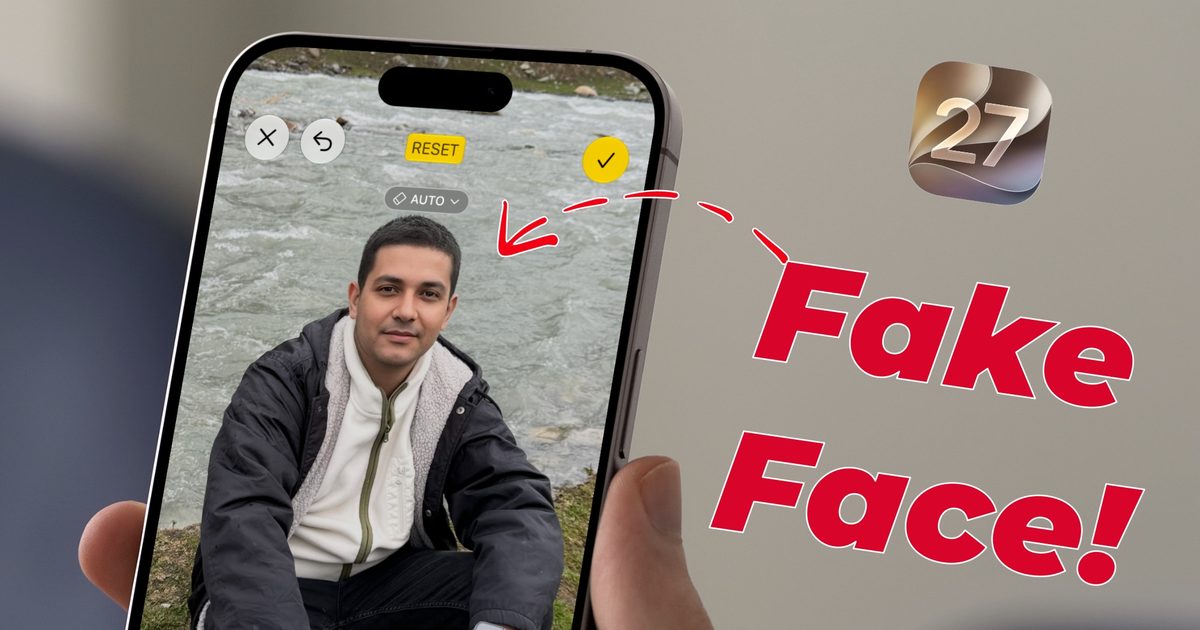
Apple introduced the Clean Up tool with iOS 18.1, primarily to erase unwanted objects from photos. The same feature could also be used to conceal faces – you simply draw a circle around a face and the system automatically blurs it, a function Apple markets as “Identity protection.”
With the iOS 27 update, Apple refined Clean Up so it can handle far more intricate scenes. Unfortunately, the first developer beta disables the face‑hiding capability. Instead, it produces an outcome that is both amusing and concerning.
What happens when you try to blur a face in iOS 27?
I discovered this by accident while cleaning up a picture before sharing it. I opened a photo, selected the Clean Up tool, and circled a face just as I always have. On the initial attempts the tool outright lied to me.
It reported that Identity protection had been applied, yet the screenshot shows the face clearly visible. I decided to push further. Rather than circling the face, I painted over it with my finger. That’s when things got strange.
Instead of blurring or removing the face, the system generated an entirely new one. The AI‑crafted face was so convincing that anyone viewing the image would assume it was the original subject, not a replacement.

To rule out a one‑off glitch, I repeated the test with several photos of different people. Every time, circling a face resulted in a false “blurred” message, and painting over it produced a completely new face.

Sure, this is the first developer beta, so bugs are expected, but this feels less like a typical bug and more like an AI hallucination. Apple relies on Gemini models for its Apple Foundation Models, and it appears to be inheriting some of Gemini’s notorious hallucination issues.
What should you do for now?
The upside is that we’re still in the developer beta, giving Apple a chance to fix the problem before the public beta arrives in July. If you depend on this feature for face‑blurring, stick with iOS 26 for the time being, where the blur works as intended.
If you’re already on iOS 27 and need to conceal a face today, your safest bet is the classic emoji‑cover trick. I’ve submitted feedback through Apple’s Feedback app and encourage you to do the same if you encounter the issue.
Early reports increase the likelihood that Apple will address this before release. A privacy‑focused tool shouldn’t be inventing new people, and I hope this hallucination is ironed out quickly.