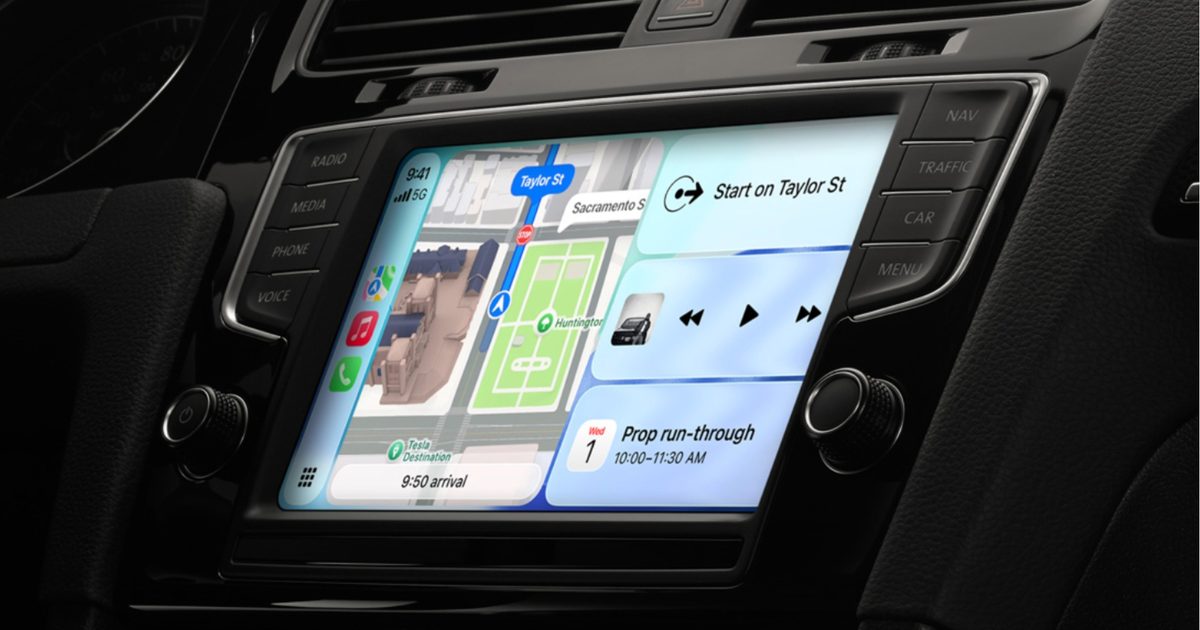
Apple barely mentioned CarPlay during its WWDC 2026 keynote, focusing instead on Siri AI and the broader Apple Intelligence upgrades in iOS 27. That doesn’t mean CarPlay is being ignored this year.
The company tucked most of the CarPlay enhancements into a developer‑only video, and, as it turns out, there’s genuinely more than you might expect. As a CarPlay user myself, I can say a few of these updates are long overdue, while others simply follow the overall iOS 27 redesign.
So, without further delay, here’s a rundown of everything new arriving on your CarPlay dashboard this fall with the stable iOS 27 release.
Full‑screen video apps when the car is parked
The biggest change for CarPlay this year is the ability to play video. iOS 27 lets developers create video‑streaming apps that run directly on your car’s screen. CarPlay already supported AirPlay video casting last year, but iOS 27 pushes it further by allowing native video playback from supported apps.
Apple hasn’t released an official list of compatible apps yet, but titles like YouTube and Netflix are likely candidates. The limitation is that video can only be viewed when the vehicle is stationary, and the car manufacturer must explicitly enable the feature, so it may not appear on every model on day one.
Audio scrubbing in the Now Playing screen
This is the “how was this not already here” update. Many of us have tried to jump to a specific part of a song using the horizontal bar on the CarPlay Now Playing screen, only to find it unresponsive.

iOS 27 finally adds a functional scrubber. You can drag the progress bar to any point in a song or podcast, making it easy to replay a favorite 10‑second segment or skip podcast intros without hassle.
Persistent audio MiniPlayer
Music and podcast apps will now show a small, always‑visible MiniPlayer in the top‑right corner of the CarPlay interface, displaying basic controls and album art.
This lets you glance at the track while checking navigation, know what’s playing, and skip tracks without exiting the map view.

Improved heading and GPS accuracy
One of the quieter but vital updates in iOS 27 refines how CarPlay mirrors your iPhone’s direction and location data, boosting both GPS precision and heading detection.
It may not be flashy, but it should eliminate the occasional spinning car icon at a traffic light or incorrect rerouting when the system thinks you’re on a different street.
More dependable wireless CarPlay
Wireless CarPlay is great until the connection drops, voice calls become garbled, or audio quality dips. iOS 27 promises a more stable wireless link, which should help those who have experienced mid‑drive disconnects.
Apple hasn’t detailed the exact improvements, but it states that wireless CarPlay connections are more reliable in iOS 27.

New developer tools
iOS 27 introduces fresh app templates across several categories, adds support for Live Activities (originally launched with iOS 16.1) and lets any app provide widgets on the CarPlay screen—think a live sports score widget without opening the full app.
Developers also receive new APIs for building conversational voice experiences, including AI chatbot integrations, directly into CarPlay.
Subtle visual refresh
While the overall design language stays consistent, CarPlay gets 14 new wallpapers in the Celosia style, rolling out across iOS 27 and macOS 27. Liquid‑Glass elements will reflect the transparency level you set with the new iOS 27 slider, and app icons gain extra refractive layers for added depth.

Siri AI finally arrives in the car
On top of everything else, CarPlay now supports Siri AI with iOS 27. This is Apple’s long‑awaited Gemini‑powered assistant that can handle natural follow‑up questions just like Gemini does.
You can ask for a restaurant, then follow up with its closing time without restating the entire query. Siri AI logs each conversation in the iPhone’s Siri app, marking CarPlay requests with a small car icon. The only catch: Siri AI for CarPlay requires an iPhone 15 Pro or newer.