Latest News

  • No More Office Fatigue: How The Welax S9 Redefines Ergonomic Seating

    No More Office Fatigue: How The Welax S9 Redefines Ergonomic Seating

    If you’ve ever wrapped up a long editing session with a stiff back, tight shoulders, and that slow, creeping fatigue that only comes from sitting too long—you’ll understand this immediately.

    As an editor, my day rarely involves movement. It’s hours of rewriting drafts, scrubbing timelines, reviewing footage frame by frame, and jumping between multiple screens. You start the day upright and focused, but somewhere along the way, posture slips. Your shoulders hunch, your lower back gives up, and before you know it, you’re shifting constantly just to stay comfortable.

    The problem isn’t just the workload. It’s the chair.

    And that’s where the Welax S9 Pro Ergonomic Chair enters the conversation—not as a luxury, but as a genuinely practical solution to a problem most professionals quietly live with every day.

    Sitting Isn’t Passive – It’s Physically Demanding

    We tend to think of sitting as rest. In reality, it’s anything but. Modern work habits have turned sitting into a prolonged, static activity that puts continuous strain on the body. Whether you’re an editor, designer, developer, or someone working remotely, chances are you’re spending anywhere between 6 to 10 hours a day seated.

    But the real issue isn’t just how long we sit – it’s how poorly we’re supported while doing it.

    Traditional office chairs are built for short-term use. They assume a fixed posture, offer minimal adjustability, and rarely accommodate the natural shifts in position that happen throughout the day. Over time, this mismatch leads to fatigue, poor spinal alignment, and even chronic discomfort.

    For editors specifically, the problem is amplified. You lean forward while typing, sit upright during calls, tilt slightly while reviewing visuals, and occasionally recline to reset your posture. A static chair simply cannot keep up with that rhythm.

    The Welax S9 Pro is designed with that reality in mind.

    Designed For Movement, Not Just Sitting

    The first thing you notice about the S9 Pro is that it doesn’t force you into a single “correct” posture.

    Instead, it adapts.

    Throughout a typical workday, your posture changes dozens of times, often without you realizing it. The S9 Pro accommodates those micro-adjustments seamlessly, allowing you to shift between focused work, relaxed browsing, and casual leaning without resistance.

    This is where it begins to feel less like a chair and more like an extension of your workflow.

    At the core of this experience is its one-touch adjustment system, which simplifies what is usually a frustrating process. Most ergonomic chairs rely on multiple levers and knobs, requiring trial and error to get right. Here, adjustments are intuitive and immediate.

    You can modify seat depth, tilt, and height in seconds, without interrupting your work. For someone constantly switching between tasks—editing, writing, reviewing – that ease of adjustment makes a noticeable difference.

    Comfort becomes automatic, not something you have to actively manage.

    Dynamic Lumbar Support That Keeps Up With You

    If there’s one area where most chairs fail, it’s lumbar support. Many models offer fixed support that assumes you’ll stay perfectly upright all day. In reality, that never happens. As soon as you shift, that support becomes ineffective.

    The S9 Pro takes a different approach. Its dynamic lumbar support system adjusts as you move, maintaining consistent support regardless of your position. Whether you’re leaning forward into your desk or reclining slightly during a break, it continues to support the natural curve of your spine.

    For editors and desk-bound professionals, this is where the chair proves its value. Instead of ending the day with that familiar lower back fatigue, you notice something unusual – there’s less strain. Less need to stretch constantly. Less discomfort building up over time. It doesn’t eliminate fatigue entirely, but it reduces it enough to matter.

    6D Armrests: Precision Where It Counts

    Arm support is one of the most overlooked aspects of ergonomics. Yet for anyone working on a keyboard and mouse for hours, it plays a critical role in preventing shoulder and wrist strain.

    The S9 Pro includes 6D fully adjustable armrests, allowing movement in six directions. This means you can fine-tune the position based on your activity—typing, editing, gaming, or simply resting.

    In practical terms, this translates to better alignment and reduced tension in the upper body. Your shoulders don’t feel as tight. Your wrists stay in a more neutral position. Over long sessions, these small adjustments add up. It’s not a flashy feature, but it’s one you’ll appreciate daily.

    Breathable Materials For Real-World Comfort

    Comfort isn’t just about structure – it’s also about materials. Traditional cushioned chairs tend to trap heat, especially during extended use. Over time, this leads to discomfort, particularly in warmer environments or during intense work sessions.

    The S9 Pro uses German-imported breathable mesh, designed to maximize airflow and maintain a consistent temperature. The result is a chair that feels cool even after hours of use.

    This might sound like a minor detail, but in practice, it makes long sitting sessions far more manageable. Combined with its high-back design and adjustable headrest, the chair provides full-body support while maintaining a lightweight, modern feel.

    Built For Stability And Longevity

    Durability is where the S9 Pro reinforces its value proposition. The chair is built with a reinforced aluminum alloy base and supports users up to 330 lbs (150 kg). This ensures stability across a wide range of body types and use cases.

    It also features an SGS-certified Class-4 gas lift, which provides safe and reliable height adjustment. These components are not just about specifications – they directly impact how secure and long-lasting the chair feels. In day-to-day use, this translates to confidence. The chair doesn’t creak, wobble, or feel fragile. It feels built for consistent, long-term use.

    Mobility And Flexibility In Modern Workspaces

    Modern work setups are rarely static. You move between desks, reposition frequently, or adjust your setup throughout the day. The S9 Pro supports this with silent 360-degree mobility, thanks to premium 65mm PU casters. Movement feels smooth and controlled, without the noise or resistance that cheaper wheels often introduce.

    Additionally, the chair includes a reclining backrest and built-in footrest, allowing it to transition from a work-focused setup to a more relaxed position.

    For editors and creatives, this versatility is surprisingly useful. After hours of focused work, being able to lean back and decompress without leaving your workspace adds an extra layer of comfort.

    High-End Features Without The Premium Price

    One of the most compelling aspects of the S9 Pro is its pricing strategy. Chairs with similar feature sets – dynamic lumbar support, multi-directional armrests, premium materials – often come at significantly higher price points. Welax manages to keep the S9 Pro competitive by leveraging in-house manufacturing and streamlined production.

    For users, this means access to high-end ergonomic features without the typical premium markup. It positions the chair as not just an upgrade, but a practical investment.

    Designed For A Modern, Demanding Lifestyle

    The S9 Pro is clearly built with modern users in mind. Whether you’re working from home, managing a hybrid setup, gaming, or creating content, the chair adapts to a wide range of environments. Its design balances functionality with aesthetics, making it suitable for both professional and personal spaces.

    For editors specifically, it addresses one of the most persistent issues – long hours of uninterrupted sitting. It doesn’t promise perfection. But it delivers meaningful improvement.

    Final Thoughts: A Chair That Understands Real Work

    The Welax S9 Pro Ergonomic Chair doesn’t rely on gimmicks. It focuses on solving real problems – posture fatigue, lack of adjustability, and discomfort during long sitting sessions.

    By combining dynamic lumbar support, intuitive controls, breathable materials, and robust construction, it creates an experience that feels noticeably better over time. For editors, creators, and anyone tied to a desk, this isn’t just about comfort. It’s about sustainability – being able to work longer, better, and with less physical strain.

    Because in a world where sitting has become unavoidable, the way you sit matters more than ever.

  • Volvo’s parent just launched a $16,000 EV that looks shockingly luxurious

    Geely, the Chinese auto giant that also owns Volvo, has just unveiled a new RV that really does not look like it belongs anywhere near the budget end of the market.

    The company has just kicked off the presales in China for the Galaxy Starshine 7, with its pricing starting at 112,900 yuan or about $16,550. For that money, buyers get a midsize electric sedan with a sleek fastback silhouette, full-width lighting, a richly trimmed cabin, and even an available dual-motor all-wheel-drive setup that can hit 0 to 100 km/h in 5.4 seconds.

    Why it looks too fancy for its price

    Cheap EVs are usually easy to spot because they cut corners somewhere obvious. But the Starshine 7 doesn’t exactly scream entry-level. The official images show a sedan with a clean nose design, sharp light signatures, flush door handles, a panoramic roof, and a cabin dominated by a large central screen and a bright, lounge-like color scheme for its interiors.

    The model measures 4,930mm long with a 2,915mm wheelbase. In photos, it lands somewhere between a mainstream electric sedan and something trying very hard to look premium. And at a first glance, it mostly succeeds.

    But do the specs keep up?

    Geely’s Starshine 7 will be offered in rear-wheel-drive and all-wheel-drive forms. The RWD version uses a 190kW motor, while the AWD model adds a 150kW front motor for a combined 340kW output. The company is also offering two battery options, a 58.4kWh and 73.6kWh, with CLTC range figures of up to 610km depending on the variant.

    Inside, the car gets a 15.4-inch floating center display, which also showcases a premium interior. The pictures also depict wood-like trim, layered materials, and a generally softer look that isn’t often associated with a budget EV.

    This model joins the recently announced $15,000 extended-range EV called the Boyue EREV SUV. So the Galaxy Starshine 7 is another reminder of just how aggressive China’s EV market has become. It is trying to make affordability look aspirational, which is a pretty different trick, and one that Western automakers still seem to struggle with. As always, there is no word regarding a US or European release.

  • Volvo’s parent just launched a $16,000 EV that looks shockingly luxurious

    Volvo’s parent just launched a $16,000 EV that looks shockingly luxurious

    Geely, the Chinese auto giant that also owns Volvo, has just unveiled a new RV that really does not look like it belongs anywhere near the budget end of the market.

    The company has just kicked off the presales in China for the Galaxy Starshine 7, with its pricing starting at 112,900 yuan or about $16,550. For that money, buyers get a midsize electric sedan with a sleek fastback silhouette, full-width lighting, a richly trimmed cabin, and even an available dual-motor all-wheel-drive setup that can hit 0 to 100 km/h in 5.4 seconds.

    Why it looks too fancy for its price

    Cheap EVs are usually easy to spot because they cut corners somewhere obvious. But the Starshine 7 doesn’t exactly scream entry-level. The official images show a sedan with a clean nose design, sharp light signatures, flush door handles, a panoramic roof, and a cabin dominated by a large central screen and a bright, lounge-like color scheme for its interiors.

    The model measures 4,930mm long with a 2,915mm wheelbase. In photos, it lands somewhere between a mainstream electric sedan and something trying very hard to look premium. And at a first glance, it mostly succeeds.

    But do the specs keep up?

    Geely’s Starshine 7 will be offered in rear-wheel-drive and all-wheel-drive forms. The RWD version uses a 190kW motor, while the AWD model adds a 150kW front motor for a combined 340kW output. The company is also offering two battery options, a 58.4kWh and 73.6kWh, with CLTC range figures of up to 610km depending on the variant.

    Inside, the car gets a 15.4-inch floating center display, which also showcases a premium interior. The pictures also depict wood-like trim, layered materials, and a generally softer look that isn’t often associated with a budget EV.

    This model joins the recently announced $15,000 extended-range EV called the Boyue EREV SUV. So the Galaxy Starshine 7 is another reminder of just how aggressive China’s EV market has become. It is trying to make affordability look aspirational, which is a pretty different trick, and one that Western automakers still seem to struggle with. As always, there is no word regarding a US or European release.

  • Volvo’s parent just launched a $16,000 EV that looks shockingly luxurious

    Geely, the Chinese auto giant that also owns Volvo, has just unveiled a new RV that really does not look like it belongs anywhere near the budget end of the market.

    The company has just kicked off the presales in China for the Galaxy Starshine 7, with its pricing starting at 112,900 yuan or about $16,550. For that money, buyers get a midsize electric sedan with a sleek fastback silhouette, full-width lighting, a richly trimmed cabin, and even an available dual-motor all-wheel-drive setup that can hit 0 to 100 km/h in 5.4 seconds.

    Why it looks too fancy for its price

    Cheap EVs are usually easy to spot because they cut corners somewhere obvious. But the Starshine 7 doesn’t exactly scream entry-level. The official images show a sedan with a clean nose design, sharp light signatures, flush door handles, a panoramic roof, and a cabin dominated by a large central screen and a bright, lounge-like color scheme for its interiors.

    The model measures 4,930mm long with a 2,915mm wheelbase. In photos, it lands somewhere between a mainstream electric sedan and something trying very hard to look premium. And at a first glance, it mostly succeeds.

    But do the specs keep up?

    Geely’s Starshine 7 will be offered in rear-wheel-drive and all-wheel-drive forms. The RWD version uses a 190kW motor, while the AWD model adds a 150kW front motor for a combined 340kW output. The company is also offering two battery options, a 58.4kWh and 73.6kWh, with CLTC range figures of up to 610km depending on the variant.

    Inside, the car gets a 15.4-inch floating center display, which also showcases a premium interior. The pictures also depict wood-like trim, layered materials, and a generally softer look that isn’t often associated with a budget EV.

    This model joins the recently announced $15,000 extended-range EV called the Boyue EREV SUV. So the Galaxy Starshine 7 is another reminder of just how aggressive China’s EV market has become. It is trying to make affordability look aspirational, which is a pretty different trick, and one that Western automakers still seem to struggle with. As always, there is no word regarding a US or European release.

  • Anthropic launches Claude design to simplify visual creation with AI

    Anthropic launches Claude design to simplify visual creation with AI

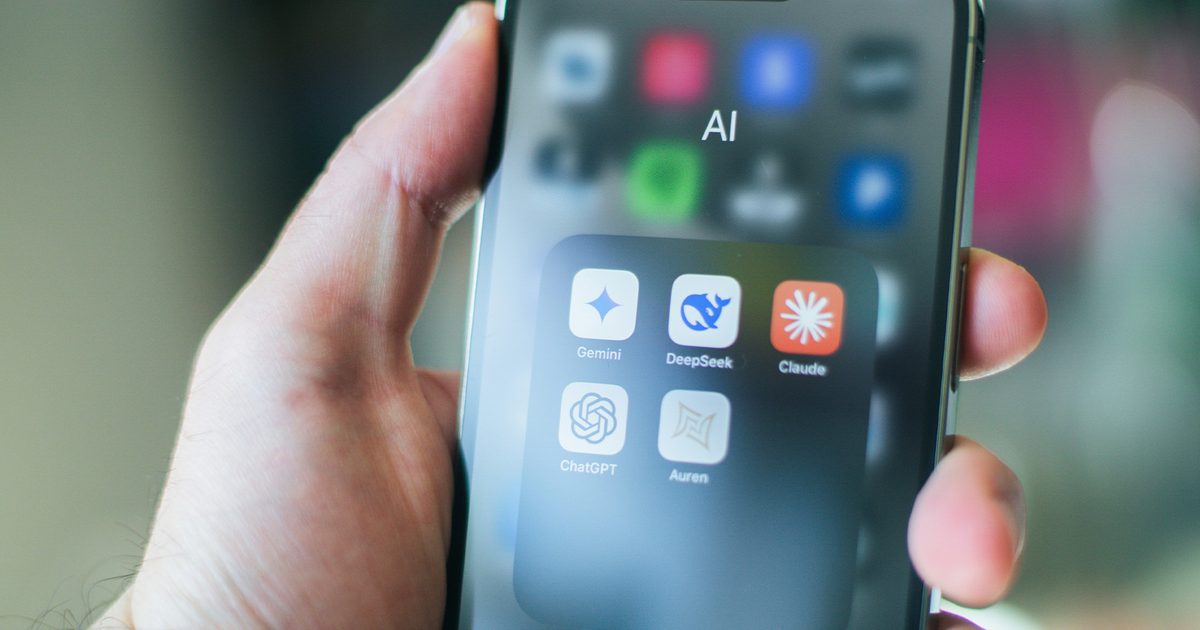
    Anthropic has introduced a new AI-powered design tool called Claude Design, aimed at helping users create visual content such as prototypes, presentations, and marketing assets through simple conversational inputs. The product, developed under Anthropic Labs, is currently available in research preview for paid Claude subscribers and is being rolled out gradually.

    Claude Design is powered by the company’s latest vision model, Claude Opus 4.7, and is positioned as a tool that bridges the gap between technical design expertise and everyday creative needs.

    A New Approach To Design Workflows

    The core idea behind Claude Design is to simplify the process of creating visual content. Instead of relying on traditional design tools that require manual input and expertise, users can describe what they need, and the AI generates an initial version. From there, designs can be refined through conversation, inline comments, direct edits, or adjustable controls.

    The platform supports a wide range of use cases, including creating interactive prototypes, product wireframes, pitch decks, and marketing materials. It also allows teams to quickly explore multiple design directions without the time constraints typically associated with manual workflows.

    Built-In Design Systems And Collaboration

    One of the key features of Claude Design is its ability to automatically build and apply a company’s design system. During onboarding, the tool can analyse existing design files and codebases to replicate brand elements such as colours, typography, and components.

    This ensures consistency across projects without requiring designers to manually enforce guidelines. Teams can also maintain multiple design systems and refine them over time.

    Collaboration is another major focus. Users can share designs within their organisation, grant editing access, and work together in real time. The platform also supports exporting projects to formats like PDF, PPTX, and HTML, or integrating with tools such as Canva for further refinement.

    Why This Matters For Creators And Teams

    Design work often involves multiple iterations, feedback loops, and coordination between teams. Claude Design aims to streamline this process by reducing the time required to move from idea to execution.

    For non-designers, the tool lowers the barrier to entry, making it easier to create professional-looking content. For experienced designers, it offers a way to explore more ideas quickly and focus on refinement rather than repetitive tasks.

    Early feedback highlighted in the announcement suggests that teams can move from concept to working prototypes in a single session, significantly reducing turnaround time.

    What It Means For Users

    For users, Claude Design represents a shift toward more accessible and collaborative creative tools. It allows individuals without formal design training to bring ideas to life, while also supporting advanced workflows for professionals.

    The integration with other tools and the ability to generate interactive prototypes without coding further expands its potential use cases across industries.

    What Comes Next

    Anthropic has indicated that additional integrations and features will be introduced in the coming weeks, making it easier to connect Claude Design with existing workflows and tools.

    As AI continues to reshape creative industries, tools like Claude Design highlight a growing trend toward conversational interfaces that simplify complex tasks. While still in early preview, the platform offers a glimpse into how design processes may evolve in the near future.

  • Anthropic launches Claude design to simplify visual creation with AI

    Anthropic launches Claude design to simplify visual creation with AI

    Anthropic has introduced a new AI-powered design tool called Claude Design, aimed at helping users create visual content such as prototypes, presentations, and marketing assets through simple conversational inputs. The product, developed under Anthropic Labs, is currently available in research preview for paid Claude subscribers and is being rolled out gradually.

    Claude Design is powered by the company’s latest vision model, Claude Opus 4.7, and is positioned as a tool that bridges the gap between technical design expertise and everyday creative needs.

    A New Approach To Design Workflows

    The core idea behind Claude Design is to simplify the process of creating visual content. Instead of relying on traditional design tools that require manual input and expertise, users can describe what they need, and the AI generates an initial version. From there, designs can be refined through conversation, inline comments, direct edits, or adjustable controls.

    The platform supports a wide range of use cases, including creating interactive prototypes, product wireframes, pitch decks, and marketing materials. It also allows teams to quickly explore multiple design directions without the time constraints typically associated with manual workflows.

    Built-In Design Systems And Collaboration

    One of the key features of Claude Design is its ability to automatically build and apply a company’s design system. During onboarding, the tool can analyse existing design files and codebases to replicate brand elements such as colours, typography, and components.

    This ensures consistency across projects without requiring designers to manually enforce guidelines. Teams can also maintain multiple design systems and refine them over time.

    Collaboration is another major focus. Users can share designs within their organisation, grant editing access, and work together in real time. The platform also supports exporting projects to formats like PDF, PPTX, and HTML, or integrating with tools such as Canva for further refinement.

    Why This Matters For Creators And Teams

    Design work often involves multiple iterations, feedback loops, and coordination between teams. Claude Design aims to streamline this process by reducing the time required to move from idea to execution.

    For non-designers, the tool lowers the barrier to entry, making it easier to create professional-looking content. For experienced designers, it offers a way to explore more ideas quickly and focus on refinement rather than repetitive tasks.

    Early feedback highlighted in the announcement suggests that teams can move from concept to working prototypes in a single session, significantly reducing turnaround time.

    What It Means For Users

    For users, Claude Design represents a shift toward more accessible and collaborative creative tools. It allows individuals without formal design training to bring ideas to life, while also supporting advanced workflows for professionals.

    The integration with other tools and the ability to generate interactive prototypes without coding further expands its potential use cases across industries.

    What Comes Next

    Anthropic has indicated that additional integrations and features will be introduced in the coming weeks, making it easier to connect Claude Design with existing workflows and tools.

    As AI continues to reshape creative industries, tools like Claude Design highlight a growing trend toward conversational interfaces that simplify complex tasks. While still in early preview, the platform offers a glimpse into how design processes may evolve in the near future.

  • Elon Musk’s New Messenger: The Future That Already Exists

    Elon Musk’s New Messenger: The Future That Already Exists

    In recent weeks, tech and business circles have been активно discussing Elon Musk’s plans to launch a new messenger, XChat.

    According to international media reports, the product will become part of the X ecosystem and will include features such as encryption, disappearing messages, file sharing, and chat protection.

    At first glance, this looks like a step into the future.

    However, upon closer examination, it becomes clear: many of these features have already long been implemented in existing solutions.

    Technologies That Already Exist

    While the market обсуждает the upcoming launch of XChat, the Verum Messenger platform already offers similar—and in some cases more advanced—functionality.

    Among them:

    — message editing
    — self-destructing messages
    — protection against screenshots and screen recording
    — built-in financial tools
    — in-chat transfers
    — offline functionality

    The ability to communicate without an internet connection stands out in particular—a feature that remains rare even among the largest tech companies.

    The Ecosystem Race

    The launch of XChat is not just the release of a new messenger. It is part of a global trend in which communication platforms are transforming into ecosystems.

    Musk himself has repeatedly stated his intention to turn X into an “everything app”—an application that combines:

    — communication
    — finance
    — digital services

    However, it is important to note that this model is already being implemented by other projects.

    Who Is Ahead?

    Unlike XChat, which is only entering the market, Verum Messenger has already:

    — integrated a financial system
    — implemented digital assets
    — developed an independent communication architecture
    — combined multiple services within a single app

    This places it not in the position of catching up, but as one of the early participants in this new wave.

    A New Stage of Competition

    The emergence of XChat confirms one thing: the messenger market is entering a new phase.

    Competition is no longer limited to chat convenience. It is now built around:

    — privacy
    — independence
    — financial capabilities
    — service integration

    And in this race, the winner is not the one who makes the loudest statements, but the one who implements real solutions faster.

    Conclusion

    Elon Musk’s plans to launch a new messenger confirm the global trend of industry transformation.

    But the paradox is that the future being discussed is already partially here.

    And it is projects like Verum Messenger that demonstrate what the next stage of digital communication could look like.

  • I tried this Pokémon-inspired weather app, and checking the weather now feels like a Pokédex hunt

    I tried this Pokémon-inspired weather app, and checking the weather now feels like a Pokédex hunt

    Weather apps are usually one of the most boring things on your phone. You open one, glance at the temperature, maybe check if it is going to rain, and close it without a second thought. SkyDex tries to fix that by turning the whole thing into a Pokémon-style collecting game. And honestly, I can see the appeal.

    After trying out the free version on an iPhone 15, i came away thinking it is genuinely fun wrapped in an app that still feels a little rough around the edges. It is a weather app with a layer of Pokémon experience, which has you fill out a Kanto-style Pokédex while still getting your usual weather info.

    How SkyDex works

    SkyDex is still primarily a weather app. You get the usual stuff like temperature, hourly forecasts, 10-day forecasts, humidity, wind, precipitation chances, and more. The twist is that changing conditions can trigger different Pokémon encounters, which then get added to your in-app Dex.

    The app can drop different Pokémon based on weather, temperature shifts, time of day, and location changes, with rarity levels ranging from common to legendary. The free version also keeps the core experience intact, only limiting saved locations and adding ads.

    The fun bit is that it makes a boring utility app feel alive

    This is the best part of my time with it. SkyDex made checking the weather feel more interactive than it has any right to. Rather than opening an app and seeing a forecast, I found myself curious about what weather conditions might unlock something new. That little Pokémon hook does exactly what it is supposed to do: it turns routine into a small game.

    And that matters more than it sounds. A weather app is not supposed to be exciting, but SkyDex makes it feel like there is at least a tiny reward for opening it again.

    But it’s still a little undercooked

    The catch is that the app does not feel polished enough yet. The free version is absolutely usable, but you have to deal with ads. This is something I can live with but what bothered me more was the UI. In portrait mode, some text and images felt cut off or poorly sized, while landscape orientation looked much better and more stable.

    That doesn’t kill the app’s charm, but it does stop it from feeling as slick as the concept deserves. SkyDex is fun, and I can see why people are into it. Though it does need a cleaner interface before it becomes the kind of weather app I would recommend without hesitation.

  • Apple smart glasses might avoid the creepy reputation of Meta Ray-Bans with a light trick

    Apple smart glasses might avoid the creepy reputation of Meta Ray-Bans with a light trick

    Apple’s upcoming smart glasses could sidestep one of the biggest issues facing the category – privacy concerns – by rethinking something as simple as the camera indicator light. According to a recent report by Bloomberg, the company is working on display-free smart glasses that focus on everyday functionality, but with a design approach that may make them feel less intrusive than current offerings.

    The device, internally codenamed N50, is expected to arrive around 2026 or 2027 and will function more like a companion to the iPhone than a standalone augmented reality system. Instead of a display, the glasses will rely on features like photo and video capture, voice interactions via Siri, notifications, and media playback.

    A Subtle Hardware Shift With Big Implications

    What sets Apple’s approach apart is how it plans to handle recording visibility. Unlike existing smart glasses that use small LED indicators, Apple is reportedly experimenting with a more prominent lighting system integrated directly into the camera module.

    The design includes vertically oriented lenses surrounded by visible lighting elements, making it harder to hide when recording is active.

    This could address a key concern that has plagued smart glasses since their inception: the fear of being recorded without consent.

    The Privacy Problem Others Are Still Facing

    The issue isn’t theoretical. A report by WIRED highlights how users of Meta’s Ray-Ban smart glasses have attempted to bypass privacy safeguards. Third-party sellers have even promoted accessories like “ghost dots,” designed to dim or block the recording indicator light.

    These attempts, while often ineffective due to built-in protections, reveal a broader problem. If users actively try to hide recording signals, the trust required for widespread adoption breaks down.

    Even unsuccessful workarounds contribute to the perception that smart glasses can be misused, reinforcing the “creepy” reputation that has limited their acceptance.

    Apple’s Strategy: Solve Trust Through Design

    Rather than relying solely on software restrictions, Apple appears to be addressing the issue at the hardware level.

    By making the recording indicator more visible and integrated into the design, the company is attempting to remove ambiguity. If successful, this could make it significantly harder to use the glasses in a way that feels covert or deceptive.

    This aligns with Apple’s broader approach to new product categories. As seen with devices like the iPhone and Apple Watch, the company often enters markets later but focuses on refining user experience and addressing key pain points.

    Part Of A Larger AI Wearables Push

    The smart glasses are not being developed in isolation. Bloomberg notes that they are part of a broader strategy that includes AI-powered AirPods and other wearable devices designed to interpret the user’s surroundings.

    These products will rely on computer vision and Apple Intelligence to provide contextual information, from navigation assistance to real-time reminders.

    This suggests that Apple’s goal is not just to build smart glasses, but to create an ecosystem of devices that make AI more ambient and seamlessly integrated into daily life.

    What This Means For Users

    For consumers, the success of smart glasses will depend as much on perception as on functionality.

    If Apple can make its glasses feel transparent and trustworthy, it could overcome one of the biggest barriers to adoption. At the same time, tight integration with the iPhone and Apple’s ecosystem may make the device more useful in everyday scenarios.

    What Comes Next

    Apple’s smart glasses are still in development, with a launch expected no earlier than 2026 or 2027. Fully featured augmented reality glasses remain further out, likely toward the end of the decade.

    Until then, Apple’s focus appears to be on getting the basics right – functionality, usability, and most importantly, trust.

  • From Microsoft to “microslop”: The AI backlash that forced a reset

    From Microsoft to “microslop”: The AI backlash that forced a reset

    At some point in 2025, Windows stopped feeling like an operating system and started feeling like a demo for AI. Open Notepad to jot something down, and there it was, nudging you to summarize. Fire up Edge, and Copilot would politely wave from the sidebar. Even apps like Microsoft Paint began to feel different, not because they got simpler, but because they suddenly wanted to generate, edit, and enhance images for you.

    Microsoft wasn’t just adding AI, it was threading it into every corner of the experience. And for a while, that felt exciting. Then it started to feel… a bit much.

    Microslop: The Internet’s Favorite Roast

    That’s roughly when the internet did what it does best. It coined a name: Microslop. Crude, catchy, and brutally effective. Borrowing from the broader idea of “AI slop,” which refers to low-quality, mass-produced AI output, the term quickly became shorthand for something more specific.

    Not just bad AI, but unwanted AI.

    The kind that shows up uninvited, sits too close, and insists on helping when you really just wanted to type a grocery list. It captured a growing frustration that Microsoft’s software was becoming noisier, heavier, and a little less predictable.

    Microsoft says it won’t automatically install the Microsoft 365 Copilot app on Windows 11 PCs, at least for now.

    This comes as the company faces growing backlash online, with users increasingly mocking it as “Microslop” over its aggressive Copilot push.

    Microsoft previously… pic.twitter.com/G8uiBqEXan

    — Windows Latest (@WindowsLatest) March 18, 2026

    The backlash got loud enough that even CEO Satya Nadella publicly pushed back on the idea of AI being dismissed as “slop.” Ironically, that only made the term spread faster. By early 2026, it had become a full-blown cultural shorthand for dissatisfaction with Microsoft’s AI push, even getting banned in some official communities. At that point, this wasn’t just a meme anymore. It was feedback.

    The Moment Microsoft Blinked

    For a while, it felt like Microsoft would just keep pushing forward. But then, in March 2026, in a surprisingly candid blog post titled “Our commitment to Windows quality,” Microsoft acknowledged what users had been saying for months. The company talked about improving reliability, reducing friction, and making Windows feel smoother and more dependable again. Among other things, Microsoft said that it’d also be cutting down on Copilot’s presence across Windows.

    And those weren’t just hollow promises. Across multiple apps, the company has reduced the number of entry points where AI showed up. Features that had been announced earlier, like deeper Copilot integrations in notifications, have quietly been shelved. What’s more, is that apps like Notepad, Photos, and Snipping Tool no longer have visible Copilot hooks.

    On paper, it looks like exactly what users had been asking for. Less AI clutter. More focus. Naturally, the narrative became simple. Microsoft had heard the backlash and was scaling things back. But like most simple narratives, this one doesn’t quite hold up.

    Why Microsoft Can’t Just “Turn Off” AI

    Here’s the thing. Microsoft can’t actually walk away from AI, even if it wants to. This isn’t a feature toggle. It’s the foundation of everything the company is building right now. From Azure infrastructure to Microsoft 365 to Windows itself, AI is deeply baked into the strategy. Billions have already been invested. Entire product lines are being reshaped around it.

    Microsoft was an early backer (read: billions of dollars) of OpenAI, heavily integrated ChatGPT in its products, and then borrowed rival Anthropic’s Claude AI to boost Copilot — all while developing its own AI models. The AI push even birthed a whole new breed of laptops with a Copilot+ branding and a dedicated Copilot button on the keyboard deck.

    Yeah, “preposterous,” you might say.

    Even now, while scaling back visible integrations, Microsoft is still pushing Copilot into enterprise tools, workflows, and services. So what you’re seeing isn’t a retreat. It’s a recalibration. AI isn’t going away. It’s just being repositioned by making it less visible, but silently seeping into the foundations.

    Stealth Mode Activated?

    You can see this most clearly in the small details. Take, for example, Notepad. A year ago, it had a bright Copilot button sitting right there in the interface. It was obvious, almost eager. In newer builds, that button is gone. In its place is a far more neutral “Writing Tools” icon. The features are still there. Rewrite, summarize, tweak tone. But the branding is gone. The loudness is gone.

    Breaking: Microsoft quietly removes Copilot branding from Notepad and Snipping Tool on Windows 11.

    Microsoft appears to be doing exactly what it promised after the Windows quality reset.

    Notepad has now removed Copilot branding and replaced it with a simpler “Writing tools”… pic.twitter.com/eEmxoIZ2Wm

    — Windows Latest (@WindowsLatest) April 9, 2026

    And this isn’t an isolated case. Across Windows, Microsoft is reducing how often Copilot shows up as a named feature while still keeping the underlying capabilities intact, from AI Features to Advanced Features, and whatnot. This is what some are calling “Stealth-Slop.” AI that hasn’t disappeared, but has learned to stay out of your way. Fewer announcements, more availability.

    What’s fascinating is that Microsoft’s core belief hasn’t changed at all. The company still sees AI as the future of computing. If anything, it’s doubling down behind the scenes. What has changed is the delivery. The first phase was about visibility. Ship AI everywhere. Make sure users see it, notice it, and ultimately, try it. That worked, but it also backfired.

    People didn’t just notice AI. They felt overwhelmed by it.

    Now we’re in phase two. Integration. Microsoft is being more selective about where AI shows up and how it behaves. Executives have even said they want to focus on AI experiences that are “genuinely useful,” rather than just widely available. It’s a shift from proving capability to proving value.

    The Real Shift

    Microsoft hasn’t exactly “fixed” the problem, but that might not even be the right way to look at it. The backlash wasn’t about AI being bad; it was about it being everywhere in ways that felt unnecessary and intrusive. That distinction is important. Even now, criticism around forced integrations and limited user control hasn’t fully gone away, but at the same time, Microsoft is clearly trying to clean things up with a more focused, less cluttered Windows experience.

    What’s really changing is not the presence of AI, but how it feels. Instead of being a loud, in-your-face feature, AI is being reshaped into something quieter and more natural. The goal now seems to be simple. Make it helpful without making it obvious. Because for AI to actually work at scale, it cannot feel like an add-on. It has to feel like it was always meant to be there.

    That’s the lesson Microsoft seems to have learned the hard way. It didn’t remove AI from Windows. It just made sure you wouldn’t notice it quite as much anymore. Microsoft isn’t a slouch in the AI game. Earlier this month, Microsoft announced not one, but three foundation AI models. Its Phi series of open-source small language models is fairly popular and capable.

    By next year, Microsoft wants to release its own frontier models that compete with the likes of ChatGPT, Claude, and Gemini. “We must deliver the absolute frontier,” Mustafa Suleyman, chief of Microsoft’s AI efforts, said in an interview. As I said, the AI push is here to stay. I just hope it evolves without muddying up everything that Microsoft offers to hundreds of millions of users across the world — including lifelong die-hards like me!