Every iOS rollout ships with a handful of headline‑grabbing features, but it’s often the modest, behind‑the‑scenes tweaks that end up making the biggest impact on daily life. iOS 27 is full of these small wins, and after testing the beta, I’ve found seven that already make my routine smoother.
Connectivity Assist keeps me online
If you’ve ever watched a web page stall because your iPhone clings to a weak Wi‑Fi signal, you’ll love this. Apple introduced a new Connectivity Assist that automatically switches to cellular data when the Wi‑Fi connection is flaky. You can enable it in Settings → Wi‑Fi. It guarantees you stay connected, though it may consume a bit more mobile data, so keep an eye on usage if you have a limited plan.

Auto‑paste suggestion for copied text
This tiny adjustment makes a noticeable difference. Now, after you copy something, a paste suggestion appears right above the keyboard. Instead of long‑pressing a text field and hunting for the paste button, you simply tap the suggestion and the text is inserted. It feels trivial, but I copy and paste dozens of times a day, so this streamlines the workflow considerably.
Separate volumes for alarms and ringtones
Previously, your alarm and ringtone shared the same volume level, meaning lowering the ringer at night could make the morning alarm too quiet. iOS 27 finally lets you set independent volumes. Go to Settings → Sounds & Haptics and turn off Match Ringtone Volume. From there you can adjust alarms, timers, and system sounds separately, so you can keep your ringtone low without compromising the alarm.

New mid‑size connectivity widget in Control Center
The connectivity widget in Control Center offers quick toggles for Bluetooth, Wi‑Fi, cellular data, AirDrop, and more. In iOS 26 you were limited to a small or a full‑page widget. iOS 27 adds a medium size that occupies half the page, giving you space for other controls while still allowing a single tap to toggle each option. To adjust, long‑press the Control Center, enter edit mode, and drag the corner handle.


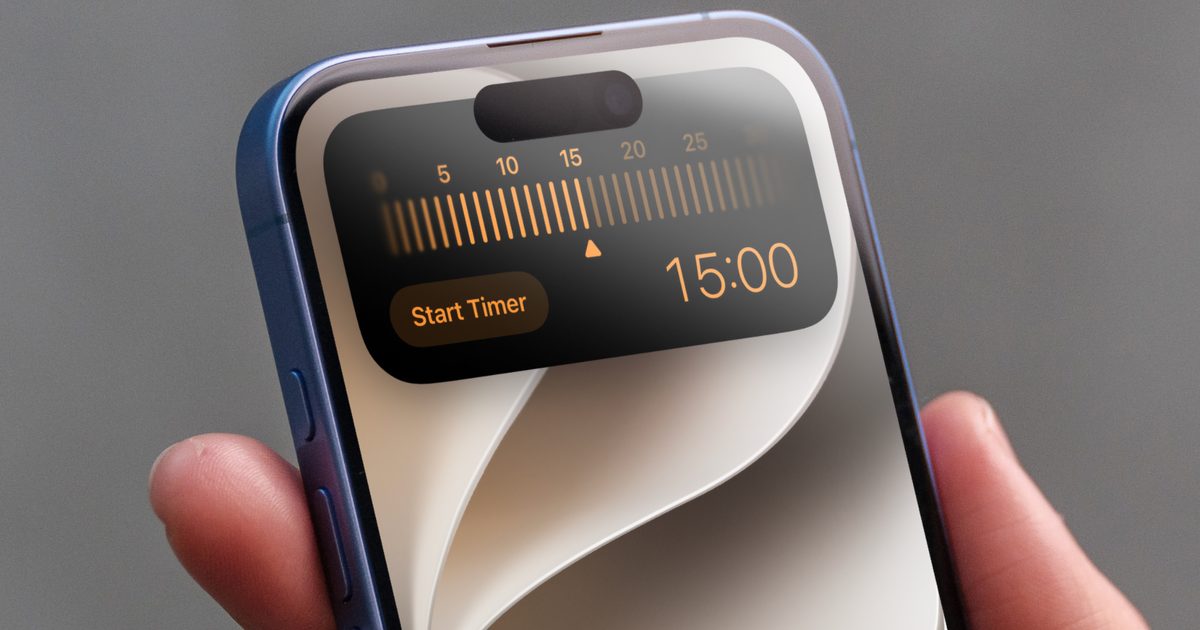
Faster timer creation
You could add a timer toggle to Control Center before, but it only opened the Clock app. With iOS 27, tapping the timer toggle brings up an overlay where you can set the duration and start the timer without leaving the current app. Swipe left or right to adjust the time and hit “Set Timer” – quick, efficient, and app‑free.
Dictation gets a major upgrade
iPhone dictation used to be unreliable, lacking punctuation and often mis‑recognizing words. iOS 27 introduces an Advanced Dictation preview that runs on‑device, drastically reducing errors and automatically inserting punctuation. Enable it via Settings → General → Keyboard → Advanced Dictation Preview. If Apple continues to refine it, you may no longer need a paid dictation app.

AirDrop is dramatically faster
Saving the best for last, AirDrop feels like it’s been given a caffeine boost. Small files such as photos and documents transfer instantly, and larger files move almost twice as fast as before. The speed improvement saves a noticeable amount of time each day.


These understated tweaks might not make the headlines, but they smooth out the everyday annoyances that keep iOS 27 worth the upgrade.
