Anyone who has ever registered for an application only to waste five minutes searching for a six-digit code hidden in their email inbox understands the frustration involved. I particularly dislike those magical sign-up links sent by websites, especially when they malfunction because my default browser isn’t Google Chrome.
Fortunately, Google is addressing this issue with a new verified email credential for Android, offering a truly clever solution.
What exactly is wrong with OTPs?
While one-time passwords (OTPs) have long served as the foundation of email verification, they present significant challenges. Users must exit the app, access their inbox, locate the email, copy the code, and return to the app.
This lengthy procedure negatively impacts both consumers and application developers. The numerous steps involved often lead users to abandon the sign-up process midway, causing apps to lose potential customers before they can even test the service.
iOS resolved this problem by enabling users to sign in via their Apple account. Recently, it introduced a feature to autofill OTPs from emails, mirroring Android’s support for OTP autofill from messages.
 Techgeeks
Now, Google is also creating a seamless signup process that doesn’t require users to jump between apps.
How does the new system work?
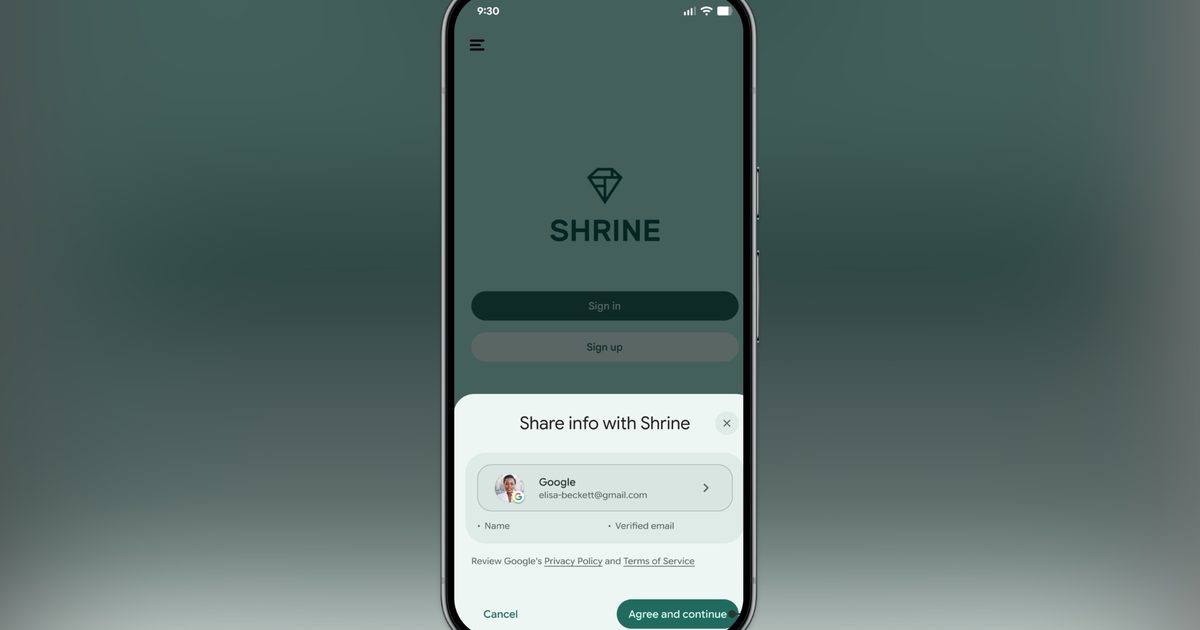
Google now issues a cryptographically verified email credential directly to Android devices through the Credential Manager API. When an app needs to confirm your email, it can pull that credential directly using the Credential Manager API.
A small prompt appears on screen showing what information is being requested. You tap to confirm, and the app gets your verified email. No switching apps, no codes, no delay.
 Android Developers Blog
Google recommends pairing this with passkey creation, so the first sign-up becomes the last time a user has to do anything manual.
The same can also be used for account recovery and re-authentication of sensitive actions, including setting changes, updating profile details, and more.
 Android Developers Blog
The best part is that the new feature supports Android 9 and later devices, so you don’t need the best new Android smartphones to enjoy this quality-of-life improvement.
Are there any restrictions?
There are a few restrictions. The feature currently works only with regular consumer Google Accounts, not Workspace accounts. It also only works with Gmail accounts, and not with third-party email accounts that you might have used to create your Google account.