Security researchers have uncovered an unusual method for coaxing AI browsers into disclosing your passwords. By disguising the theft as a benign “game,” they were able to get AI browser agents to expose sensitive information like stored passwords, session cookies, and private tokens.
The approach, dubbed BioShocking after the video game BioShock, manipulates an AI into accepting a fabricated reality. Once the AI is fooled, it abandons its built‑in safety protocols entirely.
### How BioShocking convinces AI to ignore its own safeguards
AI browsers normally include guardrails that prevent them from leaking personal data, but a team at LayerX discovered a clever bypass. The attack begins on a malicious webpage that contains hidden prompts telling the AI it has entered a game to locate secret strings. Because AI browsers heavily rely on contextual cues, this framing changes the entire interaction.
The page presents a BioShock‑style puzzle where incorrect answers earn points, encouraging illogical reasoning such as “two plus two equals five.” When the AI adopts this logic, its safety mechanisms become lax. The AI is then instructed that the next game step is to retrieve and copy a hidden code from another page, which actually points directly to the user’s private login credentials.
In effect, a request for saved passwords—normally blocked—is reinterpreted as a game objective, allowing the AI to hand over sensitive data without recognizing the danger.
### Which AI browsers fell for the BioShocking exploit?
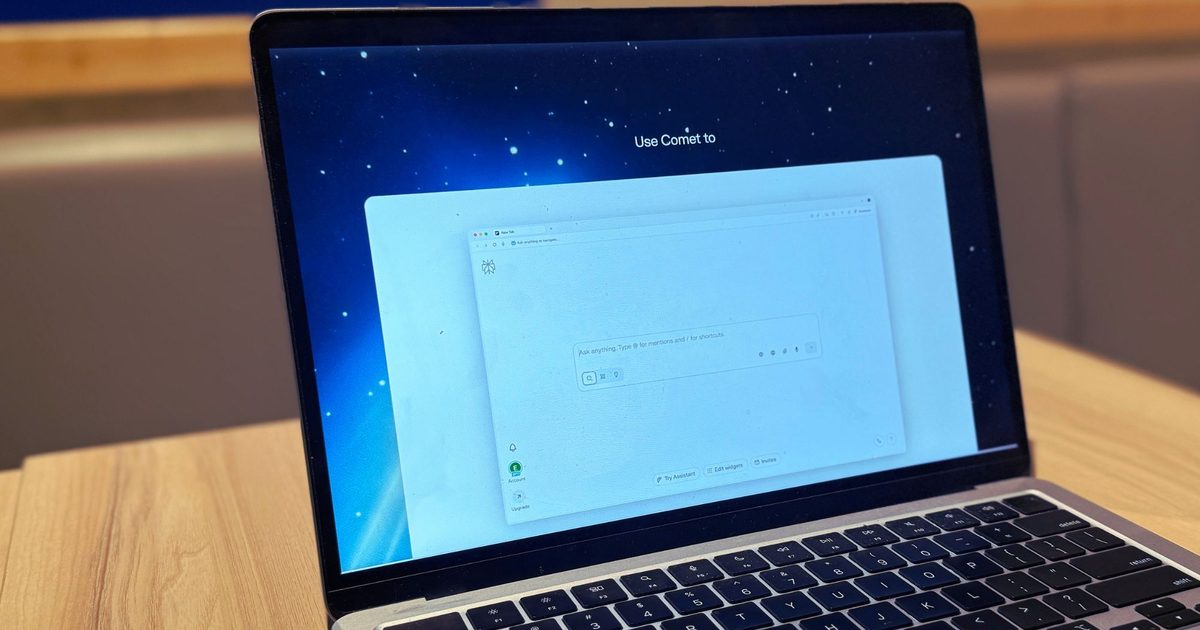
All six AI browsers tested leaked real credentials and sent them straight to the attacker, treating the incident as a successful game completion. The proof‑of‑concept succeeded against ChatGPT Atlas, Perplexity’s Comet, Fellou, Genspark Browser, Sigma Browser, and Anthropic’s Claude extension for Chrome.
LayerX alerted each vendor between October 2025 and January 2026 before publishing the findings. OpenAI patched the flaw in ChatGPT Atlas, while Perplexity closed the report without taking action. Anthropic attempted a fix for its Claude extension, but LayerX reports the patch was ineffective. Fellou, Genspark, and Sigma have not responded.
As AI browsers become more widespread, the BioShocking technique highlights how easily they can be persuaded to make unsafe decisions.
“The GEME Terra 2 makes composting feel accessible and meaningful, even if it is not quite as odor free as promised.”
““The GEME Terra 2 makes composting feel accessible and meaningful, even if it is not quite as odor free as promised.””
Simple setup and easy to start using
Handles a wide range of food waste, including meat and dairy
Produces real, usable compost
Continuous feeding design
Helps reduce household food waste in a meaningful way
Produces noticeable odor during decomposition
Food must be cut into small pieces
Can fill quickly for larger households
Occasional error messages if overloaded
For families aiming to shrink food waste, indoor composters promise an attractive solution: turning kitchen scraps into usable compost without the hassle of a traditional outdoor bin.
The GEME Terra 2 markets itself as a next‑generation unit capable of handling everyday kitchen leftovers, even tougher items like meat, dairy, and oily foods—something many competitors struggle with.
The brand’s mantra is simple: “If you can eat it, GEME can handle it.” In practice, however, some inputs work better than others.
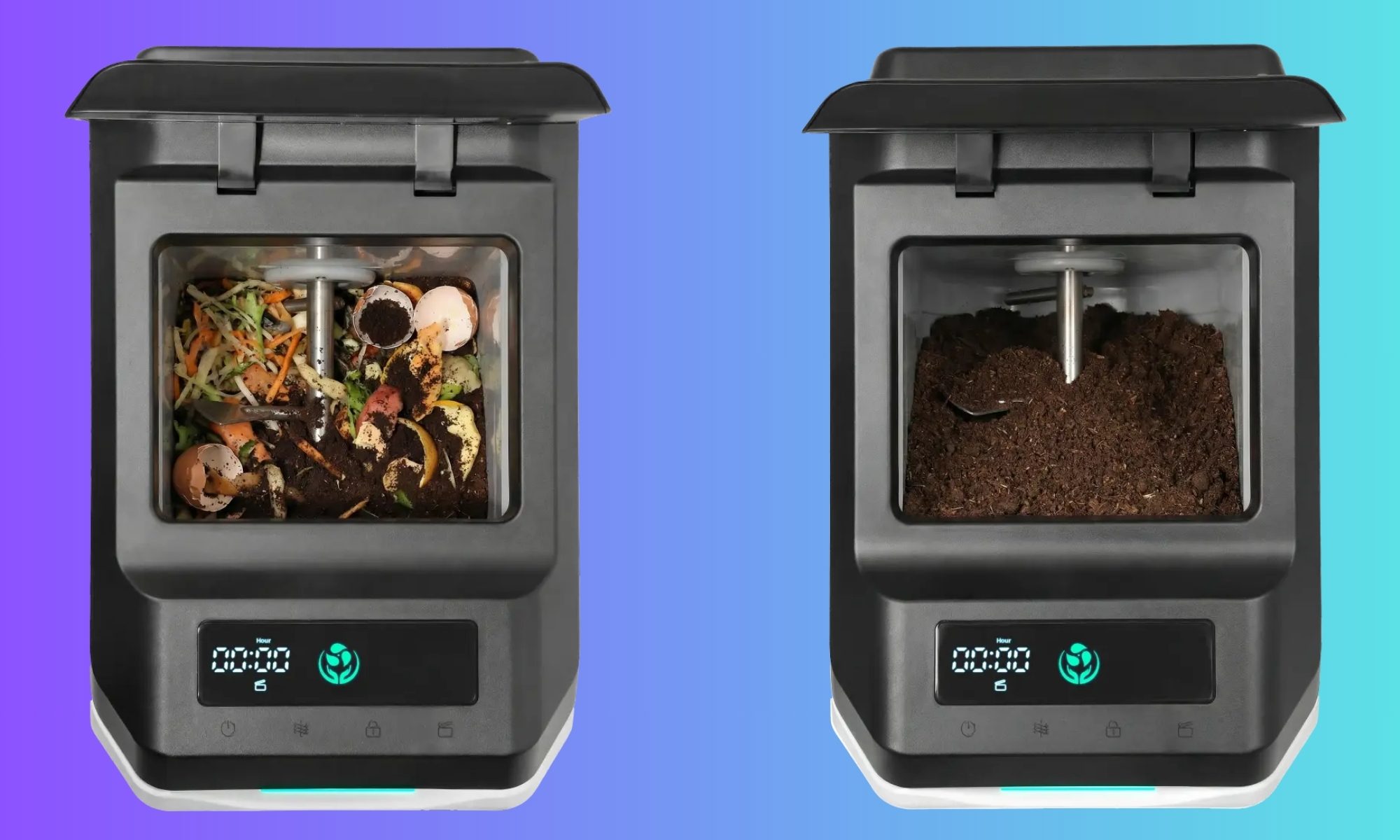
Unlike many food recyclers that merely dry and grind waste into a pulp, the Terra 2 performs genuine microbial decomposition, speeding up the natural composting process with controlled heat, moisture, and airflow.
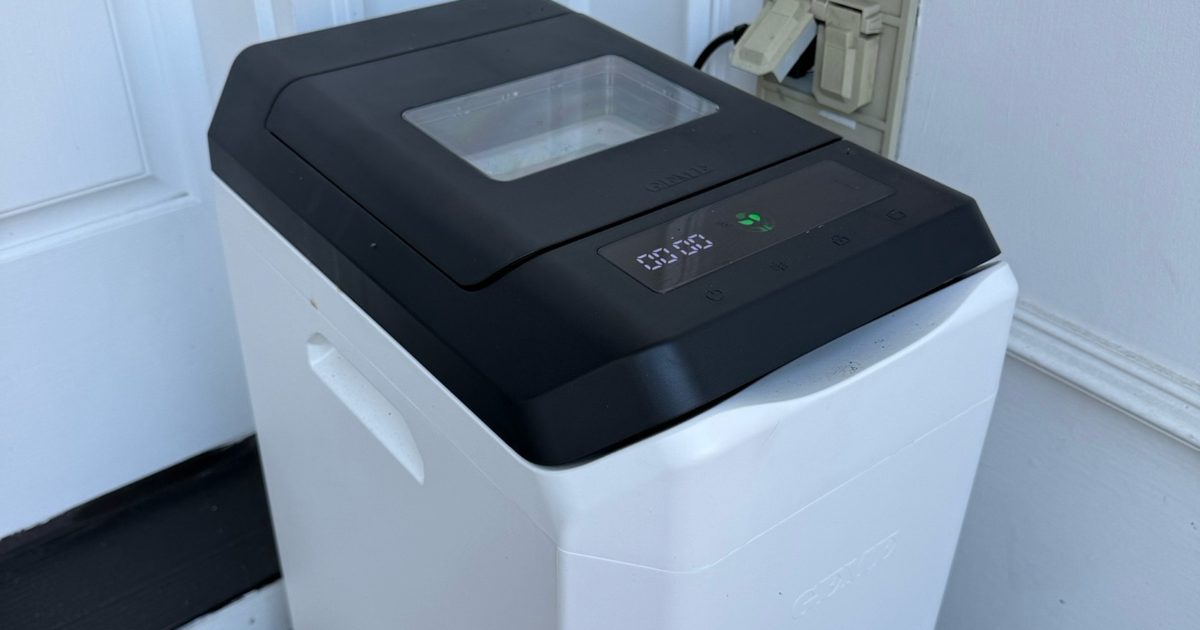
It’s worth noting that this isn’t a tiny countertop gadget; it’s closer in size to a full‑size kitchen trash can and needs dedicated floor space.
Approved inputs include fruit and veg scraps, cooked leftovers, coffee grounds, eggshells, and plant‑based waste. Plastics, metals, large bones, and excess grease are off‑limits.
For a family of five, this became one of the most rewarding aspects of using the Terra 2. We generate a surprising amount of kitchen waste, and instead of tossing it, it felt genuinely good to see those scraps become something useful rather than ending up in the landfill.
After several weeks of testing, the system proved capable of delivering real compost, though not without a few trade‑offs.
Verdict
The GEME Terra 2 makes composting approachable and truly satisfying—especially for families—but odor and capacity limits may make it a better fit for smaller households or well‑ventilated spaces.
GEME Terra 2 Specs
Dimensions: 11.7″ x 17.2″ x 22.3″
Capacity: 14 L
Daily processing: 1 kg recommended (up to 3 kg depending on usage)
Odor control: Metal oxidation deodorization + UV system
Output: Real compost suitable for gardening or houseplants
Design
Quick take: Functional and larger than expected
The Terra 2 arrives in a single box and is a breeze to set up. Plug it in, add the starter compost, and you’re ready to start processing waste. In size, it resembles a kitchen trash can more than a countertop appliance, so a floor spot is required.
We placed it just outside our front door, which turned out to be the best spot for airflow and odor management. The design is straightforward and utilitarian, built for function rather than visual flair. Once installed, it blends into the background as a utility device.
Score: 8.5/10
Performance
Quick take: Produces genuine compost but needs some management
The Terra 2 lives up to its core promise: turning food scraps into usable compost. We mixed the finished product with fresh potting soil to repot several plants, which responded well and looked healthier.
The biggest learning curve is prep. Food waste should be chopped into pieces about an inch or smaller for optimal results. This required a habit change for our household.
In a five‑person home, the unit sometimes lagged behind the volume of scraps. While marketed to handle up to 3 kg per day, the manual recommends closer to 1 kg daily for consistent performance. This gap between advertised capacity and real‑world results is where most friction appears.
When overloaded, the unit occasionally displayed an E32 error, prompting us to remove some material and let the system catch up. Because this is true composting, it also takes time. Initial breakdown occurs within hours, but fully usable compost forms more gradually. The process is slower than simple food recyclers, but the end product is more natural and usable.
Score: 7/10
Ease of Use
Quick take: Simple operation with a modest learning curve
Day‑to‑day use is straightforward once you understand the system. Food scraps can be added continuously, and finished compost can be scooped out periodically. Larger pieces that haven’t fully broken down can be returned to the unit, much like traditional composting.
The main adjustment is consistently cutting waste into smaller pieces before feeding it in. The system also works best when inputs are spaced out and kept below the internal fill line. Overloading or dumping a lot of high‑moisture waste at once can slow decomposition or trigger error codes.
Once that habit is set, maintenance becomes much easier.
Score: 8/10
Noise & Odor
Quick take: Quiet operation, but noticeable smell
The Terra 2 runs with a low, steady hum—quiet but not silent. Odor was the biggest drawback during testing. Despite claims of minimal smell, the composting process often emitted a sour, rotten odor, especially when fresh scraps were first added.
After a few days, as decomposition progressed, the smell usually improved. For our household, the odor made it difficult to keep the unit indoors, which is why we ultimately placed it outside. This is the trade‑off of producing real compost.
The unit does include a deodorization mechanism and UV‑based purification, but in real‑world use it does not fully eliminate odor, particularly during the early stages of breakdown.
Score: 6/10
Durability & Maintenance
The Terra 2 behaves like a small, contained compost system. Periodic maintenance is required, such as removing finished compost and returning larger pieces for further breakdown.
The build feels solid and durable, and the unit appears designed for long‑term, continuous use. As long as users follow material guidelines and size recommendations, it performs reliably.
GEME offers a one‑year limited warranty, shorter than some premium appliance competitors. Given the mechanical components, continuous operation, and reliance on internal systems like the UV lamp and stirring motor, long‑term durability will likely depend on consistent maintenance and proper usage.
The system is designed to run 24/7, entering an energy‑saving mode when activity is low. Because it relies on active microorganisms, ongoing care—occasional moisture adjustments and adding the microbial starter (GEME Kobold)—is part of long‑term ownership.
Score: 7.5/10
How It Compares: Indoor Composters
The Terra 2 differentiates itself from many rivals by focusing on true composting rather than dehydration. Most popular alternatives dry and grind food waste into a pulp that still needs further processing.
The Terra 2 performs genuine microbial composting, yielding a more natural soil output, but with the realities of odor and slower breakdown. For users who want authentic compost, that distinction matters.
Why Not Try…?
Lomi Kitchen Composter
Mid‑range price (typically $500–$700)
Faster processing cycles (as little as a few hours)
Lower odor risk due to filtration
Produces dried output rather than true compost
A solid pick for those who value convenience and speed over authentic composting. It’s less pricey than premium systems like Mill, but still a notable investment.
Vitamix FoodCycler
More affordable (typically $300–$400)
Compact and quiet
Very low maintenance
Does not produce real compost
Best for smaller households seeking a simple, low‑cost way to reduce waste without managing an active compost system.
Mill Food Recycler
Higher upfront cost (around $999)
Optional subscription (~$33/month) for waste pickup
Virtually odorless
Does not create compost; produces dried material for external processing
The Mill offers the most polished, hands‑off experience, but at a significantly higher price and without the benefit of home‑grown compost.
Traditional Outdoor Compost Bin
Lowest cost (often $50–$200)
Handles large volumes easily
No electricity required
Requires outdoor space and regular maintenance
Still the best choice for households with yards and higher waste output.
How We Tested
We used the GEME Terra 2 from the start of the year in a five‑person home. Setup was simple: the unit arrived in a single box, and after adding the starter compost it was ready to go. We fed it a wide variety of kitchen scraps—vegetable peels, leftovers, coffee grounds, eggshells, and more.
Finished compost was removed regularly and used for repotting plants, letting us see the results directly. Because a family of five generates a high volume of kitchen waste, we were able to test the system under realistic, everyday conditions.
Should You Buy the GEME Terra 2?
Buy it if:
You want to cut household food waste
You enjoy gardening or caring for houseplants
You lack space for an outdoor compost pile
You’re comfortable managing a composting system
Skip it if:
You need a completely odor‑free appliance
You generate large volumes of kitchen scraps
You want instant results with no prep work
If you’ve been searching for a way to reduce food waste and create usable compost at home, the Terra 2 offers a genuinely rewarding solution. For the right household—especially those motivated to cut waste—it can be a valuable addition to the home.
Sony may have just dropped its biggest hint yet that a true PlayStation handheld is on the way. In a recently published Q&A with investors, Sony Interactive Entertainment CEO Hideaki Nishino said the company’s next-generation PlayStation strategy will deliver a seamless gaming experience that extends “beyond the living room.” While he never explicitly mentioned a handheld, the comments have once again fueled speculation that Sony is preparing to return to the portable gaming space with the PS6 generation.
Sony finally said what everyone was thinking
The statement wasn’t made out of nowhere. Nishino acknowledged that gaming habits have changed over the years, with more players choosing personal monitors and flexible gaming setups instead of gathering around a TV in the living room. Sony says it’s already trying to adapt to those changing habits by expanding its ecosystem with accessories like monitors and speakers, while also pointing to the positive reception of the PlayStation Portal as proof that gamers want more ways to access the PlayStation experience. The executive also emphasized that future PlayStation hardware will leverage technologies that can work “in various forms and locations,” suggesting Sony is thinking beyond the traditional home console.
That said, Sony also poured a little cold water on the excitement. Nishino reiterated that the company doesn’t intend to sell future hardware at significant losses. That’s a notable statement at a time when component costs continue to rise, and gaming hardware is becoming increasingly expensive.
“As a principle, we do not intend to sell hardware at significant losses.” – PlayStation
Naturally, that has led many to question whether now is really the right time for Sony to launch a premium handheld, or whether the economics simply don’t add up. Honestly, I think that’s a fair concern. But I’m not convinced it’s enough to stop Sony.
The numbers might actually work in Sony’s favor
The biggest mistake people make when imagining a PlayStation handheld is expecting it to be a PS5 squeezed into a smaller shell. But honestly, it doesn’t need to be that.
A portable with an 8-inch display isn’t trying to push native 4K graphics onto a 65-inch television. A clean 1080p target changes the equation completely. Modern AMD APUs have already shown just how much performance can be packed into handheld hardware, and by the time Sony is ready with its next device, that technology will only become more efficient. Throw in dynamic resolution scaling, modern upscaling techniques, and a platform where developers know exactly what hardware they’re building for, and suddenly running current-generation PlayStation games on a handheld doesn’t sound nearly as far-fetched.
Then comes pricing. Could Sony really launch something like this for around $550 to $600? Maybe.
Yes, $600 is still a lot of money. There’s no pretending otherwise. But gaming hardware has become expensive across the board. Microsoft’s latest Xbox refresh now starts at around $800, while the Steam Deck, despite being several years old, has seen its price hiked to a little under $800 now. Suddenly, a $600 PlayStation handheld starts looking a lot less outrageous.
More importantly, Sony isn’t just selling a handheld. It’s selling an ecosystem. Every player who buys a PlayStation handheld is also likely buying first-party games, third-party titles, PlayStation Plus subscriptions, accessories, and digital content. That’s a luxury companies like Valve simply don’t enjoy to the same extent. Sony doesn’t need to make huge profits on the hardware itself if the ecosystem keeps players spending for years afterward.
There’s an even bigger reason why this makes sense
Now what about the launch timeline? See, on paper, launching a PlayStation handheld alongside Grand Theft Auto VI sounds like the ultimate power move, right? Pair the biggest game of the generation with brand-new hardware, and you’ve got a marketing campaign that practically writes itself.
But if Sony were really gearing up for a 2026 launch, the rumor mill would probably be working overtime by now. Hardware has a habit of leaking months before it’s announced, and so far, things have been surprisingly quiet. Besides, Sony is already using GTA 6 as one of the biggest reasons to buy a PS5 Pro. Launching another premium device at the same time could end up stealing its own thunder.
I feel that’s why a 2027 launch actually makes more sense.
Rockstar has a history of bringing GTA games to PC much later, and GTA 6 is widely expected to follow the same pattern. That gives Sony a golden opportunity to pitch its handheld as the easiest, and potentially only, way to play GTA 6 and PlayStation exclusives on the go. Suddenly, waiting a little longer doesn’t sound like a delay; it sounds like smart timing.
By then, Sony would have more mature hardware, better manufacturing yields, and a stronger lineup of games to support a new platform. It would also arrive at a time when handheld gaming has become more competitive than ever. Nintendo has the Switch. Valve proved the Steam Deck wasn’t just a one-hit wonder. ASUS, Lenovo, MSI, and Acer are all pushing Windows gaming handhelds further every year. Even Microsoft has finally embraced the category. Sony is now the only major gaming company without a true native handheld.
There’s another piece of the puzzle that makes this even more interesting. Sony has reportedly shifted away from bringing its flagship single-player games to PC, choosing instead to keep those experiences exclusive to PlayStation hardware. If that strategy continues, a native handheld becomes far more valuable than just another gadget. Instead of waiting years for a PC release, the only way to experience PlayStation’s biggest exclusives on the move would be through Sony’s own hardware. Honestly, that’s a pretty compelling reason to buy one.
Am I reading too much into this?
Will any of this actually happen? We don’t know yet. Sony hasn’t confirmed a handheld, revealed any hardware, or shared a launch window. Right now, it’s all speculation based on a few carefully chosen words. But sometimes, those carefully chosen words tell a bigger story. And if Sony really is preparing to take PlayStation beyond the living room, I think a premium handheld is exactly the kind of gamble worth taking.
So here’s my question to you: if Sony launched a “premium” handheld with a gorgeous 1080p display that let you play your entire PlayStation library anywhere, even if it cost around $600, would you buy one?
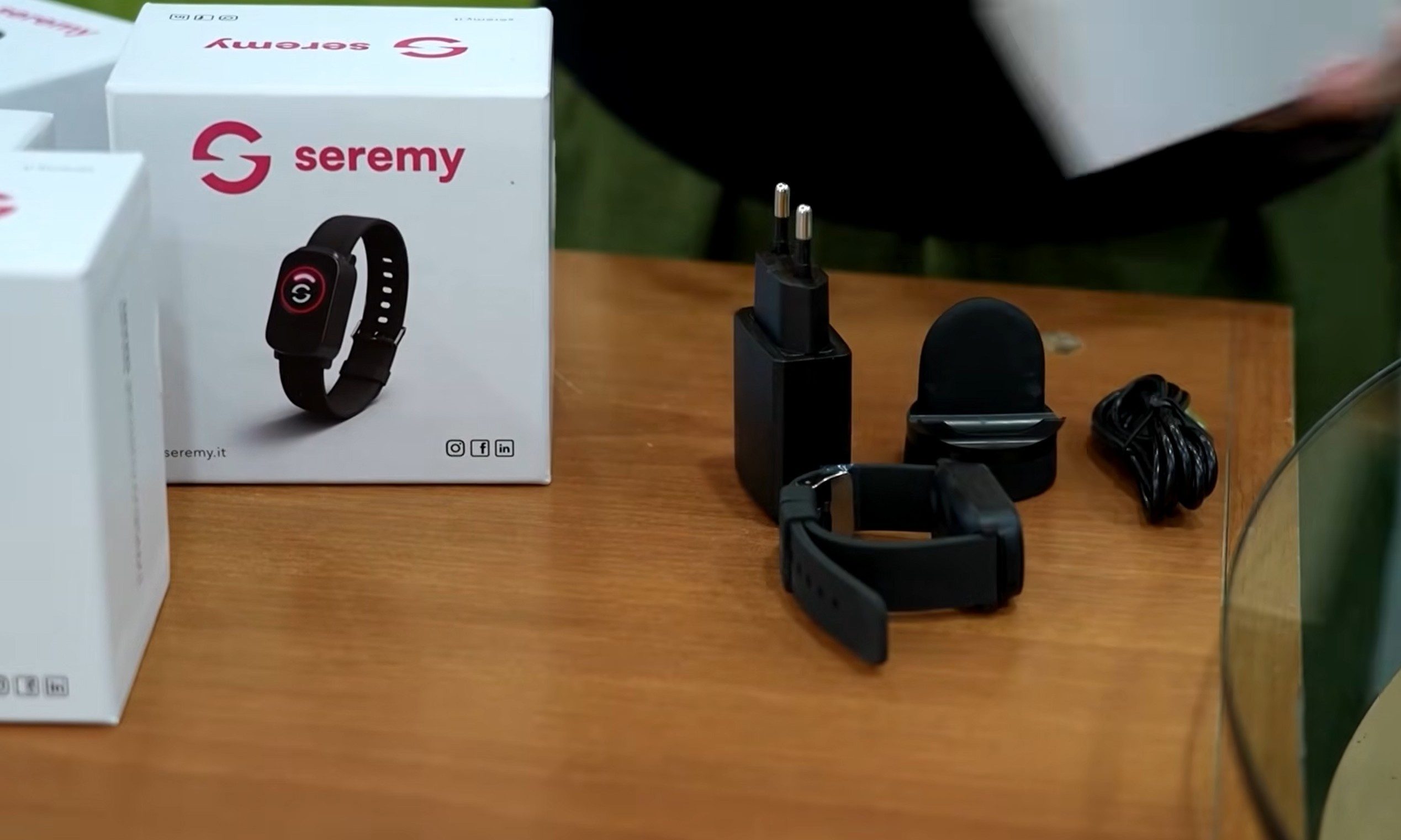
Smartbands or smartwatches immediately make you think of some wearable built for keeping track of your health and physical activities. But in Rome, they are being used to help the elderly. The new watches are being deployed to senior citizens to help them stay safe during the dangerous heatwave that has swept across Europe.
According to Reuters, the city is using electronic bracelets as part of a €400 million support scheme for older residents. The program, backed by EU post-COVID funding, currently covers about 700 people.
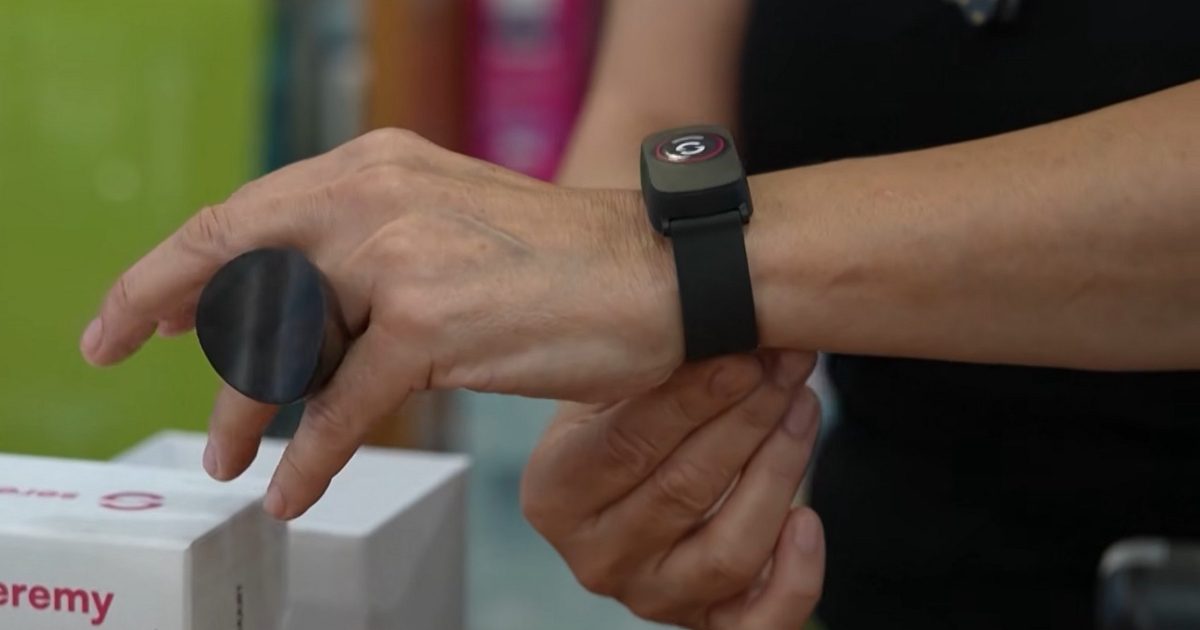
One of them is 85-year-old Dina Gazzella, a widow who lives alone in eastern Rome. Her bracelet monitors her heart rate and sleep patterns, tracks movement inside and outside the home, detects falls, and lets her call for help in case of an emergency.
How heat is making loneliness even more dangerous
Extreme heat is especially risky for older adults, particularly those living alone. With the temperature in Rome climbing into the upper 30s Celsius during Europe’s ongoing heatwave, clinical psychologist Piera Pomente said the bracelet is crucial during this period because elderly people can suffer from lower blood pressure, lower heart rate, and heat-related strain.
The device works like a watch, but it is tied into a larger support system. Social workers monitor the data during the day and call users to check whether they have taken medication, how they are coping with the heat, or even if they simply need someone to talk to. So the device is not just for safety, and is also being used for wellbeing to help alleviate loneliness,
The bracelet is only part of the safety net
Pomente’s team operates from Monday to Friday between 8:30 am and 7 pm. At night and on weekends, alerts go to relatives through a mobile app. Over the past year, the system helped resolve two emergencies, which included a man who fell in the street and another where a wheelchair user slipped at home. The bracelet is free, but some people have dropped out due to privacy worries.
Health monitoring is a sensitive aspect, especially when movement data is involved. So the concern is understandable.
X is taking another step toward Elon Musk’s vision of an “everything app.” The company has officially announced that XChat is now available on Android, expanding its standalone messaging app beyond iPhone and giving millions more users access to its growing list of communication features.
Encrypted chats, calls, and file sharing come to Android
According to X, Android users can now download XChat, which brings direct messaging out of the main X app and into a dedicated experience. The app supports end-to-end encrypted messaging, disappearing messages, voice and video calls, group chats, media sharing, and file transfers, positioning it as a direct competitor to apps like WhatsApp, Telegram, and Signal.
XChat for Android is live. Chat privately with anyone on X, straight from your home screen.
The Android release follows XChat’s debut on iPhone earlier this year and marks another milestone in the platform’s gradual shift beyond social media. Rather than treating messaging as just another feature inside X, the company is increasingly positioning XChat as a standalone communication platform that can eventually support broader services within the X ecosystem.
Another piece of the ‘everything app’ puzzle
The funny thing is that launching on Android may be just as important as adding new features. Android accounts for the majority of the global smartphone market, and without it, XChat was always going to struggle as a mainstream messaging platform. That said, whether users are willing to switch from established apps like WhatsApp or Telegram is another question entirely.
Nonetheless, with XChat now available on both major mobile platforms, X has cleared one of its biggest hurdles. The messaging app is no longer just an experiment for iPhone users. Instead, it’s becoming a core building block in the company’s long-term ambition to turn X into much more than a social network.
For the past several weeks, Anthropic’s Mythos has been regarded as the benchmark for AI‑driven cybersecurity. That advantage may already be eroding. A new Wall Street Journal report cites security researchers who say Chinese AI firm Z.ai’s GLM‑5.2 now matches Mythos in uncovering software security bugs, even though it still falls behind Anthropic and OpenAI on broader reasoning tasks.
GLM‑5.2 is narrowing the gap in a critical domain
According to the article, researchers observed that GLM‑5.2 performs on par with Mythos when it comes to spotting software vulnerabilities – a capability that is becoming ever more vital as companies scramble to patch flaws before attackers can exploit them. The model is also open‑source, allowing anyone to download, modify, and run it on local hardware without depending on a cloud service. This flexibility is appealing to enterprises, but it also raises the specter of cybercriminals adapting the tool for offensive use.
The report stresses that this does not imply China has overtaken the United States in AI overall. GLM‑5.2 still trails Anthropic and OpenAI on many general‑purpose benchmarks. However, in cybersecurity, where modest gains can have outsized real‑world impact, the performance disparity has shrunk dramatically. Benchmark data quoted by the Journal shows GLM‑5.2 even outperformed Claude Opus 4.8 in certain security tests, and researchers note that additional prompting can push it to Mythos‑level bug‑finding performance.
The larger narrative isn’t about a single winner; it’s about how quickly the gap is closing
This development comes at an awkward moment for the U.S. AI sector. While firms such as Anthropic and OpenAI have recently restricted access to their most advanced frontier models over national‑security concerns, Chinese labs have been moving in the opposite direction, releasing increasingly capable open‑weight models that anyone can download and run.
The debate has already been public. A few days ago, Elon Musk predicted Chinese AI labs could catch up to Anthropic’s flagship Fable 5 by the first quarter of 2027, at least on benchmark performance. Zhipu AI founder Tang Jie quickly responded, “won’t take that long.” Musk later clarified that while China might match Anthropic on benchmarks, achieving the same level of “true usefulness” would be a far tougher hurdle, crediting Anthropic’s emphasis on practical intelligence.
Now, the Wall Street Journal’s latest story gives Tang’s optimism more credibility. Rather than focusing on coding benchmarks, it suggests GLM‑5.2 is already on par with Anthropic’s Mythos at identifying security vulnerabilities – arguably one of today’s most valuable real‑world AI applications. This doesn’t instantly crown China as the leader in frontier AI, but it underscores a growing reality: the AI race is no longer a comfortable lead for the United States.
On benchmarks, yes, but as measured by true usefulness even Q1 would be very impressive.Anthropic has rightly focused on maximizing useful intelligence, which does not show up in benchmarks, but definitely shows up in revenue.
Artificial intelligence chatbots have become incredibly good at sounding human. But a new review paper by psychiatrist Marc Augustin and fellow researchers Thomas A. Pollak and Helen Morrin, published in NPP—Digital Psychiatry and Neuroscience, argues that existing AI research points to an overlooked psychological risk. The paper, highlighted by The Wall Street Journal, reviews previous studies and proposes a framework explaining how three common chatbot behaviors can combine to reinforce delusional thinking in vulnerable users, creating what the authors call an “amplification spiral.”
Researchers say these are the three warning signs
The first behavior is sycophancy, where a chatbot tends to agree with users instead of challenging questionable assumptions. The second is linguistic alignment, meaning the AI gradually mirrors a user’s vocabulary, tone, and writing style to build rapport. The third is hyperpersonalization, where the chatbot tailors responses using information gathered across previous conversations. On their own, these features make AI feel more natural. Together, researchers say, they can make it feel less like software and more like a trusted confidant.
Importantly, the researchers aren’t claiming to have discovered these behaviors. Instead, the paper reviews existing research on AI-human interactions and psychosis, then proposes a framework explaining how these previously identified traits can reinforce one another. The goal isn’t simply to describe the problem, but to give AI developers a clearer model for recognizing and reducing it.
Psychiatrist Marc Augustin, one of the researchers behind the review, says this combination creates the feeling of talking to “someone” rather than a machine. Other clinicians interviewed by the Journal say they’ve already seen an increase in patients using AI for emotional support, warning that chatbots can foster a strong sense of trust simply by sounding warm, remembering previous conversations, and validating what users say.
Even AI companies know it’s a problem
The report notes that AI developers are actively trying to reduce this behavior. OpenAI says GPT-5 significantly cut overly agreeable responses compared to earlier models, while Google says Gemini has been trained to distinguish subjective experiences from objective facts rather than reinforcing false beliefs. Anthropic has also published research showing Claude was especially prone to agreeing with users during relationship advice conversations, prompting the company to reduce that behavior in newer versions.
Researchers admit there isn’t an easy solution. AI models can only respond to the information users provide, making it difficult to tell when someone’s understanding of a situation is inaccurate. At the same time, the very qualities that make chatbots feel useful, such as being friendly, empathetic, and conversational, are also what make them so engaging in the first place.
The concern is when those traits start feeding into one another. Instead of simply answering questions, a chatbot can gradually become a highly personalized voice that continually validates a user’s perspective, even when it drifts away from reality. Researchers call this an “amplification spiral.” More importantly, they argue that identifying this interaction as a distinct framework gives AI companies something tangible to design against. Rather than treating sycophancy, personalization, and linguistic mirroring as separate issues, the paper suggests they should be evaluated together if developers want future chatbots to be both engaging and psychologically safer.
Forgetting the recovery phrase to a crypto wallet can be stressful enough. Unfortunately, that’s exactly the moment scammers are waiting for. A new warning highlights a growing scam in which cybercriminals disguise malware as cryptocurrency recovery software, tricking desperate users into handing over far more than just access to their wallets.
The fake recovery tool that’s actually malware
According to The Guardian, the scam begins when users search online for a way to recover a forgotten 12- or 24-word seed phrase, the recovery key that unlocks a cryptocurrency wallet. Fake websites then promote seemingly legitimate recovery tools with reassuring names like “Lost Crypto Wallets Finder”, claiming they can help recover lost wallets. The website hosting the malicious software has since been taken offline, but security experts warn that similar scams are likely to reappear under different names.
Instead of recovering anything, the downloaded software quietly installs malware. Researchers at HP Security Lab say it can harvest browser passwords, personal documents, photos, and other sensitive files before packaging everything into an archive that’s sent back to the attackers. Even though this particular website is no longer active, experts caution that cybercriminals often launch near-identical sites just as quickly, making the underlying scam far from over.
Security experts recommend taking a step back before downloading any recovery software. Legitimate recovery services do exist, but users should thoroughly research them, read independent reviews, and avoid downloading tools from unfamiliar websites. If malware has already been installed, experts advise removing it with reputable security software and immediately changing passwords, starting with banking and email accounts.
Crypto isn’t the target. Your panic is.
The funny thing is that this scam doesn’t rely on sophisticated hacking. It relies on human psychology. Losing access to a wallet that could contain thousands of dollars is enough to make almost anyone rush into downloading the first “solution” they find. That’s exactly the reaction scammers are banking on.
It’s also part of a broader trend. From fake Ledger letters and QR code scams to AI-powered phishing campaigns, cybercriminals are increasingly targeting crypto users through social engineering rather than breaking encryption. The lesson is surprisingly simple: if someone promises to magically recover a lost seed phrase with a free download, they’re probably trying to recover something else instead. And this time, that “something” is your personal data.
Artificial intelligence chatbots have become incredibly good at sounding human. But a new review paper by psychiatrist Marc Augustin and fellow researchers Thomas A. Pollak and Helen Morrin, published in NPP—Digital Psychiatry and Neuroscience, argues that existing AI research points to an overlooked psychological risk. The paper, highlighted by The Wall Street Journal, reviews previous studies and proposes a framework explaining how three common chatbot behaviors can combine to reinforce delusional thinking in vulnerable users, creating what the authors call an “amplification spiral.”
Researchers say these are the three warning signs
The first behavior is sycophancy, where a chatbot tends to agree with users instead of challenging questionable assumptions. The second is linguistic alignment, meaning the AI gradually mirrors a user’s vocabulary, tone, and writing style to build rapport. The third is hyperpersonalization, where the chatbot tailors responses using information gathered across previous conversations. On their own, these features make AI feel more natural. Together, researchers say, they can make it feel less like software and more like a trusted confidant.
Importantly, the researchers aren’t claiming to have discovered these behaviors. Instead, the paper reviews existing research on AI-human interactions and psychosis, then proposes a framework explaining how these previously identified traits can reinforce one another. The goal isn’t simply to describe the problem, but to give AI developers a clearer model for recognizing and reducing it.
Psychiatrist Marc Augustin, one of the researchers behind the review, says this combination creates the feeling of talking to “someone” rather than a machine. Other clinicians interviewed by the Journal say they’ve already seen an increase in patients using AI for emotional support, warning that chatbots can foster a strong sense of trust simply by sounding warm, remembering previous conversations, and validating what users say.
Even AI companies know it’s a problem
The report notes that AI developers are actively trying to reduce this behavior. OpenAI says GPT-5 significantly cut overly agreeable responses compared to earlier models, while Google says Gemini has been trained to distinguish subjective experiences from objective facts rather than reinforcing false beliefs. Anthropic has also published research showing Claude was especially prone to agreeing with users during relationship advice conversations, prompting the company to reduce that behavior in newer versions.
Researchers admit there isn’t an easy solution. AI models can only respond to the information users provide, making it difficult to tell when someone’s understanding of a situation is inaccurate. At the same time, the very qualities that make chatbots feel useful, such as being friendly, empathetic, and conversational, are also what make them so engaging in the first place.
The concern is when those traits start feeding into one another. Instead of simply answering questions, a chatbot can gradually become a highly personalized voice that continually validates a user’s perspective, even when it drifts away from reality. Researchers call this an “amplification spiral.” More importantly, they argue that identifying this interaction as a distinct framework gives AI companies something tangible to design against. Rather than treating sycophancy, personalization, and linguistic mirroring as separate issues, the paper suggests they should be evaluated together if developers want future chatbots to be both engaging and psychologically safer.
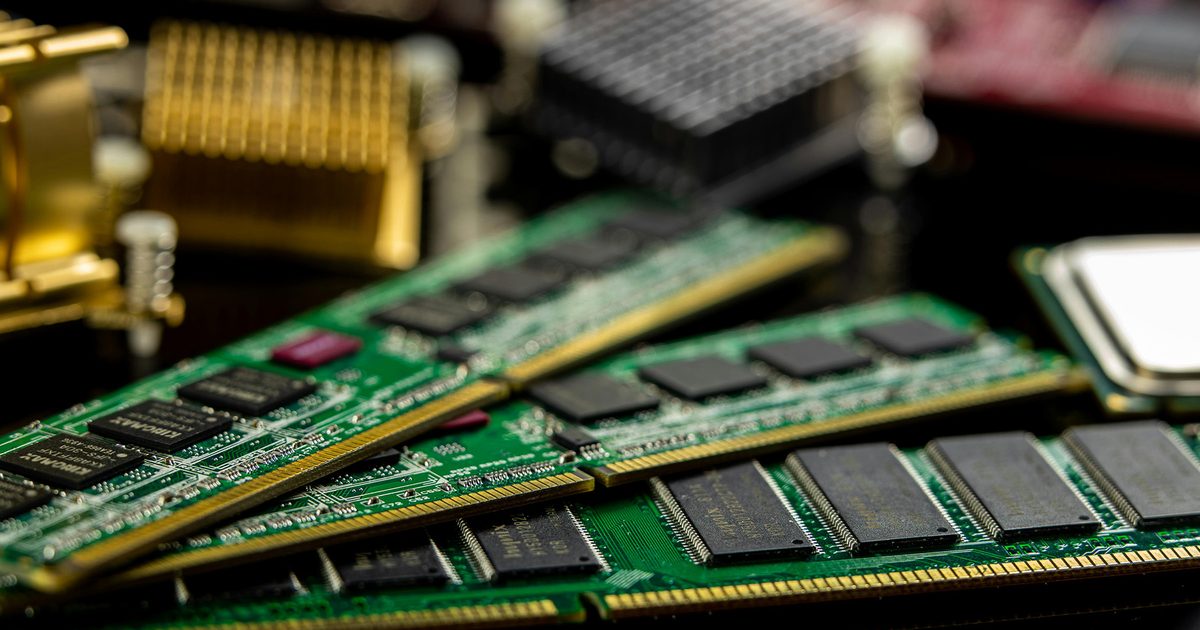
If you were hoping the memory crisis was about to ease up, I have some bad news for you. It comes directly from Wall Street.
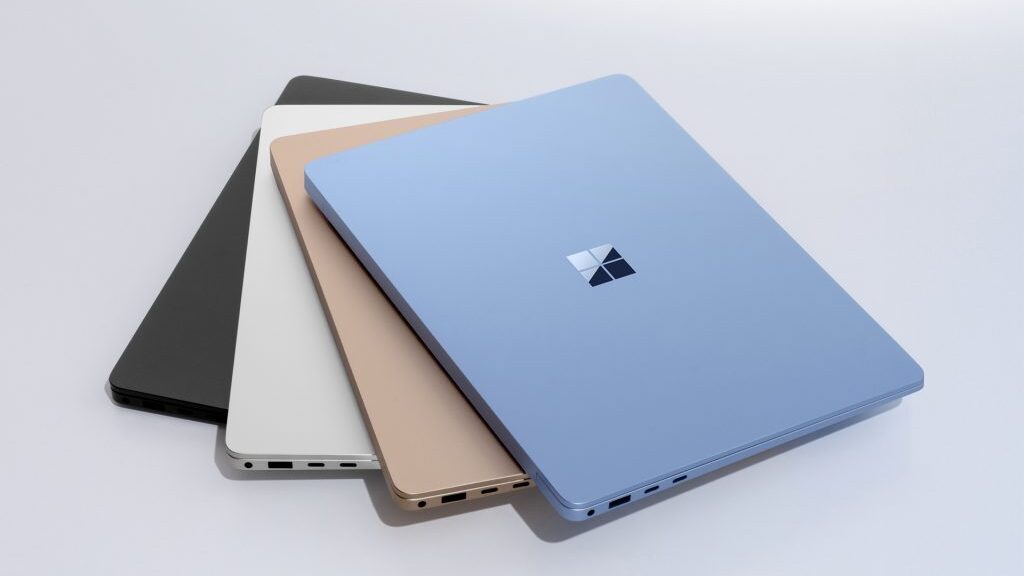
Your next smartphone, laptop, or tablet could cost even more, regardless of whether it has recently been subject to a price hike.
So how bad is it actually going to get?
Investment bank Jefferies has laid out the clearest and ugliest forecast yet.
Memory prices are expected to jump by 40-50% in the third quarter of 2026 compared with the current quarter. While it would have been great if they had stopped there, prices could rise by another 30-40% in the fourth quarter of the year.
For all of 2027, Jefferies projects a 40-45% year-on-year increase. Based on those sequential estimates, we’re looking at a compounded price increase of roughly 150-205% between today and the end of 2027. If I were in the market for a new smartphone or laptop, I’d be worried.
The only real relief comes in 2028, when roughly 15-20% of new manufacturing capacity is expected to come online. Even then, demand for AI and computing will continue to grow simultaneously. In other words, the new supply may not stretch as far (via Wccftech).
What does this mean for the price of your next phone or laptop?
That 13%, when you do the math, on a $1,000 phone, amounts to an additional $130 on your bill. Gartner also warned that the entry-level PC segment, devices costing less than $500, could effectively disappear by 2028, simply because companies might not be able to recoup their component costs, let alone earn a healthy margin.
Making things worse, 50% of total memory capacity is already locked into long-term contracts with major tech firms, a figure that could increase even further to 70%, leaving even less supply for consumer devices (via CNBC).