Author: TechGeeks

  • Asus ProArt PX13 GoPro Edition review: The only laptop to woo me away from Apple

    Asus ProArt PX13 GoPro Edition review: The only laptop to woo me away from Apple

    “An astonishingly good laptop that’s also a pricey Mac anti-dote.”

    • AMD chip is a powerhouse
    • Utterly generous RAM situation
    • Pixel-dense OLED screen
    • Pleasantly light and compact
    • Pretty rugged and convertible
    • Decent port selection
    • 60Hz refresh rate is a sin
    • Fans get loud under stress
    • Battery drains rather fast
    • Display could’ve been brighter
    • Deserves a better webcam
    • Oh-so-expensive

    Quick Take

    Engineering a compact laptop without too many functional compromises is hard. Making one that is targeted at content creation is harder. How do you balance firepower inside a small chassis? What about the battery uptake and thermals? And how do you make it appealing to the audience when there are plenty of options in the market, including the venerable MacBooks? Well, you go all-in. 

    With the ProArt PX13, Asus went all-in and delivered a banger. 

    Now, ideally, you shouldn’t care too much about a co-branded laptop. With the PX13 GoPro Edition, the situation is no different. But on its own merit, this laptop is no less appealing to creators. Whether it’s video editing, bulk image creation, or even local AI processes, this laptop can handle it well without breaking a sweat. Or crashing down to a sloth pace. 

    When I first came across this machine, my eyes rolled. Co-branded laptops are usually the tech equivalent of a celebrity perfume. A gaudy logo slapped onto a chassis, a custom wallpaper, a hotkey nobody asked for, and a $400 markup for the privilege. I’ve reviewed those laptops. I’ve returned them quickly, and I’m tired, too.

    So I’ll save you the suspense and admit I was wrong. The Asus ProArt PX13 GoPro Edition is not a fan-service machine wearing a workstation costume. It’s a workstation wearing a fan-service costume, and after three weeks of cutting 4K timelines, running local LLMs, dragging it through four airports, and sketching on a couch in tablet mode, I’ve fallen in love with this compact beast.

    It’s also a laptop of bizarre paradoxes. It costs $2,999 (yep), packs 128GB of unified RAM (more memory than my first three PCs combined), and has an integrated graphics card that can outrun a discrete RTX 4000 series while living in a chassis that fits in a sling bag. It also has a 60Hz screen in 2026, which is the kind of decision that makes you check blink twice, think thrice, and check the specs sheet one more time. Moreover, under load, the fans can quickly get vexing without earplugs.

    Battery life is fine until you actually use it for what it’s built for, and then it isn’t. If you’re a video pro, an on-location creator, or a software developer who wants a real workstation that doesn’t require a rolling suitcase, this machine is quite a pleasant (read: practical) revelation. For everyone else, it might be a bit too extreme, and that’s coming from someone who likes extreme.

    Asus ProArt PX13 GoPro Edition design and build quality: It’s plain gorgeous

    I’m a sucker for gear that feels like it can survive a drop without ending its life. I’ve scuffed and broken more laptops than I have the guts to admit (or tell my father, for that matter). The Asus ProArt PX13 GoPro Edition can handle someone like me. A majority of creator-focused laptops feel like a single bumped corner away from a warranty claim, and that’s because they focus more on sleek aesthetics than practical durability.

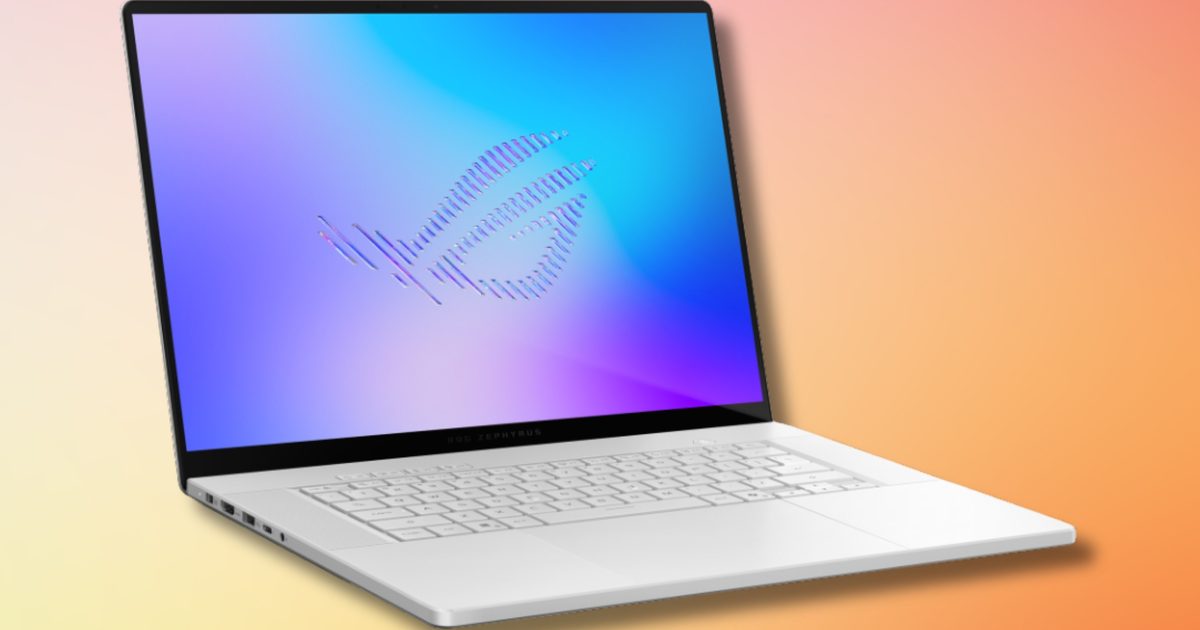
    The PX13 GoPro Edition is the opposite. It feels like a piece of equipment, not jewelry. Instead of the smooth, fingerprint-magnet finishes we usually see on high-end laptops, Asus went with a ribbed metal lid that mimics the textured front of a GoPro action cam. It’s bold, matte black, and unapologetically tactical. Run your thumb across it, and you can feel the grooves catch.

    It’s not quite the same satisfying micro-resistance you get from the rubberized clamp of a real action cam, but it gets pretty close. It does, however, get grimy against oily fingers. The kit tips the scales at about 3.06 lbs (1.39kg), but I certainly didn’t feel the heft hurting me at all. It felt just barely heavier than the MacBook Air.

    It’s not the lightest 13-incher out there. That distinction goes to the latest Zenbooks and MacBook Airs of the world. But where it loses by a few ounces, it makes up for it with other hardware perks. Pick it up by a corner, and there’s zero flex. The keyboard deck doesn’t bow under a palm rest, and the lid doesn’t ripple when you grab it.

    Asus treated this machine to an MIL-STD-810H certification, which is the kind of certification you nod at on a spec sheet and then forget about until you actually slide a laptop off a passenger seat onto an airport floor. Brands like to market it as military-grade. That’s not fully accurate, but compared to an average laptop, these laptops can brush off drops and scuffs with ease.

    The 360-degree hinge is the other unsung hero. It’s stiff, resistant, and predictably smooth without any mushy mid-travel or wobble. Tent mode is solid enough to use on a tray table without rocking. Tablet mode is where the form factor really earns its keep. At 13 inches and three pounds, this is one of the few hybrid workstations you can comfortably draw without your arms going numb in minutes.

    The GoPro details are everywhere if you look for them, and Asus mostly stays on the right side of the brand integration. The embossed “GoProArt” logo on the lid is subtle. The keyboard backlight glows in that signature electric blue instead of white. The F8 key is a dedicated GoPro hotkey that summons the GoPro Player and can pull footage straight off a connected Hero.

    There’s a thoughtfulness to the whole engineering endeavor here that I didn’t initially expect. This isn’t a regular ProArt PX13 with a different sticker. It’s a ProArt PX13 designed from the ground up to look and feel like it belongs in a gear bag with a tripod, a drone controller, and a GoPro camera. Whether or not you’re its target customer, you can tell that a true enthusiast made the design calls. It’s absolutely eye-catching and practically gorgeous.

    Score: 9/10

    Asus ProArt PX13 GoPro Edition display: Vivid wins, vexing losses

    The 13.3-inch 3K OLED panel is simultaneously this laptop’s greatest strength and its most infuriating flaw. I’ve gone back and forth on it more times than I want to admit. OLED is ideal for a reason, and this panel is a particularly good one. Blacks look lovely without any undue backlight bleeding or uniformity issues.

    Color accuracy is essentially calibrated-monitor territory, with 100% DCI-P3 coverage and Pantone validation. Asus actually ships it tuned out of the box rather than leaving you to fiddle with profiles. For photo editing, color grading, and any kind of paint or design work, it is mesmerizing. Moreover, the touch response is snappy, and that applies to the bundled stylus as well as your fingertips.

    The included Asus Pen 3.0 delivers the standard 4,096 levels of pressure detection and almost no perceivable lag. It’s not quite the Wacom territory, but it’s as good as it gets in the laptop territory. The 3K resolution (2880 x 1800) on a 13.3-inch panel is abundant in terms of pixel density, and you won’t be left yearning for a dash of extra sharpness.

    This is where the happy tale ends.

    This is a $2,999 laptop, and it’s a sin that the beautiful OLED screen is locked at 60Hz. Once you’ve tasted 120Hz on a Windows machine, or grown used to the ProMotion panel on a MacBook Pro, the 165Hz panels on mid-tier gaming rigs, or even the 90Hz screens on budget phones, a 60Hz panel feels visibly slow.

    While dragging app windows across the desktop, I could easily feel the pixel-level stutters. Scroll through a long document, and you notice the frames are hurting your eyes. It’s not unusable by any stretch of the imagination, but if it were just a tad faster, every computing experience would be buttery smooth.

    It’s a shame this machine is geared towards creators with GoPros, who routinely shoot 120fps, 240fps, even 400fps in slo-mo modes. Of course, you cannot preview any of that natively at full speed on this screen. You’ll get the data and all the color, but to truly enjoy them, you’ll be plugging into a faster external panel or resort to downsampling.

    For a laptop sold to creators, I can’t quite wrap my head around this miss. If Asus had shipped a 120Hz version of this OLED panel, this experience would have been dramatically different. Another hiccup is the brightness levels, which max out at a paltry 400 nits. For comparison, the MacBook Pro can muster 1,000 nits sustained brightness on its mini-LED display, and the difference is noticeable.

    Score: 8/10

    Asus ProArt PX13 GoPro Edition ports and connectivity: It’s fairly versatile here

    Usually, when you compress a laptop down to a 13-inch form factor, the Port Apocalypse happens. I use a MacBook Air, so I know the pain well. You’re lucky if you get two USB-C ports, without any apology from the manufacturer. Asus, thankfully, did not go down that unholy computing route.

    On the left, you get a dedicated DC jack, even though the laptop is happy to charge via USB-C if you’d rather travel light. Next, you’re also treated to a full-size HDMI 2.1 port, a USB-4 Type-C port pushing 40Gbps, and a 3.5mm audio jack. On the right, there’s another USB-4 Type-C, a USB 3.2 Gen 2 Type-A port, and a microSD card reader.

    That microSD slot is a small point of contention, but not much to fuss about. For the intended audience, it makes sense. Most GoPro-havers I know carry a microSD card, but if you’re a stills photographer who loves their SD cards, be prepared for the proverbial dongle life. Asus seems to have some unshakeable clarity of thought for this machine. It’s a video and motion-first machine, and traditional photographers are not the primary audience. Knowing the rest of the laptop, that’s the right call.

    It still stings, though.

    The HDMI 2.1 alone is worth a small parade of its own. Plugging directly into HDMI and watching the second screen pop up for the first time is a huge relief from digital anxiety. Overall, neat job with the I/O selection on this one, Asus!

    Asus ProArt PX13 GoPro Edition performance: A loud, fire-breathing dragon

    Raw performance is where the Asus ProArt PX13 GoPro Edition stops being a cutesy convertible and truly evolves into its intended form, emerging as a legitimate threat to desktop PCs. I do not say that lightly. The heart of this machine is the Ryzen AI Max+ 395, a sixteen-core silicon in AMD’s high-end Strix Halo portfolio. Then we have the integrated Radeon GPU that has no business performing the way it does.

    And here’s the fun part. The actual headline isn’t the CPU. It’s the 128GB of LPDDR5X RAM, up to 96GB of which can be allocated to the Radeon 8060S integrated graphics as VRAM. In a world where Apple is still selling “Pro” laptops with 16GB of unified memory as a baseline and charging hand over fist for upgrades, the fact that you can spec a 13-inch Windows convertible with 128GB of unified memory is charmingly ridiculous.

    In CPU-based benchmark tests, it rubs shoulders with Intel’s Core Ultra 9 silicon and leaps ahead of the base M5 at multi-core synthetic runs. Expectedly, single-core performance is where Apple still maintains a comfortable lead. In graphics capabilities, however, it smokes Apple and leaps into the gaming laptop category with discrete Nvidia GPUs.

    3DMark TimeSpy benchmark put it slightly behind a Lenovo machine with an Nvidia RTX 5060 inside, in case you want to compare with the latest-gen mobile graphics cards. As far as games go, Cyberpunk 2077 managed over 60 FPS at FHD, and the situation was similar with Elden Ring. That’s pretty impressive, even when seen from the lens of a gaming laptop.

    In real-world testing, this setup essentially matched the performance of an RTX 4070 mobile laptop in the workloads I care about, and absolutely smoked it in any task that’s memory-bound. I ran a local large language model entirely on this laptop and still had firepower to spare. That is not a sentence I expected to write about a 13-inch convertible in 2026.

    Premiere Pro and DaVinci worked smoothly. I scrubbed through a 10-minute 4K timeline with three layers of effects and color grading, and didn’t run into sustained stutters or crashes. DaVinci Resolve was particularly snappy. In Adobe Lightroom, batch editing felt buttery smooth. Turning over to games, Microsoft Flight Simulator 2024, on high settings at native resolution, sat in the high 50s — a number that thicker, heavier, gamer-coded laptops sometimes can’t reach.

    There’s a category of machines that exists between ultraportable and mobile workstation, and it usually involves making a tough compromise on one or the other. The Asus ProArt PX13 GoPro Edition is the first laptop in a long time that feels like it has picked both. The catch, however, is the noise.

    To keep the Strix Halo chip from melting through the chassis, the fans have to work, and when they work, you will hear it. In Performance mode, they’re loud, serving a high-pitched whir that deserves a pair of headphones to drown it. In quieter modes, they’re polite, but if you’re actually leaning on the silicon, you’re going to hear it.

    This isn’t unique to Asus, and it isn’t disqualifying. Every performance-first machine in this size class makes the same trade, but it’s worth flagging. If you’re imagining a silent video editing session in a coffee shop, you might want to reset your expectations.

    Asus ProArt PX13 GoPro Edition keyboard, trackpad, and webcam: A mostly successful endeavor

    In the obsession over silicon and chassis, the everyday surfaces of a laptop sometimes get overlooked. Asus skirted around that pitfall. The keyboard is fantastic. Key travel is on the deeper side for an ultraportable, with crisp tactile feedback and barely any mushy character to it. The layout is full-size, with no weirdly compressed arrow keys or sacrificed punctuation.

    I wrote this whole review on it without a second thought. The trackpad is also generous for a 13-inch chassis, and it’s engineered fairly well. It’s not quite in the MacBook Pro territory, but once you get the hang of it, it’s easy to love.

    The 1080p IR webcam is not embarrassing, which is a high bar these days. Image quality is usable for calls, and low-light performance is just about decent. It definitely could’ve been better. A sweet perk is Windows Hello, which logs you in faster than a fingerprint reader would with the IR face scan. The mic array is competent, while the speakers are sufficiently loud. Of course, they’re crammed in a thin and light chassis, so don’t expect any soul-pleasing bass or refined audio with the volume levels cranked to max.

    The software story is mostly clean, which is a low bar Asus often manages to limbo under. The bundled MyAsus software is reasonable. Driver experience has been clean, and no random update has broken anything in weeks, which is nothing short of a miracle on a Windows machine.

    Asus ProArt PX13 GoPro Edition battery life and charging: It’s just passable, at best

    The PX13 GoPro Edition packs a 73Wh battery, which is pretty generous for a 13-inch chassis but not record-breaking. In real-world use, the numbers split sharply along usage lines. For light office work spread across Microsoft Teams, Slack, a half-dozen Chrome tabs, and Spotify, I consistently saw around hours.

    That’s solid, but nothing extraordinary. The current crop of Panther Lake and Snapdragon X2 series machines is doing far better. For pro use, the numbers fall off a cliff. Render a 4K timeline, run a local LLM, or fire up a 3D workload, and you’re looking at 2.5 to 3 hours, at best.

    That’s the unsurprising trade-off you sign up for when you ask a 13-inch chassis to behave like a workstation. Alas, there’s no clever workaround to bend the laws of electrochemistry when a tiny machine is pushing all the firepower. It’s good for a Windows workstation.

    It is not going to touch the 15-plus hours you see on the latest Apple Silicon MacBooks, and pretending otherwise would be unwise. The included 200W charging brick is reasonably compact for the wattage, but it adds another pound to your bag. Unfortunately, you’ll need it for a quick top-up. Thankfully, USB-C PD charging works flawlessly, so a standard 100W fast charger will keep it ticking and juicing up, slowly.

    Should you buy it?

    The Asus ProArt PX13 GoPro Edition is not a mainstream laptop. It isn’t trying to be, and treating it like one would be doing it a disservice. It’s an over-built, over-specced solution to a very specific problem. For the people who have that problem, it is one of the most exciting machines on the market.

    It’s a 13-inch convertible powerhouse that tries to do everything at once and almost pulls it off. It’s built like a tank, and by that, I mean the kind of weight and density that can quietly survive the chaos of a backpack. The headline silicon is AMD’s Ryzen AI Max+ 395 paired with a frankly ludicrous 128GB of LPDDR5X memory and Radeon 8060S integrated graphics that punch comfortably above their weight class.

    But it’s a device of sharp contrasts. The 3K OLED touchscreen is gorgeous, color-accurate, and yet locked at a 60Hz refresh rate. Battery life is respectable for what it is, but no Apple Silicon machine is sweating. On top of it, the fans get loud, and the price is utterly aspirational. At $2,999, this is a specialized tool for a very specific niche.

    If you’re a video professional, a field-deployed AI engineer or researcher, or any kind of creator who actually works on location, feel blessed. The 128GB of RAM, the rugged convertible chassis, and the surprisingly well-considered port selection make this a one-of-a-kind tool for local AI inference, heavy video editing, and any workflow where being plugged into a desk for ten hours a day is not an option.

    Skip it if you’re a student, a casual user, or someone whose hardest workload is a few dozen browser tabs and a Teams call. The $2,999 price tag is a hard barrier, and the 60Hz screen is a potent letdown for almost anyone. There are better, cheaper, and quieter options if your needs are mainstream. So, here’s the bottom line.

    The Asus ProArt PX13 GoPro Edition is an unapologetically weird laptop, and that’s exactly why it works. It picked a niche and built every decision around that user. The 60Hz panel and the loud fans keep it from being a slam-dunk, and at $2,999, it’s asking for a multi-year commitment. But for the right person, this is the most interesting 13-inch machine I’ve used in a long time.

    Why not try

    HP ZBook Ultra G1a 14 (roughly $3,000) — A head-to-head competitor on the market, packing the same AMD Ryzen AI Max+ 395 silicon, a different chassis, and a different audience. The ZBook Ultra is a traditional clamshell with HP’s mature workstation pedigree, ISV certifications, and enterprise manageability, but no convertible hinge, no GoPro flair, no MIL-STD bragging. With this one, you’ll trade the touchscreen, the stylus, and the rugged personality for slightly steadier sustained performance and a generic look.

    MacBook Pro 14 (M5 Pro) (approximately $2,800) — The 14-inch MacBook Pro with the M5 Pro chip, 48GB of unified memory, and a 1TB SSD is a beast. The trade-offs are obvious, though. You get easily 5–7 more hours of real-world battery life, a 120Hz ProMotion Mini-LED display that humiliates the PX13’s 60Hz panel, and the kind of fanless that makes the Asus sound like a leaf blower. You give up Windows compatibility, the convertible form factor, the stylus, and any chance at 128GB of memory short of a much pricier M5 Max configuration.

    Razer Blade 14 (2026) (currently at $2,900) — The Blade 14 lands at almost exactly the same price as the PX13 GoPro Edition and approaches the same problem from the opposite direction. You get a discrete Nvidia RTX 50-series GPU, a crisp 240Hz QHD+ OLED display, and the kind of all-aluminum unibody build Razer has been refining for a decade. What you lose is the convertible form factor, the absurd 128GB memory ceiling, and the chassis toughness. This one is more gamer-friendly than a creative chum.

    How we tested

    For a spell of three weeks, I carried the Asus ProArt PX13 GoPro Edition as my primary laptop. In that duration, it served as my primary computing machine, handling 12-14 hours of Chrome usage across three windows with a dozen tabs in each one, Claude for app development, and Davinci Resolve for editing video clips.

    My usage of Adobe’s suite was mostly restricted to daily image edits and some light work in Premiere Pro. The laptop was consistently used in Balanced mode when on the move, and when plugged in, it was pushed in Performance mode by default.

    For testing display quality, I tested it outdoors in a park, a well-lit cafe, and a dark room without any specialized software. Basic quality tests were performed using the online EIZO and Blur Busters UFO Motion tests. Screen brightness usually hovered between 60-70% while working, with color profile set to standard.

  • WhatsApp is getting iOS 26’s Liquid Glass glow-up, and it’s surprisingly gorgeous

    WhatsApp is getting iOS 26’s Liquid Glass glow-up, and it’s surprisingly gorgeous

    WhatsApp is apparently going to look a lot more at home on the latest version of iOS. A new report has suggested that the chatting app for iPhone is getting a new look inspired by iOS 26‘s UI. According to WABetaInfo, WhatsApp for iOS version 25.28.75 is rolling out Apple’s new Liquid Glass design language. The update is available through the App Store, though the visual refresh is being enabled gradually.

    WhatsApp on iOS is getting more premium

    The redesign brings WhatsApp closer to the system-wide visual style introduced with iOS 26. Meaning, iPhone users can expect to see more transparency, depth, layering, and fluid animation across the app. This would make it look more fluid than the flatter interface that people on iOS are used to seeing.

    The most obvious change is to the bottom bar. WABetaInfo report shows a semi-transparent surface that subtly blurs the content behind it, creating a floating effect. Icons also respond with smoother animations when tapped, while the active tab indicator adjusts dynamically to match the selected icon. WhatsApp is bringing this change to both light and dark themes, adjusting transparency and background effects depending on the mode.

    What else is changing?

    WhatsApp is also adopting the iOS 26 native keyboard style. So users get the translucent and reflective look to the typing experience. The keyboard adapts to the chat background as well. Buttons across the app have been redesigned with semi-translucent surfaces and smoother tap animations. Meanwhile, context menus are getting the same glass-like treatment, with adaptive transparency and a more modern layered appearance.

    As of right now, the rollout is still limited, and even users who install the latest update may not see the new design immediately. WhatsApp is enabling the feature on select accounts to monitor its stability and gather feedback before a wider release. The Liquid Glass experience isn’t complete either. The chat bar does not fully support this look yet, and keeps elements of the older flat design.

  • Google Gemini can turn your pile of handwritten notes into a full study guide in seconds

    Google Gemini can turn your pile of handwritten notes into a full study guide in seconds

    Every student who takes handwritten notes faces the same problem come exam season. You have done all the hard work, filled page after page with everything your professor said, and now you are staring at a pile of paper with no idea where to start. 

    Gemini has released a surprisingly simple solution for this. It now lets you scan your handwritten notes and turn them into study guides. 

    How does it work?

    The process to convert your notes into a study guide is straightforward. You capture a photo of each page of your notes, upload the files to Gemini, and use the following prompt: “Create a study guide based on my course materials for my exams.” 

    That’s it. Gemini will take your handwritten pages and turn them into a clean, structured study guide. If you already have a good handle on the basics, you can tell Gemini to skip the intro material and focus on the more complex topics. 

    You can also ask it to generate flashcards instead of a full study guide, which is great if you prefer a more bite-sized way to review. This makes learning and revising the material so much easier compared to going through the entire year’s worth of handwritten notes. 

    What else can Gemini do with your notes?

    Uploading your notes also unlocks a few other useful tools. You can ask Gemini to create a custom practice exam based on your materials, which is a great way to figure out what you actually know versus what you only think you know. 

    You can also ask it to turn your notes into an Audio Overview, where two AI hosts break down your material in a conversational format. The feature was first released as part of NotebookLM, but now Gemini can do it too. It’s surprisingly good for reviewing while commuting or doing something else.

    Gemini is packed with features that can help you study. The only thing missing was a way to incorporate your handwritten notes. With the new update, even that’s not an issue.

  • The Rings of Power season 3 release date is set, and the One Ring is coming sooner than expected

    The Rings of Power season 3 release date is set, and the One Ring is coming sooner than expected

    Prime Video has officially confirmed that The Lord of the Rings: The Rings of Power season 3 will premiere on November 11, 2026.

    The announcement was made on X, where the company also dropped a new image of Sauron wearing a crown. Earlier reports had suggested a 2027 arrival, so this is a welcome surprise for fans.

    The Dark Lord returns. Season 3 begins November 11, 2026 pic.twitter.com/RUXkbd5z2l

    — The Lord of the Rings (@TheRingsofPower) May 11, 2026

    What does Rings of Power season 3 have in store for us?

    Season 3 jumps forward several years from where Rings of Power Season 2 left off. The story takes place at the height of the War of the Elves and Sauron, as the Dark Lord works to forge the One Ring and bend all of Middle-earth to his will.

    Returning faces include Charlie Vickers as Sauron, Morfydd Clark as Galadriel, and Robert Aramayo as Elrond. New cast members joining the show include Jamie Campbell Bower, best known as Vecna in Stranger Things, alongside Eddie Marsan, Andrew Richardson, Zubin Varla, and Adam Young.

    Showrunners J.D. Payne and Patrick McKay return alongside executive producers Lindsey Weber, Justin Doble, Kate Hazell, and director Charlotte Brandstrom.

    Middle-earth has never been this busy

    The Lord of the Rings universe is having quite a moment right now. Andy Serkis’ The Hunt for Gollum recently confirmed some major casting news, and Stephen Colbert, a well-known Tolkien superfan, is co-writing a brand new film called Shadow of the Past. So the big-screen side of the franchise is very much alive.

    Amazon is also making sure the TV side doesn’t get lost in the noise. The Rings of Power is set thousands of years before The Hobbit and The Lord of the Rings, during the Second Age of Middle-earth, an era never brought to screens before.

    Season 3 is also expected to explore the origins of Rivendell, the downfall of Númenor, and Gandalf’s path as a wizard. Amazon has five seasons planned in total, and with the One Ring finally entering the story this season, things are only going to get more intense from here.

  • Sonos Play review: A sweet spot portable speaker that I can’t stop firing up

    Sonos Play review: A sweet spot portable speaker that I can’t stop firing up

    “Sonos went back to the drawing board and delivered a truly rewarding hybrid speaker.”

    • Clean looks and solid build quality
    • Packs quite an audio punch
    • waterproofing is an underrated perk
    • Good mileage and replaceable battery
    • Doubles as a power bank
    • No power brick in retail box
    • You can’t take calls
    • Stereo pairing only over Wi-Fi
    • Limited Bluetooth functionality

    Quick Take

    Sonos has had a rough couple of years. The 2024 app rollout turned into a disaster that still shows up in the support forums, and the hardware pipeline went quiet for so long that I’d genuinely started to wonder whether the company had decided to take a sabbatical from making new speakers. So when the Sonos Play showed up in the lineup at $299, I was obviously skeptical.

    After six weeks of using it as my primary kitchen speaker, my weekend patio speaker, and my impromptu bathroom-radio speaker, I can confirm something I didn’t expect while unboxing this speaker. This one can bring back the irked Sonos fans. It sits between the Roam 2 and the Move 2, while delivering the best of both worlds.

    At $299, in a market crowded with cheaper Bluetooth options on one side and pricier smart speakers on the other, it had to land precisely. Somehow, it did. It sounds good, packs a replaceable battery, doubles as a power bank, and still remains portable. It just loves Wi-Fi a little too much, and that often turns into a functional drawback.

    Sonos Play specs: What you get from this middle-weight warrior?

    Amplifiers Three class-H digital amplifiers tuned for the acoustic architecture.
    Drivers Two angled tweeters for crisp highs and one mid-woofer for deep bass.
    Microphones Far-field array with beamforming and echo cancellation.
    Audio Tuning Automatic Trueplay and adjustable EQ (Bass, Treble, Loudness).
    Battery Life Up to 24 hours of continuous playback; user-replaceable battery.
    Charging Includes Wireless Charging Base; supports USB-C PD (18W+).
    Durability IP67 rating (waterproof up to 1m for 30m) and drop resistant.
    Connectivity WiFi (802.11a/b/g/n/ac) and Bluetooth® 5.0.
    Dimensions 192.3 x 112.5 x 76.7 mm (7.57 x 4.43 x 3 in).
    Compatibility Sonos app (S2), Apple AirPlay 2, Spotify/TIDAL Direct Control.
    Controls Tactile buttons for playback, volume, and a physical mic privacy switch.
    Sustainability Made with bio-based plastics and FSC-certified recyclable packaging.
    Box Contents Sonos Play speaker, Wireless Charging Base, and Quickstart Guide.

    Sonos Play design and build quality: Clean, mean, and easy to lug around

    Pick up the Sonos Play, and the first thing you notice is the density. It weighs 2.87 pounds, which is deceptively heavier than what its size suggests. But that’s in a way well-built things tend to be. It stands a hair under eight inches tall, flaunting a stout tubular body with a subtle taper and a polycarbonate mesh. At the top, you’re greeted with a soft matte layer that hides fingerprints better than I expected.

    Mine came in white. There’s a black option on the table, as well, but I’d pick the white variant because it blends more easily with the interiors, whereas the latter color option stands out as a dark monolith. Either way, this is firmly in the “grown-up audio” school of design. The speaker disappears onto a bookshelf or kitchen island instead of screaming for attention the way some rugged portables do.

    The small choices are where you can tell Sonos really pored over the details. The controls on top are real, clicky, physical buttons, and not the finicky touch-capacitive sliders you’ll find on the Era line. That difference becomes apparent the moment your hands are wet, or you’re outside in 45-degree weather with sweaty palms, or you’re trying to skip a track with moist fingers after a workout.

    The touch-cap sliders feel premium in the showroom and tactically infuriating in the kitchen. Sonos clearly took notes and went with a thoughtful approach. The rear has a rubberized utility loop you can hook a finger through, and I kept catching myself grabbing the speaker by that loop and moving it from counter to patio table without consciously thinking about it coming loose or snapping. It’s a small thing that turns out to matter every day, and I’m glad Sonos didn’t compromise on the material quality here.

    Durability has been baked in seriously. The IP67 ingress protection rating means the device is fully dust-proof and can withstand submersion in up to one meter of water for 30 minutes. But let’s be honest here. You likely aren’t going to treat this speaker to a “pool oopsie” and watch it prove the durability claims. It doesn’t float, which is the one trick the Bose SoundLink Plus has over it.

    The shock-absorbing mesh exterior and the ruggedized internal housing have already shrugged off a couple of careless bumps during my testing without a cosmetic scuff to show for it. Phew! The whole design philosophy here is hybrid. The Sonos Play is just as happy docked on the wireless charging base in your living room as it is blasting music in wireless mode atop a fridge, and it feels equally at home if you’re lugging it around.

    Yanked off the base and tossed in a tote bag with a wet towel, it acts like a rugged outdoor speaker. Most products in this price band can do one of those two jobs convincingly. The Play does both, and that’s no mean feat. Whether you want a speaker to complement your lifestyle or the adventure mood swings, the latest from Sonos fares well on either end of the spectrum.

    Score: 9/10

    Sonos Play audio quality: Pleasing, with a serious stereo ace up its sleeve

    Sound quality is where Sonos earns the premium asking price. Even though the audio cabinet is small enough to carry in one hand, it somehow houses three Class-H digital amplifiers driving two angled tweeters and a dedicated mid-woofer, plus a pair of passive radiators handling the low end.

    The tweeters fire at roughly right angles to each other, which is the engineering trick that gives the Play a soundstage no single-enclosure portable has any right to produce. Most speakers this size sound like they’re firing from one point in space. The Play sounds like it’s coming from a wider strip than the actual cabinet, and on tracks with strong stereo imaging and separation, you actually hear the trick working.

    It’s not magic, exactly, but for a sub-eight-inch speaker, it’s the closest thing to it. The midrange is where the signature Sonos character lives, one that has been the company’s audio fingerprint for years. Vocals come out pleasant and natural, with a warmth-inclined, slightly-forward presence that makes it a lovely choice for podcasts and audiobooks.

    If you’re into listening to your morning news briefings, they sound like a real person standing in the room rather than an audio stream with weird tinny resonance. On denser tracks, the speaker keeps everything legible without me having to crank the volume to compensate. The bass isn’t earth-shaking, but you can still feel the thump. It isn’t quite the kick-in-your-chest low-frequency output, but there’s still enough oomph to enjoy those bass-boosted playlists.

    The dual passive radiators add real weight to the low-mids, and on dance tracks at outdoor volume, the speaker holds its own instead of turning the instruments into a screeching cacophony of distortion. I’ve spent a lot of time with portable speakers that sound great at certain volume levels but awful at others. The Play is a rarity, thanks to a flatter volume curve that maintains composure across the board range.

    Between the crooning of Hamaki and Nayyara Noor, and the autotuned drops by T-Pain, there’s barely any mainstream track the speaker can’t handle. If you’re listening to layered instrumentals, some overlap happens once you cross the 60% volume levels, but within the halfway threshold, the likes of Tom Holkenborg are a blast to hear.

    One reasonably clever trick is Automatic Trueplay. The Play’s onboard microphones continuously sample the room and adjust the EQ on the fly. The first time I really noticed it working was when I carried the speaker mid-song from a cramped bathroom into a spacious living room.

    The tuning shifted within a couple of seconds, and the bloated bass that had been booming in the bathroom got pulled back to something sensible. It’s not a fix-everything feature, and on a windy patio with no walls to reflect from, the soundstage understandably narrows. But in practice, it means you don’t have to think about where you’re putting the speaker. I’d call it a win.

    Score: 9/10

    Sonos Play app and software: Gets the job done, but still needs some polish

    Let’s address the elephant in the room, which is the Sonos companion app. After the 2024 redesign meltdown, a high number of long-term loyalists had a genuinely bad spell with woes such as randomly disconnecting speakers, lost groups, and broken Trueplay, to name a few. I won’t pretend the experience is fully back to where it was before the redesign, but it’s much, much closer than it was six months ago.

    Stereo pairing works without any hiccups. Settings stick instead of mysteriously resetting overnight. The integration is still the actual reason you’d pay Sonos money over any random Bluetooth speaker. If you want Apple Music, Spotify, Tidal, YouTube Music, and a handful of internet radio stations on call from one app, this is the cleanest way to do it on the market.

    What I like more than anything else, though, is that the Play has finally fixed the Bluetooth/Wi-Fi schism. Older Sonos speakers forced you into a binary. You had to pick between the high-fidelity multi-room Wi-Fi convenience or the dumber Bluetooth world. Switching modes felt like punishment, and you couldn’t group across modes at all.

    The Play now supports Bluetooth grouping of up to four Play speakers, or you can pair two Plays over Wi-Fi for stereo syncing. Bring them home, drop them on their wireless bases, and they automatically rejoin the rest of your Sonos system. I love these quality-of-life conveniences.

    Voice control comes in two flavors. Amazon Alexa works the way it works everywhere else, with the same charms and the same low-level eavesdropping concerns. Sonos Voice Control is the more interesting option, by the way. It processes commands locally on the speaker itself, so nothing leaves the device. Plus, the assistant who does all the talking has the voice of Giancarlo Esposito of “Breaking Bad” fame.

    It’s a small touch but a delightful one, and the voice is pretty soothing to hear. The local processing also means it’s noticeably snappier than cloud-based assistants for the small handful of commands it actually supports. It’s not outrageously smart. For the most part, it handles play, pause, next, volume, group, and ungroup. You get the drift. In hindsight, these are the core commands you actually use 95% of the time.

    The one persistent nag is that getting the speaker into the Sonos system still requires Wi-Fi for the initial setup and any system-level configuration. If you only ever plan to use the Play as a dumb Bluetooth speaker on a beach somewhere and never touch the app again, that’s a big hurdle.

    The newer Wi-Fi 6 and Bluetooth 5.3 radios are up to the mark, though not the latest protocols. In my testing phase, pairing has been quick and reliable. Reconnections, however, are iffy. Plus, there’s still a sub-second delay between issuing an in-app command and it registering on the speaker. But the drill is clear. Sonos still very much wants you to live in their app, and the Play isn’t shy about reminding you of it, with the connectivity limitations in tow.

    Score: 8/10

    Sonos Play battery life: This one’s built for longevity

    Sonos quotes 24 hours of playback on a charge. In real life, while listening at moderate to loud volumes (imagine filling a kitchen during or a moderate lobby), I’m seeing 14 to 17 hours, which is not too bad for a speaker of this acoustic class. The charging story is the most thoughtful part of the whole package.

    The Play ships with a wireless charging base that doubles as a permanent docking station. You simply drop the speaker on the base, and it picks up where it left off in the multi-room system without any manual fussing. For travel, the bottom has a USB-C port that’s also bi-directional, meaning the Play can charge a dead phone from its own battery in a pinch.

    I haven’t had to use that yet, because I always carry a wireless power bank with me, but it’s the kind of feature you’ll be grateful for exactly once and remember forever. The base itself sits flush enough on a counter that I keep mine permanently on the kitchen island, and the speaker just lives there, fully charged, ready to grab.

    The biggest surprise is that the battery is user-replaceable. It shouldn’t come as a surprise that Lithium cells degrade over time. Whether it’s your tiny earbuds or the hulking cell packs in an electric car, the electrochemical degradation is unavoidable. After three or four years of daily use, every portable speaker on earth gets noticeably worse at holding a charge. The solution? Buy a new one and add to the e-waste pile.

    Sonos is taking a better route. The Play lets you swap the cell yourself with a few screws and a replacement part, extending the useful life of a $299 piece of hardware potentially by another half-decade. This should be a checkbox feature for the entire industry, but it isn’t, so credit where it’s due. Sonos took the complex (read: more expensive) engineering path here, and the world is better for it.

    The one thing missing from the box is the wall adapter. You get the wireless base and a cable, but if you don’t already own a USB-C PD brick rated at 18W or 45W, you’ll have to fork extra cash for it. Sonos frames this as a sustainability decision, just like Apple and Samsung, which means fewer bricks ending up in landfills, since most of us already have one lying around.

    That argument is at least partially honest, but on a $299 product, it still feels like a pinch. If your customer is paying premium money for a premium speaker, just throw in a brick, will ya? That’s the one piece of friction in an otherwise unnaturally well-thought-out package.

    Score: 10/10

    Should you pick up the Sonos Play?

    The Play is the most coherent answer Sonos has had to “which one should I buy?” in years. If you want a speaker that lives in the kitchen on weekdays, follows you to the patio on Saturday, and comes camping with you on Sunday, this is the one. The acoustic step-up is significant for its class, especially if you are confused between the Era 100 and the Roam.

    The Play is for the hybrid user: someone who wants Sonos’s seamless ecosystem at home but doesn’t want to own a separate, cheap Bluetooth speaker for outdoor use. If you’ve ever found yourself with two speakers in two different ecosystems and wished one device could do both jobs without compromise, the Play is the one to pick.

    It’s a thumping comeback for Sonos. The hardware is excellent. The software is mostly recovered. The price is fair for what you’re getting. This is the kind of device you ship to win customers after a fiasco. Whether one good product is enough to repair the trust is a longer question, but as a piece of hardware in 2025, the Play deserves all the applause (and easy recommendation).

    Why not try

    If the Sonos Play doesn’t quite fit the bill for you, there’s a healthy bench of options you can consider:

    Bose SoundLink Plus: The closest competitor to the Play. Priced at $269, it delivers a warmer sound profile and the genuinely useful trick of floating in water if you drop it in the pool. What you give up is the Sonos ecosystem. No Wi-Fi multi-room, no app-based streaming integration, and no whole-house grouping. If you’ve never owned a Sonos and never plan to, the Bose is the simpler choice without sacrificing audio quality.

    Sonos Move 2: It’s the bigger sibling for buyers who need a primary-room speaker that occasionally travels rather than the other way around. At $499, it’s significantly pricier, but the extra cabinet volume translates into genuinely deeper bass and substantially higher peak loudness. If you regularly host backyard parties or you want a single speaker capable of filling a large living room, the Move 2 earns its weight.

    JBL Charge 6: The budget-conscious pick at $170, though the sticker price is $200. It’s rugged, loud, and ships with its own power bank trick. You’re giving up the soundstage, the Wi-Fi, the multi-room, and the smart-home integration. But if good ‘ol Bluetooth is all you need, it’s a hard speaker to argue against on pure value.

    UE Everboom: This one typically goes for $179.99 and leans heavily into a punchy sound output. The audio fidelity isn’t in the same league as the Play, but the design and durability are excellent for the money. If the Play is the grown-up choice, the Everboom is the fun one. Both have their place, but the Boom app is loaded with features that are tailor-made for outdoor parties.

    How we tested

    For a spell of three weeks, the Sonos Play speaker had a place atop my kitchen counter and my workstation. I used it standalone and in a stereo pair, as well. Over the course of testing, it was pushed at movies, music streaming (Apple Music, Amazon Music, and Spotify), live TV, and podcasts. It was connected to a 500Mbps Wi-Fi connection and linked to an iPhone 17 Pro.

    I also traveled with the Sonos Play speaker, using it as a portable speaker in the car, camping sites, and exclusively as a Bluetooth speaker in a large hall that also served as my vacation work spot. I used a generic 50W power brick to charge the speaker and a generic USB Type-C cable to use the speaker as a power bank to charge my phone.

    For comparison, I tested it against rival speakers in a closed room with minimal acoustic interference, playing the same tracks via Apple Music.

  • Digg tried to beat Reddit and failed. Here’s what it’s doing instead

    Digg tried to beat Reddit and failed. Here’s what it’s doing instead

    Digg is one of the more interesting tech stories in recent times. The site launched as a Reddit rival in January 2026, shut down just two months later after getting overrun by bots, and has now returned as something completely different.

    a little project i’ve been hacking on: https://t.co/zTuwWy44ly

    bugs expected. more topics soon.

    — Kevin Rose (@kevinrose) May 8, 2026

    Founder Kevin Rose showcased the redesigned Digg last Friday, and the new site looks nothing like its previous version. It’s not a Reddit competitor anymore. It’s an AI news aggregator.

    So what does the new Digg actually do?

    The site tracks and ranks AI news by monitoring real-time engagement on X. Instead of relying on votes or comments on Digg itself, the site ingests content from X and runs sentiment analysis, signal detection, and clustering to figure out what stories actually matter.

    when @sama touches a story about ai (post/repost/quote/comment), 98% of the time it sets off a chain reaction – deep discussion and propagation of that topic throughout X — this is all in the new @digg coming soon. pic.twitter.com/FKf2gZGGob

    — Kevin Rose (@kevinrose) May 7, 2026

    The homepage highlights trending stories. Below that is a ranked list of the day’s top stories with engagement metrics. The site also ranks the top 1,000 people in AI, the top companies, and politicians focused on AI issues. 

    Clicking into a story opens a dedicated page that goes well beyond just the headline. At the top, you get a short AI-generated summary of the story so you can quickly understand what’s happening without clicking through to the original source. 

    Below that is the original post that sparked the conversation, followed by a full feed of quotes, replies, and reposts from people who engaged with it. Each post shows the user’s ranking number next to their handle, so you always know how influential they are in the AI space. 

    You also get an engagement breakdown with metrics like views, comments, reposts, and bookmarks tracked over 24 hours, alongside a sentiment chart that shows whether the overall reaction on X was positive or negative. 

    I like this view. It makes it easy to digest an X post and conversation around it. For anyone who wants the full context of a trending AI conversation without doomscrolling through X, this view does a pretty good job of packaging it all in one place.

    But will anyone actually use it?

    That’s the real question. For people who to stay on top of AI news, Digg could be genuinely useful. But there’s no community on the site yet, and it’s not obvious why you’d choose it over your usual news app or RSS feed.

    Digg says AI is just the test case, with plans to expand into other topics if this version gains traction. I can see Digg becoming a good source to aggregate and understand trending news topics from X. Whether it will be successful or die, only time will tell.

  • Sony wants AI to turn your gaming moments into shareable highlights

    Sony wants AI to turn your gaming moments into shareable highlights

    If you have ever gone on an absolute rampage in a multiplayer game and wanted to share it, you know how painful the process is. You record, scrub through footage, clip the moment, edit it, and then finally share it. Sony wants to change all of that, and AI is at the center of it.

    As discovered by MP1st, Sony Interactive Entertainment filed a patent application with the USPTO on May 5, 2026, under document ID “12616902,” for an AI system that automatically selects your best gaming moments and turns them into shareable highlights, without you lifting a finger.

    But how will it work?

    As the patent suggests, the system will watch your gameplay in real time and collect data on everything that happens, including kills, wins, boss defeats, rare events, and even funny or unexpected moments. A machine learning model then identifies which of these are worth highlighting.

    What makes it interesting is that the AI will factor in your personal player profile. Your skill level, your usual play style, and how often you pull off a particular move all matter. A beginner’s first win gets flagged as a highlight, but for a seasoned veteran, it won’t even register. The system is designed to recognize what is special for you, not just pick generic cool moments that anyone could have.

    Once a moment is captured, the system will generate a polished “moment asset.” This could be a stylized highlight card, a screenshot collage with a short description, a clean video clip, or even a 3D collectible. So instead of raw, unedited footage, you get something that is ready to post on social media or share on Discord straight away.

    Will this actually happen though?

    Sony and other gaming companies file patents constantly, and a large number of them never see the light of day. Even if this one moves forward, do not expect it to land via a PS5 system update anytime soon. This feels more like something Sony could be building toward for the PS6.

    That said, if Sony does pull this off, it would be a genuine win for anyone who loves sharing gaming moments online. It will also help Sony improve its social media presence, as even players who don’t know video editing will be able to share their memorable clips. It will be a win-win situation for both parties.

  • Sony’s wearable air conditioner is back, and somehow it got cooler

    Sony’s wearable air conditioner is back, and somehow it got cooler

    Sony has just announced a new wearable, and it’s not your typical smartwatch, fitness tracker, or pair of AI smart glasses—it’s something a lot more practical. The company has introduced the Reon Pocket Pro Plus, which is the newest version of its wearable cooling device. The Reon line has been around for a while now, starting as a crowdfunding project back in 2019. After expanding across Asia and a few Western markets, the upgraded model is now heading to the UK and Europe.

    How the Sony wearable keeps you cool

    The Reon Pocket Pro Plus is not just a fan strapped to your collar. It relies on the Peltier effect, with an electrically cooled metal plate that sits at the base of the neck. The positioning is deliberate as the wearable targets an area where cooling can feel more immediate because of blood flow near the surface. Sony claims that the new model offers a 2-degree Celsius, or 3.6-degree Fahrenheit, improvement in cooling performance compared to its predecessor.

    Sony is claiming a 20% improvement, which is further supplemented by a refined cooling algorithm that monitors temperature changes on the device and the surrounding environment.

    The broad design of the Reon Pocket Pro Plus is similar to the older Reon Pocket Pro model. So it also sits at the back of your neck, under your shirt, and uses a small fan to help move air around the area. Sony has improved the fit, though, making the device more stable on the neck and shoulders. Meaning, you don’t need to worry about the Reon Pocket Pro Plus falling off while moving around. Sony has also added an automatic shutdown mechanism designed to protect the device from overheating.

    What else is new?

    Sony is bundling the Reon Pocket Pro Plus with a second-generation Pocket Tag, which is smaller than before and monitors ambient temperature and humidity. To put things simply, it monitors ambient temperature and humidity for better cooling. There’s also a companion app for manual controls and customization, but you don’t need a phone to use it fully. On a single full charge, the Reon Pocket Pro Plus can run for up to 10 hours on the second-highest cooling setting.

    The company has just announced that the Reon Pocket Pro Plus costs £199 in the UK and €220 in Europe. Although the US availability has yet to be confirmed.

  • Apple and Google just put a lock on your green-bubble texts, and it’s about time

    Apple and Google just put a lock on your green-bubble texts, and it’s about time

    For years, texting between an iPhone and an Android device felt less like a private conversation and more like shouting across a crowded street. Well, that changes on May 11, 2026, as Apple and Google jointly launched end-to-end encryption (E2EE) for RCS messaging. 

    The long-awaited feature is rolling out first in beta with iOS 26.5 (also announced today) and the latest version of Google Messages. 

    Big news: Today, we’re starting to roll out end-to-end encryption for RCS messaging between Android and iPhone users! This cross-industry effort replaces outdated SMS with a more secure & private way to chat, no matter what phone you have.🔒

    Thank you to the community for… pic.twitter.com/5J71TwjbHL

    — Sameer Samat (@ssamat) May 11, 2026

    How did the companies achieve this?

    It’s quite rare that Apple and Google work together on something, as they’re often busy creating advertisements to make fun of each other. 

    However, for enabling end-to-end encryption for RCS, both companies have worked together, alongside the GSM Association, to codify the encryption standard into RCS Universal Profile 3.0, built on Messaging Layer Security Protocol. 

    The result: messages traveling between iPhones and Android devices can no longer be seen or heard by anyone mid-way, not even Apple and Google. Once you enable the feature, a small lock icon appears in your Messages app, indicating that the chat is secured.

    Who can use the feature right now?

    For the feature to take effect, carrier support is essential. Thankfully, the E2EE rollout for RCS has arrived with an impressive list of carrier partners. 

    In the United States alone, major carriers like AT&T, Verizon, T-Mobile, Boost Mobile, and Xfinity Mobile, among others, already support the new security feature. Canadian carriers, including Bell, Rogers, and Telus, are also supported. 

    It’s worth mentioning here that both the sender and the receiver must have a participating carrier for encryption to kick in their chats. While iMessage continues to provide E2EE independently, support for RCS will gradually extend to all existing conversations over time. 

    For me, E2EE for RCS sounds more than just a software update: it’s a geopolitical truce between different smartphone platforms. For years, the lack of cross-platform encryption gave way to privacy-first messaging platforms like WhatsApp. Now, the baseline has risen, and for good. 

  • You’ve heard of flip phones, but Logitech may be making a flip mouse

    You’ve heard of flip phones, but Logitech may be making a flip mouse

    The foldable trend has reached phones and laptops, and Logitech may be taking it to PC accessories next. According to leaked marketing images reported by WinFuture, the company is working on an ultra-portable wireless mouse that folds shut like a tiny clamshell.

    Is this Logitech’s answer to Microsoft’s Arc Mouse?

    The mouse appears to draw clear inspiration from Microsoft’s Surface Arc mouse, launched in 2017. Microsoft’s version could snap flat for easier storage, but Logitech’s leaked design reportedly goes a step further by folding inward like a small clamshell. That could make it even easier to slip into a laptop bag or pocket.

    Logitech also seems to be dropping the traditional scroll wheel to keep the design slim. In its place, the leaked images show a touch-sensitive strip between the left and right buttons. WinFuture refers to this as “Adaptive Touch Scrolling,” which is expected to mimic scroll-wheel behavior through swipes.

    Could a folding mouse actually be useful?

    The biggest appeal of this mouse is portability, which is a big ask these days among digital nomads and professionals who travel frequently for work. Laptop trackpads are fine for quick work, but many people still prefer a proper mouse for longer sessions. A foldable design could offer a sweetspot of being more comfortable than a trackpad without taking up much space.

    The leaked mouse is also said to support Bluetooth pairing with up to three devices and an ambidextrous design for both left- and right-handed users. Key details are still missing, including DPI, battery life, price, and release date. That said, since the marketing details of the mouse have already surfaced, the official launch can’t be that far off.