Intel‘s rumored NVIDIA RTX chip could make the PC graphics fight a lot more complicated.
Erdi Ozuag, a former editor at Turkish tech site DonanimHaber who now reports on tech through YouTube, says that Intel’s current roadmap lists its first x86 client processors with NVIDIA RTX graphics for the first quarter of 2028. That timing lines up with a possible CES 2028 announcement, but Intel hasn’t confirmed a product name, specs, configuration, or launch date.
Özel Haber: Intel’in güncel yol haritasına göre, NVIDIA grafik birimine sahip olan yeni nesil işlemciler için hedeflenen tarih 2028 ilk çeyreği, planlar değişmediği takdirde CES 2028 Fuarı, lansman etkinliği olabilir.
The reported design would put Intel CPU technology and an NVIDIA RTX GPU tile in the same package. For PC makers, the big question is whether that design becomes a broad client platform or a narrower showcase for Intel and NVIDIA’s partnership.
How could Serpent Lake work
The rumored processors are tied to Serpent Lake, a future Intel client platform name that has surfaced in earlier roadmap leaks. The basic setup is Intel on the x86 CPU side, with NVIDIA supplying an RTX GPU tile.
The source doesn’t confirm the GPU tile configuration, memory support, package design, or process technology. It also leaves open whether NVIDIA’s tile would include its own display and media blocks, or whether Intel would keep some of that logic on a separate tile.
Why has Intel done this before
Intel has a precedent for this kind of mixed package. Kaby Lake-G paired an Intel mobile CPU die with AMD Radeon RX Vega M graphics in the same package, giving Intel a prior example of combining its processor technology with another company’s GPU.
The NVIDIA project would follow a different path because Intel and NVIDIA have already announced a formal partnership around x86 SoCs with RTX GPU chiplets for PCs. That makes the reported 2028 timing the most important new detail, not a confirmed product promise.
When could the roadmap become real
Early 2028 is the window to watch. CES 2028 is plausible if the roadmap timing holds, but that’s still an inference, not a launch plan from Intel or NVIDIA.
The next useful signals will be concrete technical disclosures. GPU tile layout, memory support, display and media handling, package design, and actual PC availability will show whether this becomes a meaningful new graphics option or stays a roadmap rumor. Until then, there’s no reason to treat it as buying advice for today’s laptop market.
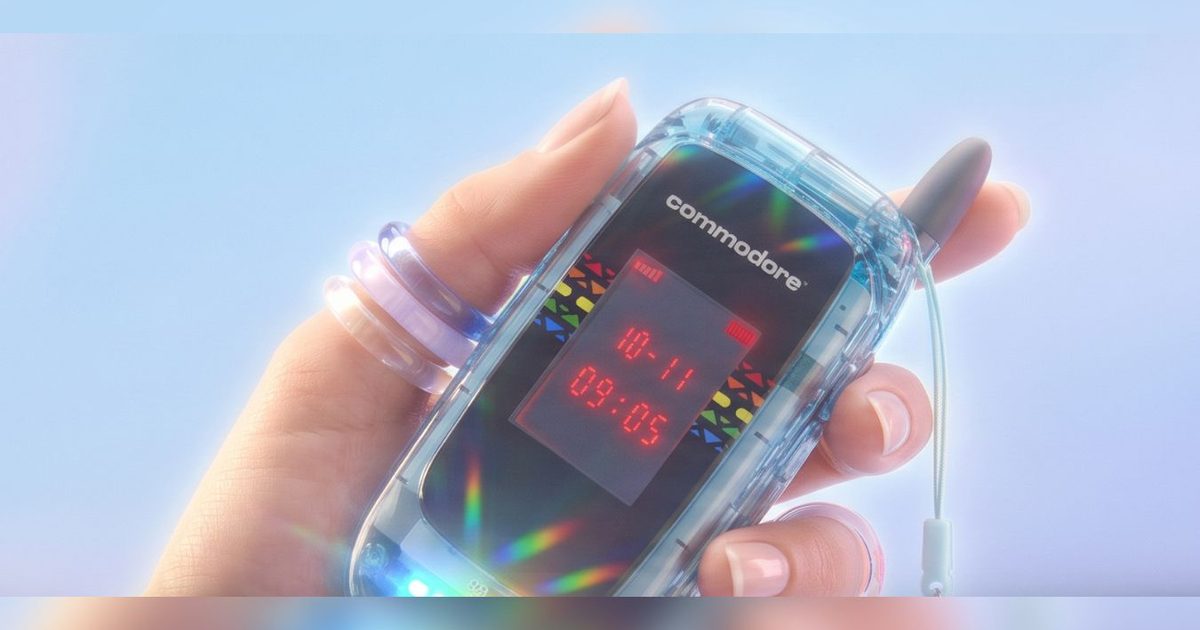
Commodore is re‑introducing the flip phone for users who prefer fewer screen distractions while still accessing most useful apps. The Commodore Callback 8020 runs a custom Sailfish OS build and, via Linux, can handle a wide range of Android applications, giving it more flexibility than a typical minimalist handset.
The nostalgic aesthetic is a major draw. The device features a clamshell chassis, T9‑style texting, a tiny front status display, dome‑LED notifications, and colour schemes that reference classic Commodore hardware rather than modern glass‑slab phones.
Everyday utilities aren’t sacrificed either. Its spec sheet lists messaging, maps, music, rideshare, podcasts, QR‑code scanning, calendars, voice notes and a 48 MP Sony rear camera, while social media, browsers, email and work‑chat apps are deliberately blocked.
Why the flip matters
The Callback 8020’s experience revolves around its hinge. Open it to perform a task, use the needed tool, then snap it shut when you’re done. This physical pause creates a clearer endpoint than a continuous touchscreen, and T9 texting breaks the usual tap‑and‑scroll cycle. The outer screen can constantly show time, battery and signal without lighting up the full UI, and dome LEDs deliver alerts so you don’t have to open another app for every notification.
Which apps remain available
The phone sits between a stripped‑down handset and a full‑blown smartphone. Commodore claims 99 % of Android apps run under Linux, making essentials like messaging, navigation, audio, rideshare and calendars easy to keep in rotation. Its privacy stance stems from software co‑developed with Jolla’s Sailfish OS; the device doesn’t require an account login and isn’t built to harvest user data, though app compatibility can vary by service, region and network. Check that your must‑have apps work before adopting it as your primary device.
Pre‑order details
Pre‑orders for the Commodore Callback 8020 open on June 30 at 10:00 CEST, with a starting price of $499, which includes earphones. A $50 discount is offered for those who join the waitlist.
The strongest argument for the Callback 8020 is its form factor, not its raw specs. If you want messaging, maps, music, a solid camera and fewer endless feeds in your pocket, this flip provides a clear path. Commodore notes that specifications and features may still change, some images are renderings, and app compatibility can differ, so verify your essential apps before you place an order.
WhatsApp is bringing group voice and video calls to its web client, closing a gap that has existed since individual calling support arrived earlier this year. According to WABetaInfo, the feature is currently rolling out to beta testers and lets users start group calls directly from their browser.
Up to 32 participants, no desktop app requirement
Like individual web calls, group calls are end-to-end encrypted using the Signal protocol. Encryption is on by default and requires no setup from the user.
A meaningful upgrade for Linux users
The rollout is particularly beneficial for Linux users, as WhatsApp doesn’t offer a desktop app for Linux. So far, this meant that anyone on the platform had to switch to their phone to answer group calls. With web calling now extended to groups, Linux users can participate directly from the browser.
The feature is currently limited to users enrolled in the WhatsApp Web beta program. WABetaInfo says the rollout is ongoing and expects it to reach more users over the coming weeks. WhatsApp has not announced a timeline for the stable release.
If you’ve turned to ChatGPT or Claude to help shape your writing, recent research suggests the sleek results you’re seeing could be inflating your confidence. A study published in the *Computers and Composition* journal identifies an “fluency trap” created by AI writing tools, where polished, confident‑sounding prose hides superficial thinking and gives writers the illusion that the work is complete.
Fluency ≠ Completion
Abram Anders, an associate professor of English at Iowa State University, and co‑author Emily Dux Speltz, an assistant professor in the Department of Humanities and Communication at Embry‑Riddle Aeronautical University, tracked 38 undergraduates over two semesters in an experimental “AI and Writing” course. Students entered the class expecting AI to slash their workload, but the reality was different.
The study explains that the fluency trap emerges because AI generates text that sounds confident and tidy, prompting writers to trust it even when the content is inaccurate, shallow, or off‑target. Many participants initially approached AI like a search engine—feeding vague prompts and accepting whatever was returned. Over time they discovered that effective prompting demands planning, clarity, and rhetorical awareness—the very skills strong writers already employ without AI.
“AI writes in confident sentences, uses the right tone and sounds smart,” Anders said. “But that polish can trick students into trusting it, even when it’s wrong, shallow, or missing the point entirely.”
What Effective AI‑Assisted Writing Looks Like
The researchers pinpointed three prerequisites for using AI wisely. First, collaborating with AI involves genuine trial‑and‑error, not a single prompt and acceptance. Second, AI output still requires human judgment to verify claims, sharpen logic, and align with the expectations of the specific context. Third, while AI can produce text, it cannot generate purpose; only the writer decides the argument and its purpose.
Students who mastered these three steps stopped treating AI as a shortcut and began using it to explore ideas, weigh options, and refine their arguments. Anders and Dux Speltz describe this evolution as shifting from outsourcing writing to orchestrating it.
“AI changes the workflow, but it doesn’t change the fact that writing is thinking,” Anders noted. This distinction grows more crucial as AI‑generated prose becomes increasingly indistinguishable from human‑written work.
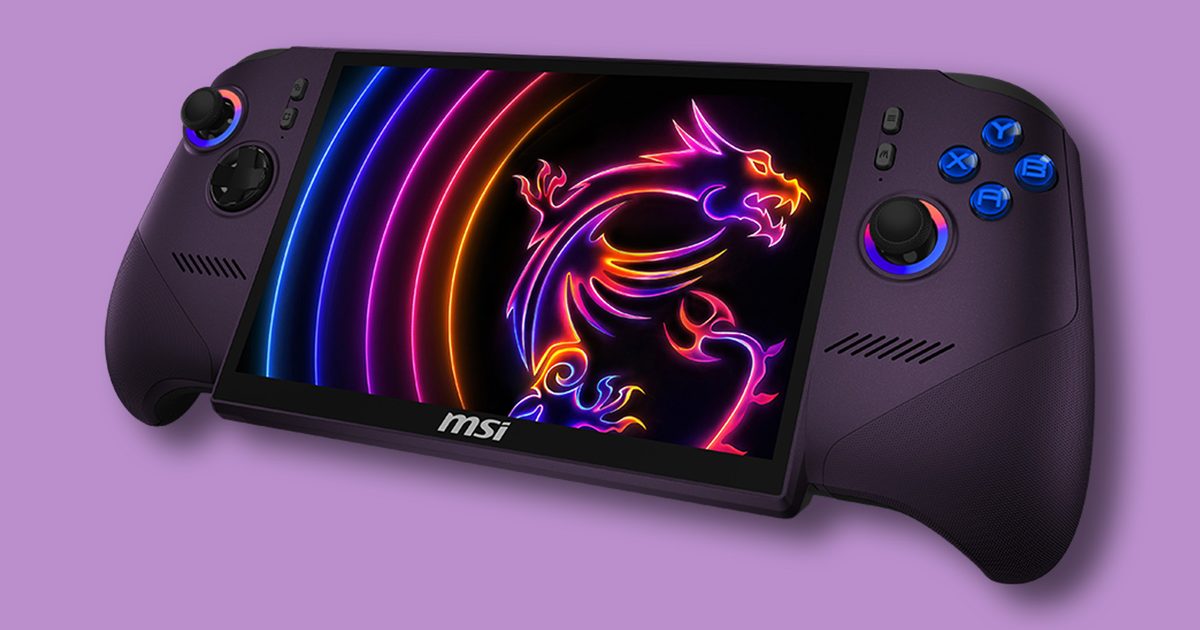
When Valve introduced the Steam Deck, it proved that PC gaming could be portable without costing a fortune. A few years later, however, gaming handhelds seem to be entering a completely different league. According to a Newegg listing spotted by VideoCardz, the upcoming MSI Claw 8 EX AI+ will retail for $1,699, making it one of the most expensive handheld gaming PCs yet.
The MSI Claw 8 EX AI+ packs flagship specs and an equally flagship price
The reported $1,699 price is for a configuration featuring Intel’s latest Arc G3 Extreme graphics architecture, alongside 32GB of LPDDR5X memory and a 1TB SSD. MSI’s own online store has even listed the device for $1,799, though Newegg and Best Buy currently show the lower price point. If accurate, it would put the Claw 8 EX well above most of its handheld rivals.
Beyond the sticker shock, the hardware itself is undeniably premium. The handheld features an 8-inch 120Hz display, an 80Wh battery, Hall Effect joysticks and triggers, dual Thunderbolt 4 ports, and Intel’s next-generation integrated graphics aimed at delivering a significant leap in gaming performance. For enthusiasts chasing the best portable experience, it certainly checks plenty of boxes.
The price isn’t shocking, but it still raises eyebrows
To be fair, this isn’t entirely out of the ordinary. Component costs have been climbing across the industry, especially for cutting-edge silicon and high-speed memory, and gaming handhelds have steadily become more expensive with each generation. We recently saw Valve increase Steam Deck pricing in several regions, while newer premium devices from ASUS, Lenovo, and others have also crept upward, making higher prices an unfortunate trend rather than an exception.
That said, $1,699 is still a difficult number to ignore. At that price, the MSI Claw 8 EX isn’t just competing with other handhelds anymore. It’s competing with proper gaming laptops that offer larger displays, dedicated keyboards, upgradeable hardware, and, in many cases, more powerful dedicated GPUs. For gamers who value portability above everything else, the Claw may still make sense. But for everyone else, spending gaming laptop money on a handheld could be a much tougher pill to swallow.
Considering all the Android 16 QPR updates and the new ones announced at The Android Show and Google I/O 2026, Android 17 is definitely shaping up to be one of the most ambitious updates the company has shipped in years.
Between Gemini Intelligence that gets things done on your behalf, the new security features, and productivity-based features like App Bubbles, there’s a lot to unpack. The stable update is expected in June or early July 2026, but plenty of the upcoming features are already live on the Android 17 Beta version for compatible Pixel devices.
Here’s everything we know so far, including the latest Android 17 news, release timeline, how to download the beta version, compatible devices, and all the features that might reach a wider audience with the upcoming stable build release.
Android 17: Latest news
June 10, 2026 Google released Android 17 QPR1 Beta 4 for Pixel devices.
June 1, 2026 Android 17 Beta 4.1 went live with a couple of new features like Continue On.
May 12, 2026 At the Android Show 2026, Google announced several developments including Gemini Intelligence, which itself is a suite of AI-powered features, along with Chromebooks, and Android 17.
May 12, 2026 Instagram is getting Ultra HDR capture, playback, built-in video stabilization, and Night Sight support for flagship smartphones with Android 17.
May 12, 2026 At the Android Show 2026, Google announced several developments including Gemini Intelligence, which itself is a suite of AI-powered features, along with Chromebooks, and Android 17.
May 12, 2026 Instagram is getting Ultra HDR capture, playback, built-in video stabilization, and Night Sight support for flagship smartphones with Android 17.
The Android 17 release cycle looks slightly different from anything Google has done before, and that’s largely because Google retired its long-standing Developer Preview this year. Instead of the early, developer-only preview that used to kick off each Android release, Google has now placed the Android Canary channel.
While Android 17 reached platform stability in April 2026, Google just dropped the Beta 4.1 upgrade on June 3, 2026, an unscheduled big-fix drop addressing the lingering issues ahead of the stable launch, which is also expected to roll out in June 2026.
Stage
Date
What It Means
Android Canary Channel
Continuous (2025 – early 2026)
Google’s permanent replacement for Developer Previews.
Beta 1
February 13, 2026
The first public beta, open to all enrolled Pixel devices. Introduced app-facing API changes, early security architecture updates, and camera and media capability improvements.
Beta 2
February 26, 2026
Refinements across system stability, early UI changes, and behavior adjustments based on Beta 1 developer feedback.
Beta 3: Platform Stability
March 26, 2026
Google locked down Android 17’s final SDK and NDK APIs with this build.
Beta 4
April 16, 2026
The last scheduled public beta.
Google I/O & The Android Show
May 19, 2026
Google’s official consumer-facing reveal.
Beta 4.1
June 3, 2026
A minor, unscheduled bug-fix drop addressing lingering issues ahead of the stable launch.
Stable Public OTA Rollout
Expected June 2026
Over-the-air delivery to all supported Pixel hardware.
QPR1 Minor SDK Release
September 2026 (estimated)
Google’s Q4 platform drop, adding additional APIs and features outside the main release.
However, before you proceed, there’s one important caveat: if you leave the beta program before the stable Android 17 release, Google will require a full factory reset of your device before returning it to the stable Android 16 channel.
The steps required to install the Android 17 beta are given below.
Head to Settings > System > Backup and initiate a manual backup to your Google account.
Enroll your device in the Android Beta Program by signing in to the portal with the Google account tied to your Pixel, and locate your device in the list of eligible hardware.
Once you locate your device, tap “Opt in” to enroll.
Now, on your compatible Pixel device, go to Settings > System > System update and tap “Check for update.” The beta package should appear in a few minutes after you enroll.
Download the update and wait for the installation to run in the background. You’ll see a restart prompt once your phone is ready.
Head to Settings > System > Backup and initiate a manual backup to your Google account.
Enroll your device in the Android Beta Program by signing in to the portal with the Google account tied to your Pixel, and locate your device in the list of eligible hardware.
Once you locate your device, tap “Opt in” to enroll.
Now, on your compatible Pixel device, go to Settings > System > System update and tap “Check for update.” The beta package should appear in a few minutes after you enroll.
Download the update and wait for the installation to run in the background. You’ll see a restart prompt once your phone is ready.
Which devices support Android 17?
Google Pixel
Every Pixel smartphone that runs on a Tensor chip is eligible for Android 17. This includes the older models from the Pixel 6 series, all the way up to the latest Pixel 10 family, both flagships and the A-series devices. More than 20 Pixel devices will receive the Android 17 stable update.
It’s worth mentioning here that Google extended the software support for the Pixel 6 series, including the regular Pixel 6, Pixel 6 Pro, and the Pixel 6a, keeping them in the update window through October 2026. However, Android 17 will be the final major operating system update for these devices.
Refer to the complete list of supported Pixel devices below.
Samsung’s new custom skin, One UI 9, is based on Android 17. The skin is already available as part of the One UI 9 beta program (through the Samsung Members app), which went live for Galaxy S26 users in May 2026 in regions like the United States, United Kingdom, Poland, South Korea, and India. This makes Samsung one of the earliest non-Google partners to roll out the Android 17 beta.
Regarding the stable launch, Samsung is expected to roll out One UI 9’s stable version with its second major hardware event of the year, Galaxy Unpacked in July, along with its latest generation of foldables. Older lineups like the Galaxy S25 and Galaxy S24 series could get the stable OTA update around the same time.
However, the S23 series, along with the mid-range A-series devices and the Galaxy tablets, could get the stable release later in 2026.
Devices expected to receive One UI 9 are given below.
For the first time, Google has opened the Android 17 beta pipeline to international hardware partners during the Beta 4/4.1 stability phase. Nine manufacturers currently have devices in the official beta program, including OnePlus, Xiaomi, Vivo, Oppo, Honor, iQOO, Lenovo, and Realme.
Most of these don’t sell smartphones in the United States, but they’re quite popular in other major markets like India. Stable Android 17 rollouts for these brands are expected to begin in Q3 2026, along with their respective software skins, such as OxygenOS 17 for OnePlus and HyperOS 4 for Xiaomi.
What’s new in Android 17?
Android 17 is the most feature-loaded operating system upgrade Google has shipped in years. The credit goes partly to the new features confirmed at The Android Show and Google I/O 2026, and partly to a wave of Pixel-exclusive Android 17 QPR updates that will finally reach a broader audience through the stable update.
While Google has already confirmed a bunch of new features for the stable Android 17 release, a couple of others introduced in Android 16 QPR updates could also make their way to other OEMs with Android 17.
Gemini Intelligence can parse an open Chrome tab (through on-screen awareness), identify details like event times or prices, and complete bookings or fill forms in the background, using the new Gemini in Chrome and the new, smarter Autofill. You only confirm the payment details; Gemini Intelligence takes care of the rest.
Create My Widget
Android 17 will also embrace vibe-coding (in a controlled manner) by allowing users to create their own custom widgets. The new tool will let users describe a widget in plain language and build it for them on the spot, such as one that includes a to-do list for shopping, fetches information from Daily Brief, or shows a countdown to an event marked in their calendar.
Gboard Rambler
At the same event, Google confirmed a new feature called Rambler, which redefines what traditional speech-to-text means.
Built into Gboard, the feature can not only remove filler words (such as “umm” or “ya”), but it can also handle awkward phrasing, mid-sentence conversions, recognize multiple languages, and produce a clean transcription of whatever you ramble (that’s where the name comes from).
Split Notifications and Quick Settings Panels
The upcoming update will split the combined notifications and Quick Settings drawer into two different panels, wherein swiping down from the top-left corner will bring up the notifications, while swiping from the top-right will let you access the Quick Settings menu. While the redesign is mandatory on foldables and tablets, it will remain optional on smartphones.
Available in the Pixel Launcher for Android 17, this particular feature will let you remove app names from beneath the home screen icons entirely, resulting in a cleaner layout. Apple iPhones got a similar feature with iOS 18 in 2025.
Noto 3D Emoji Overhaul
Google has redesigned all of its Noto emoji with a subtle, textured look. Called Noto 3D, these emojis will be available first with Android 17 on Pixel phones via Gboard, YouTube, and Gmail.
Android 17 Easter Egg
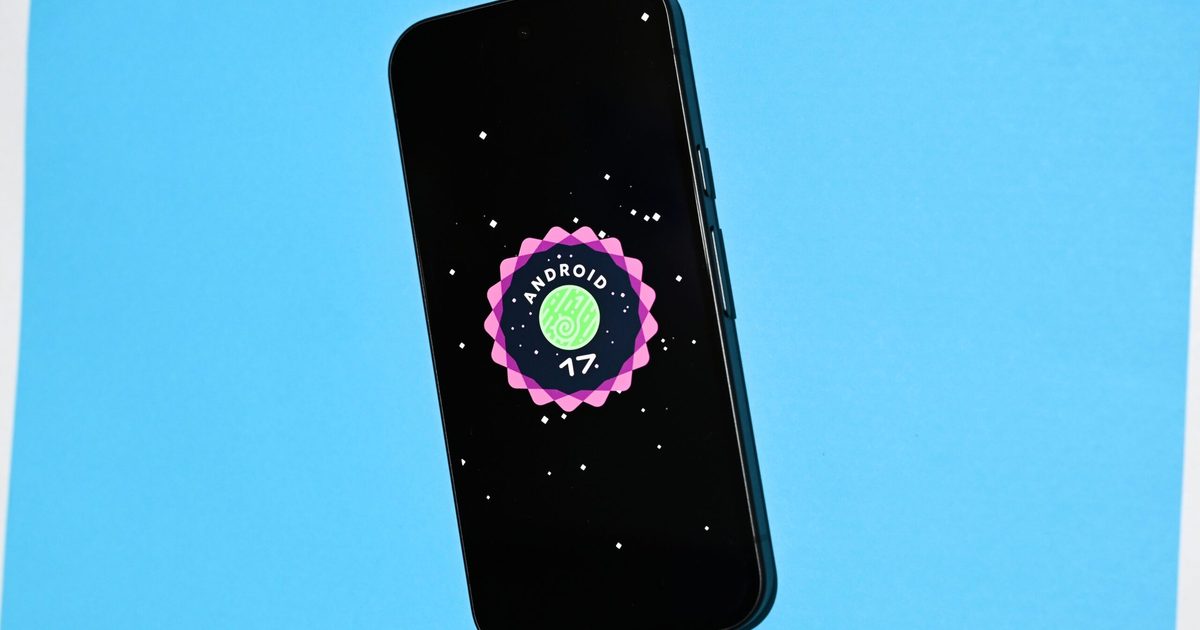
This is the first new Android Easter egg since Android 14. Head to Settings > About Phone > Android version, tap the version number repeatedly, and you should see a black screen with diamond-shaped dots arranged in a circle. You can connect them in any order, and it reveals the Android 17 logo.
Live Updates display more data points
At Google I/O 2026, Google announced the Metric Style update of Android’s Live Updates framework. Designed for health, fitness, and travel apps, the Live Updates can now display up to three data points across the always-on display, lock screen, and status bar at once.
Pill-style media app switcher
This particular feature arrived with Android 17 QPR1 Beta 3, replacing the carousel-style media control tile in the notification section with a compact card layout. This eliminates any accidental seek-bar scrubbing.
Keyboard quick settings tile
Confirmed in Android 17 QPR1 Beta 4, the feature adds a dedicated Quick Settings tile for switching input methods like Gboard’s voice typing or Gemini.
Medical companion device profile
This new companion device profile tier gives health-critical apps a dedicated Bluetooth connection that goes around standard battery optimization settings.
Material 3 Expressive
The UI overhaul arrived with Android 16 QPR1, exclusively for Pixel devices, and should reach other Android OEMs with Android 17. It introduces bouncier, physics-based animations, and background blur effects in the app drawer and notification shade.
Forced Auto-Themed Icons
Released with Android 16 QPR2, the feature mandates that all app icons adopt the system’s chosen color theme, and not just those whose developers chose to support it.
Expanded Dark Theme
Lock Screen Widgets
Launched with Android 16 QPR2 on Pixel phones, Lock Screen Widgets might expand to all supported phones with Android 17.
Flashlight Brightness Slider
Released in Android 16 QPR3 Beta 1, this update will roll out to all Android 17 users, allowing them to access a vertical brightness slider instead of simply toggling the flashlight on or off by long-pressing the flashlight tile in the Quick Settings menu.
Ability to remove At a Glance
With Android 17, you’ll be able to remove the At a Glance widget from the home screen on Pixel phones. This ability was first introduced with Android 16 QPR3.
First rolled out with Android 16 QPR1, pointers now move seamlessly from the device screen to a connected external monitor without getting stuck at the edge. Furthermore, a pointer acceleration disable toggle delivers flat 1:1 movement tracking.
Android Auto dashboard overhaul
At Google I/O 2026, the company revealed its Android Auto redesign, introducing media card configurations that adapt to a broader range of infotainment display aspect ratios. The stable update will also add a swipeable card-based media app switched to Android Auto.
Content creation and gaming
Screen Reactions
Screen Reactions uses the native screen recorder to capture the screen and the video from your front camera simultaneously, stitching the video (with your reaction) directly onto what you’re recording. It will roll out exclusively for Pixel devices with Android 17.
⏺ You can now try Screen Reactions in Android 17 QPR1 Beta 4!
As we previewed at The Android Show, this feature lets you record yourself and your screen at the same time without setting up a green screen.
Meta’s Edits app gets two more flagship-exclusive tools with Android 17: Smart Enhance and Sound Separation. While the former upscales photos and videos, the latter isolates individual audio layers from the noise, letting creators boost their vocals.
APV support
Co-developed with Samsung, Google has integrated Advanced Professional Video (APV) support directly into the Android 17 framework. Currently available on flagships like Galaxy S26 Ultra, the storage-efficient video format will expand to more flagship devices with the upcoming update.
Instagram updates
Google has partnered with Meta to introduce Instagram-specific updates for flagship Android devices. These include Ultra HDR capture and playback, built-in video stabilization, and Night Sight into the Instagram app.
Floating screen recording toolbar
Confirmed with the third beta of Android 17, the screen recorder’s controls no longer live exclusively in the notification shade. Instead, they live in a compact pill overlay on the screen (during recording).
Adobe Premiere comes to Android
Adobe’s Premiere mobile app is coming to Android this summer, with its launch timeline tied to the Android 17 stable update rollout.
System-wide loudness management
Confirmed via Android 17’s audio framework changelogs, this particular addition automatically balances volumes across streaming apps and media sources.
Native gamepad button remapping
Google’s upcoming operating system update contains a system-level controller configuration dashboard for both USB-C wired and Bluetooth-based gamepads, allowing users to remap buttons and adjust analog thumbstick curves without using third-party keymapping apps.
🎮 Try our new controller remapping feature in the Android 17 Beta!
Although Android supports a wide variety of gamepads, we recognize that a one-size-fits-all control scheme doesn’t work for everyone, so we’re excited for you to try this new feature👇https://t.co/3yL7J97Kmw
Versatile Video Coding is integrated at the platform level in Android 17, with hardware-accelerated decoding on supported silicon, and can deliver the same visual quality as H.265/HEVC at about half the data rate.
Vulkan 1.4
Android 17 increases the minimum graphics API floor to Vulkan 1.4 and mandates ANGLE (Almost Native Graphics Layer Engine) support.
Productivity, multitasking, and performance
Forced app resizeability
In the fourth Android 17 beta, Google enforces app resizeability by removing the opt-out mechanism for developers that allowed them to block split screen resizing. All apps must allow users to customize their window size or split configurations.
App Bubbles
Long-pressing any app icon in Android 17 Beta 3 or newer reveals a new Bubble option that keeps the app active as a small circular icon in one corner of the screen, helping users with two or three-app-based workflows.
Pause Point
Pause Point adds a 10-second waiting period before opening an app you’ve marked distracting. During the pause, Android 17 offers a breathing exercise, a favorite photo memory, or an audiobook suggestion.
Split-screen adjustment arrows
Confirmed in Android 17 Beta 4, the thin window splitter between split-screen apps now features small directional arrows that users can tap to change the split ratio to 70:30 or 90:10.
Desktop Mode external monitor workspaces
Desktop Mode arrived with Android 16 QPR1 and might expand to more devices with Android 17. It transforms compatible phones into a full windowed computing experience (like Samsung DeX) when connected to an external display.
🖥Super excited to see Desktop mode finally launch!
With the release of Android 16 QPR3 today, connected display support has reached general availability.
This means you don’t need to flip a Developer option to enable it – just connect a compatible Android device to an… pic.twitter.com/itmTe38vmo
Android 17 Beta 4 comes with RAM usage limits on a per-app basis. Apps that exceed their allocation are closed by the system, preventing a few heavy apps from hogging all the available memory.
Custom keyboard shortcut rebinding
The feature lets users map specific hardware key combinations to open apps or trigger system functions. It might expand to a broader range of devices with Android 17.
⌨️Android 16 QPR2 adds the ability to assign a custom keyboard shortcut to launch any app of your choice!
To do so, tap “+ Add shortcut” at the bottom of the “App shortcuts” tab in the “keyboard shortcuts” menu. pic.twitter.com/RHeWLMqnNo
A toggle in Settings > Accessibility > Color & motion > Reduce blur effects reduces the frosted glass effect from the user interface. It was first rolled out with Android 16 QPR2.
Privacy and security-related updates
Bank Spoofing Protection
When a suspicious call arrives, Android silently queries the bank’s app installed on users’ phones to confirm whether a call is actually in progress from the bank’s end. If not, the call is immediately terminated. The feature won’t just work with Android 17, but Android 11 and newer versions.
Live Threat Detection
With Android, Google’s on-device AI scam scanner can now flag apps secretly forwarding SMS messages or abusing accessibility permissions to place invisible overlays that capture user inputs, and there’s a new “dynamic signal monitoring” feature as well.
SMS OTP hiding
Confirmed in Beta 2, Android 17 only allows the intended recipient apps or the device’s default SMS app to read OTPs within three hours from receiving them.
Granular contacts access picker
The upcoming Android version will introduce a contact-level permission selector instead of granting apps blanket access to the entire contacts directory.
📣 New feature in Android 17!
Android 17 is introducing a new Contact Picker feature that provides a standardized, secure, and searchable interface for contact selection.
Historically, apps needing access to your contacts relied on the broad “READ_CONTACTS” permission, which… pic.twitter.com/eLZ1zVRArS
Android 17 adds a new button that surfaces which apps are actively using GPS data in real time, along with a single-tap option to revoke location access immediately.
Background audio isolation and restrictions
The audio framework enforces strict limits on background apps trying to start an audio playback, request audio focus, or adjust system volume without actively informing the user.
The Mark as Lost feature in Find Hub now requires biometric authentication on top of PIN/passcode.
Time zone change notification
When a local cell tower overrides the device clock, something that silently changes calendar events and alarms, a system notification confirms the time zone adjustment. The feature was rolled out with Android 16 QPR2, and should reach more devices with the stable Android 17 update.
A web of X profiles is pushing AI nudify applications into more timelines, giving abuse‑prone tools another route to users while victims scramble to limit the damage.
According to a Wall Street Journal report, Graphika senior researcher Matthew Patane said some nudify services are advertised through coordinated social accounts that recycle similar phrasing. One network comprised about 45,000 X accounts, with posts relying on indirect language and blurred visuals to slip past moderation.
The discovery adds fresh pressure on X and on sites such as Undress AI, a Belize‑based service that markets explicit‑image tools and teases paid video creation. Undress AI and X did not respond to requests for comment.
Promotions for these apps are extremely easy to locate. Using random keywords, we uncovered promotional posts like the example below:
(example post placeholder)
How the posts spread
The accounts Patane identified avoided blunt descriptions. They employed casual wording and softened references that could steer users toward nudify tools without spelling out every feature.
Undress AI is also expanding beyond static pictures. Its website advertises a $59 video‑creation option and lets users choose sexualised poses, including undressing and riding. It also offers credits when users recruit friends.
This dual approach gives the service two growth vectors. Coded posts can direct attention to the site, while referral credits give users an intrinsic incentive to bring more people in.
Who suffers when the tools spread
Victims often find themselves chasing damage after an image has already circulated. Reported cases describe fabricated nude images spreading via Snapchat, school hallways, and peer networks, with families trying to erase them while urging schools or police to intervene.
One student targeted by a group of boys in Iowa said images generated with Undress AI were passed around among classmates, prompting her to switch to online classes.
The X network magnifies that risk. A single uploaded photo can quickly become a form of social punishment, especially when promotion funnels more users toward tools built for sexualised image manipulation.
What platforms need to prove now
X broadly bans activity intended to mislead others, but coordinated nudify promotion creates a tougher enforcement challenge. The posts can dodge obvious keywords while still nudging users toward tools designed for explicit manipulation.
The next metric to watch is whether platforms can intercept these campaigns before they scale. Users should lock down personal images where possible, report impersonation swiftly, and preserve evidence before posts disappear.
Fox is making its boldest streaming play yet, announcing a deal to acquire Roku for roughly $22 billion. The transaction will combine one of the biggest line‑ups of sports, news and entertainment content with one of the world’s most popular streaming platforms.
Under the terms, Fox will pay Roku shareholders a mixture of cash and stock, valuing the business at $160 per share. The acquisition is slated to close in the first half of 2027, subject to regulatory clearance and customary closing conditions.
Why own a show when you own the screen?
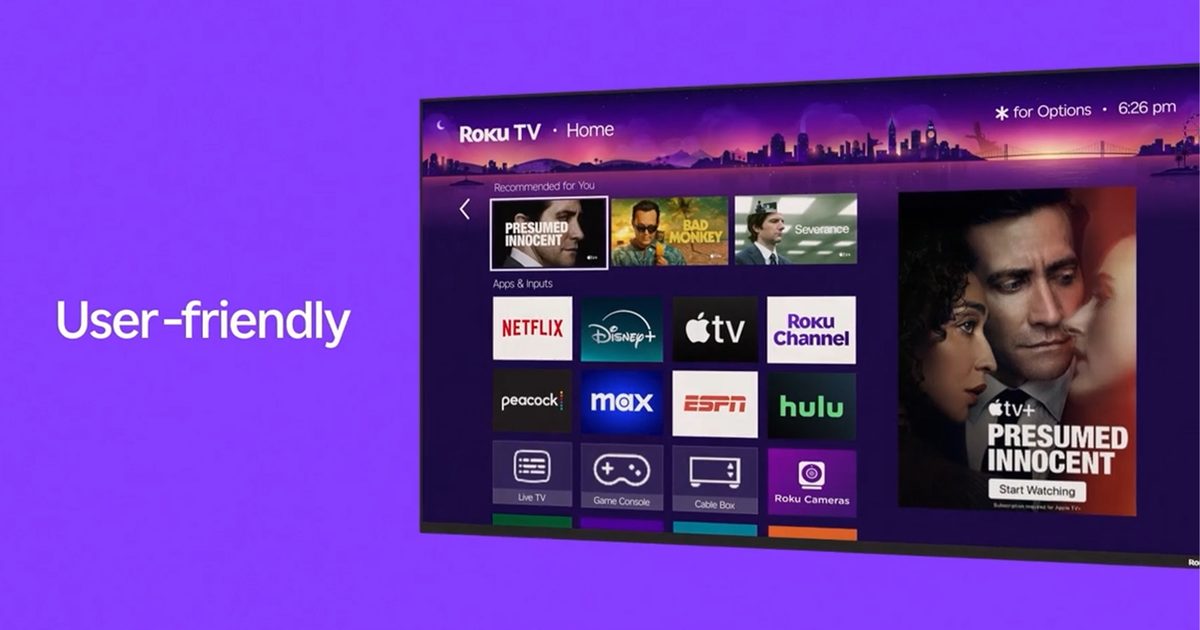
The purchase marks a major pivot for Fox, which has been rebuilding around live programming and ad‑supported streaming ever since it sold much of its entertainment assets to Disney. Its biggest streaming triumph so far has been Tubi, the free‑to‑watch service it bought in 2020 for $440 million, now serving over 100 million monthly users. Adding Roku gives Fox direct entry to a connected‑TV ecosystem that reaches more than 100 million streaming households worldwide, including Roku’s operating system, devices, ad business, viewer‑data capabilities and The Roku Channel.
Fox has said Roku will stay an open platform, meaning rival services and content partners won’t be shut out. The company also confirmed that Roku founder and CEO Anthony Wood will stay involved after the deal closes and will join Fox’s board.
One of streaming’s last independents is cashing in
The acquisition comes at a pivotal moment for Roku. After years of prioritising growth over profit while battling giants such as Amazon, Google, Samsung and Apple, Roku recently reported its first full year of profit, posting a net income of $88.4 million on $4.74 billion of revenue in 2025. That turnaround likely made it a more attractive target. Roku helped shape the streaming‑device category long before smart TVs became ubiquitous, yet it remained independent while much of the media‑tech landscape consolidated.
Fox believes the combination will markedly boost its standing in the TV market, estimating the merged entity would become the third‑largest TV player in the United States by viewership share. The financial logic is clear: Fox expects hundreds of millions of dollars in annual cost savings, plus new advertising and revenue opportunities from pairing Roku’s platform reach with Fox’s content library. For viewers, nothing should change immediately, but behind the scenes one of streaming’s longest‑running independent successes is gearing up for a new chapter— and Fox is betting billions that the future of television will be built as much on distribution as on content.
Solid‑state batteries have been touted as the breakthrough that will revolutionise electric vehicles, offering greater energy density, quicker charging and enhanced safety compared with the lithium‑ion cells that power most cars today. Yet the chairman of the planet’s biggest battery manufacturer warns buyers not to get their hopes up.
CATL chairman Dr. Robin Zeng told Caijing Magazine (via CarNewsChina) that large‑scale commercial roll‑out of solid‑state batteries is unlikely before 2030. The firm has set a benchmark of one million vehicles to make mass production viable – a target that remains out of reach for the near future. When solid‑state cells finally hit the market, Zeng said they will initially appear only in premium models priced above 250,000 yuan (about $37,000).
The manufacturing hurdle
The key difficulty lies at the solid‑state interface inside the cell. CATL presently employs warm isostatic pressing at 6,000 atmospheres to bond components, but materials with differing compaction densities tend to develop structural misalignments under such pressure. These irregularities increase internal resistance and speed up cell degradation, rendering high‑volume production impractical for now. Zeng placed all‑solid‑state chemistry at level four on the nine‑point Technology Readiness Level (TRL), indicating the technology is still in laboratory validation and prototype engineering stages.
What CATL is doing meanwhile
While research on solid‑state technology continues, CATL is leaning on conventional liquid‑electrolyte batteries to satisfy current demand. The company is also investigating sodium‑ion chemistry as an alternative platform to lessen reliance on lithium supplies.
The cautionary note from CATL’s chairman carries weight given the company’s size and its sway over global battery supply chains. Although other manufacturers and research groups keep making bold claims about solid‑state breakthroughs, the firm that would actually have to mass‑produce them is drawing a careful line.
We’re all familiar with those hefty, coin‑operated binoculars that sit on virtually every scenic overlook across the United States, from the Empire State Building to the Grand Canyon. Soon, they’ll start accepting tap‑to‑pay transactions. This is convenient – you won’t have to lug a quarter around, and paying with a smartphone is far easier – but the quarter was part of the experience.
Why upgrade the binoculars now? Tower Optical, the maker of nearly 2,000 of these cast‑iron viewers throughout the U.S. and Canada since 1933, has uncovered a bittersweet insight. Co‑owner Adam Rice explains that people still want to use the binoculars, but they’ve stopped carrying quarters. The rise of contactless and digital payments is to blame (via WSJ).
A new ownership group is quietly swapping out the old coin slots and timers for battery‑powered tap‑to‑pay terminals. The only outward sign of the change is a small antenna perched on top of the binoculars. The first retrofitted units go live this month, including the iconic viewers atop Rockefeller Center.
Is this a win for tourists, or does it sap the charm? My honest view: it’s the right business move, especially as more people grow accustomed to paying with their phones. Yet it’s also a little sad, because these viewers have survived nearly a century by staying exactly the same – no app, no screen, just you, a coin, and a view. Tap‑to‑pay keeps them from disappearing, which is good, but it also ties them to the very device – the smartphone – that many use the binoculars to briefly escape from. The irony isn’t lost on anyone who has fumbled for change on a mountaintop only to realize they could have simply tapped their phone.
Tower Optical’s previous owner Greg Rising experimented with augmented‑reality overlays that never shipped before his death in 2024, the same year new investors took over. Their new strategy is simpler: don’t reinvent the experience, just fix the payment method, while preserving the nostalgic feel that has defined these viewers for decades.