Computex never loses its wild energy, and the 2026 edition was no different. The floor was packed with the usual lineup of high‑end laptops, over‑engineered gaming machines, and a handful of quirky prototypes. AI was everywhere, handheld gaming received a serious performance boost, and even monitor manufacturers showed off displays that look straight out of a wish list.
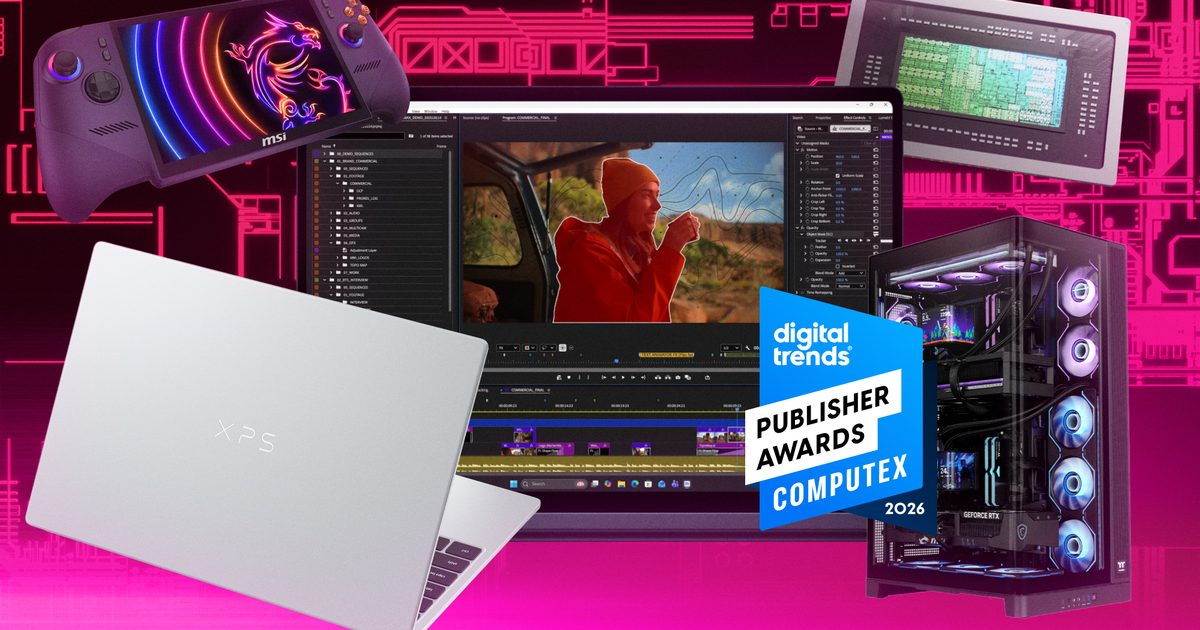
To highlight the stand‑out innovations, we’ve assembled the Computex 2026 Publisher Awards, featuring the products that drove the show forward.
NVIDIA RTX Spark
The headline act at Computex 2026 was NVIDIA RTX Spark. While the “AI PC” label is becoming a bit repetitive, this announcement truly backs it up with hardware that delivers genuine promise. NVIDIA describes it as a new super‑chip for Windows PCs, built around a 20‑core Grace CPU, a Blackwell RTX GPU with 6,144 CUDA cores, up to 128 GB of unified memory, and AI performance reaching 1 petaflop.
Designed for on‑device AI agents, accelerated creative workflows, and AAA gaming in thin laptops and compact desktops, RTX Spark stands out because of the breadth of its impact. It represents Nvidia’s serious push into the future of Windows machines, unifying CUDA, RTX, DLSS, Reflex, G‑Sync, and local AI acceleration on a single platform. Expect systems from Dell, HP, Microsoft Surface and others, shaping the next wave of premium PCs.
Microsoft Surface Laptop Ultra
With Windows dominating the OS market, Microsoft’s own Surface line is the natural showcase for the platform. The Surface Laptop Ultra feels like the answer many have been waiting for: a powerful, premium Windows notebook built on truly cutting‑edge silicon.
Powered by NVIDIA’s new chip to deliver up to a petaflop of AI compute and 128 GB of unified memory, this device targets larger local models and data sets. Microsoft finally embraces a full port selection—USB‑C, USB‑A, HDMI, a headphone jack, and a full‑size SD card reader—making it far more creator‑friendly than the typical thin flagship. A revamped cooling system offers up to 2.5× the thermal capacity of the 15‑inch Surface Laptop, cementing its status as the flagship Windows laptop it should have always been.
MSI Claw 8 EX AI+
The MSI Claw 8 EX AI+ showcases Intel’s push into portable gaming handhelds. MSI claims it is the world’s first gaming handheld powered by Intel Arc G3 Extreme processors, making it one of the most potent devices of its class. It pairs an 8‑inch 120 Hz VRR panel with upgraded ergonomic grips, Hall‑effect triggers and sticks, and a refined D‑pad, delivering a solidly built handheld gaming PC.
Although the handheld PC market is crowded, the Claw 8 EX AI+ carves a niche by targeting high‑end AAA titles on the go, with XeSS 3 Multi‑Frame Generation and Xbox Mode support rounding out the software experience.
Thermaltake CAPO X
Thermaltake’s CAPO X is exactly the kind of over‑the‑top hardware you expect at Computex. It’s a dual‑system Micro‑ATX chassis capable of housing two M‑ATX motherboards in a single tower—essentially two PCs in one case.
Each system gets its own I/O panel, and the chassis is aimed at AI‑agent workstations and streaming rigs, allowing one board to run a game while the other handles broadcast duties. Niche? Yes, but also clever and practical.
Dell Alienware AW3926QW
A quick glance at the specs for the Alienware AW3926QW made me do a double‑take. Dell’s newest curved gaming monitor is the world’s first 39‑inch 5K OLED gaming display with RGB‑stripe technology, using tandem OLED panels to hit up to 1,300 nits of peak brightness while boosting text clarity.
OLED’s legendary contrast and motion handling are taken further with a 1500R curvature, VESA DisplayHDR True Black 500, Dolby Vision, and a dual‑mode offering 5K 165 Hz or 1080p 330 Hz. After a brief hands‑on test, this monitor promises an incredibly immersive and fluid gaming experience.
Dell XPS 13
Amid the wild and wonderful showcases at Computex 2026, the Dell XPS 13 emerged as a pleasant surprise. It brings the premium XPS lineage back to a more affordable price point, starting at $699 in the U.S. (or $599 for qualified buyers), while still offering a 2.5K touch screen, lightweight aluminum chassis, backlit keyboard, and quad speakers.
Powered by Intel’s Wildcat processors, the XPS 13 is slated for release on June 16 2026. It delivers a well‑rounded package: premium feel at a sensible price, a welcome addition in a market strained by a memory shortage.
Spotify has spent the past year quietly removing tens of thousands of fake podcasts that were allegedly being used to promote illegal online pharmacies and scam websites. Now, a new congressional report is raising questions about how the scheme was able to flourish on one of the world’s largest audio platforms in the first place.
According to the Wired report, bad actors created thousands of fake podcasts that were never intended to attract real listeners. Instead, they were designed to manipulate Spotify’s search rankings and boost the visibility of websites selling prescription drugs without prescriptions, including opioids, stimulants, and benzodiazepines.
Spotify reportedly removed more than 57,000 podcast episodes, over 3,000 podcast shows, and took action against roughly 3,500 accounts connected to the operation. The takedown came after sustained scrutiny from lawmakers and media investigations that highlighted the scale of the problem.
The report was led by Senator Maggie Hassan, who criticized Spotify for not moving quickly enough and for failing to report the activity to law enforcement despite links to websites involved in illegal drug sales.
The podcasts were never really podcasts
One of the more surprising details is that most of the content wasn’t created to be consumed.
Spotify told investigators that many of the fake podcasts functioned primarily as search-engine spam. The operators reportedly stuffed podcast titles, descriptions, and cover art with links directing users to online pharmacy websites and scam operations. The goal was to exploit Spotify’s authority in search engines and improve the ranking of those external sites.
In fact, Spotify said 94% of the removed episodes received zero plays, while 99% attracted fewer than 10 streams. However, some episodes did find an audience. A handful reportedly generated thousands of listens and included instructions for purchasing drugs such as modafinil using cryptocurrency.
The report also found similar content appearing across other podcast platforms, highlighting how easy it has become to distribute large amounts of low-quality content across multiple services at once.
AI is making the spam problem even bigger
Researchers and lawmakers believe artificial intelligence is making these operations easier to run.
The report points to AI-generated podcasts featuring synthetic voices and automatically generated content designed to mimic legitimate shows. Spotify told investigators it currently has AI moderation systems for music spam but does not specifically prohibit AI-generated podcasts. The company also acknowledged that it is not particularly well-positioned to identify AI-created podcast content.
Spotify says it uses automated detection tools, human reviewers, and external moderation services to identify rule-breaking content. However, the congressional report argues that the scale of the fake podcast operation demonstrates significant gaps in those defenses.
The incident highlights a growing challenge facing internet platforms. As AI makes it cheaper and faster to create content at scale, spam campaigns no longer need websites alone. They can exploit trusted platforms, search algorithms, and recommendation systems to reach users in ways that are increasingly difficult to detect.
For Spotify, the controversy is a reminder that content moderation challenges are no longer limited to social networks. Even podcast platforms are becoming targets for sophisticated spam operations designed to game search rankings and funnel users toward illegal or potentially dangerous services.
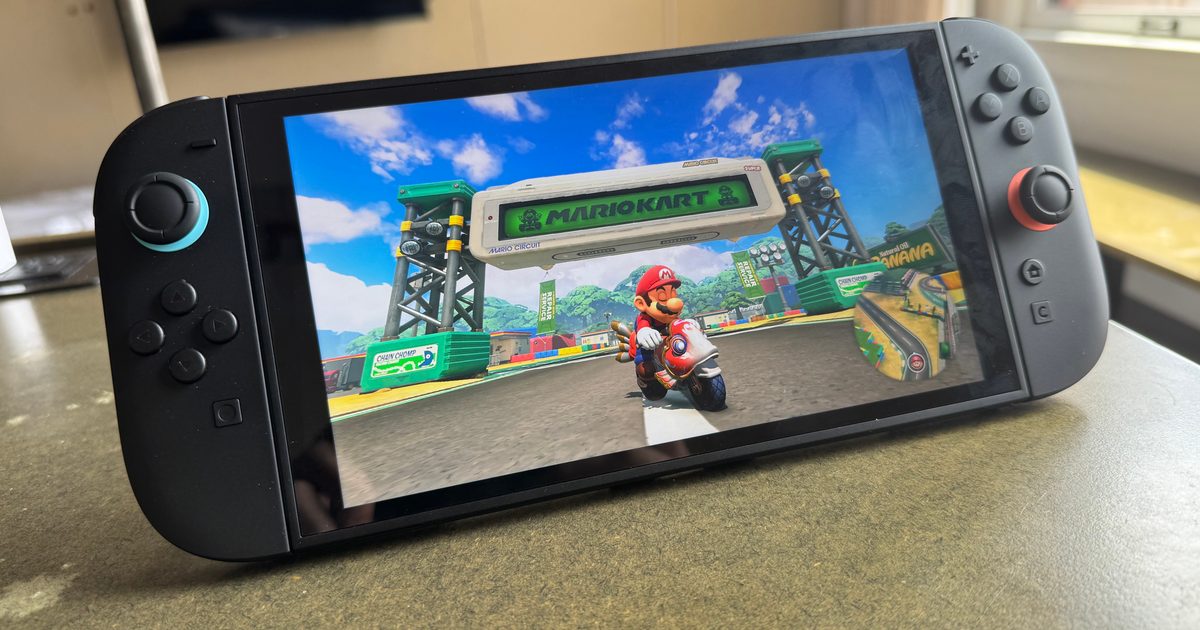
Nintendo is adding a new account‑history condition for Switch 2 purchases in Japan to keep the consoles out of the hands of resellers. The policy applies to the multi‑language Switch 2 sold via the official Japanese Nintendo Store, which scalpers have been buying in bulk because it is cheaper there and can be flipped abroad.
The price gap makes the Japanese version attractive to arbitrage. The multi‑language model is considerably less expensive in Japan than in many other regions, giving resellers the margin to import units and sell them at a premium while official stock stays limited. The Japan‑only edition that only supports Japanese text is not subject to the new rule.
Nintendo is using account history as a filter
Nintendo announced on X that it had detected several orders linked to suspected resale activity and temporarily halted sales of the multi‑language version. When sales restart, buyers will have to satisfy tighter criteria. Their Nintendo Account must show at least 50 hours of gameplay on an original Nintendo Switch by 11:59 PM on May 31 2026. Playtime earned from demo titles or free software will not count.
Nintendo StoreにおけるNintendo Switch 2(多言語対応)の販売につきまして、買い占め等の疑いがある注文を複数確認しましたので、一時的に販売を停止しておりました。…
— 任天堂株式会社 (@Nintendo) June 11, 2026
The company also limits each Nintendo Account to a single console purchase, helping to curb repeat buying and making newly created accounts less useful for scalpers.
Nintendo takes a page from Valve’s playbook
The Switch 2 has become one of the most viable handheld gaming options, especially after Valve’s Steam Deck price increase made PC handhelds more costly for many. Still, Nintendo’s console won’t stay insulated from higher pricing for long, as a price rise is expected soon.
Scalpers have plagued gamers for years. Valve faced a comparable problem with the recent Steam Controller launch, where units sold out quickly and resurfaced on resale sites at inflated prices. Valve responded with a reservation queue, purchase‑history verification, and a one‑controller‑per‑account limit.
Nintendo is now applying a similar approach to the Switch 2. Fresh accounts will find it much harder to pass the check, which should curb bulk buying through the Japanese store.
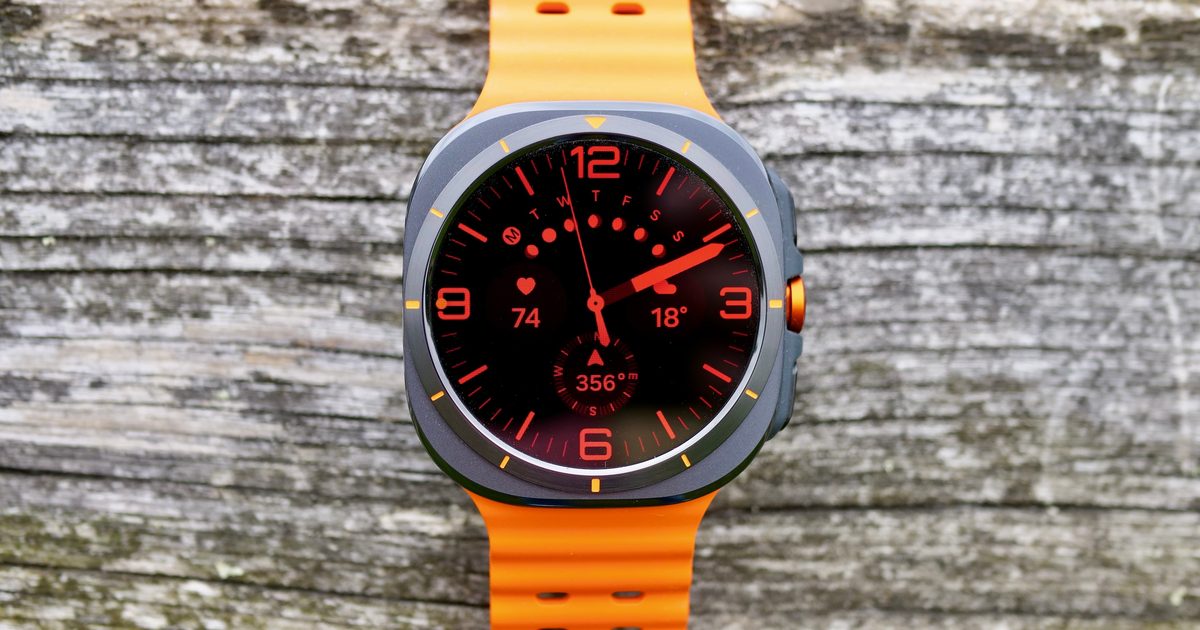
Samsung’s upcoming Galaxy Watch Ultra may finally deliver the battery boost many users have been hoping for. The Galaxy Watch Ultra 2 is slated to appear in the next few weeks, and a fresh leak suggests it could be equipped with a considerably bigger battery than the 2024 and 2025 versions.
SamMobile indicates the Ultra 2 will house a battery rated at 784 mAh. Samsung might promote this as an 800 mAh typical capacity, roughly 35 % larger than the 590 mAh cell found in today’s Galaxy Watch Ultra models.
A larger battery could push the Ultra’s endurance close to three days. Samsung currently advertises up to two days of life on the Ultra when using power‑hungry features like GPS training mode. If the reported capacity holds true, the Watch Ultra 2 could approach three days of normal usage, depending on screen settings, workout tracking, cellular activity, and health monitoring.
Battery size may not be the sole efficiency improvement. Rumors also point to the smartwatch adopting Qualcomm’s Snapdragon Wear Elite processor instead of Samsung’s Exynos W1000, which could further extend runtime.
5G support might offset some of the gains. Leaks have hinted at a 5G‑enabled Galaxy Watch Ultra 2, possibly launching first in markets such as the US and South Korea. While 5G would make the watch more independent of a phone, it could also drain power. Until Samsung confirms details, it’s unclear how much of the larger battery will be allocated to handling 5G’s demands. The Ultra 2 is also expected to run on Wear OS 7, Google’s latest platform unveiled at I/O 2026.
The Galaxy Watch Ultra 2 is anticipated to debut alongside Samsung’s next foldable lineup, rumored for a July 2026 launch. It seems we won’t have to wait long to see whether Samsung’s next Ultra truly delivers the battery jump suggested by recent reports.
“A stunning foldable from across the import oceans.”
Ultra-thin design with IP68 and IP69 ratings
Exceptional screens with anti-reflective coating on both panels
Class-leading battery life with fast wired and wireless charging
Best-in-class rear camera system for a large foldable
MagicOS 10 is polished, customizable, and genuinely useful for multitasking
Ultra-thin design with IP68 and IP69 ratings
Exceptional screens with anti-reflective coating on both panels
Class-leading battery life with fast wired and wireless charging
Best-in-class rear camera system for a large foldable
MagicOS 10 is polished, customizable, and genuinely useful for multitasking
Performance is gimped in Balanced mode
Performance mode brings thermal throttling under sustained load
No zero-crease display
Camera bump is large and makes the phone unweildy
You will have to take the import route
Performance mode brings thermal throttling under sustained load
Camera bump is large and makes the phone unweildy
Quick review
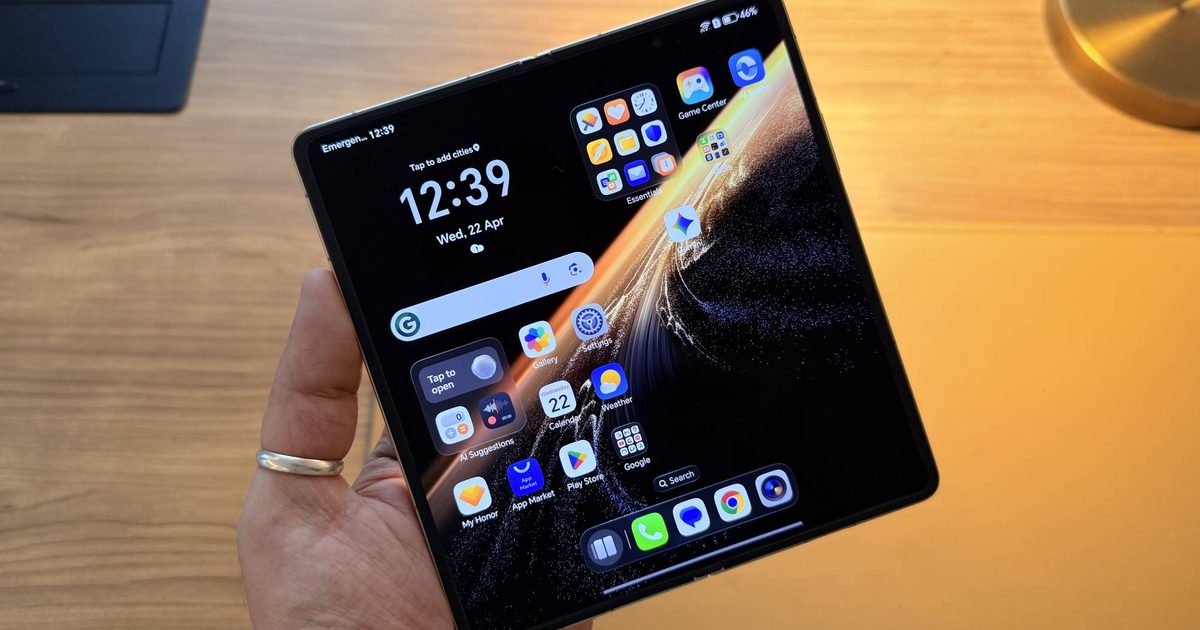
The Magic V6 is the most complete large foldable I have used in a while, and it’s no mean feat, especially in a sea of hard-hitting rivals. It’s a picture of holistic excellence, if I may put it that way. The IP68 and IP68 water resistance ratings are a first for the category. The battery will outlast your day regardless of how hard you use it. Moreover, the camera system is one of the best you will find on any book-style foldable right now.
Coming in as someone who had written off foldables entirely after frustrating flip phone experiences, the Magic V6 emerged as the phone that changed my mind on the form factor, and not through mere novelty, but by being a genuinely good phone that also happens to fold. It is not perfect, however.
The CPU performance is nerfed in the default balanced performance mode, which is a strange call for a phone with the most powerful Android chip on the market. The crease is still there, while other phones like the Oppo Find N6 have achieved a zero-crease panel. Finally, the camera bump is large enough to make the phone feel top-heavy. But to sum it all up, none of that changes the final experience. If you are considering a large foldable in 2026, this is the one you should consider.
Honor Magic V6 specs: Everything under the hood of this ultra-thin foldable
Dimensions
Folded: 156.7 x 74.5 x 8.74mm (white)/9.0mm (black, gold, red)
Unfolded: 156.7 x 145.6 x 4.0mm (white)/4.1mm (black, gold, red)
Weight
219g (white)/224g (black, gold, red)
Display
Main:
7.95-inch foldable LTPO AMOLED, 1-120Hz
2352x2172px, 403 PPI
5,000nits peak
Anti-reflective coating
Cover:
6.52-inch LTPO AMOLED, 1-120Hz
2420x1080px, 406 PPI
6,000nits peak
Anti-reflective coating
Processor
Qualcomm Snapdragon 8 Elite Gen 5
Memory/Storage
16GB/512GB
Rear Camera
Main: 50MP f/1.6, OIS
Ultrawide: 50MP f/2.2
Telephoto: 64MP f/2.5, OIS, 3x optical zoom
CIPA 6.5-stop Image Stabilization
Front Camera
Main screen: 20MP f/2.2
Cover screen: 20MP f/2.2
Battery
6,600mAh
Charging
80W wired
66W wireless
Reverse wired and wireless charging support
Connectivity
Bluetooth v6.0 BLE, USB Type-C (3.2 Gen 1), Wi-Fi 7 (802.11 a/b/g/n/ac/ax/be), NFC
OS
MagicOS 10 based on Android 16
Software support
7 major Android OS upgrades
Honor Magic V6 design and build: Engineering that earns its price
I have held a lot of phones over the years, but the Magic V6 is the only one I catch people staring at from across a room. Its incredibly thin form factor is part of it, but so is the gold hinge with its subtle triangular texture, and the way the whole thing folds into something that comfortably slips in my pocket without feeling too bulky.
At 4mm thin when unfolded, it is the thinnest big foldable on the market. Folded, it measures 8.75mm, which is roughly the same profile as an iPhone 17 Pro Max. That comparison never stops being striking in person.
The white model I reviewed uses aerospace special fiber on the back, a material that has the look and feel of frosted aluminum. It is the lightest of the four colorways at 219g, compared to 224g for the red, gold, and black versions. The white is the most minimal-looking of the four, but it’s quite slippery. The red version fixes that with eco-leather on the back that has a suede-like finish and offers a better grip.
The hinge is made from what Honor calls Super Steel, a high-tensile-strength aerospace-grade alloy with 2,800MPa tensile strength, rated for over 500,000 folds. It opens smoothly and snaps shut with a satisfying sound. In my testing, the hinge holds reliably between about 50 and 140 degrees. Push it beyond that range in either direction, and it snaps fully open or closed rather than holding position, which is worth knowing if you were planning to use it propped at a shallow or wide angle.
I had some history with foldables before this. The Moto Razr Plus I used briefly ended with the folding screen breaking without any obvious explanation. The Magic V6 hinge inspires considerably more confidence, though my unit does produce an occasional crunching sound when opening or closing. It has not affected usability in any way, but it is not the kind of noise you want to hear from a phone at this price.
The IP68 and IP69 ratings deserve more attention than they typically get. IP68 covers complete dust protection and submersion up to 1.5 meters for 30 minutes. IP69 adds resistance to high-pressure water jets. No large foldable has had both until now. The Galaxy Z Fold 7 comes with IP48 certification, which means it’s not fully dustproof. The Honor Magic Magic V6 is. That is a meaningful gap, and it changes how confidently I carry the phone day to day.
Two design frustrations are worth calling out, though. The camera bump is substantial. It makes the phone feel top-heavy, and the phone rocks on flat surfaces. But that is the unavoidable cost of a serious triple camera system in a phone this thin, and I have accepted it, but it is a daily reality rather than an occasional inconvenience.
The other is opening the phone. The magnets are strong enough that finding a grip between the two halves takes some getting used to. I am past that point now, but handing it to someone else is a reliable reminder of how long that learning curve actually is. Honor should etch a notch into the frame or find some other mechanical solution to make this a bit easier.
The bundled case is excellent. It has a built-in kickstand, matches the white and gold finish of the device, and feels like it belongs with the phone rather than sitting awkwardly on top of it. It also adds some much-needed grip, making the phone a lot easier to handle.
Score: 9/10
Honor Magic V6 display: The inner screen won me over
The Magic V6 has two excellent screens, but the 7.95-inch inner display is the one that changed how I use a phone day to day. I wrote about that shift at length when I first switched to the Magic V6, but the short version is that a screen this size makes reading, casual video watching, and multitasking feel so much better than on regular slab phones.
Both panels are LTPO 2.0 OLED with 10-bit color and 4,320Hz PWM dimming. Both also support HDR10, HDR10+, and Dolby Vision. The inner display runs at 2352 x 2172 pixels with a peak brightness of 5,000 nits, and the cover display at 2420 x 1080 with a peak of 6,000 nits. Both have anti-reflective coatings, which is new to this generation and makes a noticeable difference in direct sunlight. Neither screen is one you will be squinting at outdoors.
The refresh rate system is fully dynamic on both panels, dropping to 1Hz when the screen is idle and climbing up to 120Hz in use. There are three modes to choose from. Dynamic and High both go to 120Hz, with High adding a per-app toggle for finer control. Standard caps the screens at 60Hz but stays dynamic within that ceiling.
The screens themselves are hard to fault, but the crease is another matter. Out of the box, I barely noticed it. But after a few weeks of use, it became more visible, particularly in certain lighting conditions and at certain angles, and I could feel it under my fingertip too. Oppo’s Find N6 has achieved a true zero-crease panel, so that expectation now exists. It’s not a dealbreaker by any means, but it’s something worth pointing out if you’re expecting that from the Magic V6.
Stylus support on both displays rounds things out. Samsung dropped S Pen support entirely on the Galaxy Z Fold 7, but Honor went the other direction. I’m not a big stylus person myself, but if you are, it’s worth knowing the Magic V6 has you covered on both screens.
Score: 8/10
Honor Magic V6 camera: The best stills camera on a large foldable
The rear camera setup is a 50MP main at f/1.6 with OIS, a 64MP 3x periscope zoom camera at f/2.5 with OIS, and a 50MP ultrawide at f/2.2 with autofocus. Both the inner and cover displays have a 20MP selfie shooter at f/2.2. Honor has changed very little from the previous generation here. The Magic V5 had one of the best cameras on any folding phone, and the Magic V6 carries that forward with largely the same hardware.
Daylight shots from the main camera are excellent across the board. Colors are vivid, dynamic range is wide, and Portrait mode does a reliable job at both 2x and 3x. The full-resolution 50MP mode is available, but the default pixel-binned shots are sharper in most situations, so I rarely found a reason to switch.
The 3x telephoto is the standout of the three. It is the lens I reached for most in daily shooting, and it held up well across a range of subjects and lighting conditions.
6x is also more capable than you might expect, with enough detail to make the results usable for social media. Low-light performance is solid, though at 6x you’ll not get the same level of detail.
The ultrawide is the weakest of the three, but it’s not far behind. In good light it performs well, but in dimmer conditions it softens noticeably and at night it’s barely usable. It’s good enough for daytime shooting, but that’s where I’ll draw the line.
The selfie cameras are where the Magic V6 does not keep up. Shots are soft in a way that feels out of place on a phone this pricey. The workaround is to open the phone and shoot with the rear cameras using the cover screen as a viewfinder, which produces excellent results. It takes a bit more effort than a standard selfie, but the quality difference makes it worth it.
All three cameras record up to 4K at 60fps with HDR across all modes. Log recording is available in Pro mode on the main camera at 1x and 2x, which is great for anyone editing footage seriously.
Daylight footage is sharp and punchy, though contrast runs slightly higher than I would choose. Stabilization is strong for walking and stationary shots. Low-light video is also good on the main camera and the telephoto, but noticeably weaker on the ultrawide.
Score: 8/10
Honor Magic V6 performance: The fastest Android chip, applied selectively
The Magic V6 runs on the Snapdragon Elite Gen 5, the most powerful Android chipset available right now. In daily use, it is fast, fluid, and never strained. Apps open instantly, switching between them is seamless, and multitasking is a breeze.
For demanding workloads, though, the story is a little more complicated. The Magic V6 ships in Balanced mode by default, which prioritizes efficiency and thermals over raw output. You can switch to Performance mode if you want the chip to run at full tilt, and the difference in performance is quite evident in benchmarks.
In Balanced mode, the Magic V6 secured a single-core score of 755 and a multi-core score of 2,787, which was quite low for a device with Qualcomm’s flagship chip. The numbers jumped up to 3,531 and 9,524, respectively, in Performance mode, closer to what you would expect from the get-go. This kind of gap can be alarming without context. Although I did not notice it in everyday use, it is still there.
Switching to Performance mode does unlock those numbers, but it comes at a cost. The phone throttles quickly under sustained load, and the AnTuTu benchmark could not even complete in Performance mode, with the phone throwing an overheating warning before finishing. Balanced mode keeps things stable and the phone cool, but you are essentially leaving a significant chunk of the chip’s capability on the table.
Honor has included a vapor chamber cooling solution, but it only goes so far in a body this thin. For everyday tasks, it never matters, and Balanced mode handles daily use without breaking a sweat. For sustained intensive workloads like long gaming sessions, neither mode gives a clear answer, and that is a limitation you have to accept when you buy a phone this thin.
Score: 7/10
Honor Magic V6 battery life and charging: The strongest argument for this phone
Battery life is where the Magic V6 separates itself from every other large foldable on the market. The global model packs a 6,600mAh silicon-carbon cell, which is significant for a phone this thin, and it shows in real-world use.
I consistently got through a full day with charge to spare, even with the inner screen as my primary display and heavy use, including a lot of doomscrolling, video consumption, and multitasking throughout the day. Standby battery life is also pretty great, and I have not once gone to bed having worried about whether the phone would last until the next morning.
Charging is another highlight, with 80W wired and 66W wireless speeds on offer. Although Honor doesn’t include a compatible charger in the box, a third-party 80W charger took under an hour to get the phone from almost empty to full. The phone does prompt you to unfold it for the fastest possible charging speed, but I was not comfortable leaving the inner display exposed while plugged in, so I charged it folded throughout. It was still plenty fast either way.
MagicOS 10 has some sensible longevity options built in. You can cap charging at 70%, 80%, or 90% to preserve long-term battery health, and the phone has a Smart Charging mode that charges to 80% overnight and finishes to 100% just before your alarm.
It’s also worth noting that the Chinese variants of the Magic V6 pack even larger cells, at 6,850mAh and 7,150mAh depending on the storage configuration. The global model is already the class leader on battery endurance among large foldables. The Chinese version extends that lead further still.
Score: 9/10
Honor Magic V6 software: MagicOS 10 is surprisingly good
The Magic V6 ships with MagicOS 10 based on Android 16, and Honor promises seven major OS upgrades. That is the right commitment for a phone at this price, matching what Samsung and Google offer on their flagships.
MagicOS 10 features an iOS-style liquid glass aesthetic with translucency and soft blur throughout. Although inspired, the implementation is quite well done, and if it’s not your cup of tea, you can customize the translucency in settings. The software offers plenty of such customization options, including themes, fonts, always-on display styles, lock screen layouts, and folder sizes that scale up to a 2×3 grid with 3×5 icons inside.
The multitasking tools are what matter the most on a foldable, and Honor has done a great job on that front as well. Split-screen with adjustable ratios, floating windows, and Multi-flex, which runs three apps in a scrollable layout on the inner display, are all here and all work reliably. I use a two-app split regularly with messages alongside notes, or Google Books open next to Instagram. The implementation handles all of it without making me think twice.
The one frustration worth flagging is browser support for split-screen. Neither Chrome nor Firefox worked in split-screen view, which is a notable gap given how often a browser is exactly what you want alongside another app. On the plus side, frequently used split-screen app pairs show up in the dock for quick access, which is a genuinely useful touch.
Magic Portal is Honor’s system-wide contextual drag-and-drop tool. Long-press any content, and it surfaces a sidebar of relevant apps and actions, with AI adjusting suggestions based on what you have selected and what you have been doing. It works well enough, but it’s not something I use daily.
Honor’s AI suite is pretty extensive. Real-time subtitles, live call translation, deepfake detection during video calls, AI Memories for screenshot organization, and Image to Video 2.0, which generates short video clips from up to three reference images and a text prompt.
For Apple users, Honor Connect on iOS enables AirDrop-style file transfers and notification sync between the V6 and an iPhone. Honor Workstation on macOS can mirror the phone’s screen within macOS. I tested the file sharing, and it works without friction. These cross-platform tools exist in a space where most Android manufacturers have largely given up competing with Apple’s ecosystem lock-in, and Honor at least deserves some credit for making a genuine attempt.
Score: 8/10
Should you buy the Honor Magic V6?
The Magic V6 does not reinvent the large foldable. In my opinion, what it pulls off handsomely is that it takes everything the category has been building toward and executes it at the highest level currently possible. For example, it’s the first foldable with both IP68 and IP69 ingress protection, which is akin to solving the huge durability problem for fodables. You get a solid battery mileage that won’t leave you hanging before the day comes to an end.
More importantly, you get a camera system that does not ask you to accept foldable-tier compromises. And finally, the Magic V6 serves a rewarding OS that has finally caught up with the rest of the flagship Android skins. The performance situation is a bit unusual and worth pointing out, but it does not affect daily use in any way I could feel.
The crease is still present, and Oppo has now shown it does not have to be the case. The camera bump is an ongoing reality of this form factor that no amount of engineering has yet eliminated. None of that changes where I land, though. This phone changed my mind about large foldables entirely, and it did so not through novelty but through being a genuinely excellent device that happens to fold.
I have no qualms recommending it, though you might have to wait a little to get your hands on one. If you can’t wait, importing (with all its warranty, servicing, and transit risks) is the only viable option. The Magic V6 is currently available for pre-order in Malaysia, and based on a conversion from that pricing, you’ll have to shell out close to $1,900/€1,650/£1,400 to get your hands on one. Availability is expected to expand to more regions over the coming weeks, but regional pricing has not yet been revealed.
Why not try
If that’s too pricey or you would rather not wait for wider availability, here are two alternatives worth considering:
Oppo Find N6: The only large foldable with a zero-crease display, and the one honest reason to consider looking elsewhere. The Find N6 has larger screens, similar battery life and charging speeds, and competitive cameras. Its Snapdragon 8 Elite Gen 5 uses a 7-core architecture versus Honor’s full 8-core configuration, but performance in practice is similar given the Magic V6 is capped in Balanced mode anyway. If the crease is something that would genuinely bother you, the Find N6 is where to go.
Samsung Galaxy Z Fold 7: If budget is a constraint, Samsung’s flagship foldable is a viable option, though it’s now almost a year old. The device packs Qualcomm’s previous flagship chip, which is still a strong platform, and One UI 8.5 offers one of the best foldable software experiences out there. However, it is IP48, not IP68, and battery life trails the Magic V6 considerably.
Google Pixel 10 Pro Fold: It’s the most rewarding phone in Google’s lineup, and not just because it’s a foldable Pixel. It’s sleek, well-built, and offers terrific cameras. The core appeal, however, is the software. This phone serves the most refined version of Android tailored for large screens. And let’s not forget, it’s also the test bed for all AI experiments and gets priority access to not just Android, but the broad Google software ecosystem, too.
Oppo Find N6: The only large foldable with a zero-crease display, and the one honest reason to consider looking elsewhere. The Find N6 has larger screens, similar battery life and charging speeds, and competitive cameras. Its Snapdragon 8 Elite Gen 5 uses a 7-core architecture versus Honor’s full 8-core configuration, but performance in practice is similar given the Magic V6 is capped in Balanced mode anyway. If the crease is something that would genuinely bother you, the Find N6 is where to go.
Samsung Galaxy Z Fold 7: If budget is a constraint, Samsung’s flagship foldable is a viable option, though it’s now almost a year old. The device packs Qualcomm’s previous flagship chip, which is still a strong platform, and One UI 8.5 offers one of the best foldable software experiences out there. However, it is IP48, not IP68, and battery life trails the Magic V6 considerably.
Google Pixel 10 Pro Fold: It’s the most rewarding phone in Google’s lineup, and not just because it’s a foldable Pixel. It’s sleek, well-built, and offers terrific cameras. The core appeal, however, is the software. This phone serves the most refined version of Android tailored for large screens. And let’s not forget, it’s also the test bed for all AI experiments and gets priority access to not just Android, but the broad Google software ecosystem, too.
How we tested the Honor Magic V6
I have been using the Magic V6 as my primary phone since receiving a review unit in late April. This is my first book-style foldable after years on slab phones, with the only prior foldable experience being a Galaxy Z Flip 3 and a Motorola Razr Plus 2023, both of which left poor impressions. That context shaped the review. I was not testing this against established expectations for the category. I was testing it as a phone.
Camera testing was done across multiple lighting conditions throughout the day, indoors and outdoors, over several weeks. Performance benchmarks were run in both Balanced and Performance modes to get a full picture of what the chip does under each setting. Battery testing was conducted through daily use across both displays over an extended period. The review unit is the 512GB model with 16GB RAM in the white colorway, running the latest stable build of MagicOS 10 at the time of publication.
For years, the notion of Tesla and SpaceX merging has hovered between bold business speculation and Elon Musk fan fiction. The two firms already share DNA, leadership influence, engineering talent, and long‑term ambitions. Yet each time the subject surfaced, it seemed more like an intriguing thought experiment than a feasible scenario. Now, a top SpaceX executive has added fresh fuel to the debate.
During a recent CNBC interview, SpaceX President and COO Gwynne Shotwell was asked about the prospect of tighter ties between Tesla and SpaceX. Her answer wasn’t a blunt denial; she actually suggested that uniting the two companies could make life a bit easier for Musk. That may sound like a casual remark, but coming from Shotwell—who has been with SpaceX since its early days and remains one of its most influential leaders—it carries weight.
The concept isn’t as far‑fetched as it once seemed
A decade ago, the idea of merging an electric‑car maker with a rocket company would have seemed utterly absurd. Today, the connections are far easier to spot. Tesla is no longer just a car manufacturer; it is heavily involved in artificial intelligence, robotics, manufacturing, energy storage, and autonomous systems. SpaceX, meanwhile, is constructing a global internet network via Starlink, launching satellites at unprecedented rates, and increasingly embracing AI‑driven technologies.
The overlap is becoming harder to ignore. The companies already cooperate in various ways, share engineering expertise, and operate under Musk’s overarching vision of scaling technology. While they stay separate entities, they have never been completely disconnected.
Musk’s recent moves hint at larger combinations
If there’s one thing Musk has demonstrated recently, it’s a willingness to experiment with unconventional corporate structures. Earlier this year, he bundled several of his ventures into larger entities designed to work more closely together, aiming to fuse technologies that could accelerate massive projects, especially those involving AI and future infrastructure.
That’s why Shotwell’s comments matter. She also noted that acquisitions and mergers are becoming increasingly important across the AI sector. As artificial intelligence grows central to corporate operations, firms are looking to consolidate talent, computing power, and technology stacks under one roof. Seen through that lens, a Tesla‑SpaceX combination no longer seems as impossible as it once did.
Don’t expect an announcement tomorrow
Before Tesla shareholders start picturing Starship launches on quarterly earnings calls, it’s worth noting that Shotwell was careful to stress her current priorities. SpaceX has a full agenda—expanding Starlink, supporting International Space Station missions, and pushing an ambitious launch schedule. So, immediate concerns outweigh any corporate reshuffling. Still, the fact that the idea wasn’t dismissed outright makes it noteworthy.
A merger between Tesla and SpaceX remains purely speculative. Enormous financial, regulatory, and operational hurdles would have to be cleared before such a move could materialize. Yet for the first time in a while, the concept feels less like science fiction and more like something that could eventually land on a boardroom agenda. And when it comes to Elon Musk, “eventually” often arrives sooner than anyone expects.
Brazil holds the most World Cup crowns – five in total – but after five consecutive tournaments without adding another, the squad is now heavily relying on analytics. Every player dons a sensor‑filled “smart vest” that records position via GPS, heart rate and a metric known as “player load,” similar to the stats shown on a Whoop band or Apple Watch, but calibrated for football.
So what do these smart vests actually monitor? The vests are worn beneath the jersey and are used across Brazil’s men’s, women’s and youth teams. Each club transmits match or training data to the national setup each day. This allows sports‑science director Guilherme Passos to track a range of indicators such as sprint speed, fatigue levels and hamstring rehabilitation, not only for the senior side but also for players scattered around the globe.
The vests remain on during World Cup games, helping decide which athletes need rest between matches. Here’s the twist: Passos once flagged a player who covered just about 3.7 miles in a match – roughly half the distance of his teammates. By the numbers, he appeared to be a low‑effort player.
Why did the data nearly get the Brazilian out of the lineup? When coaches reviewed the footage, they discovered that the player, as Passos put it, was always in the right spot, occupying the perfect tactical position (via BBC). The player’s identity remains confidential for obvious reasons, but the lesson is clear: higher running totals don’t automatically translate to better performance, and the most effective player can generate the dullest smart‑vest statistics.
This isn’t a Brazil‑only phenomenon. FIFA approved GPS‑vest systems for official matches back in 2015, and most of the 48 teams at this World Cup are employing similar technology from firms like Catapult and STATSports – the same brands that power many consumer fitness devices. FIFA has also deepened its data push this year with Football AI Pro, a Lenovo‑built assistant that uses machine learning to dissect match data and deliver real‑time insights to coaches and players.
Every video editor has a set of chores they’d gladly hand off to someone else. Exporting is no longer one of them, thanks to today’s fast laptops. The real‑time drudgery lies in the monotonous tasks: manually masking subjects, hunting for scene cuts in lengthy footage, frame‑by‑frame rotoscoping, or wrestling with edits that demand more patience than imagination.
That’s precisely why Nvidia’s RTX Spark demo at Computex 2026 caught me off guard. I entered the booth expecting another AI‑laden sales pitch and a wall of benchmark charts. Instead, I left convinced that, for the first time in years, hardware could actually reshape the editing workflow itself, not just shave a few minutes off render times.
RTX Spark doesn’t reinvent editing—it removes the tedium
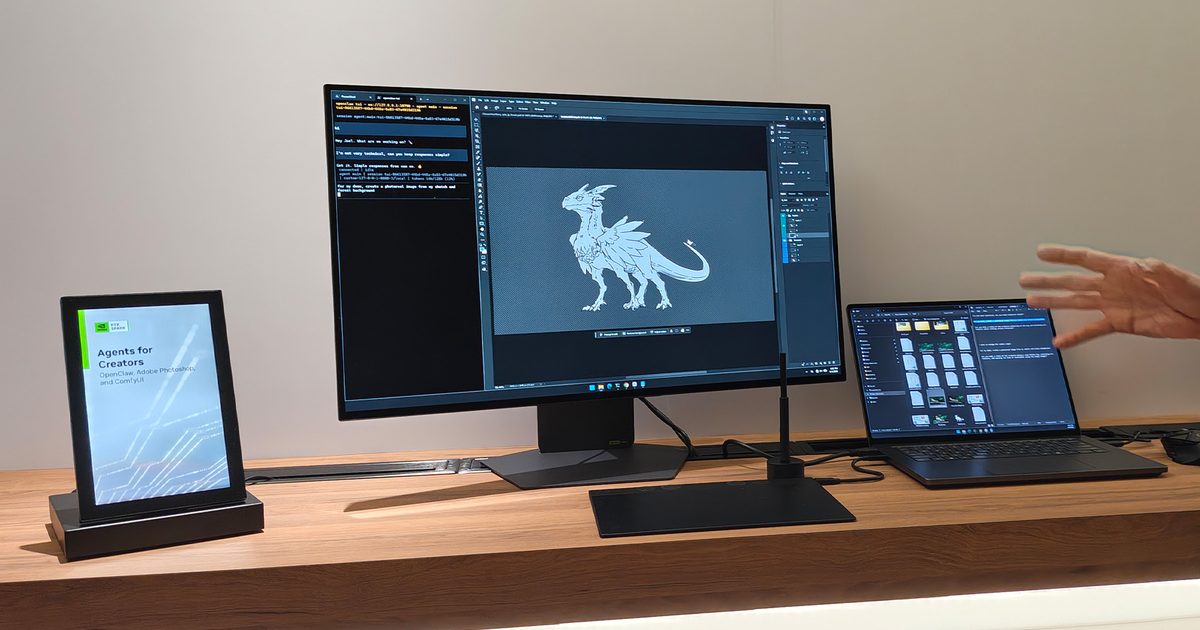
The first demonstration wasn’t even in Premiere Pro; it was inside Adobe Photoshop, and it completely turned my expectations of AI image editing upside down. Rather than typing a lengthy, precise prompt, the presenter simply loaded a picture, drew a couple of arrows to show where new elements should appear, added a brief command, and let the RTX Spark‑powered laptop handle the rest. Within seconds, Photoshop produced the requested composition locally. The resulting image could be panned, rotated in 3D, expanded with Generative Fill, and even animated frame‑by‑frame with astonishing ease.
The magic lay not only in speed but also in simplicity. Instead of forcing creators to learn a new “AI language,” Nvidia and Adobe seemed to be teaching the AI to understand the way creators naturally work. The prompt was plain English, yet it was executed flawlessly. More importantly, because everything ran locally on the RTX Spark platform, there was no waiting for cloud servers to process the request and send back results.
Under the hood, RTX Spark pairs a 20‑core Grace CPU with a Blackwell‑based RTX GPU and up to 128 GB of unified memory, delivering enough on‑device AI horsepower to tackle demanding creative workloads. After watching the demo, however, the specs felt secondary—the hands‑on experience was the real star.
Premiere Pro finally tackles the boring stuff
The Photoshop demo was clever, but the Premiere Pro showcase made me genuinely smile. Nvidia displayed two nearly identical RTX‑powered laptops side by side: one running the publicly available Premiere Pro, the other running a new beta built with Adobe to leverage RTX Spark’s AI features.
Both machines were asked to perform scene‑edit detection on the same video. While the public{} version processed the timeline at its usual pace, the RTX Spark‑powered beta identified cuts almost instantly. Watching a task that editors normally start and then walk away from become practically instantaneous was truly impressive.
Next came rotoscoping, arguably the least glamorous job in post‑production. Anyone who has spent hours isolating a moving subject frame by frame knows how quickly patience wears thin. In the demo, the presenter simply clicked on an object once, and the AI instantly generated a mask and tracked it across the entire clip with minimal manual input. It felt less like a software gimmick and more like a silent assistant erasing hours of repetitive work.
RTX Spark is more than a creator chip
Of course, Nvidia isn’t marketing RTX Spark solely as a creator platform. The company also showed off striking gaming demos featuring DLSS 4.5 and advanced path‑tracing, proving the Blackwell GPU still packs serious gaming muscle. I even saw games run smoothly on the ARM‑based platform, confirming Nvidia’s focus isn’t limited to AI workloads. Additional technical demos highlighted AI‑assisted development and debugging, where local models help developers analyze code and troubleshoot without relying on the cloud.
Whether these use cases become mainstream remains to be seen. I’m not entirely convinced developers will overhaul their workflows around RTX Spark overnight, and gamers willing to pay a premium may still prioritize raw graphics performance over AI features. Those are markets where Nvidia still has a lot to prove.
Where RTX Spark hit home for me, however, was creative work. If one‑click rotoscoping, near‑instant scene detection, and intuitive AI‑assisted image editing become everyday tools, I can easily imagine video editors and content creators flocking to these machines. RTX Spark isn’t trying to replace human creativity—it’s simply eliminating the repetitive, mind‑numbing chores, giving creators more time to focus on what they do best: telling better stories.
Portable monitors have become the Swiss Army knives of modern tech. They travel with remote workers, expand cramped laptop screens, and occasionally double as gaming displays in hotel rooms. Most of them also follow a familiar formula: a basic Full HD panel, a foldable cover, and a price that stays comfortably under $250. Ugreen clearly looked at that formula and decided to ignore it.
The company’s new AP16 portable monitor has officially landed in the U.S., bringing a feature list that feels more like a premium desktop display than something designed to slip into a backpack. The catch is that it costs $350, placing it well above many rivals.
For people who notice every Pixel
The first thing that separates the AP16 from the crowd is its display. While many portable monitors continue to settle for a 1080p panel, Ugreen opted for a sharper 2560 × 1600 resolution on a 16‑inch screen. This makes a noticeable difference in everyday use — text appears cleaner, spreadsheets fit more information onscreen, and photos look noticeably crisper. The choice of a 16:10 aspect ratio helps, too. Anyone who spends their day bouncing between documents, browser tabs, and spreadsheets knows that extra vertical space is surprisingly valuable.
The display also reaches up to 500 nits of brightness, making it easier to use in bright environments where many portable monitors begin to struggle. Add full sRGB coverage and HDR certification, and the AP16 starts looking like a serious secondary display.
A luxury portable monitor, for better or worse
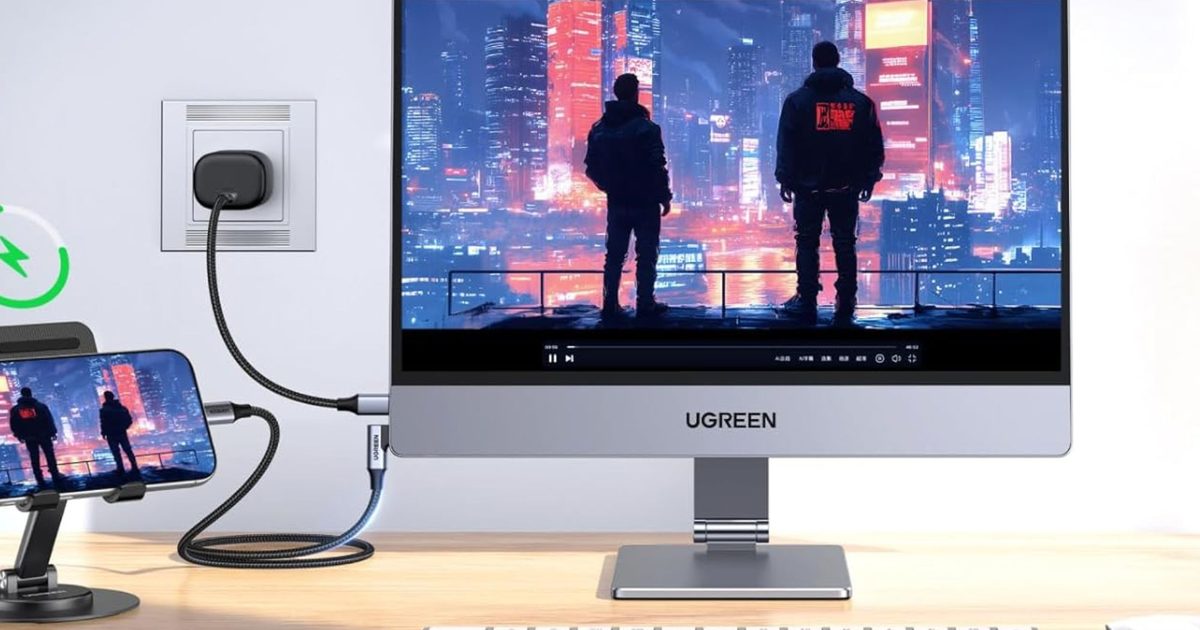
The AP16’s premium ambitions extend beyond the screen. Instead of relying on plastic construction and flimsy folio stands, Ugreen has given the monitor an all‑metal chassis and bundled it with a magnetic metal stand that offers far more flexibility than the typical folding cover. At just 6.5 mm thick and under a kilogram, it’s still easy enough to toss into a laptop bag.
Gamers also get a pleasant surprise — the 165 Hz refresh rate is unusually high for this category, making fast‑moving games feel smoother than they would on most portable displays. Of course, all of those upgrades come at a cost. At $349.99, the AP16 enters territory where buyers will naturally compare it against larger desktop monitors or even budget tablets.
Still, for users who value portability but don’t want to sacrifice image quality, build quality, or refresh rate, Ugreen’s latest display makes a compelling argument. It’s expensive, yes, but unlike many premium gadgets, you can actually see where the money went.
If you’ve been postponing the purchase of a new handset in hopes of catching a discount on a model released early this year, Carl Pei, co‑founder of Nothing, has a straightforward warning: stop waiting.
In a recent X post, Pei outlined how 2026 is reshaping phone pricing like never before. The main driver, unsurprisingly, is a component that now accounts for over half of a device’s total hardware cost.
Why is RAM now inflating phone prices?
Pei points out that memory – specifically RAM – has become the priciest hardware element in a smartphone.
A few years back, the most expensive parts were typically OLED screens, chipsets, or camera modules. Budget phones were often priced up by high‑refresh‑rate AMOLED displays, while flagship devices saw the chipset or camera module take the top spot.
Fast forward to 2026, and memory has surged to the top of the cost hierarchy. Pei explains that RAM now out‑prices both the chipset and the display, a shift driven by the worldwide AI boom.
AI‑focused data centers are gobbling up memory chips at a pace that strains supply for everyone else, including the planet’s leading smartphone manufacturers.
What impact has the RAM price hike had on Nothing?
Pei uses his own company as a vivid illustration.
For the Nothing Phone (4a), the mid‑range model the firm recently launched, the cost of memory doubled between the project’s green‑light stage and its market debut, and it has doubled again since then. Such a steep increase can cripple a product’s financial outlook midway through its lifecycle.
He cautions that phone prices will keep climbing into 2027. “If you’ve been waiting to upgrade, the best time was yesterday,” Pei said, emphasizing the daily upward drift in smartphone costs.
The RAM price surge is unlikely to normalize this year, which also means the year‑end sales period won’t bring the discounts consumers have grown accustomed to.
We’re already seeing flagships and mid‑range devices launch at higher price points, entry‑level phones gaining $100‑plus price bumps, and some brands dropping entry‑level phone lines or compact PCs (like the Mac mini). The pricing pressure appears set to stay.