Author: TechGeeks

  • I tried Acer’s new 5K MiniLED Gaming monitor, and OLED kept popping into my head

    I tried Acer’s new 5K MiniLED Gaming monitor, and OLED kept popping into my head

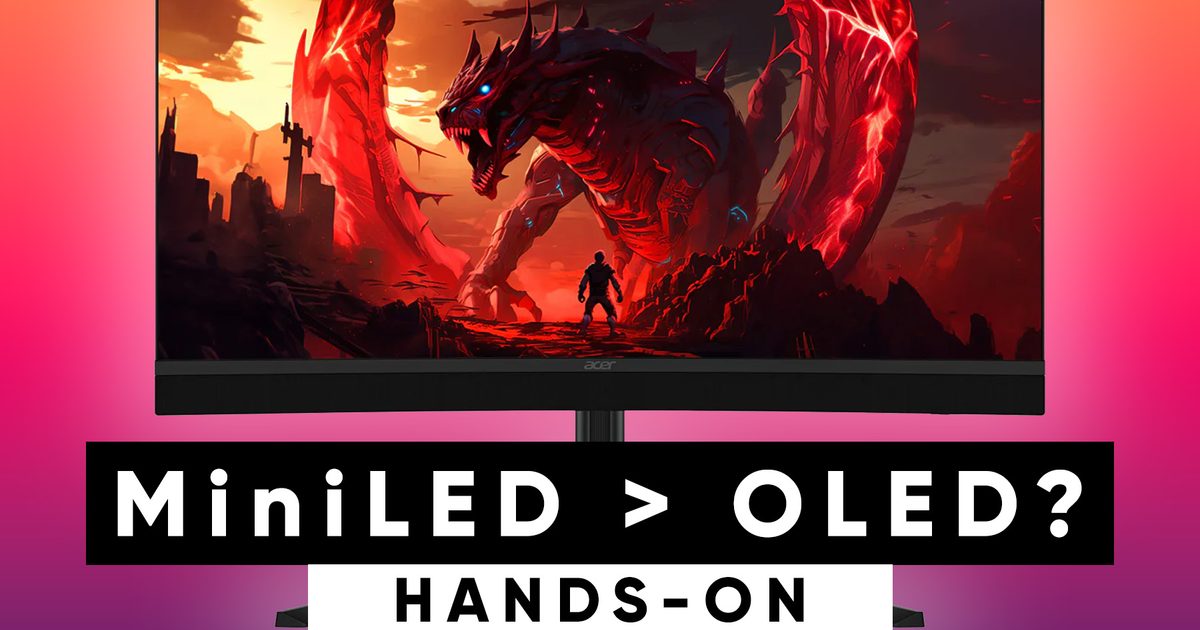
    If Computex 2026 taught me one thing, it’s that monitor makers are no longer interested in building one-trick ponies. They want displays that can wear multiple hats, seamlessly switching between work and play without making users choose. Acer’s new Nitro XV345CKR P is perhaps the best example of that philosophy, and after spending time with it on the show floor, I walked away impressed by its ambition while also questioning whether MiniLED is really the future for gaming monitors.

    I’ve always had a slightly complicated relationship with MiniLED. On a massive living room TV, it works wonders because you’re sitting several feet away, and the local dimming zones blend beautifully. Put the same technology on a monitor that’s sitting barely two feet from your face, however, and suddenly you’re no longer admiring the display, you’re inspecting the physics behind it.

    Acer is trying to build one monitor that does it all

    On paper, the Nitro XV345CKR P sounds almost too good to be true. It’s a 34-inch 1500R curved ultrawide with a 5K WUHD (5120 x 2160) resolution, making it considerably sharper than the UWQHD OLED ultrawides that currently dominate the market. That extra resolution doesn’t just make games look cleaner, but also results in noticeably sharper text and far more workspace for coding, writing, spreadsheets, or video editing.

    Then comes Acer’s biggest trick: Dynamic Frequency and Resolution (DFR). At the press of a button, the monitor can run at 5K and 180Hz for immersive single-player gaming or productivity, before switching to 2560 x 1080 at 360Hz for competitive titles where every frame counts. It’s an incredibly clever concept that feels like Acer trying to replace both your creator monitor and your gaming monitor with a single display.

    The MiniLED implementation itself is equally ambitious. Backed by 1,344 local dimming zones and certified for DisplayHDR 1000, the monitor gets incredibly bright and remained perfectly legible even under the harsh lighting of the Computex show floor. More importantly, this isn’t just another edge-lit VA panel with a fancy sticker slapped on the box. The dense local dimming array delivers significantly better HDR highlights and local contrast, making explosions, reflections, and bright scenes look far more impactful than they would on a conventional LCD monitor.

    The technology impressed me, but OLED still lives rent-free in my head

    As good as the hardware is, using the Nitro XV345CKR P also reminded me why MiniLED and desktop monitors remain an interesting combination. Because you’re sitting so close to the display, the limitations of local dimming become much easier to spot. During my demo, I could still notice blooming around bright objects against dark backgrounds, and while black levels were certainly improved over a standard VA panel, they never reached the pixel-perfect darkness that OLED panels have conditioned many enthusiasts to expect. That’s less a criticism of Acer and more a limitation of the technology itself.

    At the same time, it’s important to give MiniLED the credit it deserves. Compared to a traditional edge-lit VA monitor, this implementation is in another league altogether, delivering excellent brightness, stronger HDR performance, and much better local contrast. It also avoids one concern that continues to make some buyers nervous about OLED: burn-in. For users who spend all day staring at static toolbars, spreadsheets, or editing timelines before gaming at night, that’s a genuine advantage.

    Ultimately, I don’t think the Acer Nitro XV345CKR P is trying to dethrone OLED, and that’s perfectly okay. Instead, it’s carving out its own space with a unique blend of razor-sharp 5K clarity, impressive HDR brightness, and the flexibility to switch between productivity and high-refresh gaming in a single display. Most enthusiasts may still gravitate towards OLED, but if priced right, this ambitious MiniLED monitor proves there’s still plenty of room for innovation beyond self-lit pixels.
  • Techgeeks: Wikipedia transforms “On This Day” into a clever daily quiz

    Techgeeks: Wikipedia transforms “On This Day” into a clever daily quiz

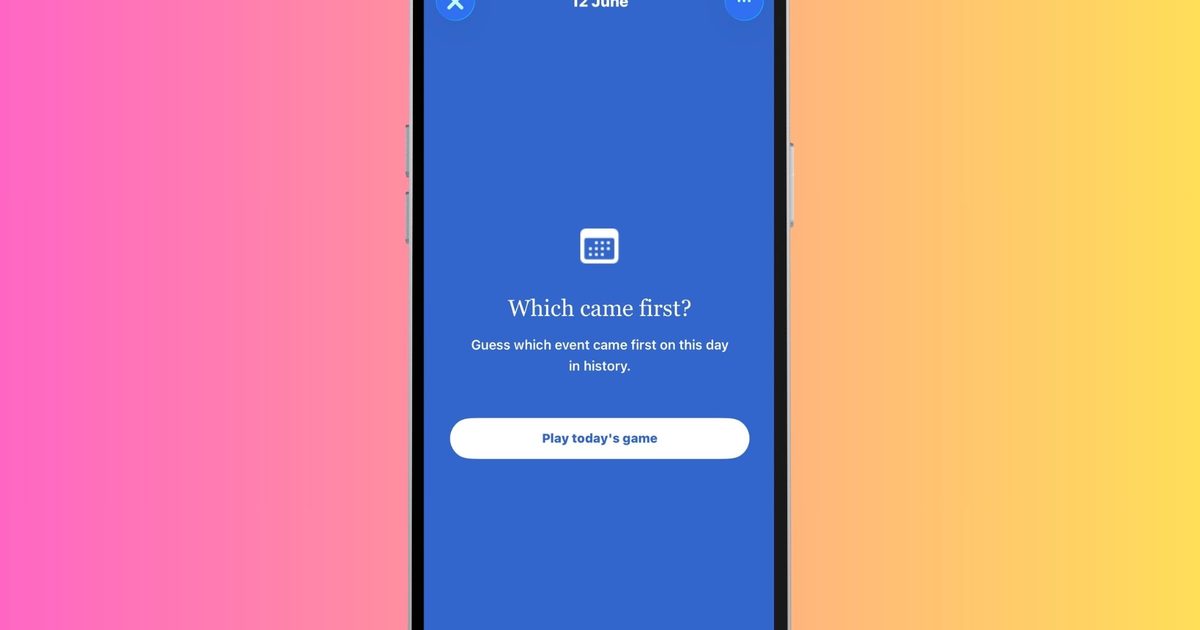
    Wikipedia has long been the internet’s favorite rabbit‑hole. You pop in to verify a single fact and somehow end up reading about ancient empires, obscure inventors, or a centuries‑old battle you never knew existed. Now the online encyclopedia is channeling that curiosity into a new iPhone game – perhaps its smartest move yet.

    The feature, called Which came first?, arrived in the latest Wikipedia iOS app after an Android debut. The idea is simple: each day you’re presented with a series of historical events and must decide which occurred earlier. There are five questions per day, each tied to something that happened on that specific date in history. In a mobile‑gaming world full of endless grinding, battle passes, and pushy notifications, a game that merely asks you to pause and think feels refreshing.

    A daily history lesson disguised as a game
    The charm of Which came first? lies in its minimalism. You don’t need to know every king, war, invention, or scientific breakthrough to enjoy it. In fact, the fun often comes from discovering how badly your sense of history can betray you.

    For example, can you tell whether the first email was sent before the first mobile‑phone call? Or whether a famous archaeological find predates a landmark political event? History is packed with moments that seem to belong to different centuries until you compare them side by side. That uncertainty creates a surprisingly satisfying challenge, and even a wrong guess usually leaves you with a memorable fact that sticks longer than a typical trivia question.

    This screen time definitely feels productive
    Perhaps the most appealing aspect of Wikipedia’s new game is how well it aligns with the platform’s mission. Instead of trapping users in an endless engagement loop, it encourages genuine curiosity. After finishing a round, you’ll likely tap a related article to learn more about the events you just encountered.

    Wikipedia also provides an archive of past rounds, letting history buffs revisit older challenges whenever they wish. Gameplay stats track things like your average score and streaks, offering just enough motivation to return without turning the experience into a competitive obsession. You can find Which came first? in the Explore feed of the Wikipedia iPhone app starting today. It may not be the flashiest game on your phone, but it could easily become one of the most rewarding few minutes of your day.

  • Scammers used Gemini AI to power a massive phishing operation and Google just sued them

    Scammers used Gemini AI to power a massive phishing operation and Google just sued them

    That suspicious text about an unpaid toll, a delayed delivery package, or expiring rewards points may no longer be the work of a lone scammer. These scam texts have been flooding American phones for years, but something has changed.

    Google says artificial intelligence is helping fraudsters run larger and more convincing operations than ever before. The company has now filed a lawsuit against a cybercrime network that used Gemini AI to create phishing websites and power a massive scam campaign targeting millions of users.

    AI scams are getting harder to spot

    Google’s lawsuit targets a Chinese cybercrime network called the Outsider Enterprise. The group coordinated through Telegram and distributed phishing kits to criminals around the world.

    Using Google’s Gemini AI, they built fake websites impersonating trusted brands like Google, YouTube, and even the US Postal Service. They used AI to create hundreds of imposter websites at a scale that simply was not possible before.

    The group created over 9,000 fake websites and more than one million fraudulent URLs. In just two weeks ending June 1, Android users flagged 55,000 suspicious texts, and the Outsider Enterprise sent 2.5 million messages containing links to fake websites.

    The FBI estimates the operation has stolen 3.87 million credit card numbers from victims across dozens of countries, with total losses reaching $1.9 billion since July 2023 (via WSJ).

    What is Google doing about it?

    Google is asking a New York federal court to shut down the operation entirely. The company is working alongside the FBI and carriers AT&T, T-Mobile, and Verizon to block these texts before they reach your phone.

    Google’s built-in messaging defenses already intercept over 10 billion malicious messages every month, and Android’s scam detection tool flags suspicious calls and contacts in real time.

    Google is also pushing for seven bipartisan bills in Congress to make these protections permanent, arguing that legal action alone will not be enough to stop a threat that AI has made effectively limitless.

  • Meta’s unsettling smart glasses finally discover a purpose that matters

    Meta’s unsettling smart glasses finally discover a purpose that matters

    For months, conversation about Meta’s Ray‑Ban smart glasses has vacillated between awe and wariness. Are they heralding the next wave of wearable computing, or simply another device that raises uncomfortable privacy concerns? This week, the glasses took center stage in a completely different narrative.

    The most significant upgrade yet for Meta’s smart glasses

    Meta is joining forces with the Blinded Veterans Association (BVA) and the nonprofit tech group TechSoup to provide Ray‑Ban Meta smart glasses to more than 130,000 legally blind veterans across the United States. The devices are being framed as an accessibility solution that could give users greater independence in everyday life.

    Veterans who qualify can apply through the BVA to obtain a pair, while veteran organizations can collaborate with TechSoup to broaden distribution. The program goes beyond handing out hardware; recipients will also receive training resources tailored for blind and low‑vision users. These include monthly webinars, in‑person support events, and a dedicated guide that teaches how to trigger voice commands, recognize objects, read documents, answer calls, and manage daily tasks with the glasses. At a time when AI products often seem eager to justify their existence, this approach feels refreshingly practical.

    A timely reminder of AI’s brighter side

    We recently examined how Meta’s smart glasses are beginning to find meaningful uses beyond social media and content creation. For individuals with vision impairments, the built‑in camera and AI assistant can act as a digital companion, describing surroundings, reading text aloud, and assisting with routine tasks many take for granted. The timing is notable, too.

    Just days earlier, Meta’s smart‑glasses ambitions made headlines for a very different reason. A WIRED investigation uncovered that Meta had embedded dormant facial‑recognition code—internally dubbed “NameTag”—into its smart‑glasses ecosystem, later removing it after public scrutiny. The revelation reignited concerns about surveillance and privacy in wearables.

    That controversy isn’t fading quickly. Yet stories like this one serve as a reminder that the same technology that sparks privacy fears can also deliver concrete benefits when applied to real‑world challenges. For thousands of blind veterans, the most valuable function of these AI glasses isn’t capturing the world around them; it’s helping them navigate that world with greater autonomy.


  • I tried to blur a face in iOS 27, and my iPhone gave me a brand‑new one – Techgeeks

    I tried to blur a face in iOS 27, and my iPhone gave me a brand‑new one – Techgeeks

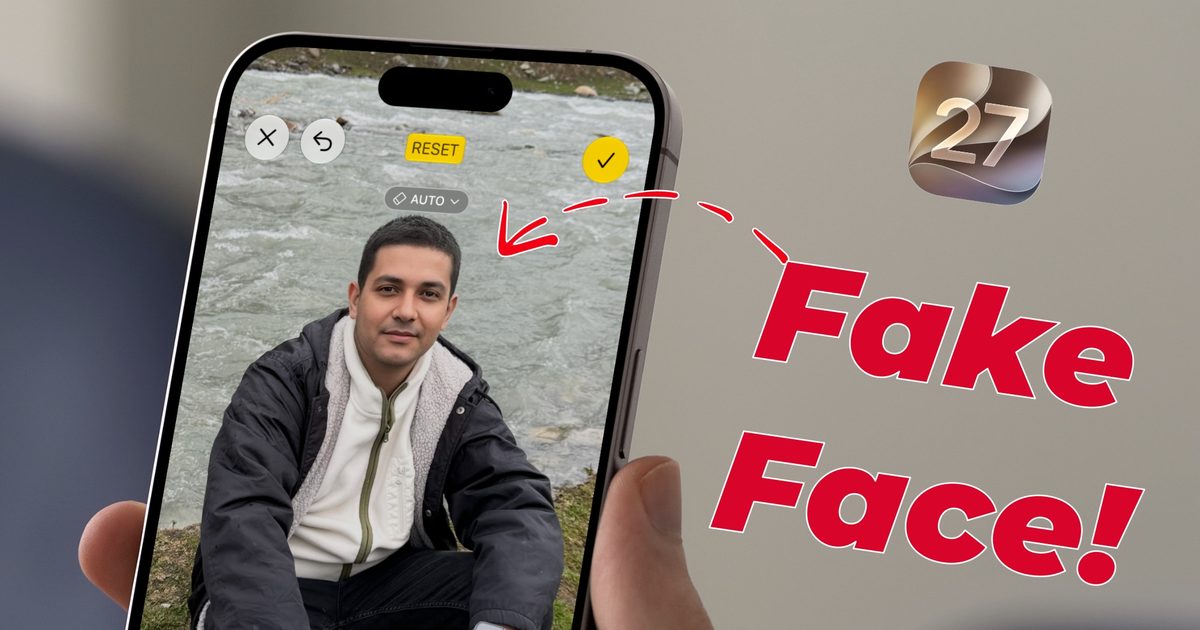
    Apple introduced the Clean Up tool with iOS 18.1, primarily to erase unwanted objects from photos. The same feature could also be used to conceal faces – you simply draw a circle around a face and the system automatically blurs it, a function Apple markets as “Identity protection.”

    With the iOS 27 update, Apple refined Clean Up so it can handle far more intricate scenes. Unfortunately, the first developer beta disables the face‑hiding capability. Instead, it produces an outcome that is both amusing and concerning.

    What happens when you try to blur a face in iOS 27?

    I discovered this by accident while cleaning up a picture before sharing it. I opened a photo, selected the Clean Up tool, and circled a face just as I always have. On the initial attempts the tool outright lied to me.

    It reported that Identity protection had been applied, yet the screenshot shows the face clearly visible. I decided to push further. Rather than circling the face, I painted over it with my finger. That’s when things got strange.

    Instead of blurring or removing the face, the system generated an entirely new one. The AI‑crafted face was so convincing that anyone viewing the image would assume it was the original subject, not a replacement.

    To rule out a one‑off glitch, I repeated the test with several photos of different people. Every time, circling a face resulted in a false “blurred” message, and painting over it produced a completely new face.

    Sure, this is the first developer beta, so bugs are expected, but this feels less like a typical bug and more like an AI hallucination. Apple relies on Gemini models for its Apple Foundation Models, and it appears to be inheriting some of Gemini’s notorious hallucination issues.

    What should you do for now?

    The upside is that we’re still in the developer beta, giving Apple a chance to fix the problem before the public beta arrives in July. If you depend on this feature for face‑blurring, stick with iOS 26 for the time being, where the blur works as intended.

    If you’re already on iOS 27 and need to conceal a face today, your safest bet is the classic emoji‑cover trick. I’ve submitted feedback through Apple’s Feedback app and encourage you to do the same if you encounter the issue.

    Early reports increase the likelihood that Apple will address this before release. A privacy‑focused tool shouldn’t be inventing new people, and I hope this hallucination is ironed out quickly.

  • EXCLUSIVE: The Death of Robin Hood director explains his bold reimagining of the legend for A24

    EXCLUSIVE: The Death of Robin Hood director explains his bold reimagining of the legend for A24

    A medieval icon receives a daring makeover in A24’s The Death of Robin Hood. Written and directed by Michael Sarnoski (known for A Quiet Place: Day One), the picture follows the famed archer, portrayed by Hugh Jackman, as he wrestles with a lifetime of bloodshed and remorse. After his most recent quest leaves him seriously injured, Robin Hood is offered an unexpected path to redemption under the watch of the enigmatic Sister Brigid (Jodie Comer).

    Although Robin Hood has been retold countless times on screen, Sarnoski’s version diverges sharply from earlier adaptations. By reshaping familiar figures and thrusting them into a harsh, intense storyline, he injects fresh vitality into a centuries‑old myth, rendering it more grounded, tragic, and gripping than ever before.

    In a conversation with Techgeeks, Sarnoski detailed his approach to portraying Robin Hood as a deeply flawed individual, his collaboration with Jackman and Comer, and his use of visceral violence to explore themes of guilt, forgiveness, and redemption.

    How the film redefines iconic characters and narratives

    Sarnoski said his fascination with Robin Hood’s downfall grew from childhood exposure to the legend. He didn’t think another Robin Hood movie was necessary, yet the story he’d drafted before A Quiet Place: Day One captivated him so strongly that he felt compelled to bring it to the screen.

    “I’ve always been drawn to the ‘death of Robin Hood’ ballad,” Sarnoski told Techgeeks. “It struck me as both beautiful and profoundly human, and I’ve wanted to explore it for years.”

    Instead of depicting Robin as a youthful rebel championing the oppressed, the film presents him as an aging, regret‑laden outlaw haunted by his brutal past. Early scenes reveal that the popular tales of stealing from the rich and giving to the poor are myths; the real Robin is a ruthless thrill‑seeker who kills without hesitation, leaving generations of avengers in his wake.

    By the time the story opens, Robin Hood is a fierce yet remorseful old man counting down the days until he can settle his countless “blood debts.” Jackman balances ferocity with vulnerability, making the character compelling even at his darkest. When a chance at a new beginning appears, Jackman delivers a moving performance that elevates the film’s meditation on forgiveness.

    “[Jackman] invested immense thought into this role,” Sarnoski explained. “When he first read the script, he was clearly moved by the moral grayness and eager to dig into it. Working with him has been a privilege; we couldn’t have made this movie without him.”

    Jodie Comer anchors the film’s emotional core

    Sister Brigid flips another staple of Robin Hood lore on its head. Rather than the treacherous prioress who lets Robin bleed out, Brigid is re‑imagined as a compassionate healer devoted to safeguarding children and mending the wounded at her priory.

    Sarnoski revealed that he crafted Brigid specifically for Comer, praising her ability to layer performances with wisdom, innocence, and humanity.

    “She brings a quiet, gentle strength that holds many contradictions within her,” Sarnoski said. “The prioress needed someone like that to contrast and mirror Hugh’s intensely portrayed Robin, and I can’t imagine a better pairing.”

    While Robin and Brigid are opposite to their traditional versions, their relationship drives the narrative. The revelation that Robin killed Brigid’s husband adds a fresh, emotionally charged dynamic built on grief, culpability, and the possibility of forgiveness.

    The film exposes medieval brutality

    Popular media often romanticizes the Middle Ages with glittering castles and chivalrous knights. The Death of Robin Hood shatters that illusion by showing the grim reality of everyday life in that era.

    The opening sequence follows a peasant girl trekking through wind‑blasted mountains, immediately establishing a bleak, unforgiving tone. Even a simple exchange between her and Robin spirals into a life‑or‑death struggle, underscoring how desperate people were to survive.

    Although the movie is graphically violent, the bloodshed is never glorified. Sarnoski insisted the violence should feel more akin to horror or war than to a glossy Hollywood action blockbuster.

    There are no grandiose battles of armored knights on horseback. Instead, ordinary folk clash brutally, tearing flesh and leaving wounds that linger long after the fight.

    Sarnoski makes the audience feel each slash, burn, and arrow, forcing viewers to sit with the pain well after the conflict ends. This unflinching portrayal captures the horrific nature of Robin’s criminal existence, stripping away the romantic sheen of his legend.

    “It needed to be uncomfortable because that’s what the characters are wrestling with,” Sarnoski explained. “We wanted to convey that Robin wasn’t a hero and that he lived a brutally violent life, not a swashbuckling adventure.”

    Don’t expect a nonstop action spectacle like John Wick or Sisu. The film is a measured, thought‑provoking character study that reimagines Robin Hood’s saga with both cruelty and beauty.

    What viewers should take away

    As the title suggests, the story does not conclude with a fairy‑tale happy ending. Sarnoski isn’t simply offering another dark retelling; he’s crafted a realistic, emotional drama that showcases humanity at its best and worst.

    Jackman’s Robin Hood is far from the familiar hero, and that very departure makes the film compelling. By turning a celebrated outlaw into a flawed man seeking peace, Sarnoski delivers one of the most distinctive and resonant adaptations of the legend.

    “I hope audiences arrive with an open mind, ready to see a version of Robin they never imagined, and leave reflecting on the stories we tell ourselves and each other,” Sarnoski said.

    The Death of Robin Hood opens in U.S. theatres on June 19.

  • Google launches Gemini TV controls, with TCL users getting early access

    Google launches Gemini TV controls, with TCL users getting early access

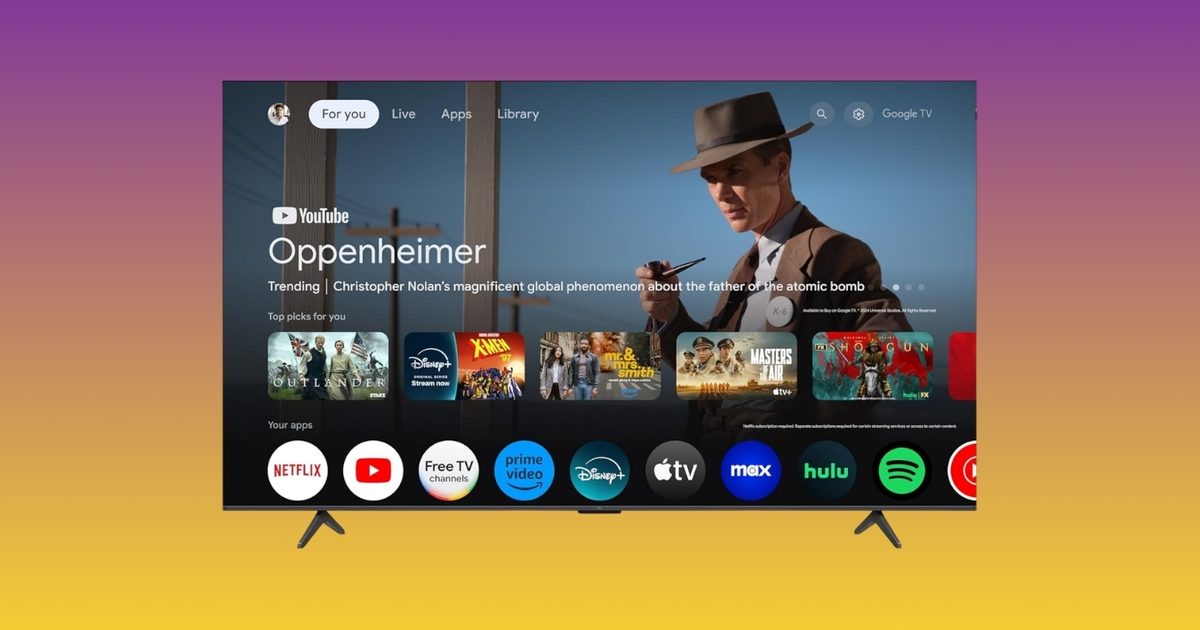
    Adjusting your Google TV settings is one of those tasks that sounds straightforward until you’re three menus deep looking for the brightness slider. Google has now streamlined that experience. The company has introduced new Gemini controls, and TCL is the exclusive launch partner, so TCL TV owners can use the feature for the first 60 days before it becomes available on other Google TV brands.

    What do the new Gemini TV controls actually offer?

    Instead of hunting through settings menus, you can simply speak to your TV. Ask Gemini to modify brightness, contrast, volume, or picture modes with your voice. If something looks or sounds off, describe the issue in plain language. Phrases like “the screen is too dark” or “I can’t hear the dialogue” will trigger Gemini to adjust the settings automatically. You can also request Gemini to fine‑tune settings based on the content you’re watching, or jump straight to the settings menu without navigating multiple screens. It’s a seemingly minor feature that saves time every time you use it.

    Which TCL TVs receive the update?

    The rollout is live now for select 2025 and 2026 TCL Google TV models in the US. Compatible models include the QM9K, QM7L, RM7L, X11L, QM9L, QM8L, and RM9L. It remains unclear whether older TCL models such as the QM6K, QM7K, or QM8K will get the update later.

    The timing is noteworthy as well. With the FIFA World Cup kicking off this summer, having quick voice control over picture and sound settings before a big match is a handy addition. Google is also launching a dedicated World Cup Hub on Google TV, offering live match info, schedules, highlights, and YouTube content.

  • Your smart home stops at the back door — wire-free robot mowers want to change that

    Your smart home stops at the back door — wire-free robot mowers want to change that

    Take a moment to think about how many things in your home are now automated. Your robotic vacuum cleans the floors. The temperature on your thermostat changes before you even arrive home. The camera by your front door recognizes people arriving. 

    Now go outside. You will find that your lawn is still waiting for you to take out a gas-powered mower and mow it every Saturday. Indoor smart home technology is relatively mature, but the moment you step outside, things get more complicated. This gap has been a persistent challenge for the smart home industry. 

    Why the yard got left behind 

    There are good reasons outdoor automation took longer. Indoors, the problems are bounded: walls, flat floors, and predictable furniture. A robot vacuum maps the living room and gets to work. Outside, it’s not so simple. Terrain changes. Grass grows unevenly. There are trees, slopes, flower beds, patio chairs that get moved every weekend, garden hoses left out, kids’ toys scattered across the lawn. That’s all before considering the weather. And unlike a floor, a yard doesn’t always have walls or fences to define its edges. 

    That last point is responsible for the biggest source of friction with early robotic lawn mowers. Most required homeowners to install a boundary wire around the perimeter of their yard. It involved burying or staking a physical wire into the ground to tell the mower where to stop. This worked, technically. But it was tedious to set up and easy to damage, making it a real barrier to the kind of effortless experience people have come to expect from indoor smart home devices. 

    The alternative to a boundary wire was to install an RTK base station, which involved mounting an antenna and relying on GPS to guide the mower. This resolved the issues with wire installation, but could result in poor performance under dense foliage or next to fences and buildings. 

    The tech that’s changing the math 

    Aware of these hurdles, manufacturers have brought a new crop of robot mowers to market. The Sunseeker S4 is one of them. Among its peers, it has a notable feature: there is no boundary wire to bury and no RTK base-station antenna to mount on a roofline or pole. The experience of setting up the S4 more closely resembles setting up a new robot vacuum, without the trench-digging or antenna-mounting steps required by some earlier systems. The S4 achieves this by using its onboard sensors to understand the yard directly. Its AllSense™ Vision AI and 3D LiDAR work together to build a live picture of the mower’s surroundings, helping it identify common backyard obstacles and navigate messy, lived-in yards. 

    However, these capabilities come with some constraints. Importantly, the S4 is not compatible with St. Augustine or Zoysia lawns. The remaining limitations are relatively narrow. The Sunseeker S4 can maintain yards up to 0.25 acres, can handle slopes up to 42% (22°), and can process up to 100 different zones across 5 maps, meaning a single unit can tackle split front and back yards. Many suburban lawns fall within these criteria. Full compatibility, pricing, and availability information is available through Sunseeker’s official channels.  

    What using it looks like 

    Setup happens via the app. You create your mowing zones and set a schedule. Compared to previous generations, setup is notably shorter and simpler. No digging trenches. No staking boundary wires. No roofline RTK antenna setup. 

    Once it’s running, the S4 uses its LiDAR and Vision AI to detect and attempt to navigate safely around common yard objects such as toys, pets, outdoor furniture, and garden features. It mows on a regular schedule, which is better for the grass: frequent light cuts are healthier than the scalp-and-recover cycle that many homeowners default to when the mower finally comes out on Sunday afternoon.  

    The whole experience reflects how the category is evolving. The user sets it up, checks in through the app when they want to, and otherwise stops thinking about mowing. 

    The robot vacuum parallel 

    The comparison is hard to avoid. Ten years ago, robotic vacuum cleaners were an innovation. At first, most of them weren’t very practical. Early models randomly bounced off every object in the home, doing more to entertain than to save your labor. But over time, they got better. Setup became easier. Object detection improved drastically. Precise mapping became feasible. Eventually, robot vacuums transitioned from novelties to realistic replacements for your vacuum cleaner.  

    Robotic lawn mowers appear to be moving towards a similar threshold. The category of AI lawn mowers has progressed from cumbersome, installation-heavy gadgets to practical outdoor smart home appliances. The Sunseeker S4 is one example of this shift. A 3D LiDAR robotic mower that does not require setting boundaries using a perimeter wire and can navigate a “real” yard is a completely different type of product than those available within the category five years ago. 

    Are robot mowers ready for prime time? 

    The change in approach among robot mower manufacturers is good news for smart home users who are eager to automate their lawn care. The initial setup overhead and friction are steadily being reduced compared to previous generations. 

    For prospective users with compatible yards under 0.25 acres, the options for robot mowers that don’t require wire or RTK station installation are growing. If you’ve been considering a robot mower but have been hesitant due to the challenges, the barrier to entry is now lower than before.

    However, the limitations may still be too narrow for some users. A mower like the S4 is not going to replace a riding lawn mower for large lawns of premium grass like St. Augustine, nor will it fare well with steep or otherwise extreme terrain. It may still be some time before the market sees equipment capable of addressing these challenges.  

    More information about the S4 and Sunseeker’s full lineup of robot mowers is available on Sunseeker’s official website and its FacebookInstagram, and YouTube channels.  

    Disclaimer: Pricing and availability are accurate at the time of publication but may change. Prices may fluctuate during major retail events such as Prime Day. Please check the retailer’s website for the most up-to-date pricing and promotions. 

  • Your Windows 11 machine can now handle AI tasks natively, even without the Copilot+ label – Techgeeks

    Your Windows 11 machine can now handle AI tasks natively, even without the Copilot+ label – Techgeeks

    For most of the past year, Microsoft has insisted that the future of AI on Windows belongs to Copilot+ machines. To access the most advanced local AI features, you supposedly needed a PC equipped with a dedicated Neural Processing Unit (NPU). That was the premise. Now, Microsoft seems to be changing the game.

    According to the latest documentation, Windows 11’s local Language Model APIs are able to run on non‑Copilot+ PCs as long as they sport an Nvidia GeForce RTX 30‑series GPU (or newer) with a minimum of 6 GB of VRAM. At first glance, this appears to be a developer‑centric tweak, but in practice it could represent one of the most consequential adjustments to Microsoft’s AI‑PC strategy since the Copilot+ line debuted last year. More importantly, it forces us to revisit a lingering question from the start of the AI PC era: were NPUs really a prerequisite for these workloads?

    The Copilot+ exclusivity era felt a bit odd

    When Copilot+ machines launched in June 2024, Microsoft marketed them as the gateway to native AI experiences on Windows. To qualify, a device needed 16 GB of RAM, an SSD, and an NPU capable of delivering at least 40 TOPS of AI performance. The messaging implied that such specialised chips were essential for running AI locally. While that’s true for efficiency, it never painted the whole picture.

    Anyone familiar with AI hardware already knew that GPUs were more than capable of handling these tasks. In fact, modern graphics cards often out‑perform NPUs when it comes to running language models and generative AI apps. That’s why enthusiasts have been relying on GPUs for years, whether they’re experimenting with small language models or image generators. Yet Windows’ built‑in AI features remained locked behind the Copilot+ badge.

    This created a strange situation: a gaming rig with an RTX 4070 had more than enough horsepower to run AI models locally, but it couldn’t tap into Microsoft’s native AI framework because it lacked an NPU. Meanwhile, a thin laptop with a qualifying NPU could. The new change doesn’t erase that split entirely, but it certainly narrows it.

    Microsoft may be laying the groundwork for AI beyond NPUs

    The expanded Language Model APIs let developers harness local AI capabilities on supported Nvidia hardware. Microsoft states that these APIs now operate on non‑Copilot+ systems equipped with RTX 30‑series GPUs or newer, provided they have at least 6 GB of VRAM. The APIs run Microsoft’s compact on‑device language model, Phi Silica, which can be used for summarising text, rewriting content, turning prose into tables, formatting information, and generating responses to prompts.

    Think of it as a lightweight, on‑device counterpart to the AI features people usually associate with services like ChatGPT. The key difference is that everything runs locally, not in the cloud. This matters for two reasons: privacy—your sensitive documents, notes, emails and drafts never leave the PC—and performance—local AI can respond instantly without waiting on remote servers, subscriptions, or an internet connection.

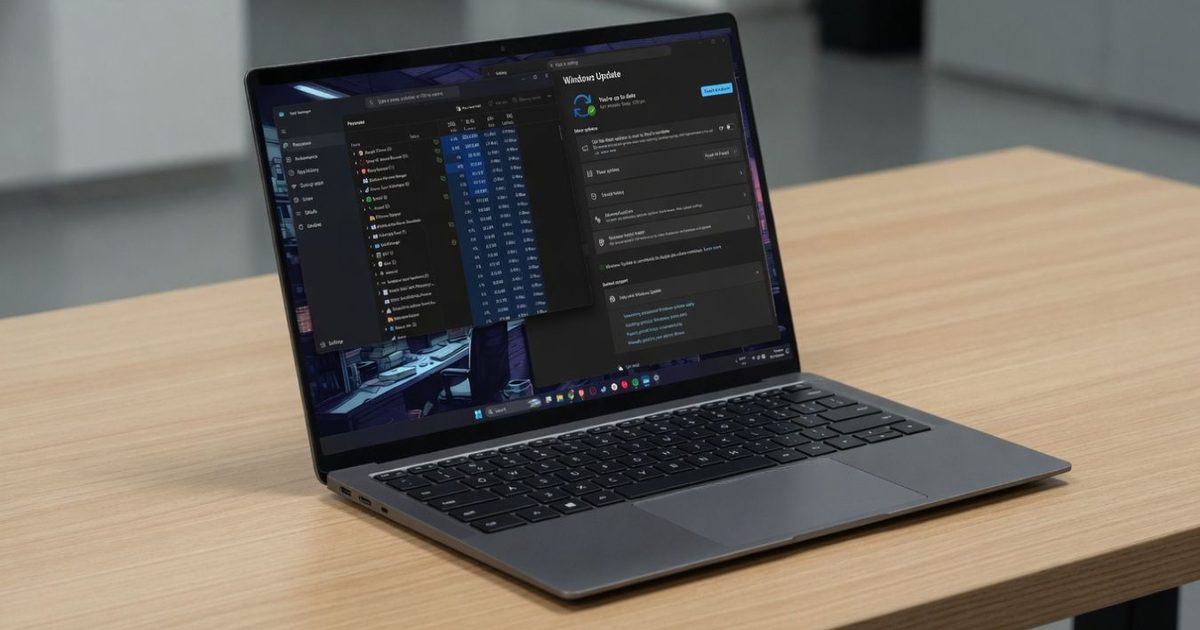
    What’s intriguing is Microsoft’s distribution model. If an app requires Phi Silica, Windows can fetch the model via Windows Update and execute it locally on compatible hardware. In other words, the OS is starting to treat AI models as just another Windows component rather than a premium add‑on reserved for a specific class of PCs—a notable philosophical shift.

    Is the Copilot+ exclusivity ending?

    Don’t assume every AI feature is now coming to older Windows machines. Tools such as Recall, Click to Do, and some of Microsoft’s AI‑powered creative utilities still appear tied to systems with NPUs. The current broadened support applies only to the Language Model APIs, which focus on text‑based AI experiences.

    History, however, shows that such walls rarely stay up forever. Once Microsoft proves that local AI runs smoothly on mainstream RTX hardware, it becomes harder to justify keeping certain AI experiences exclusive to NPUs. Developers won’t care whether the workload runs on an NPU or a GPU as long as it works well, and consumers certainly won’t. That’s why this update feels more impactful than the documentation change alone suggests.

    For now, it’s just one API, but it also marks Microsoft’s first meaningful acknowledgment of a point many PC enthusiasts have been making all along: capable GPUs were never the bottleneck. If local AI can run flawlessly on millions of existing RTX‑powered PCs, the line between a “Copilot+ PC” and an ordinary Windows PC may soon become far less significant than Microsoft originally envisioned.

  • Intel’s Arc G3 Extreme may finally give handheld gaming the twist it’s been missing

    Intel’s Arc G3 Extreme may finally give handheld gaming the twist it’s been missing

    If there’s one gadget class I’ve become almost addicted to over the past few years, it’s handheld gaming PCs. I’ve logged hundreds of hours on the Steam Deck, bought an original ROG Ally for myself, and most recently did a deep dive into the ROG Xbox Ally X. I’ve watched the segment grow from a niche experiment into a viable alternative to a gaming laptop for quick couch sessions or travel. I’ve also lived through its biggest flaw: no matter how refined these devices become, a trade‑off always lurks—be it battery life, thermals, raw performance, or software quirks.

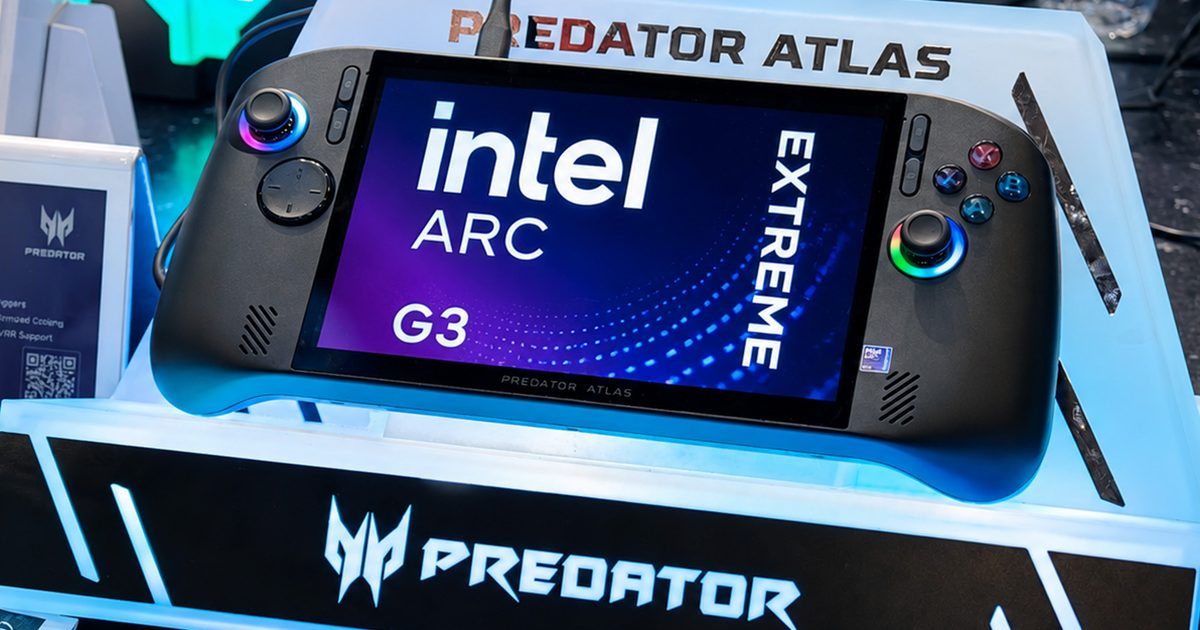
    So when I arrived at Computex 2026 and got hands‑on time with Acer’s fresh Predator Atlas 8 and MSI’s newest Claw 8 EX AI+, my excitement was natural. Not only because they look striking, but because they bring something the handheld arena has been starving for: genuine competition. In truth, Intel’s new Arc G3 Extreme processor could be the most consequential handheld announcement in years, and honestly, it feels long overdue.

    Intel’s Arc G3 Extreme feels like the reset button the company desperately needed

    For a long time AMD has ruled Windows‑based handhelds, powering everything from the ROG Ally to the Lenovo Legion Go with its Ryzen Z‑series silicon. Intel’s earlier forays fell short due to uneven drivers and poorer efficiency, but the Arc G3 Extreme appears to be a clean break. Instead of repurposing laptop chips, this is a graphics‑first design built expressly for handheld gaming, based on Intel’s new Panther Lake architecture and fabricated on the advanced 18A process.

    The centerpiece is the integrated GPU, which houses 12 next‑gen Xe3 cores and supports hardware‑accelerated ray tracing and XeSS 3, including Multi‑Frame Generation. The aim isn’t merely higher frame rates but achieving them efficiently, delivering smoother AAA titles without draining the battery at an alarming pace. Intel claims up to a 42 percent performance uplift over competing solutions in certain tests, along with notable gains in performance‑per‑watt.

    Those numbers will need solid third‑party verification, but after spending several hours with the hardware they no longer seem far‑fetched. What struck me wasn’t just the FPS readout but the overall polish. Games launched quickly, animations were fluid, and I never witnessed any jarring stutters or erratic frame pacing. Everything just worked—a surprisingly refreshing experience in a segment that has often demanded a lot of patience from early adopters.

    Intel also seems to have made real strides on the software front. Past Arc products were plagued by driver inconsistencies, yet my brief hands‑on suggested a much more mature approach. While a demo floor can’t replace long‑term testing, the experience felt notably refined. After years of juggling handhelds, I’ve grown accustomed to making compromises—dropping wattage to save battery, lowering graphics settings for smoother play, staying tethered to a charger when a demanding AAA title saps power. Using Intel’s new platform made me wonder if those compromises are finally starting to shrink.

    The Acer Predator Atlas and MSI Claw hands‑on experience

    Acer has flirted with handhelds before (think the Nitro Blaze line), but the Predator Atlas 8 feels like its first true flagship push into the space. It offers comfortable ergonomics, responsive controls, and a premium build that inspires confidence instantly. Its custom AeroBlade cooling kept temperatures in check even under heavy loads, and the vibrant 8‑inch 120 Hz screen stayed readable under the bright Computex lighting. More importantly, once I started playing, I forgot the specs entirely and simply enjoyed the session—a high compliment for any gaming device.

    The MSI Claw 8 EX AI+ appears to be the result of MSI actually listening to feedback from its earlier handhelds. The revamped ergonomics make it far more comfortable to hold, the buttons and triggers feel satisfyingly tactile, and the overall feel is noticeably more refined. Paired with Intel’s Arc G3 Extreme and XeSS 3 enhancements, gameplay remained consistently smooth, while Windows’ dedicated Xbox fullscreen UI made navigation feel closer to a console than a traditional PC.

    The future looks bright, but there’s one big catch

    After testing both units, I didn’t leave convinced that Acer or MSI had built the superior machine. Instead, the processor powering them kept dominating my thoughts, which is perhaps the greatest compliment I can give Intel. For the first time in years, AMD finally faces a serious challenger in the premium handheld market, and the Arc G3 Extreme feels more than just another ambitious slide‑deck promise. That said, the real verdict will come once these devices land on reviewers’ desks, where battery endurance, sustained performance, thermals, and driver stability will matter far more than a polished demo.

    The lingering question every gamer is asking is: what will they cost? Pricing could ultimately make or break both the Predator Atlas 8 and the Claw 8 EX AI+, but regardless of the price tag, I left Computex feeling genuinely optimistic about handheld gaming’s trajectory. The Steam Deck sparked the revolution, ASUS pushed it forward, and now Intel appears ready to shake things up in a big way. If the Arc G3 Extreme lives up to its hype, the biggest winners won’t be the companies behind it, but gamers like us.